الوسم: Technology

  • What Is an HDTV?

    High Definition Television (HDTV) has revolutionized the way we consume media, offering enhanced picture and sound quality compared to its predecessors. As a prominent feature in modern homes, understanding HDTV technology is essential for anyone looking to upgrade their viewing experience.

    Understanding HDTV

    HDTV refers to a television system that provides a higher resolution than traditional analog TV formats. This advancement allows for a clearer, sharper image and more vibrant colors. The resolution is generally defined by the number of horizontal lines of pixels a screen can display and comes in various formats.

    Key Resolutions of HDTV

    • 720p: This is the lowest resolution in the HDTV category, featuring 1280 x 720 pixels. It provides a decent picture quality that is suitable for smaller screens.
    • 1080p: Known as Full HD, this resolution boasts 1920 x 1080 pixels. It is commonly found in modern televisions and offers significantly improved clarity and detail.
    • 4K UHD: This ultra-high-definition standard features resolutions of 3840 x 2160 pixels. It provides four times the detail of 1080p, making it ideal for large screen displays.
    • 8K UHD: This is the newest standard, reaching 7680 x 4320 pixels. Though still emerging, it offers astonishing detail for viewing, especially on very large screens.

    Features of HDTV

    Beyond resolutions, HDTVs come with a variety of features that enhance the viewing experience. Here are some of the most notable characteristics:

    Display Technologies

    • LCD (Liquid Crystal Display): Utilizes liquid crystals to create images. Known for low power consumption and light weight.
    • LED (Light Emitting Diode): A type of LCD that uses LED backlighting for better contrast and color accuracy.
    • OLED (Organic Light Emitting Diode): Offers superior color accuracy and deeper blacks by lighting each pixel individually.
    • QLED (Quantum Dot LED): A technology developed by Samsung, enhancing LED displays with quantum dots for brighter colors.

    Audio Quality

    • Multi-Channel Audio: Many HDTVs support formats like Dolby Digital and DTS, providing a surround sound experience.
    • Built-in Speakers: While they may not rival dedicated sound systems, modern HDTVs often come with improved built-in audio capabilities.

    Smart Features

    • Internet Connectivity: Most contemporary HDTVs are equipped with Wi-Fi or Ethernet ports, enabling streaming services, apps, and browsing functionalities.
    • Voice Control: Many models support virtual assistants, allowing users to control the TV with voice commands for hands-free operation.

    Benefits of HDTV

    Investing in an HDTV offers several advantages that can significantly enhance your entertainment experience. Here are some key benefits:

    • Enhanced Picture Quality: The superior resolution and technologies allow for clearer images and vibrant colors.
    • Wider Viewing Angles: Many HDTVs utilize advanced technologies that maintain color accuracy from various angles.
    • Interactive Features: With smart TVs, users can enjoy streaming platforms, online gaming, and more.
    • Larger Screen Sizes: HDTVs are available in a broad range of sizes, making it easier to find the perfect fit for your space.

    Choosing the Right HDTV

    When selecting an HDTV, consider the following factors to ensure you make an informed decision:

    Screen Size

    • Room Size: Larger TVs work well in spacious rooms, while smaller screens may be more suitable for cozy spaces.
    • Viewing Distance: The distance from the seating area to the TV can impact the size you should choose. A larger screen is ideal for longer distances.

    Price Range

    • Budget: HDTVs come at various price points. Determine how much you are willing to spend, factoring in additional costs for accessories or installation.
    • Specifications: Higher resolution and advanced features often drive up the cost, so weigh your options based on your viewing habits.

    Brand Reputation

    • Quality: Consider brands known for their durability and reliability. Research customer reviews and professional ratings to make a sound choice.

    Knowing what an HDTV is and understanding its different features and specifications can help you choose the right model for your entertainment needs. As technology continues to evolve, embracing high-definition viewing becomes increasingly advantageous for anyone passionate about great media experiences.


  • Apple Delays Plans For Siri’s Evolution Again

    Apple Delays Plans For Siri’s Evolution Again

    The key highlight from Apple’s recent WWDC event was the anticipated evolution of Siri in the AI era. While some enticing features were announced, many are still not available to the public, and what has been released does not significantly advance the technology.

    Despite the hurdles, the future appears more promising, with hope on the horizon.

    As reported by Bloomberg, Apple is diligently developing an advanced language model version of Siri that will enable more natural and complex conversations.

    Large Language Models, commonly referred to as LLMs, are instrumental in powering conversational AI technologies found in platforms like OpenAI’s ChatGPT and Google’s Gemini. Apple’s vision for LLM Siri aligns closely with these models, as they aim to deliver a similarly intuitive user experience.

    Siri displayed on iPhone's lock screen.
    Nadeem Sarwar / Digital Trends

    “The new Siri will incorporate innovative AI models to interact in a more human-like manner,” the report states, with an announcement expected sometime in 2025 and a public rollout projected for spring 2026.

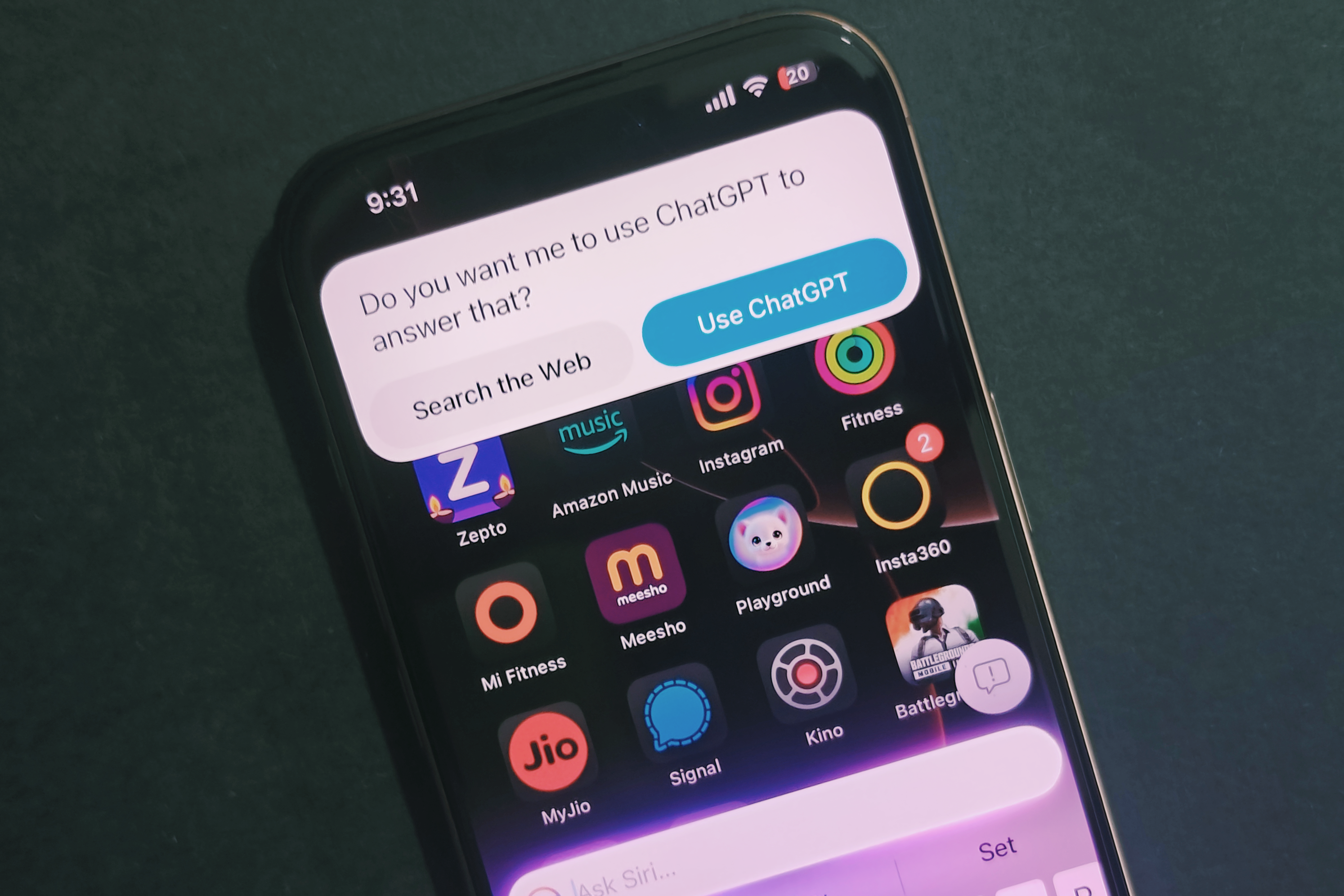
    This timeline may seem slow, particularly as users can already leverage enhanced features through Siri’s integration with ChatGPT in certain iOS test versions.

    In contrast, Google has released the standalone Gemini app for iPhones, featuring its Live conversation mode. This raises an important question: Why the lengthy wait when competing products are already available to users?

    Additionally, Apple is set to support various third-party language models, including ChatGPT, as part of its Apple Intelligence platform. According to Bloomberg, integration with Google’s Gemini is already on the agenda.

    Integration of ChatGPT and Siri on iPhone.
    Nadeem Sarwar / Digital Trends

    Apple’s efforts to stay competitive in the virtual assistant landscape seem to be lagging. Google has already transitioned many functions of Google Assistant to Gemini, achieving significant integration with tools like Gmail and Docs that offer users substantial benefits.

    Meanwhile, OpenAI has launched ChatGPT Search, enhancing the way users discover information online, making it a more conversational experience compared to traditional search engines. Furthermore, they are working on a web browsing feature and expanding their offerings with new search and shopping tools.

    The upcoming LLM Siri upgrade is anticipated to allow interaction with apps more effectively. “It will also make greater use of App Intents, which will enable more precise control over third-party applications,” the Bloomberg report adds.

    Gemini Live on an iPhone.
    Gemini Live on an iPhone 16 Pro. Nadeem Sarwar / Digital Trends

    Enabling Siri to perform tasks across various apps has long been a goal for users. This capability now appears to be on the horizon, although it remains over a year away. However, Apple is not alone in this endeavor.

    As noted by Android Authority, Android 16, which is currently available in a Developer Preview, indicates that Gemini may soon allow task executions across third-party apps, currently limited to Workspace applications like Gmail and Docs.

    While Apple is making positive strides with its plans for LLM Siri, by the time these advancements materialize, competitors might have significantly moved ahead with their proven conversational AI capabilities.

  • Nationwide’s Innovative Strategy for Hybrid Cloud Technology

    Nationwide’s Innovative Strategy for Hybrid Cloud Technology

    A Balanced Strategy for Cloud Computing

    Nationwide is implementing a forward-thinking hybrid cloud strategy designed to achieve a balance between cost efficiency and environmental responsibility. Leveraging HPE GreenLake’s consumption-based model helps the organization avoid unnecessary over-provisioning, allowing them to pay only for the actual capacity they use. This approach is expected to cut IT costs by at least 30% for Nationwide.

    Moreover, this initiative provides Nationwide with a clear understanding of its energy usage and emissions, enabling more efficient infrastructure management that is less harmful to the environment.

    The company also intends to bolster its environmental efforts by upcycling and recycling outdated computing and storage equipment as they transition to the new GreenLake infrastructure.

    This comprehensive strategy highlights a growing trend within the financial services industry, where companies aim to maximize advantages from both public and private cloud solutions.

    While public cloud services offer scalability and access to cutting-edge technology, private cloud options like HPE GreenLake ensure tighter control over sensitive data and workloads that require strict compliance.

    Nationwide’s strategy fuses public cloud technologies, such as those available through Amazon Web Services, with the HPE GreenLake private cloud framework, ultimately achieving superior performance, enhanced security, and cost-effectiveness.

  • What Is a Good Tablet for a 9 Year Old?

    What Is a Good Tablet for a 9 Year Old?

    When it comes to choosing the right tablet for a 9-year-old, parents face a variety of options. A suitable tablet should strike a balance between educational value and fun, ensuring that children can learn while also enjoying their screen time. Below are some important factors to consider, as well as suggestions for some of the best tablets available.

    Factors to Consider When Choosing a Tablet

    Selecting a tablet for a child involves more than just picking the latest model. Here are some key elements to evaluate:

    Durability

    • Build Quality: Children can be rough on devices. Look for tablets with reinforced designs or sturdy cases.
    • Water and Scratch Resistance: Tablets with good resistance to spills and scratches can last longer in a child’s hands.

    Parental Controls

    • Content Filtering: Tablets should have robust parental control settings to restrict inappropriate content.
    • Screen Time Management: The ability to set limits on usage time is essential for balancing play and responsibilities.

    Educational Features

    • Learning Apps: Ensure the tablet supports educational apps that promote reading, math skills, and creativity.
    • Subscription Services: Some tablets come with access to educational content or services that provide ongoing learning opportunities.

    Battery Life

    • Long-lasting Use: A tablet that can last through extended usage without frequent recharging is crucial for busy kids.

    Top Tablets for 9-Year-Olds

    Now that you know what to look for, here are some popular tablet options that cater specifically to children’s needs.

    Amazon Fire HD 10 Kids Edition

    • Durability: Comes with a kid-proof case that protects against drops and spills.
    • Parental Controls: Includes comprehensive controls allowing parents to manage content and screen time.
    • Content Library: Access to thousands of kid-friendly books, movies, games, and educational apps.

    Apple iPad (9th Generation)

    • Versatile Use: Supports a wide range of educational apps and games available on the App Store.
    • Accessories: Can be paired with a robust case and accessories, like the Apple Pencil for drawing and note-taking.
    • User-friendly Interface: The iOS platform is intuitive and easy for children to navigate.

    Samsung Galaxy Tab A Kids Edition

    • Kid-Friendly Features: Comes with a child-friendly interface and lots of pre-installed educational apps.
    • Parental Controls: Strong security settings to monitor activity and limit screen time.
    • Good Battery Life: Offers an impressive battery life suitable for extended use.

    Lenovo Tab M10 Plus

    • Family-Friendly Mode: The tablet includes a dedicated kid’s mode that provides filtered content.
    • Quality Display: Offers a great viewing experience, making it suitable for both learning and entertainment.
    • Affordable Price: A more budget-friendly option without sacrificing essential features.

    Additional Considerations

    Size and Weight

    • Portability: A lightweight tablet is easier for children to handle.
    • Screen Size: A screen size of around 8-10 inches is ideal for reading and watching videos comfortably.

    Connectivity

    • Wi-Fi and Cellular Options: Wi-Fi is essential for downloading apps and accessing online content. Some tablets also offer cellular connectivity for on-the-go access.
    • Bluetooth Compatibility: This can be useful for pairing with headphones or external keyboards for learning activities.

    Age Appropriateness

    • Content Age Ratings: Always consider the age appropriateness of games and applications available on the tablet.
    • Ease of Use: Introduce tablets that children can operate independently, promoting self-reliance and confidence in their abilities.

    By keeping these factors in mind, you can ensure that the tablet you choose for your 9-year-old will support their educational growth while still providing plenty of fun. With the right device, screen time can be a productive and enjoyable experience for both kids and their parents.

  • Are Gaming Laptops Worth It Now?

    Gaming laptops have become increasingly popular among gamers and tech enthusiasts. With advancements in hardware and improved graphics capabilities, they can deliver a desktop-level gaming experience in a portable package. However, as technology evolves, potential buyers often ask the question: Are gaming laptops worth the investment in 2023?

    The Appeal of Gaming Laptops

    Before diving into whether gaming laptops are worth it, let’s explore what makes them attractive.

    Portability

    • On-the-Go Gaming: One of the significant advantages of gaming laptops is their portability. Gamers can take their equipment anywhere, whether it’s a friend’s house, a gaming café, or while traveling.
    • Space-Saving Design: Unlike desktop setups that require dedicated space for monitors, keyboards, and CPUs, a gaming laptop combines all essential components into one compact unit.

    Performance

    • High-Quality Graphics: Many modern gaming laptops come equipped with powerful GPUs that provide exceptional graphics performance.
    • Processing Power: Advanced processors ensure smooth gameplay and multitasking capabilities, making them suitable for various tasks beyond gaming, such as video editing or graphic designing.

    Versatility

    • All-in-One Solution: A gaming laptop can serve multiple purposes, from gaming and media consumption to work-related tasks, making it a versatile investment.
    • Customization Options: Many laptops allow for upgrades, such as increased RAM or storage, providing longevity to the investment.

    Considerations Before Purchasing

    While gaming laptops offer numerous benefits, there are important factors to weigh before making a purchase.

    Price

    • Higher Initial Cost: Generally, gaming laptops are more expensive than their desktop counterparts, especially for models with top-tier specifications.
    • Long-Term Value: While they may cost more upfront, the portability and multifunctionality might justify the investment for some users.

    Battery Life

    • Gaming vs. Usability: High-performance gaming laptops often consume a lot of power, leading to shorter battery life when playing resource-intensive games.
    • Real-World Use: If portability is essential, consider how long you’ll be able to game or use the laptop without needing a power outlet.

    Thermal Management

    • Heat Generation: Gaming can generate a significant amount of heat, which may lead to performance throttling if not properly managed.
    • Ventilation Design: Look for models that offer advanced cooling solutions to ensure optimal performance during long gaming sessions.

    Key Features to Look For

    If you decide to invest in a gaming laptop, certain features can enhance your gaming experience.

    Graphics Card (GPU)

    • Essential for Gaming: A powerful GPU is crucial for playing modern games at high settings and resolutions.
    • Ray Tracing: Look for laptops with Ray Tracing capabilities for enhanced graphical realism.

    Processor (CPU)

    • Balancing Performance: A strong CPU works in tandem with the GPU for seamless gameplay and responsiveness.
    • Consider Multi-Core Options: Gaming and multitasking can benefit from CPUs with multiple cores.

    Display Quality

    • Refresh Rate: Higher refresh rates (e.g., 144Hz or 240Hz) provide smoother visuals and can enhance gaming performance.
    • Resolution: Choose between Full HD (1080p) and higher resolutions such as 1440p or 4K, depending on your gaming needs and budget.

    RAM and Storage

    • Recommended Specs: At least 16GB of RAM is advisable for a smooth gaming experience.
    • SSD Advantages: Opt for SSD storage for faster load times and a more responsive system overall.

    Popular Models to Consider

    If you’re in the market for a gaming laptop, several models consistently receive high marks in user reviews.

    • ASUS ROG Zephyrus G14: Known for its powerful performance and compact design.
    • Razer Blade 15: Praised for its premium build quality and sleek aesthetics.
    • Acer Predator Helios 300: Offers an excellent balance between price and performance.
    • MSI GS66 Stealth: A strong contender for its gaming capabilities and business-friendly design.

    Choosing a gaming laptop is a significant investment that may be well worth it, depending on your gaming habits, budget, and the need for mobility. Assessing your specific requirements and conducting thorough research can help you make an informed decision.

  • Try Out Windows 11 Recall After Nearly Six Months

    Try Out Windows 11 Recall After Nearly Six Months

    Following a rocky initial response and several months of revisions, Microsoft is now unveiling the first preview of its highly debated Recall feature. If you’re a Windows Insider using a Qualcomm Copilot+ PC, you can download a new build of Windows 11 that comes with both Recall and Click to Do functionalities.

    If you haven’t joined the Windows Insider Program yet but wish to explore this feature, it’s simple to register on the Microsoft site. Recall was initially introduced prior to the launch of Copilot+ PCs, and it was intended to be available at that time; however, privacy and security concerns led Microsoft to postpone its rollout.

    The Recall feature is designed to give your PC a “photographic memory,” enabling you to search for anything displayed on your screen using natural language. To function properly, the feature continuously captures images of your activities on the PC, which raised alarms about the safety of these snapshots.

    Screenshot of Recall.
    Microsoft

    As detailed in the Windows Insider Blog, users will need to authenticate with Windows Hello each time they access Recall. While this may enhance the perception of security, it could become a minor annoyance. To assess its true security level, many security experts are expected to examine the updated architecture of the feature’s privacy settings and report any findings through Microsoft’s Bug Bounty Program.

    Moreover, you have the ability to manage which snapshots are retained and specify which applications can use this snapshot feature. Microsoft asserts that it has no access to your screenshots, does not transfer them to the cloud, and will not utilize them for AI training.

    The Click to Do functionality within Recall enables you to perform actions directly from the captured images, such as copying text or storing images. If Recall doesn’t appeal to you, there’s no need to fret about it being available on all Windows 11 PCs right away. Once it does, Microsoft assures users they will have the option to completely uninstall the feature if desired.

  • Are Macs Good for College?

    Are Macs Good for College?

    When selecting a laptop for college, students often weigh various factors such as performance, design, and compatibility with software requirements. Apple’s MacBook lineup has gained popularity among students, but is it the right choice for your academic journey? Let’s take an in-depth look at the pros and cons of using a Mac for college.

    Performance and Reliability

    Powerful Hardware

    One of the standout features of Macs is their robust hardware, which often includes:

    • High-quality Retina Displays: These screens deliver vibrant colors and sharp text, making them ideal for design work, video editing, and studying.
    • Long Battery Life: Many Mac models can last all day on a single charge, allowing students to work without worrying about finding an outlet.
    • Fast SSD Storage: Solid State Drives (SSDs) contribute to quick boot times and smooth multitasking, which is essential for managing multiple assignments.

    Operating System

    Macs run on macOS, which is known for its stability and user-friendly interface. Some features include:

    • Seamless Integration: If you use other Apple devices, the continuity features allow for smooth integration across devices, making it easier to transfer files and messages.
    • Built-In Security: macOS is generally less vulnerable to viruses and malware, providing a secure environment for sensitive academic information.

    Software Compatibility

    Standard Software

    Students in various fields may require specific software. Here’s how Macs stack up:

    • Productivity Tools: Macs support essential applications such as Microsoft Office, Google Workspace, and Apple’s suite of productivity tools (Pages, Numbers, Keynote).
    • Creative Applications: For students in design, music, or video production, Macs are compatible with industry-standard software like Adobe Creative Suite and Final Cut Pro.

    Potential Limitations

    While Macs are versatile, certain software may not be readily available:

    • Specialized Programs: Some engineering or science programs are Windows-exclusive, which can pose a challenge for students in those fields.
    • Gaming: If gaming is a priority, Macs might not be the best option, as many popular games are not optimized for macOS.

    Design and Portability

    Aesthetic Appeal

    The sleek design of MacBooks is often a key selling point for students. Their lightweight and portable nature makes them easy to carry around campus.

    Ergonomic Keyboard and Trackpad

    The keyboard is generally praised for its comfort, while the large trackpad offers intuitive multi-touch gestures, enhancing navigation and productivity.

    Customer Support and Warranty

    Excellent Support Services

    Apple is renowned for its customer support. Students benefit from:

    • AppleCare+ Plans: These options provide extended warranty coverage and technical support, which can be invaluable during stressful academic periods.
    • Genius Bar Availability: Many campuses have Apple-authorized service providers, making it easier to get help when needed.

    Cost Consideration

    Higher Initial Investment

    While Macs offer premium features, they often come with a higher price tag compared to other laptops. Students should consider:

    • Budget Options: Apple’s refurbished products can provide savings without sacrificing quality.
    • Long-Term Value: Macs tend to have a longer lifespan, which may offset the initial cost over time.

    Conclusion

    When deciding whether to purchase a Mac for college, it’s crucial to assess your specific needs and preferences. While they offer exceptional design, reliability, and performance, potential software limitations and budget considerations should also factor into your decision.

  • Google Pixel Tablet’s Future Looks Uncertain

    Google Pixel Tablet’s Future Looks Uncertain

    Recently, Google’s Pixel series has been impressive, at least for most of its devices. However, one gadget in the Pixel lineup, the Pixel Tablet, has struggled so significantly that it might end up being a standalone release.

    If you’re eager for news about a potential Pixel Tablet 2, there’s disappointing information. A report from Android Headlines states that Google has scrapped plans for a Pixel Tablet 3. However, another source, Android Authority, suggests it was the Pixel Tablet 2 that was canceled, not the third iteration. Given that a third version logically follows its predecessor, it’s clear that we won’t be seeing a new model in the near future.

    This isn’t the first time Google has abandoned tablet initiatives. In 2019, after receiving poor reviews for its Pixel Slate, the company announced it would cease tablet production and canceled two devices that were in development. Yet, in 2023, Google made another attempt with the Pixel Tablet, which also failed to gain traction.

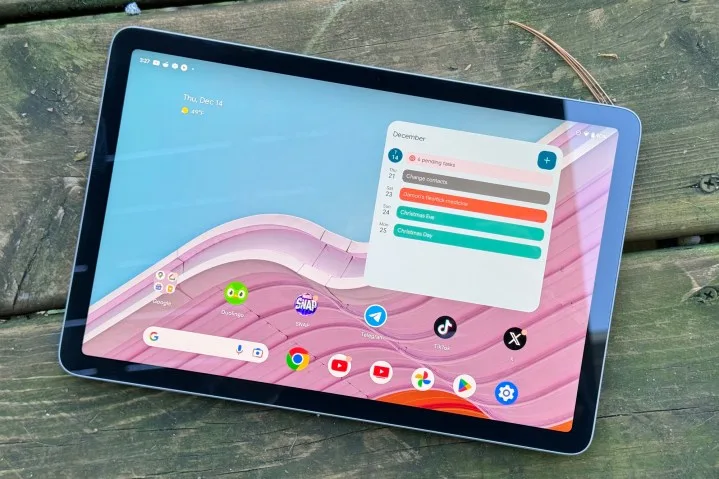
    The Google Pixel Tablet on display outdoors with its screen active.
    Joe Maring / Digital Trends

    The Pixel Tablet launched in the summer of 2023, but reviews were less than favorable. Digital Trends’ Joe Maring described it as the worst Pixel device he had ever tested, an opinion that remained even after a follow-up review. The general reception mirrored this sentiment, with mixed reactions overall; the tablet’s standout feature was its unique charging dock that doubles as a speaker, while its standalone performance fell short.

    For those hoping for advancements in Google’s tablet hardware, the outlook is grim. If Google plans to make another foray into the tablet market, it appears that we may have to wait some time before that becomes a reality.

  • ChatGPT Just Got Better At Creative Writing Skills

    ChatGPT Just Got Better At Creative Writing Skills

    a phone showcasing the ChatGPT homepage on a beige background.
    Sanket Mishra / Pexels

    ChatGPT offers exceptional support for creative writing tasks. The platform’s newest large language model, GPT-4o, has recently been enhanced, as OpenAI shared on Wednesday. Users can anticipate “more natural, engaging, and personalized writing that improves relevance and readability” in future interactions.

    GPT-4o received an upgrade! 🎉

    The model’s creative writing capabilities have significantly improved—delivering more natural, engaging, and tailored content that enhances relevance and readability.

    It also excels at working with uploaded files, yielding deeper insights and more comprehensive responses.

    — OpenAI (@OpenAI) November 20, 2024

    It’s important to note that GPT-4o is not to be confused with the earlier 01 model (previously known as Project Strawberry). Released in May 2024, GPT-4o is OpenAI’s most current public offering, outpacing both GPT-4 and GPT-3.5. This model delivers double the performance at half the resource expenditure compared to its closest predecessor, GPT-4-Turbo, and showcases impressive results across benchmarks in voice, multilingual, and visual tasks. Alongside its efficiency, GPT-4o also introduces numerous additional features, making it particularly advantageous for applications requiring real-time translation and conversational interactions.

    For instance, the Advanced Voice Mode in ChatGPT is made possible by the near-instantaneous text, voice, and audio processing that GPT-4o provides, a significant enhancement compared to earlier models. The new version excels in reasoning capabilities, enabling it to detect a user’s tone and intent, interpret distinctive aspects of their speech, and respond accordingly.

    While GPT-4o is accessible to all OpenAI subscribers, including those on the free tier, usage is not unlimited. Users on the complimentary plan can engage with the upgraded model only a limited number of times in ChatGPT before switching to the smaller GPT-4o-mini model. Teams and Enterprise users benefit from a usage capacity that is approximately five times greater.

    GPT-4o-mini utilizes the same training data as its larger counterpart but operates with fewer variables and lower resource requirements. Thanks to its streamlined design, GPT-4o-mini proves effective in several small-scale applications, including code generation.

    According to OpenAI, GPT-4o mini is touted as “the most capable and cost-effective small model available today.” As reported by CNBC, it outperforms rivals such as Google’s Gemini 1.5 Flash, Meta’s Llama 3 8b, and Anthropic’s Claude 3 Haiku across various benchmarks. Data from Artificial Analysis indicates that GPT-4o-mini achieved an 82% score on the MMLU reasoning benchmark, surpassing Gemini by 3% and Claude 3 Haiku by 7%.


  • Amazon Unveils Its Biggest Echo Show Ever

    Amazon Unveils Its Biggest Echo Show Ever

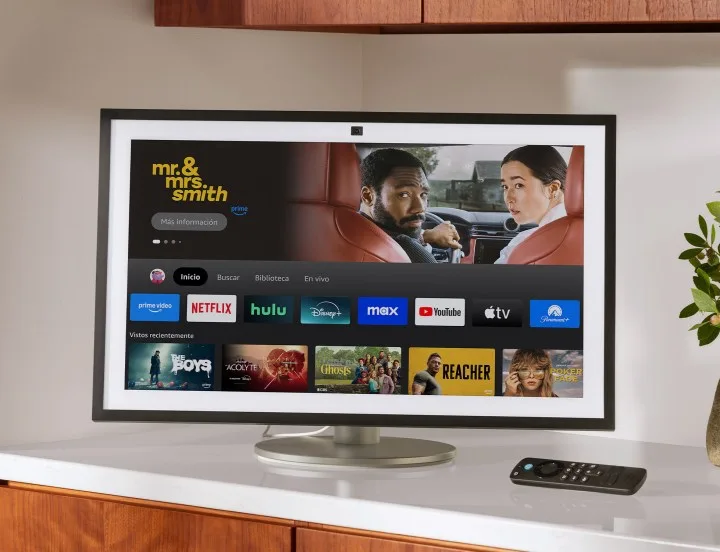
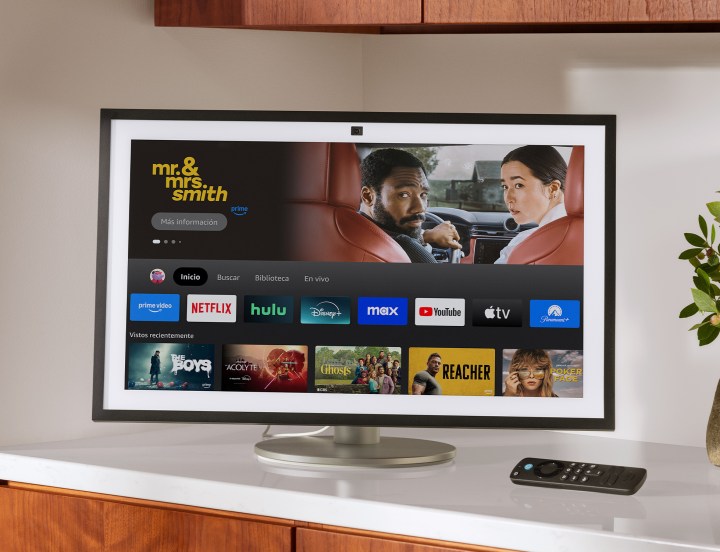
    Amazon has introduced its largest Echo Show model yet, featuring a stunning 21-inch display. The company has also revamped the existing Echo Show 15, which previously held the title for the biggest screen in its lineup of smart displays.

    The newly launched Echo Show 21 and the upgraded Echo Show 15, revealed by Amazon on Wednesday, boast the best audio quality among all its Alexa-enabled smart displays. These devices come equipped with room adaptation technology and enhanced bass performance.

    The Echo Show 21 smart display.
    Amazon

    Users of the Echo Show 15 or Echo Show 21 will appreciate the enhanced auto-framing feature for video calls, which now has more than double the field of view and a 65% increase in zoom capabilities compared to the first-generation Echo Show 15. This upgrade ensures that you remain in the frame while moving around the room during conversations with loved ones. On top of that, clarity has improved thanks to noise-reduction technology that focuses on the speaker’s voice and minimizes background distractions during calls.

    Both the Echo Show 15 and Echo Show 21 are equipped with a built-in smart home hub, making them compatible with Matter and allowing direct connections to Wi-Fi, Thread, and Zigbee devices. They can control a variety of devices locally, including lights, switches, and plugs, resulting in faster device response times. Additionally, these devices are the first in the Echo lineup to support Wi-Fi 6E, which enhances streaming performance for Fire TV and audio content.

    Amazon launched the original Echo Show in 2017, marking a new phase in its Echo smart speaker technology by adding a visual component to voice interactions. Powered by Alexa, the Echo Show responds to voice commands to perform various tasks, such as answering questions, setting reminders, and providing news updates.

    The touch screen offers visual details to complement voice answers, enabling users to view the latest news, weather info, and more. Video calling is also one of its features, alongside smart home control for devices like lights, thermostats, and security cameras.

    Additionally, you can stream content like video, music, audiobooks, and podcasts, and even use the Echo Show as a digital photo frame. This capability will be even more impressive on the Echo Show 21, given its larger display.

    The refreshed Echo Show 15 retails for $300, which is a $50 increase from its launch price in 2021, while the Echo Show 21 is priced at $400. Both devices are currently available and come with an Alexa Voice Remote and wall-mounting gear. Customers can also opt for additional customization options, including light brown or white frame accessories for $35 and $40 respectively, and a premium counter stand for $100.

  • Google Might Reintroduce Pixelbook But Not As You Expect

    Google Might Reintroduce Pixelbook But Not As You Expect

    Google appears to be working on an exciting new high-end laptop aimed at competing directly with the MacBook Pro.

    An internal email, which was revealed by Android Headlines, indicates that the project, codenamed “Snowy,” has received approval. This laptop is expected to boast premium specifications akin to those found in devices like the Dell XPS, Microsoft Surface Laptop, Samsung Galaxy Chromebook, and, of course, Apple’s MacBook Pro. Having moved beyond the initial concept phase, it’s anticipated that the project will soon evolve into a tangible product under the Pixel brand.

    Google has a storied history with Pixel laptops. The original Chromebook Pixel debuted in 2013, followed by a second generation in 2015. The company then launched the more budget-friendly Pixelbook in 2017 and the Pixelbook Go in 2019, before pausing laptop development for an extended period. During their time on the market, these laptops were considered among the finest Chromebooks available, although they carried a price tag that was higher than what most Chromebook users typically expect.

    It’s worth mentioning that while Google stepped back from the laptop market, it continued to provide ChromeOS to its hardware partners and has been working on its Gemini AI system, which is set to enhance third-party laptops with on-device features.

    The rumors regarding a new Pixel Laptop come at an intriguing time, with speculation circulating about the possibility of Google merging its ChromeOS and Android operating systems. This strategy could position the company to better compete against Apple in the tablet arena.

    The Pixelbook on a table next to a pair of glasses.
    Google

    There are indications that this hybrid system could also be applied to both Android tablets and Chromebooks, making both options incredibly versatile for entertainment and productivity. With Google collaborating with various partners and launching its own Pixel devices, using a consolidated operating system could prove to be an effective way to challenge Apple’s dominance in the iPad market.

    As of now, there is limited information available regarding the functionality of the Pixel Laptop. Should Google opt not to employ a combined ChromeOS and Android interface, it’s likely that the new device will operate on ChromeOS, similar to the previous Pixelbooks. Potential features might include advanced hardware components like the Qualcomm Snapdragon X Elite, as noted by T3.

    Additionally, Google could leverage its proprietary Tensor system-on-chip (SoC) series as a potential hardware solution for the device. Many reports suggest that the company intends to adapt upcoming Tensor chips for future tablets and wearables, making them suitable for laptops as well. However, no official details have emerged concerning the Pixel Laptop’s specifications at this time.

    In terms of competing with Apple, analysts report that Apple is not expected to unveil its next major overhaul of the MacBook Pro line until 2026. This upcoming release might feature an OLED display and the M6 chip built on a 2nm process, allowing Google some breathing room to refine and enhance its own product offering.

  • LG Unveils Fastest OLED Monitor Priced at $800

    LG Unveils Fastest OLED Monitor Priced at $800

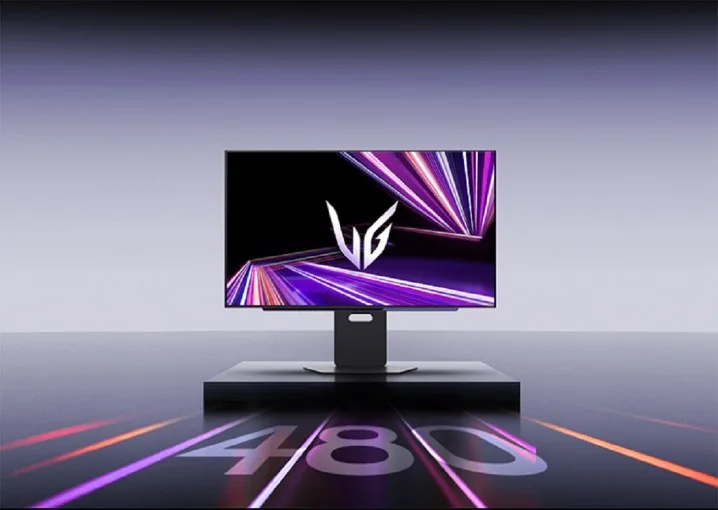
    LG's UltraGear GX7 OLED gaming monitor on its stand.
    LG

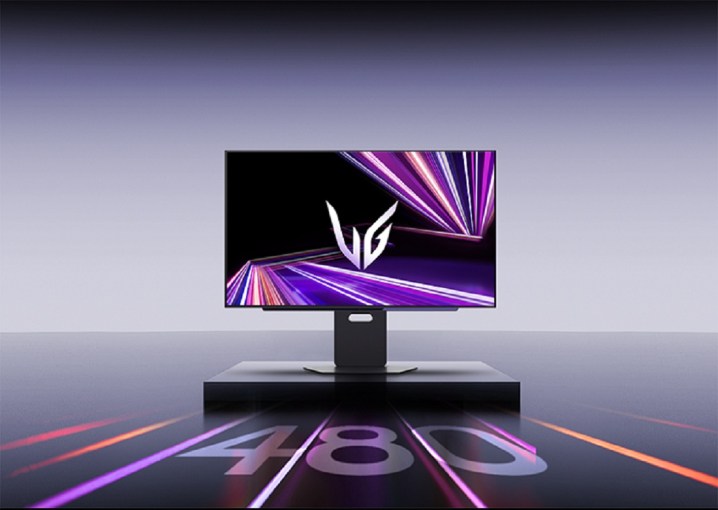
    LG is set to release its swiftest OLED gaming monitor yet. The new UltraGear GX7 boasts a 1440p resolution with a WOLED panel designed by LG Display, achieving an incredible 480Hz refresh rate that positions it among the elite gaming monitors available.

    Similar specifications have appeared before, notably with the Sony InZone M10S and the Asus ROG Swift PG27AQDP, both featuring the same 1440p panel and 480Hz refresh rate. However, the UltraGear GX7 distinguishes itself with a price point of $1,000, which is $100 less than Sony’s offering.

    Additionally, LG has integrated a DisplayPort 2.1 connection to enhance compatibility with next-gen graphics cards expected to debut in early 2025. This aligns with the anticipated release of Nvidia’s RTX 50-series and AMD’s RDNA 4 GPUs, making the DisplayPort 2.1 feature a noteworthy inclusion.

    As of now, only Sony has included DisplayPort 2.1 in its 1440p, 480Hz OLED model, the PG27AQDP, which also retails at $1,000. Given the favorable pricing compared to Sony and the superior DisplayPort standard over Asus, LG may present the top version of this panel to date. While Acer is also working on a version of this panel, it has yet to officially launch one.

    Although LG previously introduced a 480Hz OLED with its unique UltraGear Dual Mode OLED, this marks its first high-refresh-rate 1440p model. Observations of other monitors featuring this panel indicate that OLED technology effectively utilizes the high refresh rate, surpassing competitors like the Alienware 500Hz gaming monitor in motion clarity.

    Currently, LG has made the available for pre-order until December 22. Additionally, LG is offering a holiday promotion where eligible UltraGear monitor purchases, including the new GX7, will come with a free $200 prepaid MasterCard. This promotion effectively reduces the cost to below $800 for the next month, offering a more attractive deal compared to both Asus and Sony.

  • Is it worth it to buy a laser printer?

    When it comes to printing at home or in the office, consumers often find themselves weighing the pros and cons of various printer types. Among them, laser printers stand out for their speed and efficiency. But is investing in a laser printer truly worth it? This article explores the benefits, drawbacks, and considerations to help you make an informed decision.

    Benefits of Laser Printers

    Laser printers offer several advantages that make them appealing for both home and business use. Here are some key benefits:

    Speed and Efficiency

    • Fast Printing: Laser printers can print several pages per minute, making them ideal for high-volume printing tasks.
    • Quick Warm-Up Time: Most models achieve readiness within seconds, eliminating long wait times.

    Print Quality

    • Sharp Text and Graphics: Laser printers excel at producing crisp text and detailed graphics, making them suitable for professional documents.
    • High Resolution: Many laser printers offer high DPI (dots per inch) settings for exceptional print quality.

    Cost-Effectiveness

    • Lower Cost per Page: On average, laser printers tend to have a lower cost per printed page compared to inkjet printers, especially for black-and-white documents.
    • Long-Lasting Toner: Toner cartridges for laser printers often yield more pages than ink cartridges, reducing the frequency of replacements.

    Durability and Reliability

    • Less Frequent Maintenance: Laser printers require less maintenance and tend to be more durable than their inkjet counterparts.
    • Fewer Paper Jams: Their design reduces the likelihood of paper jams, minimizing interruptions during printing.

    Drawbacks of Laser Printers

    While laser printers offer numerous advantages, they also come with certain drawbacks that could influence your decision.

    Initial Cost

    • Higher Purchase Price: Laser printers typically have a higher upfront cost compared to inkjet models, which may deter budget-conscious consumers.

    Size and Weight

    • Bulkier Design: Many laser printers are larger and heavier than inkjet printers, requiring more space and potentially making them less suited for home use.

    Color Printing Limitations

    • Color Versatility: While color laser printers are available, their cost is usually higher, and the color quality may not match that of high-end inkjet printers, especially for photographs.

    Factors to Consider

    Before making a decision, it’s essential to evaluate your specific needs and preferences. Here are some considerations to keep in mind:

    Printing Volume

    • High Volume Needs: If you regularly print large quantities of documents, a laser printer may be more suitable due to its speed and cost-effectiveness.
    • Low Volume Needs: For occasional printing tasks, an inkjet printer might suffice, especially if quality photographs are your priority.

    Type of Documents

    • Text-Heavy Documents: For primarily text-based documents, a laser printer’s sharp output makes it a great choice.
    • Image-Heavy Projects: If you frequently print images, consider an inkjet printer, which typically offers superior photo quality.

    Budget

    • Initial vs. Operating Costs: Evaluate not only the purchasing price but the ongoing cost of toner and maintenance to determine the best long-term value.
    • Home vs. Office Use: Consider how often you plan to print and how much you’re willing to invest upfront.

    Space Consideration

    • Available Space: Assess how much space you have for a printer and choose a model that fits comfortably in your designated area.

    Conclusion

    Ultimately, deciding whether to purchase a laser printer hinges on your specific needs. By carefully considering the benefits, drawbacks, and your printing habits, you can choose a printer that aligns with your usage requirements and budget. Whether you are a home user with occasional printing needs or a business professional handling high-volume tasks, understanding the pros and cons of laser printers will help you make the best choice for your situation.

  • Is it worth getting an i7 in a laptop?

    Is it worth getting an i7 in a laptop?

    When shopping for a new laptop, one of the key considerations is the processor. Intel’s Core i7 is often seen as a premium choice. But is it worth the investment? This article will explore the merits of an i7 processor in a laptop, weighing the advantages and disadvantages to help you make an informed decision.

    Understanding the i7 Processor

    What Is an i7 Processor?

    The Intel Core i7 series is designed for high-performance computing. It generally offers:

    • Higher Clock Speeds: This results in faster processing capabilities.
    • More Cores and Threads: i7 CPUs typically include four to eight cores, which allows better multitasking.
    • Advanced Features: Technologies like Turbo Boost and Hyper-Threading enhance performance in demanding applications.

    Variants of the i7

    The i7 lineup includes different generations and models, such as:

    • i7-1165G7: A quad-core processor commonly found in ultrabooks.
    • i7-11700H: An octa-core variant aimed at gaming laptops and workstations.
    • i7-12800H: One of the latest additions, offering improved efficiency and performance.

    Advantages of Choosing an i7 Laptop

    Superior Performance

    An i7 processor offers significant performance benefits, especially in these areas:

    • Gaming: Smooth gameplay with higher frame rates on graphically demanding games.
    • Content Creation: Faster rendering times for video and graphics editing, making it ideal for professionals.
    • Multitasking: Ability to run multiple applications simultaneously without lag.

    Future-Proofing

    Investing in an i7 laptop can extend usability, accommodating future software requirements:

    • Longer Lifespan: Handles new programs and updates that may demand better specs.
    • Enhanced Resale Value: Premium processors often retain value better in the second-hand market.

    Thermal Efficiency

    Newer i7 processors often come with improved thermal management features, which can lead to:

    • Lower Heat Generation: Less thermal throttling during intensive tasks.
    • Quiet Operation: Fans may run at lower speeds due to improved efficiency, making for quieter user experience.

    Disadvantages of Choosing an i7 Laptop

    Cost Considerations

    One of the most significant drawbacks of an i7 laptop is the price. Specifications may include:

    • Higher Initial Investment: Typically more expensive than i5 or i3 counterparts.
    • Potentially Questionable Cost-Effectiveness: For lighter users, the benefits may not justify the extra expense.

    Battery Life

    While performance is a prime consideration, i7 processors can impact battery longevity:

    • Increased Power Consumption: Can lead to decreased battery life in portable devices.
    • More Frequent Charging Needed: May be impractical for those who work on the go.

    Overkill for Some Users

    For many individuals, an i7 may simply be excessive:

    • Basic Tasks: Web browsing, document editing, and streaming can be efficiently handled by lower-tier processors.
    • Budget Constraints: If your primary usage is non-demanding, an i5 or even an i3 could meet your needs at a lower price point.

    Who Should Consider an i7 Laptop?

    Professionals and Creatives

    Individuals engaged in demanding work should consider an i7 processor because:

    • Content Creation: Ideal for video editing, 3D rendering, and complex graphic design.
    • Data Analysis: Handles large datasets and analytics software without lag.

    Gamers

    For gaming enthusiasts, investing in an i7 may be worthwhile due to:

    • Enhanced Graphics: Supports better graphics cards for an immersive gaming experience.
    • Future-proof Gaming: More capable of running future games that may demand higher specifications.

    Power Users

    If you routinely multitask and run resource-intensive applications:

    • Virtual Machines: Ideal for those who run multiple operating systems or environments simultaneously.
    • Software Development: Facilitates compilation of large codebases and running complex simulations.

    Conclusion

    Choosing an i7 processor in a laptop is a significant investment that comes with numerous advantages, particularly for professionals, gamers, and power users. However, it’s essential to evaluate your specific needs and usage scenarios to determine whether the added performance justifies the cost. With a clear understanding of its pros and cons, you can choose a laptop that best suits your requirements.

  • Apple May Be Thinking About Launching Its Own TV

    Apple May Be Thinking About Launching Its Own TV

    As we approached the end of the 2000s, whispers began circulating about Apple’s interest in producing a television set—a legitimate TV, not just a streaming gadget like the Apple TV. Steve Jobs even expressed that he had a clear vision for how this product could fit into Apple’s offerings. Unfortunately, this vision was never realized prior to his death. Recently, in the Power On newsletter, Mark Gurman suggested that Apple might be contemplating a comeback to the idea of launching an Apple-branded television.

    While Gurman provided limited details, he noted that this discussion arose in the context of Apple’s forthcoming smart home device launches. His comments about the TV set—labeling it as “something [Apple] is evaluating”—are significant. Gurman implies that the decision to reenter the TV market could hinge on the success of these new home gadgets, especially since Apple’s HomeKit platform has not gained as much traction or support as its competitors.

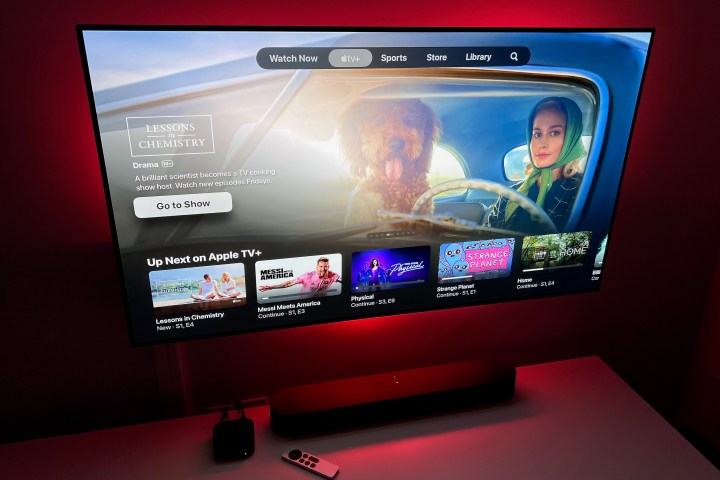
    Apple TV Plus home screen featuring Lessons in Chemistry.
    Derek Malcolm / Digital Trends

    Should Apple decide to release its own television, it will encounter significant challenges. The market is already saturated with strong contenders like Samsung, Vizio, and Sony. Additionally, there are two fundamental hurdles Apple must navigate. Gurman did not comment on the potential price point, but one can easily assume that an Apple TV would come with a hefty price tag, as the so-called “Apple tax” is well-known for driving up costs of devices bearing the Apple brand.

    Furthermore, Apple will need to distinguish itself from the competition. Offering built-in streaming features for the Apple TV, akin to how many current models integrate Chromecast, could be a game-changer. It’s crucial for Apple to innovate in display technology and provide consumers with compelling reasons to choose its offerings over more affordable options from established brands. If Apple can incorporate Retina display technology across its TV lineup, it might create a compelling product that justifies the premium.

  • How much does a good PC laptop cost?

    How much does a good PC laptop cost?

    When it comes to purchasing a new PC laptop, the price can vary widely depending on several factors. Understanding what constitutes a "good" laptop is essential for potential buyers. Let’s explore the price range, features to consider, and what you can expect based on your needs.

    Factors Influencing Laptop Prices

    Several elements contribute to the overall cost of a laptop. Here are the most significant:

    1. Specifications

    • Processor (CPU):

      • Intel Core i5: Mid-range, ideal for general use (cost: $500-$800)
      • Intel Core i7: Higher performance, suited for power users (cost: $800-$1,500)
      • Intel Core i9: Top-tier performance, used for gaming and professional tasks (cost: $1,500 and up)

    • RAM:

      • 8GB: Adequate for basic tasks and multitasking (cost: $400-$700)
      • 16GB: Suitable for gaming, graphic design, and more demanding applications (cost: $700-$1,200)
      • 32GB+: Designed for professional-grade software and intense multitasking (cost: $1,300 and above)

    • Storage:

      • HDD: More affordable, slower (cost: $300-$800)
      • SSD: Faster, more reliable, ideal for overall performance (cost: $500-$1,500)

    2. Build Quality

    • Materials used in the laptop’s construction affect durability and weight.

      • Plastic: Generally cheaper (cost: $300-$800)
      • Metal: More premium feel and durability (cost: $800-$2,000)

    3. Brand Name

    • Notable brands often come with a premium.

      • Dell, HP, Lenovo: Mid-range options (cost: $500-$1,200)
      • Apple: Higher-end machines, known for design and ecosystem (cost: $1,000 and above)

    Price Ranges

    Budget Laptops: $300 – $600

    These laptops are perfect for students and casual users who need a device for basic tasks like browsing and document editing.

    • Common Specs:

      • Intel Core i3 or AMD Ryzen 3
      • 4GB to 8GB of RAM
      • 128GB to 256GB SSD or HDD

    Mid-Range Laptops: $600 – $1,200

    Ideal for those who require better performance for gaming, graphic design, or work tasks.

    • Common Specs:

      • Intel Core i5 or AMD Ryzen 5
      • 8GB to 16GB of RAM
      • 512GB SSD or larger HDD

    High-End Laptops: $1,200 and Above

    Designed for professionals who need power and speed for demanding applications.

    • Common Specs:

      • Intel Core i7 or i9, AMD Ryzen 7 or 9
      • 16GB to 32GB of RAM
      • 1TB SSD or higher

    Additional Costs and Considerations

    When budgeting for a new laptop, consider extra costs that might arise:

    • Accessories:

      • Laptop bags, external drives, and other peripherals can range from $50 to $200.

    • Software:

      • Operating systems, office suites, or design software may add $100 to $300 to your total.

    • Extended Warranty:

      • Optional, usually between $100 and $200, providing peace of mind against hardware failure.

    Final Thoughts on Laptop Pricing

    The cost of a good PC laptop is dependent on your personal needs and preferences. Assess your requirements and compare the specifications, build quality, and brand reputation before making a decision. By understanding the various price points and what to expect in each category, you can make a well-informed purchase that fits your budget and lifestyle.

  • What is the difference between a wireless speaker and a Bluetooth speaker?

    What is the difference between a wireless speaker and a Bluetooth speaker?

    In the world of audio technology, the terms "wireless speaker" and "Bluetooth speaker" are often used interchangeably, leading to confusion among consumers. While both offer the convenience of cable-free sound, they have distinct characteristics. This article will clarify the differences, features, and functionality of each type.

    What is a Wireless Speaker?

    A wireless speaker is a broad term that encompasses any speaker that can play audio without requiring a wired connection. This category includes various technologies that allow for the transmission of sound.

    Types of Wireless Speakers

    • Wi-Fi Speakers: These speakers connect to a home Wi-Fi network, allowing them to stream music directly from online services or local devices. Wi-Fi speakers often have additional features like multi-room audio.
    • RF Speakers: Radio frequency speakers use a dedicated transmitter to send audio signals from one device to the speaker. This technology is commonly used for home theater systems.
    • Infrared Speakers: Infrared technology relies on light waves and requires a direct line of sight between the transmitter and receiver. This type is less common due to its limitations.

    Advantages of Wireless Speakers

    • Range: Wi-Fi speakers typically have a longer range than Bluetooth, often extending throughout an entire home.
    • Audio Quality: Many wireless speakers provide higher sound quality, especially those using Wi-Fi or dedicated transmitters.
    • Multi-room Capability: Wi-Fi speakers often allow users to connect multiple speakers throughout their homes for synchronized playback.

    What is a Bluetooth Speaker?

    Bluetooth speakers are a specific subset of wireless speakers that utilize Bluetooth technology to transmit audio. This technology is widely popular due to its ease of use and compatibility with a wide range of devices.

    Features of Bluetooth Speakers

    • Portability: Most Bluetooth speakers are designed to be compact and lightweight, making them ideal for travel and outdoor use.
    • Pairing with Devices: Bluetooth speakers can connect with smartphones, tablets, and laptops easily, often requiring just a single button press to establish a connection.
    • Battery Operated: Many Bluetooth speakers are powered by rechargeable batteries, allowing for hours of playtime without being tethered to an outlet.

    Advantages of Bluetooth Speakers

    • Simplicity: The pairing process is straightforward, making Bluetooth speakers user-friendly for consumers of all tech levels.
    • Versatility: Bluetooth speakers can connect to a wide array of devices, including smart TVs, gaming consoles, and computers.
    • Affordability: There is a vast selection of Bluetooth speakers available at various price points, making them accessible to many consumers.

    Key Differences Between Wireless and Bluetooth Speakers

    Understanding the fundamental differences can help consumers make informed decisions when purchasing audio equipment.

    Range of Use

    • Wireless Speakers: Generally have a longer range due to Wi-Fi technology, allowing for music playback in multiple rooms.
    • Bluetooth Speakers: Typically have a limited range, around 30 feet, making them suitable for smaller spaces.

    Sound Quality

    • Wireless Speakers: Often deliver superior sound quality, especially models that use Wi-Fi or proprietary technologies.
    • Bluetooth Speakers: While many Bluetooth speakers provide good audio quality, they may compress the sound, affecting the overall listening experience.

    Connectivity Options

    • Wireless Speakers: Usually come with additional connectivity options such as auxiliary inputs, while often supporting voice assistance features.
    • Bluetooth Speakers: Primarily rely on Bluetooth for connectivity, although some models may also include auxiliary ports or USB inputs.

    Price Range

    • Wireless Speakers: Tend to be more expensive due to advanced technology and features.
    • Bluetooth Speakers: More affordable options are readily available, catering to a wide range of budgets.

    Summary of Features

    Feature Wireless Speaker Bluetooth Speaker
    Connection Type Wi-Fi, RF, Infrared Bluetooth
    Range Long (homewide) Short (up to 30 feet)
    Sound Quality Often superior Good but varies
    Portability Less portable Highly portable
    Price Generally higher Generally lower

    By understanding these differences, you can choose the right speaker to suit your audio needs, whether you’re looking for a home audio system or a portable sound solution.