• About Us
  • Contact Us
  • Advertise
  • Privacy Policy
  • Guest Post
No Result
View All Result
Digital Phablet
  • Home
  • NewsLatest
  • Technology
    • Education Tech
    • Home Tech
    • Office Tech
    • Fintech
    • Digital Marketing
  • Social Media
  • Gaming
  • Smartphones
  • AI
  • Reviews
  • Interesting
  • How To
  • Home
  • NewsLatest
  • Technology
    • Education Tech
    • Home Tech
    • Office Tech
    • Fintech
    • Digital Marketing
  • Social Media
  • Gaming
  • Smartphones
  • AI
  • Reviews
  • Interesting
  • How To
No Result
View All Result
Digital Phablet
No Result
View All Result

Home » How to Extract in Sand Raiders with Sophie

How to Extract in Sand Raiders with Sophie

Emily Smith by Emily Smith
June 23, 2026
in Gaming
Reading Time: 1 min read
A A
How to Extract in Sand Raiders with Sophie
ADVERTISEMENT

Select Language:

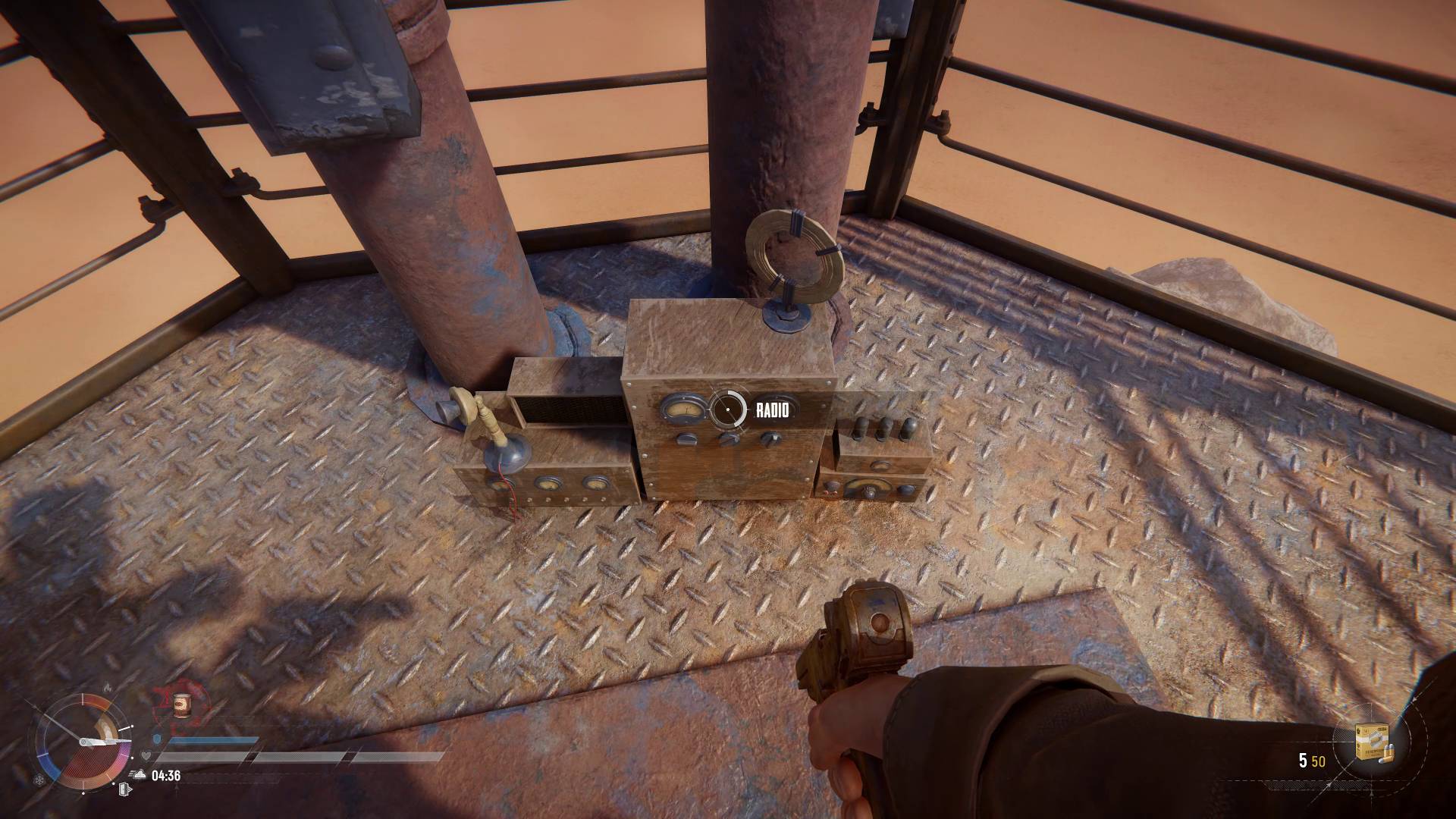
Understanding how to extract in Sand Raiders of Sophie is essential because you can’t deposit your loot until you get picked up first. Luckily, the process is straightforward: you need to find a radio tower and use it to call for help. When you’re close enough—within about 200 meters—a waypoint will show you the tower’s location. Whether you’re in Storm Dive or Voyage mode, these towers appear on your map as a white circle with a door in the center, marking the exit point.

ADVERTISEMENT

To start the extraction, climb up the radio tower and activate the radio. After doing so, wait about 90 seconds for the dropship to arrive and pick up your Trampler, which will drop a cable. You then have 60 seconds to approach the cable and follow the prompt to climb aboard. Make sure you leave before time runs out—you’ll be left behind if you miss it. In Voyage mode, this isn’t a big issue because radio towers are always available and don’t expire, so you can keep trying until you succeed.

In Storm Dive matches, however, radio towers aren’t available right away. They only become usable after the first two segments of the match timer in the bottom-left corner of the screen have filled up—this is indicated by the same white door icon on the map. Once the timer reaches this point, several towers become active all at once. Keep in mind, each tower can only be used once—after you activate one, it’s gone, so you need to stay alert and prepared to switch your exit plan quickly. It’s important to monitor the map constantly and avoid waiting too long, especially as the storm approaches.

ChatGPT ChatGPT Perplexity AI Perplexity Gemini AI Logo Gemini AI Grok AI Logo Grok AI
Google Banner
Tags: FPS Games
ADVERTISEMENT
Emily Smith

Emily Smith

Emily is a digital marketer in Austin, Texas. She enjoys gaming, playing guitar, and dreams of traveling to Japan with her golden retriever, Max.

Related Posts

Ultimate Bird Triumph Guide for Destiny 2
Gaming

Ultimate Bird Triumph Guide for Destiny 2

June 12, 2026
Unraveling the Mystery: Strange Signal in Destiny 2 Explained
Gaming

Unraveling the Mystery: Strange Signal in Destiny 2 Explained

June 11, 2026
Marathon Tox Clear: Event Walkthrough and Highlights
Gaming

Marathon Tox Clear: Event Walkthrough and Highlights

March 6, 2026
Essential Marathon Tips & Tricks for New Runners
Gaming

Essential Marathon Tips & Tricks for New Runners

March 3, 2026
Next Post
How To Fix "Boot Device Not Found" Error on Your Computer

How to Check if Your Laptop Supports a Second SSD Without Opening It

  • About Us
  • Contact Us
  • Advertise
  • Privacy Policy
  • Guest Post

© 2026 Digital Phablet

No Result
View All Result
  • Home
  • News
  • Technology
    • Education Tech
    • Home Tech
    • Office Tech
    • Fintech
    • Digital Marketing
  • Social Media
  • Gaming
  • Smartphones

© 2026 Digital Phablet