الوسم: Disney+

  • Mastering the Fiery Plains Mythic Trial in Disney Dreamlight Valley

    There’s plenty to explore in Disney Dreamlight Valley, and helping Hades make his way back to Mount Olympus is just the start. To open the gates to his heavenly domain, you must tackle Mythic Trials in Mythopia and light the braziers located in various areas.

    As you join forces with Hades, you’ll delve into intriguing mysteries and tackle different puzzles. Each Mythic Trial draws inspiration from ancient Greek myths and puts your skills to the test. Here’s how to crack the trial puzzles found in the Fiery Plains of Mythopia with the Lord of the Underworld!

    The First Flame Torch Puzzle

    When you enter the Mythic Trial in the Fiery Plains, make sure to talk to Hades. He’ll explain that to eliminate the corruption, you need to ignite all three flaming torches.

    To light the first torch, go to the left and move the cart straight back. Once it settles into position, it will catch fire. This torch is the simplest of the three to ignite.

    The Second Flame Torch Puzzle

    The second torch is accessible by going through the gate at the eastern edge. Here, pull the lever to lower the bridge, cross over, and then water the mill located on the first platform you encounter using your Royal Watering Can.

    Smash the rocks near another lever to create a shortcut for later!

    Proceed further back to activate another lever, and pour more water on the gears here. Now, move the cart across the trial area and place it in the alcove next to the first torch.

    The Third Flame Torch Puzzle

    For the final torch, cross the bridge and navigate the rotating platforms until you reach a spinning wheel. Use your net to access the last torch. Ascend the stairs and activate the spinning wheel to unlock the gate below.

    Go through the gate, break the rocks to access the cart, and then push the cart all the way back to the starting area, placing it in the alcove opposite the second flaming torch.

    After you finish, return to Hades and interact with the corruption beside him to wrap up the trial. You’ll then return to Storybook Vale and finish the quest by chatting with the Lord of the Underworld again, getting you one step closer to Mount Olympus!

  • Unlocking Disney Dreamlight Valley’s Floating Islands: A Guide

    Decorating plays a major role in Disney Dreamlight Valley, but there’s a limit to how many items you can place in the village. Luckily, the Sew Delightful update allows you to broaden your creative horizons by accessing new areas throughout the Valley.

    By meeting certain criteria, you can unlock new regions for decoration. We’ll guide you on how to access these areas so you can fulfill all your design dreams. Here’s what you need to know about getting to the floating islands in Dreamlight Valley, decorating them, and increasing your space for all your furniture pieces.

    Getting to the Floating Islands

    To unlock the floating islands, you must first make progress in the main storyline of Dreamlight Valley. When you receive the ‘Islands In The Sky’ quest, speak with Merlin about the islands that hover above the village.

    Consult the wizard to discover that he has established a connection to those islands via the wells located around Dreamlight Valley. Simply interact with any of the wells to access the islands. You can also fast travel there using your map.

    All wells in the game, except for the one in the Plaza, provide access to fast travel to the floating islands.

    Guide to Decorating the Floating Islands

    Use the wells to reach the floating Plaza Island. Once there, you can chat with Merlin about how to use this new space. It shares the same climate as the Plaza but lacks obstacles and fixed objects.

    Don’t worry about Night Thorns appearing on the floating islands!

    Talk to Merlin to learn how to decorate the islands. He suggests moving Villager homes to the floating biomes to create more space. In fact, he’d love for you to relocate his home up into the sky for a little peace and quiet.

    Open your furniture menu to begin decorating. Move Merlin’s library into the house category and then add five or more decorations around the biome.

    After you finish, return to Merlin to showcase your work. Now he can finally enjoy some undisturbed reading time, and the islands are yours to decorate!

    Unlocking More Floating Island Biomes

    While the Plaza Island is free to unlock, there are three additional islands available for purchase. However, they will require a fair amount of Dreamlight magic. Here are the biomes you can buy and their costs:

    Island Name

    Cost

    Plaza Island

    Free

    Forest Island

    15,000 Dreamlight

    Sunlit Island

    15,000 Dreamlight

    Frosted Island

    15,000 Dreamlight

    Each of these biomes is roughly the same size as the original but without the unique geographical features like cliffs or bodies of water. Here, you can let your creativity flow freely, as each area has its own separate decoration limits.

    Since the floating islands load in separately, they won’t create any lag in your game.

    You can unlock these additional biomes at any time by using the wells around the village or by selecting the Floating Islands tab from the fast travel menu.

  • Unlocking Sally in Disney Dreamlight Valley: A Step-by-Step Guide

    Unlocking Sally in Disney Dreamlight Valley: A Step-by-Step Guide

    In Disney Dreamlight Valley, you’ll spend time getting to know beloved characters, beautifying your village, and creating bonds with adorable animals across different biomes. Each character brings their own intriguing story that adds depth to the Valley beyond their well-known films.

    As the leader of the Valley, your role is to make everyone feel at home and assist them in adapting to their new surroundings. This could involve helping new villagers remember their past to help them settle in. For example, if you wish to bring Sally from The Nightmare Before Christmas into your Valley, here’s how to do it!

    How to Unlock Sally

    To welcome Sally into your village, you must accomplish a few tasks first. Start by unlocking Jack Skellington and ensuring his house is in your village.

    You also need to include both Mirabel Madrigal and Vanellope Von Schweetz in your Valley.

    Tip: Be sure you finish Mirabel’s first quest to proceed further.

    Additionally, you must complete the main quest, Odds & Ends, with Merlin. After doing that, your adventure begins by locating spiderwebs scattered around the village—specifically within the homes of villagers.

    The Woven Bridge Quest Walkthrough

    Once you’ve met the necessary requirements, check your mailbox for a letter from Jack. The residents of Arendelle have noticed a significant number of spiderwebs in their house, so you’ll need to assess the situation and report back to Jack.

    Inside the house, talk to Kristoff, who is eager to bake but is concerned about accidentally igniting the webs. He will ask you to clear them away and guide you on your next steps.

    Note: There are three webs within the house, and each of these will yield two separate webs for you to collect.

    Once you’ve gathered all the webs, head to Jack Skellington to hand them over. He will mention a message written within the webs, but he can only decipher part of it. To find out the remainder, you’ll need to clear out more webs found in the following villagers’ homes:

    • Mirabel’s House: Contains three webs.
    • Vanellope’s House: Contains five webs.
    • Remy’s House: Contains three webs.

    After you’ve removed all the spider webs, bring them back to Jack. The message left by Sally indicates that she needs assistance in creating a portal to the village. However, the spiders appear too exhausted to help. To rejuvenate them, you’ll need to create a special potion!

    Gather the following materials so that you can craft the potion at your Crafting Station:

    • One empty vial
    • One blueberry pie
    • Four red bell flowers
    • Four night shards
    • Six cotton
    • Eight mushrooms

    After collecting everything, craft the potion and take it to Jack’s home. Toss it into the cauldron he has prepared. As the potion brews, the portal will open, allowing you to welcome Sally into your village!

    Following your chat with her, you can reunite Sally and Jack.

    How to Unlock More of Sally’s Friendship Quests

    To unlock additional quests, focus on increasing your friendship level with Sally. Spend time with her while completing your tasks, offer her gifts, serve her meals at the restaurant, and engage in Scramblecoin games.

    Every few levels, you will unlock a new friendship quest that provides a significant boost in friendship points and unique rewards that reflect Sally’s charming style.

    Once you reach friendship level ten, you can embark on Sally’s best friend quest, allowing you to complete her personal storyline and unlock her ultimate reward: a stunning patchwork dress and matching gloves!

    Sally’s Friendship Rewards

    As you enhance your friendship level, new rewards will become available. Whether it’s Star Coins, fresh motifs, vibrant furniture, or stylish outfits, each prize will be inspired by Sally.

    Below is a list of all rewards you can earn by deepening your relationship with Sally:

    Friendship Level Rewards

    Level Reward
    2 Patchwork Rug
    3 Sally’s Patches Motif
    4 500 Star Coins
    5 Black and White Striped Socks
    6 Patchwork Motif
    7 1,000 Star Coins
    8 Sally’s Patchwork Bed
    9 Motif
    10 Sally’s Patchwork Gown and Gloves

    Make sure to complete Sally’s final friendship quest to unlock her level ten reward!

  • Maximizing Pixel Upgrades in Disney Pixel RPG

    Maximizing Pixel Upgrades in Disney Pixel RPG

    Regardless of how rare a character is in Disney Pixel RPG, every character begins at level one and requires upgrades or experience to become stronger. It’s a bit like real life, right? However, naturally leveling up can take some time, and you might find yourself running low on upgrade pixels, which are essential for speeding up that process.

    As you navigate through Disney Pixel RPG, there are several ways to accumulate those pixels, allowing you to upgrade your characters whenever you feel like it. This guide will outline the various methods available.

    What Are Upgrade Pixels?

    Upgrade pixels are represented as cute little bottles filled with colorful data. In the game, these pixels are not just used for upgrading characters; they’re also valuable for crafting.

    You can gather upgrade pixels through several avenues, including:

    • Logging in daily.
    • Completing story missions.
    • Finishing bonus stages.
    • Going on expeditions.
    • Purchasing them from the Crystals shop.

    Both leveling up your characters and crafting are fundamental aspects of Disney Pixel RPG, meaning you’ll consistently draw from this key resource. Although there are plenty of options to replenish your pixels, they may require time, money, or may not guarantee new pixels each time you utilize these methods.

    So, how can you effectively gather upgrade pixels?

    Replay Story Missions

    This method is particularly helpful for newcomers. Whether you’ve finished all chapters or only explored a few, you can go back to replay any story missions at your disposal. You may not earn a vast number of upgrade pixels by replaying chapter stages, but it serves as a solid starting point.

    Identify a chapter that your team can reliably conquer. For example, the hard version of Chapter 3, Stage 2. By using the auto-battle feature located next to the start button, you can continuously replay this stage each time your energy bar fills up.

    While this might not be the quickest way to gather upgrade pixels, it’s a good strategy to kickstart your journey in levels you can already handle, especially if you’re just starting out.

    Replay Bonus Stages 1-1 and 3-1

    Bonus stages offer significantly more rewards compared to storytelling stages. If you’re new to the game and eager to enhance your characters, consider replaying Bonus Stage 1-1 for approximately 60 upgrade pixels each go.

    Rewards from bonus stages can vary. As you progress and unlock Bonus Stage 3-1, you could earn closer to 150 upgrade pixels from each attempt.

    These bonus stages can be replayed as often as your energy allows, allowing you to collect hundreds of upgrade pixels passively, especially with the auto-battle feature enabled. Make it a point to run through these stages every time your energy refills.

    Expeditions

    As you play through the main story, you’ll eventually unlock the expedition feature. Unlike the story and bonus stages, these expeditions don’t involve active battles; instead, they send your characters on quests to collect resources while you play.

    Both the Princess Saga: Aurora and Zootopia: Infiltration Mission expeditions provide upgrade pixels.

    To discover what resources an expedition will yield, click the small chest icon on the upper right corner of each expedition.

    Characters can embark on quests for up to 20 hours at a time, but you can always recall them and send them out again whenever you wish. Your characters have a chance to uncover items every ten minutes during these missions.

    To maximize pixel accumulation, ensure you recall them before the 20 hours expire and immediately dispatch another team. Maintaining notifications enabled can help alert you when an expedition concludes.

    Replay Battle Challenges

    When a Battle Challenge event is active, your goal should be to replay the highest level you can conquer using auto-battle. This grants you BC points, which are crucial for obtaining items in the Exchange Shop, including upgrade pixels.

    Although the auto-battle function during these challenges operates differently than in story stages, you can still activate it and continuously retry after a win to accumulate BC points. This strategy allows you to amass numerous useful items during the event.

    Final Tips for Gathering Upgrade Pixels

    The various methods for collecting upgrade pixels may seem insufficient at first, but following multiple strategies simultaneously significantly boosts your overall quantity.

    Your in-game energy serves as the primary limitation. While story and bonus stages require energy, expeditions do not. Additionally, when a Battle Challenge is on, you aren’t required to expend energy to participate.

    A practical approach to continuously earn more upgrade pixels includes starting expeditions and utilizing all your energy on Bonus Stage 3-1 while concurrently replaying the currently active Battle Challenge.

    Finally, focusing on cultivating a cohesive team and dedicating your resources to leveling that team is a wise strategy. By using a single team of five characters for most of your battles, you will conserve your upgrade pixels and upgrade characters as necessary or once you have a surplus.

    By implementing these strategies, you can effectively manage your upgrade pixels and enhance your gaming experience in Disney Pixel RPG!

  • Shattering Teacups in the Everafter: A Disney Dreamlight Guide

    Shattering Teacups in the Everafter: A Disney Dreamlight Guide

    Disney Dreamlight Valley invites players to connect with a wide array of characters from Disney and Pixar, including both heroes and villains, each with their own compelling backstories and dreams. As your friendships deepen, you’ll assist them in settling into the valley, creating lasting ties with the broader community.

    In addition to building relationships, you’ll face various challenges that require teamwork to solve puzzles, especially in areas like the Storybook Vale. By collaborating, you can help restore the Vale to its previous splendor.

    Unlocking the Teapot Falls Fairy Tale Trial

    To unlock the quest in the Teapot Falls area, you’ll need to clear the ink covering it, which requires 5,000 Story Magic. Once this prerequisite is fulfilled, the quest will commence.

    Your task will be to explore the region and locate the next trial. Head east, where you’ll encounter a stunning waterfall made of giant teapots. Make sure to take a photo of the waterfall and share it with Flynn Rider.

    Note: The route to the Trial is blocked for now, preventing any close encounters.

    After presenting Flynn with the picture, he recalls the shattered teacups that are obstructing the Trial path from his time as the Wolf of the Wilds. However, he can’t quite remember how to remove them. He suggests consulting the Lorekeeper for assistance.

    Rearranging Aurora’s Story

    Visit Aurora in her library to tackle a storytelling challenge. She informs you that her own story faced similar issues, with pages mysteriously missing. To restore the tale with the Lorekeeper, gather the following Snippets:

    • Green Frog Snippet (10)
    • Pink Frog Snippet (5)
    • Blue Bird Snippet (5)

    Once you have these items, head back to the Lorekeeper and request to reorder stories. Choose "Aurora and the Teapot Falls" and start organizing the fragments. A helpful tip: Begin with the border pieces before filling in the center.

    Once the puzzle is complete, you’re ready to find Aurora’s notes and recreate the Teacup Shovel Potion!

    Breaking the Shattered Teacups

    Your next destination is the Bind, near your original house location. Search the bookshelves along the edges for Aurora’s notes, indicated by their sparkling appearance.

    Next, gather these materials to craft the Teacup Shovel Potion:

    • Sour Berries (5)
    • Volcanic Rock (4)
    • Yellow Tale Cone Flowers (5)
    • Slate Gray Rose (3)

    Combine everything at the Crafting Station, drink the potion, and head back to the Teapot Falls to use your shovel on the teacups.

    Tip: You only need to break enough teacups to cross the lake.

    Once you reach the other side, use your Royal Net to activate the spinning wheel and unlock the Teapot Falls Fairy Tale Trial. The quest wraps up here, allowing you to step right into the Trial alongside Flynn.

  • Discover Merida’s Family Treasure Locations in Disney Dreamlight Valley

    In Disney Dreamlight Valley, beloved characters from Disney and Pixar movies coexist in a vibrant community. While everyone has a shot at redemption, some villains are still plotting their schemes, and it’s your job to stop them.

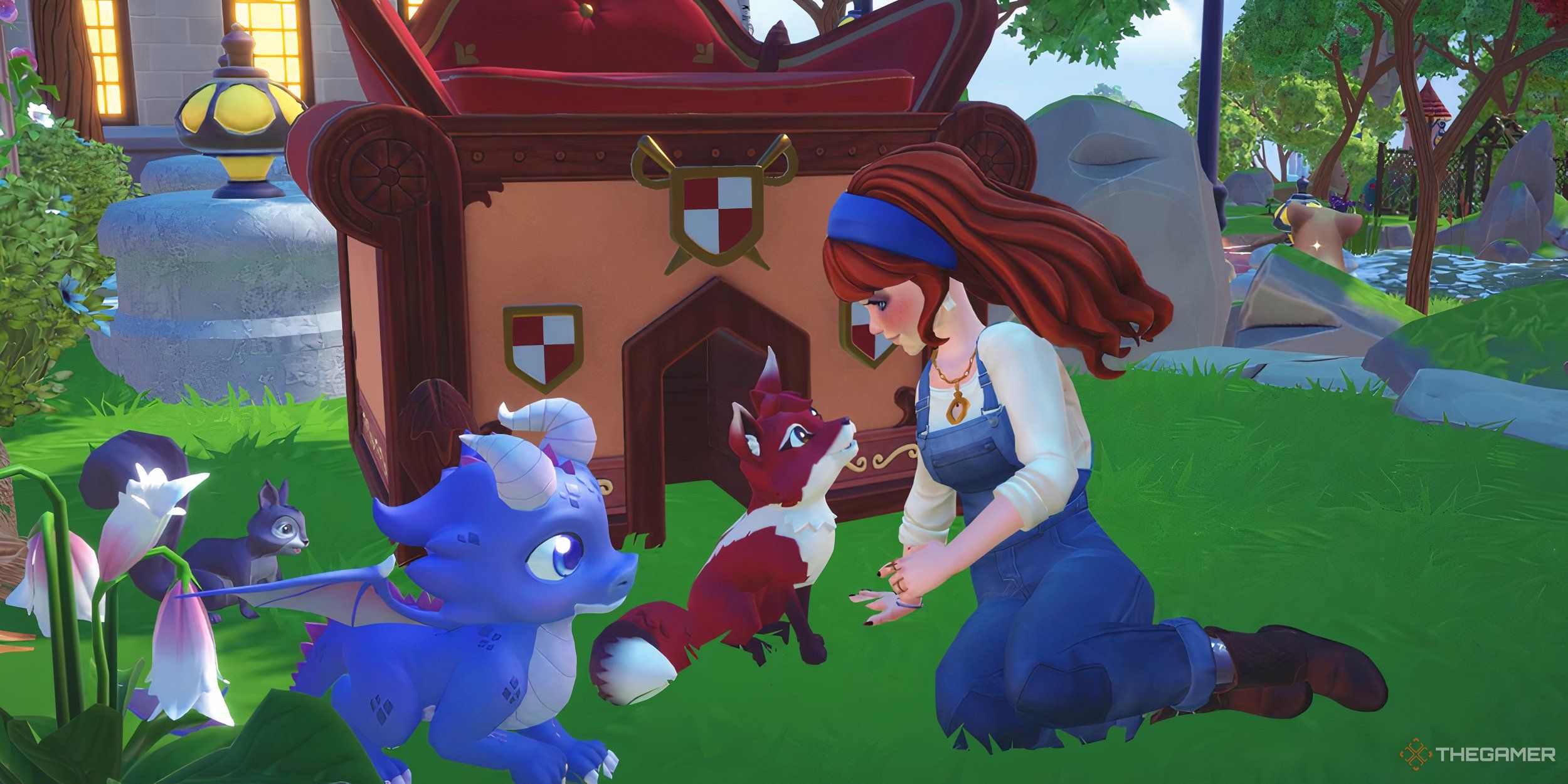
    The avatar petting a fox with a squirrel and baby dragon in the grass.

    Related

    Disney Dreamlight Valley: Critter Schedule Guide

    Add the cutest critter companion to your collection with the help of this guide.

    Merida has lost something important, a treasure that holds the power to alter destiny. Unfortunately, Hades is on the hunt for it and is getting closer. Join forces with Merida and her allies to find the treasure before Hades does, safeguarding the village and all of Storybook Vale from his machinations.

    Where to Find the Clues

    To unlock this quest, you must achieve level seven friendship with Merida. Speak with her to hear about a mysterious treasure that can change one’s fate, and how Hades is scheming to claim it. Your mission is to secure the artifact before he does.

    Merida believes it’s connected to Clan DunBroch and requests your help in searching her cottage for clues. Head over there and check the sparkling bag on the floor. Inside, you’ll discover a note about the first clue, which she entrusted to a fierce warrior skilled with a bo staff.

    A Fierce Warrior Who Was Good With a Bo Staff

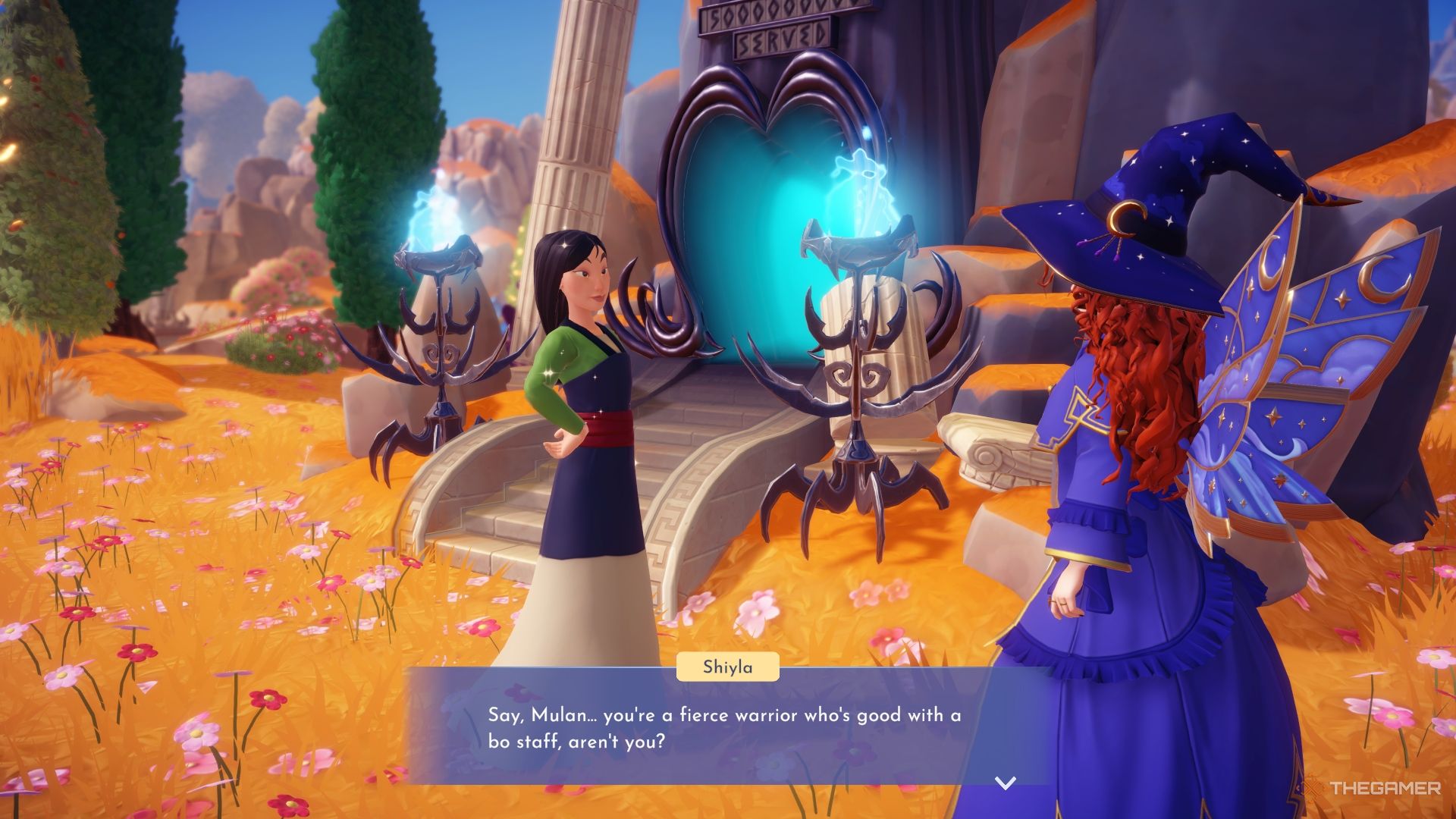
    Talking to Mulan about being a warrior.

    Search the village for Mulan and inquire if she remembers anything about the artifact. As she recalls her memories, she will direct you to the next clue by the statue of a flying horse.

    In the Elysian Fields, visit the Mythic Trial site and take a photo of the sparkling bag near the pegasus statue on the hill. Show it to Merida and accompany her back to the site. The bag is up high, so she will shoot an arrow to bring it down. After it lands, retrieve the next clue.

    Where the Wolf Drinks Spilled Tea

    The next clue leads you to where the wolf drinks spilled tea. Consult with Merida for insight, then venture into the Wild Woods. Follow the river until you spot a glowing pink memory along the bank.

    Even though the water comes from the Teapot Falls, you don’t need to unlock that region to finish this quest.

    Pick up the memory, then talk with Merida about the message from the clue.

    Finding One’s Place In The World

    The last clue refers to finding one’s place in the world under the watchful eyes of a mother, and Merida points to the Lorekeeper’s library. Head there and search the wings for a globe.

    Interact with it in the wings to uncover the final note, which reveals the location of Merida’s family treasure! Hurry and retrieve it before Hades does.

    Where to Find Merida’s Treasure

    Make your way towards the falls near the Everafter. Upon arrival, interact with the bookshelf to uncover a hidden alcove. It seems, however, that the treasure isn’t here; Hades has reached it first.

    Confront Hades about the artifact. Surprisingly, he opens up about his plan. Hades acknowledges having stolen the artifact from Merida but insists he isn’t using it for anything nefarious.

    He claims to have just used it as a dinner plate, stating it has no real magical properties—only sentimental value. Hades instructs you to retrieve it from his home if you want it so badly. Go there with Merida and collect the Clan DunBroch family treasure, then return it to Merida to complete the quest.

    You’ll get to keep the treasure as a decoration for your village!

  • Discovering the Royal Net in Disney Dreamlight Valley

    Discovering the Royal Net in Disney Dreamlight Valley

    As you journey through Storybook Vale in Disney Dreamlight Valley, you’ll discover more hidden treasures than you ever expected. From the Wild Woods to the golden fields of Mythopia, there’s plenty to accomplish. With a little guidance, you can achieve it all!

    Related

    Disney Dreamlight Valley: Top 25 Recipes for Energy Restoration

    The best recipes to regain energy in Disney Dreamlight Valley.

    We will guide you on how to access this new area situated high above Dreamlight Valley, as well as how to utilize the new Royal Tool added to your toolkit. With a sprinkle of magic and support from your friends, you have all you need to save Storybook Vale from the clutches of the Neverafter.

    How to Get to Storybook Vale

    Before embarking on this quest, you should have completed the following:

    • The Dream Castle Quest
    • Friendship Is Everything Quest
    • Making Cents of Things Quest
    • Scrooge McDuck’s Grand Reopening Quest
    • Fishing Expedition Quest

    Once you’ve fulfilled these prerequisites, check your mailbox for a letter from the Lorekeeper. After collecting the letter, head over to the Dream Castle. Navigate to the staircase on the left, then go through the gate to the Stardust Port.

    Inside, take the magical balloon to reach Storybook Vale. Upon arriving, you’ll find Merida surrounded by ink. Clear the ink, similar to how you would remove Night Thorns, and then speak with her.

    Merida explains that magic is in chaos in Storybook Vale and will take you to meet the Lorekeeper. This magical tome in the library is losing power rapidly, and it falls to you to help restore it!

    How to Locate the Royal Net

    When the Lorekeeper’s magic finally faded, various Snippets escaped and flooded the library. To aid the Lorekeeper, you need to retrieve the Royal Net tool, which lies hidden beneath the library behind a puzzle.

    You’ll find two chains that interact with the rings on the floor, but one is blocked. Go to Merida’s camp and check her bag for a potion that will allow your pickaxe to break through the petrified wood.

    You only need to break one or two to access the chain, but feel free to gather the rest.

    Activate the chains to unveil a portrait of Princess Aurora on the floor. Once the portrait is complete, the Royal Net will rise from the ground. Grab it and start catching those troublesome Snippets!

    There are four visible Snippets. Rush over to them with your net and swipe to collect. After gathering all four, return to Merida.

    Merida mentions having seen more go into the library’s side wings, meaning your task isn’t over yet.

    You still need to find six more Snippets, with three located on each side of the library. Use your net to activate the spinning wheels and access the wings. Utilize your Royal Tools to maneuver through the library and catch the remaining little paper birds.

    Bring them all back to Merida, who will give you further instructions to help restore the Lorekeeper’s magic!

    How to Rearrange Stories

    Talk to the Lorekeeper, then choose the option to rearrange stories. Use the ten Snippets you gathered to access the Once Upon A Time in the Storybook Vale image, allowing you to view all the scattered pieces of the puzzle.

    Align the images to create a detailed mosaic, illustrating what transpired in the Vale. Complete the puzzle for a reward, and watch as the Lorekeeper regains enough magic to illuminate the Vale.

    She appreciates your assistance, but this is merely the beginning. The Lorekeeper will share everything you need to know about the Neverafter and then send you to assist Merida in liberating this new land from Hades and Maleficent’s conflict.

    Speak with Merida one last time to wrap up the quest and kick off your next adventure!

  • Unlocking Animal Companions in Disney Dreamlight Valley

    Unlocking Animal Companions in Disney Dreamlight Valley

    Disney Dreamlight Valley is a vibrant hub for numerous critters, each ready to be fed, petted, and even joined by your side during quests. By engaging with these adorable animals, players can earn Dreamlight, which is essential for unlocking different biomes, castle realms, and shopping options at Scrooge’s store.

    Once you’ve fed a critter, it begins the journey toward becoming a companion, in addition to other characters you might meet through quests or events. While these companions don’t offer functional advantages, they certainly add charm to your adventures by following you around.

    Updated November 23, 2024, by Zoë J. Osik: Our guide has been refreshed to include tips on how to befriend the new critters found in Storybook Vale, such as owls, dragons, and baby pegasi. Here’s everything you need to know to make these new companions your friends.

    How to Approach a Critter

    When you encounter a critter, it will respond in one of four ways, depending on its mood and readiness to be fed. Pay attention to its behavior, as this will guide your interaction.

    Red/Green Light

    Some critters will have a "danger" position and a "safe" position that reflect their willingness to be approached. You must approach them carefully when they are in a safe state. Here are a few examples:

    • Crocodiles: They’re safe to approach when their heads are down. Stop when they raise them, and feed them once they lower again.
    • Raccoons: Move closer when they sit, but freeze when they stand. Feed them once they appear relaxed.
    • Cobras: Approach only when they’ve lowered their heads, as they are easily frightened. They’ll lay flat when it’s time to feed.

    Chase

    Certain critters will enjoy being chased once you spot them. Run after them until they stop, then you’ll have a chance to feed them. Remember to have the right treats on hand!

    Critters that love to play chase include:

    • Foxes in the Frosted Heights.
    • Rabbits in the Peaceful Meadow.
    • Monkeys in Ancient’s Landing.
    • Baby Pegasus in Mythopia.

    Wait

    Other critters prefer to observe you before they’ll accept food. They may curl up or hover nearby to watch you for a few moments. Here’s a list of critters that like to take their time:

    • Ravens will circle your head; let them finish their flight.
    • Sea Turtles will stay inside their shells. Sit near them and wait for them to poke their heads out.
    • Baby Dragons will curl up, and you should stand still until they’re comfortable to engage.

    No Games

    Some critters are straightforward and will allow you to approach and feed them immediately. This makes it easier to befriend them without needing to play any games.

    The following critters fall into this category:

    • Squirrels will request food upon your arrival, so have something ready in your inventory.
    • All five types of Sunbirds will accept treats as soon as they see you.
    • Capybaras will trot right up to you for food.
    • Owls in the Bind will readily accept snacks.

    How to Feed a Critter

    To offer a critter food, approach slowly based on the earlier behaviors and interact with it by pressing A on Xbox or Switch, X on PlayStation, or E/Left Click on PC.

    Once you engage with an animal, you’ll see the option to offer one of your food items. Each critter type has its favorite food variety; however, knowing this isn’t necessary to recruit them as companions.

    Each Critter’s Favorite Foods

    Every critter has specific favored dishes and preferred snacks. These preferences remain consistent across color variations, except for Sunbirds.

    Here’s what you should observe:

    Critter Type Variant Liked Foods Favorite Food
    Crocodile Classic, White, Red, Blue, Pink, Golden – –
    Fox Classic, Black, White, Red, Blue – –
    Rabbit Classic, Black, White, Brown, Calico – –
    Raccoon Classic, Black, White, Red, Blue – –
    Raven Classic, White, Brown, Red, Blue – –
    Sea Turtle Classic, Black, White, Brown, Purple – –
    Squirrel Classic, Black, White, Red, Grey – –
    Sunbird Emerald, Golden, Orchid, Red, Turquoise – –
    Capybara Black and White, Blue Striped, Classic, Gray Spotted, Red and White Striped – –
    Cobra Blue and Red Striped, Classic, Green and White Striped, Pink Spotted, Yellow and Purple Striped – –
    Monkeys Beige, Black and Brown, Black and Gray, Classic, Red and Beige 4-Star and 5-Star Desserts –
    Owls Brown Owl, Dark Owl, Light Owl, Purple Owl – –
    Baby Dragons – – –
    Pegasus – – –

    How to Recruit a Critter as a Companion

    To bring a critter into your circle, you must feed it two to three times. Remember, you can only feed each type of animal once per day, so be prepared to return after 24 real-life hours for continued interaction.

    Note: Attempting to feed the same animal twice in one day will result in the food simply disappearing.

    Building your friendship through feeding is essential for adding them as companions, and they may drop unique items when fed their favorite foods.

    How to Check if a Critter is Now a Companion

    To verify if a critter has become a companion, head to Main Menu > Collection > Critters. All in-game critters will be displayed, and those you have recruited will be highlighted.

    You can also click on a companion in this menu to see which biome they inhabit and whether they’re around on that day. Keep in mind that the game syncs with your device’s clock.

    It’s worth noting that some special variants won’t show in your main collection but will appear in the companion section of your inventory, usually as limited-time rewards.

    How to Equip and Switch Companions

    To access the companion menu, navigate to Inventory > Wardrobe > Companions. Here, you can see all your companions from quests and events, as well as any critters you’ve recruited.

    To equip a companion, simply select them by clicking their picture. Once you exit the menu, your newly selected companion will follow you around the valley. To switch companions, return to the same menu and select a different one or click the current companion again to deselect them.

    Your companion will remain with you throughout Dreamlight Valley until they are dismissed. Keep in mind that companions disappear when you enter the main castle and will reappear upon your return to the valley.

    Note: Companions cannot be summoned in other realms.

    How to Place Companions in Your Village

    You can craft the Cozy Companion Home to place more of your Disney Dreamlight Valley companions around your village. This allows you to select up to four animals per home, letting them roam freely near their new dwelling.

    You can set up as many Cozy Companion Homes as you desire!

    Not only will this enable you to observe and interact with them, but you can also place toys around the village for them to enjoy. Bonding with your animal companions in Dreamlight Valley enhances the cozy and engaging atmosphere, and you can even capture memorable moments through photos together!

  • Unlocking Every Custom Ability in Disney Pixel RPG: A Guide

    Ability Name

    Ability Effect (1, 2, and 3 Star)

    + Paralyze

    Gives you a (30%/50%/100%) chance to apply Level 1 Paralyze to your attacks for two turns.

    + Poison

    Grants a (30%/50%/100%) chance to apply Level 1 Poison to your attacks for two turns.

    + Skill Lock

    Provides a (30%/50%/100%) chance to apply Level 1 Skill Lock to your attacks for two turns.

    Atk Down Resist

    Grants you a (30%/50%/100%) resistance to ATK DOWN.

    Atk Up at 20% HP or Less

    If your HP is at 20% or below, you receive (Level 1/Level 2/Level 3) ATK UP. This activates under the specified conditions.

    Atk Up on Crit

    After landing a critical hit, you gain ATK UP (Level 1/Level 2/Level 3) for the next two turns.

    Atk Up on Defend Usage

    After using Defend, you have a 50% chance of receiving (Level 1/Level 2/Level 3) ATK UP for two turns.

    Atk Up on EX Skill Activation

    When you activate your EX skill, you have a 30% chance to receive (Level 1/Level 2/Level 3) ATK UP for two turns.

    Atk Up on New Wave

    When starting a new wave, you are granted ATK UP (Level 1/Level 2/Level 3) for one turn.

    Atk Up on Normal Attack

    While performing a Normal Attack, you have a 50% chance to gain ATK UP (Level 1/Level 2/Level 3) for one turn.

    Atk Up if Party Size 4 or Less

    If your party has four or fewer members, you receive (Level 1/Level 2/Level 3) ATK UP, and this effect remains active while the conditions hold.

    Atk Up on Skill Usage

    After using your Skill, you get 30% (Level 1/Level 2/Level 3) ATK UP for one turn.

    Atk Up during Status Ailments

    While affected by a Status Ailment, there’s a 30% chance to gain ATK UP (Level 1/Level 2/Level 3) for one turn.

    Attack Skill Power Up

    Increases Attack Skill power by +(10%/15%/20%).

    Crit Chance Up on New Wave

    When facing a new wave, you are granted CRIT chance UP (Level 1/Level 2/Level 3) for one turn.

    Crit Chance Up on Normal Attack

    During a Normal Attack, there’s a 50% chance to receive CRIT chance UP (Level 1/Level 2/Level 3) for one turn.

    Crit Power Up on New Wave

    While starting a new wave, you gain CRIT Power UP (Level 1/Level 2/Level 3) for one turn.

    Crit Power Up on Normal Attack

    When you perform a Normal Attack, you have a 50% chance to gain CRIT Power UP (Level 1/Level 2/Level 3) for one turn.

    Damage Reduction at 20% HP or Less

    If your HP is at 20% or below, you are granted (Level 1/Level 2/Level 3) Damage Reduction. This activates under the specified conditions.

    Damage Reduction on Crit

    After landing a critical hit, you receive Damage Reduction (Level 1/Level 2/Level 3) for two turns.

    Damage Reduction on Defend Usage

    Upon using Defend, you have a 50% chance of receiving (Level 1/Level 2/Level 3) Damage Reduction for two turns.

    Def Down Resist 30%

    Grants you (30%/50%/100%) resistance to DEF DOWN.

    Def Up at 20% HP or Less

    If your HP is at 20% or below, you receive (Level 1/Level 2/Level 3) DEF UP. This activates under the specified conditions.

    Def Up on Crit

    When you score a critical hit, you gain DEF UP (Level 1/Level 2/Level 3) for two turns.

    Def Up on Defend Usage

    After using Defend, there’s a 50% chance of receiving (Level 1/Level 2/Level 3) DEF UP for two turns.

    Def Up on EX Skill Activation

    When you activate your EX skill, you have a 30% chance to gain (Level 1/Level 2/Level 3) DEF UP for two turns.

    Def Up on New Wave

    When starting a new wave, you are granted DEF UP (Level 1/Level 2/Level 3) for one turn.

    Def Up on Normal Attack

    During a Normal Attack, there’s a 50% chance to gain DEF UP (Level 1/Level 2/Level 3) for one turn.

    Def Up if Party Size 4 or Less

    If your party has four or fewer members, you receive (Level 1/Level 2/Level 3) DEF UP. This effect stays as long as the conditions are met.

    Def Up on Skill Usage

    After using your Skill, there’s a 30% chance (Level 1/Level 2/Level 3) DEF UP for 1 turn.

    Def Up during Status Ailment

    While affected by a Status Ailment, you have a 30% chance to gain DEF UP (Level 1/Level 2/Level 3) for one turn.

    Evasion Up on Defend Usage

    After using Defend, you have a 50% chance of receiving (Level 1/Level 2/Level 3) Evasion UP for two turns.

    Evasion Up if Party Size 4 or Less

    If your party has four or fewer members, you receive (Level 1/Level 2/Level 3) Evasion UP. This effect stays as long as the conditions are met.

    Heal Skill Effect Up

    Boosts Heal Skill effect by +(5%/10%/20%).

    HP Regeneration at 20% HP or Less

    If your HP is at 20% or below, you receive (Level 1/Level 2/Level 3) HP Regeneration. This activates under the specified conditions.

    HP Regeneration on Crit

    When you land a critical hit, you gain HP Regeneration (Level 1/Level 2/Level 3) for two turns.

    HP Regeneration if Party Size 4 or Less

    If your party consists of four or fewer members, you receive (Level 1/Level 2/Level 3) HP Regeneration as long as the conditions are active.

    HP Regeneration during Status Ailments

    While experiencing a Status Ailment, you receive HP Regeneration (Level 1/Level 2/Level 3) for one turn.

    Max SP +

    Increases your Max SP by +(5/7/10).

    Paralyze Resist

    You always have Paralyze Resist (30%/50%/100%).

    Poison Resist

    You always have Poison Resist (30%/50%/100%).

    Skill Lock Resist

    You always have Skill Lock (30%/50%/100%).

    SP Charge on EX Skill Activation

    When you activate your EX skill, there’s a 30% chance (Level 1/Level 2/Level 3) SP Charge for two turns.

    SP Charge on Skill Usage

    After using your Skill, you gain a 30% (Level 1/Level 2/Level 3) SP Charge for 1 turn.

    SP Charge during Status Ailments

    While affected by a Status Ailment, you receive SP Charge (Level 1/Level 2/Level 3) for one turn.

    SP Consumption –

    Decreases Skill SP consumption by -(1/10%/20%).

    SP Gain Up on EX Skill Activation

    When you activate your EX skill, you have a 30% chance (Level 1/Level 2/Level 3) SP Gain UP for two turns.

    SP Gain Up on Skill Usage

    After using your Skill, you have a 30% (Level 1/Level 2/Level 3) SP Gain UP for 1 turn.

    SP Lock Resist

    You always have SP Lock Resist (30%/50%/100%).

    Stun Resist

    You always have Stun Resist (30%/50%/100%).

  • Upgrading the Amber/Ruby Starter Deck from Azurite Sea in Lorcana

    Upgrading the Amber/Ruby Starter Deck from Azurite Sea in Lorcana

    Ahoy there! The Azurite Sea expansion has set sail, bringing along a crew of adventurous pirates to the game. With references to beloved tales like Treasure Planet and Peter Pan, this set truly captures the spirit of swashbucklers. The "Seaworthy Crew" is an Aggro Location deck designed to maximize self-damage and damage mitigation tactics, offering strategic advantages to keep your opponents on their toes.

    One of the tactics in this deck is to manipulate Strength, enabling you to protect some of your less powerful pirates from being challenged while ensuring a steady stream of powerful card draws and recursion. If you’re eager to elevate your Amber/Ruby starter deck, you’re in the right place.

    Which Deck Suits You Best?

    This guide presents three different upgrade paths for the new starter deck:

    • The "Good" version incorporates a few rare cards to give you an immediate boost without breaking the bank.
    • The "Better" version takes things up a notch by adding essential rare cards and some Super Rares for a power enhancement.
    • The "Best" version is a rich collection of cards sourced from all six Lorcana sets, including some legendary options.

    The goal here is to boost the deck’s consistency and overall performance while retaining its core mechanics.

    Good – Budget Emerald/Sapphire Deck

    In this version of the deck, you’ll see an effort to enhance consistency while reinforcing its main themes, albeit with a heavier focus on Pirate synergies and Location support.

    Here’s a sample decklist for this upgrade:

    Cards Quantity
    Doc, Leader of the Seven Dwarfs 4
    Fix-it Felix, Jr., Delighted Sightseer 4
    Gopher, Ship’s Carpenter 2
    Jasmine, Rebellious Princess 2
    Moana, Kakamora Leader 3
    Win the Game 4
    Various other cards As required

    This deck sacrifices some self-damage mechanics, honing in on a strong emphasis on Pirate interactions and effective locations.

    Better – Mid-Cost Amber/Ruby Deck

    This version enhances pressure during the early game by introducing key cards like Piglet, Pooh Pirate Captain, allowing for explosive starts.

    Notable upgrades include:

    • Expanding on the use of Mickey Mouse, Courageous Sailor, and Mickey Mouse, Pirate Captain to optimize character movement and value.
    • Incorporating locations such as Sugar Rush Speedway for efficient play while maintaining a robust Aggro approach.

    This setup not only preserves the location synergy but also amplifies card draw capabilities, ensuring you can keep the pressure high throughout the game.

    Best – Top-Tier Emerald/Sapphire Deck

    The pinnacle of deck refinement swaps out regular Jim Hawkins for the legendary Jim Hawkins, Space Traveler. This upgrade introduces powerful moves without the hefty costs associated with traditional strategies.

    Key components of this deck consist of:

    • Aiding in character repositioning with Tuk Tuk, Lively Partner to keep the momentum going.
    • Maintaining card draw and lore gain with a productive synergy between various Pirates and locations.

    Utilizing significant card draw and consistent position play, this deck maximizes both board presence and victory avenues, allowing for a multitude of strategic options each turn.

    How to Maximize Your Potential with the Best Amber/Ruby Deck

    The overall strategy involves quick play to control the board while drawing from locations like Sugar Rush Speedway. Ensure you leverage the strengths of Moana and other characters effectively. By utilizing strategic card draw and location abilities, you can manipulate the tempo of the game in your favor.

    Utilizing locations strategically allows you to deal with high-threat characters efficiently and ensures your board remains full and diverse throughout the match, giving you the upper hand in any confrontation.

    This playstyle emphasizes speed and the ability to outmaneuver opponents, sealing your path to victory with clever tactics and an adept crew of characters.

  • Marvel Unveils 2025 Disney+ TV Lineup With Daredevil And More

    Marvel Unveils 2025 Disney+ TV Lineup With Daredevil And More

    Matt Murdock walks while wearing glasses.
    Disney+

    Marvel Studios recently revealed its lineup for 2025 on Disney+ during a sneak peek that accompanied the finale of Agatha All Along. Among the highlights were glimpses of three new live-action series: Daredevil: Born Again, Ironheart, and Wonder Man.

    The highly anticipated Daredevil: Born Again is set to debut on March 4, 2025. This series brings back Charlie Cox as Matt Murdock/Daredevil and Vincent D’Onofrio as Wilson Fisk/Kingpin, reprising their roles from Netflix’s Daredevil which aired from 2015 to 2018. Additionally, Deborah Ann Woll returns as Karen Page, Elden Henson returns as Foggy Nelson, Wilson Bethel as Benjamin “Dex” Poindexter, and Jon Bernthal as Frank Castle/Punisher.

    Video Highlights

    Ironheart will debut on Disney+ in June, featuring Dominique Thorne as Riri Williams, a brilliant MIT student who creates an armored suit akin to Iron Man’s. Thorne first appeared as the character in Black Panther: Wakanda Forever in 2022. The cast for Ironheart also includes Anthony Ramos, Lyric Ross, Alden Ehrenreich, and Manny Montana.

    The last of the live-action shows arriving in 2025 is Wonder Man, which will stream in December. Created by Destin Daniel Cretton and Andrew Guest, Wonder Man stars Yahya Abdul-Mateen II as Simon Williams, an actor who gains superhuman abilities and transforms into Wonder Man. Ben Kingsley returns as Trevor Slattery, with a supporting cast that includes Demetrius Grosse, Lauren Glazier, Josh Gad, Bryon Bowers, and Ed Harris.

    In related animation news, Marvel is also preparing What If…? season 3 set to release on December 22, 2024; Your Friendly Neighborhood Spider-Man on January 29, 2025; Eyes of Wakanda on August 6, 2025; and Marvel Zombies in October 2025.

    Deadpool & Wolverine will be available on Disney+ starting November 12, 2024. This film is noted for being the highest-grossing R-rated movie of all time and Marvel’s most financially successful project since Spider-Man: No Way Home in 2021.

    Explore Marvel’s upcoming shows on Disney+

    • Deadpool & Wolverine – November 12, 2024
    • What If…? season 3 – December 22, 2024
    • Your Friendly Neighborhood Spider-Man – January 29, 2025
    • Daredevil: Born Again – March 4, 2025
    • Ironheart – June 24, 2025
    • Eyes of Wakanda – August 6, 2025
    • Marvel Zombies – October 2025
    • Wonder Man – December 2025
  • How To Cancel Your Disney+ Subscription: Step-by-Step Guide

    How To Cancel Your Disney+ Subscription: Step-by-Step Guide


    Derek Malcolm / Digital Trends

    Disney+ offers an impressive array of beloved classics and the latest films and series among streaming platforms. But what do you do when you’ve finished the entire Marvel Cinematic Universe, revisited distant galaxies, watched every Pixar movie, finished all 34 seasons of The Simpsons, and explored all that Disney+ provides? Perhaps you’re ready to take a break or simply want to cut back on expenses.

    If you’re considering deleting your Disney+ account, the procedure is quite simple. What will differ for each user is the method by which they created their Disney+ account.

    We’ve prepared this guide to help you through the cancellation of your Disney+ subscription and your overall Disney account. Here’s how to do it.

    Difficulty

    Easy


    Duration

    10 minutes

    What You Need

    • A Disney+ account

    • A home computer (for browser cancellation)

    • A smartphone or tablet (for cancellation through iOS or Android)

    Disney+ account settings

    Derek Malcolm / Digital Trends

    How to Cancel Your Disney+ Subscription on a Computer

    Follow these steps if you registered through a PC rather than a mobile device.

    Step 1: Log into your Disney+ account on the Disney+ website.

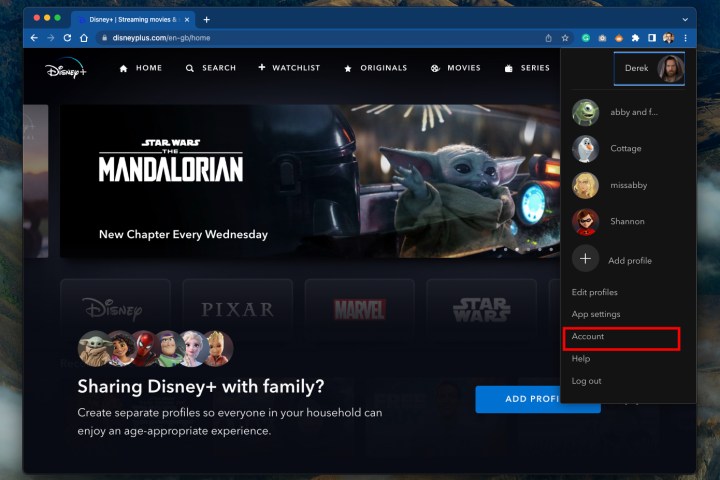
    Step 2: Click or hover on the Profile icon in the upper-right corner.

    Step 3: From the dropdown, select Account.

    Step 4: Under the Subscription section, click on the subscription you wish to cancel.

    Step 5: Click the Cancel Subscription link.

    Step 6: Provide a reason for your cancellation and then select Continue to finalize the process.

    Disney+ on Google Play

    Screengrab

    How to Cancel via Google Play

    Follow these steps if you subscribed through the Disney+ Android app.

    Step 1: Open the Google Play Store.

    Step 2: Click the Three-line Menu icon in the upper-left corner.

    Step 3: Select Subscriptions, then choose Disney+.

    Step 4: Click Cancel Subscription.

    Disney+ on the App Store

    Screengrab

    How to Cancel via iOS or iPadOS

    Follow these steps if you registered through the Disney+ app for Apple devices.

    Step 1: Open the Settings app and tap your Name/Apple ID.

    Step 2: Tap Subscriptions.

    Step 3: Choose Disney+, then select Cancel Subscription.

    After Cancelling Disney+

    You will still have access to Disney+ until the end of your current billing cycle.

    If you’re looking for a refund, keep in mind that Disney+ does not provide refunds for partially used billing periods, but you will not incur any cancellation fees.

    Even after cancellation, your Disney account (created during your Disney+ signup and used across all Disney platforms) remains active. This account will continue to receive promotional emails unless you opt-out. To delete your Disney account completely:

    Step 1: Visit Disney’s Privacy Controls page.

    Step 2: Sign in using the link under Manage your registration account.

    Step 3: Here, you can adjust notification preferences, such as email frequencies, or completely remove your Disney account.

    Be aware that deleting your Disney account won’t automatically cancel your Disney+ subscription; it will prevent you from accessing Disney+. Therefore, ensure you terminate your Disney+ subscription prior to deleting your Disney account. If you skip this, you may have to contact Disney customer service for support.

    Now, you might want to explore what Netflix currently has to offer.

  • Disney+, a very attractive price to better compete with Netflix

    If we do not yet have a date on the release of the Disney+ streaming service in France, the latter is specific to the US where he arrives on November 12.

    (المزيد…)