• About Us
  • Contact Us
  • Advertise
  • Privacy Policy
  • Guest Post
No Result
View All Result
Digital Phablet
  • Home
  • NewsLatest
  • Technology
    • Education Tech
    • Home Tech
    • Office Tech
    • Fintech
    • Digital Marketing
  • Social Media
  • Gaming
  • Smartphones
  • AI
  • Reviews
  • Interesting
  • How To
  • Home
  • NewsLatest
  • Technology
    • Education Tech
    • Home Tech
    • Office Tech
    • Fintech
    • Digital Marketing
  • Social Media
  • Gaming
  • Smartphones
  • AI
  • Reviews
  • Interesting
  • How To
No Result
View All Result
Digital Phablet
No Result
View All Result

Home » How to Configure AWS S3 Lifecycle for Failed Replication Objects

How to Configure AWS S3 Lifecycle for Failed Replication Objects

Emily Smith by Emily Smith
February 9, 2026
in How To
Reading Time: 1 min read
A A
AWS Security: Handling Sophisticated Attacks & Collaborating with Authorities
ADVERTISEMENT

Select Language:

If you have S3 replication turned on on your main storage bucket and also use lifecycle policies to manage your objects, it’s important to know how Amazon S3 protects your data during this process.

ADVERTISEMENT

When an S3 bucket is set up with replication and lifecycle policies, Amazon S3 temporarily holds off on deleting objects until it knows whether the objects have been successfully replicated. Specifically, if you have a lifecycle rule that deletes old files, S3 won’t delete any objects that are still in a “pending” state for replication. Instead, it waits until the replication status is marked as either “completed” or “failed.”

This means your files won’t be accidentally deleted before they are properly copied over to the destination bucket. The objects will stay in your source bucket until Amazon S3 confirms their replication status. Once the status is clear—either successfully replicated or failed—the lifecycle rule can then be applied, and the objects can be deleted if they meet the other criteria.

Because of this, it’s a good practice to check an object’s replication status before you manually delete anything from a bucket that has replication enabled. If the status is “failed,” you’ll want to address that issue before removing the object, to avoid losing data or deleting objects that haven’t been copied correctly.

ADVERTISEMENT

In case some objects fail to replicate, the lifecycle rules will eventually process and delete those files once the failure is recognized. To prevent data loss, regularly monitor your replication status and fix any issues that cause failures. Doing so will help ensure your data is safely copied and managed as intended.

For more details, you can refer to the official AWS documentation on how replication status works in Amazon S3.

ChatGPT ChatGPT Perplexity AI Perplexity Gemini AI Logo Gemini AI Grok AI Logo Grok AI
Google Banner
ADVERTISEMENT
Emily Smith

Emily Smith

Emily is a digital marketer in Austin, Texas. She enjoys gaming, playing guitar, and dreams of traveling to Japan with her golden retriever, Max.

Related Posts

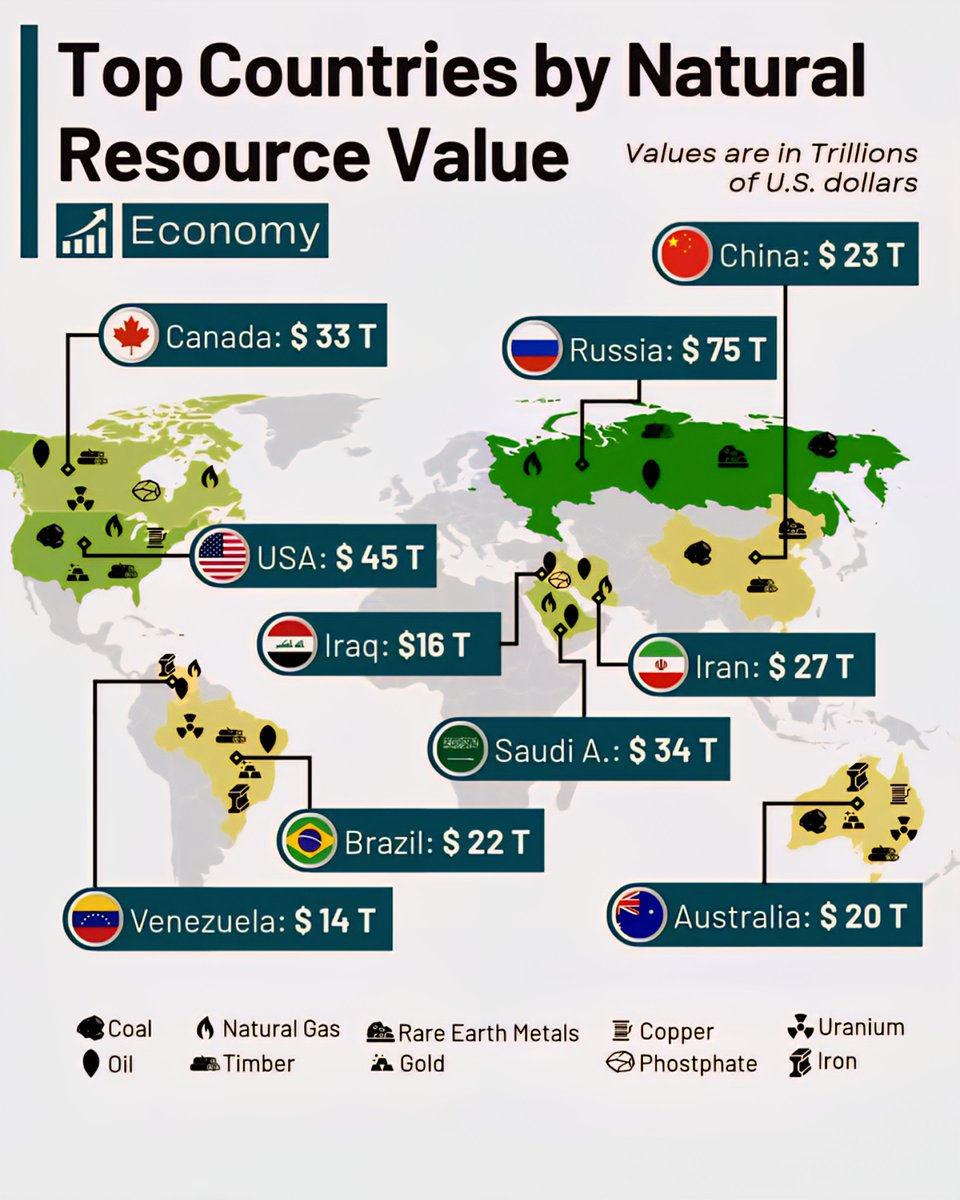
Richest Countries by Natural Resource Value 

1.  Russia – $75 Trillion
2.  USA
Infotainment

Top Richest Countries by Natural Resource Value 2023

June 29, 2026
Google: Showcasing Exceptional Content
Digital Marketing

Google: Showcasing Exceptional Content

June 29, 2026
AI

Many DeepSeek API Users Confirm Receipt of Price Increase Email: V4 Peak Pricing Will Double

June 29, 2026
13-billion-year-old interstellar comet predates our solar system
Health

13-billion-year-old interstellar comet predates our solar system

June 29, 2026
Next Post
Countries with the Most Reserves 

 Gold Reserves 
 United States  
 Germany

Top Countries with the Largest Gold Reserves

  • About Us
  • Contact Us
  • Advertise
  • Privacy Policy
  • Guest Post

© 2026 Digital Phablet

No Result
View All Result
  • Home
  • News
  • Technology
    • Education Tech
    • Home Tech
    • Office Tech
    • Fintech
    • Digital Marketing
  • Social Media
  • Gaming
  • Smartphones

© 2026 Digital Phablet