الوسم: webfishing

  • Guide to Securing Your Own Island in Webfishing

    Guide to Securing Your Own Island in Webfishing

    Are you dreaming of catching fish in peace and quiet? Webfishing brings that dream to life with its option for private islands. As a charming little animal-person fishing enthusiast, you’ve likely spent time in the lively community hub and checked out various busy fishing locations. However, the tranquility of fishing in undisturbed waters might sometimes be what you crave.

    Related

    Webfishing: How To Draw

    Create fun little drawings in Webfishing, a light-hearted fishing game.

    Your private island awaits — a perfect spot for fishing and unwinding, plus it’s great for a small gathering with friends. Before you grab your fishing gear and head out, here’s how to access this exclusive escape. Are you ready to embrace this personal fishing wonderland? Let’s jump into the steps.

    How To Obtain a Private Island

    First, you need to level up your camp tier to at least Tier Two. You can do this within the hub building by talking to the Frog, who manages camp upgrades. Visit the camp tier purchasing area located at the top of the shop menu. Once your camp is at Tier Two, you can move on to the next step.

    Press ‘V’ on your keyboard to access the prop placement menu. Then, select the ‘Tiny Island Entrance’ option, which lets you place a flag on the ground. This flag acts as your entry point to the private island. Once the flag is down, walk up to it and press ‘E’ to teleport. You’ll be whisked away to your own personal paradise, perfect for fishing without distractions.

    If you want some company while you fish, friends can join you on the island. They just need to find your flag in the game world and press ‘E’ to come over.

    Getting back to your original location is a breeze. Just approach the flag and press ‘E’ again. If you decide you’re finished with the island and want to take the flag down, hit ‘V’ once more, select the ‘Tiny Island Entrance’ option again, and the flag will be removed.

  • Quick Tips for Rapid Leveling in Webfishing

    Getting ahead in Webfishing might appear as easygoing as a lazy afternoon by the water, but don’t be fooled by the game’s relaxed atmosphere. Beneath its sociable exterior and calm waters lies a surprisingly strategic approach for players looking to advance in levels.

    Whether you’re fishing for leisure or aiming to snag some rare species, effective leveling holds the key. This guide will cover all you need to know to boost your progress. Ready to increase your experience points without stress? Let’s jump in and make every cast worthwhile.

    How to Level Up Quickly

    Advancing in levels is closely linked to your ability to catch fish. The more fish you reel in, especially the rarer ones, the more experience points you’ll accumulate. To level up swiftly, concentrate on both boosting your catch rate and targeting rare fish, as they provide greater experience per catch.

    Enhance Your Gear

    A major way to boost your leveling efficiency is by upgrading your fishing gear. Improvements allow you to catch more fish and increase your odds of landing rarer types, both of which will enhance your experience gains. You can find gear upgrades at the Fishing Store located inside the Hub Building. Just interact with the frog to access these enhancements that will help increase your catch rate and speed.

    Focus on upgrades that increase your Rod Catch Chance and Rod Luck. Additionally, changing your bait type can help attract rarer fish, which are essential for faster leveling.

    Grab Some Sodas

    To accelerate your progress, take advantage of multipliers found in the Vending Machine near the Hub Building.

    The soda boosts available here can enhance your luck while fishing, making it easier to catch rare fish. The Catcher’s Cola Deluxe is especially beneficial; it not only improves your catch rate but also increases the experience you earn per fish caught.

    Consider Fishing Buddies

    Along with your own fishing efforts, think about getting Fishing Buddies. These helpful companions, which you can purchase at the Fishing Store, will automatically gather fish for you. Although Fishing Buddies don’t directly add to your experience, they provide consistent income, allowing you to reinvest in upgrading your gear or buying more soda boosts.

    Invest in the Sparkling Lure

    Finally, if you’re trying to catch higher-tier fish, the Sparkling Lure is a valuable tool.

    This lure targets the highest-tier fish among your options, greatly enhancing your chances of securing a rare catch. Since rare fish help you level up more rapidly, the Sparkling Lure is well worth the investment. It costs 2,000 and requires you to reach Camp Tier Three, making it ideal for mid-to-late-game players aiming to boost their leveling efficiency.

  • Mastering Guitar Skills in Webfishing: A Step-by-Step Guide

    Mastering Guitar Skills in Webfishing: A Step-by-Step Guide

    Fishing in Webfishing is a blast, and even after hours, it never feels dull. One of the highlights of the game is the social aspect; playing with friends makes the experience even more enjoyable, highlighting how crucial this element is to the game.

    Your character’s look and the cosmetic items you choose to wear also matter, giving a stylish flair to your gameplay. Want to impress your friends with your coolness? If so, it’s time to pick up a guitar in Webfishing!

    Where to Get a Guitar

    To start playing the guitar, the first step is to buy one. Teleport to the hub and enter the building to the right of the Pawprint Point board. Once inside, talk to the opossum to access the general store, where you can find a guitar under the instruments section. All guitars are basically the same except for their appearance.

    How to Play Guitar

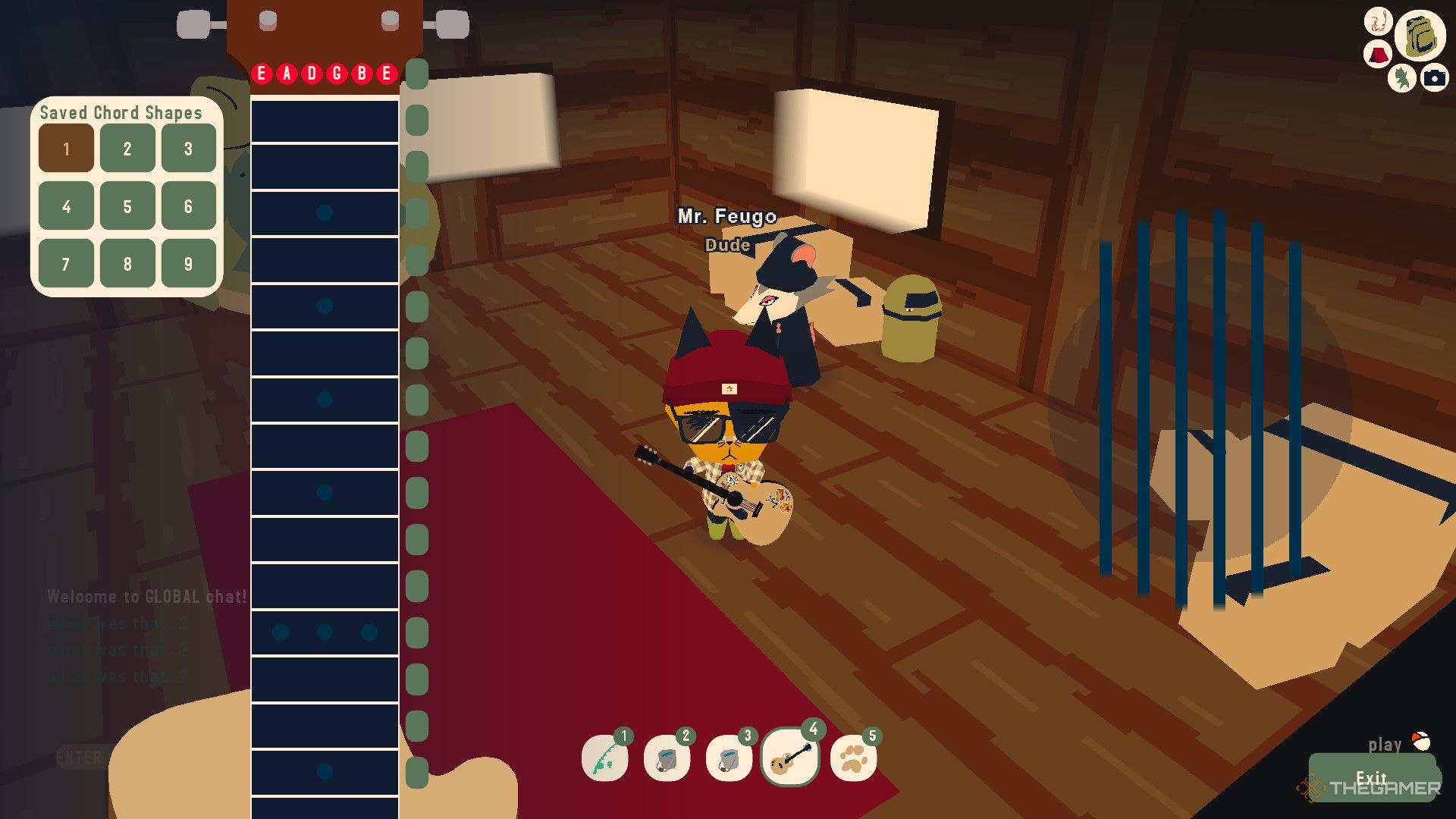
    The player opens the guitar interface in Webfishing.

    After buying a guitar, it will be stored in your backpack. Click on the backpack icon in the top right corner, go to the tools tab, and you can view and use your guitar from there. If you plan to use it often, consider adding it to your hotbar for easy access.

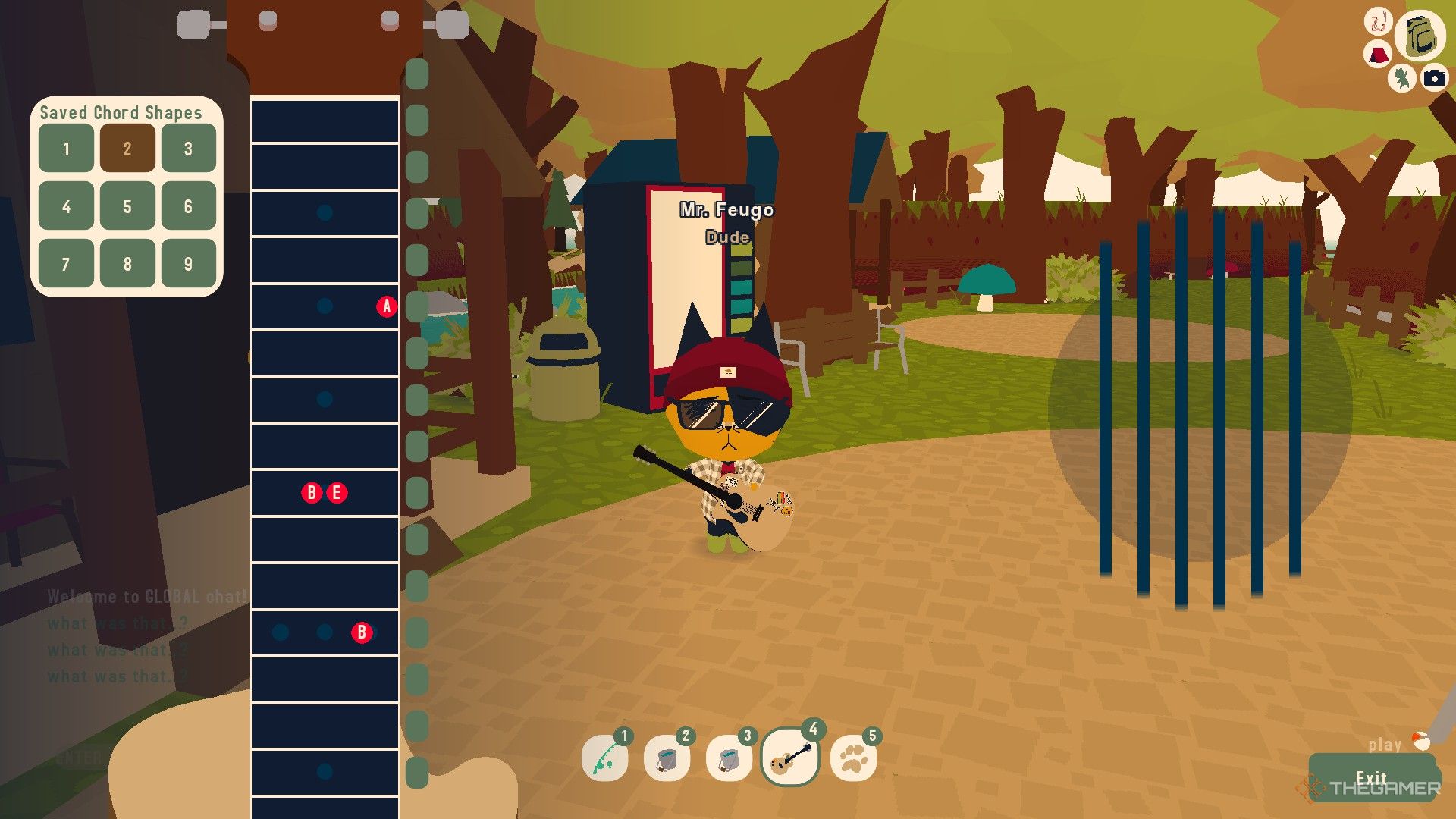
    Clicking on the guitar will reveal its interface, which closely resembles a real guitar setup. On the left side, there’s a chord menu. You can save up to nine chord shapes on your guitar.

    The first thing to grasp is how to set strings to a fret. By pressing the buttons on the right of the guitar interface, all strings will be set to a fret. If you wish to adjust a specific string individually, hover your mouse under the string and click on the frets. This step is vital for playing your favorite songs.

    Note that the zero fret is the default sound, which means no note will be played.

    If you click on a note on the string, it will disappear, indicating you are muting it.

    The player is adjusting the chord shapes in Webfishing.

    Another key point is learning how to strum. To strum, hold down the right mouse button and move your mouse horizontally across the strings. The direction of your movement matters:

    Strumming Direction

    Effect

    Strumming from left to right

    This is used for strumming up.

    Strumming from right to left

    This is used for strumming down.

    Additionally, using your keyboard is the most efficient way to play the guitar. You’ll need to utilize certain number and letter keys to play music. The number keys represent chord shapes, while the letter keys correspond to the strings. The numbers one through nine shown on the left of the guitar interface are used for chord shapes.

    For the strings, you will use the keys from Q to Y:

    Fret

    E

    A

    D

    G

    B

    E

    Key

    Q

    W

    E

    R

    T

    Y

    Now, all that’s left is to find the chords for your favorite songs, practice them, and enjoy! With these basics in hand, you’re ready to start your musical journey in Webfishing!

  • Using Metal Detectors for Effective Webfishing Techniques

    Using Metal Detectors for Effective Webfishing Techniques

    In Webfishing, while the primary objective is to catch fish and possibly make some friends, you can also explore the island and even earn some money through treasure hunting if that’s more your speed.

    The items you uncover during your treasure hunts may not be traditional treasures—expect to find things like a rusty ring or an old button. You’ll need a metal detector to embark on this adventure, and if you’re curious about how to get one and use it, this guide has got you covered.

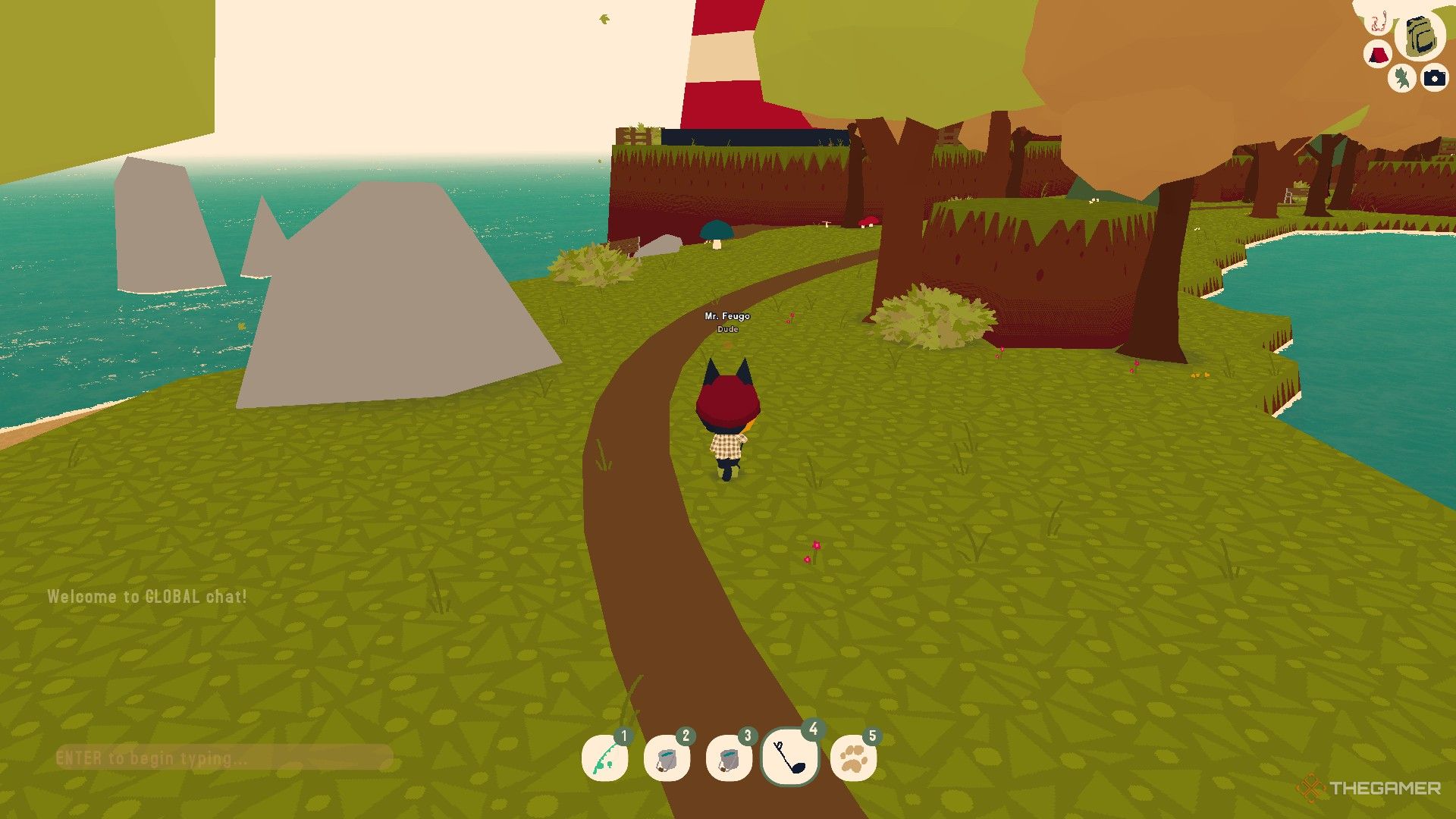
    To get a metal detector, you first need to buy one. Start at the hub with your back to the Pawprint Point sign. Take the path on your right and follow it until you reach the large lake. Cross the path in front of the lighthouse, keeping the lighthouse to your right as you go.

    When you get to the wooden bridge, cross it and continue down the path. Then jump down onto the beach to your right. Make your way towards the dock where you’ll spot a small cabin with a yellow roof. Interact with the cabin’s door to purchase a metal detector for 100 dollars.


    Once you’ve bought the metal detector, it goes into your backpack. Click the backpack icon in the top right corner to view your inventory, where you’ll find the metal detector. If you plan to use it often, you can assign it to a hotbar slot for easy access. Click the metal detector to equip it, and your character will hold it, making it easier to search for items as you walk around.

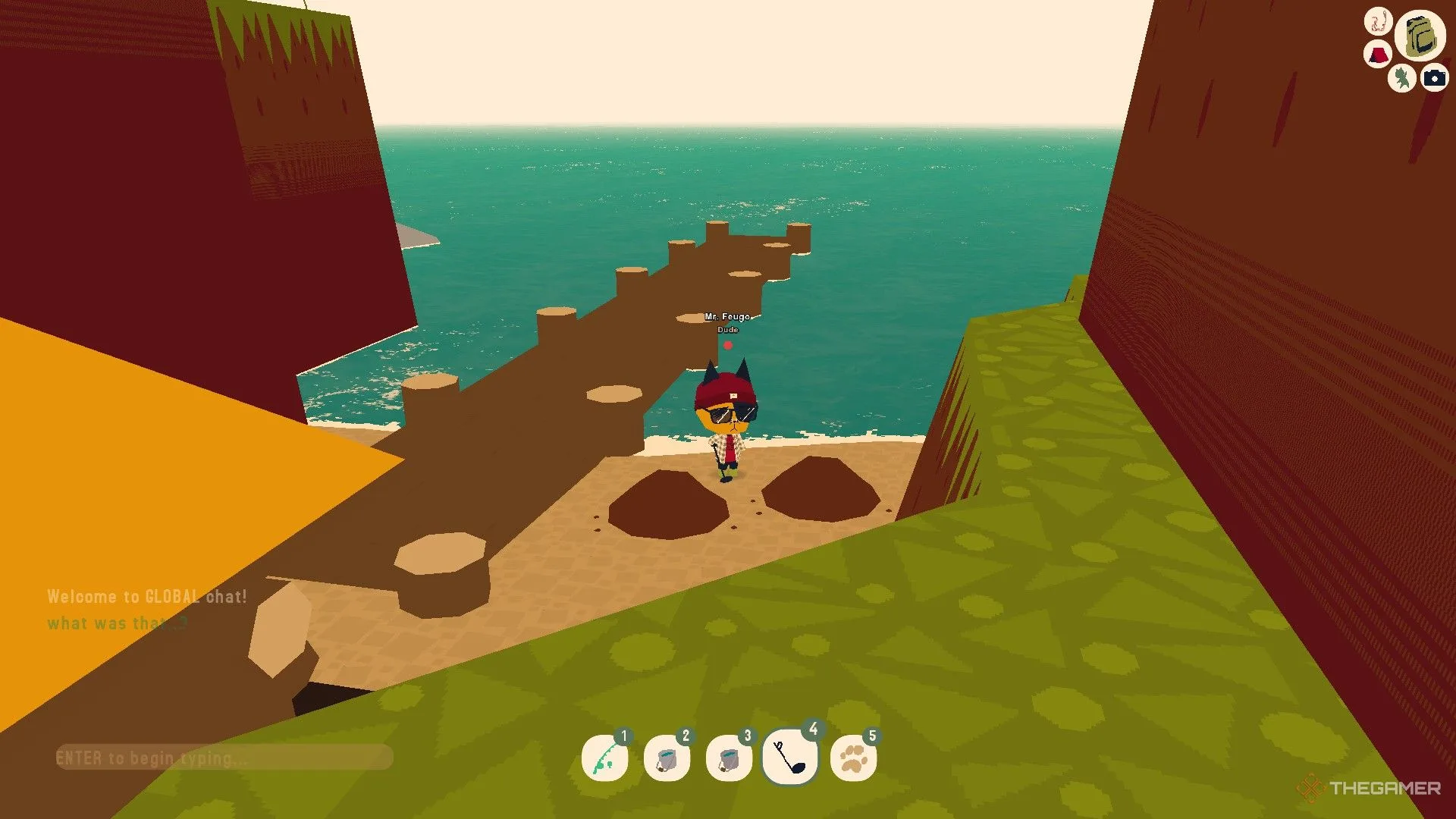
    However, just wandering around won’t guarantee you’ll find anything. Your main objective is to locate mounds. When you’re close enough to a mound, a red dot will flash above your character’s head, along with a beeping sound. As you get closer, both the flashing and beeping will get faster. When you locate the mound, interact with it to unearth an item.

    If another player on your server is using a metal detector, you won’t be able to find any mounds while using yours. Only one person per server can use a metal detector to locate mounds at a time.

    Since using the metal detector involves a lot of walking, consider buying Speed Slurps from the vending machine in the hub to help you search more effectively.


    A player is searching for mounds using a metal detector in Webfishing.

    Once the red dot appears, move forward. If both the dot and beeping speed up, you’re close to the mound; if they slow down, back away. Move around to find the optimal position, then search both your left and right sides to be sure you’ve found the mound.


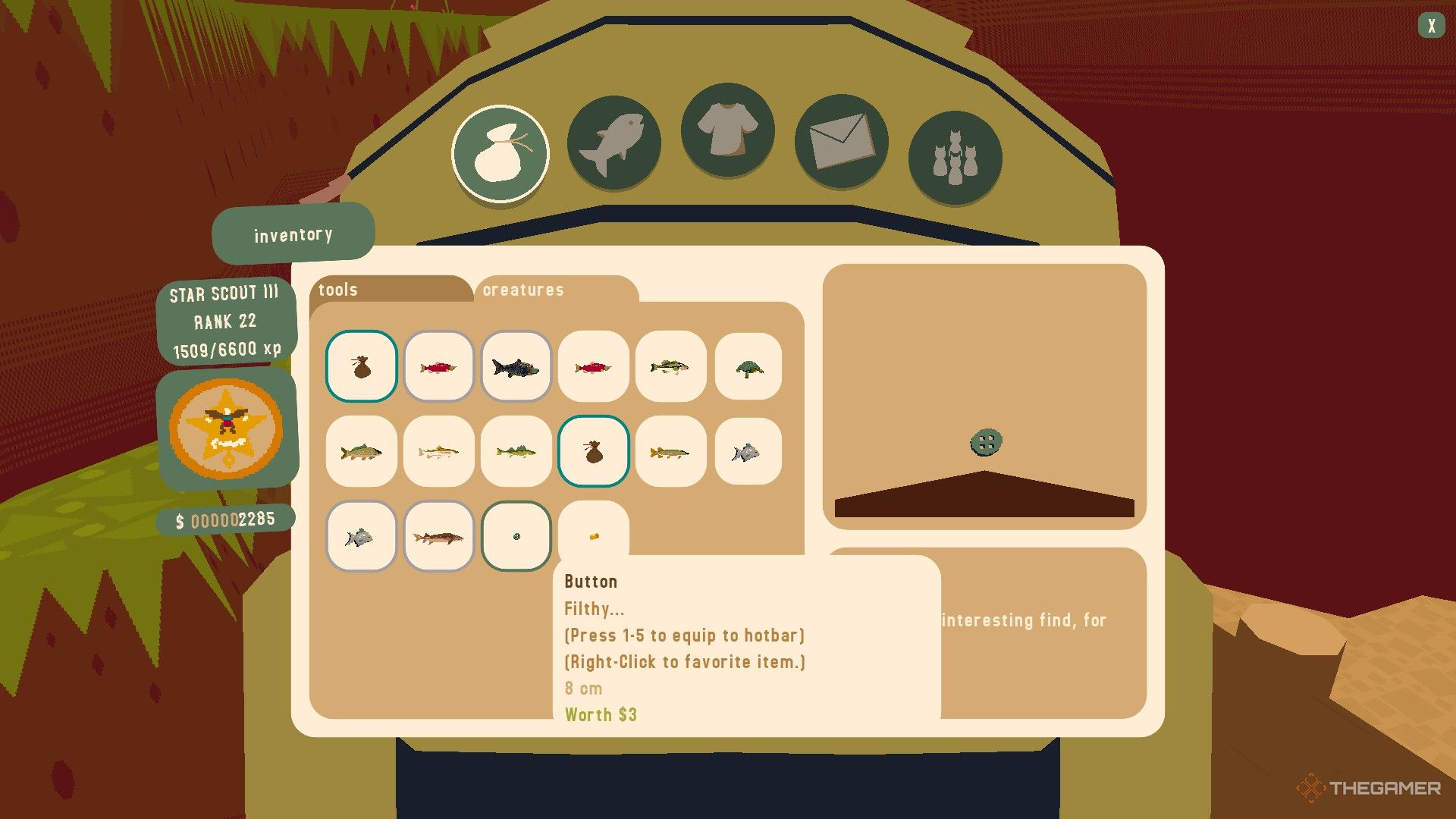
    A button is shown in the player's backpack in Webfishing.

    You can find a limited range of items with the metal detector. While they have some monetary value at the beginning of the game, shifting your focus back to fishing might be more lucrative as you advance. Here’s a list of items you might uncover:

    • Button
    • Casing
    • Coin
    • Soda Tab
    • Rusted Ring
    • Hat Fragment
    • Monocle Fragment
    • Sword Fragment
    • Watch Fragment

    After collecting three of any fragment item, you can return to the yellow-roofed cabin where you bought the metal detector and sell these fragments for cosmetic items.

  • Unlock Enhanced Customizations in Webfishing Now!

    Unlock Enhanced Customizations in Webfishing Now!

    In the world of Webfishing, fishing isn’t just about making a catch—it’s about expressing your unique style. Whether you’re relaxing by the water or showcasing your personality with various emoticons, character customization adds to the fun of the game.

    With a variety of patterns to choose from and accessories to unlock, you can have a blast creating unique looks. Curious about how to get these special options? We’re here to guide you through the process of enhancing your character’s style. Let’s explore how to make your character stand out.

    How to Customize Your Character

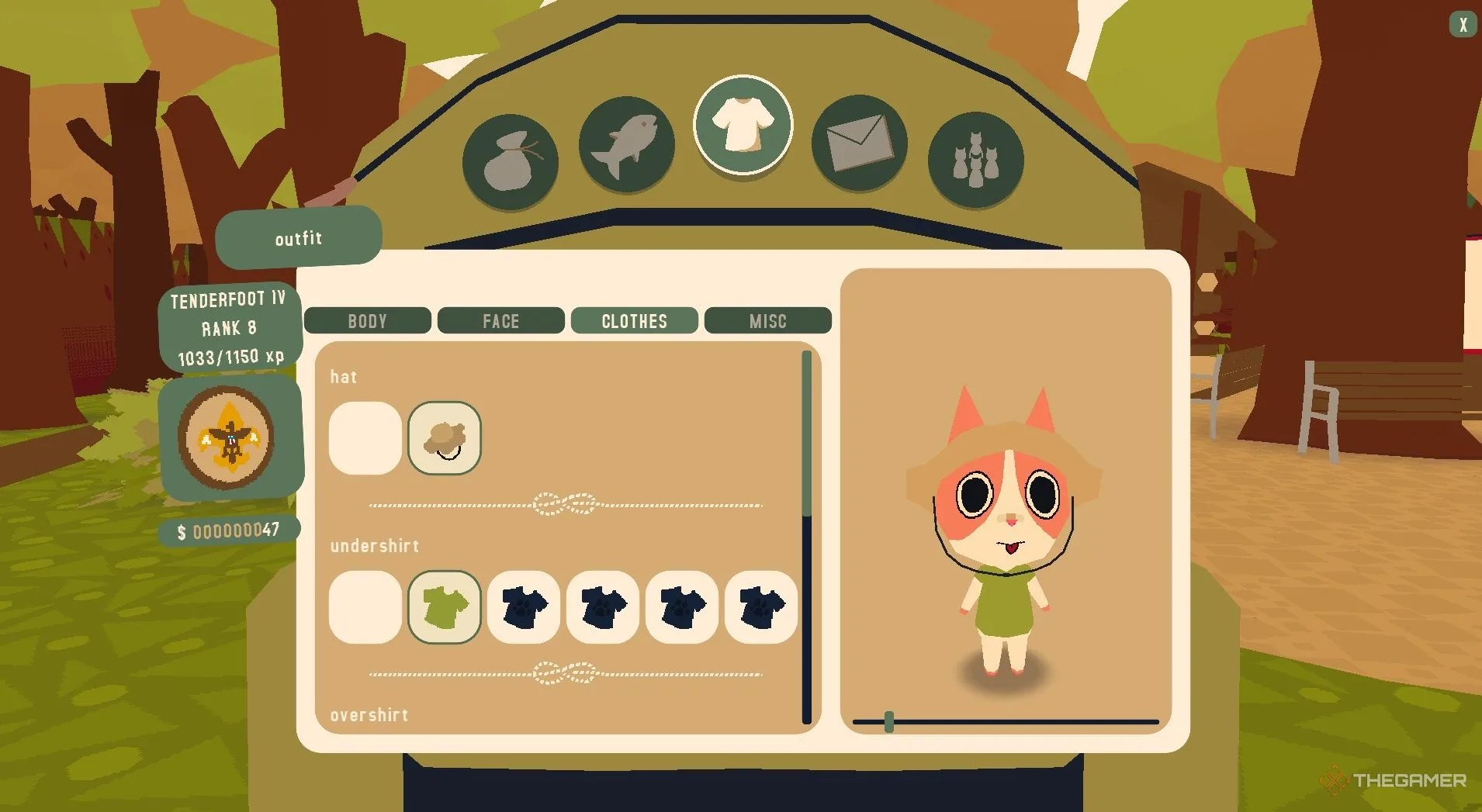
    To get started, open your backpack by clicking the backpack icon in the top-right corner of your screen. Once you’re in, go to the Customize tab, which is represented by a T-shirt icon in the top-middle section of the backpack menu. This section allows you to personalize many features of your character, such as their body, face, clothing, and other traits.

    Category

    Options

    Body

    Species (cat or dog), pattern, primary color, secondary color, tail

    Face

    Eyes, nose, mouth

    Clothes

    Hat, undershirt, overshirt, legs, accessories (up to 4)

    Misc

    Title, bobber, voice options

    How to Unlock More Customizations

    There are two main ways to obtain new customization items: completing quests or making purchases.

    To begin quests, head to the quest board located just to the right of the Hub cabin. Completing these quests will reward you with unique customization items, allowing you to expand your collection while enjoying the game.

    If you’d like a quicker approach, check out the possum’s General Store found inside the Hub building. The possum offers a range of items available for purchase. As you progress and level up, more customization options will be unlocked for sale, ensuring you always have exciting new items to acquire.

  • Master the Art of Kissing in Webfishing

    Master the Art of Kissing in Webfishing

    In the world of Webfishing, it’s not just about the fish you catch—it’s all about the experience. This casual multiplayer game mixes the tranquil art of fishing with socializing, making it a great spot to unwind, forge new friendships, and, of course, showcase your pet’s personality.

    To keep the fun flowing, you can use emoticons, which allow your cat (or dog) to convey various emotions, from joy to surprise. Whether you’re celebrating a successful catch or joking about a fishing mishap, these animations add a delightful flourish to your gameplay. Want to learn how to help your cat express itself fully? Let’s explore the details!

    How to Use All Emoticon Commands


    Besides chilling out, making friends, and hanging out, you can make your cat (or dog) come alive with emoticons that depict a range of feelings. These commands enhance interactions and make your time in the game even more enjoyable. Below is a list of the emoticons and how to use them.

    You can execute all these emoticons even when your cat is sitting. Just activate the sitting animation first, then use the other emoticons as normal.

    Emoticon

    Keybind

    Photo

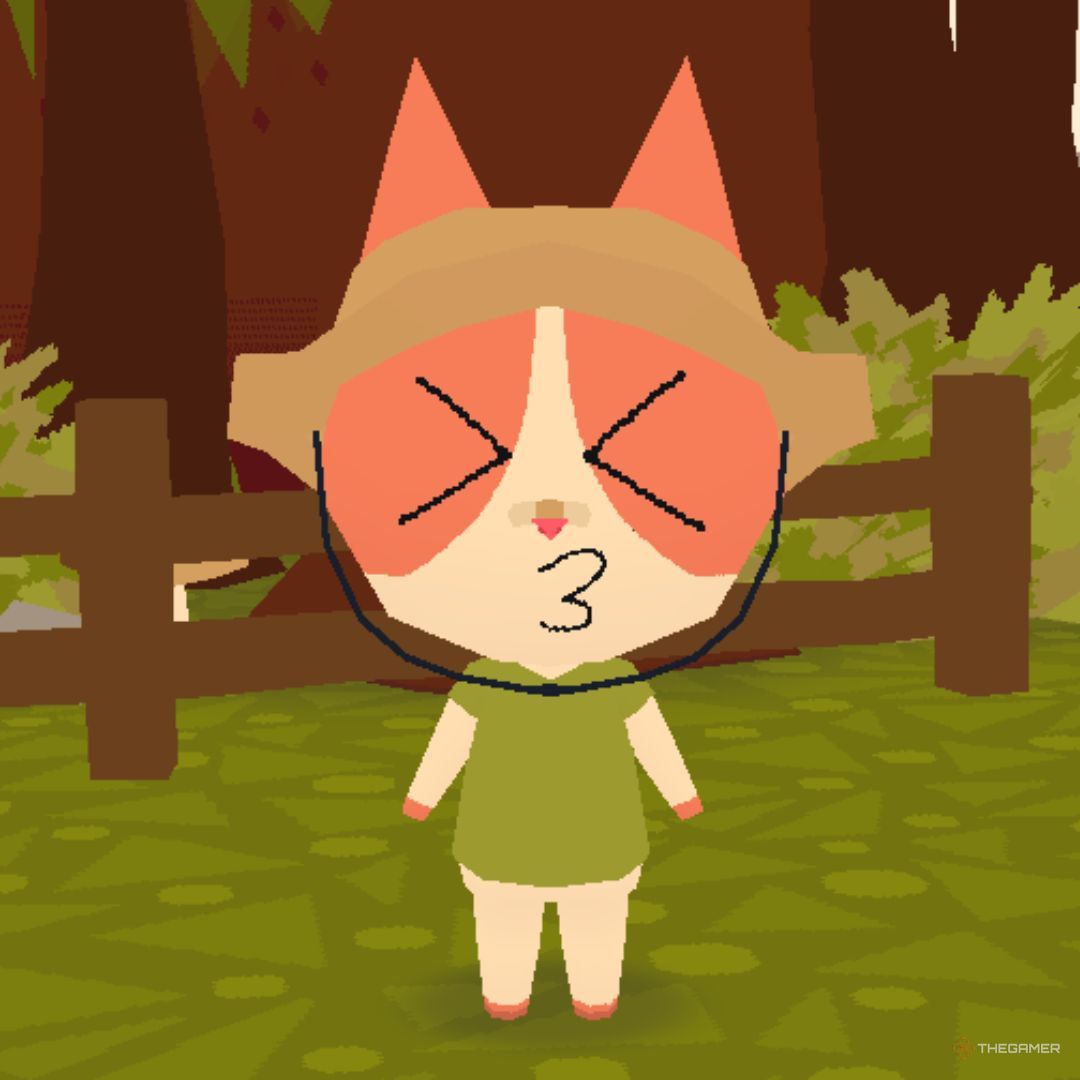
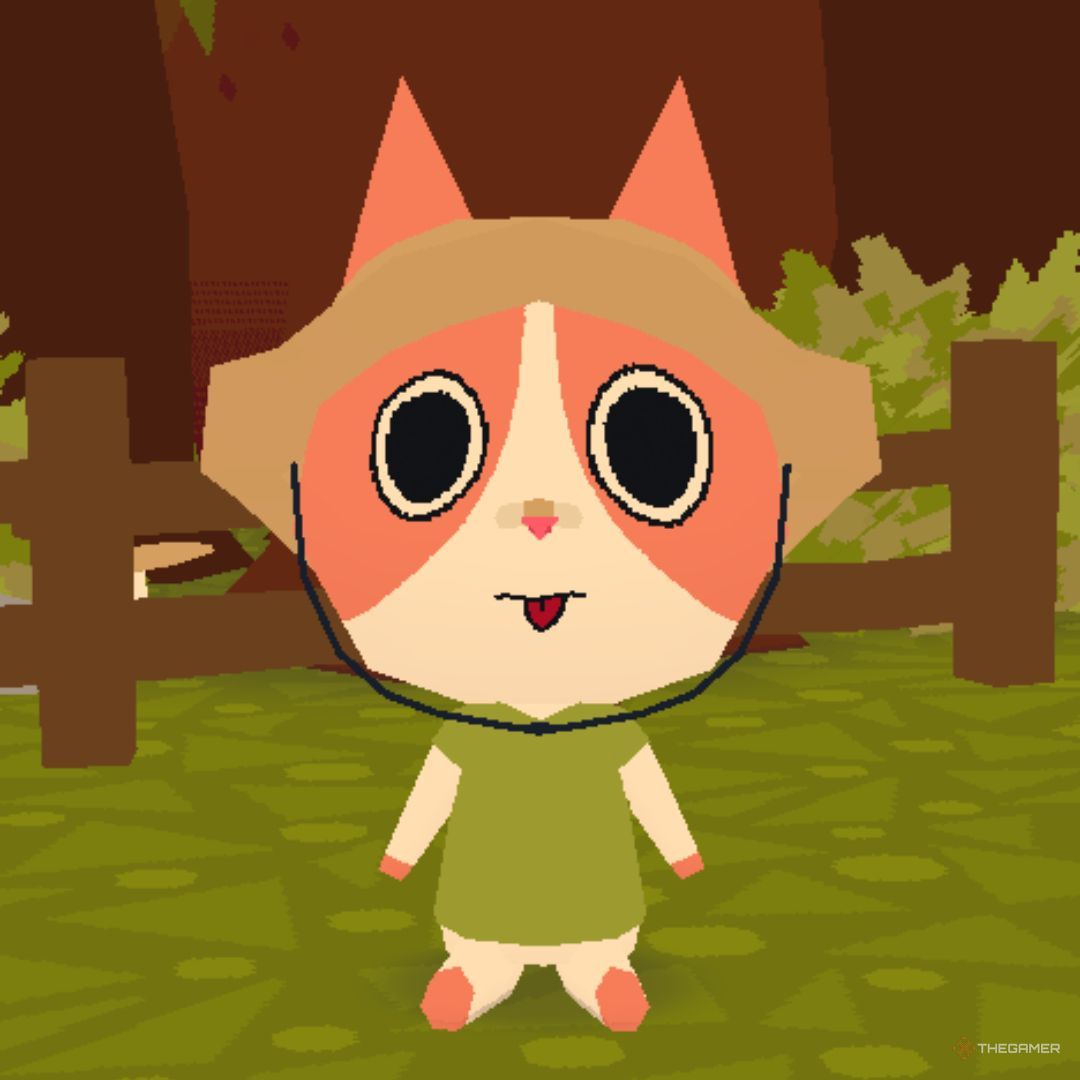
    Kiss

    press ‘K’

    Screenshot of a character in Webfishing performing a kissing action

    Bark/Meow

    press ‘G’

    Screenshot of a character in Webfishing performing a barking or meowing action

    Wave

    hold ‘C’ and release over the top-left icon

    Screenshot of a character in Webfishing waving

    Sit

    hold ‘C’ and release over the top-middle icon

    Screenshot of a character in Webfishing sitting

    Love

    hold ‘C’ and release over the top-right icon

    Screenshot of a character in Webfishing showing love

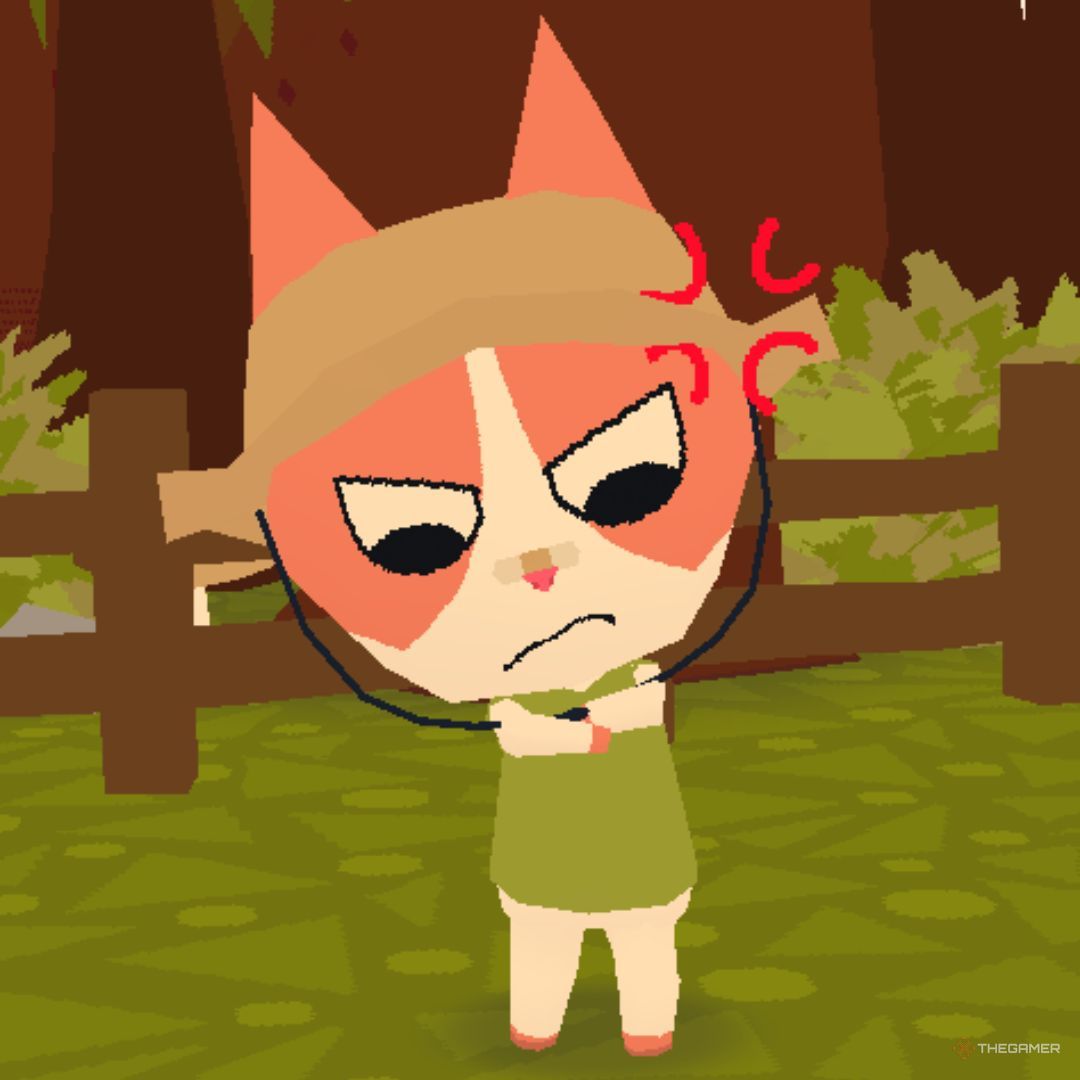
    Mad

    hold ‘C’ and release over the middle-left icon

    Screenshot of a character in Webfishing looking mad

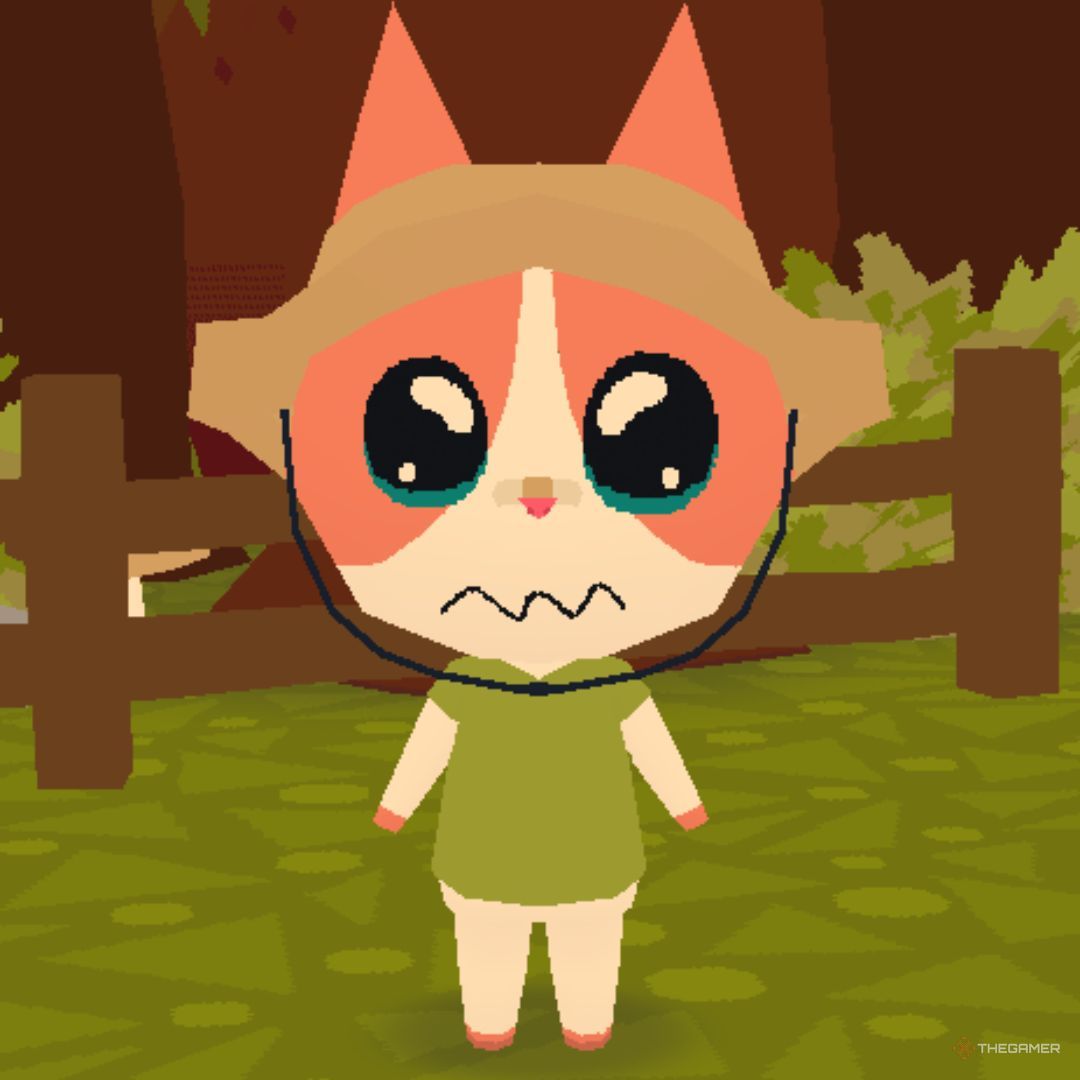
    Sad

    hold ‘C’ and release over the middle-right icon

    Screenshot of a character in Webfishing looking sad

    Shocked

    hold ‘C’ and release over the bottom-left icon

    Screenshot of a character in Webfishing looking shocked

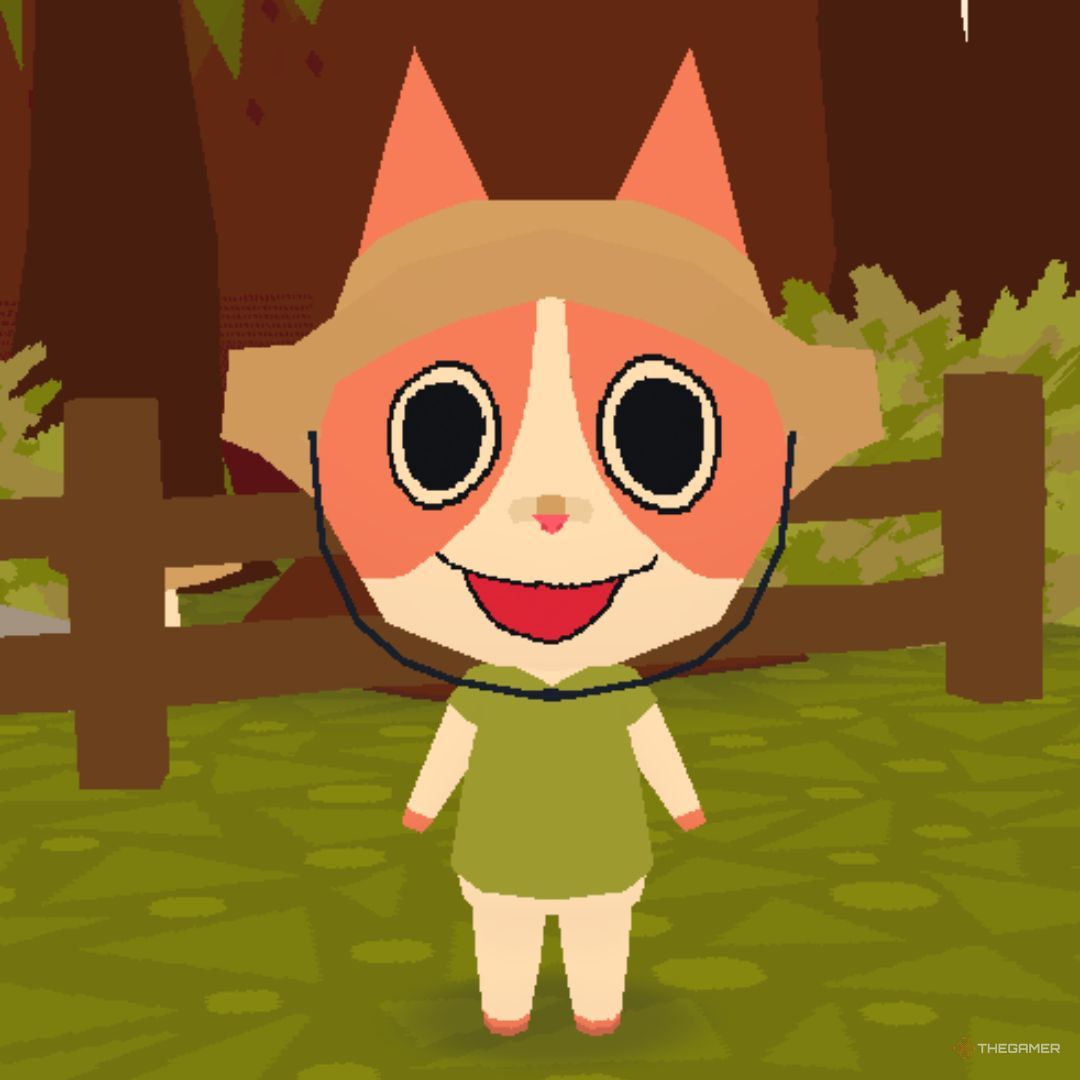
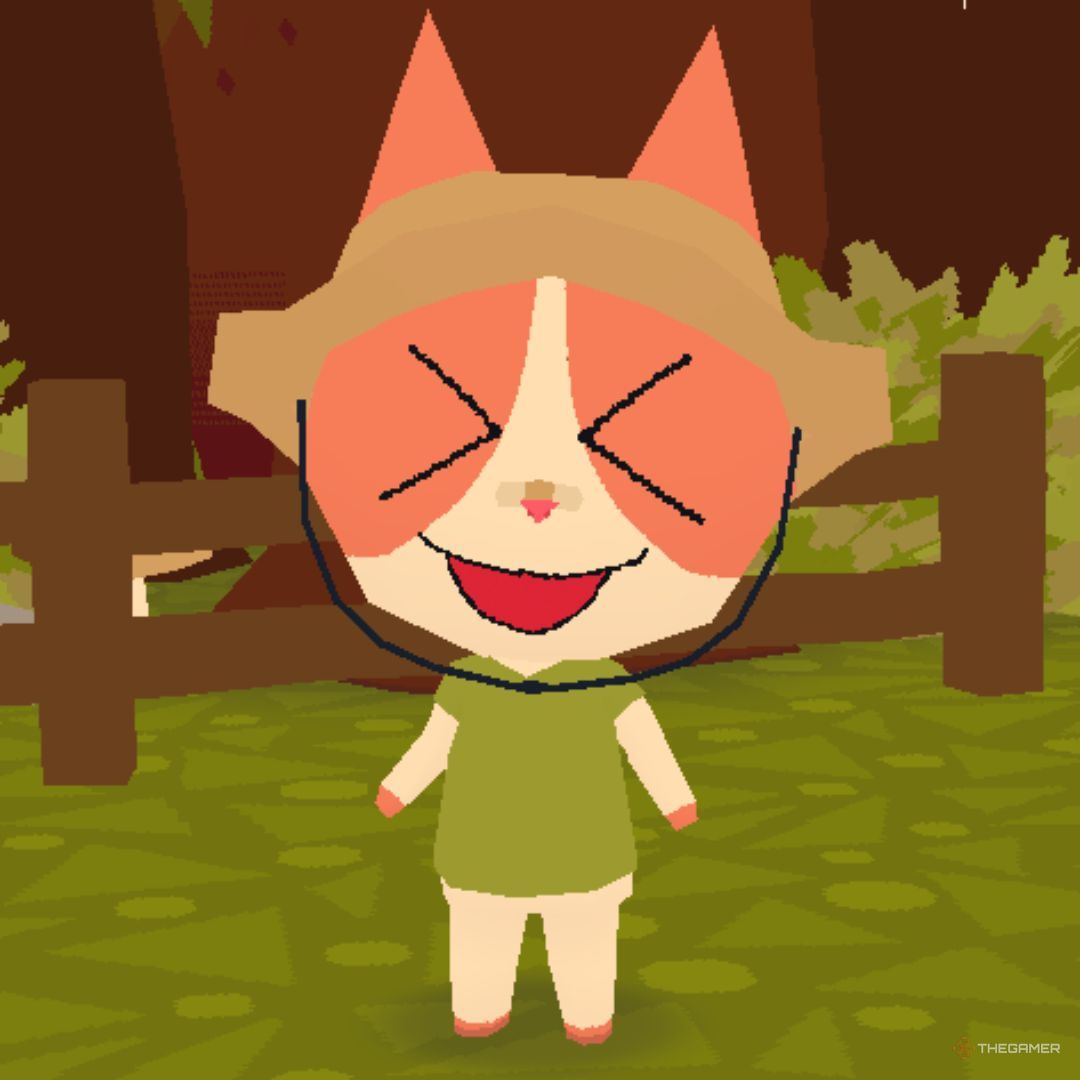
    Excited

    hold ‘C’ and release over the bottom-middle icon

    Screenshot of a character in Webfishing looking excited

    Big Bark/Meow

    hold ‘C’ and release over the bottom-right icon

    Screenshot of a character in Webfishing performing a big bark or meow

  • Tips for Catching Leedsichthys in Webfishing Game

    Tips for Catching Leedsichthys in Webfishing Game

    In Webfishing, there are numerous fish waiting to be caught, each with its own unique requirements. Some thrive in freshwater, while others are found in saltwater. Interestingly, capturing one type of fish might require waiting for a meteor shower, and then you’ll only have a minute to find the meteor to snag it.

    To reel in certain fish, you must first upgrade your fishing rod. One of the trickier fish to catch is Leedsichthys. While this fish is no longer present on Earth due to its extinction during the Jurassic period, you can still catch it in the game.

    How to Catch a Leedsichthys


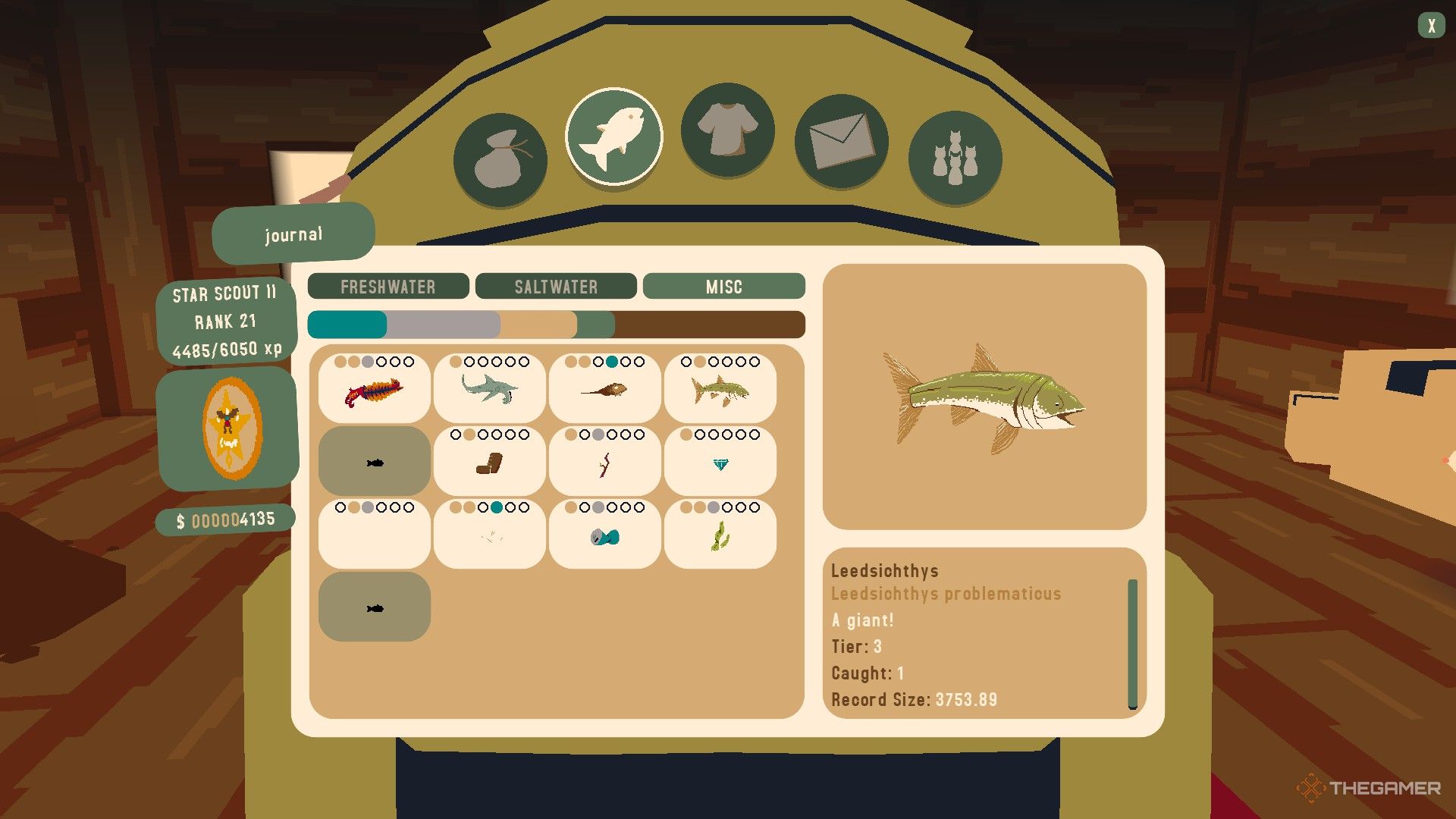
    Leedsichthys is classified in the Misc category of your fish journal. To catch this fish, you must know that it can only be captured during rainy weather. You’ll need to wait until it’s raining to successfully reel it in.

    Moreover, simply having rain isn’t enough; you must be positioned directly under a rain cloud. You’ll know you’re in the right spot when your screen darkens slightly, and you can see the rain effect.

    Remember, if there’s rain cloud coverage, you can follow it and take advantage of the rain.

    This fish can be caught in both freshwater and saltwater, so it doesn’t matter where you fish.


    The player checks the data of the Leedsichthys in Webfishing.

    Additionally, Leedsichthys is classified as a Tier Three fish. Therefore, using Worms as bait is not advisable. Other types of bait besides Worms will yield better results.

    It’s worth noting that Leedsichthys is an exceptionally rare fish. Choosing the right lure can greatly improve your chances of catching it. The Golden Hook is the best lure for catching rare fish. However, since it comes with a high price tag, you might want to look for other options.

    The Sparkling Lure is an excellent substitute since it offers a better chance of catching higher-tier fish. Lastly, because Leedsichthys is quite large, using a Large Lure will enhance your chances as well, but the other two lures are generally more effective.

  • Unlocking the Spectral Rod in Webfishing: A Simple Guide

    Unlocking the Spectral Rod in Webfishing: A Simple Guide

    In Webfishing, fishing plays a vital role. The fish you catch can be sold for cash, which you can use to buy upgrades. But do you only use this money for improvements? Don’t forget to spend on your character’s look with stylish cosmetic items. There are many fun accessories available to personalize your character.

    Your fishing rod, however, might seem a bit too normal. Why not switch it up with a stylish one? To get different rods, you have to complete tasks by catching fish listed in your journal. But instead of worrying about those tasks, why not aim for the eye-catching Spectral Rod for your fishing adventures?

    How to Acquire the Spectral Rod


    The Spectral Rod enhances the look of your fishing rod like other rods. While you can earn different rods by completing the tasks listed on the Pawprint Point sign, you don’t have to do any specific tasks for the Spectral Rod. Just locate five dirt piles that hold spectral skeleton parts and find a hidden NPC to buy the rod.

    These dirt piles are marked with ghostly lights, and you’ll need to explore certain spots on the island to locate them.

    Where to Find the First Dirt Pile

    This dirt pile is located on the hill above the building where you can buy scratch-off lottery tickets.

    If you’re unsure where the lottery ticket building is, start at the hub. Face away from the Pawprint Point sign and follow the path on your right. Continue straight until you reach a large lake, and then go to the area across from the lake where the lighthouse stands.

    Keep the lighthouse on your right and follow the path that leads over the wooden bridge spanning the river. As you continue, look for a blue mushroom on your right. Use it to jump to the hill ahead, where you’ll find the dirt pile next to a tree.

    Where to Find the Second Dirt Pile

    For the second dirt pile, start from the mushroom you used to reach the first dirt pile. With the mushroom on your right and the bench by the lake on your left, go down the path. Soon, you’ll spot wooden fences ahead.

    Turn your back to the fences and face the mushroom. Use it to jump onto the tall dirt wall in front of you. This will bring you to a flat grassy area. Keep the fences to your left, heading towards the ocean. When you reach the end of the fences, adjust your camera to see the dirt pile on the ledge below.

    Where to Find the Third Dirt Pile

    To find this pile, start from the hub and face the Pawprint Point sign. Cross the wooden bridge to your left, then turn left and head up the grassy hill. At the top, you’ll spot another wooden bridge—approach it but don’t cross it. Keep the bridge on your left and head towards the rocks visible across the river.

    If you stand close to the first rock in the water with it on your left, you’ll encontrar the dirt pile hidden behind some grass.

    Where to Find the Fourth Dirt Pile

    For this dirt pile, turn your back to the Pawprint Point sign in the hub. Follow the right path until you reach the large lake, where you’ll see the lighthouse across from you. Walk towards it, keeping the lighthouse on your right and the lake on your left.

    Next, use the mushroom next to the bench on your right to jump to the area nearer to the lighthouse. Walk to the ledge’s edge, with the ocean on your left, until you see a beach below. Jump down, but be ready to jump over some rocks to access the dirt pile.

    If you want to avoid the platforming, climb back up using the ladder on the beach. With the ocean on your left, continue towards the lake. You should see a blue mushroom across the lake—head in that direction.

    Turn your back to the dirt wall and use the mushroom to jump to the area above the bench. From here, look down to spot the dirt pile. If you land carefully, you won’t need to hop across the rocks.

    If instead you choose to head towards the fences rather than jumping across the rocks, you’ll discover the last dirt pile there.

    Where to Find the Fifth Dirt Pile

    To locate the final dirt pile, begin at the lighthouse. Face away from the lighthouse door and head forward with the ocean on your left. Soon, you’ll see a lake with a blue mushroom on the far side. Use that mushroom to jump to the area above the lakeside bench.

    This route is the alternative to jumping over the rocks to get to the previous dirt pile. Here, you’ll see wooden fences. The last dirt pile is near the section of the fence closest to the ocean.

    Where to Buy the Spectral Rod

    Once you’ve gathered all five spectral pieces from the dirt piles, you’re ready for the easiest part: purchasing the Spectral Rod. To find the NPC selling it, start at the hub. Turn towards the Pawprint Point sign and stand on the wooden bridge to your left. Look left to spot a waterfall—there’s a hidden area behind it.

    In this hidden area, you’ll discover a gravestone. Walk up to the gravestone and press the interact button. If you’ve collected all five spectral pieces, you can buy the Spectral Rod for 500 bucks. Simply select the five spectral pieces you’ve found, and the rod will appear in the Tools section of your inventory for you to use.

    Do note that the Spectral Rod is purely a cosmetic item and doesn’t provide any bonuses like other rods do. So, you can forgo the Simple Fishing Rod if it doesn’t suit your style. It’s best to keep your preferred rod on your hotbar for convenience.

  • Webfishing Lures: A Complete Guide

    Webfishing Lures: A Complete Guide

    Webfishing is a relaxing fishing game that offers a laid-back experience while giving you objectives to pursue. In the game, you can access quests through a signpost, adding purpose to your fishing endeavors. Completing your journal is another task you’ll need to tackle. Simply casting your line won’t land you any fish!

    To catch more elusive fish, it’s essential to enhance your rod. Equally important is your choice of lures, which plays a significant role in determining which species you’ll reel in. This guide will present you with a comprehensive overview of all available lures and their respective impacts.

    Overview of Every Lure and Their Effects


    To buy lures, simply enter the cabin next to the Pawprint Point sign in the main hub and chat with the large frog inside. New lures will be unlocked as you level up your camp tier. To use a lure, just open your tackle box and select one you own. Keep in mind that you cannot use more than one lure at the same time. Below is a list of each lure’s cost and functionality:

    Lure Name Effect Required Camp Level Cost
    Fly Hook This lure is best for catching smaller fish. Camp Tier 1 50 dollars
    Patient Lure After hooking a fish, the mini-game won’t start until you hit ‘start’. Camp Tier 1 50 dollars
    Lucky Hook You receive a small bonus after every catch. Camp Tier 1 100 dollars
    Challenge Lure During the fishing mini-game, symbols appear that you can click on for rewards. Missing earns you penalties. Camp Tier 1 100 dollars
    Salty Lure This lure lets you catch only saltwater fish. Camp Tier 2 100 dollars
    Fresh Lure This lure allows for catching only freshwater fish. Camp Tier 2 100 dollars
    Quick Jig With this lure, you can reel in fish faster and boost rod power. Camp Tier 2 500 dollars
    Efficient Lure This lure offers a chance that the bait will not be consumed after catching fish. Camp Tier 2 500 dollars
    Magnet Lure This lure has a high probability of catching treasures but also increases the risk of snagging trash. Camp Tier 2 500 dollars
    Large Lure This lure improves your chances of catching larger fish, but may consume extra bait. Camp Tier 3 2,000 dollars
    Attractive Angler This lure enhances your catch rate. Camp Tier 3 2,000 dollars
    Sparkling Lure This lure increases your odds of catching higher-tier fish, but might consume extra bait with each catch. Camp Tier 3 2,000 dollars
    Double Hook This lure has a small chance of doubling your catch and is less likely to consume extra bait. Camp Tier 3 2,000 dollars
    Golden Hook This lure offers a high chance of landing extremely rare fish but uses three baits with every try. Camp Tier 3 9,999 dollars

    How to Choose the Right Lure

    Player is fishing at the dock in Webfishing.

    Your choice of lure should be aligned with your fishing style. For example, if you prefer to fish until your bait runs out and want to rack up a substantial profit when selling your catches, consider using the Efficient Lure.

    If you want to earn money steadily with each fish you catch, look into using the Lucky Hook or Challenge Lure. Your selection may shift based on the specific tasks at hand.

    Player catches a massive blue fish in Webfishing.

    For instance, if your goal is to complete a challenge that involves small fish, the Fly Hook would be your best choice. Conversely, for tasks aimed at catching large, enormous, or colossal fish, the Large Lure is ideal. Therefore, choosing different lures according to your current challenges can be quite beneficial.

    If financial worries are off your plate and you’re focused on finding the best catches, the Golden Hook would be your top pick. Just remember to upgrade your tackle box to ensure you have enough bait available; otherwise, you might find yourself running low.

    If you’re not keen on waiting for bites, the Attractive Angler could be a wise choice, as it improves your catch rate. You can also stack this with bonuses from consumables obtained from vending machines to save a lot of time.

  • Navigating to the Ocean Rock in Webfishing: A Guide

    Navigating to the Ocean Rock in Webfishing: A Guide

    Webfishing is all about fishing, letting you catch fish on your own server or join up with others. Whether you decide to fish alone or sell your hauls, you can use the money you earn to enhance your fishing gear and purchase superior bait, which will help improve your fishing techniques. The fishing spots in the game also play a significant role, as different locations offer various types of fish and tasks.

    Some places in the game might appear out of reach, but with determination, you can access them to fish as well. One noteworthy spot is the rock located in the ocean. If you’re ready for the challenge, this guide will help you get there.

    Getting to the Rock in the Ocean

    To start, head back to the Hub, the main area filled with cabins. You can return by clicking the ‘Return to Spawn’ button from the main menu. Once you’re in the Hub, turn away from the ‘Pawprint Point’ board where missions are completed.

    On your right, you’ll spot a path—follow it northward. When you arrive at the lake, look out for the lighthouse on the opposite side. The rock you’re aiming for is just to the left of the lighthouse.

    Although locating this rock is fairly straightforward, getting to it can be quite challenging and may take some practice. Since you can’t reach the rock using conventional methods, you’ll need to make use of the blue mushroom located near the bench by the shore. This mushroom allows for longer jumps, but it doesn’t guarantee a direct landing on the rock.

    Here’s your plan: Position yourself behind the mushroom and adjust your camera so that the mushroom and the rock line up. Start running towards the mushroom, but be sure to jump just before you reach it—aim to land directly in the center of the mushroom.

    When the mushroom propels you towards the rock, try to land on the flat section on the right side of the rock. As you approach, jump once more to activate the belly flop animation. When you land on the flat surface, press the jump button again to avoid sliding off. This will help you stay securely on the rock.

    Keep in mind that reaching the top of the rock requires practice, so diligently follow these steps and don’t get discouraged!