الوسم: upgrades

  • Top Garage Upgrades to Prioritize in Synduality: Echo of Ada

    Top Garage Upgrades to Prioritize in Synduality: Echo of Ada

    Your garage serves as your base in Synduality: Echo of Ada. While you can’t explore it freely, the various sections reflect the upgrades you make. These enhancements aren’t just cosmetic; they also introduce new gameplay features as your garage evolves.

    Upgrading takes time, as repairs happen in real-time. However, the effort is worthwhile—not only to improve functionality but also to tidy up your cluttered space. Here’s a guide on how to get your garage in excellent condition and where to concentrate your efforts first.

    Unlocking All Areas of the Garage


    Initially, you’ll have three areas to focus on, and you’ll need to tackle them sequentially before you can expand further. Start with the Production Space, then move to the Pit Space, and finally the Living Space. For each area, you’ll need to renovate its Floors, Walls, and Ceiling. The first stage takes just ten seconds, but upgrades will take longer as they become more advanced.

    After completing the renovations in all three spaces, the rest of the upgrades will become available, except for the Living Space, where most facilities remain locked until later upgrades. The good news is that many areas will be ready for upgrades. Let’s explore which areas you should prioritize.

    Further improving the Floors, Walls, and Ceiling is required for certain facility upgrades, but these enhancements don’t provide any additional benefits beyond aesthetics.

    Top Areas to Upgrade First

    Once you’ve unlocked these areas, be smart with how you use your materials and money—they’re limited resources. Focus on key priorities to maximize benefits and access the remaining gameplay features as quickly as possible.

    Utilize the Wish List feature to ensure your Magus points out required items while you’re out on missions.

    Production Space

    The Production Space is where most of your crafting and repair work will happen. There are two key upgrades available here, both of which are essential. Here’s what each does:

    • Craft Station – Adds another crafting slot, allowing you to create multiple items at once.
    • Renovator – Reduces the cost of repairs on your equipment with each upgrade.

    These facilities are vital for your adventures, so make sure to upgrade them right away. You can choose which one to prioritize, but the Craft Station is highly recommended.

    You can have as many facilities under construction at the same time as you desire.

    Pit Space

    The Pit Space revolves around your Cradlecoffin and resources. It’s where you store all your gathered materials and where your mech stays between missions. This area serves as both your prep zone and storage. Focus your upgrades here.

    • Item Warehouse – Increases your item storage capacity with each upgrade.
    • Transport Elevator – Provides a random mix of items and cash once daily. Each upgrade enhances both the quantity and quality of items received.

    Your top priority should be the Item Warehouse, as you’ll quickly hit the initial limit of 100 items. The first upgrade doubles this limit to 200, giving you much more space. The Transport Elevator is helpful but not as critical; however, it can provide valuable resources.

    Sadly, the only way to check how many items are in the Item Warehouse is to visit the Item Shop in the Sortie Menu to see what items you can sell.

    Living Space

    The Living Space is where your Magus (and you, presumably) unwind between missions. It contains beds, personal collections, and all the comforts you’d expect. This area offers the most upgrades, but we’ll focus on just a few key ones.

    • Insurance Payout Receiver – Shortens the wait time for insurance payouts on destroyed equipment.
    • Piggy Bank – Allows your Magus to collect money over time, which you can access at any moment. Further upgrades increase the storage limit and earnings.
    • Washroom – Lets you clean your Magus after they get dirty following a mission.

    To access these upgrades, you must first improve the Living Space further. You’ll eventually be assigned a Request to upgrade your Sleeping Quarters. Completing this task will unlock the remaining facilities in the Living Space for upgrades.

    The Washroom will be unlocked along the way, and further upgrades are optional unless you want a more luxurious bath for your Magus. Aim for the Insurance Payout Receiver next, as you’ll likely receive many insurance payouts given the game’s challenge. Finally, don’t forget about the Piggy Bank, which requires you to upgrade the tables first.

    With those upgrades completed, your garage will be fully operational! There are plenty more enhancements to explore, though they come with high costs and require rare materials. Give it some time, and you’ll have a garage that every Drifter on the surface will envy.

  • Ring Unveils Kidde Smoke Alarms And Free 2K Camera Upgrades

    Ring Unveils Kidde Smoke Alarms And Free 2K Camera Upgrades

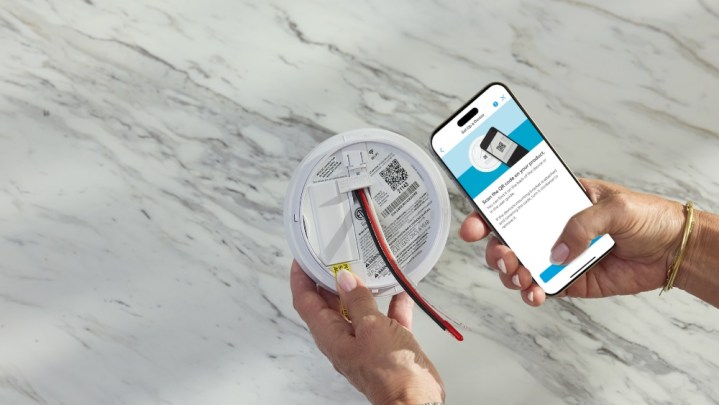
    A person setting up a Ring Smoke Detector.
    Ring

    At CES 2025, Ring unveiled an exciting partnership with Kidde, introducing a new range of smart smoke detectors. Set to launch in April, this lineup features the Kidde Smart Smoke Alarm and a Combination Alarm that can detect both smoke and carbon monoxide. These devices are designed to integrate seamlessly with the existing Ring app, allowing users to receive alerts when their sensors are activated. This could be an attractive choice for those already invested in the Ring ecosystem.

    In addition to push notifications through the mobile app, homeowners can opt for a new Ring 24/7 Smoke & CO Monitoring Subscription for $5 a month. This service includes professional monitoring, enabling a trained dispatch team to monitor your smoke detectors. If the alarms are triggered, they can promptly contact emergency services to ensure help is on the way, offering a level of reassurance that standard smoke alarms lack.

    While Ring brings the high-tech capabilities, Kidde contributes advanced detection technology. The alarms are engineered to identify smoke with three times greater accuracy and up to 25% faster than competitor products. They also minimize false alarms typically caused by cooking. Plus, users will receive a notification via the Ring app a week before the batteries run low, eliminating that annoying chirping sound that can disrupt your sleep.


    Please enable Javascript to view this content

    The retail price for the Kidde Smart Smoke Alarm will be $55, while the Combination Alarm will be available for $75. Both will be exclusive to Home Depot upon their release in April.

    In addition to the smoke detectors, Ring announced enhancements to the Floodlight Cam Pro and Spotlight Cam Pro, which will now support 2K video capture. Current users can take advantage of this upgrade for free via an over-the-air update accessible through the Ring app. Moving from HD to 2K resolution represents a significant improvement, enabling users to gain clearer visibility of their surroundings and enhanced zoom capabilities. If you own either camera, check your Ring app to access the new resolution features.

  • No Major Upgrades Expected for Samsung’s Next Foldables

    No Major Upgrades Expected for Samsung’s Next Foldables

    It appears that Samsung is taking its time in reevaluating its approach to foldable devices. This, however, means allowing rival Chinese brands to take the lead in innovative developments.

    An interview with one of Samsung’s manufacturing partners has indicated that the upcoming line of foldable smartphones from the company may not feature significant upgrades. Enthusiasts might have to hold off until the 2026 model to witness any major enhancements.

    According to a representative from China’s FastPrint speaking with the Korean news source The Elec, the Galaxy Z Fold 7 series is unlikely to see meaningful improvements, with important updates likely being saved for the 2026 Galaxy Z Fold 8 series. FastPrint has a solid background in the smartphone sector, which adds weight to this information.

    This company recently provided the vital HDI (High-Density Interconnector) for the sleek Galaxy Z Fold Special Edition. This model is thinner than the Galaxy Z Fold 6 but boasts a larger display and upgrades its camera system to a 200-megapixel sensor.

    The hinge on the Samsung Galaxy Z Fold 6.
    Andy Boxall / Digital Trends

    FastPrint has also received Samsung’s approval to deliver the same component for the forthcoming Galaxy S25 series smartphones. While this recent information from Samsung’s partner is not entirely unexpected, it’s worth noting that plans at the Korean tech giant could evolve in the future.

    “If we focus solely on the foldable phone format from Samsung Electronics, we can expect noticeable changes starting with the Z8 series scheduled for release in 2026, in contrast to the Galaxy Z7 series next year,” stated the FastPrint executive.

    The spokesperson also mentioned that Samsung aims to tackle competition from Chinese foldable phones, as well as prepare for Apple’s eventual entry into this market. Despite these ambitions, the internal momentum for innovation appears to have slowed.

    Fold 7 should have the same display sizes as Fold 6 SE. So, Fold 6 SE will basically become the Fold 7.
    Flip 7 should grow from 6.7” to 6.85” and cover display should be around 4”.

    — Ross Young (@DSCCRoss) December 2, 2024

    Supply chain analyst Ross Young recently shared insights on X, indicating that the design of the Galaxy Z Fold Special Edition will influence the upcoming Galaxy Z Fold 7. However, the overall aesthetics and camera technology are expected to remain largely unchanged without significant advancements.

    In contrast, competitors like Honor, Vivo, and Xiaomi have consistently pushed the boundaries of foldable phone technology, offering slimmer designs and more impressive camera setups.

    It will be fascinating to see how Samsung remains competitive in this rapidly evolving landscape, especially while commanding a premium price for foldable devices that no longer stand out as the best options in the market. Unfortunately, I am skeptical about any swift revitalization on Samsung’s part.

  • Top Scarlet Enhancements and Builds in Ravenswatch

    Top Scarlet Enhancements and Builds in Ravenswatch

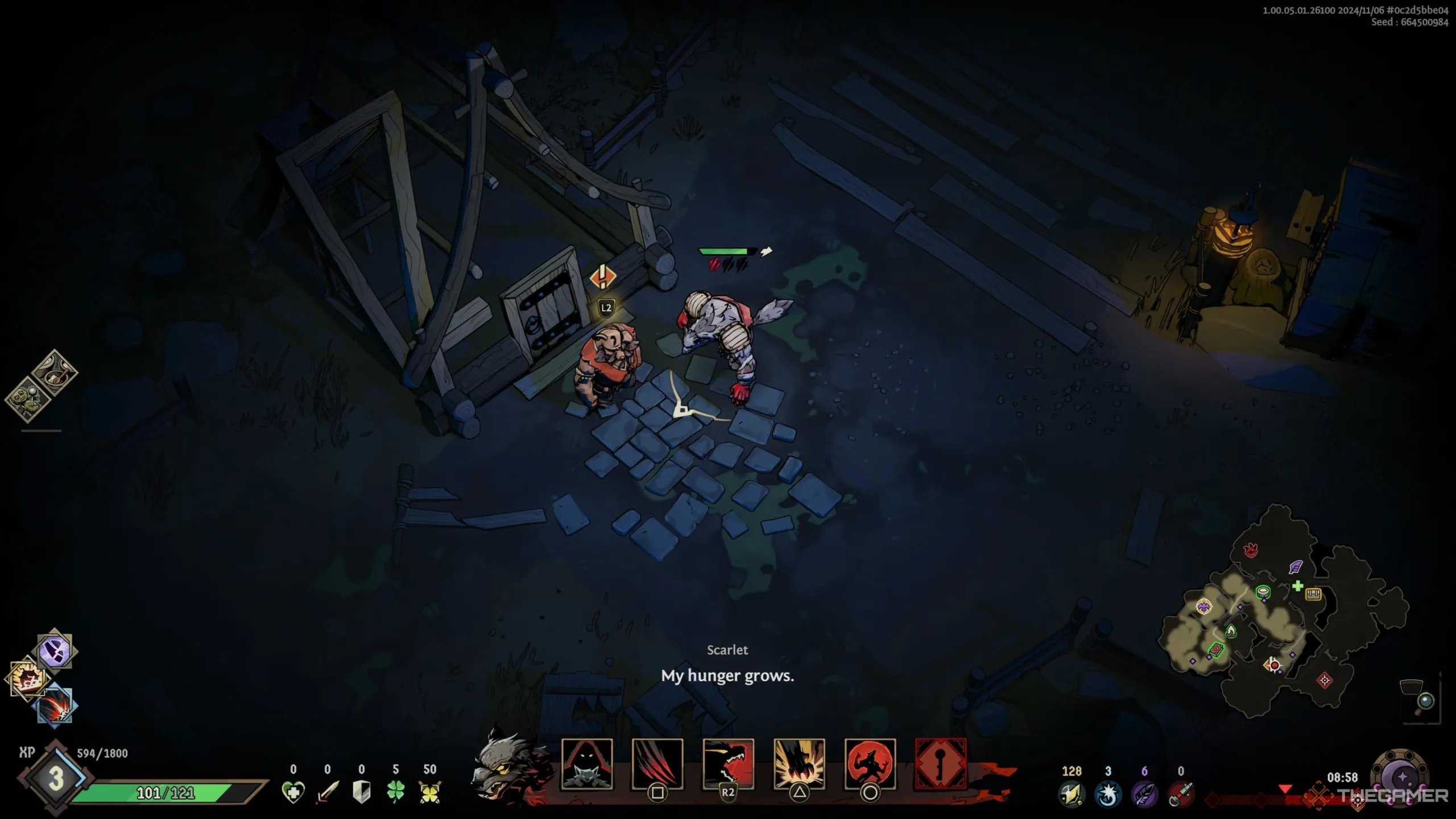
    In the game Ravenswatch, you initially have access to four characters, but there are actually eight playable characters in total. One of the characters you can start with is Scarlet. She stands out as one of the top choices for several reasons, particularly because she is easy to learn.

    Scarlet packs a punch with her powerful attacks and offers a variety of strategies to tackle different enemies. You’ll discover her unique playstyle as you progress through the 18-minute chapters, making it clear why she’s unlike any other character in the game.

    Understanding Scarlet’s Two Forms

    What makes Scarlet especially interesting is that she can transform between two distinct forms. During the day, she is in her Human form, where she attacks using quick slashes and can throw bombs that detonate after a brief period.

    At night, she transforms into a massive creature and moves at a slower pace. Although her basic attacks remain similar, her special move changes into a powerful leap that delivers damage immediately, unlike the delayed bomb in her human form.

    Scarlet undergoes three transformations in each chapter.

    Combat requires a different approach depending on Scarlet’s form. In her monster form, you can adopt a much more aggressive style, while her human form allows you to leverage her speed to your advantage.

    Tips for Playing Scarlet


    The character select screen in Ravenswatch.

    To maximize your effectiveness with Scarlet, focus on her Power and Special attacks, and seek upgrades that lower the cooldowns on both actions.

    This will allow you to quickly engage and disengage from combat using a mix of Power slashes and ranged special moves. Since most enemies are more dangerous at close range, keeping your distance is crucial to avoid using up precious revival items.

    As you level up Scarlet, feel free to become bolder with your attacks.

    If you can stun enemies with your ranged attacks, you can then close the distance to unleash your melee strikes, dealing substantial damage in a brief window.

    Top Scarlet Build and Upgrades


    Scarlet's build screen in Ravenswatch.

    There are specific upgrades and Talents that enhance Scarlet’s gameplay greatly. Make an effort to secure the following upgrades, as they will provide significant advantages against tough bosses.

    Upgrade Details and Benefits
    Distant Explosions This upgrade increases the targeting range and damage of both specials by 40%. It’s beneficial in both forms, allowing you to attack from a safe distance.
    Short Wick While in human form, Scarlet’s bomb special explodes instantly without affecting her. Additionally, her special attack cooldowns are reduced by 20%, making them much more effective for aggressive play.
    Slash Flurry Using a Power attack triggers a following attack that unleashes five slashes with 20% increased damage within three seconds. This can culminate in significant damage, especially if enemies are made vulnerable.
    Wide Attacks Standard attacks gain a 40% range increase and deal 20% more damage. This upgrade makes Scarlet’s basic attacks much more effective and grows stronger with enhancements.
    Double Strike Attacks directly after a Dash initiate a double strike, delivering 400% damage and earning one Combo Point.