الوسم: The Sims 4

  • Strategies for Handling Burglars in The Sims 4

    Strategies for Handling Burglars in The Sims 4

    Burglars have always been a part of earlier Sims games, but when The Sims 4 first came out, they were notably absent. After some time, however, these notorious thieves are back! Thanks to a free update, players can once again experience the mayhem that comes with burglaries!

    This guide will cover everything you need to know about burglars in The Sims 4. Even though they are a new addition, their mechanics are similar to previous game versions. If you’re not a fan of having thieves invade your property, you can easily turn off burglar appearances in your game settings.

    Since this feature is included in a free update, you won’t need to buy any expansions to access it.

    When Do Burglars Show Up?

    Burglar visits are entirely random; without using any cheats, you can’t predict exactly when they will arrive. This randomness is why having alarms in your home is crucial. We’ll dive deeper into this soon, but alarms will inform you right away if someone attempts to break in.

    Burglars will only visit during the night, so there’s no need to worry about them sneaking in while it’s light outside. Most Sims will be asleep then, so you have a good chance to catch the thief in the act. However, if your household consists of night-shift workers, be prepared for burglars to show up when the house is empty.

    How to Force a Burglar to Appear

    A player forcing a burglar in The Sims 4.

    To ensure a burglar appears, start by pressing “Ctrl/Command + Shift + C” on your PC or Mac, or all four shoulder buttons on your console to open the command console. Then type in “testingcheats on.”

    Next, go to the mailbox on your lot and shift-click it. For Xbox, hold B and click with A. For PlayStation, hold O and click with X.

    Once the shift-click option is available, select “Schedule Burglar Visit (Debug).” This guarantees a burglar will come on the following night. Remember that since they only appear at night, if you activate this cheat in the morning, you’ll have to wait until later (around midnight) to see the results.

    How to Boost Your Chances of a Burglar Visit

    A player looking at the heist havoc trait in The Sims 4.

    If you prefer not to use cheats, you can also increase the likelihood of a burglar visit by activating a new lot challenge. In Build/Buy mode, navigate to your lot’s information and go to the Traits and Challenges tab. From there, select the trophy icon where you’ll find the challenge option.

    How to Keep Burglars at Bay

    A burglar being stopped by an alarm in The Sims 4.

    To protect your home, set up security systems and alarms, just like in real life. In Build/Buy Mode, you can purchase an alarm called the Alertz Burglar Alarm, which costs $85. Remember to buy a separate alarm for each door leading outside rather than relying on just one for the entire house. This also applies if your lot has multiple buildings. Essentially, place an alarm near every accessible entry point.

    Keep in mind that when a burglar enters, you can’t access Build/Buy mode! This means you can’t buy an alarm during a robbery. If someone is around, you should react quickly, but if no one is home, you’ll be forced to watch the burglar steal from you.

    When the alarm sounds, it will wake up anyone in the house (if they are asleep). The sound itself can scare off the burglar, but you can also choose to confront them directly.

    How to Handle Burglars

    So a burglar is on your property—what should you do next? If there’s no alarm system, wake up your Sims! Clicking on the burglar will reveal three action options:

    • Fight!
    • Call the Police Station
    • Confront the Burglar

    The first time we encountered a burglar, we sent a strong Sim to confront them, and we won the fight! This frightened the burglar, causing them to flee. You can also call the police, but keep in mind that there’s a chance the burglar might still get away with some of your belongings. The police won’t arrive immediately, so you might witness the robbery.

    Confronting the burglar may not be the best choice for stopping them. We recommend either fighting them or calling the police instead.

    How to Disable Burglar Visits

    A player looking at the option to turn off burglars in The Sims 4.

    If you’re not a fan of burglars, there’s good news! You can easily turn off burglar visits. Just go into the settings menu, navigate to the gameplay section, and you’ll find the option to disable burglar encounters. If you change your mind later, you can always go back to turn them on again.

  • Discovering and Repairing Broken CC in The Sims 4

    Discovering and Repairing Broken CC in The Sims 4

    Custom content (often referred to as CC) in The Sims 4 can enhance your gameplay with unique clothes, items, and mods, bringing fresh diversity to your Sims’ universe. However, if you’ve dabbled in CC, you might have stumbled upon something that didn’t function correctly.

    The silver lining is that many problems with broken custom content can be resolved. While you may not be able to fix every charming outfit, restoring your game to proper working order is definitely achievable if you know how to identify and address the issues.

    What Is Broken Custom Content?

    Broken custom content refers to any CC that fails to work as expected. This includes items that look odd, items that are completely absent from your game, or anything that causes unexpected glitches or problems.

    The impact of broken CC can range from minor annoyances, like messy menus in Create-a-Sim or Build/Buy modes, to major issues that render the game unplayable, especially if the problem lies with a mod.

    What Causes Custom Content to Break?

    To understand why custom content can break, it’s essential to know its basic components. Most CC consists of three elements: a mesh, a texture, and some underlying code. If any of these components are compromised, the content won’t work correctly.

    Both texture and mesh files are crucial for your custom items to appear in-game. If there’s an issue with either, the object will show up improperly or not at all. Some CC merely uses new textures on existing Maxis meshes, while others require downloading an entirely new mesh, so it’s vital to check that you meet the necessary requirements.

    Typically, crashing issues are linked to problems with an object’s code. The game might function with missing textures or meshes, but it’s much less forgiving when it comes to code problems. Functional objects, like beds and TVs, generally contain more complex code and have a higher chance of causing crashes or glitches.

    In some cases, custom content may be equipped with scripts, often found in mods that alter gameplay. Scripts introduce new features but can be complicated and finicky. If your game is experiencing issues and you use script mods, they’re also potential culprits.

    Tip: When using mods with scripts, ensure they go directly in the Sims 4/Mods folder and not into a separate subfolder.

    Most importantly, you don’t need to become a CC expert to identify and troubleshoot issues when they arise.

    Back Up and Update

    If you’re facing glitches or error messages, your first step should be to update your version of The Sims 4 and your mods. Regular updates often alter certain parts of the game’s code to accommodate new content, which can break existing mods and CC that depend on the old code. Script-heavy mods require updates almost every time the game itself receives an update.

    An update might also unexpectedly affect content types you wouldn’t think would be at risk, with common culprits being windows, doors, and functional objects. If you encounter errors post-update, ensure your script mods are also updated.

    Tools to Fix Broken Custom Content

    To help you find and fix broken CC, a few fan-created tools can be invaluable:

    Tool Creator Purpose
    Better Exceptions TwistedMexi Notifies you of LastException errors and identifies specific files that may be problematic.
    Sims 4 Studio Andrew and Orangemittens Contains batch fixes for common CC issues, streamlining repairs.
    Sims 4 Mod Manager RaxDiam Facilitates the organization, enabling/disabling, and backing up of mods without needing to delete files.

    Common Forms of Broken CC and Solutions

    Here are typical instances of broken CC and how to fix them:

    Missing Textures

    • Problem: Your Sim appears with a checkerboard pattern or question marks.
    • Cause: Issues may stem from downloaded recolors not accompanied by their mesh, or you could be missing required DLC. Updates can also corrupt files.
    • Fix: Examine any new CC added recently, removing it to check for changes. Also, ensure the content has the appropriate mesh or doesn’t need missing packs. As a last resort, repair your game using the Origin or EA app.

    Missing Mesh or Floating Body Parts

    • Problem: Parts of your Sim, like hair or limbs, may not show.
    • Cause: Issues with the mesh can result from a missing file or game corruption.
    • Fix: The steps are similar to fixing texture issues. Confirm all downloaded CC has its mesh and consider repairing the game.

    Missing Functions

    • Problem: Objects that don’t perform as intended, like beds that Sims can’t sleep in.
    • Cause: Possible coding issues in fan-created content or conflicts between mods.
    • Fix: Check your logs for errors, apply any available batch fixes, and remove newly added mods to isolate the issue.

    Unwanted Behavior

    • Problem: Sims or the game might behave unexpectedly, like showing a blank screen when loading.
    • Cause: Custom content that hasn’t been updated or conflicts with other files.
    • Fix: Again, check your exception logs and apply fixes as necessary.

    CC Discrepancies

    • Problem: CC looks different from promotional images.
    • Cause: Issues may arise from outdated graphics cards, missing required mods, or deceptive promotional editing.
    • Fix: Always review the specifics of CC posts and verify if any additional mods are needed.

    Organizing Your Mods Folder

    A well-organized mods folder makes it simpler to identify and resolve broken CC. Consider organizing by:

    • Creator: Group all items from the same creator.
    • Category: Separate folders based on game categories for easier navigation.
    • Theme or Mood: Create folders tailored to specific styles, such as cottagecore or goth-themed.

    Tip: Consider creating a "Quarantine" folder for newly downloaded CC. This allows for easy identification of any issues that might arise.

    The 50/50 Method

    If you’re still unsure where issues lie, try the 50/50 method. Start by sorting your CC into two groups; remove half from the game and see if problems persist. This trial and error approach helps you isolate the problematic file.

    1. Disable half of your CC.
    2. Test the game in a new save.
    3. If problems persist, reintroduce half of the disabled CC and repeat.

    This method can be tedious but is effective for narrowing down issues.

    Removing All CC

    If you discover more broken CC than functional content, you might need to consider starting fresh by removing all custom content. While this is not ideal, sometimes patch updates cause extensive issues.

    Downloading CC from the Gallery

    You can indeed download CC from the Gallery, but the CC won’t come bundled with the files. For instance, if you download a family with custom clothes but don’t have those CC items, your Sims will appear without them. Many creators label their builds as having or lacking CC, so always read descriptions carefully to find links to any required downloads.

    In summary, while playing with custom content can be a little tricky, understanding how to manage and troubleshoot it will greatly enhance your Sims’ experience.

  • Mastering Gardening Skills in The Sims 4: A Complete Guide

    Mastering Gardening Skills in The Sims 4: A Complete Guide

    The aspirations in The Sims 4 help steer your gameplay and shape your Sim’s character through Bonus and Reward traits. One particularly beneficial aspiration for budding gardeners is the Freelance Botanist, which teaches essential gardening skills such as grafting, fertilizing, and nurturing plants.

    This aspiration falls under the Nature category in the base game, making it especially appealing for players who are passionate about gardening. It’s also a fantastic option for those who want to interact with a cowplant, as the final level requires your Sim to cultivate this unique creature.

    Starting this aspiration is ideal if you plan to create a PlantSim. If you’re not playing the Plant-a-Sim scenario, the only way to become a PlantSim is by growing the Forbidden Fruit of PlantSim, which requires reaching level 10 in gardening skill.

    Guide to the Freelance Botanist Aspiration


    As your Sim works through the Freelance Botanist aspiration, they will enhance their gardening skills and improve the quality of plants in their garden. This process takes time but rewards you with 4,825 aspiration points, which can be spent on various Reward Traits and bonuses, such as the Potion of Youth or a Money Tree.

    Choosing a lot with the Great Soil trait from The Sims 4: City Living can significantly ease the completion of this aspiration.

    Reward: Naturalist Trait

    With the Naturalist trait, your Sims become more resilient to fire and can extinguish it more easily. This trait is particularly beneficial if you have inexpensive appliances, fireplaces, or bonfires in your home.

    Reward: Green Thumb Achievement

    Upon completing this aspiration, your Sim will max out their gardening skill. If this is your first Sim to achieve this in your save file, you will unlock the Green Thumb Achievement.

    Reward: Grow an Excellent Quality Garden

    The various levels of this aspiration focus on caring for plants, which will gradually enhance the quality of your plants. Just like in reality, plants in The Sims 4 flourish in optimal conditions—they need to be watered, fertilized, and exposed to adequate sunlight. Higher-quality plants yield better harvests, allowing you to sell them for more Simoleons or craft superior meals.

    Once your Sim reaches level 2 in gardening skill, they will unlock the Evolve interaction for plants nearing the next quality level. Each quality tier for a plant is referred to as its evolution level, and it can be:

    • Normal
    • Nice
    • Excellent
    • Magnificent
    • Perfect

    Harvesting plants can be a profitable venture in The Sims 4, especially for players engaged in challenges like Rags to Riches or Legacy. It provides your Sims with a relatively passive income stream that can easily carry through generations.

    A Complete Breakdown of Aspiration Levels and Tasks


    A PlantSim in The Sims 4 is standing in his garden talking to his plants.

    The Freelance Botanist Aspiration has four stages, all aimed at developing your gardening skill to unlock new interactions and create an ideal garden. The growth of plants is gradual, so finishing the aspiration may take some time.

    While the pace can be slow, it’s a rewarding challenge that can be completed alongside other gameplay elements, such as advancing in a career or nurturing a family. Additionally, gardening often earns more money than many low-tier jobs, providing a valuable head start in a new game.

    Milestone Task Notes
    Naturewalker Plant something three times Your Sims can plant items found in your garden or purchase seeds through a computer, phone, or planter. If you have The Sims 4: Cottage Living, steer clear of oversized crops.
    Weed or water plants three times Plants will dry out and develop weeds over time. Building a roof over them or taking planters indoors can reduce natural watering from rain.
    Garden Variety Achieve level 4 gardening skill You can raise the gardening skill by maintaining plants or reading books on gardening. Books can be purchased directly from a bookshelf.
    Evolve five different plants At gardening skill level 2, your Sim can evolve well-tended plants. Look for sparkles in your garden or hover over the plants to check their status.
    Nature Nurturer Achieve level 6 gardening skill More plants lead to more skill-building opportunities. You can also buy medium and high-level gardening books to boost progress.
    Graft onto three plants The Sims 4 has a grafting feature that allows you to create rare or unique plants. By reaching gardening skill level 5, you can take cuttings from plants. Once your Sim has a cutting, choose the Graft interaction with another plant.
    Fertilize five plants Fertilizer becomes available at gardening skill level 3. You can buy fertilizer by clicking on a planter or use items from your garden to save money.
    Freelance Botanist Achieve level 10 gardening skill Continue honing your skills until you max out the gardening skill. Once you reach level 10, you can purchase Rare Seeds, which you’ll need for the PlantSim transformation.
    Grow a cowplant To grow a cowplant, you’ll need to locate or graft a cowplant berry. These can be found while fishing in Oasis Springs and San Sequoia. If you have time, try grafting snapdragons and dragon fruit to create a cowplant berry. Once acquired, you can plant it just like any other crop.
    Evolve ten Excellent plants To evolve a plant to Excellent quality, it must evolve three times. Make sure to water, weed, and fertilize your plants to enhance their quality. Your best bet is to continue evolving plants you developed during the Garden Variety milestone.

    Tips for Completing the Freelance Botanist Aspiration


    A PlantSim is playing with a cowplant with his arms outstretched in the garden.

    Completing this aspiration may take some time. Here are some tips to speed things up:

    • Skill building can be slow, but certain personality traits can help. Traits like Practice Makes Perfect and Overachiever can enhance skill gain over time.
    • If you have The Sims 4: Seasons, growing plants indoors or under cover will help bypass seasonal effects, allowing for more frequent harvesting and the ability to buy more gardening supplies.
    • The Loves The Outdoors trait can increase your Sim’s happiness during gardening tasks. This trait can be found under the Hobby menu.
    • Taking on the Gardener career provides additional opportunities to develop your gardening skills. Once you hit level 5, you may choose to follow the Botanist career track, resulting in a cowplant berry.
    • Do not give your Sim the Super Green Thumb Reward Trait, as this reduces the care plants need, making it harder for your Sim to level up their skill.
  • Ultimate Cheats for The Sims 4: Life & Death Secrets

    Ultimate Cheats for The Sims 4: Life & Death Secrets

    While you can enjoy The Sims 4 without any cheat codes, where’s the excitement in that? Cheat codes can significantly enhance your gameplay, and with the new Life and Death expansion, even more codes are available to explore!

    This guide focuses on the brand-new cheat codes introduced in The Sims 4: Life and Death, highlighting only the latest features and leaving out older codes from the base game or previous expansions.

    To activate cheats, press “Ctrl/Command + Shift + C” (on PC or Mac) or all four shoulder buttons (on console). After that, type in “testingcheats on” to enable cheats.

    Trait Cheats


    Though trait cheats aren’t a new concept in Life and Death, this expansion introduces a few additional traits that you can access using existing cheats. Below, you’ll find the trait name, its description, and the cheat needed to activate it.

    If you notice any trait not included here, it’s likely that it doesn’t have a cheat available. Traits like Burning Soul, for instance, cannot be obtained using any cheat.

    Career Cheats


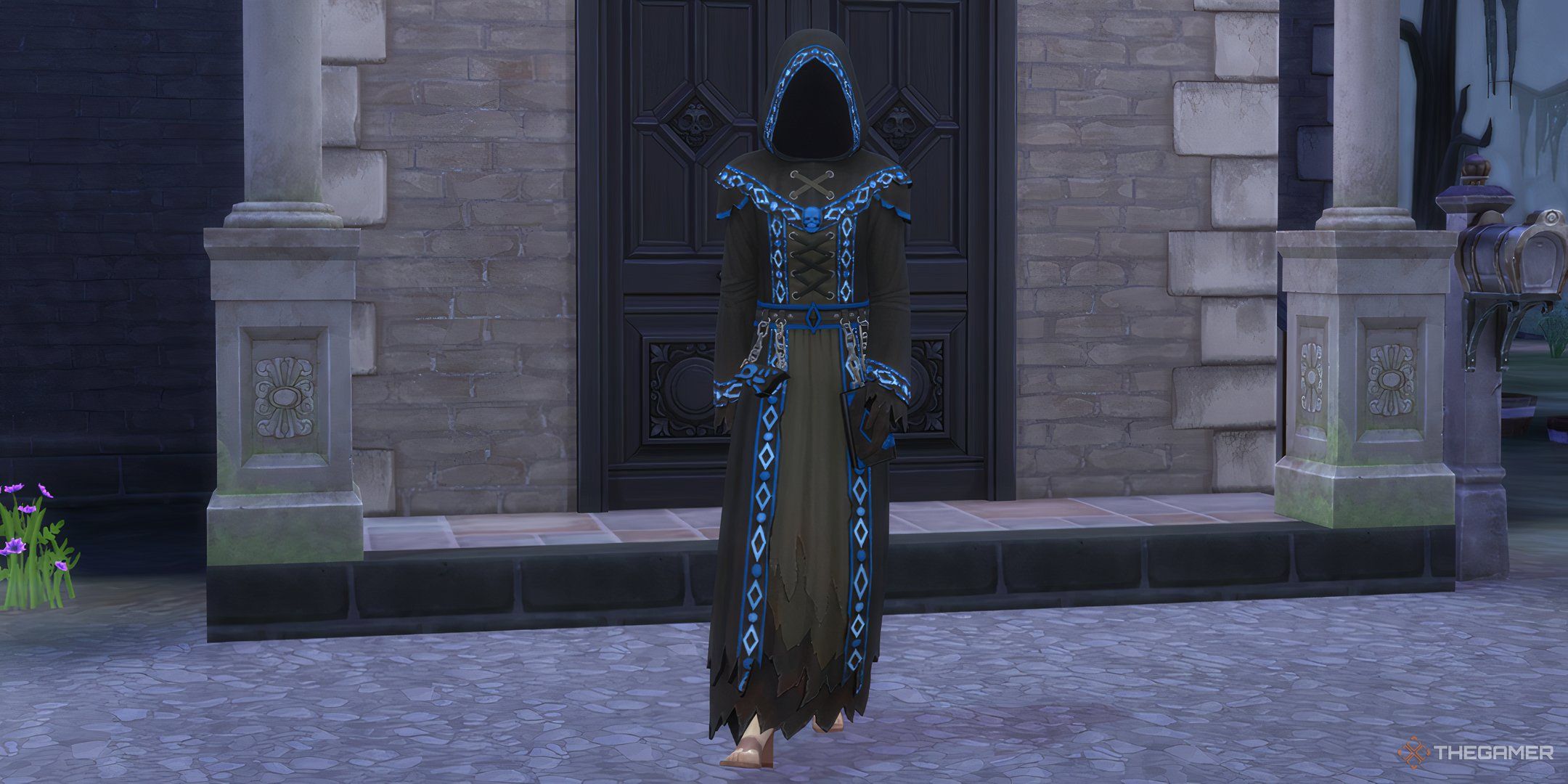
    The Sims 4 Life and Death level 10 reaper career reward robes.

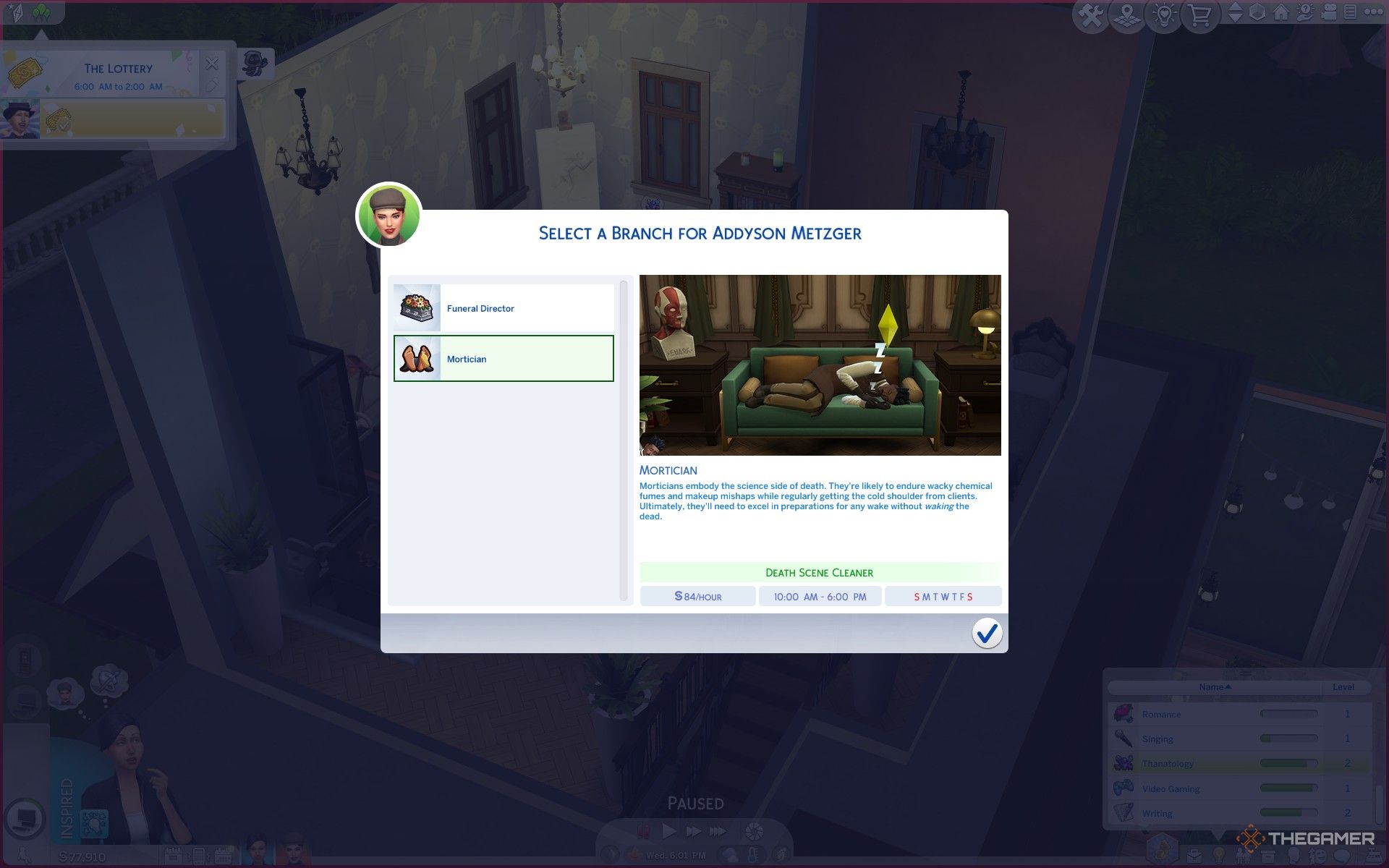
    The Life and Death expansion introduces two new careers: Reaper and Undertaker. While navigating these careers normally is an option, cheat codes can assist in promoting or demoting your Sims.

    Career

    Promotion Cheat

    Demotion Cheat

    Reaper

    Careers.Promote Active_Reaper

    Careers.Demote Active_Reaper

    Undertaker

    Careers.Promote Mortician

    Careers.Demote Mortician

    For an instant boost to the top of a career track, use the promotion cheats multiple times. Make sure to also develop their related skills to match their new role.

    Skill Cheats


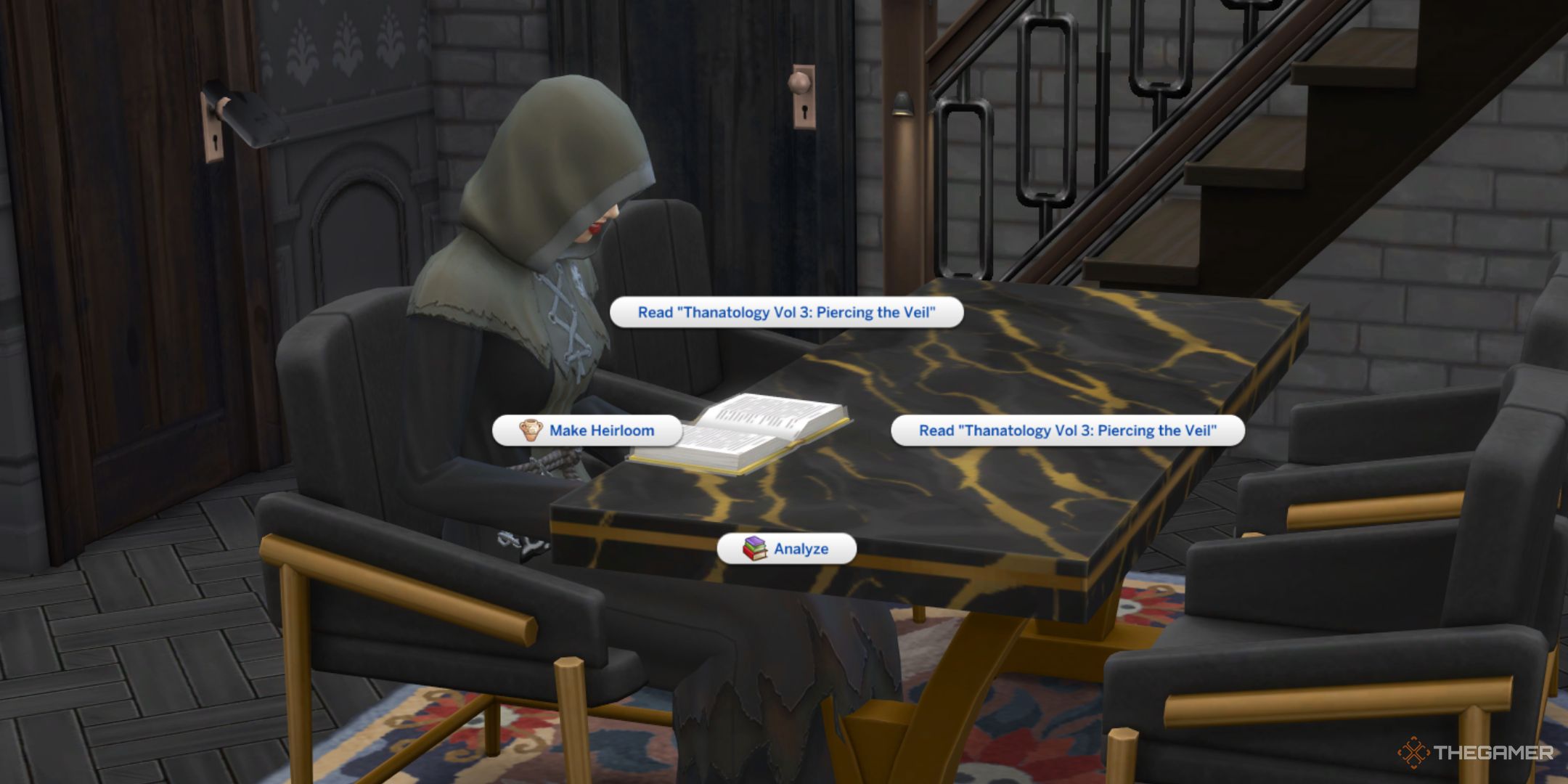
    The Sims 4 Life and Death Sim reading thanatology books at a dining table.

    With the Life and Death expansion comes a new skill called Thanatology. This skill helps Sims gain insight into grief and death. In reality, thanatology involves studying the science of death and dying.

    There are just five levels for this skill; to adjust your Sim’s Thanatology skill level, use the following cheat.

    • Stats.Set_Skill_Level Minor_Thanatology [skill level]

    When using this cheat, substitute [skill level] with a number from 1 to 5. For instance, entering “Stats.Set_Skill_Level Minor_Thanatology 5” will max out the skill. You can also lower a skill by entering a number that’s below the current skill level.

    Aspiration Cheats


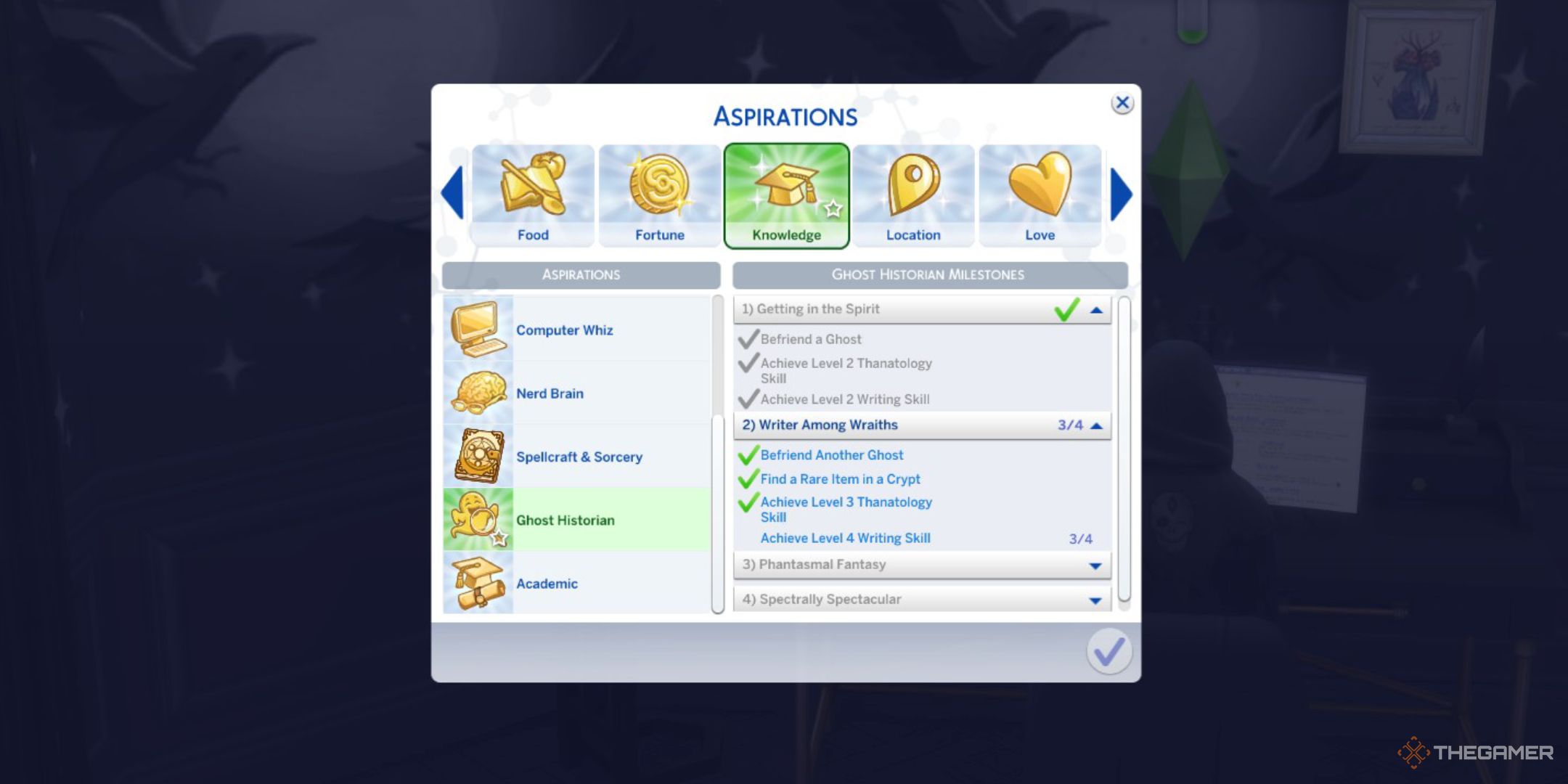
    The Sims 4 life and death ghost historian aspiration half way through.

    Next up are the aspiration cheats. There’s a new aspiration designed to guide your Sims toward a deep understanding of ghosts. To progress in the current stage of the Ghost Historian aspiration, you can utilize this cheat.

    • aspirations.complete_current_milestone

    This cheat works not only for the Ghost Historian aspiration but for any aspiration in the game. Just ensure that you are currently following the Ghost Historian path; you’ll need to have started it to use this cheat.

    Ghost Mastery Cheats


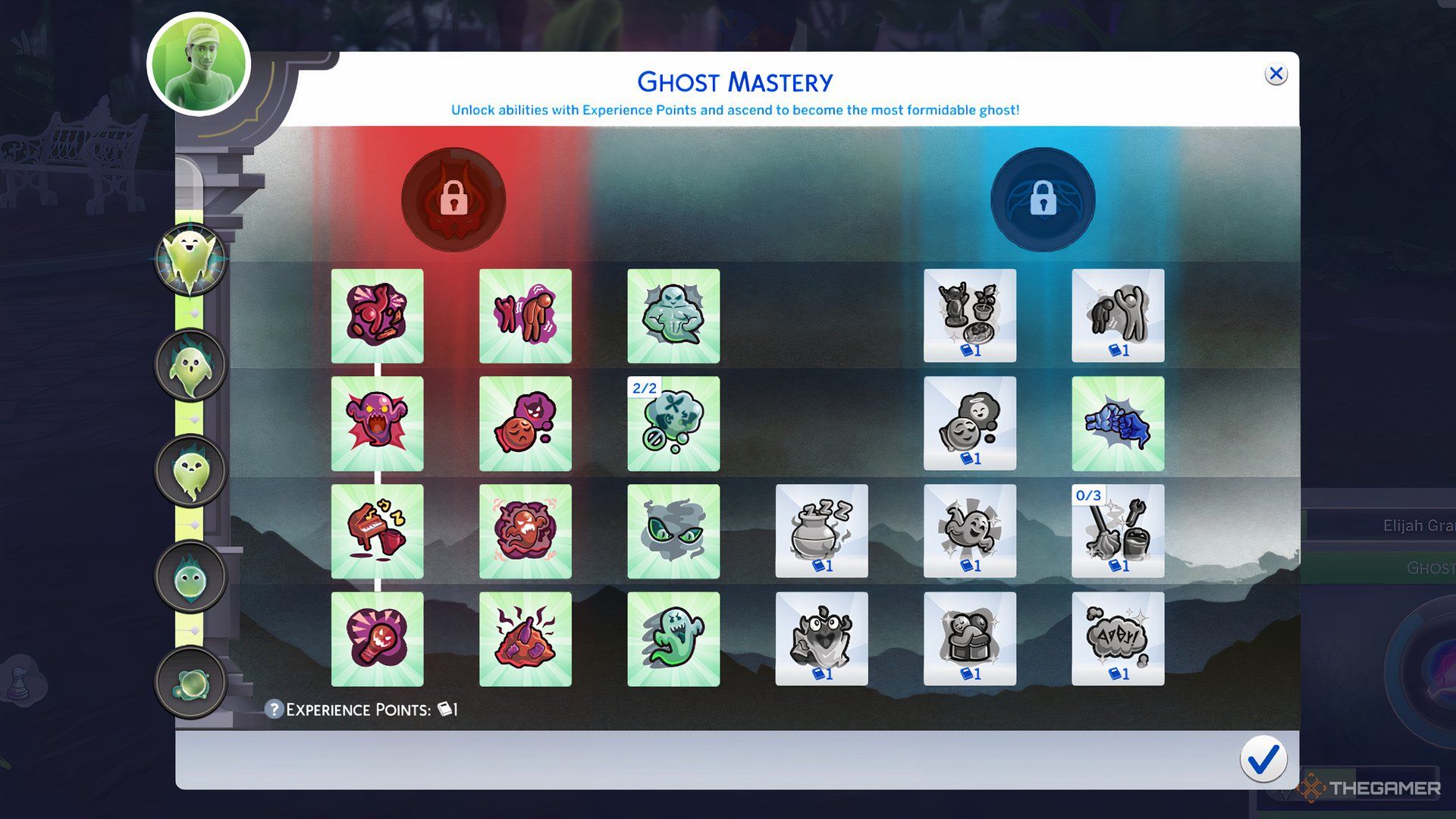
    Image showing all the ghost abilities in The Sims 4 Life and Death

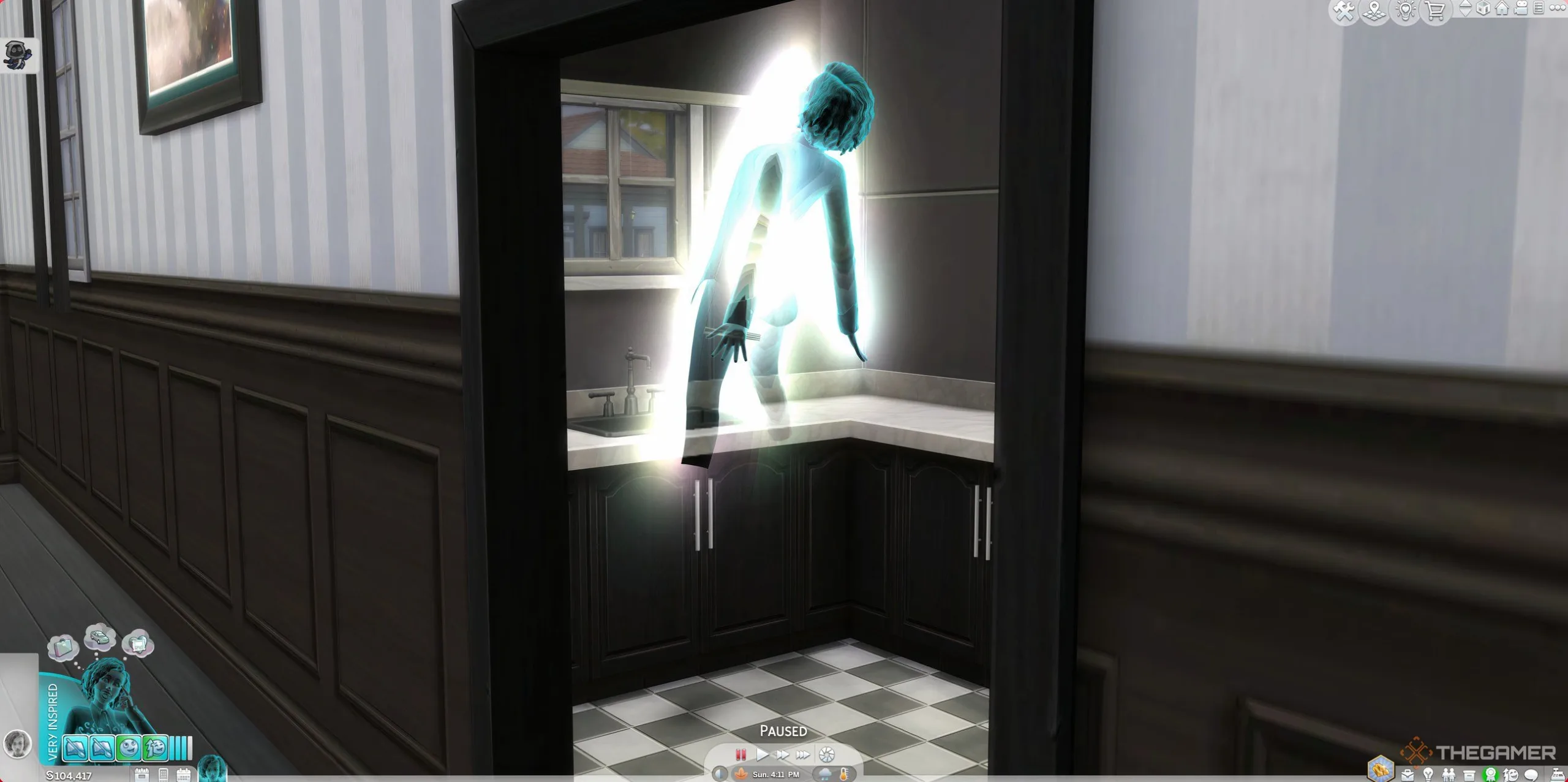
    Finally, we introduce Ghost Mastery. While inhabiting a ghost, your Sims can now enhance their ghostly skills and acquire new abilities. If you’re familiar with the mechanics involving vampires and witches in The Sims 4, you’ll find these are quite similar.

    To gain additional experience in Ghost Mastery, use this cheat code:

    • Stats.set_stat rankedstatistic_ghostpowers_ghostxp 20000
  • Unlocking the Cowplant in The Sims 4: A Step-by-Step Guide

    Unlocking the Cowplant in The Sims 4: A Step-by-Step Guide

    Although it’s a life simulation game, The Sims 4 includes some quirky elements that players won’t encounter in real life. One standout feature is the Cowplant, a unique addition that has become iconic in the game. However, obtaining and nurturing a Cowplant can be tricky if you’re unsure how to do it.

    This guide will walk you through everything you need to know about Cowplants in The Sims 4, from obtaining their seeds to proper care to ensure they thrive.

    Updated December 25, 2024 by Jacqueline Zalace: Getting your first Cowplant can be difficult if you’re trying it for the first time in The Sims 4. We’ve added more details to help you obtain and grow this fascinating plant.

    What is a Cowplant?


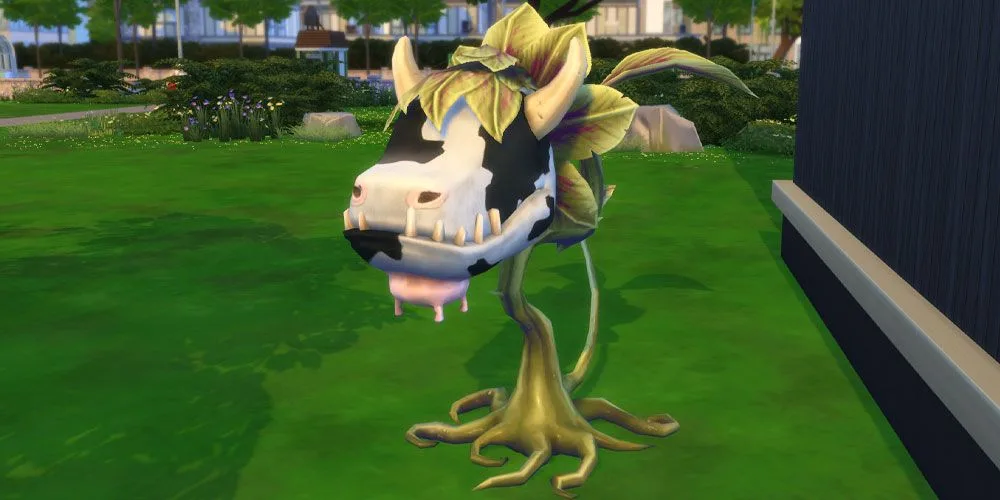
    Before diving into how to obtain a Cowplant, let’s clarify what it is. As the name suggests, a Cowplant is an unusual plant designed to resemble a cow. If you’re curious about its scientific classification, it’s known as “Laganaphyllis simnovorii.”

    Cowplants have been a part of The Sims series since The Sims 2. In The Sims 4, this peculiar plant features various growth stages and even includes a ghostly version, which was introduced in the Life & Death expansion pack.

    Once fully grown, you can even milk Cowplants! If a Sim gets eaten, they can milk the Cowplant to create a drink that reflects the mood they were in before being consumed. This can help return them to normal or be used to create beverages for others.

    How to Obtain a Cowplant Berry

    To grow a Cowplant, you first need to find a Cowplant Berry. After acquiring the berry, you’ll need to care for it until it matures into a full Cowplant.

    Fishing for a Cowplant Berry

    The easiest way to get a Cowplant Berry is to visit Desert Bloom Park in Oasis Springs and fish in the small pond located north of the park. Even if your Sim has minimal Fishing skills, you should be able to snag one within a few hours of fishing in-game.

    Become a Professional Botanist

    As part of the Botanist career track in the Gardener profession, you can receive a Cowplant Berry as a reward for reaching level five. Just remember, this benefit is exclusive to the Botanist branch; Floral Designers will not receive it.

    Grafting with Dragon Fruits

    You can also try grafting Snapdragon flowers with Dragon Fruits to obtain Cowplant Berries using your Gardening skills. Note that grafting becomes available once you reach Gardening level five, which is typically achievable if you’re committed to cultivating your plants.

    Cowplant Berries in Space

    If you own the Get to Work expansion pack, consider exploring space with a Rocket Ship, where there’s a chance your Sim could discover a Cowplant Berry.

    Digging for Berries

    Additionally, searching for treasures in dirt piles also offers a low chance of finding a Cowplant Berry.

    Overall, fishing at the pond in Desert Bloom Park remains the most reliable method for obtaining a Cowplant Berry.

    Caring for Your Cowplant

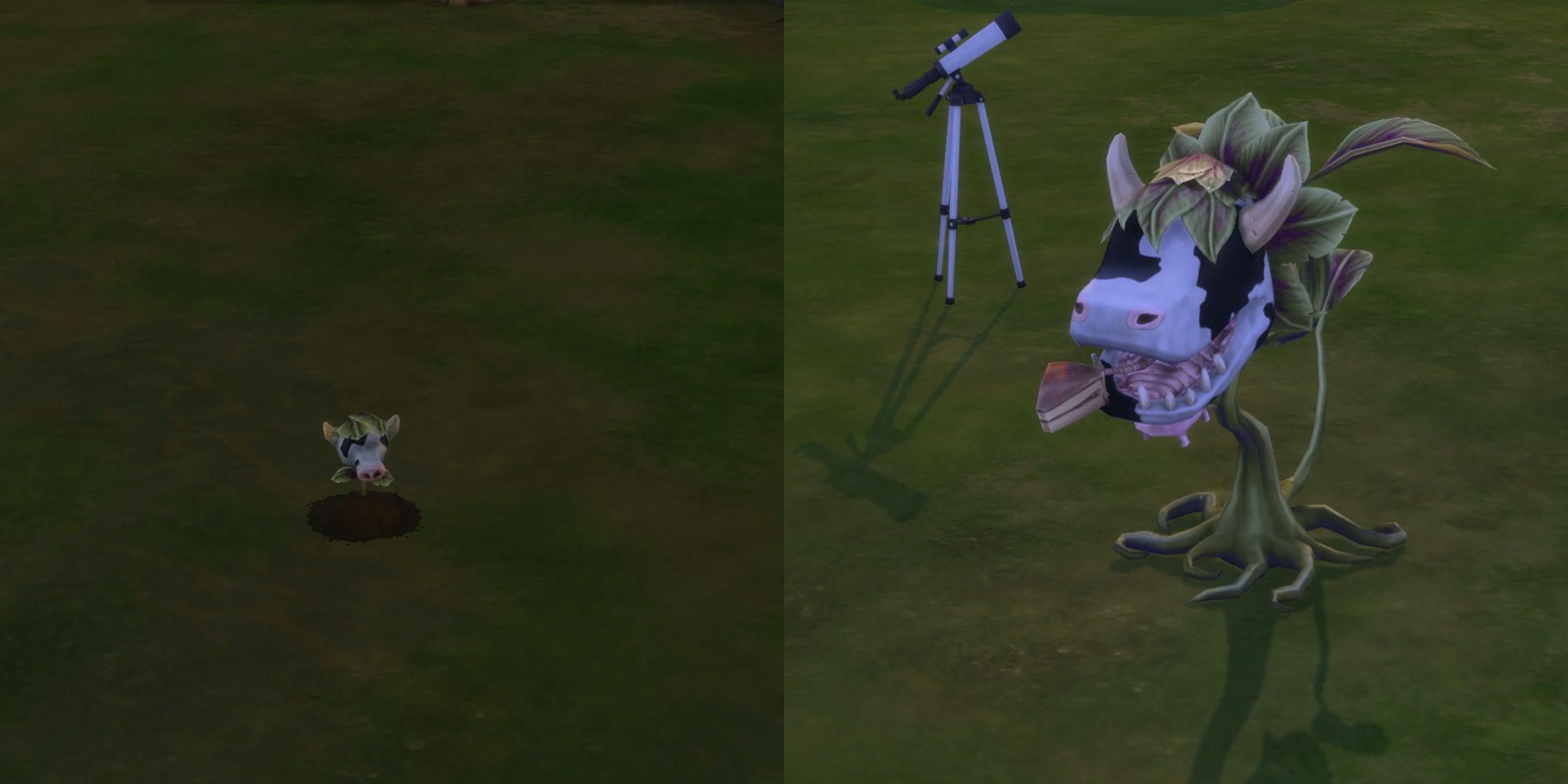
    A planted cowplant berry and mature plant in The Sims 4.

    To plant your Cowplant Berry, simply drag it into your yard and choose the “plant” option. Just like any other plant, you need to water it and provide proper care for it to mature fully.

    Once your Cowplant is fully grown, be sure to feed it every twelve hours.

    Can You Die from a Cowplant?

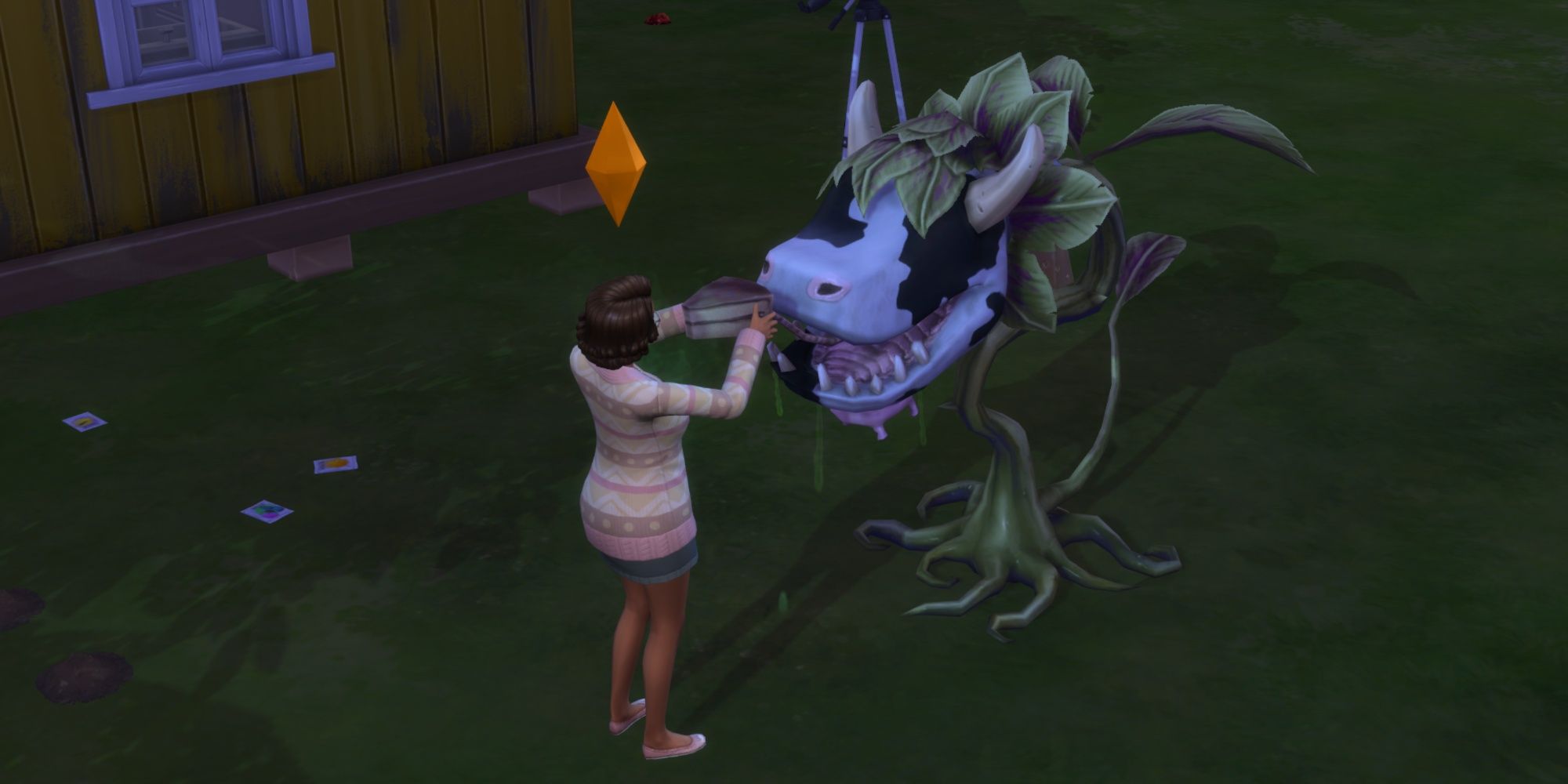
    Sim grabbing a Cowplant cake in The Sims 4.

    If a Cowplant gets hungry, it will stick out its cake-shaped tongue to lure unsuspecting Sims. If a Sim attempts to eat the cake inside the Cowplant’s mouth, they will get devoured.

    The first time this occurs, the Cowplant will spit them out, giving them a negative moodlet. Unfortunately, if this happens again while the moodlet is still active, the Sim will meet their fate at the hands of their own Cowplant.

    Interestingly, if a ghost of a Sim killed by a Cowplant is happy, nearby plants will flourish. On the other hand, if the ghost is in a bad mood, plants in the vicinity will begin to wilt.

  • All Lot Types You Can Explore in The Sims 4

    All Lot Types You Can Explore in The Sims 4

    The Sims 4 allows you to create your ideal home or business, offering a range of lot types. In earlier versions of The Sims, you could create lots in a neighborhood, but in The Sims 4, there are predefined lots that you can modify and expand upon.

    While these lots are fixed in location, you still have many options to choose from. In this guide, we will explore every lot type available in The Sims 4, including those from the base game as well as those that come with specific expansion packs.


    First, it’s crucial to understand that lots fall into two primary categories: residential and community. Residential lots are where your Sims reside, while community lots serve as gathering places.

    Although community lots can include beds, they are not meant to be lived in by families. Think of community lots as spaces used for public activities.

    All Types of Residential Lots


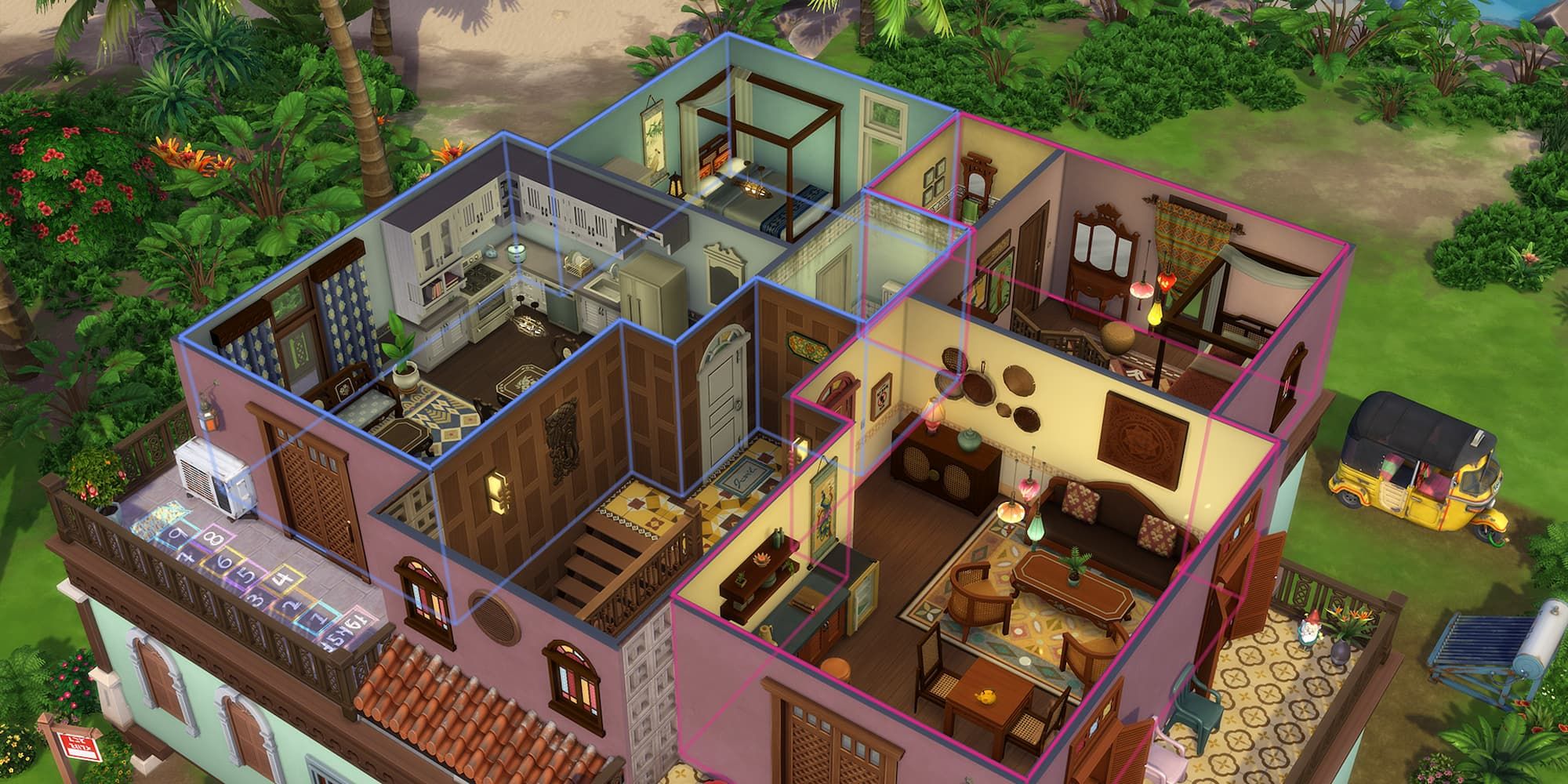
    An apartment complex in The Sims 4: For Rent expansion.

    In The Sims 4, the base game features only one type of residential lot: the standard ‘Residential’ lot. Therefore, this list primarily emphasizes expansion lots, along with their details and associated packs.

    Lot Type

    DLC

    Description

    Residential

    Base Game

    This is the standard lot for building homes.

    Apartment

    City Living
    Eco Lifestyle

    These are units in a multi-family building. You cannot create your own apartment complex; it’s limited to designated lots.

    Penthouse

    City Living
    Discover University
    Lovestruck

    A top-floor apartment that cannot be built from scratch; only on specific lots.

    University Housing

    Discover University

    A typical college dorm setup. Pre-made dorms are available in Britechester, with an option to create your own.

    Tiny Home

    Tiny Living Stuff

    These are very small houses, categorized as small, tiny, and micro, each with unique tile limits and benefits.

    Haunted House

    Paranormal Stuff

    These lots become spooky at night with potential ghost appearances and strange occurrences.

    Rental

    For Rent

    This functions like a customizable apartment complex, distinct from the previous type.


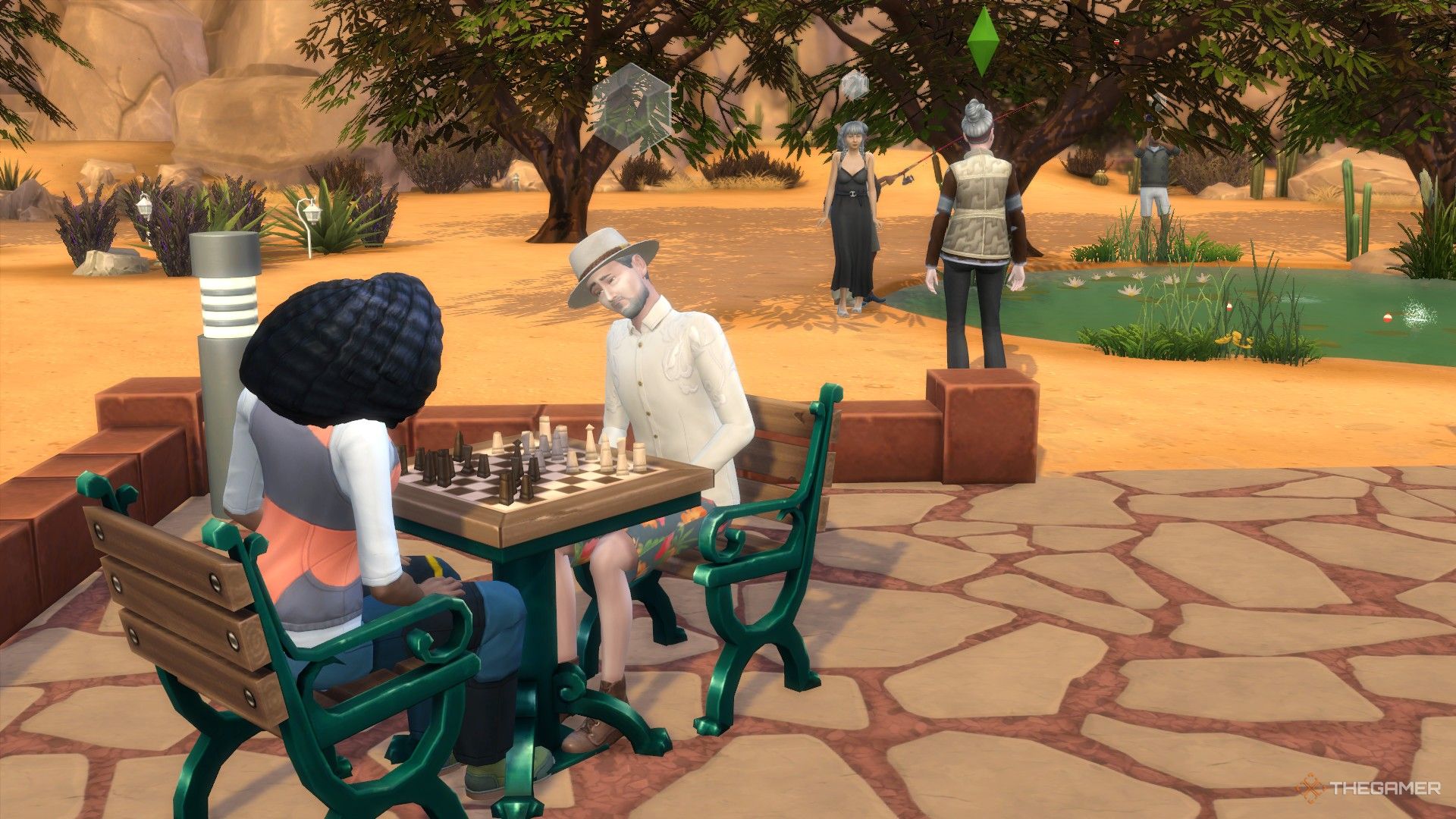
    Sims playing chess and fishing at the park in Oasis Springs.

    There are several community lots available in the base game of The Sims 4, so let’s start with those before we move on to the DLC lots.

    Lot Type

    Description

    Generic

    A blank canvas, allowing you to customize it as you wish.

    Bar

    A venue for socializing or dates, but requires a bar to function as one. Can also be converted into a bowling alley with the right items.

    Gym

    A fitness facility where Sims can work out, requiring workout equipment to qualify as a gym.

    Library

    A space for reading and computer use. Note: Sims cannot check out books; they can only read them on-site.

    Lounge

    Similar to bars but usually features more entertainers.

    Museum

    A lot showcasing art and sculptures. Museums can also accommodate artists painting on-site.

    Nightclub

    Similar to bars but designed for dancing and DJing.

    Pool

    A lot designed specifically around swimming pools.

    Park

    Outdoor areas for Sims to socialize, usually equipped with chess tables, children’s play areas, and restrooms.

    National Park

    Similar to regular parks but more focused on nature, requiring picnic facilities for full functionality.

    Vacation Rental

    A unique lot where Sims can stay temporarily, like an Airbnb, but not as a permanent residence.

    Wedding Venue

    Special locations intended for hosting weddings. You can add decorations like arches and indoor spaces.


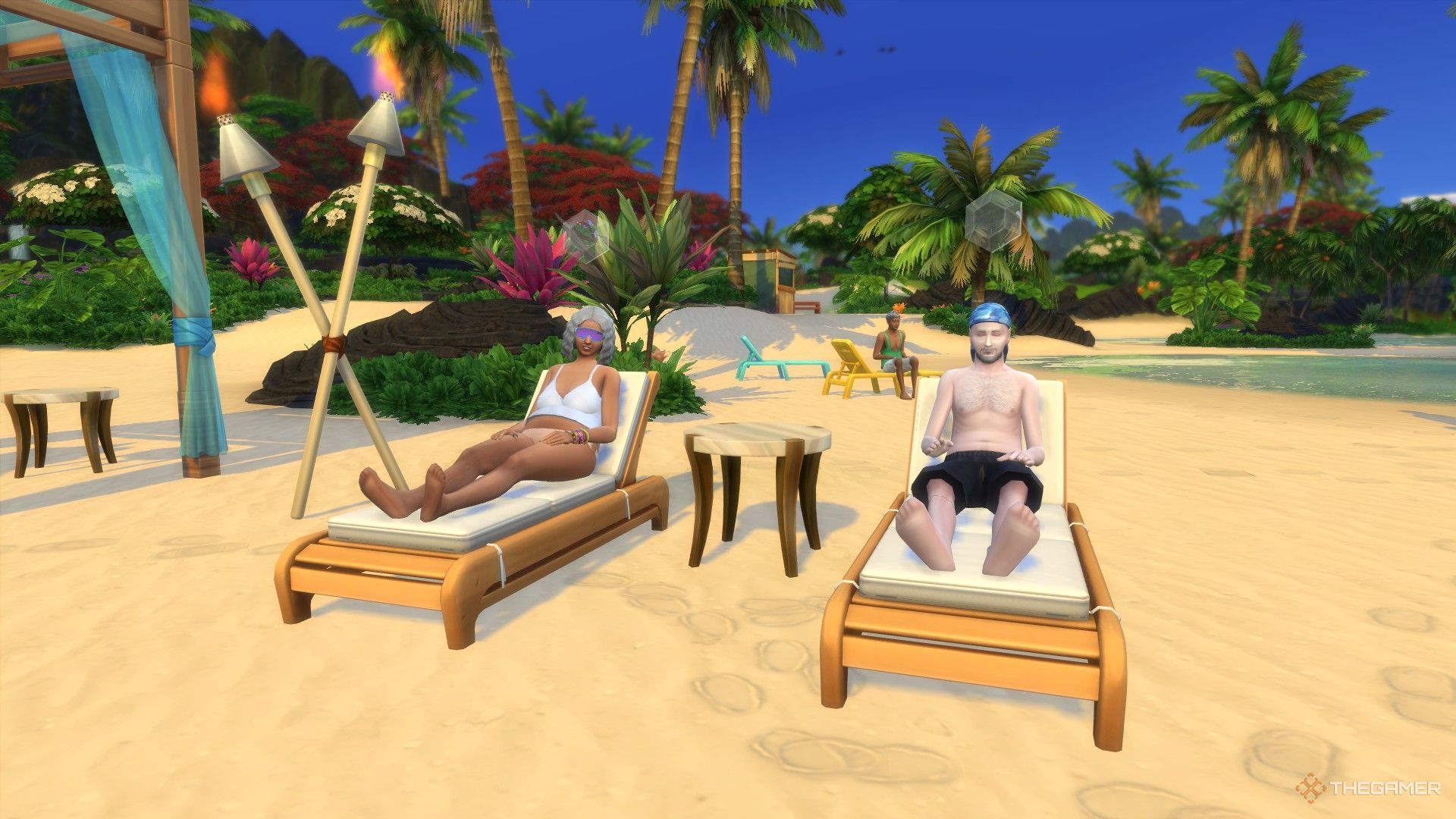
    Three elderly Sims relaxing on the beach in Sulani.

    Next, we’ll explore community lots that require downloadable content (DLC) to access. Additionally, some of these community lots are locked to specific locations, meaning you cannot create a copy of them; they are exclusive to the DLC, similar to City Living’s apartments for residential lots.

    Lot Type

    DLC

    Description

    Locked?

    Science Lab

    StrangerVille
    Get to Work

    A permanent lab lot designed for work or exploration.

    Yes

    Beach

    Island Living

    A space similar to a park, allowing Sims to interact with the water.

    No (only found in Sulani and Tartosa)

    Foxbury/UBrite Commons

    Discover University

    Common areas for the two universities with specific requirements for each.

    No

    Business

    Get To Work
    Dine Out
    Cats and Dogs
    For Rent

    A retail lot for running a business with several specific types.

    No

    Community Space

    Eco Lifestyle

    A versatile lot accommodating gardens, markets, and maker spaces.

    No

    First Order Cargo

    Journey to Batuu

    A residential area in Batuu.

    Yes

    Oga’s Cantina

    Journey to Batuu

    A cantina in the Black Spire Outpost, functioning as a bar/lounge.

    Yes

    Resistance Encampment

    Journey to Batuu

    A residential area in Batuu.

    Yes

    Onsen Bathhouse

    Snowy Escape

    A lot where Sims can shower and enjoy the hot spring.

    No

    Cafe

    Get Together

    A traditional cafe, separate from business type because Sims can’t own this lot.

    No

    Chalet Gardens

    Get Together

    Applicable only to the Von Haunt Estate, editable for events.

    Yes

    Island Bluff

    Get Together

    Designated to The Bluffs, suitable for parties at night.

    Yes

    Ancient Ruins

    Get Together

    Located in Windenburg, usable for parties with a small lot.

    Yes

    Arts Center

    City Living

    Similar to museums, but here Sims can create music.

    No

    Central Park

    City Living

    A park specifically designated for Myshuno Meadows.

    Yes

    Karaoke Bar

    City Living

    A bar featuring karaoke machines but cannot become a bowling alley.

    No

    Auditorium

    High School Years

    Only applies to the Auditorium in Rockridge Heights used by the high school.

    Yes

    High School

    High School Years

    Applies to Copperdale High School, editable when school is not in session.

    Yes

    Thrift and Bubble Tea Store

    High School Years

    A cafe with unique clothing and drinks, hosting events.

    No

    Recreation Center

    Growing Together

    A family-friendly space that includes various facilities for different activities.

    No

    Cemetery

    Life and Death

    A lot that features graves and urns, officially recognized in this pack.

    No

  • Mastering Vampire Energy and Thirst in The Sims 4

    Mastering Vampire Energy and Thirst in The Sims 4

    Your Sim has recently become a vampire in The Sims 4, and this transformation brings about some significant changes, primarily that they no longer require standard food. If you’re navigating the world of vampire Sims for the first time, you’re in the right spot.

    This guide will help you understand how to manage the needs of your vampire Sim in The Sims 4. We’ll explore how their needs differ from those of regular Sims and how you can meet them. Keep in mind that you’ll need the Vampires game pack to create a vampire Sim.

    How Are Vampire Sims Different?

    While vampire Sims share some traits with regular humans, there are key differences. Most notably, vampires don’t need to use the bathroom, eliminating the need to worry about toilets in their homes.

    Additionally, their Energy and Hunger bars are replaced by Thirst and Vampire Energy. The Vampire Energy bar is located at the top of the screen and appears as a deep purple bar. This is a crucial aspect of managing your vampire Sim’s needs.

    Despite these changes, vampires still require Hygiene, Social, and Fun.

    What Drains Vampire Energy?

    Vampire Energy powers your Sim’s special abilities. While this energy drains slowly, using vampire powers, such as transforming into a bat or charming another Sim, consumes it rapidly. Another major factor that depletes Vampire Energy is exposure to sunlight. Vampires will begin to burn in the sun, losing energy, and prolonged exposure can lead to death.

    How Do Vampires Sleep?

    To restore Vampire Energy, a vampire Sim must sleep or meditate. However, instead of using beds, vampires sleep in coffins. You can find various coffin styles in Build/Buy mode. They serve the same purpose as beds; your vampire Sim can even Woohoo in them!

    If your Sim needs a quick energy boost, they can use the Dark Meditation ability. This allows them to meditate briefly, restoring some energy, although it’s not a comprehensive solution.

    How To Fulfill Vampire Thirst

    Vampires must consume Plasma to satiate their Thirst. They can obtain Plasma from three sources: Plasma Fruit, Plasma Packs, and regular human Sims. Let’s break down each option.

    Drinking From Plasma Packs

    Plasma Packs are artificial blood packs that your Sim can purchase from a computer after reaching level three in the Vampire Lore skill. They offer a way for vampires to avoid direct interaction with humans.

    Once your Sim achieves level four in Vampire Lore, they can create Plasma Packs from fish or frogs.

    Drinking From Plasma Fruit

    For those with a green thumb, Plasma Fruit is a great way to replenish Thirst. Vampires can consume the plasma directly from the fruit, but one fruit alone won’t be sufficient. Fortunately, they can eat multiple fruits in succession.

    You can find a Plasma Fruit tree in Forgotten Hollow, located on a slope near a dead tree. This tree is public, so you can easily harvest its fruits.

    At Vampire Lore level eight, your Sim can buy plasma fruit seeds to plant, perfect for those who don’t live in Forgotten Hollow or want to grow their own trees.

    Drinking From Normal Sims

    Your vampire Sim can also consume plasma from regular Sims. This can be done in a couple of ways. If your vampire maintains a good relationship with another Sim, they can politely ask for a drink.

    If there is no relationship, your Sim can compel the other Sim to provide plasma. They can drink a small or large amount of plasma, with larger quantities being an effective way to refill Thirst.

    What Happens If A Sim Is Too Thirsty?

    If a vampire Sim becomes too thirsty, their instincts can take over, making them harder to control. They may randomly attack Sims to drain their plasma. This behavior can be entertaining for a villainous vampire but may damage relationships.

    Low Thirst can trigger significant moodlets, with three notable effects:

    • Need to Feed
    • Parched
    • Irresistible Thirst

    Upon reaching the Irresistible Thirst stage, the vampire will start to attack.

  • All Festivals in San Myshuno from The Sims 4: City Living

    The Sims 4 can be enjoyed with just the base game, but the real excitement comes from the expansions. With The Sims 4: City Living, you can chase your urban dreams in San Myshuno—a vibrant city inspired by cultures from around the world.

    Living in San Myshuno allows your Sims to participate in various festivals occurring throughout the year. Each festival is distinct, offering a unique experience. Below, you’ll find details about the festivals that can be attended in The Sims 4: City Living.

    Each festival happens on a specific day of the week, but they’re not held every week. For example, if you miss the Humor and Hijinks Festival one Monday, you’ll have to wait for the next Monday to join in. Plus, festivals are a fantastic opportunity to meet new Sims.

    Humor And Hijinks Festival

    Sims 4 City Living Humor And Hijinks Festival Socials Drinking Tea

    Location

    Arts Quarter

    Day Of Week

    Monday

    Hours

    5 PM to 11 PM

    The Humor And Hijinks Festival happens every Monday. Here, you can join either the Jokesters or Pranksters to compete for the title of festival champion by engaging in themed activities.

    To pick a team, just drink from the corresponding fountain.

    If you’re on the Jokesters side, you’ll need to focus on comedy interactions with other Sims. Conversely, if you’ve joined the Pranksters, mischief interactions are your goal. Everything done during the festival is in the name of fun, and each action helps you get closer to winning.

    While attending the festival, Sims can also set off fireworks, buy fun merchandise, and even perform some stand-up comedy.

    GeekCon

    The GeekCon rocket launching with pink smoke and hearts.

    Location

    Fashion District

    Day Of Week

    Tuesday

    Hours

    10 AM to 4 PM

    If your Sim enjoys all things nerdy, GeekCon is the place to be! You can participate in a Hackathon, take the Ultimate Gaming Test, or even build a rocket.

    This festival revolves around three core skills: Rocket Science, Video Games, and Programming. Attending GeekCon helps your Sim level up in these areas much faster.

    Simply participating in GeekCon guarantees your Sim will improve their gaming skills while having fun!

    Spice Festival

    Sims 4 Festivals Spice Festival Feature

    Location

    Spice Market

    Day Of Week

    Friday

    Hours

    5 PM to 1 AM

    If you love spicy foods, the Spice Festival is for you! Here, Sims can sample an array of spicy dishes offered at various stalls and tables. The highlight of this festival is to build up your spice tolerance as you taste different foods.

    For those brave enough, there’s even the Spicy Challenge, where participants attempt to eat the hottest bowl of curry. Just a heads up—eating spicy foods can make your Sims feel uncomfortable and sometimes even breathe fire!

    Romance Festival

    Two Sims getting married at the romance festival.

    Location

    Fashion District

    Day Of Week

    Saturday

    Hours

    5 PM to 1 AM

    Are you on the hunt for romance in the city? The Romance Festival is the perfect place for love! Here, Sims can enjoy tea to get into a flirty mood, throw flower petals, and even consult a guru for romantic guidance. If your Sim has a proposal in mind, this festival has a wedding arch where couples can tie the knot immediately.

    This festival is all about love, and you’ll encounter many other flirty Sims to connect with. Make sure to check out the unique Romance Festival interactions—this is a must-visit for single Sims!

    Flea Market

    Sims exploring the Flea Market with various furniture displays

    Location

    Spice Market

    Day Of Week

    Sunday

    Hours

    10 AM to 6 PM

    Finally, we arrive at the Flea Market, where the focus is on buying and selling unique items. If you’re shopping for furniture, this is the place to be! You can find distinctive pieces that need to be purchased here before they appear in Build/Buy mode.

    At the Flea Market, there’s an array of tables where Sims sell collectibles. If you’re looking to make some extra Simoleons, you can also set up your own items for sale! Engaging with merchants might even open chances for item trades.

    You might stumble upon Boxes of Junk at the Flea Market. Digging through these could yield unique posters and snowglobes!

  • Mastering the Soul’s Journey in The Sims 4: Life and Beyond

    Mastering the Soul’s Journey in The Sims 4: Life and Beyond

    At some point, everyone seeks to understand the purpose of life, and in The Sims 4: Life & Death, this journey becomes more engaging for your Sims with the introduction of the Soul’s Journey feature. Create a bucket list for your Sim and check off objectives to advance through their personal journey!

    For each Sim, the Soul’s Journey kicks off at young adulthood and continues into their afterlife, offering additional achievements for ghost Sims. This feature adds a rich layer to ghost gameplay and can even lead to a Sim’s reincarnation.

    How To Progress In The Soul’s Journey

    Bucket Lists And Aspirations In Life And Death

    Once a Sim becomes a young adult during their life stage in The Sims 4, a new feature from the Life & Death expansion pack becomes available: the bucket list. This improved system tracks your Sim’s ambitions, dreams, and goals. As you play, your Sim naturally formulates objectives based on their experiences, or you can select specific goals manually if desired.

    The completion of these bucket list objectives significantly enhances progress in the Soul’s Journey; they are particularly impactful in gaining momentum. In fact, if your Sim has the Chased by Death trait, they can create specific goals instead of randomly selecting from general categories, allowing for more focused progression.

    However, bucket list goals aren’t the only way to advance in the Soul’s Journey. Accomplishing various gameplay tasks will cause a green meditation icon to appear near your Sim’s aspirations, indicating progress towards their Soul’s Journey.

    Points can also be earned through:

    • Completing milestones in your Sim’s aspiration, visible below the Soul’s Journey in the Life & Death pack.
    • Meeting various wants and whims, providing your Sim with satisfaction points that can be spent in the Rewards Store.

    In total, the goal is to enrich your Sim’s life by intertwining their aspirations and goals. This approach ensures that as your Sim progresses through the Soul’s Journey, they receive numerous benefits. Remember, the journey doesn’t end when a Sim dies, especially since playing as ghost Sims is a central aspect of the expansion pack!

    What Happens When You Complete Your Soul’s Journey?

    To finish a Sim’s Soul’s Journey, you’ll need to keep playing as them after their death. You can keep them in your household at the time of their death, allowing them to interact and remain part of the family rather than being a free-roaming ghost tied only to their urn or headstone.

    If you choose to continue as a ghost, there are additional milestones in the Soul’s Journey reserved solely for ghost Sims! These milestones enhance your ghostly abilities as you navigate the powers linked to Ghost Mastery in the Life & Death expansion.

    Upon completing the extra Soul’s Journey milestones as a ghost, your Sim will unlock various perks, particularly with the final milestone known as The Big Picture, which includes:

    • Increased stamina for using their Ghost Mastery powers.
    • The Burning Soul trait, enabling Sims to remember traits from their previous lives, which can be passed down to their new incarnations.

    Once these milestones are achieved, your Sim can opt for rebirth, taking on traits and skills from their former life, adding depth and continuity to their character in the game.

  • All CAS Content in The Sims 4: Sweet Slumber Party Kit

    If you enjoy the dollhouse features of The Sims 4 more than constructing homes or community spaces, you might be wondering how to give your Sims some well-deserved relaxation. Perhaps a fun sleepover with friends would be the perfect remedy after a busy week?

    The Sweet Slumber Party kit for The Sims 4 introduces 27 new Create-a-Sim options, providing plenty of cute new items for your Sims to enjoy during their pajama-filled nights of skincare and fun.

    All CAS Items in the Sweet Slumber Party Kit

    All Clothing

    This kit offers a great variety of clothing options for all Sims, regardless of gender. Who could resist comfy pajamas to enhance their sleepover experience? And to complete the look, you can add a stylish sleep mask—found in the Glasses section of head Accessories—to help them drift off after the week’s stresses.

    Your Sims will also have a range of footwear options with two new pairs of socks and two styles of shoes. Enjoy snuggling into fuzzy thigh-high socks or opt for adorable animal print socks. For footwear, there are chunky sneaker slippers and fuzzy slides for cozy comfort.

    If your Sim prefers full-body sleepwear, there are four new choices available. These include a sultry lacy slip available in 12 colors, a strappy lace slip in ten colors, a modest nightgown available in six patterns or four solid colors, and a three-piece pajama set featuring a matching shirt and pants.

    For players who love mixing and matching outfits, there’s plenty to work with. For female Sims, three new tops are introduced: a puffy sleeve lace sleep shirt in five patterns or six solid colors, a stunning puffy lace bralette in ten shades, and a half-tucked long-sleeve pajama shirt in nine colors or patterns. For bottoms, you’ll find puffy lace shorts to match the sleep shirt, a coordinating pair of lacy shorts to go with the bralette, and a set of patterned pants to pair with the long-sleeve top.

    Male Sims won’t feel left out either! Thanks to creator trillyke, the kit includes a few stylish pieces for them, such as a pair of athletic-style pajama pants and silk shorts. They also receive two shirts: an oversized long-sleeve shirt that’s perfect for lounging and a matching short-sleeve button-up silk shirt.

    All Cosmetics and Extras

    A sleepover isn’t just about the pajamas! The Sweet Slumber Party kit also introduces various fun elements for your Sims, all available in different colors and patterns.

    If your Sims prefer pampering their nails, you’ll find two new nail designs: one set featuring longer nails adorned with tiny decals and charms, and another with shorter, more lively colors and patterns.

    If skincare is more their style, this kit offers various options! Your Sims can use an under-eye mask to combat puffiness, a nose strip mask to address blackheads, and a chin/T-zone mask for overall skin care. Plus, if there are any skin troubles, you’ll have access to three different pimple patches included in the kit—all found in the Cosmetics section of Create-a-Sim.

  • Sims 4 Cozy Kitsch Kit: All-Inclusive Furniture Fun!

    Sims 4 Cozy Kitsch Kit: All-Inclusive Furniture Fun!

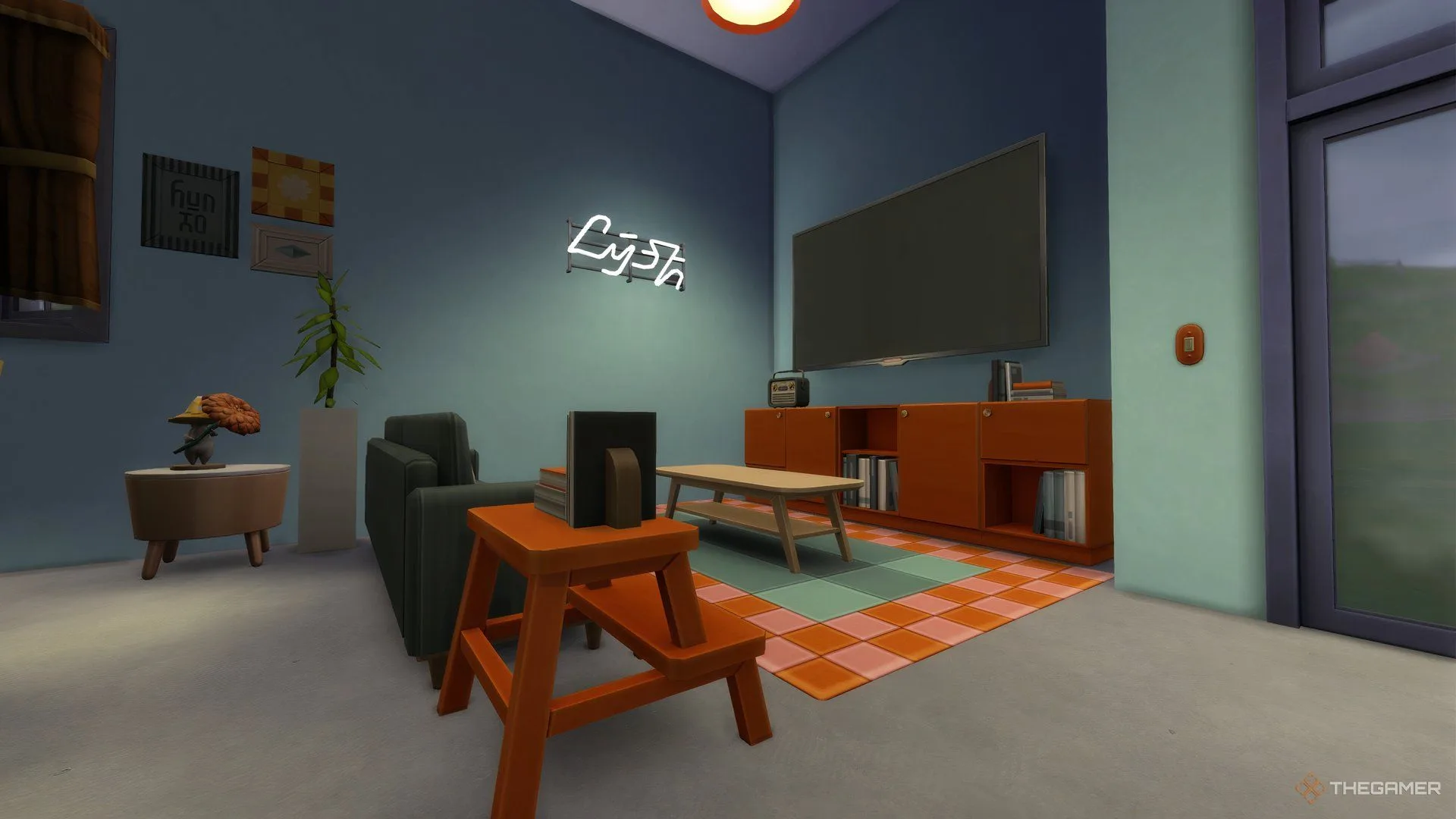
    If you’re a fan of building in The Sims 4, you’ll be excited about the new Cozy Kitsch kit, which introduces a variety of bold furniture pieces perfect for those who love to express their style. With 27 fresh items available in Build/Buy mode, the Cozy Kitsch pack is sure to have something that catches your eye.

    This kit features a range of vibrant couches, eye-catching lamps, charming wall art, and an assortment of colorful trinkets, all designed to create a homey, lived-in atmosphere. The Cozy Kitsch kit stands out as one of the most vibrant and adventurous additions to the game.

    New Furniture in the Cozy Kitsch Kit

    The Cozy Kitsch kit showcases some of its most striking furniture in the Living Room category. You’ll find the Comfy Groove Sofa, Comfy Groove Loveseat, and a Comfy Groove Living Chair, all available in eight different color options. These cozy couches come with fluffy pillows, sure to add a pop of color to your Sims’ living area. The kit also includes a Comfy Groove Pouf, which can serve as an ottoman or decorative accessory, available in matching colors, too.

    To complete your living room setup, consider adding the AINA Coffee Table or the charming Grandma’s Painted Step Stool as end tables, both of which offer ten color options to coordinate with your space.

    Dining Room and Kitchen Options

    In the kitchen, the new Sleeqframe Cabinets add a burst of brightness and come in various configurations: left, right, and center, each offering different storage blends. The left piece has a larger drawer, the right features a balanced design, while the center offers dual drawers with additional storage space. The cabinets are perfect for showcasing the new Good Chunes Vintage Radio.

    For dining areas, look for the new AINA Dining Table, which pairs wonderfully with the Grandma’s Painted Dining Chair. Additionally, whether you’re designing the living or dining area, the fun new Ex-Fireplace adds character alongside the vibrant Vibe Checked Rug. To enhance the ambiance, consider adding The Signature by Myshuno Studios standing lamp for a final splash of color.

    Decorative Elements

    If you’re interested in illuminating your space, there are numerous lighting options in the Cozy Kitsch kit. Among them is the Pendant Light by Myshuno Studios, which comes in three wall heights and ten color options. For a playful touch, there’s also the bright Nuff Said Neon Sign, or opt for the Cozy Candles for a more natural light source.

    Wall Decor and Clutter

    Prefer wall art over lamps? You can choose from two new decorative options: the Dream Pop Frames collage, featuring three different images in eight color choices, or the Mixed Signals Poster, which has ten vibrant designs.

    To enhance your decor further, consider using the Sleeqframe Wall Shelf for additional clutter. You might add the Delightful Light Switch to brighten your space or display Best of Nonfiction books, a lovely Succinct Vase Duo, or the lively Charli’s Apples fruit bowl, adding a fun finishing touch to your Cozy Kitsch inspired rooms.

  • Coping With Grief in The Sims 4: Navigating Life & Loss

    Coping With Grief in The Sims 4: Navigating Life & Loss

    Experiencing grief after losing someone is a normal reaction, and The Sims 4 captures this emotion through the Life and Death expansion. Just as in reality, moving on is essential for your Sims, allowing grief to gradually become more manageable.

    Since The Sims 4 reflects real life, it’s important to prioritize your Sim’s emotional health. The Life and Death expansion introduces several types of grief, each requiring a different approach. This guide provides detailed strategies to help you navigate these challenges.

    How to Move On From Grief in The Sims 4


    Grief is a deep emotional response following the loss of a loved one. Sims experience a broad spectrum of feelings after losing someone close to them. There are four types of grief present in The Sims 4:

    • Denial
    • Holding It Together
    • Anger
    • Blues

    Every Sim reacts to loss in their own way, which means you’ll need to tackle their grief differently. Here’s a breakdown of how to help them manage these emotions.

    Denial Grief

    When someone struggles to accept their situation, denial is a common response. These Sims often suppress their feelings and pretend everything is fine. While in denial, they might feel bored or indifferent. Eventually, reality hits, and they must face their grief.

    Denial can lead to emotions like Anger or Blues, so it’s crucial to address it after the loss. Here are a few strategies to help:

    • Engaging in Activities: Cooking, writing, gardening, or painting can provide a distraction for Sims. Playing music may help them process their feelings.
    • Counseling: Grieving Sims can benefit from counseling sessions, helping them recognize their tendency to hide their pain. Interact with their phone or click on the upset Sim to schedule a session.

    Holding It Together

    Some Sims manage to keep it together while grieving. Unlike those in denial, they acknowledge the death and focus on positive memories. However, they might still be deeply hurt on the inside, which can hinder their healing process.

    The positive aspect of this emotional state is that these Sims can gradually accept their loss. Attending counseling is highly recommended to prevent the buildup of negative emotions like Anger or Blues.

    Anger Grief

    Anger is a powerful emotion that can consume Sims struggling with loss, especially if they feel the death was unjust. Such Sims may lash out at others, displaying mean-spirited behavior without apparent reason.

    Addressing anger requires physical release and can be managed through:

    • Counseling: Join support groups available in The Sims 4. Interact with their phone or click on the grieving Sim for details.
    • Exercise: Encourage your Sim to work out, whether at the gym or home, to release pent-up frustration.
    • Playing Music: Engaging with music can be a therapeutic outlet for their anger.

    Blues Grief

    If a Sim has a strong connection to the deceased, they may experience intense feelings of missing them. This lingering sadness can lead to a general state of depression. These Sims are often more expressive in their grief and may cry frequently.

    While this emotional state is serious, it doesn’t always require extensive intervention. Activities like Cry It Out can help release their sadness. By allowing them to express their feelings, Sims often recover more quickly. Be patient with them, and they will heal in time.

    Using Cheats to Address a Grief Moodlet


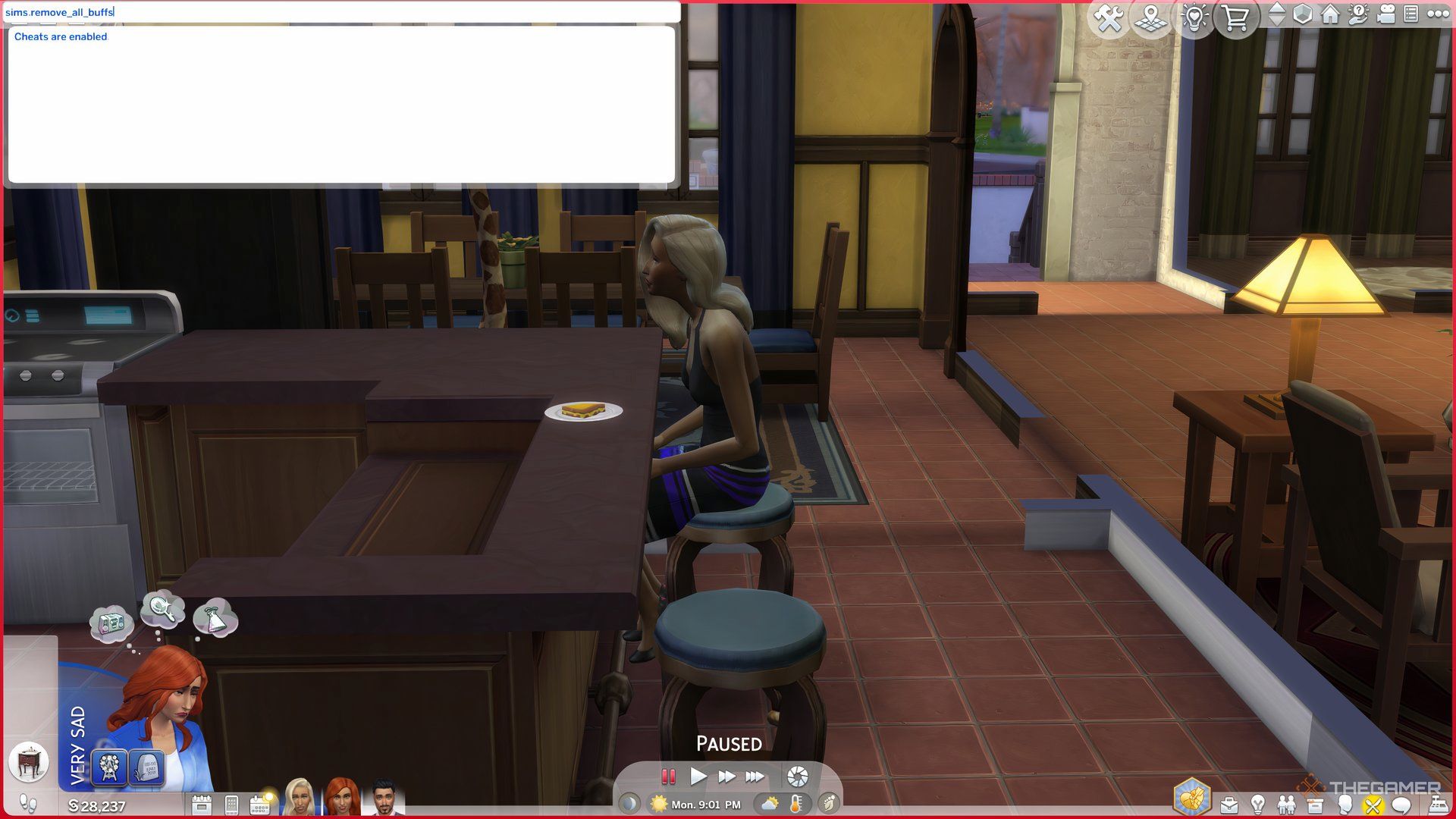
    A Sim sitting at a table, using a device to type cheats.

    The Sims 4 allows players to use cheats that can simplify gameplay. While using cheats is optional, they can help you navigate tougher challenges.

    Keep in mind that using cheats in The Sims 4 will disable achievements. If you aim to earn specific achievements, it’s best not to use them.

    To activate cheats in The Sims 4: Life and Death, follow these steps:

    • Open the Dev Console using the necessary shortcuts:

      • PC: Ctrl+Shift+C
      • Consoles: Press all four triggers simultaneously
    • Type “TestingCheats On” in the console and hit enter.
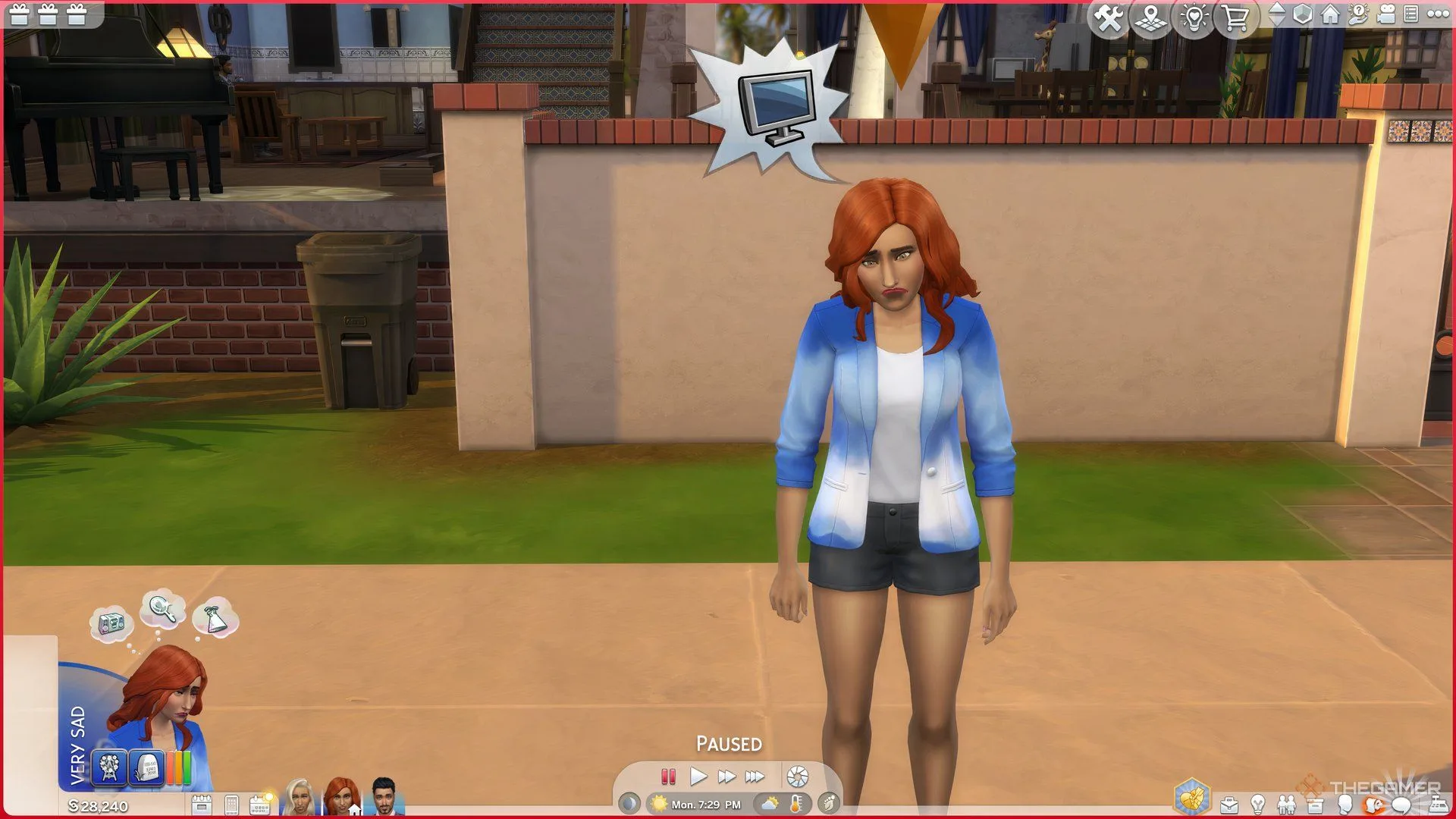
    • Next, type “sims.remove_all_buffs” to reset your Sim’s emotions.

    Alternatively, right-clicking on a Sim will allow you to choose the mood you desire for them.

    You can also use the Moodlet Solver elixir to resolve mood issues. This item can be obtained from the aspirations menu, but be prepared to spend Satisfaction Points as it’s quite costly.

  • All Distinct Ghost Types and Their Impact in The Sims 4

    All Distinct Ghost Types and Their Impact in The Sims 4

    The Sims 4 has now included the ability to play as ghosts. When Sims die in the game, they can opt to continue existing as a ghostly figure. However, to unlock special ghost powers through a talent tree, players will need the Life & Death expansion pack.

    Even if you don’t have the expansion, ghost Sims in the base game still come with some unique, although limited, abilities tied to their specific deaths. Not all types of deaths grant these powers, but many do. Here’s a look at what your ghostly residents can do.

    ### Ghost Death Effects vs. Ghost Powers

    In The Sims 4, ghost powers can only be accessed through the Life & Death expansion and are available to any ghost that is playable. Players can unlock these abilities using a talent tree system. The more these ghostly powers are used, the more will be unlocked, similar to the progression systems for vampires and werewolves.

    Every ghost type has the same powers, leaving the choice to the player on whether to favor good or mischievous abilities. There are also some neutral skills to choose from.

    Ghost effects, however, differ based on how each ghost passed away. Even if you create a ghost in Create-A-Sim, you can select the cause of death to gain the specific effects of that ghost type. Each ghost type features its own unique animations, often reflecting the circumstances of their death, and may have quirky effects that are available regardless of which version of the game you are playing—provided you have the corresponding pack that unlocks the respective death.

    Here’s what to expect from the different ghost types in the base game.

    ### All Base Game Ghost Types and Their Effects

    The following ghost types can be accessed with the free base game. Below is a summary of their animations and unique effects:

    | Death Type | Unique Animation | Effects |
    |——————–|—————————————————|—————————————————|
    | Anger | Steam rises from their chest. | Prone to random anger fits; can make nearby Sims angry. |
    | Cowplant | None | Terrified of plants but tends to care for them; may cause plant decay when upset. |
    | Drowning | Appears wet with water dripping off them. | Leaves puddles behind; fearful of baths and swimming. |
    | Electrocution | Sparks occasionally jump from the Sim. | Can shock others and love using hand buzzers; randomly breaks electronics. |
    | Embarrassment | None | Frequently feels embarrassed, recalling their death. |
    | Fire | Smokes and flickering flames emerge intermittently.| May randomly start fires; can summon fire when angry. |
    | Hunger | None | Hunger meter declines at double the usual rate; likely to consume everything in the fridge. |
    | Laughter | None | Regularly playful; can induce playful feelings in nearby Sims. |
    | Meteorite | A hovering meteorite icon appears on the chest. | May spontaneously reenact their death. |
    | Overexertion/Aging | None | Tends to take frequent naps. |

    If you create a ghost Sim using the Create-A-Sim tool, you can pick any of these ghost types from the Cause of Death menu to acquire the appropriate effects.

    ### All DLC Ghost Types and Their Effects

    For players with DLC packs, a wider variety of death types is available. Each brings distinct animations and effects as detailed below:

    | Death Type | DLC | Unique Animation | Effects |
    |——————————–|——————-|—————————————————|—————————————————|
    | Consumed By Mother | Strangerville | Surrounded by pink spores. | Needs are frozen at the moment of death and can’t decay or be fulfilled; can remove vines while a ghost. |
    | Beetles / Beetle Juice | Eco Lifestyle | None | Never scared by haunted houses. |
    | Murphy Bed | Tiny Living | Z’s rise from their chest. | Terrified of all beds; can lecture others on bed-related dangers. |
    | Swarmed by Flies | Eco Lifestyle | Flies buzz around them. | Swats at the flies near them. |
    | Broken Heart | Lovestruck | A heart icon breaks and tears appear. | Tends to feel sad often; can make other Sims sad too. |
    | Falling From Heights | Snowy Escape | None | Occasionally chalks their hands. |
    | Freezing | Seasons | Condensation rises from them. | Frequently shivers and tries to warm themselves up. |
    | Killer Chicken | Cottage Living | A chicken icon hovers above their chest. | Loves to scare nearby chickens. |
    | Killer Rabbit | Cottage Living | A rabbit icon floats around their chest. | Scares any rabbits they come across. |
    | Lightning | Seasons | Random zaps of lightning appear. | Enjoys zapping Sims; may break things randomly. |
    | Mold | For Rent | Green mold spores surround the Sim. | Can summon various molds, spawn mushrooms, spoil food, or fertilize plants. |
    | Murder Of Crows | Life & Death | A crow icon hovers over them. | No specific effects. |
    | Overheating | Seasons | None | Fan themselves and wipes brow; can warm a chilled Sim. |
    | Poison | Jungle Adventure | A green cloud surrounds them. | Burps frequently; can make other Sims faint with their burps. |
    | Pufferfish | City Living | A pufferfish icon hovers in their chest. | No effects. |
    | Rabid Rodent Fever | My First Pet Stuff | Wears a giant ghostly rat outfit. | Constantly foams at the mouth and spreads fear of rodents. |
    | Spellcaster Overload | Realm of Magic | Strange sparkles surround them. | Retains spellcaster abilities. |
    | Steam | Spa Day | Steam rises from their body. | Tries to cool off by swimming or drinking; can sabotage saunas. |
    | Stink Capsule | High School Years | Green smog emanates from them. | Autonomously defuses pranks. |
    | Sunlight | Vampires | A sun icon appears over their chest. | Can start fires when angry; can be outside without dying, but it drains energy. |
    | Urban Myth | High School Years | Black fog surrounds the Sim. | Feels anxious around mirrors; often defuses pranks. |
    | Vending Machine | Snowy Escape | A can icon hovers above them. | Cannot retrieve anything from vending machines. |

    If you have the Romantic Garden Stuff pack, your Sim can make a wish for ‘youthful vigor.’ If the wish fails, they will become a randomly chosen ghost. Additionally, consuming Ghost Goo from the Get To Work Scientist career can also transform your Sim into a random ghost.

  • Mastering Woohoo with Grim in The Sims 4: A Unique Guide

    Mastering Woohoo with Grim in The Sims 4: A Unique Guide

    In The Sims 4, love knows no limits, not even when it comes to the enigmatic Grim Reaper. While pursuing a romance with this mysterious character might seem unusual, doing so can open up a realm of new interactions and storylines for your Sim.

    We’ll guide you through the steps of crafting an everlasting romance with the Grim Reaper, from performing an effective summoning to charming him with playful pick-up lines. Plus, with the use of certain cheats, you can even take the plunge and get married!

    Updated November 16, 2024, by Helen Ashcroft: The recent Life & Death expansion has introduced new ways for Sims to connect with the Grim Reaper, even without cheats. This guide is now fresh with updated methods for wooing Grim, alongside those that still require a bit of trickery.

    How to Summon the Grim Reaper

    Since the launch of Life & Death, there are a few ways to bring Grim into your game. Here are the options you have to summon him.

    The Death of a Sim

    A Sim’s death will instantly summon the Grim Reaper, who appears in a cloud of smoke to collect the deceased.

    Previously, Grim would disappear quickly after his arrival, but with the Life & Death expansion, players can interact with him longer through options like pleading for a Sim’s life, challenging him, or even becoming friends.

    This method does involve losing a Sim, but there are less fatal ways to get close to him as well.

    The Grimophone

    If you participated in the Reaper Rewards event, you might have the Grimophone, a fun item that acts as both a music player and a way to summon Grim.

    This retro-style gadget includes an option to Summon the Grim Reaper, which will bring him to your lot. He’ll stay nearby for a short time, giving you the opportunity to invite him in. Keep in mind that summoning him comes with a cooldown of about two Sim days.

    Join the Reaper Career

    Another approach to get close to Grim is to join the Reaper Career. With the Life & Death expansion, players can embark on this new job path and work alongside Grim at the Headless Quarters.

    This active career provides numerous chances to chat with Grim and develop a relationship with him.

    How to Become Friends with the Grim Reaper

    To start a romantic connection with the Grim Reaper, it’s essential to first establish a friendship with him, just as you would with any other character in the game.

    After summoning him or finding him in his office, select the Grim Reaper, and choose a friendly topic to keep the conversation going. This will help build a rapport over time.

    Be aware that the Grim Reaper may occasionally disappear mid-conversation, but don’t worry—you can summon him again shortly.

    Making a friend of the Grim Reaper grants you the ‘Hello, Darkness, My Old Chum’ achievement.

    Once you’ve started to befriend him, you can also reach out to him via your Sim’s phone and computer after adding him to your relationship tab.

    How to Romance the Grim Reaper

    After your Sim has engaged in enough friendly conversations with Grim, romantic dialogue options will become available, allowing you to flirt and build the romance meter.

    As this meter increases, more romance options will unlock. Just be patient, as wooing Grim isn’t always the easiest endeavor!

    How to Woohoo with the Grim Reaper

    With the introduction of Life & Death, you can now woohoo with the Grim Reaper without any cheats. Just keep increasing that romance meter until the option appears. You may need to make the selection a couple of times before it works.

    This option is available even to those who don’t use cheats, as it is compatible with the base game.

    How to Have a Baby with the Grim Reaper

    If you have the Life & Death expansion, you can select the option to ‘Try for Baby’ with Grim, just like with any other Sim. All mechanics remain the same, and no cheats are required.

    Children born to Grim will sport a small scythe birthmark under their left ear and inherit the Grimborn trait.

    However, note that Grim is quite the aloof parent; you can’t directly add him to your household. He can be your partner, serve as a keyholder, or even be a roommate, but he will not be manageable in the usual sense.

    How to Become Roommates with the Grim Reaper

    Once your relationship with Grim is solid enough, you can ask him to be your roommate. This is the closest way to include him in your household without cheats. He will need an extra bed, even if he doesn’t use it, and he’ll pay rent.

    Grim will function within the typical roommate setup, meaning he’ll help out around the house, pay rent, and interact with other household members, though you will not have direct control over him.

    How to Marry and Move in with the Grim Reaper

    Due to the Grim Reaper’s unique nature, marrying him or adding him directly to your household is not possible without cheats.

    Before you can marry Grim, you must first include him in your Sim’s family. Since there’s no standard way of doing this, you’ll need to use cheats.

    To activate cheats, press CTRL + SHIFT + C to open a text box in the upper left corner. Enter “testingcheats on” to enable cheat mode. A confirmation message will appear if successful.

    With cheats activated, hover over Grim and shift-click to add him to your Sim’s family. This will unlock the option to marry him.

    However, keep in mind that this process can be glitchy, given that Grim isn’t designed to be a controllable character. After being added to the household, he may act like a regular Sim, but your relationship might experience some hiccups. For instance, there have been reports of Sims unable to marry Grim due to confused game variables.

    It might be more manageable to keep Grim as a roommate, allowing him to maintain his independent spirit.

  • Boost Your Ghost Abilities in The Sims 4: Mastering Life & Death

    Boost Your Ghost Abilities in The Sims 4: Mastering Life & Death

    The afterlife received a significant boost in The Sims 4 with the release of the Life and Death expansion. This update introduced numerous interactive features for players to explore after a Sim passes away. In previous updates, similar enhancements were made for other supernatural beings, including vampires, spellcasters, and werewolves. Notably, these supernatural Sims can retain their powers even after dying.

    Like other supernatural characters, Ghost Sims can choose from a variety of powers, allowing them to influence the lives of others. Depending on your choices, you can craft a Ghost Sim that is either benevolent or malevolent through the Sim Power Tree.

    Understanding the Ghost Mastery Tree

    Ghost Sims gain the ability to enhance their presence and interactions through Ghost Mastery perks. You can access the Ghost Mastery power tree in the Simology Panel, where you’ll click the book icon under the Ghost Mastery tab to explore your ghostly abilities.

    The Ghost Mastery power tree comprises five levels and six branches, ranging from evil powers to ones that promote positivity. The leftmost branches feature wicked abilities, while the rightmost branches contain powers intended to uplift other Sims. The two middle branches have neutral abilities that enhance the durability and energy of Ghost Sims.

    Tip: You can equip both evil and good abilities on the same Ghost Sim, so choose wisely according to your strategy.

    Ghost Sims who once belonged to other supernatural categories, such as werewolves, spellcasters, and vampires, can also keep their powers. This allows for an intriguing melding of Ghost Sim abilities and occult skills in The Sims 4: Life and Death.

    That said, just like other supernatural beings, you’ll start your Ghost Sim adventure at the base level. The Ghost Mastery power tree features five tiers:

    1. Level 1: Wispling
    2. Level 2: Ethereal Novice
    3. Level 3: Phantasmal Ascendant
    4. Level 4: Spectral Luminary
    5. Level 5: Transcendent Wraith

    As you progress through these tiers, your Sim will earn experience points. Once you reach the top level, you’ll unlock powerful abilities like Otherworldly Curse and Benevolent Blessing.

    What Powers Can You Unlock in Ghost Mastery?

    Ghost Sims can strategically enhance themselves through a dedicated power tree called Ghost Mastery. This operates similarly to the mastery trees for other characters, such as celebrities and vampires. Ghost Mastery abilities are divided into five tiers, each unlocking a range of powers.

    Each tier includes a mixture of evil, good, and neutral abilities to shape your Ghost Sim’s impact on the game. Here’s what you can expect from each tier:

    Wispling: Tier One Ghost Mastery Abilities

    Ghost Ability Ability Effects
    Ghostly Traverse (Neutral) Unlocks any door and allows teleportation.
    Transcendent WooHoo (Neutral) Transforms any living Sim into a ghost for an ethereal WooHoo.
    Solace Embrace (Good) Calms a targeted Sim by removing negative moods.
    Dispeller (Good) Allows for cleaning up trash, dishes, and puddles.
    Conjuror (Evil) Create a mess by spawning trash and spooky elements.
    Spooky Spectacle (Evil) Scares Sims with flickering lights and ghostly sounds.

    Ethereal Novice: Tier Two Ghost Mastery Abilities

    Ghost Ability Ability Effects
    Fear The Night (Neutral-Evil) Increases fearfulness at night to earn a Fear Essence bonus.
    Spectral Slumber (Neutral) Enables napping in various objects, though sleeping in unattractive places can cause restlessness.
    Euphoric Presence (Good) Emits a positive aura to uplift nearby living Sims.
    Maintenance Skills (Good) Instantly clean, repair, or upgrade objects.
    Dark Presence (Evil) Conveys negative emotions to nearby living Sims.
    Object Manipulation (Evil) Possesses objects to create chaos and fun.

    Phantasmal Ascendant: Tier Three Ghost Mastery Abilities

    Ghost Ability Ability Effects
    Suppress Living Needs (Neutral-Good) Alleviates hunger, bladder, and hygiene needs to improve relations with living Sims.
    Dream Weaver (Good) Ensures living Sims have good dreams and refreshes them with extra energy.
    Grim’s Ride-or-Die (Good) Forms a friendship with the Reaper to evade death.
    Dream Corruptor (Evil) Creates nightmares for living Sims to gain Fear Essence.
    Haunting Shriek (Evil) Lets out a scream to gain fun and instill fear in living Sims.

    Spectral Luminary: Tier Four Ghost Mastery Abilities

    Ghost Ability Ability Effects
    Powerful Endurance (Neutral) Enhances endurance and slows down stamina depletion.
    Quality Ensurer (Good) Improves quality of crafted items, plants, and food.
    Altruistic Caretaker (Good) Lengthens a Sim’s life or positively influences their needs.
    Devourer (Evil) Shortens a Sim’s lifespan or drains their needs through curses.
    Levitator (Evil) Levitates a Sim to create chaos and rob them of possessions.

    Transcendent Wraith: Tier Five Ghost Mastery Abilities

    Ghost Ability Ability Effects
    Benevolent Blessing (Good) Grants a Mark of Good tattoo; boosts good fortune for living Sims.
    Otherworldly Curse (Evil) Grants a Mark of Evil tattoo; curses living Sims for an enhanced Fear Essence.

    How to Enhance Your Ghost Powers

    To improve your Ghost Powers, you simply need to perform actions that grant experience in Ghost Mastery. Activities like possessing objects or scaring Sims will contribute to your mastery progress. For every milestone achieved, you’ll earn experience points that can be used to unlock new abilities in the Ghost Mastery tree.

    You can allocate points to various perks in the Ghost Mastery tree. Make sure to make wise choices, as you won’t be able to change them later.

    Utilizing your newly unlocked abilities also contributes to your experience. However, be careful, as each use will drain your stamina. It’s wise to acquire Grim’s Ride-or-Die ability to maintain your spectral form and keep your Ghost Sim active.

    Tip: Unlock the Endurance perk in the Ghost Mastery menu to slow down stamina loss.

    You can monitor your progress in Ghost Mastery through the Simology tab. To see a more detailed overview, click the book icon in the Ghost Mastery section, where you can also review all abilities and their impacts.

    How to Use Ghost Abilities

    Initially, your Ghost Sim won’t have many capabilities. As you advance, you’ll unlock various abilities under the Ghost Mastery tab.

    To use these ghostly abilities, click on a Sim or location to bring up the interaction pie menu. Here, you’ll see a section labeled Ghost Mastery that offers options for Chaos, Scare, Comfort, and Helpful Abilities, provided you have them unlocked. You can also activate natural ghost powers via actions marked with a ghost icon.

    Tip: Engaging in certain regular actions, like fighting, can also grant ghost experience.

    Keep in mind that using ghost abilities will diminish your Ghost Sim’s stamina. The stamina bar is displayed under the Simology tab, and if overused, your Sim may appear more translucent, prompting a need for rest.

    Once well-rested, your Ghost Sim will glow vibrantly like any other spectral figure. In this form, you’re free to scare, assist, possess objects, and carry out additional ghostly interactions.

  • All Festival Venues in The Sims 4: A Journey Through Life & Death

    All Festival Venues in The Sims 4: A Journey Through Life & Death

    If you’ve been diving into the expansion pack The Sims 4: Life and Death, you’re probably aware that Ravenwood is bursting with festivals and community gatherings that showcase both the intriguing elements of the pack and the stunning new environment.

    In Ravenwood, there are five exciting festivals and events taking place every week, ensuring plenty of fun as you explore this mystical and slightly creepy town. With unique vendors, complimentary snacks, and opportunities to mingle with friendly ghosts, these events are not to be missed!

    All Events in Ravenwood

    Afterlife Anonymous

    Has your Sim recently suffered an emotional loss? Are they feeling empathetic and want to support others? Perhaps you’re a ghost seeking comfort? Then Afterlife Anonymous is the perfect gathering for you. This event occurs Monday, Wednesday, and Friday from 6 PM to 11 PM, and Tuesday and Thursday from 10 AM to 4 PM. It’s a fantastic opportunity to listen to the stories of others and then share your own at the podium.

    To join, simply travel to Club Eternity in the Mourningvale neighborhood of Ravenwood. The Ruins are visible on the map, but you can’t travel directly to them—head over to Club Eternity first as it’s the closest location! Here, you’ll find the atmosphere resembles a real-life support group, complete with light refreshments and an open environment for sharing grief. You’ll also find many ghosts attending, so if you’re on the lookout for a spectral companion, this is your chance!

    Crow’s Crossing Celebration of Life

    Located just outside the Town Hall in the Crow’s Crossing neighborhood, the Crow’s Crossing Celebration of Life takes place Tuesdays, Thursdays, and Sundays from 11 AM to 5 PM.

    When you arrive at the Crow’s Crossing park, look for a funeral setup by the fountains, situated far from the playground. If your Sim has been affected by the loss of someone, this is an opportunity to honor their memory.

    Try Before You Die Casket Sale

    On Mondays, Wednesdays, and Fridays, from 11 AM to 5 PM, the center of Crow’s Crossing heats up with activity for the Try Before You Die Casket Sale. Visit the circular space near the Town Hall to check out different coffin options ahead of time.

    You can chat with the vendor, who is dressed in classic undertaker attire, possibly landing a discount on your future casket. Feel free to explore various styles; after all, your choice is permanent!

    Casket Sale

    Moon Revelry

    Once the moon is high in the sky, venture out to the Ancestor Face Cliff for the Moon Revelry celebration. This event takes place from 7:20 PM to 1:20 AM.

    To find the lot, go to the Hay Hill Landing residential area in the Whispering Glen neighborhood and head towards the river, passing by the farmhouses. The Moon Revelry is all about celebrating the lunar cycle, with festivities including naked dancing around a bonfire. Grab some refreshments, but don’t forget to make time for a nighttime swim in the nearby waters afterward!

    Moon Revelry

    Each Festival in Ravenwood

    Thinned Festiveil

    Every Wednesday from 10 AM to 6 AM, return to Club Eternity for the Thinned Festiveil. This event revolves around the Guardian Tree, a large mystical tree with a ghostly side quest. Participate in this event to appease the Guardian Tree by offering gifts and communicating with a nearby ghost to uncover the reasons for its sorrow.

    While you’re there, you’ll also encounter one of the Grimterns. This character can provide insights into pursuing a career as a Reaper, a thrilling new addition to the Life & Death expansion. Feeling adventurous? Give their game of chance a try!

    Don’t forget to stop by the Tarot reader for a free reading, which grants your Sim a unique wishlist based on the card drawn, enhancing their gaming experience!

    Thinned Festiveil

    Ravenwood Family Day

    If you’re spending a Saturday with family, make sure to check out Ravenwood Family Day, happening from 12 PM to 8 PM in the Crow’s Crossing neighborhood.

    As the children enjoy the playground with glowing specters or search for frogs in the pond, parents can speak with an Inheritance Lawyer who helps organize wills, memorial arrangements, and assign belongings.

    Lastly, don’t miss the chance to chat with the Crow Handler about acquiring your very own pet crow. If you’re intrigued, ask Waylon Warez, the Mysterious Merchant, to learn more about bringing a crow home!

    With so many engaging activities centered around life, death, and everything in between, Ravenwood offers endless fun for your Sims. Explore the offerings and enjoy all that this enchanting world has to offer!

  • Ultimate Guide to the Undertaker Career in The Sims 4: Life & Beyond

    Ultimate Guide to the Undertaker Career in The Sims 4: Life & Beyond

    Are you someone who feels a calling to care for the living? If so, a career as an Undertaker in The Sims 4: Life & Death could be your perfect fit. While many Sims engage with supernatural elements to assist Grim in collecting souls, your Sim is dedicated to ensuring the departed find peace.

    No matter which career path you choose, physical skills are crucial. If your Sim is athletic and has interests in gardening, creativity, logic, and good interpersonal skills, they could excel in the Undertaker profession—especially given the nature of funerals that the role involves.

    Overview of the Undertaker Career

    Unlike the more interactive Grim Reaper career included in the Life and Death expansion, the Undertaker career is a rabbit hole job, meaning your Sim will leave for work and come home at the end of their shift, with their schedule changing as they get promoted. In the early stages, your Sim may have unpredictable hours, so be prepared for them to head back to work shortly after returning home.

    Although the career operates as a rabbit hole, you can expect frequent career pop-ups, more so than in many other similar careers. These events often tap into your Sim’s Thanatology skill and a curiosity about death. The choices your Sim makes can lead to intriguing discoveries and lore as they advance in their career.

    Upon reaching level five, you’ll have the option to select between two tracks: Funeral Director, ideal for those who wish to engage with the living and create memorable tributes, or Mortician, for those who prefer working directly with the deceased and exploring the scientific aspects of death.

    A Sim writing at the computer with a treadmill in the background in her Undertaker career outfit in The Sims 4 Life and Death.

    Key Skills and Ideal Traits

    To kickstart your journey in the Undertaker career, focusing on skills like Charisma, Fitness, and Gardening is essential. You’ll need to achieve level 2 in Charisma, level 5 in Fitness, and level 4 in Gardening before you can choose a specialty at rank five, so when creating your Sim, consider traits that support these abilities.

    As your career progresses, start working on your Sim’s Thanatology skill, introduced in the Life & Death expansion, which deals with exploring death and corpse handling. Choose traits that make your Sim comfortable with topics surrounding mortality.

    Depending on which track you choose, different traits will be necessary. Funeral Directors should enhance their Charisma skill to manage emotional funeral planning, while Morticians will benefit from focusing on Painting for perfect makeup application on the deceased and Logic for a deeper understanding of death.

    A Sim at the gym with one of the Island Living Sims in The Sims 4.

    Choosing traits that complement your Sim’s career path can enhance their performance. Here are some beneficial traits:

    • Active: Boosts the Fitness skill, especially for athletic Sims.
    • Creative: Helpful for Morticians focusing on Painting.
    • Traits that make social interactions easier are crucial for Funeral Directors.
    • Loves the Outdoors: This helps with the gardening tasks required.
    • Macabre: A fitting trait considering the profession’s nature and themes.

    Maintaining your Sim’s fitness is vital for their success in this career, especially since there are challenges that involve the Grim Reaper that can benefit from these skills and traits.

    Career Levels in the Undertaker Career

    Selecting the Mortician branch in the Undertaker career in The Sims 4 Life and Death.

    The following tables outline each level in the Undertaker career, including what you can expect in terms of working hours, pay, and promotion requirements. The career starts as a general role and narrows down when you reach rank five.

    Levels 1-4 of the General Undertaker Career

    Level

    Hours

    Rates

    Promotion Requirements

    Grave Digger (1)

    Monday, Wednesday-Saturday, 8AM-4PM

    §22/hour


    §176/day

    Work Out.

    Body Guard (2)

    Monday-Friday, 9PM-5AM

    §36/hour


    §288/day

    Plant Something.


    Reach Level 3 in the Fitness skill.

    Grave Keeper (3)

    Monday-Friday, 9AM-5PM

    §54/hour


    §432/day

    Have Deep Conversations.


    Reach Level 4 in the Fitness skill.


    Reach Level 2 in the Gardening skill.

    Removal Service Staff (4)

    Tuesday-Saturday, 10AM-6PM

    §65/hour


    §455/day

    Work Out.


    Reach Level 2 in the Charisma skill.


    Reach Level 5 in the Fitness skill.

    A funeral director consoling a mourner in The Sims 4 Life and Death.

    Levels 5-10: Funeral Director Career Track

    Level

    Hours

    Rates

    Promotion Requirements

    Administrative Assistant (5)

    Monday-Friday, 10AM-5PM

    §76/hour


    §532/day

    Write Obituaries.


    Reach Level 3 in the Charisma skill.


    Reach Level 6 in the Fitness skill.

    Grief Counselor (6)

    Wednesday-Sunday, 9AM-5PM

    §126/hour


    §532/day

    Plant Something.


    Reach Level 4 in the Charisma skill.


    Reach Level 7 in the Fitness career.

    Burial Consultant (7)

    Tuesday-Saturday, 9AM-5PM

    §165/hour


    §1,320/day

    Plant Something.


    Reach Level 5 in the Charisma skill.


    Reach Level 3 in the Gardening skill.

    Services Manager (8)

    Thursday-Monday, 9AM-5PM

    §203/hour


    §1,624/day

    Write Obituaries.


    Reach Level 6 in the Charisma skill.


    Reach Level 4 in the Gardening skill.

    Assistant Director (9)

    Tuesday-Saturday, 10AM-5PM

    §290/hour


    §2,030/day

    Plant Something.


    Reach Level 8 in the Charisma skill.


    Reach Level 4 in the Thanatology skill.

    Funeral Director (10)

    Friday-Monday, 11AM-5PM

    §440/hour


    §2,640/day

    Discuss End of Life Services

    A Sim talking to Ekade Aesther at the cemetery in The Sims 4 Life and Death.

    Levels 5-10: Mortician Career Track

    Level

    Hours

    Rates

    Promotion Requirements

    Death Scene Cleaner (5)

    Monday-Friday, 10AM-6PM

    §84/hour


    §672/day

    Read.


    Reach Level 2 in the Painting skill.


    Reach Level 6 in the Fitness skill.

    Microbial Researcher (6)

    Monday-Friday, 9AM-5PM

    §108/hour


    §864/day

    Earn Certifications on the Computer.


    Reach Level 2 in the Logic skill.


    Reach Level 2 in the Thanatology skill.

    Cremation Specialist (7)

    Sunday, Tuesday-Friday, 9AM-5PM

    §156/hour


    §1,248/day

    Read.


    Reach Level 7 in the Fitness skill.


    Reach Level 2 in the Painting skill.

    Embalmer (8)

    Tuesday-Saturday, 8AM-4PM

    §210/hour


    §1,680/day

    Read Thanatology Theories.


    Reach Level 3 in the Logic skill.


    Reach Level 4 in the Painting skill.

    Mortuary Assistant (9)

    Saturday-Thursday, 9AM-4PM

    §288/hour


    §2,016/day

    Earn Certifications on the Computer.


    Reach Level 5 in the Painting skill.


    Reach Level 4 in the Thanatology skill.

    Mortician (10)

    Thursday-Sunday, 9AM-3PM

    §435/hour


    §2,610/day

    Read Thanatology Theories.

    Rewards and Items in the Undertaker Career

    A Funeral Director Sim descending the stairs in one of the houses in Ravenwood in The Sims 4 Life and Death.

    Advancing through the Undertaker career unlocks an array of new CAS items, decorative pieces, and intriguing social interactions to enrich your Sims’ experiences.

    Unlockable Rewards in the Undertaker Career

    Level

    Reward

    General Undertaker Career

    1

    N/A

    2

    New CAS Items

    3

    Gossip About the Dead (Social)

    4

    Plague Mask (Accessory)

    Funeral Director Track

    5

    N/A

    6

    N/A

    7

    Discuss End of Life Services (Social)

    8

    N/A

    9

    N/A

    10

    • Corpus Commendations (Wall Decoration)
    • Contemplate Existence (Social)
    • New CAS Items

    Mortician Track

    5

    N/A

    6

    N/A

    7

    Discuss End of Life Services (Social)

    8

    N/A

    9

    Contemplate Existence (Social)

    10

    • Murphy Membrane (Statue Decor)
    • New CAS Items

    Overall, the Funeral Director career offers slightly better pay than the Mortician path, but only by §30. Thus, it’s wise to choose an Undertaker career in The Sims 4: Life & Death based on your Sim’s specific interests and hobbies.