As Thanksgiving approaches, if you’re anxious about hosting an unforgettable gathering, rest assured that your smart home technology is ready to assist. We’ve curated a collection of straightforward strategies to help you host a seamless Thanksgiving celebration. From creating a warm ambiance with smart lighting to utilizing Quick Replies on your video doorbell, here are some ways your smart home can facilitate a stress-free holiday.
Establish a temporary smart lock code
Yale
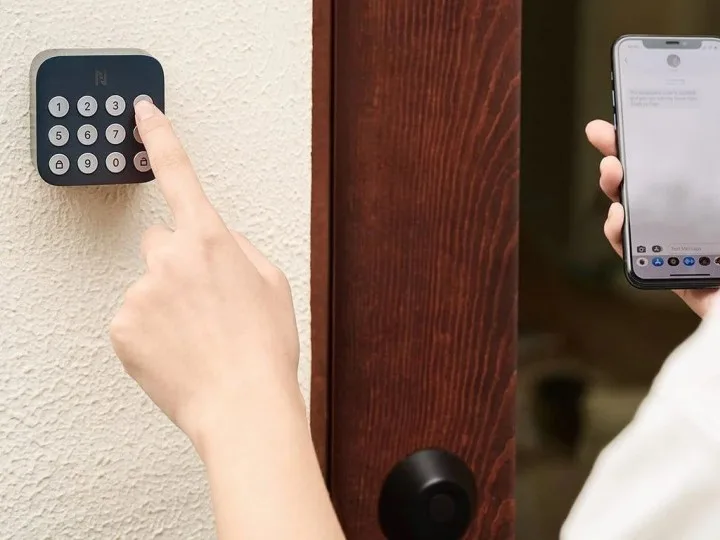
Many smart locks come equipped with the ability to set temporary codes—an incredibly beneficial feature for hosts. Instead of sharing your permanent passcode with all your visitors, you can set a temporary one that’s valid only for Thanksgiving. This allows friends and family to let themselves in when you’re busy, without giving them unrestricted access at other times. We have a detailed guide on creating temporary codes on the Yale Assure Lock 2, which is a process that’s similarly available for most other smart locks.
Utilize Quick Replies on your video doorbell
Ring
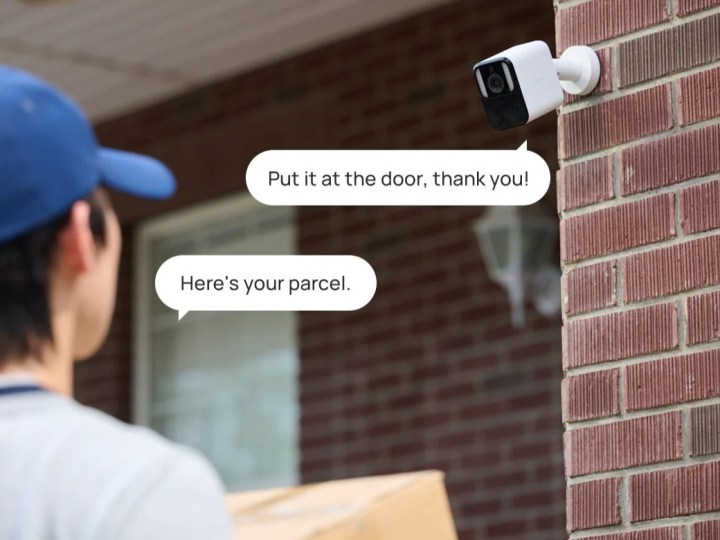
Enhance your doorbell’s functionality with Quick Replies. Once activated, these responses allow you to send a brief message to guests who ring your doorbell. For instance, you could choose a Quick Reply that informs them you’ll be there shortly or one requesting them to leave a message because you’re busy. Ring has recently introduced a collection of holiday-themed Quick Replies, so if you’re gearing up for the festive season, consider checking out this new set.
Build a cozy environment with smart lighting
Lutron
Smart lighting is crucial for any Thanksgiving event. Whether you aim to create a warm atmosphere for dinner, dim the lights for some football viewing, or brighten the room to locate those pesky food crumbs, smart lights are incredibly versatile. In addition to bulbs and string lights, under-cabinet smart illumination provides an excellent option. Recently, GE Lighting launched the Cync Smart Undercabinet Fixtures, which showcase your culinary creations beautifully. They can either be hardwired or plugged in, making them adaptable to various homes.
Engage your guests using a smart display
Amazon
Looking for a way to keep your guests entertained away from the main viewing area? A smart display can be the perfect distraction, enabling you to stream shows and play a variety of games. The Echo Show series stands out for its capabilities; as long as you have FireOS 5 or later, you can access games through Amazon Luna. Be sure to take a moment to explore the entertainment options offered by your smart display and make them readily available for guests.
Maintain optimal comfort with a smart thermostat
Ecobee
Depending on your location, the weather during this season can be quite unpredictable. Warm days can quickly transition to chilly evenings, doors might be opened for arriving guests, and all the cooking can raise the temperature inside your home. Regardless of the situation, a smart thermostat allows you to swiftly (and remotely) adjust the temperature in your home. Instead of stepping away from conversations or leaving the kitchen, you can conveniently adjust the settings with your smartphone. Whether your guests are bundling up in coats or shedding layers to cool down, you can effortlessly manage the temperature as needed.
In recent weeks, there has been a surge of speculation regarding Apple’s plans to create a smart display intended for home management. Reports suggest that the tech giant is working on two distinct models, one of which could incorporate a robotic arm and draw inspiration from the design of a classic Mac.
Recently, Bloomberg divulged intriguing information about the entry-level model’s appearance and functionality. This device is expected to feature a 6-inch display with a somewhat square shape, complemented by various sensors, including a horizontally mounted FaceTime camera.
The incorporated sensors will be capable of detecting an individual’s presence and proximity, adapting the display’s content accordingly. Additionally, the standalone smart display will be able to gauge the number of people in its vicinity, according to the report.
This device will operate on a novel OS dubbed homeOS. In addition to standard functions like video calling and smart home control, it will support essential Apple apps such as Notes, Safari, and Calendar. Furthermore, the design team at Apple is reportedly considering a user interface that resembles iOS widgets.
Apple’s smart display will serve as more than just a home control hub.Nick Mokey / Digital Trends
Music will also be a central feature of this new device, with the capability to control audio throughout the home using HomePod speakers, as per the details shared by Bloomberg. The touch interface will borrow elements from the Standby Mode of the iPhone and watchOS.
Moreover, this forthcoming device will emphasize intercom functionalities and blend in video communications similar to those available on smart home cameras. Users in various parts of the house will have the ability to conduct FaceTime calls for communication.
Homeowners will also have the option to check security footage from their connected cameras. Apple’s HomeKit will be the driving force behind its market strategy, and homeOS will introduce a revamped control center.
Despite its tablet-like appearance, Apple reportedly envisions it as a wall-mounted display. Currently under development with the codename J490, this device could make its debut in the first half of 2025.
Apple’s new device is set to integrate FaceTime into an intercom system.John Velasco / Digital Trends
Interestingly, this device is expected to significantly enhance Siri’s functionality, focusing on voice-driven interactions. The integration of Apple Intelligence will be a crucial aspect, providing an improved Siri experience alongside deeper application integration.
The smart display will also support Handoff, allowing users to seamlessly transfer tasks to different screens. Alongside native Apple applications like Safari, Mail, and FaceTime, several third-party apps will also offer similar support.
Apple is developing various attachments and accessories for this device, such as wall mounts and speaker bases. In terms of pricing, the company is reportedly aiming to align it with products like Google’s Nest Hub Max and Amazon Echo Hub, which both retail within the $250 range.
One of the most effective ways to begin transforming your home into a smart home is by installing either a smart garage door opener or a smart video doorbell. However, adding a smart lock is another excellent option. Why, you ask? Because it significantly enhances the functionality of your front door and deadbolt. With a smart lock, you can easily create temporary guest keys or passcodes to allow others access and then revoke these as needed. Say goodbye to hiding physical keys under doormats or flower pots! Additionally, you can grant delivery personnel temporary access to securely place packages inside your home instead of leaving them on your porch. When you combine a smart lock with a video doorbell or a security camera, you can see and communicate with visitors at your door seamlessly.
If that sounds appealing, pay attention! Anona, a smart home provider, currently has great deals on its Holo WiFi smart lock and Aurora 4K security camera — a perfect combo for everything mentioned. The Anona Aurora security cam recently won the Muse Gold Design Award in the security category, while the Holo smart lock boasts a straightforward installation process that only takes three minutes. Let’s delve into the specifics of these fantastic products.
Exploring the Anona Smart Home Devices: Holo and Aurora
Anona Holo WiFi Smart Lock
Anona
The Anona Holo WiFi smart lock offers a significant advantage: you don’t need to be tech-savvy to install it. The installation takes just three minutes, and there’s no need to replace your existing deadbolt. The built-in WiFi means you won’t require additional equipment or a separate bridge for connectivity. Once installed, you can enjoy keyless entry using your smartphone and a dedicated app or a keypad passcode. You can issue temporary guest keys or share access with friends and family as necessary. Advanced features include automatic locking, door status notifications, anti-peeping password protection, and real-time remote access to lock or unlock your door from anywhere.
The Anona Aurora 4K security camera is designed for outdoor use, making it ideal for placement near your front door as described previously, but it can be installed anywhere. It boasts color night vision and AI detection capabilities, allowing it to send alerts when it senses humans, vehicles, pets, or packages. These notifications are quick and seamless, letting you access real-time information through the camera app. There’s no need for a subscription fee, as 32GB of onboard eMMC storage provides a robust “free” capacity, making it one of the largest in the industry. You can retrieve your footage at any time without incurring extra costs, providing you with peace of mind when you need it most.
The regular price for the Anona Aurora 4K security camera is $120, while the Anona Holo WiFi Smart Lock is priced at $130. Fortunately, both products are available at special holiday discounts, along with an exclusive offer for readers. From now until December 15, you can use the code geteeranona to receive an additional 10% discount, which works alongside the existing promotions.
For instance, the Anona Holo smart lock bundle, which includes one keypad and one smart lock, is currently priced at $100. With the coupon code applied, you’ll only pay $90, effectively saving you a total of $80 off the original $170 bundle price.
Another fantastic deal is the Anona Aurora security camera set, which consists of the camera and a solar panel for power, normally priced at $150. Thanks to Black Friday pricing, it’s now available for $110, and if you apply the coupon code, you can grab it for only $100. If you’re only interested in the camera without the solar panel, it’s priced at $80, bringing it down to $72 with the coupon—a remarkable bargain.
When it comes to home security, installing cameras around your property is an effective way to enhance safety and monitor activity. With a multitude of options available today, choosing the right ones for your home can be overwhelming. Below, we will explore some of the best cameras suited for indoor and outdoor use, taking into account features, reliability, and user satisfaction.
Types of Security Cameras
1. Indoor Cameras
Indoor cameras are essential for monitoring the interior of your home. They can help keep an eye on kids, pets, or any unusual activity when you’re away.
Nest Cam Indoor
Features: 1080p HD video, night vision, two-way audio, Nest Aware service.
Best for: Integration with other smart devices and home automation.
Logitech Circle 2
Features: 1080p HD video, a wide 180-degree field of view, weatherproof design for flexibility.
Best for: Versatility in placement, both indoor and outdoor.
2. Outdoor Cameras
Outdoor cameras are built to withstand the elements while providing the necessary surveillance to deter intruders.
Ring Spotlight Cam
Features: 1080p HD video, night vision, built-in siren, and spotlight.
Best for: Active deterrence with features that allow you to interact with visitors remotely.
Arlo Pro 3
Features: 2K video resolution, color night vision, two-way audio, and a wireless design.
Best for: High-quality image clarity and flexibility in positioning due to its wireless capabilities.
Essential Features to Look For
When selecting the best security cameras for your home, consider the following features:
Resolution
Higher resolution cameras (1080p or higher) provide clearer images, making it easier to identify faces or license plates.
Field of View
A wider field of view means a larger surveillance area without needing multiple cameras. Look for models offering at least 130 degrees.
Night Vision
Essential for monitoring at night, infrared night vision lets you see clearly in low-light conditions.
Two-Way Audio
This feature allows you to communicate through the camera, which can be useful for interacting with visitors or pets.
Motion Detection
Many modern cameras come with motion detection technology, sending alerts when activity is detected.
Smart Features
Integrating smart technology into your security system enhances functionality. Consider models compatible with:
Smart Assistants: Such as Amazon Alexa or Google Assistant for voice control.
Mobile Applications: For remote live streaming and notifications.
Cloud Storage: For easy access to recorded footage.
Installation Considerations
Choosing the right cameras is only part of the equation; proper installation ensures they work at their best.
Positioning: Aim for angles that cover critical entry points such as doors and windows.
Height: Place cameras high enough to avoid tampering but at an angle that captures faces.
Lighting: Ensure cameras are positioned to minimize glare and maximize visibility.
Recommended Combos for Full Coverage
To achieve comprehensive surveillance around your home, consider a combination of indoor and outdoor cameras. Here’s a suggested setup:
1 Indoor Camera in the living room.
2 Outdoor Cameras for front and back entry points.
1 Additional Camera for monitoring the garage or any side entrances.
With the right cameras in place, you can significantly improve your home’s security, keeping your loved ones and belongings safe. Be sure to evaluate your specific needs and budget to find the best solutions for your surroundings.
My home is filled with smart gadgets, and I primarily control them through my smartphone. This reliance on a mobile device works well most of the time, as it’s always within reach—whether I need to turn on my smart lights, adjust my air purifier, or change the thermostat, I can usually handle these tasks with a few taps. However, having a physical button to execute these actions would be much more convenient. Instead of navigating through apps, having a simple remote would make things quicker and easier, similar to how one operates a television.
This is the idea behind the Linxura Smart Controller. This disc-shaped device allows you to perform numerous actions with just the press of a button. After connecting it to your smart devices, you can essentially ditch the companion apps. A simple tap or double-tap on its outer ring can activate a wide array of products. I’ve been trying it out at home, and while I find it to be an entertaining addition, it does have some shortcomings. However, if you’re looking for a physical remote for your smart home, this gadget is certainly worth considering.
Straightforward but Time-Consuming Setup
Linxura
Linking smart devices with the Linxura Smart Controller is simple. Its e-ink display is sharp and clear, while the outer ring rotates and clicks, offering diverse ways to adjust your settings. You can connect it to your other smart devices using a process similar to setting up automations. For instance, after linking it to my Google Home account, I was able to create a program that lets me tap the outer ring to turn the lights on and double-tap to turn them off. The intuitive Linxura mobile app guides you through most of the steps, making it user-friendly for those unfamiliar with automations or routines.
This controller can map four devices to its four buttons, and the rotating ring allows you to navigate through 13 screens—providing ample space to assign your most frequently used actions.
While the setup is clear-cut, it can be incredibly time-consuming. Not only do you have to connect Linxura with each app, but you must also program every single action. This process can be quite lengthy and demands a fair bit of patience. Once configured, the e-ink screen displays icons and text that indicate what each button does, making it easy for other household members to understand which button to press.
Linxura has expanded its functionality since its launch in 2023, now supporting platforms like Google Home, Alexa, Yale, IFTTT, August, Philips Hue, and SmartThings. While there are some limitations in terms of functionality within these apps, all of the essential features are available. The compatibility with Google Home is particularly impressive, though the range of actions for some devices may not be as extensive as those found in their dedicated apps, meaning you might only be able to perform basic tasks like turning devices on or off.
A Good Fit for Many Smart Homes
Jon Bitner / Digital Trends
Despite its few limitations, the Linxura Smart Controller could be a valuable addition to most smart homes. As long as you don’t need complex routines at the touch of a button, you’ll find it helpful. The convenience of having a physical button that allows anyone in the household to easily adjust the lights, stop a robot vacuum, or change the thermostat is undeniably beneficial.
I have noticed some lag in its performance, with certain actions taking a few seconds to register. For instance, switching on my lights can sometimes take nearly three seconds after pressing the button, and some users have reported even longer delays for other commands. While this isn’t a deal-breaker, it would certainly be preferable if communication between the Linxura and its connected devices were a bit more responsive.
Overall, I’ve found the Linxura to be a useful addition to my home setup. Its design may feel a bit bulky, but its buttons and spinning dial are enjoyable to use. Priced at $100, it is on the expensive side, but anyone looking for a fresh way to control their smart devices might find it to be an exciting addition to their home.
Smart homes have evolved significantly over the years, yet we haven’t quite achieved the futuristic level seen in classic sci-fi films, where people could converse directly with their home’s AI. However, thanks to Google, that reality might be closer than you think. The company is developing a way for its Gemini AI to interact with your smart home devices, allowing you to adjust settings using everyday language.
Current Testing Phase for Google Gemini’s Home Integration
Jowi Morales / MakeUseOf
According to an announcement on Google Nest Help, the latest Public Preview version of the Google Home app introduces an exciting extension for Gemini:
With the new Google Home extension, you can now manage your smart home devices through the Gemini mobile app.
For example, you can say or type:
“Turn on/off all the lights.”
“Help me clean up the kitchen.” (to activate the vacuum).
“Set the thermostat to heat-cool mode.”
At first glance, these commands may seem like those you’d typically give to a standard Google Home device. However, since Gemini is powered by a large language model (LLM), it understands natural language inputs. This allows it to grasp context and determine the best response to your requests.
For instance, in Google’s guide on using Gemini to control your smart home, the company explains that if you say, “The living room is too bright,” Gemini will adjust the window coverings. Alternatively, if you request, “Set the dining room for a romantic date night,” Gemini will do its best to create that ambiance.
However, there are some limitations to this new feature. Currently, Gemini can only process prompts given in English, and it cannot interact with any security devices. If that doesn’t deter you, find out how to join the Google Home Preview Program and be among the first to experience this innovative feature.
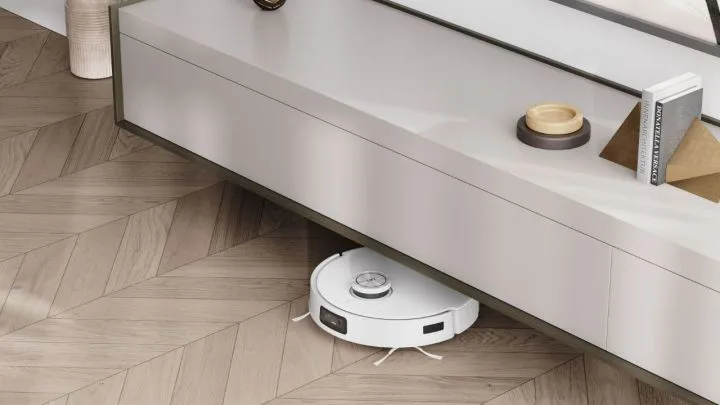
While there’s always a fear that machines might someday rebel against us, the most recent incident involving robotic vacuums suggests the culprit is likely just a bored teenager. According to a report from ABC News, owners of the Ecovacs Deebot X2 in several cities fell victim to a cyberattack. The attack enabled hackers to take control of these vacuums, resulting in them spewing hateful language at families and even targeting pets.
The incidents occurred in May across locations including El Paso, Texas; Los Angeles; and parts of Minnesota. Daniel Swenson, one of the affected users, stated that his robotic vacuum started emitting a garbled noise reminiscent of a “broken radio signal.” He could hear snippets of a voice, and after performing a reset, the device once again emitted the sound of a teenager shouting racial slurs. Fed up, Swenson chose to simply turn off the device instead of resetting it again.
This alarming incident raised concerns that the hackers might be attempting to infiltrate other smart home systems. Fortunately, Ecovacs discovered the breach and confirmed that it stemmed from a “credential-stuffing event” linked to a single IP address in a suspicious location.
Ecovacs
It appears that the hacker was likely masking their IP address to evade detection. If this was merely a prank, there’s a strong chance it could happen again, as the solutions implemented by Ecovacs are only a temporary fix. Security experts have previously attempted to discuss vulnerabilities with the company.
Though disruptive, this incident could have escalated to an even more serious violation of privacy. Many robotic vacuums are equipped with cameras, which malicious actors could exploit to surveil homes without raising alarms. This is particularly concerning for parents when it comes to protecting their children. Ultimately, the situation seems to stem from a recognized security flaw, but there are several proactive steps you can take to minimize the risk of experiencing something similar.
Ensure that all your smart home devices are regularly updated and enable automatic updates whenever possible.
Using a lawn mower can be a calming experience, that is, until your outdated mower makes it a challenge. Fortunately, you can find a new mower at a reasonable price, even among budget-friendly models that come with many convenience features not available just a few years ago. To help you out, we’ve put together a list of some great lawn mower bargains, including advanced robotic mowers that are worth your attention.
The Litheli lawn mower offers a respectable 13-inch cutting width for the price. Its 30L grass bag means less hassle for you, allowing you to mow longer without frequent stops. You also benefit from five cutting height adjustments, ensuring you can achieve the perfect grass length, and it includes a portable 4.0Ah battery for your convenience.
PowerSmart 144cc 2-in-1 Gas Mower — $224, previously $370
PowerSmart
This gas-powered mower boasts a 144cc OHV 4-stroke engine, delivering impressive power for its 21-inch steel deck and unique blade. It includes five height settings to help you adjust the cut to your specific needs. The two-in-one capabilities allow for both mulching and side discharge, making it versatile for thicker or grassier areas. Plus, it comes with an exceptional three-year limited warranty.
YardMax 21-in Walk Behind Push Lawn Mower 170cc Gas — $260, previously $301
YardMax
This push mower is gas-powered and features a 21-inch deck, with options for side discharge and mulching. You can easily switch among seven cutting heights with its robust 11-inch rear wheels, perfect for navigating tough terrains. It’s an excellent choice for small to medium yards with light obstacles.
Greenworks 40V Lawn Mower — $324, previously $380
Image used with permission by copyright holder
The Greenworks 40V 20-inch cordless lawn mower is a great option for those already invested in the Greenworks ecosystem. It’s tailored for lawns up to half an acre and features additional battery storage, along with bagging and mulching modes. This mower even stands out with its ability to store vertically. The key differences compared to other models include being self-propelled, which lightens your workload, and its extensive 20-inch cutting width. That extra reach becomes truly valuable when maintaining larger lawns.
If you’re looking for the flexibility that comes with a cordless model, this 21-inch mower from Greenworks is a practical option. Designed for smaller lawns, it provides a 45-minute run time on a single charge, features a brushless motor for quieter operation, and its 16-inch cutting deck ensures effortless maneuverability. The package includes a 730 CFM blower and a 13-inch string trimmer as added perks.
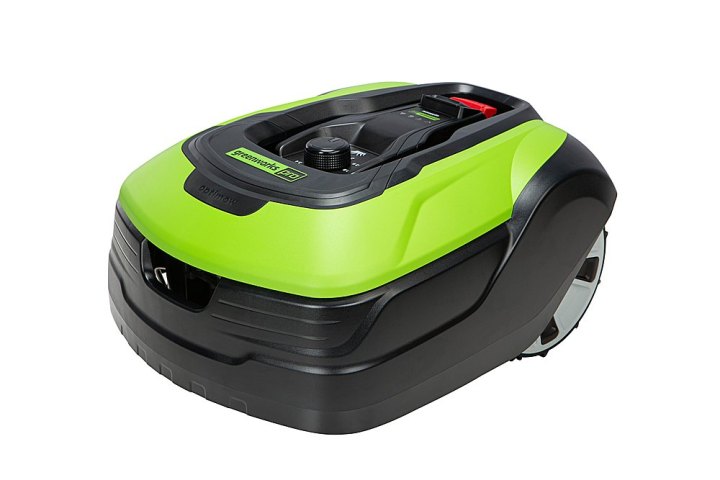
If you need coverage for a larger yard, the Greenworks Optimow can efficiently maintain up to half an acre. It’s capable of tackling slopes of up to 22 degrees and offers adjustable cutting heights ranging from 2.4 to 4 inches. You can control it remotely through the Green Guide app, which adds convenience, especially with a complimentary two-year membership that comes with the purchase.
The Husqvarna Automower is an autonomous lawn mower capable of managing up to 0.8 acres on its own. It efficiently completes the task in about an hour, operating for 145 minutes on a full charge. Once finished, it uses GPS to find its way back to the charging dock. You can adjust the cutting height between 2 to 3.6 inches, and it includes sensors to avoid obstacles. With smart controls, you can manage everything from scheduling to tracking its activity, and it’s easy to install.
If you’re seeking a robotic mower for a larger lawn, consider the N2000, which is designed to cover 1.5 acres. It features an adjustable cutting height ranging from 0.8 to 3.5 inches, and you won’t need to install containment wires—just define the boundaries during the first use. It’s an advanced robotic mower that simplifies the task of lawn maintenance.
Tips for Choosing an Affordable Lawn Mower
Robomow
Pros and Cons of Different Lawn Mower Types
Gas-powered mowers: Typically more cost-effective and powerful, they work best for tough, dense grass and can be used anywhere, provided you have gas. However, they require more maintenance and can be louder than electric models.
Corded electric mowers: The most budget-friendly electric options, they require a power cord, which may limit portability. They are easy to maintain and start up quickly but can be less convenient with cable management.
Cordless electric mowers: Offering greater mobility, these models allow you to mow even in areas without electrical outlets. They often feature battery save modes and can share batteries with other compatible tools.
Robotic mowers: Automated and quiet, these are gaining traction in the U.S. They can navigate around obstacles and can be controlled via smartphone apps. Although initially pricier, prices are expected to become more affordable in the coming years.
Key Factors When Selecting a Lawn Mower
When shopping for a lawn mower, consider your needs, the size of your lawn, and the features that are most important to you. Your choices will likely vary based on personal habits and the terrain of your property.
Your lawn: Smaller lawns may not require a powerful mower, while larger areas with challenging terrain might. The type of grass can also influence your decision.
Power source: Choose between gas, corded electric, cordless electric, or robotic based on your specific requirements and preferences regarding convenience and power.
Deck width: A narrower deck allows for easier navigation around obstacles, while a wider cutting path can make mowing quicker overall.
Push versus self-propelled: Push mowers are generally lighter and more affordable, while self-propelled mowers can take away much of the effort needed for inclines.
Clipping discharge: Options include bagging, mulching, and side discharge. Your choice will depend on your desired lawn appearance and maintenance preferences.
Cutting height settings: Most mowers provide several height settings to cater to your grass type or personal preferences, with manual adjustments being the most common.
Updated on 10/3/24: Our initial edition featured discounts available during Best Buy’s “Member Deal Days” event. We’re refreshing it now with offers outside of that event to provide a comprehensive overview of current deals. Keep in mind that the $50 bonus reward for purchases of $500 or more is still valid for Best Buy Plus or Total members, as it wasn’t limited to the Member Deal Days event.
As Amazon’s Prime Big Deal Days event kicks off on October 8 and 9, Best Buy has an opportunity to shine with sales and draw in shoppers. Best Buy Plus and Total members can score a $50 bonus reward on purchases of $500 or more from now until October 20. This makes checking out Best Buy’s deals worthwhile, especially if you’re eyeing items from events like the Dell Prime Big Deal Days. We’re highlighting the most appealing deals to streamline your shopping experience and minimize comparison searching.
Best Buy’s Top TV Deals
A more extensive selection of deals can be found in our dedicated Best Buy Big Deal Days TV Deals article, where we’ll offer a broader range of options. However, let’s start by showcasing some of the standout deals here.
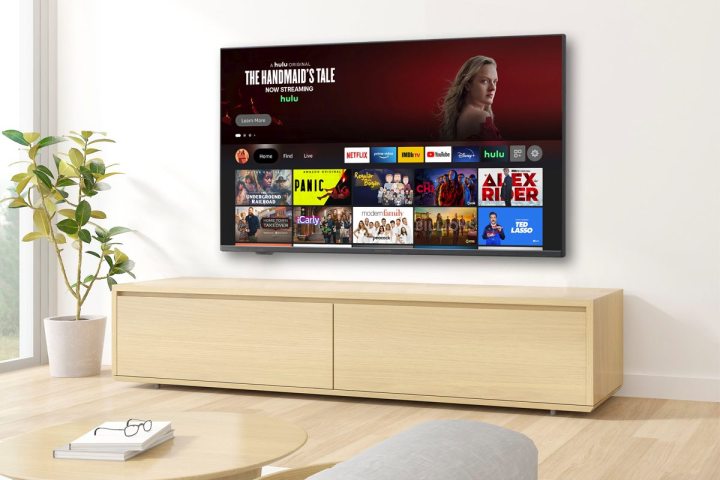
Insignia 50-inch Class F30 Series 4K — $190 $30037% off
As Best Buy’s in-house brand, Insignia often has unbeatable deals. This TV features a significant discount of $110, making it an excellent choice without any frills. While it won’t qualify you for the $50 bonus for a $500 purchase, it’s perfect if you’re simply looking for a reliable TV. If you’re curious about how this 4K Fire TV stacks up against competitors, check out our top budget TV recommendations.
TCL 65-inch Class Q6 Q-Class 4K QLED — $450 $50010% off
Phil Nickinson / Digital Trends
This model stands out for budget gamers. Previously praised as a value option for Xbox gamers, this sale reaffirms its status. Our review highlights its suitability for average viewers who aren’t too focused on refresh rates or dimming zones. If this doesn’t resonate with your viewing habits, there are other choices to explore.
Sony 65-inch Class Bravia 8 OLED 4K (2024) — $1,900 $2,80032% off
Sony
This new 2024 model strikes a balance in the current array of deals. It’s a robust OLED television without reaching the extreme price points of more extravagant models, ensuring satisfaction for most users. Currently, it holds an impressive 4.9-star rating on Best Buy from over 100 customer reviews, even at a steeper price before this discount.
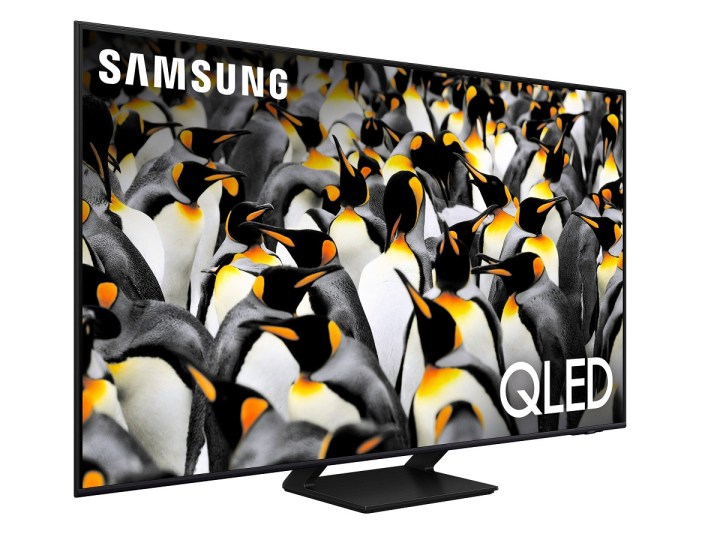
Samsung 65-inch Class Q70D Series QLED 4K (2024) — $800 $1,30038% off
Samsung
As an entry-level QLED, this 2024 release offers features like Samsung TV Plus with over 2,700 free channels and the Samsung Gaming Hub for console-free gameplay. The $500 discount enhances its appeal.
LG 83-inch Class G4 Series OLED evo 4K (2024) — $5,800 $6,50011% off
Zeke Jones / Digital Trends
Highly regarded as LG’s premier OLED model, this TV has been declared by our review as the brand’s finest offering, justifying its price. With a considerable $700 discount applying now, it’s a compelling option for high-end buyers.
Best Buy’s Top Laptop Deals
For those seeking a new laptop for school, work, or personal use, Best Buy offers an impressive selection of quality laptops, including gaming and high-end models. Here are some standout options presently available.
HP 14-inch Laptop Intel Celeron — $170 $20015% off
HP
This basic Windows laptop, while reminiscent of high-performing Chromebooks, provides 128GB of eMMC storage. It’s a great option if you’re looking for an affordable device for browsing and productivity.
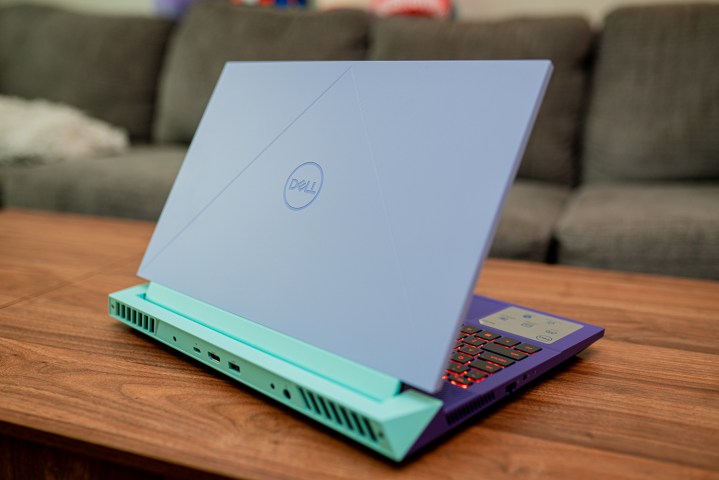
Dell G15 — $920 $1,15020% off
Jacob Roach / Digital Trends
This hybrid laptop is ideal for both work and gaming. It’s regarded as one of the best budget options for back-to-school gamers due to its competitive price, performance, and sturdy build. Take advantage of a current 20% discount!
HP Omen 16 with RTX 4060 — $1,000 $1,30023% off
Jacob Roach / Digital Trends
This model of the HP Omen 16 is equipped with an RTX 4060 for a competitively priced $1,000. Unlike pricier configurations previously reviewed, this version maintains an elegant design, a responsive keyboard, and ample connectivity options.
Apple MacBook Air M2 (512GB SSD version) — $1,049 $1,19913% off
Luke Larsen / Digital Trends
While some shoppers might consider downgrading to the 256GB version for savings, be aware that the performance of that model is lacking. Our buying guide emphasizes that the 512GB version is the superior choice, combining storage with speed for the best overall experience at Best Buy right now.
HP Spectre x360 14 — $1,350 $1,90029% off
Mark Coppock / Digital Trends
This versatile 2-in-1 device offers a stunning 2.8K OLED touchscreen and features 32GB of RAM along with 2TB of SSD storage. According to our review, the HP Spectre 14 combines speed and elegance, now priced in the mid-range despite its premium features.
Additional Noteworthy Deals at Best Buy
Best Buy offers a wide variety of products beyond just electronics, from kitchen appliances to smart home devices. Here’s a look at some enticing sales available now.
While not delving deep into Apple deals, there are noteworthy savings on slightly older models. The iPad 9 has a $100 discount, representing a great balance of quality and affordability, as discussed in our review.
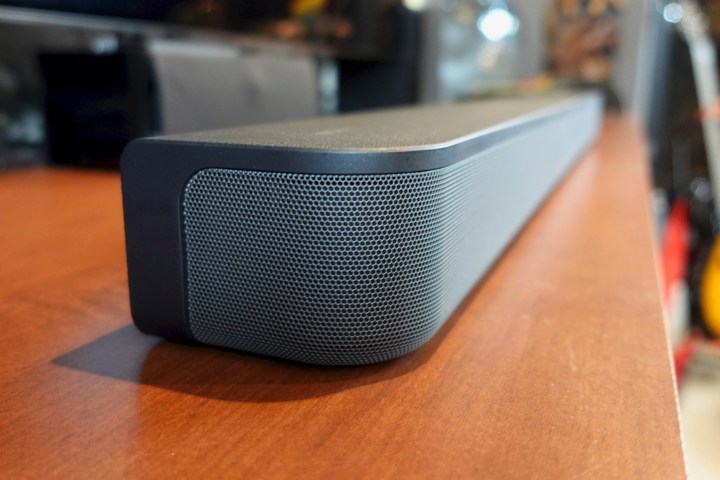
Sony HT-S400 — $260 $30013% off
Simon Cohen / Digital Trends / .
This soundbar and subwoofer combo boasts an easy setup and exceptional sound clarity. However, our review noted that it was somewhat overpriced, making it an attractive option to reconsider during a sale.
Insignia Adjustable Standing Desk with Electronic Controls — $300 $37019% off
Insignia
If you’re looking for a way to maintain a healthier posture while working from home, this electronic adjustable desk makes height adjustments easy and fits into any workspace. It accommodates heights from 28.7 to 48.4 inches and measures just over 55 inches wide.
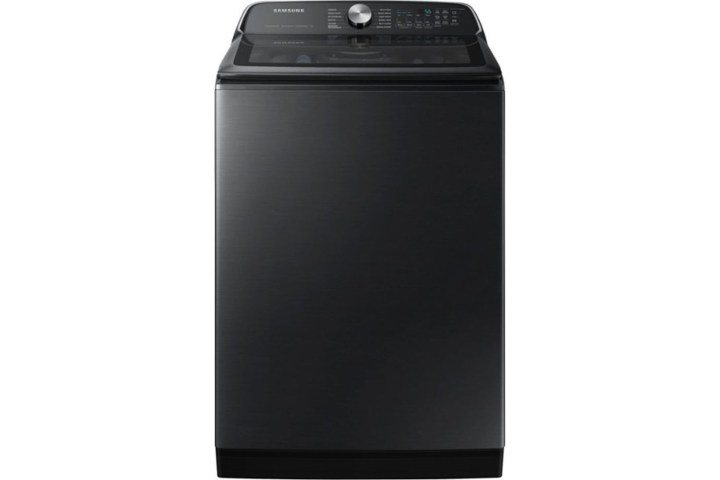
Samsung 5.5 Cu. Ft. High-Efficiency Smart Top Load Washer — $699 $1,10036% off
Samsung
This efficient washer completes a full load in just 28 minutes. If you’re prone to forgetting laundry, the SmartThings integration sends reminders to keep you on track. Explore all features of this smart washer while it’s under $1,000.
Greenworks Optimow Robotic Lawn Mower — $1,000 $1,60038% off
Greenworks
This robotic lawn mower works like a Roomba for your yard, designed for lawns up to 3/4 of an acre—approximately 80 feet by 400 feet in size.
Tips for Shopping at Best Buy During Prime Big Deal Days
During this shopping event, Best Buy frequently matches Amazon’s prices, but be aware that exclusive offers may arise from either retailer. These discrepancies will likely occur before and after the main dates of Amazon’s event (October 8 and 9).
If you find similar prices and deals, is there still a reason to shop Best Buy? Absolutely!
Best Buy offers a convenient trade-in program and also provides a $50 bonus for Best Buy Plus and Total members who spend $500 or more during this promotional period—making it a beneficial time to shop at Best Buy over Amazon for eligible members.
Selection Process for Deals Featured Here
At Digital Trends, our dynamic team of reviewers and product researchers collaborates to curate this list. Our process utilizes extensive reviews, detailed buying guides, and personal expertise to select these highlighted deals.
The items showcased were chosen for their appeal to diverse customers, competitive price points, favorable comparisons with similar products, or simply to bring attention to unexpected necessities that are currently discounted.
While the descriptions may be concise, we encourage you to check out our reviews, buying guides, and competitive analyses for deeper insights.
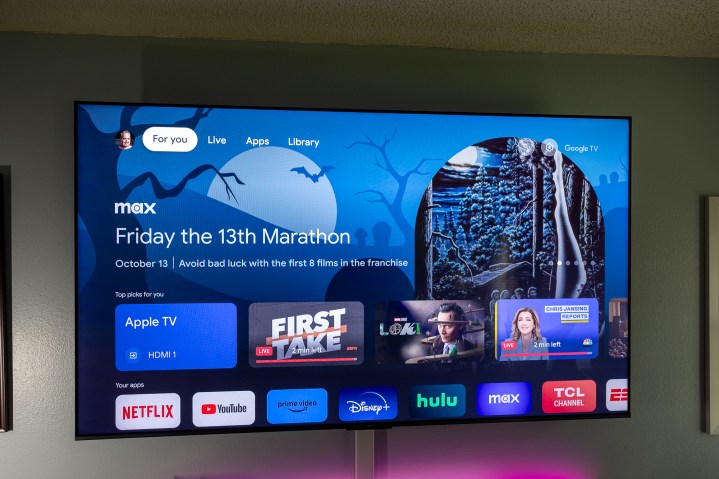
The Google TV Streamer represents the newest streaming video solution from Google. It succeeds the Chromecast with Google TV, introducing enhanced features that enable it to function as a full-fledged smart home hub.
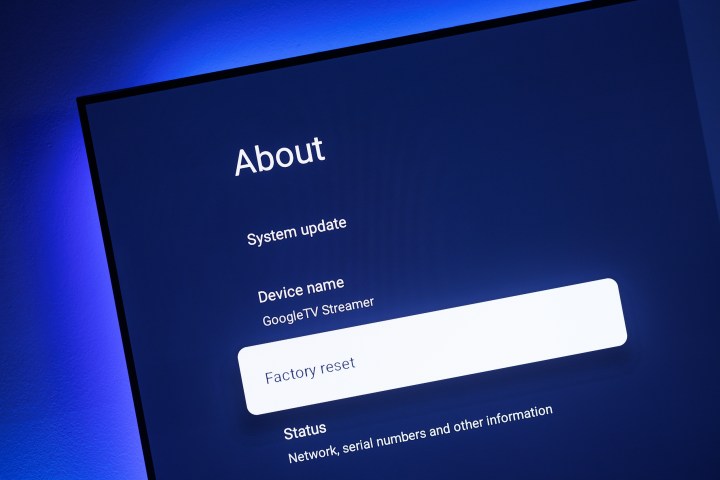
While you probably won’t need to do this very often, knowing how to perform a factory reset on the Google TV Streamer can be quite beneficial. Whether you’re looking to erase everything for a fresh start or if your device is experiencing issues, the option to reset is crucial. We provided a brief overview of the reset process in our complete Google TV Streamer review, but we’ll outline the detailed steps here.
The Simple Method
You have two options for factory resetting your Google TV Streamer. The first method involves a small button located on the back of the device, making it exceptionally straightforward.
Note: This method lacks any confirmation steps. You won’t be prompted to verify your choice to reset the device; it will proceed immediately.
Step 1: Find the button on the left side at the back of the Google TV Streamer.
Phil Nickinson / Digital Trends
Step 2: Press and hold the button for approximately 14 seconds. At first, you’ll see a prompt about connecting a Bluetooth device. Continue holding the button until the on-screen reset process begins.
Step 3: Relax and allow the Google TV Streamer to complete the reset.
The Alternative Method
Honestly, it’s perplexing why anyone would opt for this second method considering how easy the first one is. Yet, if you feel inclined to navigate through the settings menu for resetting your Google TV Streamer, here’s how to go about it.
Step 1: Take your remote control and press the Home button. Follow up by selecting the center Select button to enter the settings menu.
Phil Nickinson / Digital Trends
Step 2: Navigate down to System and then select About.
Phil Nickinson / Digital Trends
Step 3: Scroll to Factory Reset and press the center select button on the remote. Confirm that you wish to proceed with the reset.
And there you have it. Two distinct methods for a factory reset on the Google TV Streamer. One involves simply pressing the button on the back of the device for 14 seconds, while the other requires multiple button presses on the remote as you navigate through the settings menu.
Both methods are effective. Choose the one that works best for you.
No matter your shaving needs—whether you’re tidying up some light stubble or managing a full beard—there comes a time when a good shave is essential. Currently, Target is offering a Panasonic wet-dry electric shaver inspired by the Star Wars Stormtrooper for just $100, down from its original price of $150. This deal saves you $50 and delivers a uniquely designed grooming tool. Sure, you might not need a shaver modeled after a Stormtrooper, but there’s more to this device that makes it impressive. It features a three-blade shaving system, a high-speed linear motor, and an advanced beard sensor that automatically adapts its power based on your beard’s thickness. So, if you have a more substantial beard, the shaver provides extra power when necessary. It’s also washable and comes with a pop-up precision trimmer for detailed grooming.
What makes the Star Wars Stormtrooper-themed wet-dry electric shaver a great purchase?
Panasonic
First off, it’s undeniably stylish. The front of the shaver is designed to resemble the iconic helmet of a Stormtrooper, complete with buttons and decorations that evoke the Empire aesthetic. But it’s not just about aesthetics, even if you’re a die-hard Star Wars fan.
This shaver excels as both a wet-dry grooming tool and a beard trimmer, equipped with impressive features. The built-in beard sensor optimizes the power based on how thick your beard is, eliminating any guesswork on your part. Additionally, a pop-up precision trimmer at the back of the head allows for more intricate grooming, perfect for shaping or detailing as needed.
With its three-blade cutting system sharpened at a 30-degree angle and powered by an ultra-fast motor, you can achieve a smooth shave effortlessly. Whether you prefer a wet shave or a dry shave, this shaver is waterproof, so you can use it in the shower with confidence. It also includes a travel lock feature to prevent accidental activation while packed away. On a full charge, the battery lasts up to 45 minutes, and if you’re in a rush, a quick 3-minute charge will give you just enough power for a complete shave. You won’t have to worry about missing spots, either; this shaver gets close to your skin for a thorough grooming experience.
After its regular price of $150, you can snag this Panasonic wet-dry electric shaver for only $100, a deal worth considering quickly since stock seems limited in many locations.
Top Smart Home Companies that will automate your home in [year]. Home Automation is being adopted by many households to make it energy-efficient and make it more secure.