Tag: iPhone 16

  • Charging iPhone 16 With USB-C And Connecting Accessories

    Charging iPhone 16 With USB-C And Connecting Accessories

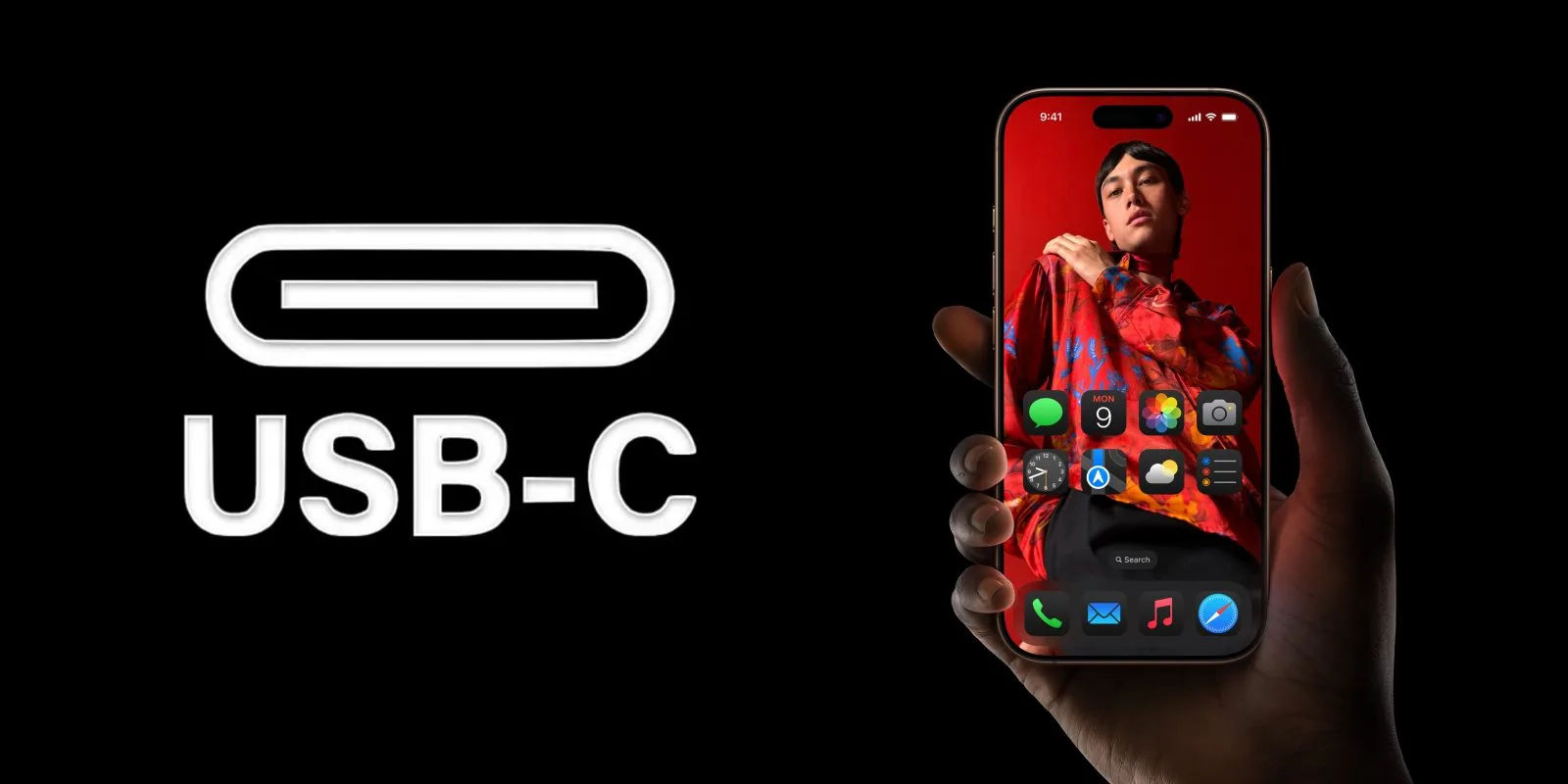
    Every model in the iPhone 16 lineup comes equipped with a USB-C connector, marking a shift from the traditional Apple Lightning port. This new USB-C interface allows for seamless compatibility with a wide range of accessories and external devices. Specifically, the iPhone 16 Pro and iPhone 16 Pro Max are capable of achieving USB-3 data transfer speeds of up to 10 Gbps via this port.

    Thanks to USB-C, connecting displays, external storage devices, cameras, and using a single cable for charging across your gadgets has never been easier. Here’s an overview of how to maximize the capabilities of your iPhone and its new connection type.

    This guide is specifically designed for individuals upgrading to the iPhone 16 from older iPhone models. Nonetheless, current iPhone 15 users will also find this information relevant as it also supports the transition to USB-C.

    Generally, USB-C is built on a standards-based framework, eliminating the need for specialized certifications. iOS automatically recognizes many accessory types that are plugged into the port.

    However, it’s important to note that not all USB-C cables are created equal. Some cables are designed solely for charging, while others support data transfer as well. To fully benefit from the rapid transfer speeds available with the Pro models, ensure you’re using a USB-3 rated cable.

    Universal Charging with USB-C

    Equipped with your new iPhone featuring a USB-C port, you can nearly use a single cable to charge all of your devices. All recent iPads and Macs have adopted USB-C for charging needs over the past five years. While the latest Macs include Apple’s MagSafe charger, they can still be powered through their USB-C ports. The newest Apple TV remote also employs USB-C, and Apple has unveiled the new AirPods 4 and AirPods Max with USB-C charging as well.

    Your iPhone 16 package includes a premium quality woven USB-C charging cable. Note that this cable supports charging only; if you need more features, Apple provides its own range of USB-C charge cables for purchase, alongside numerous affordable options from third-party brands. You can charge comfortably with any USB-C power brick, including this efficient dual charger from Anker.

    Power Other Devices with Your iPhone 16

    The iPhone 16 lets you recharge attached accessories with ease. If your AirPods case is low on battery, simply plug it into your phone, effectively turning your iPhone into a portable power source. You can even assist a friend by charging their iPhone just by connecting both devices with a USB-C cable.

    Connect to External Displays with Ease

    USB-C on the iPhone 16 allows for direct output to external displays. Using a USB-C to HDMI cable, you can mirror your iPhone screen on a 4K TV or monitor.

    For extended activities, such as gaming on larger displays, consider obtaining the Apple USB-C Digital AV adapter. This versatile adapter enables connections for HDMI, power input for continuous charging, and additional USB-C passthrough in a single device.

    Expand Your Storage with Portable USB-C Devices

    Simply connect a USB-C hard drive or SD card reader and access files directly through the Files app on your iPhone. If you’re on vacation and taking photos with a camera, you can conveniently import those images to the photos app using the SD card.

    The camera app on the iPhone 16 Pro enables you to record ProRes 4K video at up to 120 FPS directly onto a USB-3 storage device. ProRes yields uncompressed video, resulting in large file sizes, so connecting a 1 TB portable SSD will allow for extended recording periods. This requires a USB-3 cable (not just a charging cable) to utilize the maximum 10 Gbps transfer speeds which the A18 Pro chip supports.

    Connect Hardware Keyboards and Wired Internet

    The USB-C port on the iPhone seamlessly accommodates almost any standard plug-and-play accessory without the need for special drivers or setup. For instance, simply connect a USB keyboard and it will function right away.

    For on-the-go podcasting, you can utilize a mini USB-C microphone. To ensure stable and fast internet, a USB-C to Ethernet adapter can be used. Plus, if you own a MIDI keyboard, composing music using GarageBand or other creation applications is conveniently possible.

    Wired Headphones Compatible with Your Phone and Computer

    While many have transitioned to wireless audio solutions like AirPods, if you prefer a wired headset, the process is now much simpler with your iPhone featuring the same port as your Mac.

    The iPhone 15 is compatible with any USB-C headphones, including Apple’s USB-C EarPods. These headphones can be used across any computer with a USB-C connection, enabling you to use the same wired buds with your iPhone, iPad, and Mac.

    Connect Multi-Port Hubs

    USB-C’s flexibility permits both data and power transfer over a single port, allowing you to carry a compact multi-port hub or dongle that includes various types of connectivity options. These hubs are extremely useful for both iPad and Mac devices and are now compatible with the iPhone as well.

    For instance, the Anker 5-in-1 hub, available for $25, will connect to the USB-3 port on the iPhone 16 Pro, providing options to connect external displays, power accessories, attach USB devices, and more simultaneously.

    Keep in mind that while the iPhone provides a maximum of 4.5 watts to power the hub, more energy-intensive accessories might require an additional external power source.
  • iPhone 16 Pro Durability Tests Reveal Weaknesses in Bezels

    iPhone 16 Pro Durability Tests Reveal Weaknesses in Bezels

    The iPhone 16 and iPhone 16 Pro have officially launched, sparking the first wave of durability tests. If you’re interested in how Apple’s latest flagship devices fare against drop tests, knife tests, and other challenges, check out the links below.

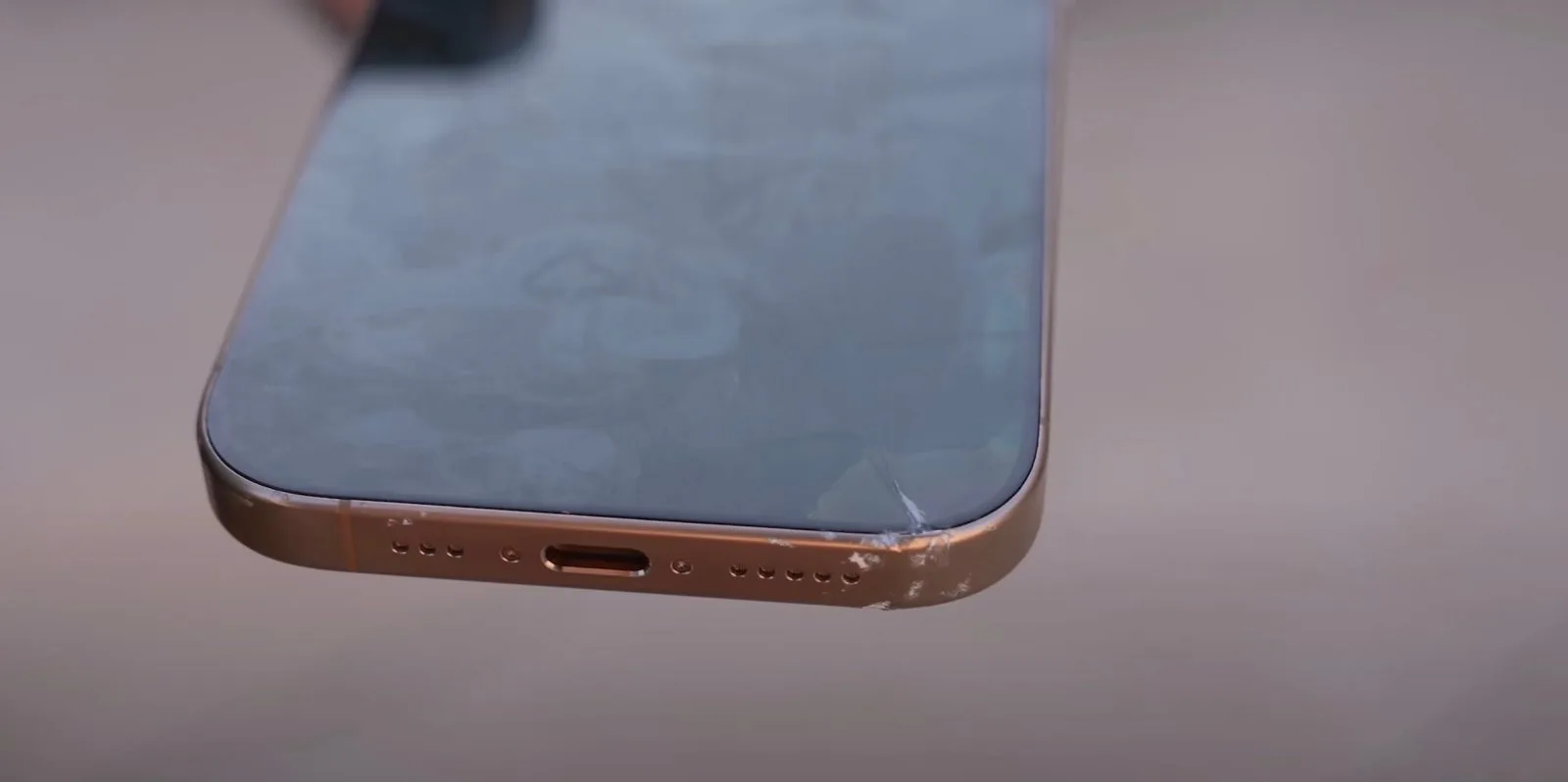
    Our acquaintance, Sam Kohl, made the trip all the way to Australia to be among the first to evaluate the durability of the iPhone 16 Pro. During his thorough tests, Sam identified a potential downside related to the iPhone 16 Pro’s slimmer bezels. He observed that during drop tests, impacts to the edge significantly affected the display’s functionality, even though the glass itself did not crack or shatter.

    “With the iPhone 16 Pro, the thin bezels could be problematic. If it takes a corner impact, even minimally touching the edge, the display appears to be quite fragile compared to the 15 Pro.”

    Throughout ongoing tests, Sam noted that overall damage to the iPhone 16 Pro was “far less severe” in comparison to its predecessor, the iPhone 15 Pro.

    TechRax also shared a durability test featuring the iPhone 16 Pro, using a hammer and knife on the latest model. Unsurprisingly, the results were quite similar to those from previous iPhone models. The knife can scratch the titanium edges over time, while a hammer will eventually shatter the back of the device. Hitting the screen with a hammer will similarly lead to breakage.

    Check out the footage for yourself:

    We will continue to update this post as more durability and drop tests for both the iPhone 16 and iPhone 16 Pro become available in the coming days. We also anticipate the release of initial teardown videos soon.

    In the meantime, have you purchased a new iPhone 16 or iPhone 16 Pro? If so, what are your impressions thus far? Share your thoughts in the comments below.

    Top Accessories for iPhone 16

  • Essential Tools To Replace Your iPhone 16 Battery

    Essential Tools To Replace Your iPhone 16 Battery

    On the launch day of the iPhone 16, Apple is marking the occasion with several exciting steps, including the release of a new battery repair guide. While it’s hoped that buyers won’t need a battery replacement right away, this guide provides essential tools to have ready for the future.

    Enhanced Repairability

    Over the years, Apple has focused on maximizing the lifespan of its iPhones, and it seems that their commitment is becoming even more pronounced with each new model. The iPhone 16 boasts improvements that contribute to its status as the most repair-friendly device Apple has created to date, including the innovative Repair Assistant feature.

    The recently released battery repair guide is a significant addition. It offers a detailed, step-by-step process complemented by helpful photos to ensure accuracy during repairs.

    Included in the guide is a comprehensive list of eight essential tools you will need:

    1. 9-volt battery
    2. 9-volt battery clips (923-10726)
    3. Battery press (923-02657)
    4. Ethanol wipes or isopropyl alcohol (IPA) wipes
    5. Nylon probe (black stick) (922-5065) or suction cup
    6. Safety glasses with side shields
    7. Sand
    8. Sand container

    Making iPhone Battery Repairs Commonplace

    Apple cautions that battery repairs should only be attempted by professionals who possess the necessary skills and experience to manage electronic device repairs.

    Nonetheless, it’s quite impressive that Apple is offering this valuable information to the general public.

    While I personally don’t intend to take on my own battery repairs, those who are inclined to try will find this guide helpful in preventing potential damage during the process.

  • Apple Fifth Ave Lights Up for iPhone 16 Launch

    Apple Fifth Ave Lights Up for iPhone 16 Launch

    The iPhone 16 is just around the corner! Following the commencement of pre-orders last week, the latest iPhones will officially hit retail stores tomorrow, September 20. To mark this special occasion, Apple’s iconic Fifth Avenue location in New York City has been illuminated in the vibrant hues representing Apple Intelligence.

    Apple Fifth Avenue Prepares for iPhone 16 Launch

    As reported by eager customers who flocked to the Apple Fifth Avenue store on Thursday evening to be among the first to snag an iPhone 16, the tech giant has adorned the iconic cube with a special lighting display. The cube is now aglow in the vibrant colors reminiscent of the new Siri interface driven by Apple Intelligence, a standout feature of the newest iPhones.

    In addition to the dazzling lights, the cube features eye-catching decals that read “iPhone 16” and “Hello Apple Intelligence.” This isn’t the first instance of Apple transforming its Fifth Avenue store to highlight a new product; earlier this year, a massive Vision Pro display sat atop the cube to promote its launch.

    Even though Apple has been ramping up its marketing efforts for the iPhone 16, showcasing its Apple Intelligence functionalities, many of these features won’t be accessible until next month when iOS 18.1 is rolled out. Still, advanced functionalities like the upgraded Siri, Genmoji, and Image Playgrounds will not be available right away.

    The initial range of Apple Intelligence features arriving with iOS 18.1 will include tools for writing, article and notification summarization, audio transcription, and a new Clean Up feature in the Photos app.

    Initially, Apple Intelligence will support US English, with plans to introduce additional English dialects later this year in iOS 18.2. A wider array of languages, including Chinese, French, Spanish, and Portuguese, is expected to debut next year.

    In the United States, the starting price for the iPhone 16 is set at $799, while the iPhone 16 Pro will commence at $999.

  • iPhone 15 Pro Max Gains Extra Hour With iOS 18 Updates

    iPhone 15 Pro Max Gains Extra Hour With iOS 18 Updates

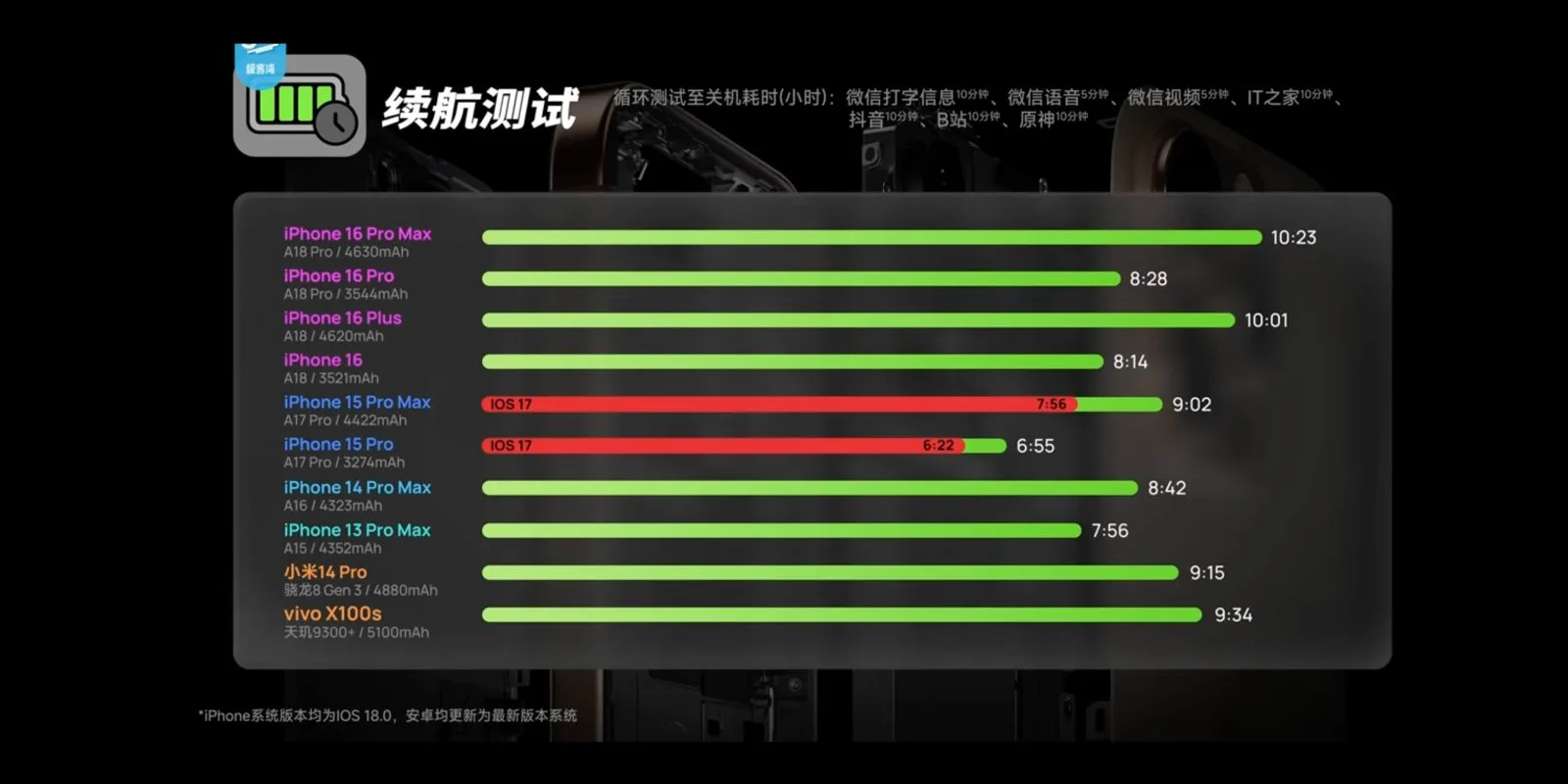
    In a recent exploration of the iPhone 16 lineup, Geekerwan, a popular Chinese tech reviewer, conducted an extensive battery performance test. This evaluation included comparisons between all new iPhone 16 models and the prior generation iPhone 15 Pro and Pro Max, as well as several high-end Android devices from China.

    As with similar tests conducted by others, the iPhone 16 Pro Max demonstrated exceptional battery endurance, surpassing 10 hours in his assessments. Interestingly, the iPhone 15 Pro Max experienced a noteworthy enhancement, gaining an additional hour of battery life when updated to iOS 18, a revelation that adds depth to its performance versus the previously benchmarked iOS 17. The iPhone 15 also enjoyed proportionate improvements.

    While all battery tests can be somewhat artificial in nature—and may not truly reflect everyday usage—it’s crucial to note that this assessment was comprehensive, involving more than just endlessly streaming videos.

    The methodology employed by Geekerwan involved common applications such as WeChat for messaging, video calling, browsing the web, engaging with Douyin (TikTok), and playing games like Genshin Impact, running these tasks in a loop until the devices lost all power.

    Under these practical scenarios, iOS 18 effectively extended the battery life of the older models.

    For instance, the iPhone 15 Pro previously had a runtime of 6 hours and 22 minutes, but with the upgrade to iOS 18, this increased to 6 hours and 55 minutes. Similarly, the iPhone 15 Pro Max improved from 7 hours and 56 minutes to 9 hours and 2 minutes.

    This translates to an increase of approximately 30 minutes for the iPhone 15 Pro and over an hour for the Pro Max, highlighting significant gains achievable simply through an operating system update.

    During Apple’s September launch event, the company consistently highlighted the “advanced power management of iOS 18” as a contributor to the enhanced battery life of the iPhone 16 series, possibly referring to these specific improvements.

    While certain benchmark results may demonstrate slightly reduced scores due to changes in resource management, users are unlikely to notice any decline in overall performance during normal operations.

    If optimal battery longevity is your goal, the iPhone 16 Pro Max is certainly worth considering. This model achieved an impressive 10 hours and 23 minutes in testing, representing a substantial increase of nearly one and a half hours compared to the iPhone 15 Pro Max running iOS 18. The 16 Plus also impresses with a remarkable 10-hour lifespan. Meanwhile, the iPhone 16 Pro and standard iPhone 16 displayed runtimes of about 8.5 hours, comfortably outperforming their predecessors.

    For an in-depth look, check out Geekerwan’s full video here:

  • iPhone 16 Battery Size Compared To iPhone 15

    iPhone 16 Battery Size Compared To iPhone 15

    As pre-orders for the new iPhone 16 are set to launch tomorrow, a Brazilian regulatory body has disclosed important information regarding the battery capacities of the latest models. The findings indicate that there is an overall enhancement in battery size, particularly notable in the iPhone 16 Pro.

    According to details reported by Blog do iPhone, these figures were validated through documents from Anatel, the National Telecommunications Agency of Brazil. It’s worth noting that Apple traditionally does not release specific battery capacity numbers, instead highlighting general battery life.

    Here’s a summary of the battery capacities for the iPhone 16 lineup this year:

    Model iPhone 15 Battery Capacity (mAh) iPhone 16 Battery Capacity (mAh) Percentage Increase (%)
    Standard 3,349 3,561 6.34%
    Plus 4,383 4,674 6.64%
    Pro 3,274 3,582 9.40%
    Pro Max 4,422 4,685 5.95%

    Recent reviews of the iPhone 16 Pro have noted a significant improvement in battery longevity, attributed to both larger battery sizes and enhanced efficiency provided by the new A18 chip. Additionally, Apple has claimed that the iPhone 16 series offers better thermal management, which also contributes to prolonged battery life.

    For instance, a review by Tom’s Guide demonstrated that both the iPhone 16 Pro and Pro Max outperformed their predecessors in a 5G web browsing endurance test. The iPhone 16 Pro lasted 14 hours and 7 minutes, a significant increase from the previous 10 hours and 53 minutes, while the iPhone 16 Pro Max lasted 18 hours and 6 minutes, up from 14 hours and 2 minutes last year.

    We plan to conduct comprehensive battery testing following the official release of the iPhone 16 and iPhone 16 Pro tomorrow. Nevertheless, it appears that we can look forward to substantial enhancements this year.

  • Learn About The Camera Control Button On iPhone 16

    Learn About The Camera Control Button On iPhone 16

    If you find yourself in a similar situation, there’s an Apple support document that can help you get acquainted with this new feature before your new device arrives.

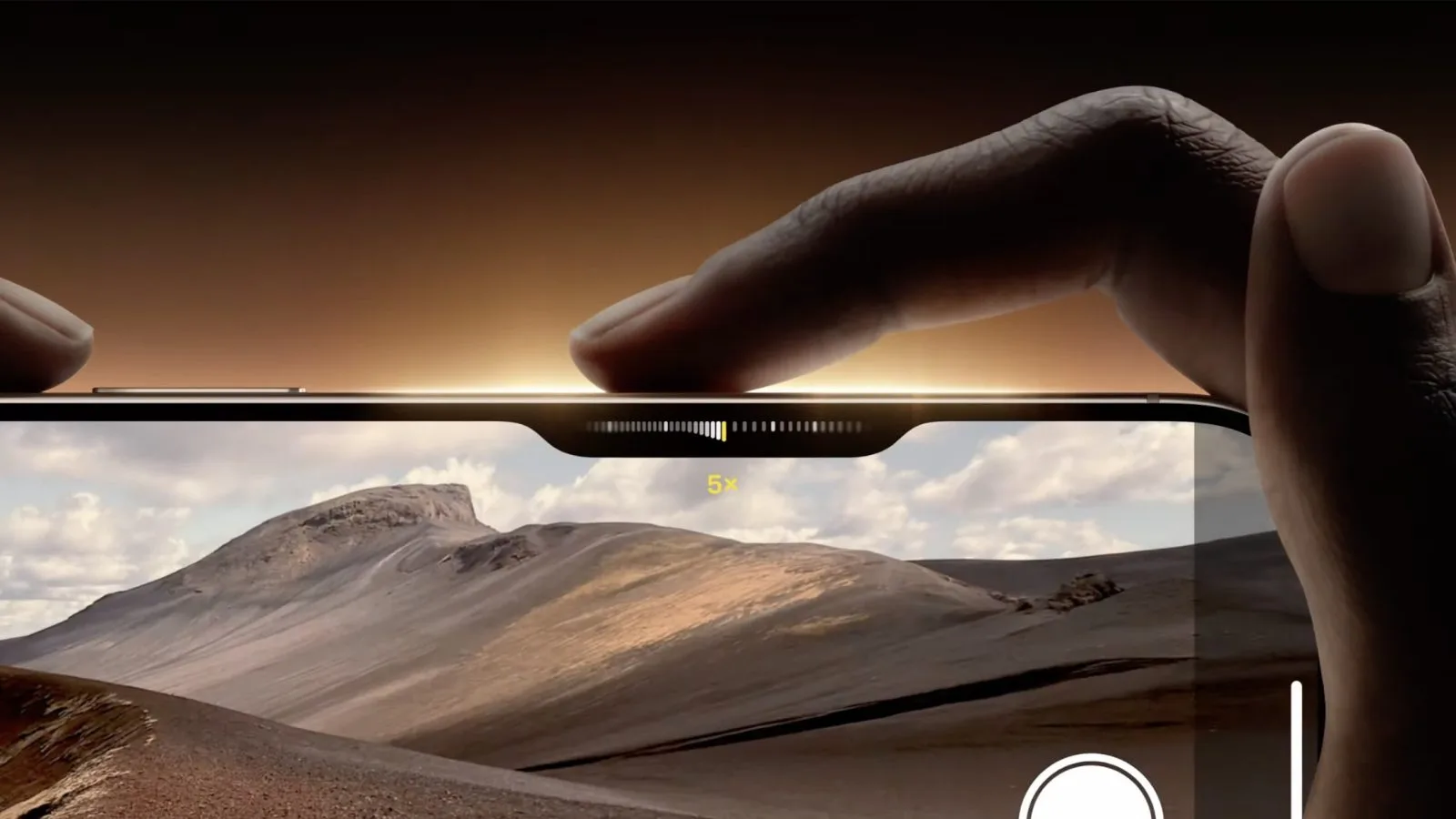
    The Camera Control button is located in the bottom-right corner of the iPhone’s design. When the phone is held in landscape mode, this button will be positioned on the top-right, making it easy to reach with your right index finger, just like the shutter button on a traditional camera.

    Here’s how to utilize this feature, based on Apple’s guidelines.

    Capturing Photos or Videos

    1. Press the Camera Control to launch the Camera app .
    2. Press the button again to take a picture, or press and hold it to record video.

    Choosing the Camera Mode

    In addition to quickly switching between standard photo and video modes with clicks or long presses, you can slide your finger horizontally to explore the complete set of modes available:

    Modifying Camera Settings

    Apple indicates that you can adjust a variety of settings with a gentle touch of the button once you’re in the Camera app:

    Move your finger left or right to choose the setting you wish to change, then lightly tap to activate it. After that, you can slide your finger again to select your preferred option.

    Exploring Accessibility Options

    1. Navigate to Settings  > Accessibility > Camera Control.
    2. Then, you can do any of the following:
      • Modify the pressure needed for a gentle press on the Camera Control: Select your preferred firmness setting below Light Press and practice to see how it feels.
      • Adjust the speed required for a light double press: Below Double Light-Press Speed, choose your desired speed for the iPhone to register a light double press.

    This serves as a prime example of how many accessibility features provide advantages for a wide range of users, not just those with specific needs.

    I’m excited to share my initial reactions and insights once I’ve had the chance to try it out.

    Image: Apple

  • iPhone 16 Will Be Assembled In Brazil, China, And India

    iPhone 16 Will Be Assembled In Brazil, China, And India

    The iPhone 16 is now available for pre-order, with retail availability set for Friday, September 20. As previously noted, Apple will produce the new iPhones in both India and China, but Brazil has also joined the list of countries participating in the assembly process.

    Apple Producing iPhone 16 in Brazil, China, and India

    According to MacMagazine, regulatory documents from Brazil validate that the iPhone 16 is now being assembled in Brazil, in addition to China and India. The Brazilian assembly takes place at a Foxconn facility located in Jundiaí, São Paulo.

    This facility has previously been used for assembling iPhones, but this marks the first instance where a new model is being produced in Brazil from its initial launch. Currently, only the standard iPhone 16 model will be assembled locally, while the premium models will still be sourced from China.

    Last year, Apple started assembling the iPhone 15 and iPhone 15 Plus models in India concurrently with China, marking a significant step for production in the region. By building iPhones locally, Apple aims to benefit from tax incentives and reduce its dependence on Chinese manufacturing. The company also operates assembly plants in Vietnam.

    Assembling locally enables Apple to expedite the release of new iPhones in these markets. Previously, the company took about a month to launch new products in Brazil, but with the iPhone 16, releases will occur just a week after the U.S. debut.

    In the U.S., the starting price for the iPhone 16 is set at $799, while the iPhone 16 Pro begins at $999.

  • How To Check If Your iPhone 16 Pre-Order Has Been Shipped

    How To Check If Your iPhone 16 Pre-Order Has Been Shipped

    Pre-orders for the iPhone 16 and iPhone 16 Pro have officially begun shipping to customers. However, keep in mind that this doesn’t guarantee delivery before the official launch on September 20. What it does mean is that you can now easily monitor your device’s journey as it heads your way.


    Is Your iPhone 16 Order on Its Way?

    If you take a peek at your order status on Apple’s website, you might find your iPhone 16 still listed as “preparing to ship.” This is standard practice for Apple, which often holds off on updating shipping statuses until closer to the official release, even if the package has already been handed over to a shipping partner.

    Veteran iPhone pre-order customers know a trick to circumvent this. By heading over to the UPS website, you can track your shipment and see where your order is, even if Apple still labels it as “preparing to ship.”

    The most effective way to do this is by signing up for the UPS My Choice platform. This service will automatically provide updates for all packages being shipped to your address, including your new iPhone 16.

    You can also utilize the UPS “Track by Reference Number” option to try and pinpoint your iPhone 16’s location. Typically, this reference number will be your phone number associated with the Apple order or your order number minus the last two digits. However, UPS has enhanced security measures in recent years, meaning enrolling in My Choice is your best chance of tracking your package.

    Once you successfully locate your order in the UPS system, you can use the tracking number to follow its path until launch day on September 20. It’s important to note that not all iPhones may have been transferred to UPS just yet, so if you can’t find yours initially, keep checking throughout the week.

    Have you received shipping confirmation for your iPhone 16, iPhone 16 Plus, iPhone 16 Pro, or iPhone 16 Pro Max? Share your experience in the comments!

  • Joanna Stern Created An AI Bot For All Your iPhone 16 Questions

    Joanna Stern Created An AI Bot For All Your iPhone 16 Questions

    In her latest review for The Wall Street Journal, tech journalist Joanna Stern showcases her innovative approach to evaluating Apple products. For the launch of the iPhone 16, she introduced an original concept: “Joannabot”, a generative AI companion designed to answer all your queries regarding the iPhone 16—most importantly, whether it’s worthwhile to upgrade.

    The team at WSJ trained this AI bot using a wealth of resources, including ten years’ worth of Joanna’s past iPhone reviews, detailed specifications from Apple, and her observations after extensive testing of the iPhone 16. The outcome is an interactive chatbot, powered by Google’s Gemini Flash, capable of answering your questions about the iPhone 16, comparing features, and suggesting potential upgrades.

    “Why go with a bot? The iPhone experience can feel a bit repetitive—like living in a ‘Groundhog Day’ scenario—so a fresh perspective might be needed. Plus, users may have inquiries that my review didn’t cover, making Joannabot a beneficial resource. With Apple embracing AI, why not incorporate it into this experience?”

    “I’m thrilled for you to interact with Joannabot! Just a heads up—this is an experimental tool. While we’ve instructed it to focus solely on iPhones, generative AI can occasionally produce inaccuracies or fabricate responses. If you prefer my insights, feel free to scroll down to view my comprehensive iPhone 16 testing notes.”

    Explore Joannabot yourself by visiting The Wall Street Journal. You can also dive into her detailed review notes or check them out on Apple News+.

  • iPhone 16 Offers Improved Repairability Here’s What’s New

    iPhone 16 Offers Improved Repairability Here’s What’s New

    With the official unveiling of Apple’s iPhone 16 just days away, we’re starting to see early reviews and gaining insights into its repairability. This year’s model introduces several notable internal modifications that enhance its repair potential, making it the most repair-friendly iPhone to date. Here’s how repairs are evolving for the iPhone.

    For several years, Apple has been working toward greater repairability for the iPhone, aligning with its 2030 sustainability goals. Initiatives like the Self Service Repair program are part of this effort, aiming to extend the lifespan of their devices.

    With the introduction of the iPhone 16, Apple is implementing significant internal improvements to facilitate easier repairs.

    TechCrunch writer Brian Heater reports on these innovative changes:

    One of the most intriguing updates is a newly designed adhesive that can be released simply by applying low voltage from a 9-volt battery. Adhesives have long been a major challenge for DIY repairers, especially as devices become increasingly thinner and manufacturers like Apple rely more heavily on glue instead of screws.

    The article highlights that an essential part of Apple’s Self-Service Repair kit includes a tool specifically designed to melt the glue used in battery replacements. However, with this new adhesive technology, that issue may soon become a thing of the past.

    Several additional components have also seen improvements in their repairability.

    The LiDAR Scanner, which remains a feature exclusive to the iPhone 16 Pro and 16 Pro Max, has been redesigned for easier servicing. The TrueDepth Camera has also been upgraded to be more repair-friendly.

    9to5Mac’s Perspective

    What are your thoughts on Apple’s strides toward improved repairability? Share your views with us in the comments!

  • How To Restore iPhone 16 Firmware Wirelessly From Another iPhone

    How To Restore iPhone 16 Firmware Wirelessly From Another iPhone

    Apple has been diligently developing a feature that allows users to restore and recover their device firmware wirelessly for some time now. Initially rolled out for the Apple Watch with iOS 15.4 and watchOS 8.5, and then extended to Apple TV through iOS 17 and tvOS 17, this capability is now making its way to the iPhone 16 series with the release of iOS 18.


    iPhone 16: Wireless Firmware Restoration Capabilities

    According to 9to5Mac, the iOS 18 firmware designed for the iPhone 16 integrates the same RecoveryOS that enables the restoration of Apple Watch and Apple TV firmware directly via an iPhone. We were able to test this new feature to see how it functions.

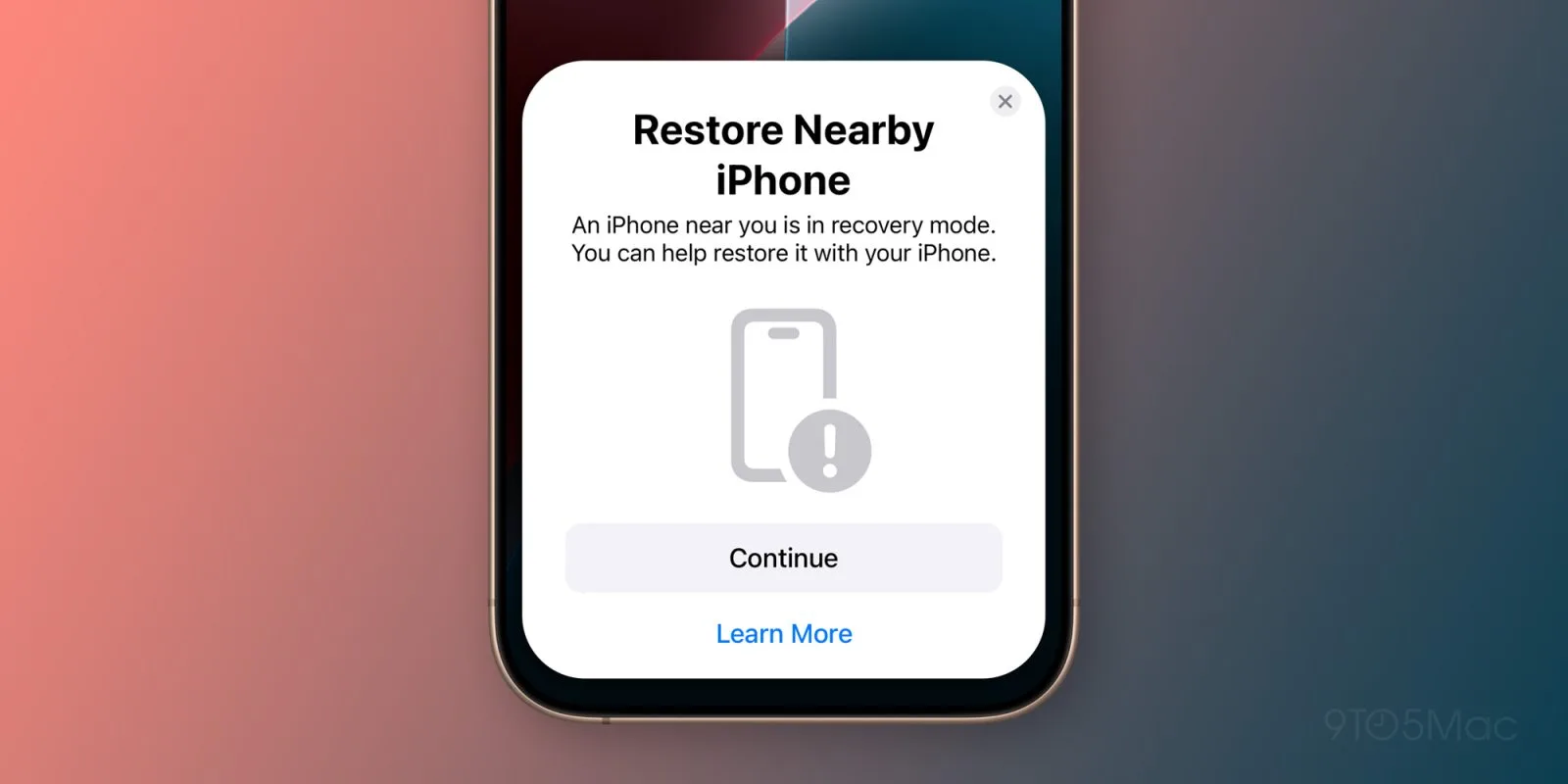
    In practice, when an iPhone 16 is placed in Recovery Mode, users can simply position it near another iPhone or iPad, allowing the second device to download the necessary firmware and transmit it to the malfunctioning device. This innovative feature eliminates the need for a Mac or PC for firmware repair on iOS devices.

    It’s worth noting that while any device running iOS 18 is capable of assisting in the restoration of a non-functional device, the wireless restoration feature appears to be exclusive to the iPhone 16 models at this time. These new devices are equipped with a specialized recovery partition that can oversee the entire restoration process, independent of whether the main iOS partition is operational.

    Currently, it remains uncertain if Apple intends to roll out this wireless restoration system to earlier iPhone models or if it necessitates specialized hardware. Nevertheless, this development represents a significant advancement in simplifying the process for users to address firmware issues without needing to visit Apple or a repair service.

    Interestingly, we reported back in 2020 that Apple had been developing this tool behind the scenes.

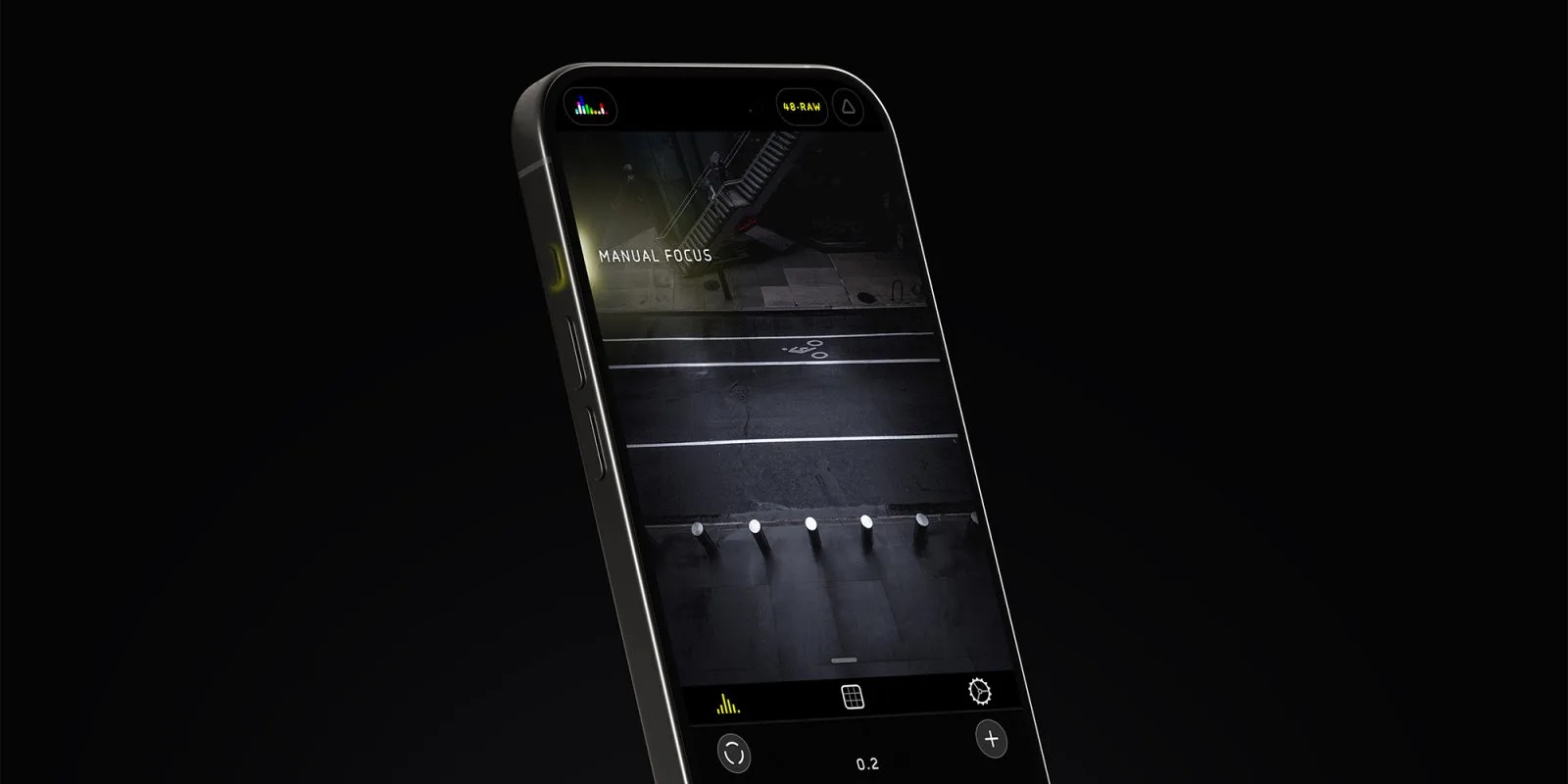
  • Halide Adds Camera Control Support And Lock Screen Feature

    Halide Adds Camera Control Support And Lock Screen Feature

    With the new Camera Control feature highlighted in the iPhone 16 series, developer Lux has revealed that the Halide app will support it.

    This means users can configure the Camera Control button to launch Halide instead of the default camera application, with plans for even more features tied to this button coming shortly.

    The latest release, Halide v2.16, introduces comprehensive Lock Screen integration. Users will have the option to open Halide directly from the Lock Screen, allowing for quick access to capture photos without needing to unlock their device.

    Additionally, the update includes support for the Control Center, making it possible to add Halide there for easy access.

    Moreover, the revamped app now supports Dark Mode and features the newly designed Tinted icons in iOS 18.

    To explore these new features, you can download Halide from the App Store.

    This update follows last month’s introduction of Process Zero – a feature that disables all post-processing effects.

    Process Zero is a revolutionary mode in Halide that bypasses the conventional image processing of iPhones. It captures photos with enhanced detail and offers photographers more control over exposure and lighting. Unlike typical filters, this mode processes images at the raw sensor level.

    Similar to shooting on film, Process Zero generates digital negatives, allowing for significant adjustments to exposure post-capture. Like film, it introduces a natural grain effect and is particularly effective in well-lit environments rather than low-light situations.

  • Kuo: Lower Demand For iPhone 16 Pro, Plus Pre-Orders Up 48%

    Kuo: Lower Demand For iPhone 16 Pro, Plus Pre-Orders Up 48%

    Recent analysis by Ming Chi-Kuo has revealed that the demand for the iPhone 16 Pro and iPhone 16 Pro Max is not meeting Apple’s expectations. Conversely, the iPhone 16 and iPhone 16 Plus are showing stronger sales compared to their predecessors from last year.

    Kuo’s review, conducted over the weekend, took into account shipping times from Apple’s official site along with insights from a survey of the supply chain. His findings indicate that consumers are more inclined to purchase the standard iPhones this year, particularly the larger models.

    In total, the iPhone 16 series achieved approximately 37 million unit sales, which reflects a decrease of about 12.7% compared to the opening weekend sales of the iPhone 15 series. While the iPhone 16 Plus has seen remarkable growth, the significant drop in interest for the iPhone 16 Pro is overshadowing these gains.

    Kuo also noted that improved production yields for the tetraprism camera (5x telephoto) have enabled Apple to maintain a higher supply of the iPhone 16 Pro Max compared to the previous year’s iPhone 15 Pro Max. According to his estimates, Apple was able to produce 6 million units of the iPhone 16 Pro Max prior to its release, which marks a 106% increase from their production figures for last year.

  • Five New iPhone 16 Features You Might Have Missed

    Five New iPhone 16 Features You Might Have Missed

    This week, Apple unveiled its highly anticipated iPhone 16 series, featuring an array of stunning new colors, a refreshed photo capture button, extended battery life, and enhanced capabilities for Apple Intelligence. While you may already be familiar with the standout features, there are also several noteworthy updates that may not have received as much attention.

    Enhanced Charging Speeds

    The iPhone 16 and iPhone 16 Plus now offer significantly improved charging speeds with both MagSafe and USB-C. Users can enjoy up to 25W MagSafe charging and a remarkable 45W wired charging capability through USB-C.

    These advancements mark a considerable jump from older models, which topped out at 15W via MagSafe and 30W with USB-C. If rapid recharging is a priority for you, the iPhone 16 could be the perfect upgrade.

    Lower Minimum Brightness

    With the introduction of the latest iPhones, Apple has set a new benchmark for brightness levels, allowing users to dim their screens to as low as 1 nit. This feature is especially beneficial for those who frequently find that even the lowest brightness setting is still too bright for nighttime use.

    Macro Photography Capabilities

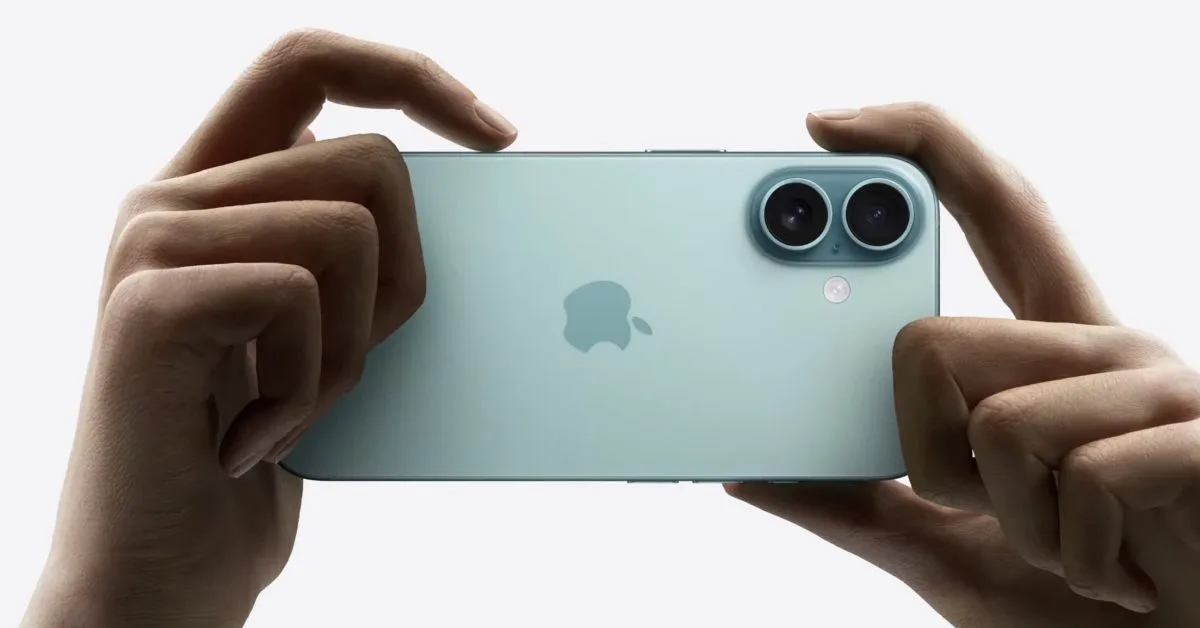
    The ability to capture stunning macro shots finally arrives for the more affordable iPhone models with the iPhone 16. While macro photography was initially introduced with the iPhone 13 Pro in 2021, the new ultra-wide lens on the iPhone 16 makes it accessible for users who choose the budget-friendly options.

    Faster Wi-Fi Connectivity

    The iPhone 16 lineup comes equipped with Wi-Fi 7 support, unlocking the potential for faster internet connections. This new standard boasts speeds up to 46 Gbps, which is over five times that of Wi-Fi 6E’s maximum of 9 Gbps. To fully benefit from these speeds, users will need compatible internet services and routers.

    Wi-Fi 7 also operates on 320 MHz channels and utilizes the 6 GHz band, significantly reducing interference and enhancing overall connectivity stability.

    Spatial Photos and Videos

    Additionally, the iPhone 16 introduces support for Spatial Photos and Spatial Videos, enhancing user experience with Apple Vision Pro. While Spatial Video was first available on the iPhone 15 Pro, the entry-level iPhone 16 now joins in on the feature. With this, users can capture images with depth data, creating a more immersive viewing experience on Apple’s new mixed reality headset priced at $3,500.

    Conclusion

    While the new iPhone 16 features like Apple Intelligence, vibrant color options, and the advanced camera button certainly make headlines, these lesser-known enhancements offer even more intriguing possibilities for users.

    Are you considering making the switch to the iPhone 16? We’d love to hear your thoughts in the comments below.

  • iPhone 16: Which Model Fits You Perfectly?

    iPhone 16: Which Model Fits You Perfectly?

    Thinking of upgrading to the iPhone 16? The next step is deciding which model best fits your needs. Apple has released four variants: the iPhone 16, iPhone 16 Plus, iPhone 16 Pro, and iPhone 16 Pro Max. The price points range from $829 for the base model up to $1,199 for the Pro Max, which is the premier option.

    This guide aims to clarify the differences and similarities among the various models to help you make an educated decision. All models are currently available for preorder, with the official launch set for September 20th.

    Our recommendation? Upgrade only if it’s necessary. If your current device is functioning well but struggling with battery life, consider getting a battery replacement through Apple’s service. However, if you find your phone increasingly challenging to use, it might be time for a new one.

    Like the iPhone 15 series, all iPhone 16 models come with a USB-C port, and they will soon support Apple Intelligence, a collection of advanced AI features. If you’re intrigued by this technology or simply want to give it a spin, upgrading could be worthwhile.

    Which iPhone 16 Is Right for You?

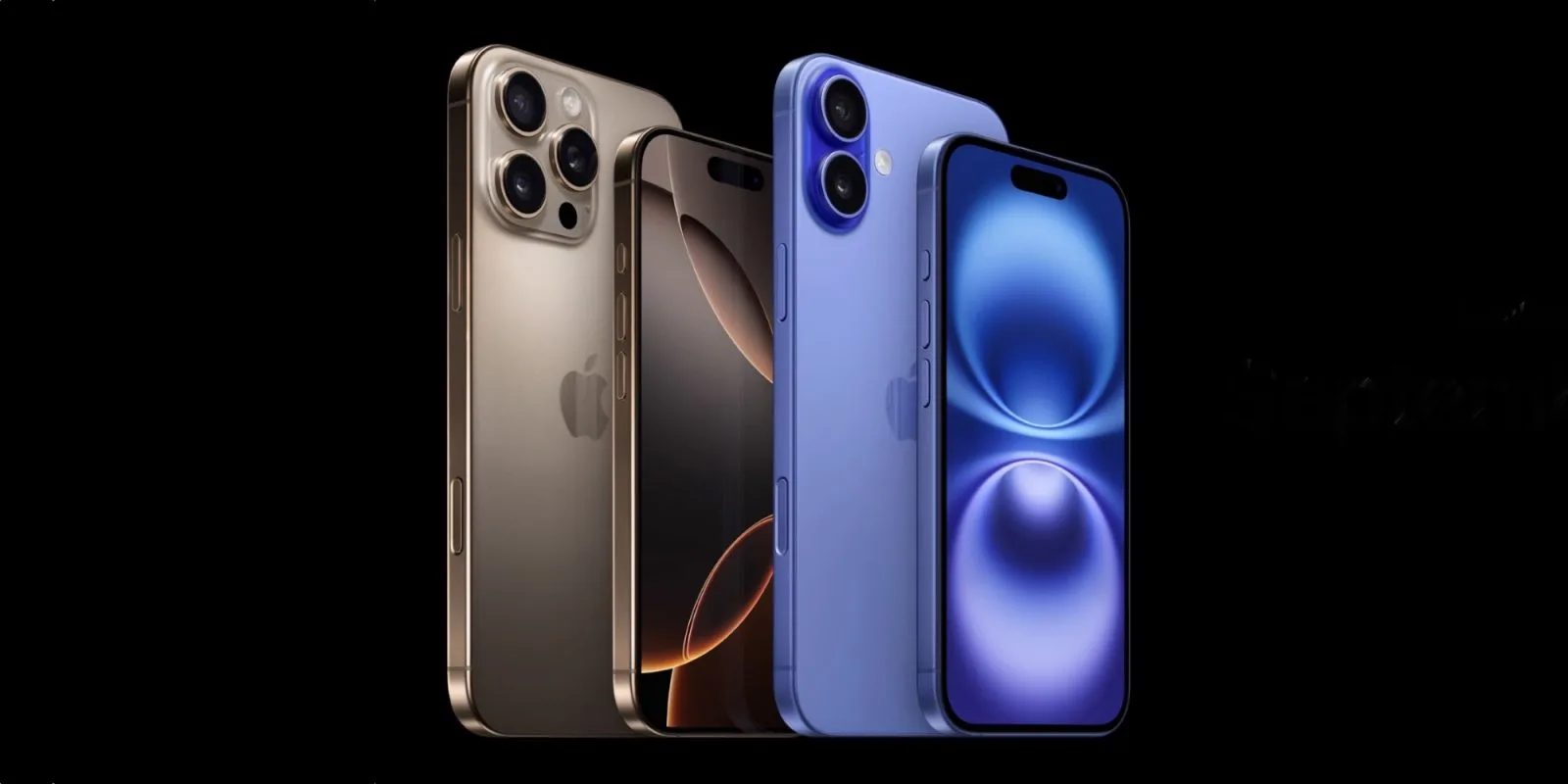
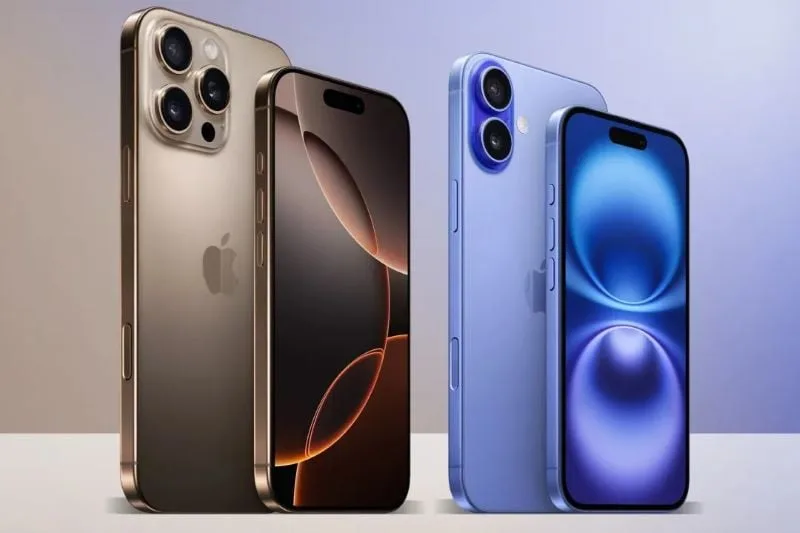
    The iPhone 16 lineup consists of the iPhone 16, iPhone 16 Plus, iPhone 16 Pro, and iPhone 16 Pro Max. The main distinction between the iPhone 16 and 16 Plus lies in the screen size, which is similarly the case for the 16 Pro and Pro Max models. Generally, the larger models, such as the Plus and Pro Max, offer greater battery longevity, with Apple claiming that the Pro Max boasts the best battery performance of the series.

    All models have the newly introduced configurable Action button that replaces the traditional Mute switch. This button can be customized to perform functions like activating the flashlight or launching the camera. Additionally, the Camera Control button allows for effortless changes to camera modes or zoom settings with a gentle press.

    A notable new feature is **Audio Mix**, giving users enhanced control over video soundtracks. Options like “In-Frame” and “Studio” settings optimize focus and minimize background noise, with Pro models benefiting from improved microphones. The entire iPhone 16 lineup also includes updated Photographic Styles, enhancing control over skin tones and other image features, distinguishing them from similar offerings by competitors.

    Apple Intelligence

    Apple Intelligence is a highlight of the iPhone 16 and iPhone 15 Pro series. It includes a revamped Siri, emoji creation (Genmoji), and advanced writing support. If you’re eager to explore Apple’s AI innovations, you’ll need one of these newer models.

    All iPhone 16 devices feature OLED displays with peak brightness reaching 2,000 nits, IP68 water resistance, and Apple’s Ceramic Shield for added toughness. They also support MagSafe wireless charging, compatible with the new Qi2 standard, which allows for faster charging and improved accessory compatibility.

    Detailed Overview of Each Model

    – **iPhone 16 ($829):** The iPhone 16 has a 6.1-inch display and runs on the A18 processor, which provides a 30% performance boost over the iPhone 15. Its 12-megapixel ultrawide camera has been improved with autofocus, enabling macro photography capabilities.

    – **iPhone 16 Plus ($929):** This model is similar to the iPhone 16 but has a larger 6.7-inch screen and a bigger battery, making it ideal for users who need extended battery life.

    – **iPhone 16 Pro ($999):** Featuring a 6.3-inch display with thinner bezels, this model is built from titanium for added durability. Its ProMotion display refreshes at 120Hz for a smoother experience, while the A18 Pro chip enhances processing speed and gaming performance.

    – **iPhone 16 Pro Max ($1,199):** The Pro Max stands out with a 6.9-inch display and is touted to have the longest battery life. With its 48-megapixel Fusion camera, it excels at capturing dynamic subjects and performs well in low-light conditions. It also offers advanced video capabilities such as ProRes capture and Night mode portraits.

    Additional Options

    If the iPhone 16 lineup doesn’t resonate with you, Apple still has older models available like the iPhone 15 ($699) and iPhone 14 ($599). The iPhone SE (2022) is also an option at $429, although a refresh is anticipated in early 2025.

    For those in the market for a new iPhone, we recommend opting for an unlocked model, providing the flexibility to switch carriers easily. Keep in mind that iPhones now utilize eSIM technology instead of traditional SIM card slots.

    In summary, while the iPhone 16 series features several enticing upgrades, you might still find excellent value in older models or even refurbished devices from platforms like Swappa or Gazelle.

  • iPhone 16 A18 Pro Chip Beats M1 Chip in New Benchmarks

    iPhone 16 A18 Pro Chip Beats M1 Chip in New Benchmarks

    Earlier this week, we got our first glimpse of a Geekbench score for the iPhone 16, and the outcome was somewhat underwhelming. While there was a respectable uptick in single-core performance, the multi-core results seemed unusual. However, subsequent benchmarks have started to offer a more optimistic perspective.

    A18 Pro Benchmark Insights

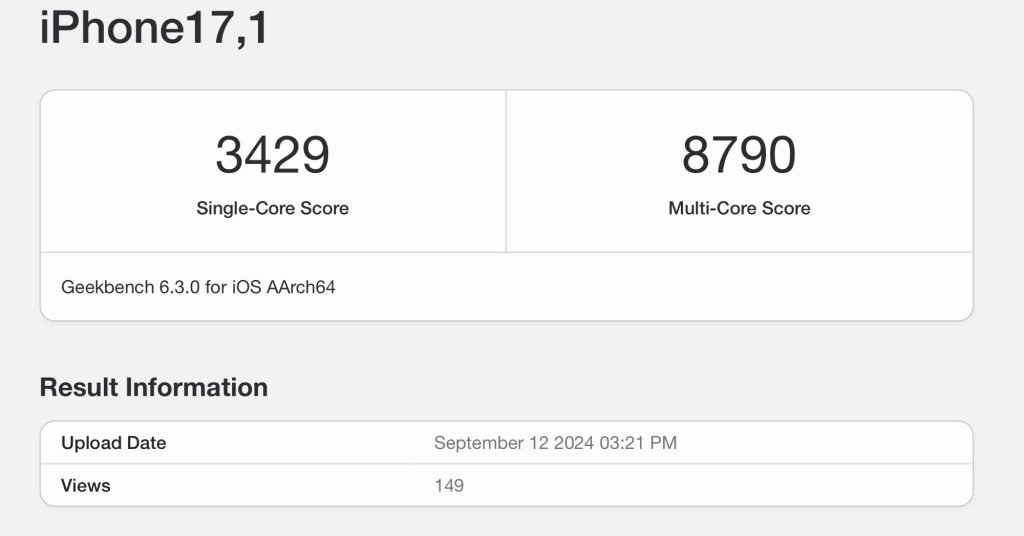
    Today’s Geekbench result, found here, originates from a model identified as iPhone17,1, which corresponds to the iPhone 16 Pro. This indicates that we are examining Apple’s cutting-edge A18 Pro chip. The A18 and A18 Pro architectures share many similarities in CPU performance, but the Pro variant boasts an additional GPU core and incorporates a USB 3 controller.

    This benchmark showcases significantly improved results compared to earlier findings, with a single-core score hitting 3429 and a multi-core score of 8790. This represents a boost of approximately 15-20% over the A17 Pro chip found in the iPhone 15 Pro and around 30-35% faster when compared to the A16 Bionic chip in the iPhone 15. Such outcomes align with the claims made during Apple’s keynote presentation on Monday.

    Comparing A18 Pro with the Apple M1

    Remarkably, the A18 Pro chip is nearing the performance capabilities of the M1 chip, Apple’s initial Silicon chip designed for the Mac, which later made its way to iPads. In most of the Geekbench results, the A18 Pro exhibits superior performance compared to the M1. While benchmarks provide a snapshot rather than a complete picture of real-world functionality, they’re still engaging to analyze.

    Reviewing the most recent 10 Geekbench results for the M1 iPad Air, and excluding outliers, the M1 chip consistently scores around 8351 in multi-core performance. In that context, the A18 Pro’s score of 8790 is about 5% faster than the M1’s average.

    This comparison serves to emphasize the incredible work of Apple’s chip design team, demonstrating that, in just four years since the M1’s launch, we now have pocket-sized devices capable of delivering similar performance levels.

    Conclusion

    It’s somewhat disappointing that we can’t fully exploit this incredible processing power. Imagine being able to connect your iPhone to an external USB-C monitor and utilize Stage Manager with an external mouse and keyboard—that would be a fantastic feature for the future.

    During their “It’s Glowtime” keynote, Apple introduced the iPhone 16 and iPhone 16 Pro, showcasing the new A18 and A18 Pro chips. Both of these chips utilize a second-generation 3nm fabrication process, similar to the M4 chip launched in the iPad Pro earlier this year. The devices are available for pre-order, with customer deliveries set to begin on September 20th.

    Follow Michael: X/Twitter, Threads