Tag: iPhone 16

  • iPhone 16 and iOS 18 May Attract More Android Users

    iPhone 16 and iOS 18 May Attract More Android Users

    By now, you’ve likely come across a multitude of discussions surrounding the iPhone 16 and iPhone 16 Pro. There’s no need for me to delve into newly introduced features such as Camera Control, larger displays, enhanced Ultra Wide camera capabilities, or extended battery life. While I will touch on some of these aspects, my primary focus has been exploring how the iPhone 16 and iPhone 16 Pro fit into the larger smartphone landscape.

    Allow me to share my perspective: the combination of iOS 18 and the latest iPhone models presents an incredibly enticing option for anyone contemplating a switch from Android.

    Several years ago, during an earnings call, Tim Cook, Apple’s CEO, mentioned that attracting Android users to the iPhone was one of the company’s key objectives. I came across a Reddit discussion where Android users shared their conditions for considering a switch. The most common requests included USB-C ports, enhanced customization options, larger screens, improved messaging capabilities, and more diverse pricing options.

    Interestingly, Apple has been systematically addressing these demands over the years. With the launch of iPhone 16 and iOS 18 this year, Apple has ticked off a few more items on that wishlist, potentially convincing a new wave of Android users to make the switch.

    The Impact of iOS 18

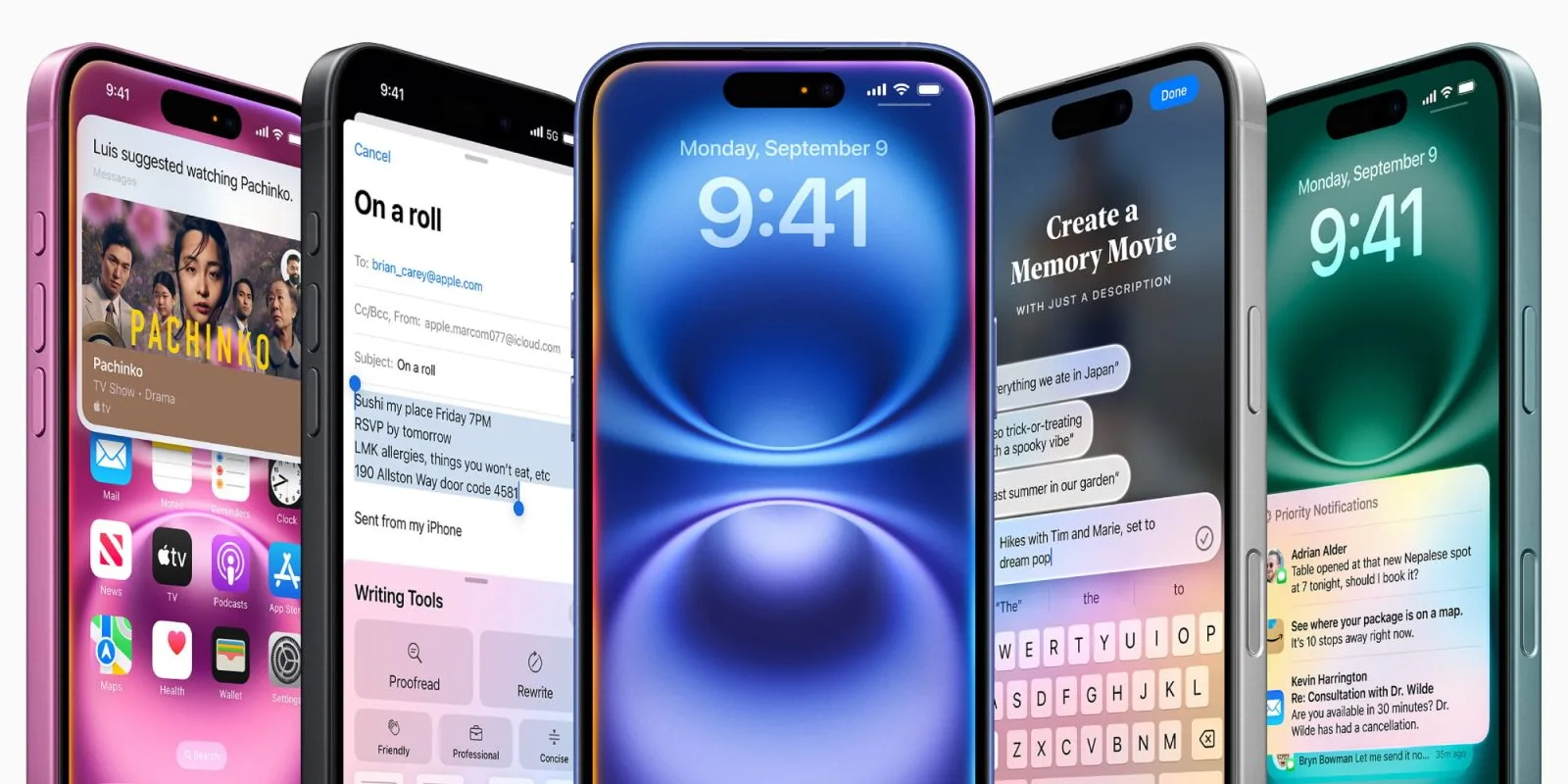
    As I mentioned in my review last month, iOS 18 represents Apple’s most personalized update yet for its users.

    This iteration of iOS has transformed into a platform that is more customizable and personal than any previous version. Users can mold their experience to be distinct and tailored, unlike anything found on other devices. Additionally, iOS 18 builds upon years of enhancements aimed at improving user personalization, starting from the widget features introduced in iOS 14 and the customized Lock Screen from iOS 16.

    iOS 18 bookshelf Home Screens

    Importantly, Apple hasn’t simply replicated existing Android features. The modifications ensure that even users who prefer a straightforward iPhone experience won’t feel overwhelmed by choices. You still have the option to stick to the traditional iOS experience.

    It’s evident that Apple, with good reason, perceives some of these changes as potential risks to user privacy and security. While some users are ready to embrace these risks, others may find that the iPhone isn’t suitable for their preferences.

    Apple has also made considerable strides in simplifying the transition process from Android to iPhone in recent years. Through the “Move to iOS” app, transferring important data such as contacts, message history, photos, and more has become significantly easier. This year, Apple improved this process, ensuring quicker transfers, and now voice memos can also be migrated. Enhancements to Wi-Fi migration and dual SIM management add to this improvement.

    Furthermore, the Apple ecosystem remains robust, with features like iMessage, Apple Watch compatibility, Emergency SOS, satellite messaging, and a vast library of third-party apps available on the App Store. Many of these capabilities can even be life-saving in critical situations.

    The overarching point here is that these advancements aren’t just beneficial to existing iPhone users; they enhance the overall smartphone ecosystem. It’s difficult to overlook how these improvements reflect a concerted effort to attract a wider audience to the iPhone.

    iPhone 16 Hardware

    The design of the iPhone 16 and iPhone 16 Pro embodies five years of refined development.

    With rumors of a significant redesign dubbed the “iPhone 17 Slim” on the horizon, the iPhone 16 series might represent the zenith of the design philosophy initiated with the iPhone 12. While some may opt to wait and see what the future holds, for the majority, the iPhone 16 signifies the peak of a well-honed design that has evolved in response to user feedback.

    Earlier, I noted that Android users desired greater variety in pricing. The current iPhone lineup is more diverse than ever, with the iPhone 16 and iPhone 16 Plus standing out as the most complete non-Pro models to date, featuring the Action button, Camera Control, and the A18 chip.

    The Camera Control feature has sparked diverse opinions. While many users believe it attempts to do too much, its complexity can be adjusted based on personal preference. Users have the option to deactivate certain gestures in the Settings, simplifying it to a basic button functionality.

    A potential improvement would be the ability to lock the Camera Control to a single menu. I appreciate its lens-switching capability but often find myself inadvertently navigating to unintended menus. Ideally, I’d like to confine it to the camera lens options to streamline functionality.

    Notably, I’ve been pleased to see Apple introduce an additional button on the iPhone in the past two years. The inclusion of Camera Control frees up the Action button for other uses, significantly expanded with iOS 18, offering even more customization choices for users.

    However, if there’s one aspect that detracts from the iPhone 16 series, it would be the display quality. Even after introducing ProMotion technology in the iPhone 13 Pro and the iPad, it’s still a Pro-exclusive feature. In today’s highly competitive smartphone arena, a refresh rate of 60Hz feels outdated for a device priced starting at $799, and I would be satisfied with even a compromise to 90Hz.

    Besides the four variants of the iPhone 16, Apple continues to offer the iPhone 14 and iPhone 15. Although I find it challenging to recommend the iPhone 14 due to its continued use of the Lightning port, the iPhone 15 and 15 Plus are exceptional options available at attractive price points.

    9to5Mac’s Perspective

    In iPhone reviews, there’s often an excessive emphasis on year-over-year improvements. However, most users don’t upgrade their phones annually and when they do, they often enter into lengthy financing agreements with carriers.

    This isn’t to downplay the iPhone 16 and iPhone 16 Pro’s advancements. They come equipped with the new Camera Control feature, larger displays, an enhanced Action button, the A18 and A18 Pro chips, a significantly upgraded Ultra Wide camera, and more.

    But viewing the iPhone 16 merely as an evolution from the iPhone 15 fails to recognize its broader significance. The smartphone market is more competitive than ever, especially outside the U.S., and the iPhone 16 alongside iOS 18 symbolizes Apple’s proactive approach in an evolving landscape.

    The term “iterative” in iPhone reviews has become irksome to me. While some years witness greater changes than others, each year presents opportunities for new users who find upgrades beyond routine advancement. This is especially true for individuals upgrading from much older iPhone models or those making the switch from Android.

    If the iPhone 16 is someone’s inaugural experience with the brand, they’ve clearly made the choice to transition from Android with the full understanding that the experience will be anything but frequent.

    Countless elements influence customers’ smartphone choices, with even more complexities involved for those considering transitioning between platforms. This includes societal norms, economic factors, app availability, enterprise solutions, and even personal preferences.

    These strategic shifts aren’t made lightly, and persuading someone to switch platforms is a significant challenge. However, I believe Apple may have found the right formula this year.

    More than ever, the iPhone 16 and iOS 18 feel like a culmination of years of efforts to widen the ecosystem and attract new users. This year stands out as Apple has crafted an enticing package designed specifically for Android users contemplating the leap to iPhone.

  • iPhone Filmmaker Calls iPhone 16 Pro Upgrade Minimal Talks Drones

    iPhone Filmmaker Calls iPhone 16 Pro Upgrade Minimal Talks Drones

    Joey Helms, a filmmaker known for capturing stunning cityscapes with each new iPhone Pro, has shared his thoughts on the iPhone 16 Pro, stating that it doesn’t represent a significant advancement compared to its predecessor.

    In a recent discussion, he elaborated on his technique of attaching the iPhone to a drone to capture spectacular aerial footage for his latest project.

    Helms has produced sample visuals highlighting the potential of the recent three generations of iPhone Pro models:

    Limited Upgrades in the iPhone 16 Pro

    He expressed that the Camera Control feature is somewhat irritating and lacks reliability, with his primary usage being simply starting the recording.

    While he finds the audio mixing capabilities “impressive” for quick edits on mobile devices, he notes that these limitations become apparent when using higher-quality audio equipment.

    Once you don headphones or connect to larger speakers, the noise cancellation artifacts and fluctuations become evident. Therefore, it’s great for quick mobile edits and social media, but professionals still cannot depend on an iPhone as a reliable audio recording tool.

    The only notable upgrade he points out is the ability to film high-quality 120fps slow-motion footage, although he considers this to have limited practical application.

    From a filmmaking perspective, the most valuable enhancement in the 16 series is the capability to record at 120fps in 4K and ProRes LOG. However, 120fps is an unusual frame rate, being too slow for regular use but not slow enough to achieve a dramatic slow-motion effect. Thus, it’s a feature that most users may not frequently utilize, making the transition from the 15 Pro to the 16 Pro unworthy for many.

    Nevertheless, he did observe an improvement in the reliability of SSD recording, under one condition.

    I found that when recording onto SSDs (which is my standard approach when using ProRes LOG), it performs much more reliably compared to the initial release of the 15 Pro. However, it’s crucial to format the SSD to ExFAT beforehand. Initially, mine were set to Mac OS Extended, which led to issues when recording 120fps in 4K ProRes, causing the camera app to freeze and requiring a complete reboot to resolve. Switching the SSD format to ExFAT solved the problem.

    We mounted the iPhone 16 Pro (not the Max to minimize weight) using a custom 3D printed mount on an iFlight Chimera 7-inch FPV drone, piloted by the skilled Sam Perez from Chicago.

    We faced two main challenges during the shoot: 1) The iPhone’s lack of aerodynamics caused it to act like a sail on the drone, complicating flying maneuvers like split-S drops from buildings.

    2) The drone’s micro vibrations, when combined with the phone’s image stabilization, resulted in noticeable wobbles. Turning off the enhanced stabilization made the issue worse; however, it appears the iPhone doesn’t allow complete deactivation of stabilization.

  • Clicks Keyboard for iPhone 16 Pro – Improved From Feedback

    Clicks Keyboard for iPhone 16 Pro – Improved From Feedback

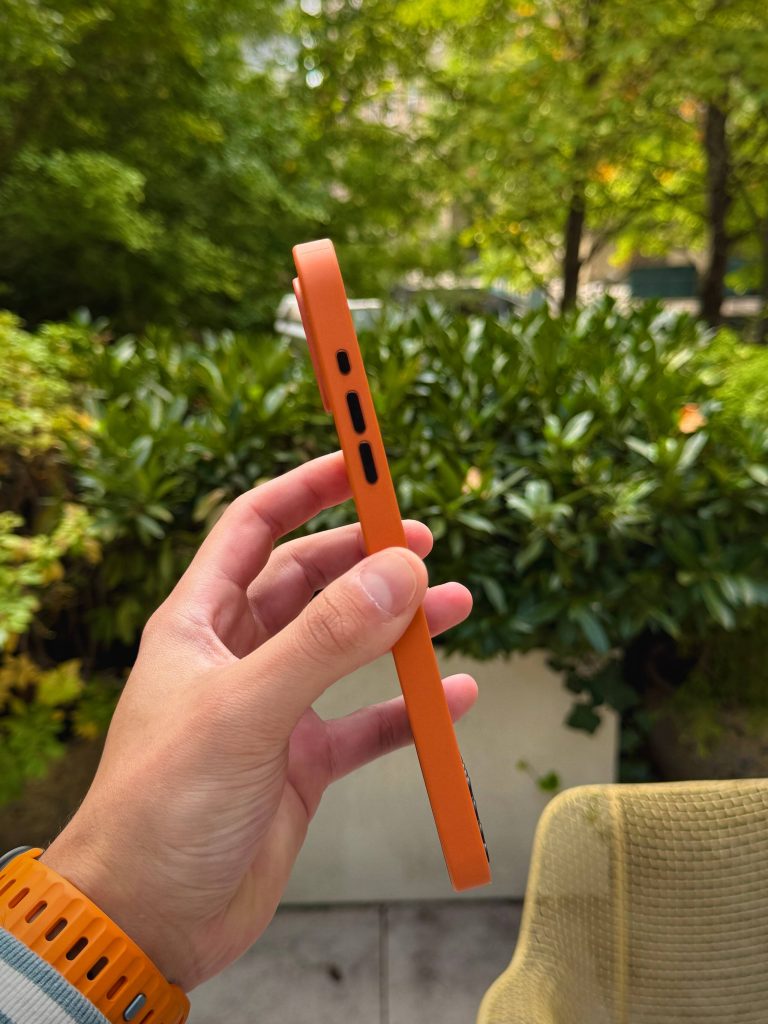
    The Clicks Keyboard for iPhone has returned, and it’s truly making waves—figuratively speaking. After a hands-on experience with the latest version, it’s evident that Clicks has taken significant strides forward. With enhancements in ergonomics and additional features, here’s a breakdown of my initial impressions of their second-generation product.

    Advancements from First to Second Generation

    Last year, I had the opportunity to explore the first generation of the Clicks Keyboard designed for the iPhone 15 Pro Max, and I found the experience quite enjoyable. However, there were a few aspects that could have improved the overall usability. With the release of the second generation, Clicks has actively responded to user feedback, making substantial improvements across nearly all critical areas:

    Key Specifications

    Personal Experience

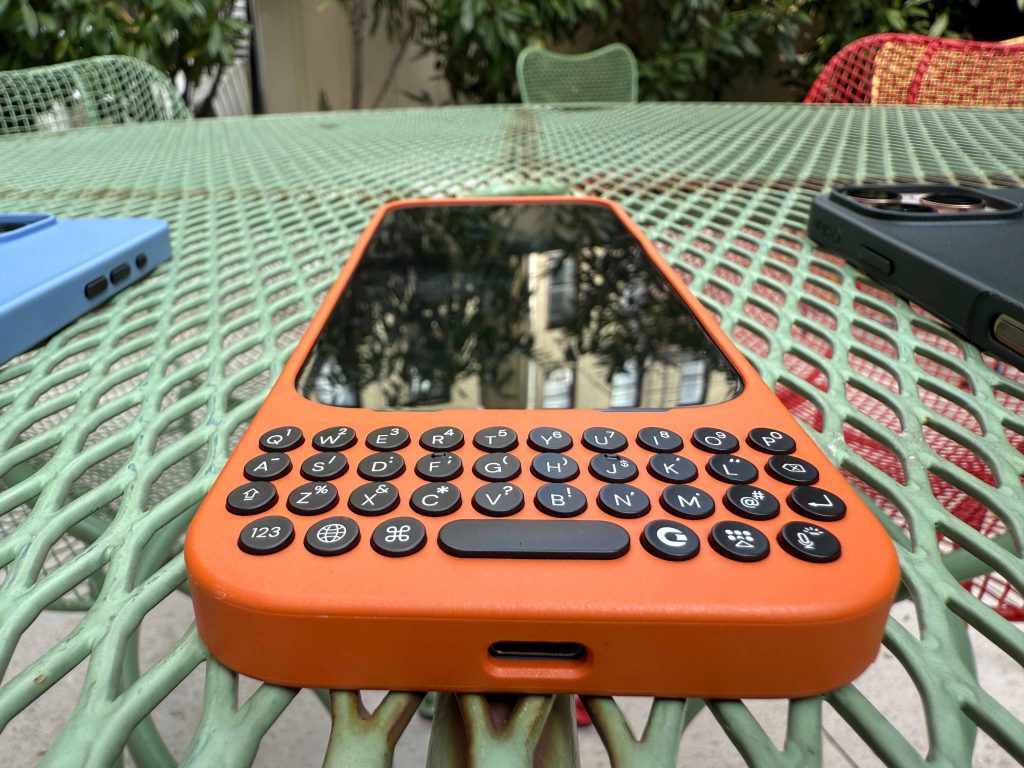
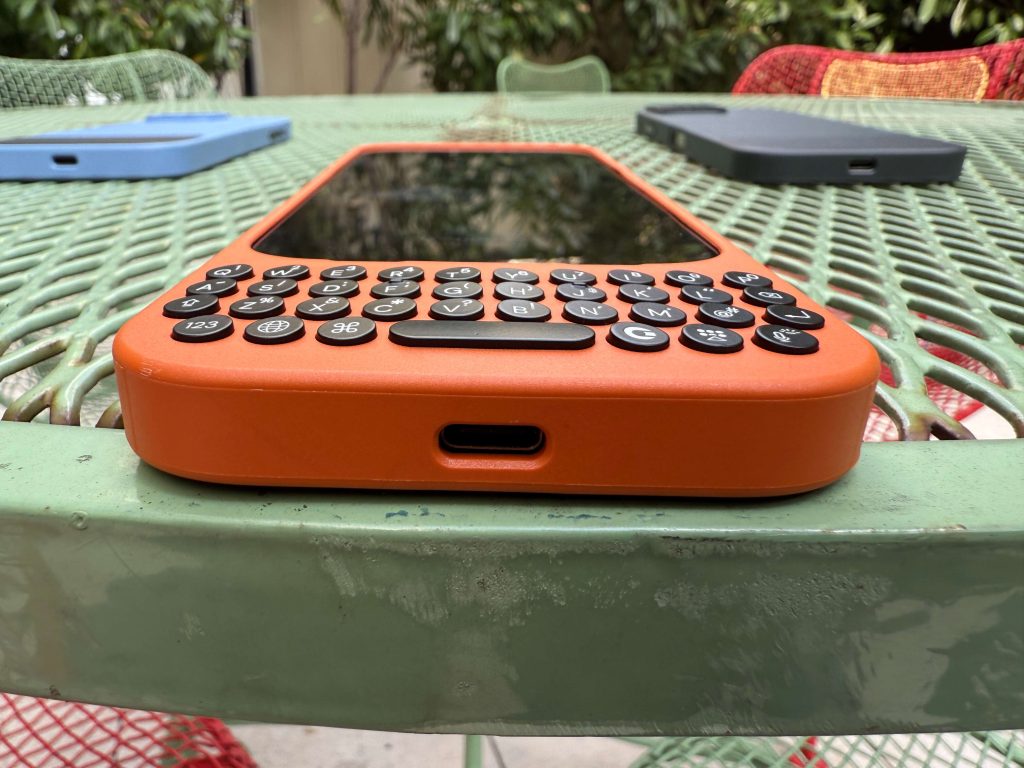
    So, what is it like to actually use this keyboard? The new Clicks Keyboard tailored for the iPhone 16 Pro models delivers significant improvements concerning both feel and functionality. The redesigned keys are notably more comfortable and responsive, enhancing the typing experience immensely. The keys feature a contoured design, fitting snugly under your fingers and providing a satisfying tactile response with each click. Clicks reports the keys have been enlarged by 9% compared to last year’s model, reducing accidental presses while the ergonomic redesign makes typing more intuitive. For fans of tactile feedback, Clicks has certainly succeeded.

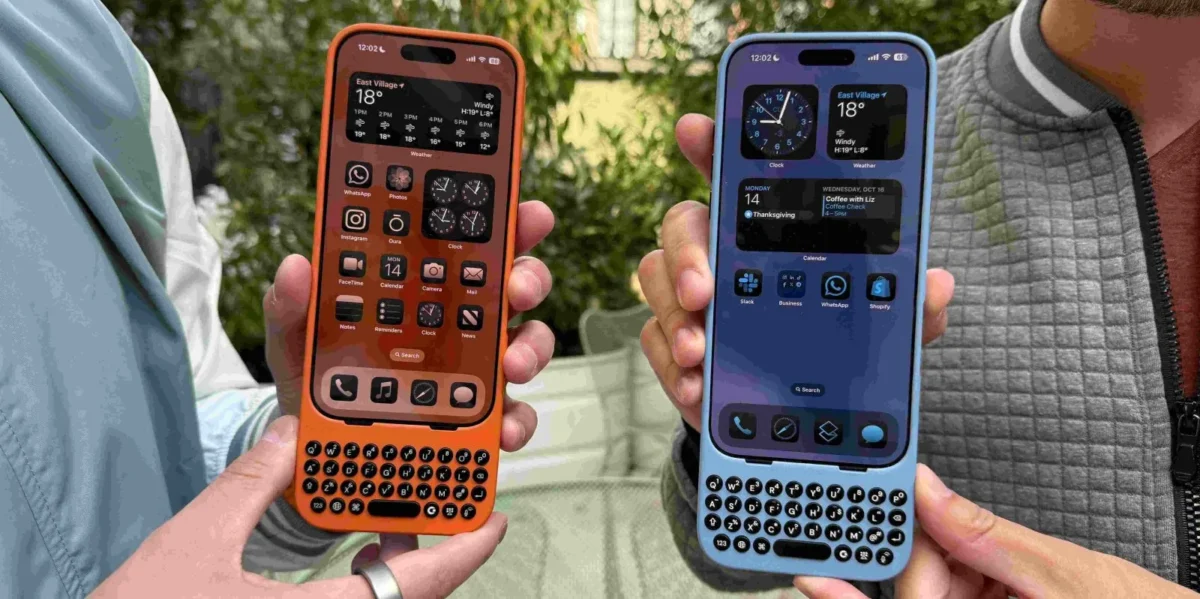
    A notable aspect of the design is its well-balanced construction. Even as a physical attachment, it doesn’t add excessive weight to the iPhone, maintaining a comfortable fit without tilting or dragging down your device. The keyboard layout allows for unobstructed screen visibility, enhancing content engagement—be it for streaming videos, browsing social media, or managing documents without the hindrance of a virtual keyboard.

    However, it’s essential to note that the Clicks Keyboard can be somewhat bulky. This attribute may not suit everybody, but for those who are inclined towards physical keyboards, this is a solid option. I adapted to its size surprisingly fast, even with the larger iPhone 16 Pro Max, comfortably fitting into my pockets. If tactile keys and a comprehensive screen view appeal to you, this keyboard is a satisfying choice. Its enhanced typing experience, coupled with full interaction capabilities on your iPhone, justifies the additional heft.

    Pricing and Availability

    You can now pre-order the Clicks Keyboard for the iPhone 16 Pro and Pro Max, with deliveries commencing in early November. The price is set at $139 USD for the Pro model and $159 for the Pro Max version.

    The keyboard can be acquired directly from the Clicks website, certain Best Buy stores across the U.S. and Canada, and online via BestBuy.com. Three colors—Surf, Spice, and Onyx—offer a touch of personalization to this high-end accessory. The Onyx color will be shipped by October 28, while the others will be available in the first week of November.


    Concluding Thoughts

  • Clicks Keyboard for iPhone 16 Pro – Made from Your Feedback

    Clicks Keyboard for iPhone 16 Pro – Made from Your Feedback

    The Clicks Keyboard for iPhone is back, and it’s hitting all the right notes—both literally and metaphorically. I recently tried out the new model, and it’s evident that Clicks has put in the work. From its ergonomic design to the additional features, here’s what caught my attention during my initial impressions of their version 2 product.

    Advancements from Generation 1 to Generation 2

    Last year, I explored the first generation of the Clicks Keyboard designed for the iPhone 15 Pro Max, and I found it enjoyable overall. However, it did lack certain enhancements that would have improved the overall user experience. With the release of the second version, Clicks has taken the feedback seriously, addressing nearly every significant concern:

    Key Specs

    Using It: A Hands-On Review

    So what is the experience like with this keyboard? The new Clicks Keyboard for iPhone 16 Pro models marks a significant improvement in both design and function. The revamped keys are notably comfortable, responsive, and tactile, making the typing process genuinely enjoyable. Their contoured design acts like a perfect fit under your fingers, providing a satisfying click with each keystroke. According to Clicks, the keys are 9% larger than those on last year’s version, which decreases the chances of accidental presses. However, the enhanced ergonomics really facilitate easier typing. If you’re after that tactile feel, Clicks has truly nailed it.

    Moreover, the balanced design keeps the keyboard from making your iPhone feel top-heavy; it sits comfortably without tipping, ensuring that the screen remains free of obstructions. This is a game-changer whether you’re watching videos, browsing social media, or working on documents—having the full screen accessible without a virtual keyboard shading your view genuinely improves your overall experience.

    That said, the Clicks Keyboard is relatively large, which is an aspect to consider. It suits those who are aware that they desire a physical keyboard for their iPhone, but it might not fit everyone’s needs. I adapted to its size swiftly, even with the larger iPhone 16 Pro Max model, and it passed the pocket test of my skinny jeans! If you’re among those who appreciate the notion of tactile keys and a panorama view of your screen, this keyboard strikes all the right chords. The typing experience is impressive, complemented by the ability to see and interact with content without hindrance.

    Cost and Availability

    The Clicks Keyboard for iPhone 16 Pro and Pro Max is now available for pre-order, with initial deliveries set for early November. The price is $139 USD for the Pro version and $159 for the Pro Max.

    Customers can purchase it directly from Clicks’ official website, at select Best Buy locations across the U.S. and Canada, and online at BestBuy.com. Multiple color options—Surf, Spice, and Onyx—allow for some degree of personalization. The Onyx version will ship on October 28th, while the other colors will follow in the first week of November.


    Concluding Insights

  • Tiny iPhone 16 Pro Feature Is My Surprise Favorite This Year

    Tiny iPhone 16 Pro Feature Is My Surprise Favorite This Year

    When you think about the changes brought by the iPhone 16 Pro, several enhancements might spring to mind, such as improved camera functionality, extended battery life, advanced AI features, and more. While these are undoubtedly significant upgrades, there’s one subtle improvement that continues to catch my attention: the minimum brightness of the new iPhone 16 display.

    Introducing Minimum Brightness as a Key Specification

    This year marks a notable shift; Apple has chosen to highlight minimum brightness specifications for their screens, a departure from their previous focus solely on maximum brightness.

    Understanding the maximum brightness is crucial, especially for those who frequently use their devices outdoors in bright sunlight.

    However, many of us often find ourselves using our iPhones in dimly lit environments, like while relaxing in bed.

    That’s where minimum brightness becomes particularly significant.

    Both the iPhone 16 and 16 Pro now feature the first officially published minimum brightness specification for the iPhone lineup.

    Each model boasts a minimum brightness of just 1 nit.

    The Importance of Reduced Brightness

    iPhone 16 display brightness dark

    This feature shines most brightly when you’re using your phone in low-light situations, like when you’re tucked in bed next to someone who’s asleep.

    Recently, I experienced this first-hand in a hotel room as I evacuated from Florida; my one-year-old was sleeping nearby, and the minimal brightness of the iPhone 16 Pro allowed me to use my device without waking him.

    Although Apple hasn’t provided minimum brightness data for older iPhone models, a direct comparison with my previous iPhone 15 Pro demonstrated a clear distinction in brightness levels.

    Conclusion: The iPhone 16’s Display Brightness

    In my opinion, the minimum brightness feature has emerged as an unexpected highlight of this year. It may not be getting the spotlight it deserves, but I have found it to be an invaluable addition to the iPhone 16.

    While this may not be a decisive factor for upgrading, it certainly enhances the overall user experience more than one might expect.

    What are your thoughts on the new minimum brightness feature of the iPhone 16? We’d love to hear your feedback in the comments below.

    Top Accessories for iPhone 16 Pro

  • China Detains Four Taiwanese Workers at Major iPhone Factory

    China Detains Four Taiwanese Workers at Major iPhone Factory

    Chinese authorities have taken into custody four Taiwanese workers from Foxconn’s Zhengzhou facility, which serves as the largest iPhone manufacturing site globally, contributing to approximately 80% of total worldwide production.

    The detentions were made under legal measures that the Chinese government introduced last year. While no clear justification has been presented, the situation appears to be influenced by political motivations…

    China detains four Foxconn employees

    The Wall Street Journal has reported.

    Local authorities in China have detained four Taiwanese personnel associated with Apple production facilities, as confirmed by officials from Taiwan. This development adds to a series of corporate detentions that have negatively impacted business confidence […]

    One agency mentioned that allegations against the employees relate to a breach of trust; however, the specific details surrounding these claims remain unclear […]

    The Mainland Affairs Council (MAC) of Taiwan has characterized the accusations as peculiar, emphasizing that such wrongful detentions could severely undermine investor trust in China.

    To date, there has been no official statement from either Apple or Foxconn, although the MAC noted that there have been no reported financial repercussions.

    Possible political motivations

    Relations between Taiwan and China have deteriorated significantly over the past few years, with tensions escalating to military posturing, including potential blockades. Intelligence agencies from both the US and UK are reportedly concerned about the possibility of a Chinese invasion in 2027, coinciding with the 100th anniversary of the People’s Liberation Army.

    TSMC, a key supplier for Apple, is said to be preparing to remotely disable its machinery to safeguard its advanced technology should an invasion occur.

    The recent detentions reflect a troubling trend wherein China employs such actions to intimidate individuals who express support for Taiwan’s quest for independence.

    China has announced new regulations targeting individuals it classifies as “die-hard supporters of Taiwan independence,” with severe penalties, including potential death sentences […]

    In June, the Taiwanese council raised its travel alert level for China to the second-highest, advising citizens to refrain from non-essential travel. They warned that China’s intensified national-security laws have led to unlawful detentions and interrogations of Taiwanese nationals.

  • Kuo: iPhone 16 Sales Meet Expectations, No Cuts Expected

    Kuo: iPhone 16 Sales Meet Expectations, No Cuts Expected

    The iPhone 16 series made its debut just a few weeks ago, and now is the time when we usually start getting insights into how sales are performing through supply chain reports. After some uncertainty last week, industry analyst Ming-Chi Kuo has shared some positive updates regarding the sales figures for the iPhone 16.

    Apple Seems on Track with iPhone 16 Sales

    In a recent post on X, Kuo provided several insights related to iPhone 16 shipments.

    The key takeaway is that the sales are aligning with Apple’s expectations, with no anticipated reductions in supply chain activity.

    Typically, after a major launch, we begin to see indicators that suggest potential cutbacks. While Apple does not disclose specific sales figures, insights from the supply chain about changes in component orders often serve as a reliable gauge.

    Currently, it appears that the iPhone 16 lineup, even in the absence of any groundbreaking features, is performing well enough to meet the company’s targets.

    Kuo mentioned that although demand for the standard iPhone 16 and 16 Plus models is somewhat subdued compared to previous years, the Pro variants continue to excel in sales.

    He pointed out that suppliers have been “expected to maintain production of the two Pro models during China’s National Day holiday,” suggesting that the demand for these models is holding strong and meeting expectations.

    What’s your perspective on the demand for the iPhone 16? Have you noticed any trends among your friends or community? Feel free to share your thoughts in the comments.

  • Teen Survey Shows Apple Intelligence Boosts iPhone 16 Sales

    Teen Survey Shows Apple Intelligence Boosts iPhone 16 Sales

    A recent study conducted among teenagers in the United States shows that ownership of iPhones remains exceptionally high. Although the rate of teens upgrading to the iPhone 16 has remained consistent so far, advancements in Apple Intelligence are expected to boost the number of new purchases significantly in the coming months.

    iPhone Ownership Among U.S. Teens

    Piper Sandler released data from its biennial Gen Z survey, now in its 48th edition, which surveyed 13,515 teenagers from across 47 states in the U.S.

    A notable takeaway was that an impressive 87% of respondents reported owning an iPhone.
    This statistic reflects a strong and consistent trend observed in previous years, highlighting the enduring popularity of the iPhone among youth in the United States.

    However, the survey offered more intriguing insights, particularly regarding the planned upgrades to the iPhone 16.

    The Impact of Apple Intelligence on Upgrade Trends

    Genmoji Apple Intelligence

    Interestingly, there is a slight dip in enthusiasm for upgrading iPhones.

    This trend suggests that while the iPhone 16 may be generating interest comparable to previous models, the introduction of Apple Intelligence features is likely to stimulate a surge in upgrades.

    Currently, models of the iPhone 16 are being released without any Apple Intelligence functionalities. However, the first set of these features is expected to roll out later this month.

    It is anticipated that these new AI functionalities will prompt more adolescents to consider upgrading.

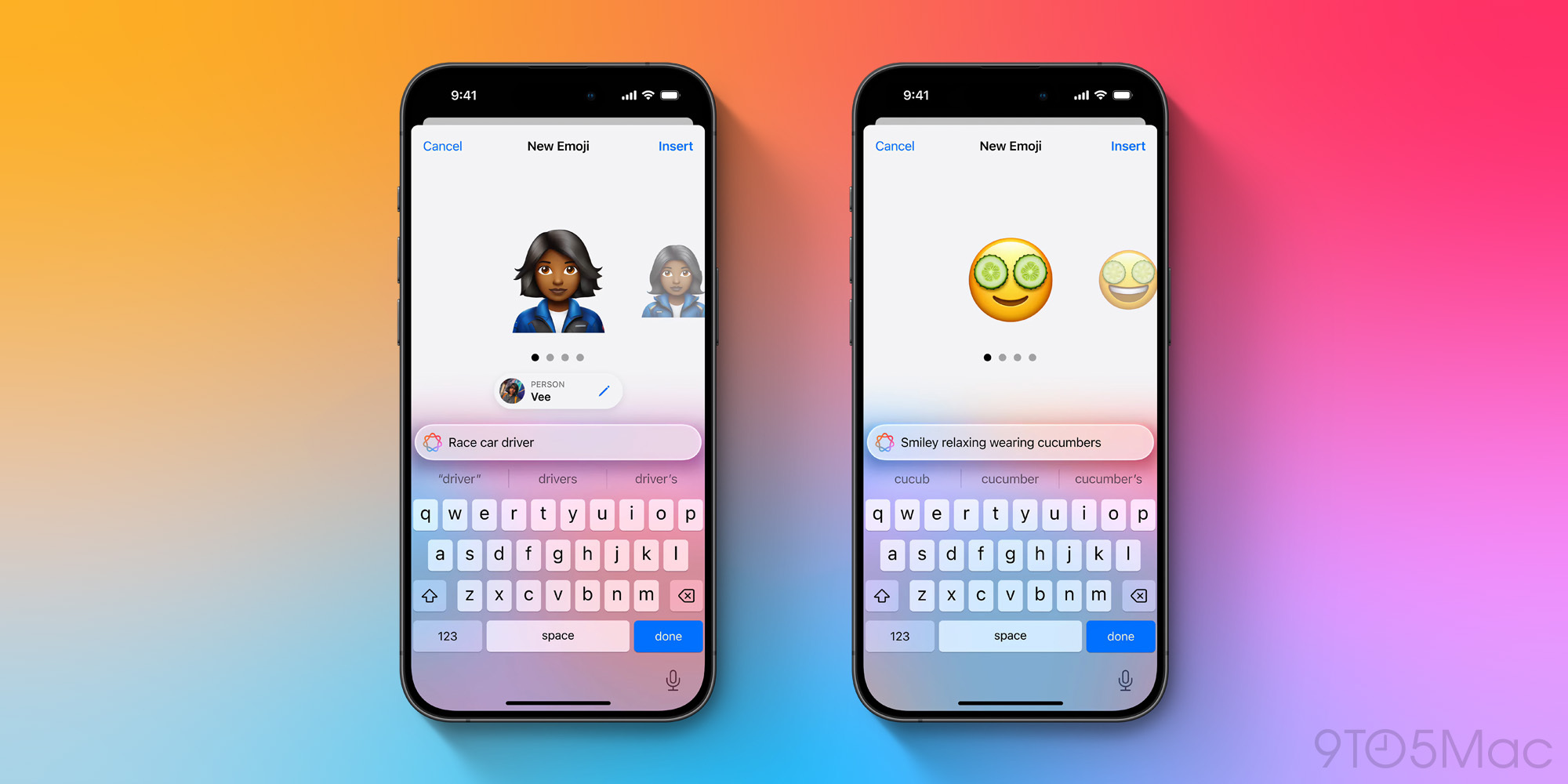
    The upcoming iOS 18.2 update is set to introduce exciting features like Genmoji, Image Playground, and ChatGPT integration. This update is likely to debut in December, potentially igniting a fresh wave of upgrades, particularly among teens eager to utilize these innovative tools.

    What do you think about these survey insights? We’d love to hear your thoughts in the comments!

  • iFixit Sells Tool for Easy iPhone 16 Battery Removal

    iFixit Sells Tool for Easy iPhone 16 Battery Removal

    Apple has taken significant strides towards enhancing the repairability of its devices with the introduction of the iPhone 16. A standout feature is a novel technique that utilizes a low-voltage electric current, simplifying the process of detaching the battery. In response to this, iFixit has unveiled a specially designed tool aimed at aiding individuals in safely removing the integrated battery of the iPhone 16.

    VoltClip: An Innovative Way to Remove the iPhone 16 Battery

    The new VoltClip tool from iFixit operates through USB power, delivering between 9-12V to help users separate the battery from their iPhone 16. The device features a USB-C adapter for power connection, along with alligator clips to facilitate attachment to the device.

    According to a report from The Verge, Apple’s repair guidelines mention that utilizing up to 30V can lead to quicker battery removal. However, iFixit opted to keep its VoltClip simple and economically viable. This accessory certainly proves easier to use compared to traditional connectors or single-use batteries.

    In earlier iPhone models, manufacturers used stretch-release adhesives to secure the battery within the device. While effective, this method complicated repairs and extended the removal process. Thanks to the new electric current approach, the battery can be detached safely and efficiently in roughly one minute.

    It’s important to note that this innovative battery removal technique is exclusive to the iPhone 16 and iPhone 16 Plus; the Pro and Pro Max versions continue to implement the older adhesive method for battery installation.

    If you’re considering repairing your own iPhone or are involved in the repair business, the iFixit VoltClip is available for purchase at $10.95. Just keep in mind that it requires a USB-C PD power source (not included) that can provide 12V or 9V output.

    And for those in the market for a new iPhone, check out the fantastic deals on Amazon.

  • Nomad Unveils ‘Olde Dublin’ Leather Case And Folio For iPhone 16 Pro

    Nomad Unveils ‘Olde Dublin’ Leather Case And Folio For iPhone 16 Pro

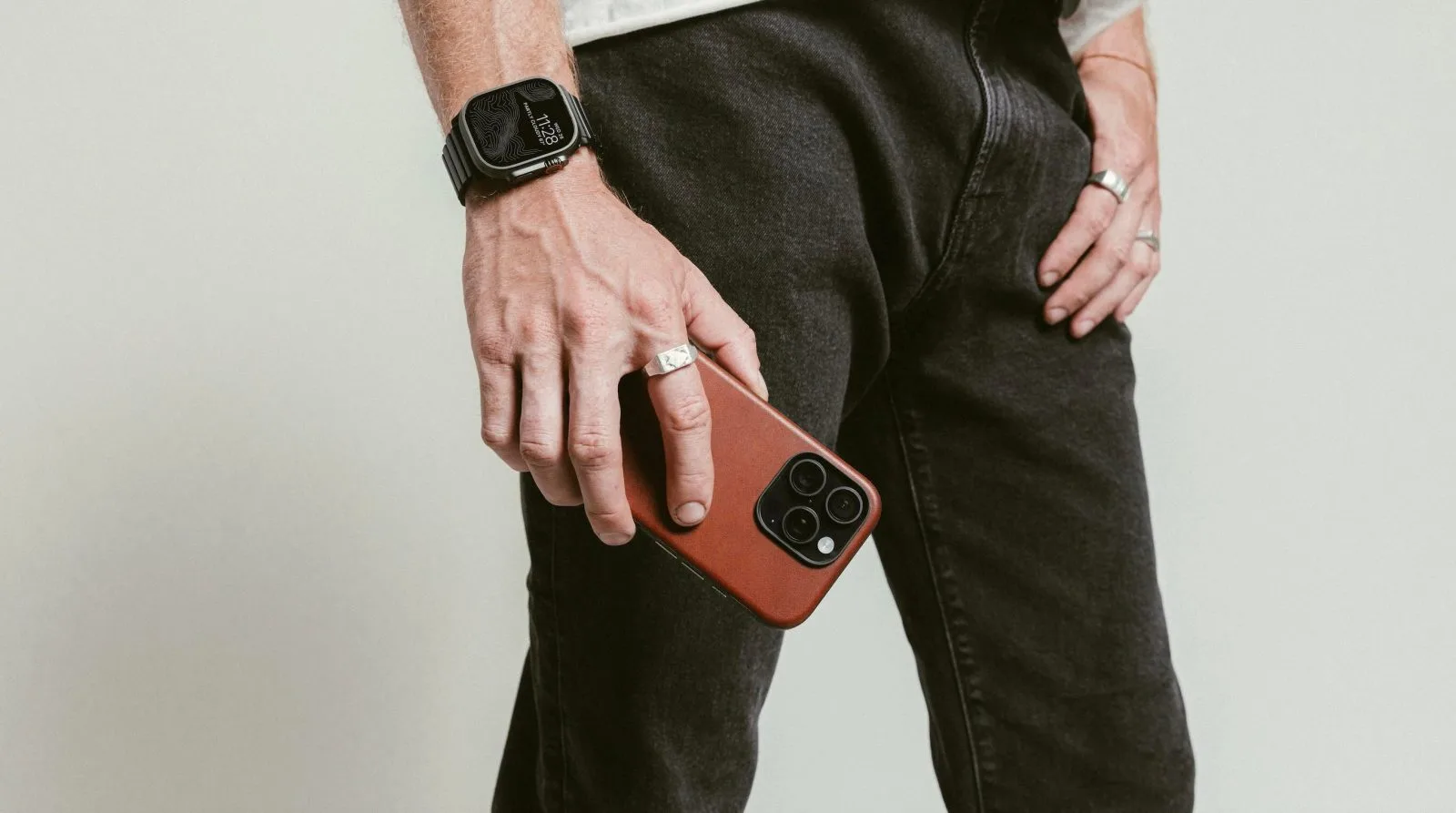
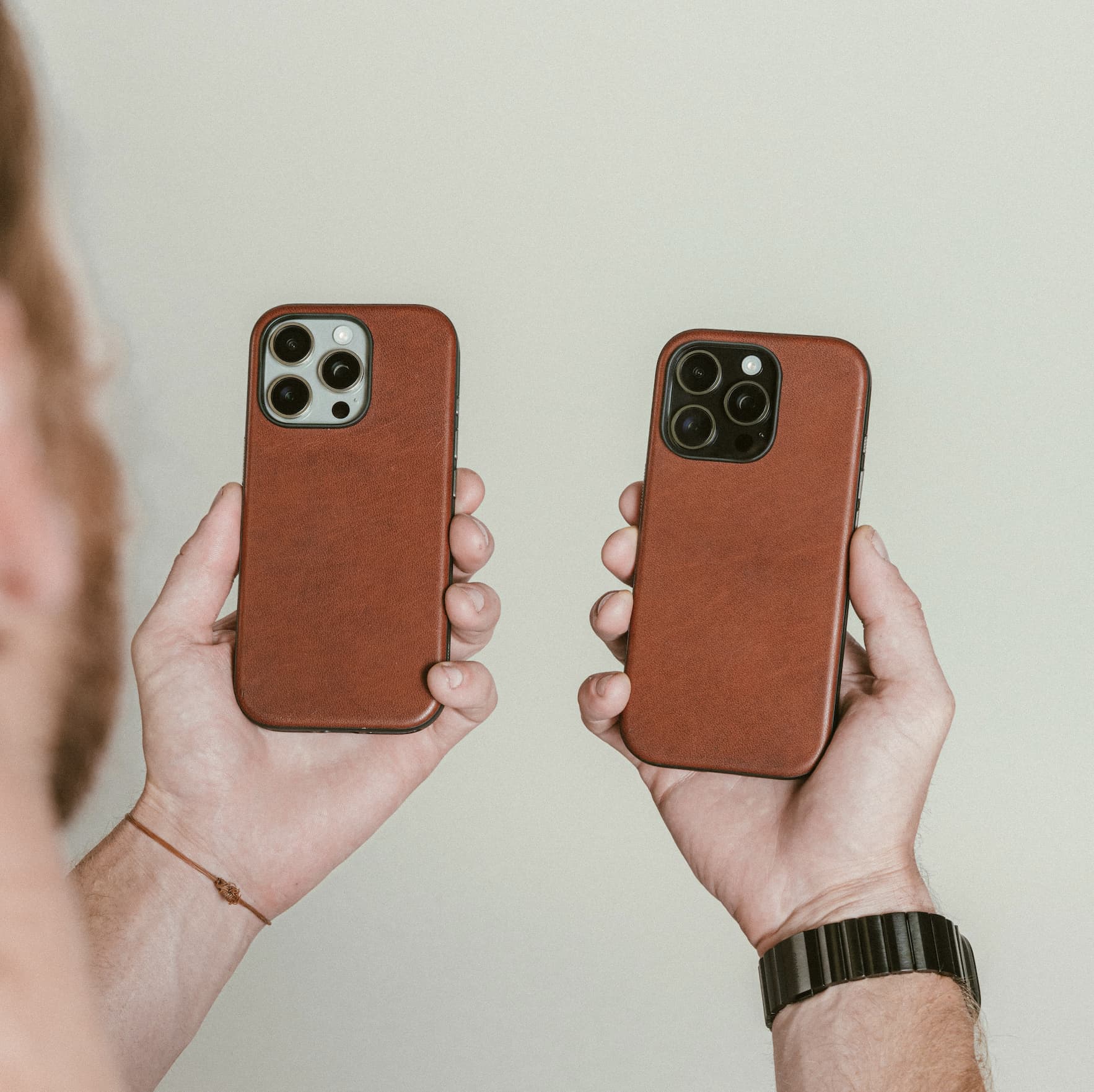
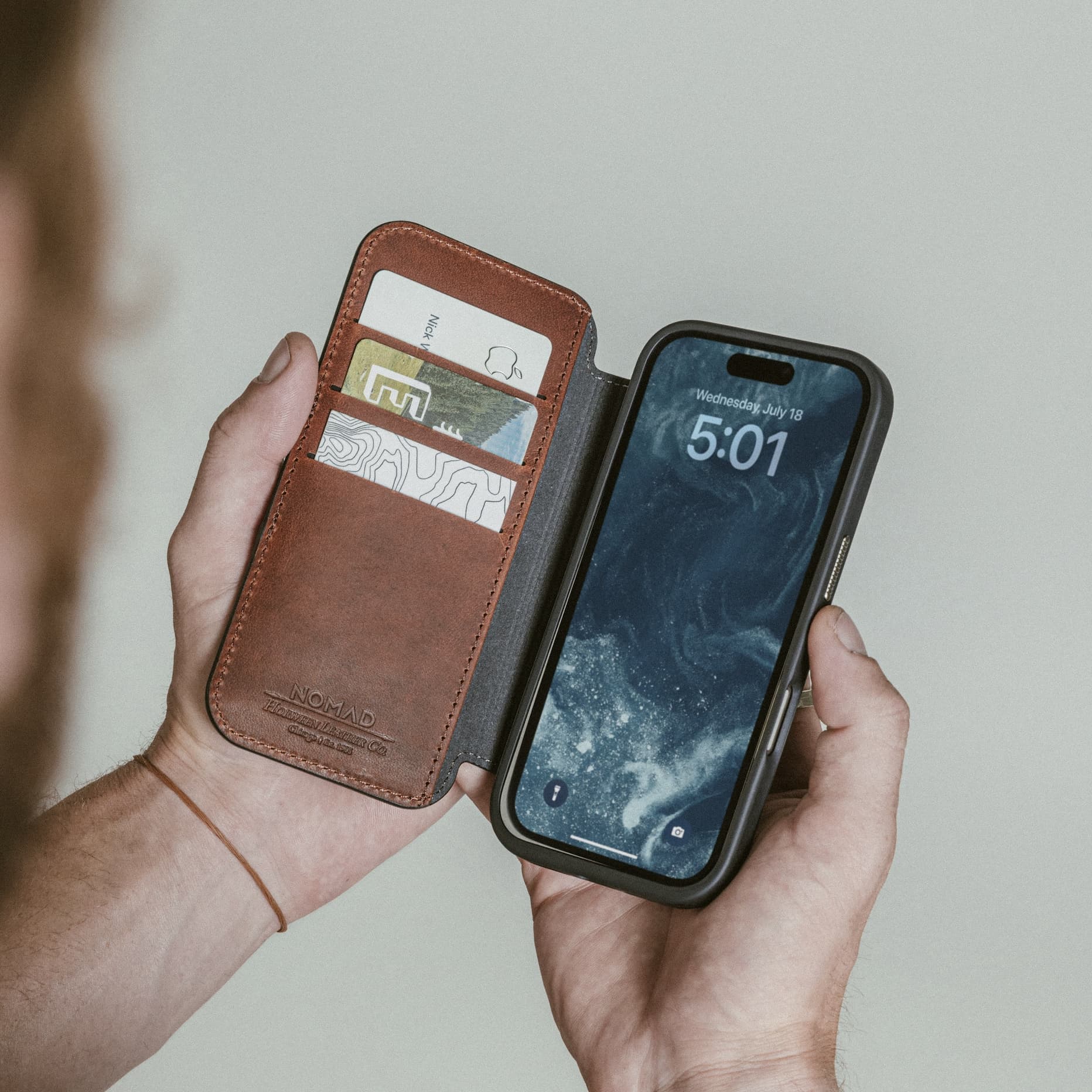
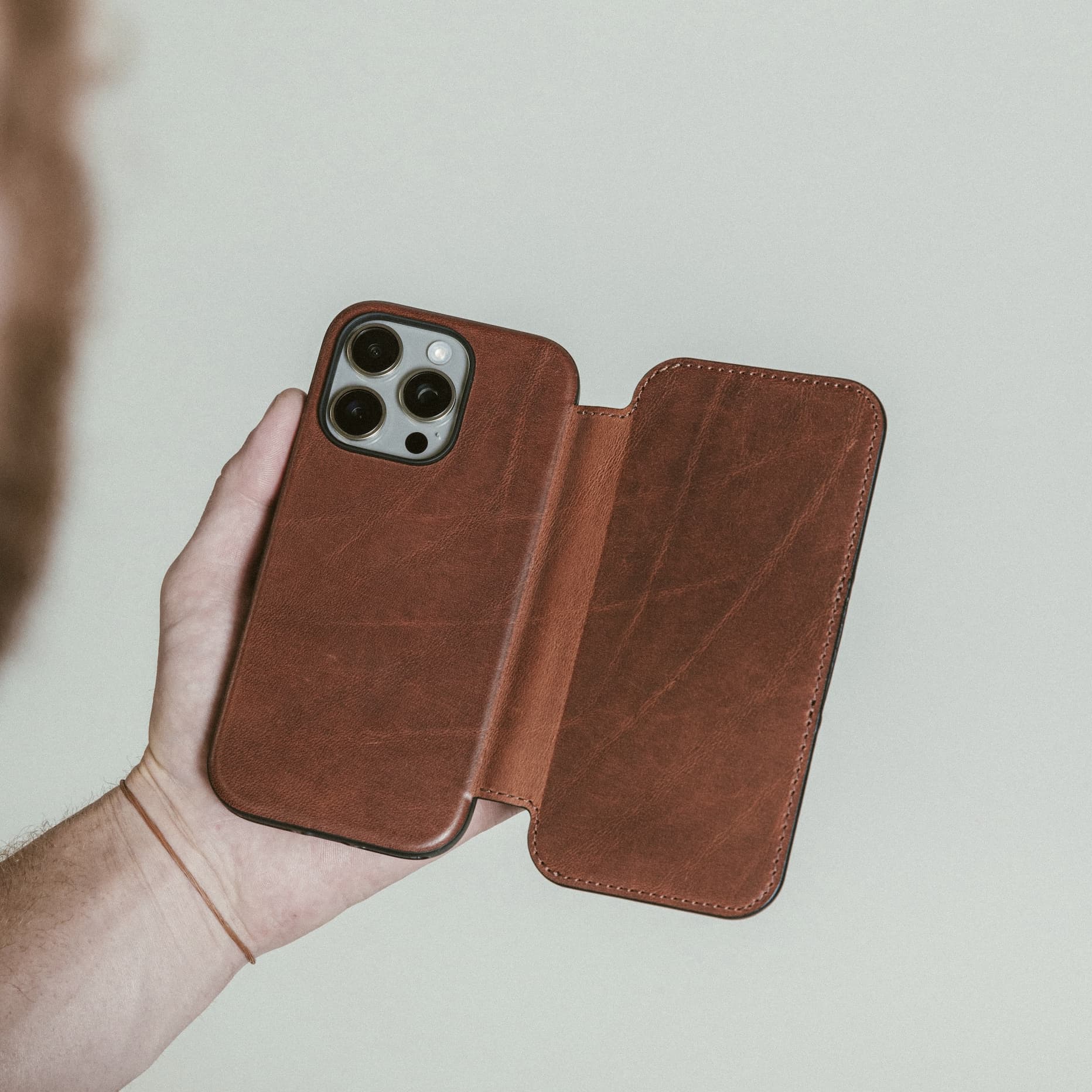
    Nomad has long been synonymous with high-quality leather accessories for the iPhone, and with Apple’s recent decision to discontinue leather options, their products have seen a notable surge in popularity. Recently, Nomad introduced a limited edition finish to their distinguished Horween Modern Leather Case and Modern Leather Folio, optimized for both iPhone 16 Pro and Pro Max.

    Nomad prides itself on offering two exceptional types of leather in its iPhone accessories: sustainably sourced full-grain leather and premium Horween leather.

    Horween leather, crafted in Chicago since 1905, undergoes minimal treatment to preserve the natural beauty of each hide. This ensures that every Nomad Horween case or folio boasts a uniquely genuine appearance.

    While their usual options include Rustic Brown and Black, Nomad has now unveiled an exciting new choice called Olde Dublin, available for a limited time.

    Specifications of Modern Leather Case Olde Dublin Horween

    Nomad Olde Dublin Modern Leather Case Horween iPhone 16 Pro

    The Modern Leather Case Olde Dublin Horween for the iPhone 16 Pro and Pro Max can now be purchased directly from Nomad for $70.

    Specifications of Modern Leather Folio Olde Dublin Horween

    Nomad advises using a screen protector for your iPhone to avoid micro scratches caused by credit cards.

    The exclusive Modern Leather Folio Olde Dublin Horween for the iPhone 16 Pro and Pro Max can be purchased from Nomad at the price of $90.

  • Should Apple End Annual iPhone Updates Poll

    Should Apple End Annual iPhone Updates Poll

    Macworld is known for its thought-provoking articles, and its latest piece critiques not only the Camera Control button on the iPhone 16 but also the Action button from the previous model.

    Despite these specific critiques, the article goes on to suggest that Apple’s predictable annual iPhone release schedule may compel the company to introduce new devices before they are fully prepared with substantial innovations.

    Button Controversy

    Clearly, the article’s author, Mahmoud Itani, has a strong aversion to hardware buttons.

    In my view, the Camera Control button seems more like an accessibility feature meant for one-handed shooting rather than a genuine enhancement that would appeal to the average user. It introduces several complications without providing real benefits […]

    Similar to the Camera Control button, the Action button (which debuted with the iPhone 15 Pro) appears to be an unnecessary modification aimed at showcasing a reimagined device […] Apple could have enhanced the existing double-tap feature, allowing users greater customization without necessitating any hardware changes.

    Personally, I have an appreciation for both the Action Button and Camera Control features, although I believe the latter requires some improvement in user interface design. But I won’t delve into that discussion here.

    Should Apple Abandon Fixed Annual Updates?

    However, Itani’s broader contention is that Apple should consider eliminating its annual iPhone updates.

    The rigid annual upgrade cycle is exhausting for Apple. As we’ve seen, the company occasionally makes hasty decisions in the name of significant change. If not, users might not have bothered upgrading from the iterative iPhone 13 Pro. But what if there were an alternative?

    He proposes a switch to a biennial cycle, while others suggest a more flexible, needs-based approach: release a new iPhone when there are solid advancements to offer.

    Nonetheless, it’s doubtful that either suggestion would be financially feasible. Despite a gradual expansion of Apple’s product offerings and an increasing revenue stream from services, the iPhone still accounts for approximately half of Apple’s total earnings.

    We invite you to participate in our poll and share your opinions in the comments below.

    Image credit: Apple

  • Apple Intelligence Performance Delayed Until 2026 And Beyond

    Apple Intelligence Performance Delayed Until 2026 And Beyond

    Apple’s journey with its AI initiative has been a slow burn. While the initial six features are set to debut later this month, a revamped version of Siri is not expected to make its mark until next year.

    However, one analyst advises caution in setting expectations, suggesting we may not see “substantial” AI capabilities in iPhones until 2026 or 2027.

    Speculation had suggested that Apple Intelligence could trigger a surge in iPhone 16 sales, particularly as anyone purchasing a device other than the iPhone 15 Pro would need to upgrade for access to the latest features. Yet, recent sales figures indicate that this year’s iPhone sales are maintaining pace with last year’s, hinting that consumers aren’t yet perceiving AI as a compelling reason to upgrade.

    According to Jefferies analyst Edison Lee, this comes as no surprise. As reported by The Street, he remarks that the anticipated 5-10% growth in iPhone sales seems “unlikely” to be realized.

    While he acknowledges that Apple has a distinct edge in the AI domain compared to other smartphone makers, he believes it will take 2-3 more years before that advantage significantly impacts new iPhone sales.

    “We have a positive outlook for Apple Intelligence in the long run, as Apple uniquely integrates hardware and software to utilize proprietary data for delivering affordable, tailored AI solutions,” Lee commented. “However, the smartphone hardware needs substantial upgrades to support robust AI functions, likely by 2026/2027.”

    Lee also sees a brighter horizon for Apple in terms of iPhone sales growth next year, which he attributes more to the anticipated release of the slimmer iPhone 17 Air than to advancements in Apple Intelligence.

    “We believe that technology enabling AI-capable smartphones is still 2-3 years off due to challenges related to high-speed memory and sophisticated packaging technology,” he added. “[However,] Apple’s streamlined model (17 Air) in 2025 could stir more upgrade interest.”

    Graphic: Apple and Michael Bower/9to5Mac

  • Apple Highlights Camera Control Features in New iPhone 16 Video

    Apple Highlights Camera Control Features in New iPhone 16 Video

    Apple has just released a new promotional video for the iPhone 16, shifting the spotlight from its previously highlighted features related to Apple Intelligence to an exciting focus on Camera Control. In this latest video, [you can check it out here](https://youtu.be/2dI9ql8KSH4?si=AD8qX8p3rpgKOnk0), you’ll catch a glimpse of a significant detail about how Apple envisions utilizing this innovative button.

    Highlights of the Camera Control Feature in the New Ad

    One of the standout updates in this year’s iPhone lineup is the introduction of the versatile Camera Control button.

    This new button not only provides rapid access to the camera but also allows users to seamlessly use gestures to navigate various controls within Apple’s Camera app.

    The latest advertisement for the iPhone 16 showcases these functionalities impressively.

    Interestingly, Camera Control, which might have typically been confined to the Pro models in prior years, has now been integrated into even the standard iPhone 16 model.

    Camera Control: Best Used in Landscape Mode

    One prominent observation from Apple’s advertisement is that Camera Control is exclusively demonstrated in landscape orientation.

    This choice of orientation certainly clarifies a lot about its designed use.

    How have you been utilizing the Camera Control feature? We’d love to hear your thoughts in the comments!

  • Does Charging iPhone to 80% Improve Battery Life

    Does Charging iPhone to 80% Improve Battery Life

    The iPhone 16, along with its predecessor, the iPhone 15, includes a feature that allows users to limit charging to 80% instead of the usual 100%. This option is based on the idea that most users don’t necessarily need their device fully charged every day, and doing so could help reduce battery wear, potentially prolonging its lifespan.

    But does this theory actually hold up in practice? A partner site of Macworld set out to gather some evidence and conduct a statistical analysis to investigate this question.

    If you had to guess the location of the study, you might have a good chance of being right.

    The German site Macwelt invited Facebook users to submit screenshots showing their battery health to assess whether they charged their devices to 80% or 100%. The data collection focused exclusively on iPhone 15 users to ensure that they had at least a year’s worth of usage data available.

    After analyzing the information, they created graphs that indicated that those who charged their phones to 100% experienced a noticeable decline in battery health after one year.

    In true German fashion, they wanted to validate their findings with a statistical test to ascertain whether the differences were significant. The results, as it turns out, were indeed significant.

    Using a T-test, a widely used method for testing differences between two groups, the researchers aimed to see if the distinction between charging habits was statistically meaningful. A P-value of less than 0.05 indicates a significant difference between the two groups, while a higher P-value suggests that the charging approach being examined has no impact on the data.

    In their analysis, they first used the full set of 102 data points, achieving a P-value of 0.047121 (4.7121%). For a second assessment, they filtered out data points where charge cycles were fewer than 140, since batteries typically don’t show significant aging until after this threshold. With 89 data points remaining, the P-value was calculated at 0.047547 (4.7547%). This indicates that charging practices indeed have a statistically significant effect on battery health and longevity.

    That being said, the difference in battery health may not be radical. For those charging to 100%, battery capacity went from 99% of its original state to 98%. In comparison, those charged to 80% saw their capacity decrease from 95% to 93% over the same period.

  • Finding Free Wallpaper For Your Apple Devices

    Finding Free Wallpaper For Your Apple Devices

    The ongoing debate surrounding MKBHD’s wallpaper application continues to attract attention. Regardless of your opinion on the $50/year subscription model, there are numerous options available for downloading complimentary wallpapers for your Apple devices.

    You can find both dedicated wallpaper websites as well as stock image platforms that provide a vast selection of wallpapers suitable for iPhone, iPad, and Mac …

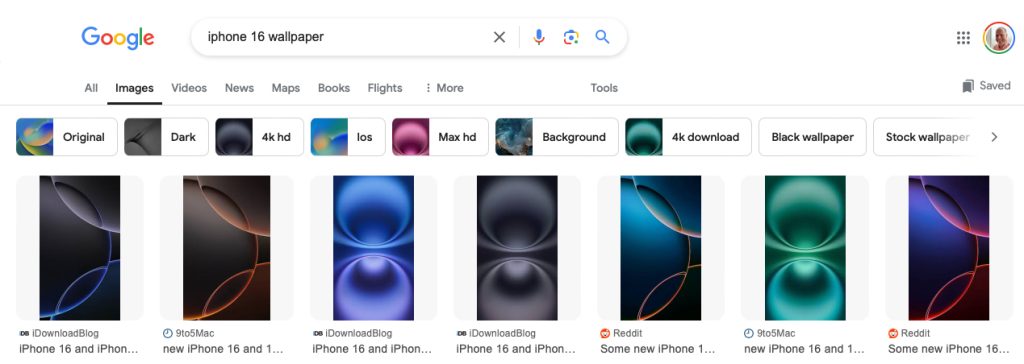
    Google Images

    For those seeking a straightforward solution, performing a Google Images search is the way to go. Simply type in your device model followed by the word ‘wallpaper’ to access a plethora of options—try searching for something like: iPhone 16 wallpaper.

    However, it’s important to note that the search results may include copyrighted images. You can refine your search by selecting Tools > Usage rights > Creative Commons licenses, although this may limit the number of usable images substantially.

    Most creators are likely fine with you using their images on personal devices as long as they aren’t widely shared; nevertheless, it’s up to you how careful you wish to be. Alternatively, you can opt to keep the filter off and review the usage terms on a case-by-case basis.

    Basic Apple Guy

    A beloved resource for wallpapers is Basic Apple Guy. This site hosts a wide range of stunning images tailored specifically for iPhone, iPad, and Mac.

    All wallpapers are available for free, and if you enjoy the artwork, consider giving his tip jar a visit as a token of appreciation. The featured image on this page can be found here.

    Unsplash

    While the quality can vary, Unsplash usually houses many stunning images. My advice? Browse through curated collections that match your style, and then see what else they’ve made available.

    Searching with broader terms such as ‘abstract,’ ‘colorful,’ or ‘futuristic’ can yield promising results as well.

    Pexels

    Similarly, Pexels offers a range of images, although I personally find the quality to be slightly inconsistent. You can either input your own search terms or explore pre-selected keywords like Mobile wallpaper 4K.

    Be mindful that some results may lead you to chargeable iStock images; however, spotting these is usually straightforward.

    Pixabay

    Another excellent platform is Pixabay, where a search for iPhone wallpaper can yield some delightful results. Keywords like Abstract and Colorful can prove beneficial during your search.

    As with Pexels, you might encounter sponsored results from iStock, but these typically show up only on the download page and can be easily overlooked.

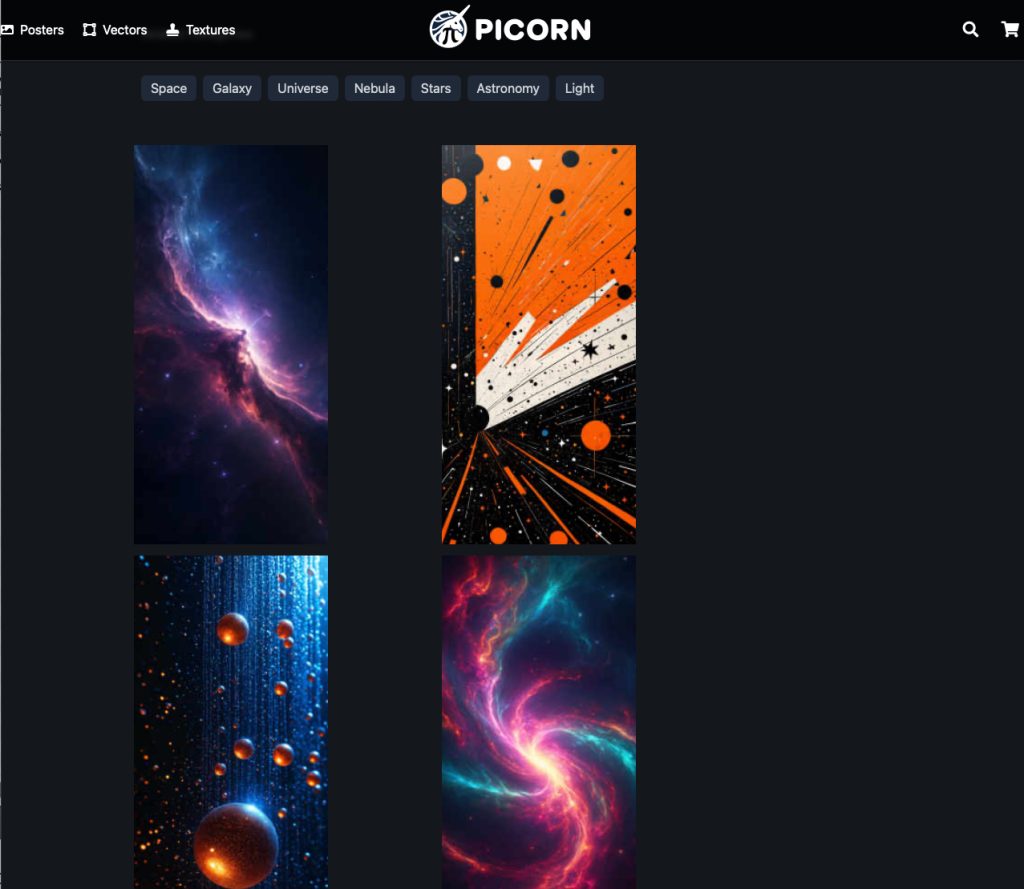
    Picorn

    Picorn is primarily a wall art retail site, but it also offers HD wallpaper downloads at no cost.

    The site organizes images into categories, allowing users to easily find wallpapers related to Abstract, Colorful, and Reflection.

    Reddit

    If you prefer browsing to searching, Reddit has a treasure trove of stunning images.

    Check out r/wallpapers for Mac images (portrait images are not allowed), or look through r/iphonewallpapers for iPhone wallpapers. However, be aware that the latter often features users showcasing their wallpapers rather than providing direct downloads, along with inquiries like “Where can I find this wallpaper?”

    Pinterest

    Pinterest can also serve as a source of striking images. A frequent frustration is encountering links that lead to low-resolution images despite an appealing preview. Searching for iPhone wallpaper can yield interesting finds.

    Of course, numerous other resources exist for finding amazing wallpapers tailored for Apple devices—feel free to share your personal favorites in the comments below.

    Main image: Apple Anatomy/Orange Peel from Basic Apple Guy

  • AAPL Earnings Call On October 31 To Discuss Early iPhone 16 Sales

    AAPL Earnings Call On October 31 To Discuss Early iPhone 16 Sales

    Mark your calendars! Apple is set to hold its Q4 2024 earnings call on October 31. This event will likely provide initial insights into how the new iPhone 16 is performing in terms of sales.

    This fiscal quarter encompasses the months of July through September. Pre-orders for the iPhone 16 models began on September 13, with the devices hitting Apple Store shelves on September 20, meaning that the sales from the launch period will factor into this quarter’s revenue.

    That said, Apple typically does not disclose specific unit sales figures and does not differentiate between pre-launch and post-launch sales revenue, so analysts will only receive a general idea of the newest models’ market reception.

    While Apple has moved away from providing detailed guidance for upcoming quarters, previous earnings calls have offered some insights into the company’s expectations.

    We are anticipating our revenue for the September quarter to grow on a year-over-year basis at a rate comparable to what we experienced in the June quarter.

    This growth rate stood at 4.87%, indicating that Apple expects relatively stable revenue compared to last year. This poses a contrast to the anticipated upgrade wave as users of older models might flock to the iPhone 16 to leverage the new features in Apple Intelligence, given that only the two iPhone 15 Pro models are capable of utilizing these AI capabilities.

    Apple’s CFO, Luca Maestri, also highlighted that comparing year-over-year performance can be complex due to the diverse contributions from various product lines.

    When considering the Mac segment, we face a challenging comparison due to the previous launch of the 15-inch MacBook Air, which we fully impacted during the last year’s quarter. Similarly, the iPad segment reported a remarkable 24% growth in the June quarter thanks to the recent launches of the iPad Air and iPad Pro.

    As expected, Apple foresees continued growth in its Services segment.

    We anticipate that Services revenue will see double-digit growth, reflecting similar trends to what we reported in the first three quarters of this fiscal year.

    Image credit: Apple

  • Capture Control Video Zoom Not Usable Yet, Fix Expected

    Capture Control Video Zoom Not Usable Yet, Fix Expected

    A few months back in February, I expressed my frustrations about the lack of smooth zoom capabilities when using the on-screen controls for video recording. I had high hopes that the upcoming iPhone 16 might provide a solution with its Camera Control video zoom feature.

    Regrettably, it hasn’t met my expectations. The Camera Control slider for video zoom is still quite problematic, making it ineffective for real-world use.

    The Challenge of Video Zooming

    I had previously discussed the shortcomings of the on-screen zoom control and even showcased some footage to illustrate the issue.

    Achieving a smooth zoom is incredibly challenging when manipulating a slider on a flat surface. The natural inconsistencies in pressure from holding the phone can lead to unpredictable movements, often resulting in abrupt changes instead of the desired gradual motion. This can be seen in several instances within the accompanying video.

    Camera Control: A Step Backward

    Unfortunately, the Camera Control feature currently performs even worse for two primary reasons.

    Firstly, the zoom range is overly restricted due to the narrow slider. Once you reach either end of the slider, the zoom function halts. I found that while I could adjust from 5x down to about 2.3, I couldn’t go any further. Similarly, from 0.5 I could only reach about 2.7 at maximum.

    There is a momentum effect, but it only activates if you swipe rapidly. A controlled, slow zoom cannot be maintained if you hold your finger at the edge; it simply halts.

    The more significant issue, however, lies in achieving a smooth and consistent zoom. While the on-screen control occasionally provides a decent zoom, the Camera Control tends to be erratic, mostly causing jerky motions and sporadically achieving smoothness.

    This inconsistency is evident not just when zooming in but also when zooming out, with the added peculiarity of skipping the 1x view entirely.

    If you prefer a seamless swiping experience, utilizing the camera selector is far more effective, as it transitions between fixed focal lengths rather than relying on the zoom control.

    Potential Software Solutions

    On a brighter note, the functionality of the Camera Control button is entirely reliant on software.

    Rapid swiping may indeed justify the current behavior. For instance, if I’m in a safari scenario shooting at a 0.5x view and suddenly spot a dramatic scene, a quick zoom would be essential to capture the moment.

    However, in most situations, a smooth zoom transition is preferable while recording.

    If Apple allows users to swipe slowly left, they could implement software enhancements to ensure a gradual, consistent zoom out, allowing it to maintain that pace if the finger remains at the edge. The same could be applied when zooming in.

    Likely Future Enhancements

    It’s clear Apple is still refining the Camera Control button’s capabilities. A principal feature, such as half-pressing to lock focus and exposure or fully pressing to capture a photo, is set to arrive later this year.

    Given the present shortcomings of the video zoom feature, I believe that improving this functionality will likely be a top priority based on user feedback.