الوسم: Apple iPhone

  • iPhone 16 Pro Max Durability Test In Action

    iPhone 16 Pro Max Durability Test In Action

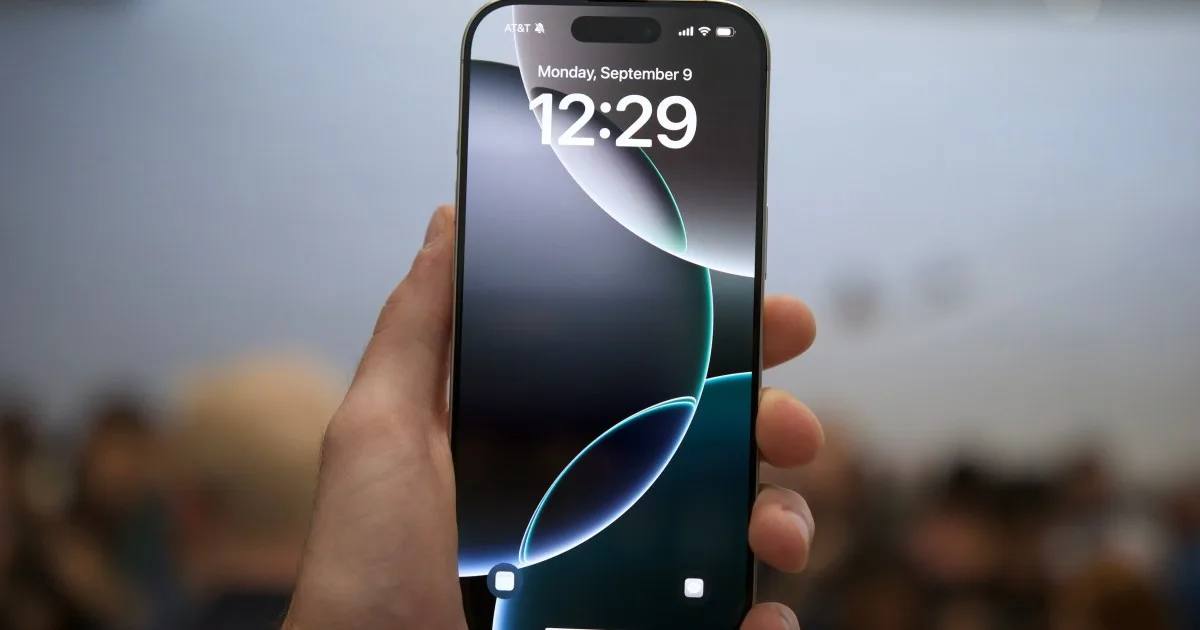
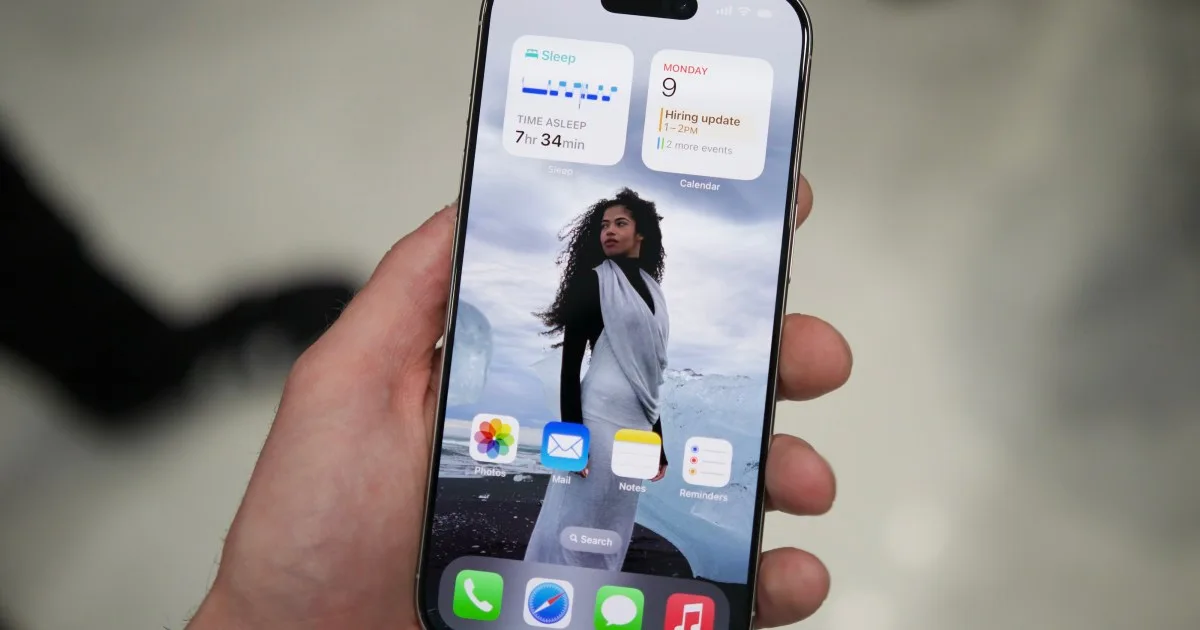
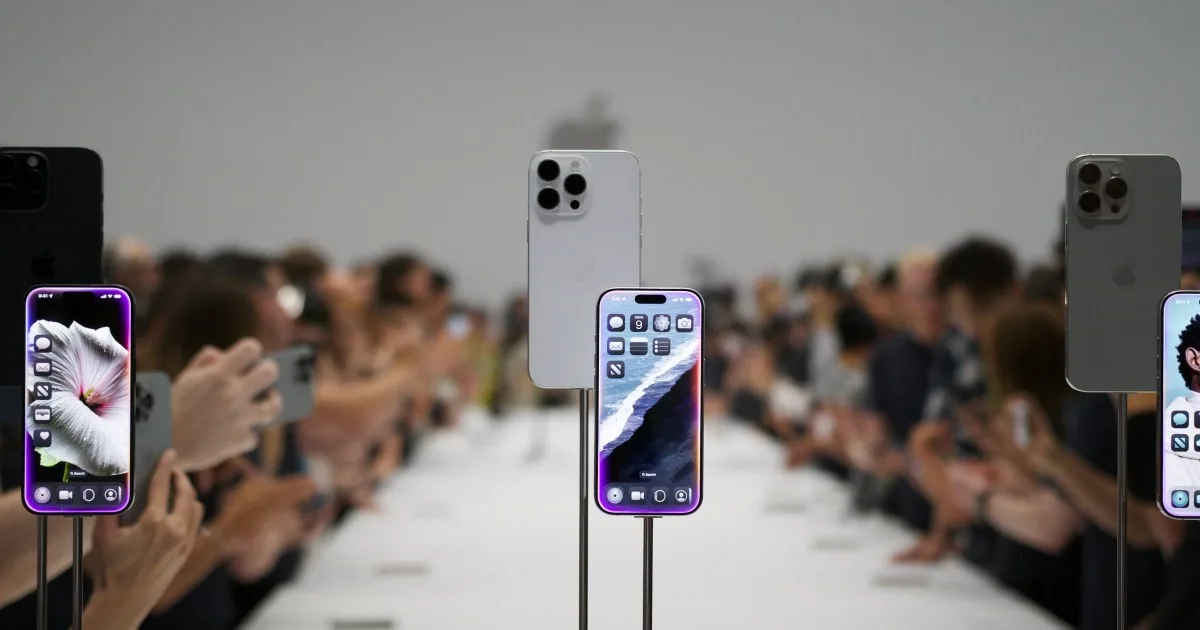
    iPhone 16 Pro MAX Durability Test – Apple put in a lot of effort this year…

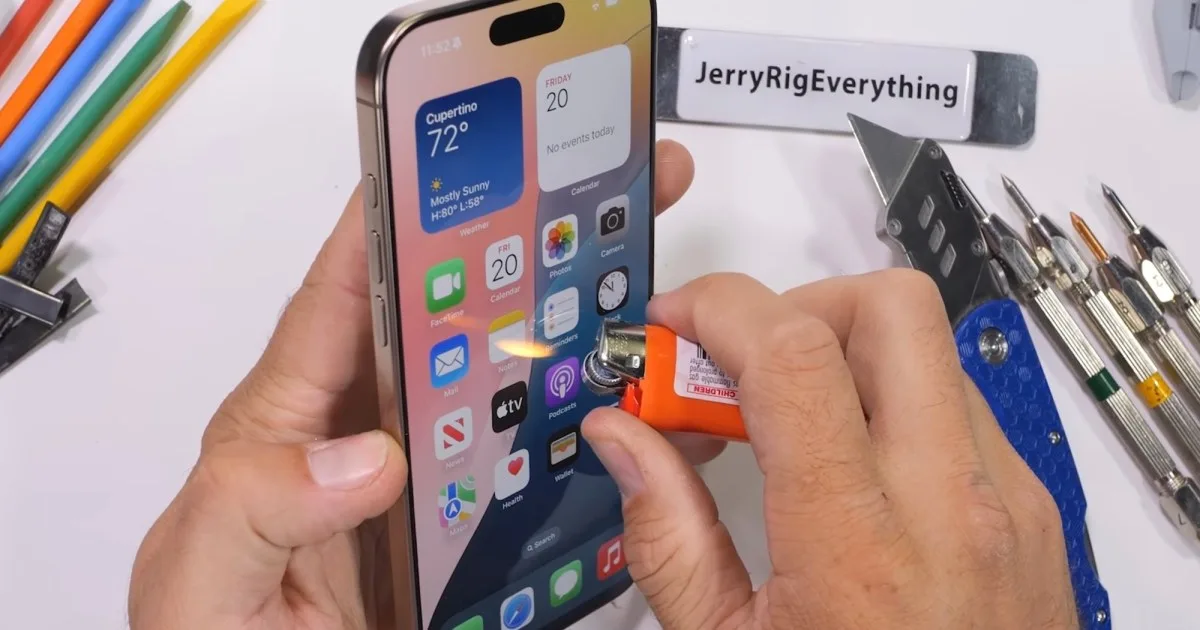
    The iPhone 16 Pro Max has hit the market for only a few days, and JerryRigEverything’s Zack Nelson has quickly put it to the test with his signature durability assessments.

    Since being posted online on Saturday, Nelson’s testing video has garnered over two million views. This demonstrates a significant interest among viewers eager to witness how Apple’s latest, largest, and most expensive iPhone withstands severe trials, including scratching, burning, and bending.

    Watching Nelson scrape a box cutter blade across the iPhone 16 Pro Max is a nerve-wracking experience—it’s tough to look away from him testing any device. However, this exercise does provide valuable insight into the durability of the glass and frame under extreme duress. Nelson highlighted Apple’s assertion that this year’s Ceramic Shield glass is 50% tougher than its predecessor and twice as resilient as any other smartphone glass. Yet, in his testing, he found that it scratched relatively easily with his various tools.

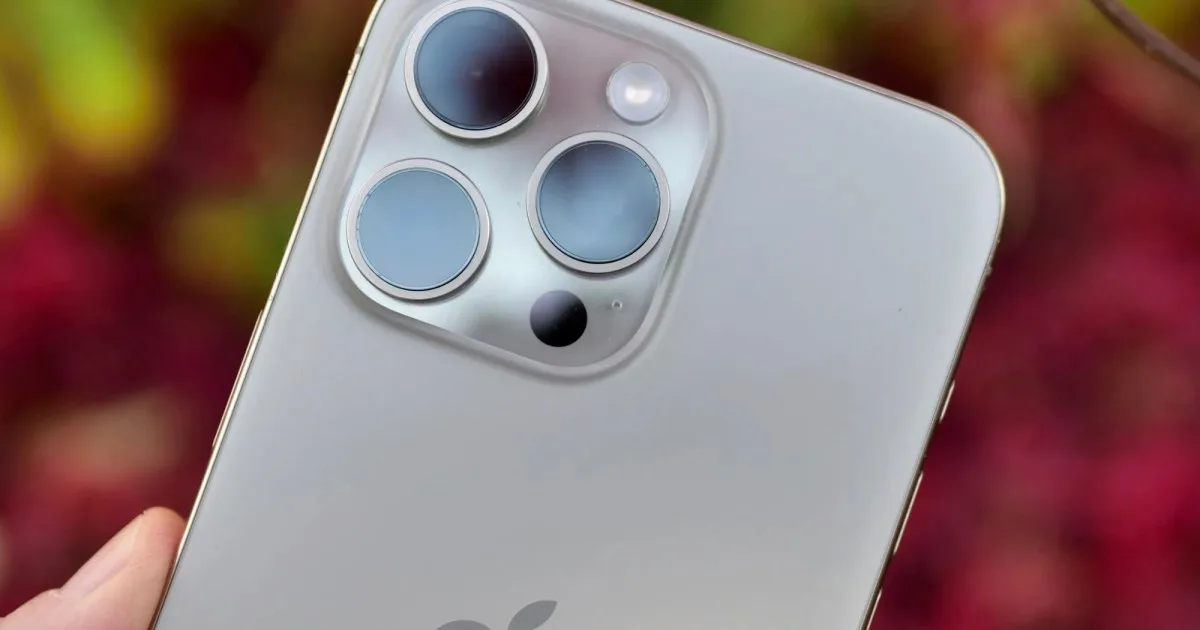
    As is typical for his style, Nelson delivers some biting commentary directed at Apple during his durability evaluation. For instance, as he examined the device’s three rear camera lenses, he quipped: “The cameras are aligned this way to capture spatial video for the three people who own Vision Pros.” He continued, “I’ll admit that recording at 120 frames per second in 4K would be impressive if Samsung hadn’t already achieved that first with their S24 Ultra. But that’s just how things roll at Apple—yesterday’s technology at tomorrow’s prices.”

    In true fashion, Nelson next introduces a flame to the iPhone 16 Pro Max’s display. Impressively, even after more than 10 seconds of direct heat exposure, there are no visible signs of damage. Though, as he cautions, it’s best not to try this at home.

    Given the unexpected outcome of last year’s bend test with the iPhone 15 Pro Max, where the back glass shattered on the first bend, there was keen anticipation surrounding the performance of the iPhone 16 Pro Max. Did it pass the test? You’ll need to view the video for the answer…
  • $75 Million Blockbuster Shot Entirely On An iPhone

    $75 Million Blockbuster Shot Entirely On An iPhone

    The eagerly awaited horror film 28 Years Later has been filmed entirely on the iPhone 15, as reported by Wired on Thursday. With a budget of $75 million, this marks a significant milestone as the largest budget film to use a smartphone for its production.

    The main shooting for Danny Boyle’s movie wrapped up last month, with the movie slated for a theatrical release in June 2025. Crew members were allegedly asked to sign non-disclosure agreements to prevent any leaks regarding the shooting method. It’s likely that Apple, in collaboration with the filmmakers, was planning a grand showcase to demonstrate the iPhone’s impressive filmmaking capabilities, but the news from Wired could alter those plans.

    Initial speculation that Boyle was employing a smartphone for some scenes emerged in July when a paparazzi photo of the movie set revealed what appeared to be a specialized protective cage housing something that clearly wasn’t a typical film camera—likely a premium smartphone.

    Wired conducted further inquiries and confirmed with multiple sources connected to the film that Boyle indeed utilized several iPhone 15 Pro Max devices, which were rigged with sophisticated equipment, to capture pivotal scenes for 28 Years Later.

    The involvement of a prestigious filmmaker like Danny Boyle in a major production using an iPhone is a tremendous boost for Apple, enhancing the company’s reputation for producing smartphones known for outstanding image quality.

    Apple had previously showcased the iPhone 15’s filmmaking prowess during its Scary Fast event last October, where it introduced the new MacBook Pro and iMac with M3 chips. Remarkably, all visuals, including presenters, locations, and drone shots displayed during the event, were filmed using the iPhone 15 Pro Max. However, as noted in earlier discussions—and applicable to 28 Years Later as well—the phone was complemented by a suite of advanced filmmaking gear including lighting, dollies, and cranes, alongside a skilled post-production team that helped craft the footage into an engaging narrative. The results from such a compact device are remarkable, and anticipation is high to see what Boyle has accomplished with this technology.

  • iOS 18.1 Public Beta Is Here And It Will Change Your iPhone

    iOS 18.1 Public Beta Is Here And It Will Change Your iPhone

    This week is turning out to be monumental for Apple enthusiasts. On Monday, Apple officially launched iOS 18, watchOS 11, and macOS 15 for the general public. Just one day later, sales will commence for the new iPhone 16 lineup, including the iPhone 16 Pro and the Apple Watch Series 10. To top it all off, Apple is starting to roll out its initial public betas featuring Apple Intelligence functionalities.

    Beginning today, September 19, anyone can download the public betas for iOS 18.1, iPadOS 18.1, and macOS 15.1. A major highlight of these public betas is the inclusion of Apple Intelligence features, which were previously exclusive to developer betas for these software updates.

    Although the official rollout of iOS 18.1, iPadOS 18.1, and macOS 15.1 isn’t scheduled until October, this is an ideal opportunity for those eager to test Apple Intelligence without the risks associated with a developer beta.

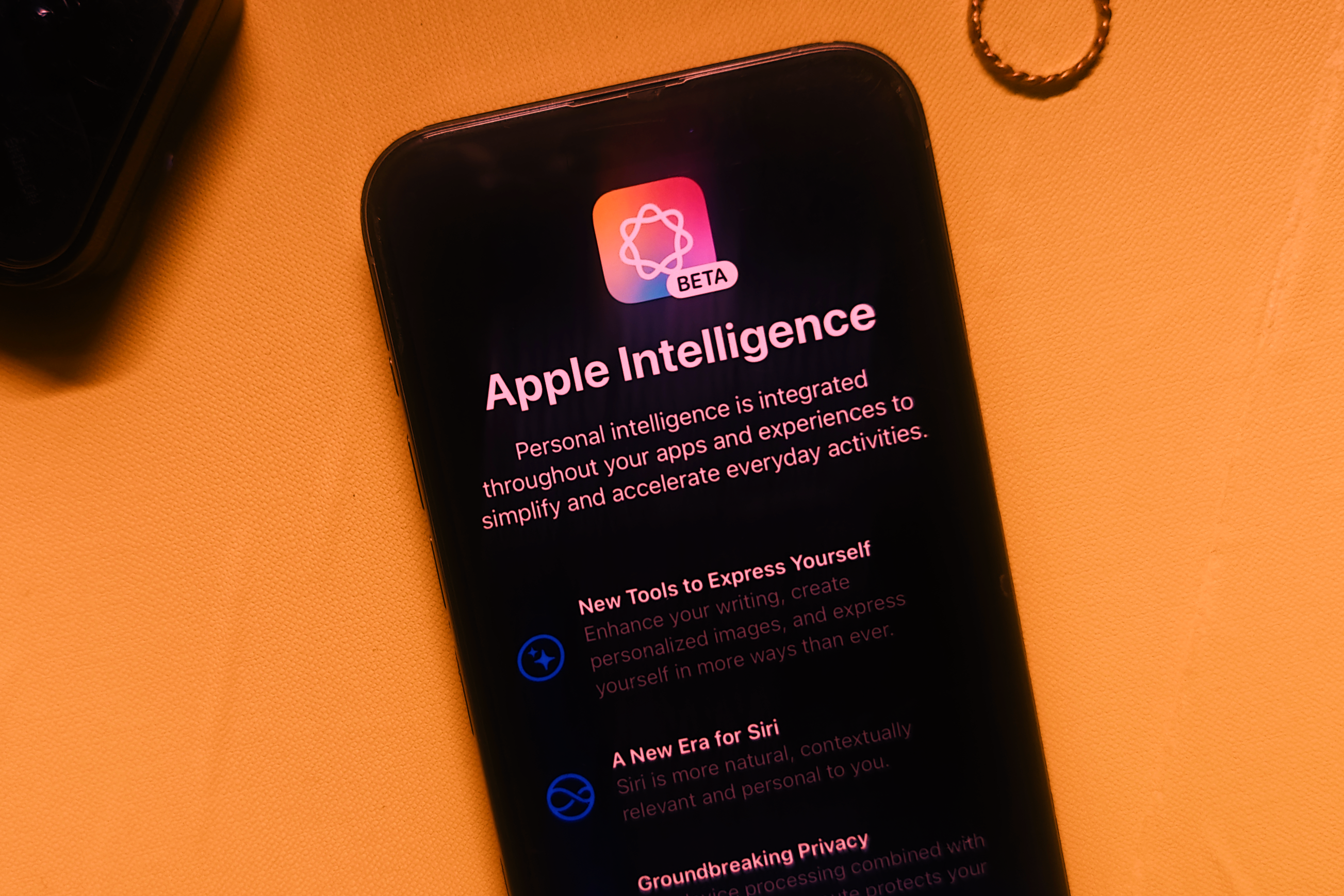
    Apple Intelligence update on iPhone 15 Pro Max.
    Nadeem Sarwar / Digital Trends

    Once you download these latest public betas, you’ll gain access to an array of Apple Intelligence features, including:

    • Writing Tools
    • Enhanced Siri functionality
    • Natural language search, Clean Up tool, and the ability to create Memory Movies in the Photos app
    • Priority messages, email summaries, and Smart Reply options in the Mail app
    • Message summaries and Smart Reply in the Messages app
    • Transcription summaries in the Phone and Notes apps

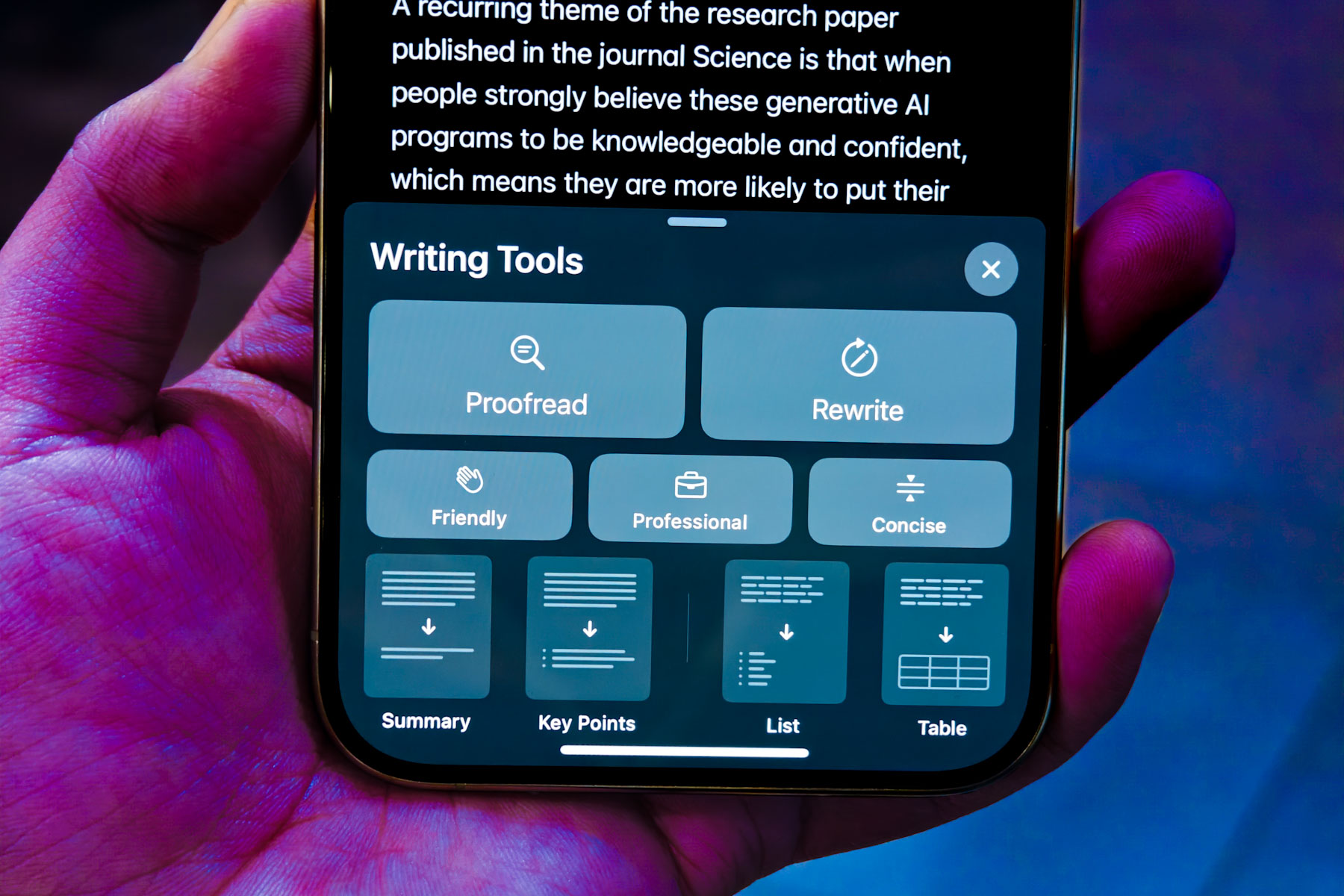
    We previously tested Apple’s Writing Tools and found it to be a mixed bag. These tools can help you proofread and even rewrite your text in different tones—whether you want to sound friendlier, more professional, or concise. You can access Writing Tools through any app that has a text input field. For iPhone users, simply highlight your text, and in the context menu that appears, select the new Writing Tools option.

    Writing Tools on iPhone 15 Pro.
    Nadeem Sarwar / Digital Trends

    The improved Siri included in these public betas features a new design, the option to type your requests, and enhanced knowledge about Apple products. For instance, if you ask Siri, “How do I take a screen recording?” you’ll receive detailed, step-by-step guidance. Siri is also more adept at understanding commands when you misspeak or hesitate. For example, if you stipulate, “Siri, set an alarm for 5:30 … no, actually set an alarm for 6:30,” the assistant will more effectively interpret your request.

    However, it’s worth noting that some anticipated features are absent from these public betas. Notably, the integration of ChatGPT with Siri is not included, nor are Siri’s personal context capabilities, which enable the assistant to reference your messages, calendar, and more.

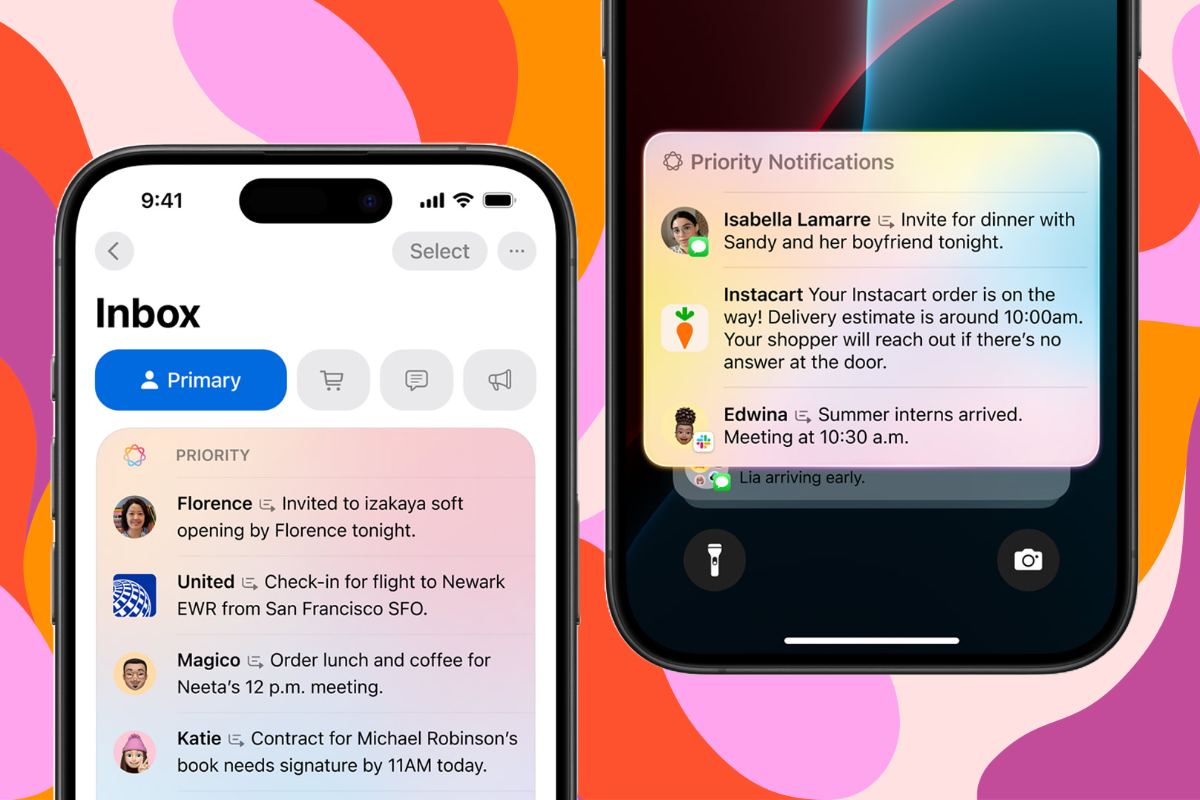
    Summarization of notifications and emails on iPhone with Apple Intelligence.
    Apple

    Furthermore, tools for image creation, such as Image Playground and Genmoji, are not available at this time. The much-anticipated Priority Notifications feature is also notably absent. All these functionalities are expected to be rolled out sometime in the coming months or next year, without a specific timeline given.

    The Apple Intelligence features can be accessed on all models of the iPhone 16, iPhone 15 Pro, and iPhone 15 Pro Max. iPads equipped with an M1 chip or newer, as well as Macs with an M1 chip or later, can also utilize these features.

    If you’re interested in downloading the public betas for iOS 18.1, iPadOS 18.1, or macOS 15.1, head over to the Apple Beta Software Program website, sign in with your Apple account, and follow the prompts. After installing the public beta, navigate to the Settings app, select Apple Intelligence & Siri, and tap on the Join the Apple Intelligence Waitlist button. You should receive access to Apple Intelligence features within a few hours, along with a notification to confirm that you’re able to use them.

  • iPhone 16 Reviews Are In Here’s What Users Are Saying

    iPhone 16 Reviews Are In Here’s What Users Are Saying


    As we approach the official launch of the latest iPhones, the buzz is palpable with the first reviews of the iPhone 16 and iPhone 16 Pro series now surfacing. Whether you’re already counting down the days to your new phone or still considering your options, these insights can heighten your excitement. Let’s look at some key points from the reviews.

    iPhone 16/iPhone 16 Plus

    This year’s standard iPhone range dazzles with stunning new colors and introduces an innovative Camera Control that aligns with its Pro siblings. For the first time, the phones incorporate an Action Button. Additionally, the iPhone 16 and 16 Plus boast the new A18 chipset, enhanced RAM, macro photography capabilities, improved battery life, and more.

    According to The Verge, the iPhone 16 is “fully up to speed” with its “dependable camera and flexible photographic styles” along with the “useful” Action Button. However, the absence of Apple Intelligence, which was expected to launch with this series, will instead roll out in future updates of iOS 18. The site also pointed out that the persistent 60Hz refresh rate on the entry-level models remains a drawback and described Camera Control as a “mixed bag.”

    TechRadar hailed the Camera Control as a “transformative feature” that will appeal to creators. It also praised the Action Button as a “great addition,” while noting the strength of the A18 chip and the selection of new colors. Nonetheless, similar to The Verge, TechRadar criticized the lack of a refresh rate upgrade for the less expensive models and felt that the iPhone 16 does not significantly outshine the iPhone 15.

    CNET lauded the Camera Control, especially its compact interface, finding it “entertaining to explore.” They also appreciated the Ultrawide camera’s performance in low-light conditions and the new Photographic Styles across the iPhone 16 series. On the downside, they criticized the absence of an always-on display and the lack of enhancements in wired charging speed.

    iPhone 16 Pro/iPhone 16 Pro Max

    Now, let’s dive into what reviewers are saying about the iPhone 16 Pro and iPhone 16 Pro Max.

    Engadget highlighted the rapid camera performance and high-quality video recording capabilities of both models. The customizable features introduced with iOS 18 and the new Photographic Styles were met with praise. Nevertheless, Engadget noted the iPhone 16 Pro’s somewhat limited battery life, while the Pro Max scored high on this aspect. They also pointed out that Camera Control, while promising, still requires improvements.

    In a review by Wired, the Pro models received a solid 8/10 rating. The review commended their outstanding performance and battery longevity. New camera functionalities were seen as both enjoyable and beneficial, along with faster wireless charging options and additional features in the Photos app on iOS 18. However, the delay in Apple Intelligence was mentioned, as well as questions about whether the iPhone 16 Pro Max’s expansive 6.9-inch display might be excessive.

    CNBC also applauded the enhanced battery life of the iPhone 16 Pro Max and both models’ excellent camera systems, particularly the new Camera Control feature. Special mention was made of the 48MP wide-angle lens in the Pro model for delivering clearer images in wide shots. However, as with other reviews, the absence of Apple Intelligence drew criticism, and the slight difference in display size wasn’t deemed significant compared to last year’s models.

    Initial impressions suggest that users will appreciate the Camera Control feature, benefit from the improved battery performance of the iPhone 16 Pro Max, and enjoy the updates offered by iOS 18 on the latest models. Nonetheless, the missing Apple Intelligence suggests these devices still have areas for enhancement, leaving the overall assessment of all four phones in suspense.

  • iOS 18 Adds Handy Charging Feature for Your iPhone Here’s How

    iOS 18 Adds Handy Charging Feature for Your iPhone Here’s How


    With the rollout of iOS 18, users are discovering a range of new and intriguing features, including a helpful addition that notifies you when your iPhone is connected to a slow charger.

    If you’re like many people, there’s a good chance you have numerous old charging cables and adapters lying around your home. It’s easy to overlook the fact that some of these may be outdated and incapable of delivering fast charging, particularly if you charge your phone overnight.

    Accessing this feature is simple: just head over to the Settings app, select Battery, and you’ll receive alerts when a slow charger is detected. Not only that, but the battery usage graph will indicate this by switching to an orange hue instead of the typical green. However, the exact threshold for a charger to be classified as “slow” remains unclear.

    The iPhone 16 can utilize 25W MagSafe charging, and though Apple didn’t emphasize this detail during the launch, it has since been noted that it also supports 45W wired charging.

    Another subtle but significant update involves charging limits: Apple had previously imposed an 80% charge limit, but now users can choose settings for 85%, 90%, or even 95%. This flexibility is essential because consistently charging a battery to 100% can diminish its longevity more rapidly compared to maintaining a set limit. While 80% is usually recommended, this new option allows for more individualized charging preferences without reaching full capacity.

    Although this feature may not be revolutionary, it’s certainly a valuable enhancement that enables users to charge their devices efficiently, avoiding the frustration of watching the battery level rise slowly over time.

  • iPhone 16 Gets Major Upgrade Apple Didn’t Mention

    iPhone 16 Gets Major Upgrade Apple Didn’t Mention


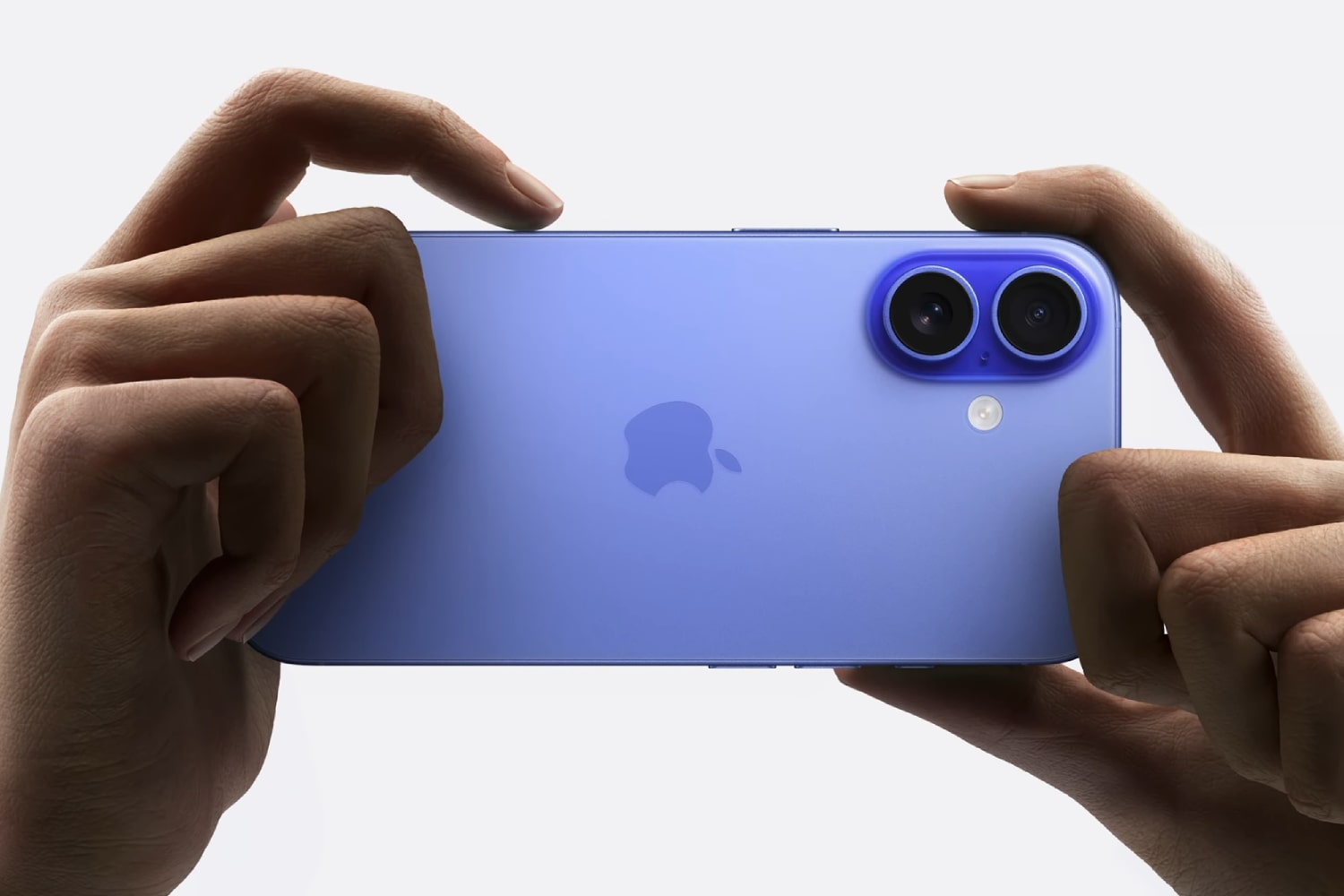
    At this week’s “It’s Glowtime” event, Apple introduced the iPhone 16 series, showcasing an array of exciting features. However, they did not unveil every detail regarding the new devices.

    According to reports from ShrimpApplePro, certification documents indicate that the iPhone 16, iPhone 16 Plus, iPhone 16 Pro, and iPhone 16 Pro Max will support wired fast charging up to 45W. This represents a significant upgrade from earlier iPhone models, which had charging capabilities capped at 27-29W. This new information has been confirmed by the China Quality Certification Centre.

    While Apple hasn’t explicitly mentioned the 45W charging capacity on its website, it does state that the new models can charge up to 50% in just 30 minutes when using a 20W adapter or higher with a USB-C charging cable. Alternatively, they can achieve similar performance with a MagSafe charger rated at 30W or more. It’s worth noting that these charging adapters must be purchased separately.

    The Camera Control on the iPhone 16.
    Apple

    Prior to the iPhone 16 series announcement, there were whispers about enhancements in battery performance, particularly for the Pro models, with speculation of 40W wired charging capabilities.

    Despite the move to 45W charging being a positive advancement, it still falls short compared to competitors like the OnePlus 12, which boasts an impressive 80W wired charging capability.

    The iPhone 16 series is set to hit the market starting September 13, with the first shipments scheduled for September 20. The new phones will feature a variety of innovations, including upgraded processors, a new Camera Control feature, fresh color options, and enhanced camera capabilities across all models.

    Additionally, the event revealed the AirPods 4, an updated version of the AirPods Max, and new features for the AirPods Pro.

  • Apple iPhone Users Can Play PS1 Games

    Apple iPhone Users Can Play PS1 Games

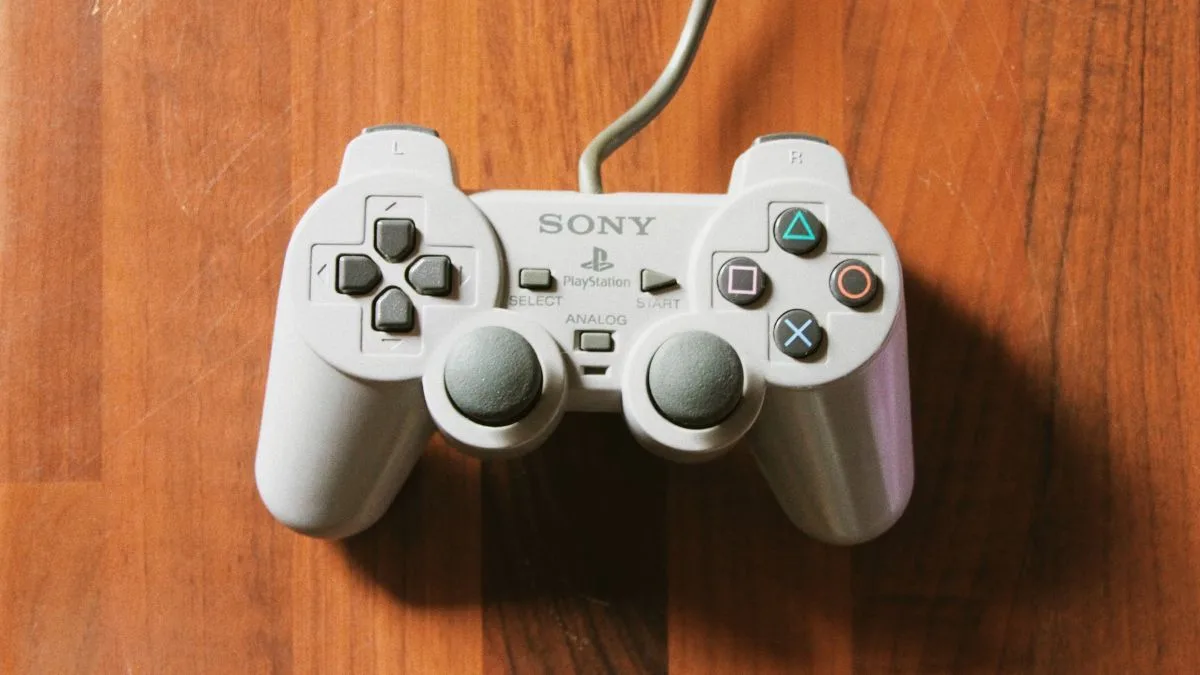
    Apple iPhone users can now conveniently enjoy their beloved PlayStation 1 games with the assistance of the Gamma emulator.

    Apple gadgets are witnessing emulation as they steadily gain momentum. After the successful launch of the Delta emulator, users are noticing an increasing number of emulators surfacing on both iPhones and iPads.

    The most recent one is the Gamma emulator, which enables iPhone users to enjoy various PlayStation games and is currently accessible for download from the App Store.

    The Gamma emulator operates similarly to other game emulators on the App Store in terms of overall functionality. Customization is available so that users can ensure that the controls are tailored to their liking. Hence, users receive a comprehensive interface along with options like support for Bluetooth controllers and wired keyboards.

    This emulator is excellent if users are aiming to play classic PS1 games on their iPhone or iPad.

    Furthermore, if users wish to play multiple games on the emulator, it also supports both Google Drive and Dropbox, which will enable users to back up their disk images and preserve progress.

    To back up games and saved stages, Gamma will also provide users the choice to select their preferred method or service.

    Devotees of the PS1 era are undoubtedly going to relish this emulator immensely as it will offer them the experience they have been seeking.

  • Apple iPhone 17: Max, Pro Max, Ultra Release Date and Pricing

    Fascination and innovation are words that describe the American technology company Apple company which is known for its incredible contribution to the smartphone industry. With ever-increasing anticipation for these upcoming releases, tech lovers are eagerly awaiting the arrival of Apple’s iPhone 17 series.

    In this article, we discuss the release dates, prices, and features of the expected iPhone 17 Max, Pro Max, and Ultra models.

    Release Date:

    iPhone 17 series is expected to hit the market in 2024 with the tradition of annual releases by Apple Although no exact dates have been officially announced, Apple enthusiasts can expect a release sometime in the fall according to the company’s usual practice.

    Pricing:

    Although exact pricing information for the iPhone 17 series has not yet been officially announced,  the iPhone 17 Max is expected to be competitively priced, possibly starting at $1,299. The flagship iPhone 17 Pro Max with advanced features and advanced technologies will likely have a higher price tag, starting at $1,699.

    As for the pinnacle of luxury and innovation, the iPhone 17 Ultra, is expected to be available at a higher price point, starting at $2,199. These prices show Apple’s commitment  to offering different options for different budgets and needs and to having an iPhone 17 model for every discerning customer

    Features:

    iPhone 17 Max:

    The phenomenal iPhone 17 Max is expected to offer vivid images and immersive viewing. A powerful rear camera setup and a stunning 6.4-inch display with a resolution of 1080 x 2400 pixels is what Apple enthusiasts wait for. Along with high battery capacity, it also offers fast charging and ensures long-lasting without any compromise to your convenience 

    iPhone 17 Pro Max:

    Detailed pictures, stunning captures, high performance, and a large 6.7-inch display are what the iPhone 17 Pro Max comprises this cutting-edge technology will help capture phenomenal professional photos and videos.

    iPhone 17 Ultra:

    iPhone 17 Ultra aims to push the boundaries of smartphone technology. Extraordinary He offers an immersive visual experience that exceeds all expectations with its 6.9-inch display.

    Ultra models are expected to introduce breakthrough camera technology that allows users to capture moments with unprecedented detail and clarity. With exceptional battery capacity and optimized power management, the iPhone 17 Ultra delivers uncompromising performance throughout the day.

    Bottom Line:

    As Apple enthusiasts eagerly await the arrival of the iPhone 17 series,  it is worth noting that this series will bring innovation and will transform the smartphone industry.

    While specific pricing details have yet to be confirmed, Apple’s commitment to exceptional quality and user experience ensures that the iPhone 17 series will be a worthwhile investment.

    With their release, the iPhone 17 Max, Pro Max, and Ultra models are all set to shape the landscape of mobile technology and offer a glimpse into the future of smartphones.

    Mark your calendars and get ready to usher in a new era of great smartphone excellence with the Apple iPhone 17 series.

  • iPhone Ultra Spatial Camera: What Is It, How Does It Work, and Why Should You Care?

    Apple iPhone Ultra spatial camera, a rumored feature that could let you capture photos and videos in 3D. Find out how it works and why you should care.

    Apple, renowned for its groundbreaking innovations in the smartphone realm, is currently generating buzz with its rumored iPhone Ultra spatial camera. This incredible camera is created to capture 3D photos and videos, giving them a depth and realism that regular cameras can only imagine. Now, let’s get into the nitty-gritty: What precisely is a spatial camera, how does it operate, and why should you be excited about it? We’ll dive deep into these questions in this article.

    What is a spatial camera?

    A spatial camera is a device that excels at capturing images and videos by conveying a profound sense of depth and a three-dimensional spatial feel. Typically, this is achieved by taking multiple shots or videos from marginally different angles or utilizing specialized sensors to create a stereoscopic effect. This effect enables viewers to discern the distance and positioning of objects within the scene, along with their shapes and sizes.

    Spatial cameras are frequently employed in virtual and augmented reality applications, as well as in 3D modeling and scanning. They have the power to create immersive and lifelike experiences, enriching the user’s engagement and enjoyment. For instance, with a spatial camera, you can relive cherished memories as if you’re transported back in time or explore new locales and environments without ever leaving your home.

    How does the iPhone Ultra spatial camera work?

    According to an intriguing rumor circulating, a Weibo account known for its accurate insights into Apple’s plans suggests that a future iPhone Ultra model might possess the ability to capture spatial photos and videos specifically tailored for viewing on Apple’s Vision Pro headset. The Vision Pro headset marks Apple’s maiden voyage into the realm of virtual reality, boasting a three-dimensional camera designed for capturing spatial photos and videos.

    This rumor hints that the iPhone Ultra’s camera configuration could potentially redefine the expectations for mobile phone photography and videography. It also hints at the inclusion of an additional sensor on the device’s rear, distinct from the main wide camera, telephoto camera, ultra-wide camera, LiDAR scanner, and Adaptive True Tone flash. This additional sensor would be strategically positioned to create the stereoscopic effect crucial for capturing spatial photographs.

    While the rumor doesn’t delve into the precise mechanisms behind the iPhone Ultra’s spatial photo and video capabilities, it’s plausible that it could employ a technique similar to the Vision Pro headset. The Vision Pro headset relies on outward-facing cameras to record immersive 3D content with exceptional depth, complemented by advanced algorithms that seamlessly stitch together multiple images into a single spatial photo or video. These captivating creations can then be enjoyed on the headset’s display or shared with others.

    Why should you care?

    The iPhone Ultra spatial camera has the potential to revolutionize smartphone photography and videography, offering several advantages over traditional cameras:

    • Elevated Realism: Spatial photos and videos craft a more authentic representation of a scene, allowing you to discover details and subtleties that would otherwise be lost in two-dimensional images. Furthermore, you can explore various perspectives and angles by adjusting your viewpoint or changing your position.
    • Enhanced Creativity: Spatial photos and videos introduce fresh avenues for creative expression and storytelling. You can capture moments in a dynamic and interactive manner or apply effects and filters that amplify the depth and dimensionality of your content.
    • Heightened Engagement: Spatial photos and videos heighten the engagement and enjoyment of both your content and that of your audience. You can relive your cherished memories in an immersive manner and share them with others, making them feel as if they’re right there with you. Additionally, you can embark on virtual explorations of distant places and environments that might otherwise remain out of reach.

    However, it’s important to acknowledge that these benefits come with certain challenges and limitations. For instance, you may require more storage space on your device or cloud service to accommodate the larger file sizes associated with spatial photos and videos. Furthermore, proper viewing may necessitate a compatible device or headset, such as the Apple Vision Pro or other virtual reality equipment. Additionally, the release of this feature remains uncertain, as it is currently based on a single unverified rumor that has yet to receive confirmation from Apple.

    Bottom Line

    The iPhone Ultra spatial camera stands as an enticing rumor that has yet to be substantiated by Apple. Nevertheless, it could potentially usher in a groundbreaking era, allowing users to capture photos and videos in three dimensions, thereby delivering a depth and realism unparalleled by conventional cameras. The concept revolves around incorporating an additional sensor on the device’s rear, working in tandem with other cameras to create a stereoscopic effect. Furthermore, it is tailored for seamless viewing on Apple’s Vision Pro headset, boasting its own three-dimensional camera for spatial content capture.

    The iPhone Ultra spatial camera carries the promise of numerous benefits for smartphone photography and videography, including heightened realism, expanded creative possibilities, and intensified user engagement. Nevertheless, it also presents challenges, such as increased storage demands, compatibility prerequisites, and an uncertain release timeline. While it remains a rumor, if it indeed materializes, it could usher in a revolution that transforms the way we capture and relish our photos and videos.

  • Fix: Picture Download Issues on iMessage

    Step-by-step guide to fix the picture download issue on iMessage. In just a few steps, you will be able to resolve the problem once and for all.

    Picture Downloading Errors on iMessage

    With Apple launching its ever-evolving technology, iMessage in iOS 16 is one of the go-to messaging platforms for users that is gaining popularity. Its seamless features allow us to share special moments through photos, videos, and more.

    However, with the arrival of iOS 16, some iPhone users have faced an unexpected challenge – pictures not downloading properly from iMessage. This issue can be frustrating, especially when you eagerly await media shared by friends and family.

    Let’s delve into this practical guide with effective solutions to resolve the “Tap to Download” issue on iMessage.

    How To Fix Picture Downloading Errors in iMessage

    1. Check Your Internet Connection

    Before diving into complex fixes, start by checking your internet connection. A stable and reliable network is crucial for smooth picture downloads. Take a moment to ensure your iPhone is connected to either Wi-Fi or cellular data. For larger files, Wi-Fi offers faster download speeds. In case your Wi-Fi is not working try switching to mobile data

    2. Check Available Storage

    Sometimes, limited storage space can hinder picture downloads on iMessage. Head to Settings > General > iPhone Storage to check your available space. If you’re running low, consider deleting unnecessary files or apps to create more room.

    3. Review iMessage Settings

    Navigate to the Settings app, find Messages, and double-check that iMessage is toggled on. Additionally, make sure MMS Messaging and Low-Quality Image Mode are enabled to enable effortless media sharing.

    4. Sign Out and Sign Back In

    A classic trick to resolve glitches is signing out and back into iMessage. By doing this, you reestablish a connection with iMessage servers and potentially fix the download issue. Go to Settings > Messages > Send & Receive, and tap your Apple ID to sign out. Then, sign back in to enable iMessage.

    5. Restart the iMessage app

    Simple yet effective, restarting the Messages app can often clear any minor bugs causing picture download problems. Force quit the app from the app switcher, then relaunch it from your home screen.

    6. Update iOS Version

    One of the reasons for the pictures facing issues in being downloaded from the iMessage can be the old version of iOS. If the iOS version is not updated you must immediately update that by going to Settings and then to the Software Update option by clicking on the General option. You can now install the update present to resolve the download issue

    7. Reset Network Settings

    If all else fails, consider resetting network settings to fix connectivity issues affecting iMessage. Go to Settings > General > Transfer or Reset iPhone > Reset Network Settings. Enter your passcode and confirm the reset.

    Dealing with pictures not downloaded from iMessage on iPhone can be a frustrating experience. However, by following these practical troubleshooting steps, you can resolve the issue and restore seamless media sharing on your iPhone.

    Remember to maintain a stable internet connection, review iMessage settings regularly, and keep your iPhone updated to prevent similar issues in the future.

    With these solutions, you can enjoy iMessage to its fullest and continue sharing cherished memories with your loved ones!

  • Apple iPhone 14 Pro To Cost Around $1099 And Will Come With 48MP Camera

    Apple iPhone 14 Pro price start at $1099, which is the first sign that everything will become more expensive in these inflationary times. We are not holding my breath for USB-C integration, but it would be nice.

    (المزيد…)
  • Apple To Remove Charging Ports From Upcoming iPhones

    Apple has decided to remove charging ports from their upcoming iPhones, that means iPhone 13 will not have a charging port.

    (المزيد…)
  • Apple iPhone 12 Mini Price, Release Date, and Specs

    iPhone 12 Mini is going to be the smallest iPhone Apple ever made, having a screen of 5.4 inches and smaller than the iPhone SE.

    (المزيد…)