Tag: tablet

  • How To Use Android Recovery Mode To Fix Your Phone Or Tablet

    How To Use Android Recovery Mode To Fix Your Phone Or Tablet

    If you’re experiencing a major problem with your Android device and the usual “turn it off and on again” trick doesn’t resolve the issue, you might need to access Android Recovery Mode to troubleshoot and fix your phone or tablet.

    Android Recovery Mode allows you to perform essential maintenance tasks, such as installing updates and executing hard resets. Although this can be a helpful step when other methods fail, entering Recovery Mode varies depending on your device’s brand and model, which can make the process a bit tricky. Below, you’ll find guidance tailored to different Android phones, so you can confidently navigate into Recovery Mode and proceed with the available options to resolve your issue.

    How to Enter Recovery Mode

    Getting into Recovery Mode differs across devices. Find your device’s brand below for specific instructions:

    On Google Pixel Devices

    1. Power off your Pixel by holding the Power button and selecting “Power off.” If the screen is unresponsive, hold the Power button until the device shuts down.
    2. To enter Recovery Mode, press and hold the Power button along with the Volume down button (for Pixel 6 or later) or the Volume up button (for Pixel 5 or earlier). Keep holding these buttons for up to 30 seconds until the screen shows some information, with “Start” at the top.
    3. Use the Volume buttons to navigate through options. Press the Power button to select. Highlight “Recovery mode” and confirm your choice.
    4. The device will display the Google logo, then the Android mascot with “No command” underneath.
    5. To proceed, press and hold the Power button, then press the Volume up button once while still holding the Power button.
    6. The Android system recovery menu will appear. Use the Volume buttons to navigate and the Power button to choose an option.

    On Samsung Galaxy Devices

    1. Hold the Power button and tap “Power Off” to turn off your phone. If unresponsive, hold the Power button until it powers down.
    2. For Galaxy S20, Note 20, or newer models: Press and hold the Power and Volume Up buttons until the Samsung logo appears. Use the volume buttons to highlight options and press the Power button to select.
    3. For older models like Galaxy S10 or Note 10 and earlier: Press and hold the Power, Volume Up, and Home (or Bixby) buttons together until the Samsung logo displays.

    On Motorola Devices

    1. Turn off your device by holding the Power button.
    2. Once off, press and hold both the Volume Down and Power buttons until the device powers on.
    3. Use the Volume Down button to highlight “Recovery Mode” and press the Power button to select. You may be prompted to enter your password or choose a language depending on your model.

    On OnePlus Devices

    1. Shut down your device by holding the Power button and selecting “Power Off.”
    2. To access recovery, press and hold the Power and Volume Down buttons simultaneously.
    3. Use the volume buttons to highlight options and the Power button to confirm your selection.

    Recovery Mode Options

    Once inside Recovery Mode, you’ll see various options, which may differ slightly depending on your device, but generally include:

    • Reboot system now: Restarts the device normally.
    • Apply update from ADB: Allows you to connect your device to a computer using Android Debug Bridge for advanced updates. This method requires installing the Android SDK and is mainly for developers.
    • Wipe data/factory reset: Erases all personal data, returning your device to factory settings. Be aware that this process is irreversible and won’t resolve hardware issues.
    • Wipe cache partition: Clears temporary files stored by the system, which can fix many bugs without deleting personal data. Note that recent Android versions have streamlined this process, and in newer devices, the cache can often be cleared from the settings menu directly.

    Important Reminder: Factory Reset Protection (FRP)

    Most modern Android devices come with Factory Reset Protection enabled. This security feature means that after a reset, you’ll need to log in with your Google account credentials—preventing theft but sometimes causing frustration if you’re not prepared.

    Before performing a reset, remove your Google account from your device via “Settings” > “Accounts” to avoid FRP locking your device afterward. If you forget, you’ll have to verify your account credentials to regain access.

    By understanding these steps and options, you can confidently troubleshoot your Android device through Recovery Mode, whether it’s for updating, resetting, or resolving persistent issues.

  • Best Tech of IFA 2023: Light Laptop Thin Tablet Unique Drone

    Best Tech of IFA 2023: Light Laptop Thin Tablet Unique Drone

    IFA 2025, also known as the International Radio Exhibition, is regarded as the largest tech event in Europe. The event unfolded in Berlin, showcasing a wide array of innovative products and groundbreaking announcements across multiple halls.

    Each year, these major showcases reveal the latest advancements in technology from both renowned and emerging brands. The sheer volume of innovation never fails to impress, offering a glimpse into the future of consumer electronics.

    Among the standout highlights from IFA 2025:

    Acer Swift Air 16
    This ultralight 16-inch laptop defies expectations with its featherweight design. Upon picking it up, many initially thought it was a demo unit without internal components. However, its surprising lightness confirms Acer’s claims, making it one of the most portable laptops in its class.

    Acer Swift Air 16
    Credit: Acer / Digital Trends

    Samsung Galaxy Tab S11 Ultra
    This tablet is Samsung’s thinnest yet at just 5.1mm thick—comparable to the latest iPad Pro. Its expansive 14.6-inch display provides ample space for multitasking, complemented by a redesigned S Pen stylus with a hexagonal grip, cone-shaped nib, and magnetic attachment. The device runs on Samsung’s latest OneUI 8 interface, and its DeX mode has been upgraded to facilitate a dual-monitor setup, positioning it as a premium alternative to Apple’s iPad lineup.

    Galaxy Tab S11 Ultra
    Credit: Samsung / Digital Trends

    Tecno Pova Slim
    This sleek smartphone challenges the notion that ultra-thin phones can’t house large batteries. Despite being just 0.4mm thicker, it packs a 5,160 mAh battery—30% larger than its competitors—making it the standout in its segment. Its symmetrical rear camera housing features a 50MP main sensor, with unique effects including charging animations and notification alerts. The device tips the scales at only 156 grams and boasts a vibrant 6.78-inch AMOLED display, along with an IP64 rating for water and dust resistance.

    Samsung Movingstyle
    One of the more unconventional items was Samsung’s portable touchscreen TV, dubbed the Movingstyle. This 27-inch device features a built-in handle and kickstand, with a weight that makes it more “portable” in name than in practicality. It includes a battery capable of three hours of usage, along with multiple connectivity options such as USB-C and HDMI, and a deployable rolling stand for moving it easily around your home.

    TCL NXTPaper 60 Ultra
    TCL’s latest device emphasizes eye health with its fourth-generation NXTPAPER technology. Offering seven eye-care benefits—including blue light filtering and reflection-free viewing—it uses Circular Polarized Light (CPL) technology to replicate natural light. With a simple switch, users can change the display to an e-ink mode similar to Kindle screens, which is much gentler on the eyes for prolonged reading sessions. Powering the device is a MediaTek Dimensity 7400 chip, with 12GB of RAM and a sizable 5,200mAh battery.

    Hypershell X Ultra
    This innovative exoskeleton resembles an electric bicycle for your legs. It allows users to walk or run normally while providing electric assistance to increase speed, extend travel distance, or help navigate challenging terrain. During a demonstration, the device effectively assisted climbing stairs and ramps, offering a new solution for those wanting to stay active but with limited physical ability.

    Antigravity A1
    Marking a milestone in drone technology, the Antigravity A1 is the world’s first 360-degree drone. Equipped with Insta360’s immersive camera system, it comes with a pair of goggles to deliver a live feed, making users feel as though they are floating in the landscape. Moving your head allows you to look around the environment, providing a fully immersive experience that could revolutionize drone entertainment and exploration.

    Eufy Marswalker (Omni S2)
    Addressing one of the long-standing challenges for robot vacuums—climbing stairs—Eufy introduced the Marswalker, an add-on device featuring caterpillar tracks and rotating arms designed specifically for navigating stairs. When paired with the Omni S2 robot vacuum and mop, it allows the system to ascend and descend stairs seamlessly, expanding the utility of home-cleaning robots significantly.

    Lenovo ThinkBook VertiFlex Concept
    Lenovo continues to push the boundaries of conceptual computing with its ThinkBook VertiFlex. This versatile device starts as a traditional horizontal laptop but features magnetic hinges that allow the 14-inch screen to pivot upward into a vertical mode. This adaptability aims to enhance productivity for document editing, coding, or web browsing, and could become a standard feature in future laptops if it makes it beyond the prototype stage.

    Baseus XP1 Earbuds
    In audio, the Baseus XP1 earbuds demonstrate that high-quality sound doesn’t have to come at a premium. Designed in collaboration with Bose, these earbuds deliver a rich listening experience akin to much more expensive headphones. They feature active noise cancellation to help users block out distractions and come in two colors. Priced at $130, they strike a balance between affordability and premium sound quality.


    As the industry continues to innovate, these exciting products from IFA 2025 highlight the range of possibilities—stretching from ultra-portable laptops to groundbreaking eco-systems designed to enhance our daily lives.

  • New RedMagic Gaming Tablet May Launch This Month

    New RedMagic Gaming Tablet May Launch This Month

    RedMagic has built a reputation for its exceptional gaming devices, and it seems that a new tablet may soon be introduced. A reliable insider, Digital Chat Station, shared a post on Weibo indicating that RedMagic could unveil a nine-inch tablet featuring a high refresh rate OLED display, potentially as early as later this month. If not by May, the release could happen by June at the latest.

    In late 2024, the company launched the RedMagic Nova gaming tablet. While it received positive feedback, it came with an LCD display, unlike the anticipated OLED screen of the new model. This upcoming tablet is rumored to be powered by the Snapdragon 8 Elite chipset. While there is limited information available, we can make some educated guesses based on the specifications of the Nova.

    The RedMagic Nova featured a 10.9-inch display and a 10,100mAh battery. The new device may have a slightly smaller battery, but if RedMagic chooses to integrate a silicon-carbide battery rather than a lithium-ion one, the overall capacity could remain similar. The Nova also boasted a 2K resolution and a 144Hz refresh rate, so the “custom” display referenced by Digital Chat Station would likely surpass these specifications.

    If you’re in the market for a gaming tablet, Lenovo may have something in the works that piques your interest. Recent leaks suggest that the tech giant is gearing up to launch an updated version of the Legion Y700 gaming tablet, featuring some subtle yet significant enhancements. Here’s a breakdown of what we know so far.

    The information comes from a leak shared by Digital Chat Station. As is typical with such leaks, the message is concise, yet packed with insights. Although not explicitly named, it seems to refer to the upcoming iteration of the Lenovo Legion Y700. The original Y700 was released in September 2024, but Lenovo might have an upgraded model on the horizon. It’s important to remember that leaks are not confirmed until verified by Lenovo.

    The new tablet is targeted toward esports enthusiasts and is expected to swap out the Snapdragon 8 Gen 3 chip for the more powerful Snapdragon 8 Elite. This upgrade is expected to significantly enhance performance, with some sources indicating a performance increase of up to 45% compared to the Gen 3 processor.

    Additionally, battery life is set to improve. The previous Y700 model featured a 6550 mAh battery, and while the capacity for the new variant hasn’t been disclosed, it’s expected to house a larger battery while maintaining a sleeker profile.

    Similar to its predecessor, the new Legion tablet is anticipated to come equipped with dual speakers and dual X-axis monitors. The display size is reportedly remaining at 8.8 inches.

    As for the release date, it’s still uncertain. The leaker did not provide specifics, but sources from Notebookcheck speculate it could arrive in the second quarter of 2025, which would be less than a year after the original Y700 launch.

  • Decoding All Prophecy Tablets in Amphoreus: Honkai Star Rail Guide

    Decoding All Prophecy Tablets in Amphoreus: Honkai Star Rail Guide

    If you’ve ever played a game from HoYoverse, you’re probably aware of their love for puzzles, and Honkai: Star Rail is no exception. Each planet offers a distinct collection of puzzles found in nearly every area, often starting off simple and becoming increasingly challenging as you continue.

    One such puzzle is the Prophecy Tablet, which can be found in various locations throughout Amphoreus, except for the starting area. In this puzzle, your task is to arrange the given shapes to create the pattern shown on the tablet.

    Solutions for Prophecy Tablets in Strife Ruins Castrum Kremnos

    In addition to the main storyline of Strife Ruins, you can discover two additional Prophecy Tablets in this area, and here are their solutions:

    Picture Solution
    – Place the left-facing triangle on the far left side of the shape, aligning it with the edge.
    – Next, position the rhombus (tilted square) to the right of the triangle so they touch.
    – Then, take the two larger triangles and place them to completely cover the rhombus.
    – Finally, place the last triangle on the right side of the rhombus.
    Puzzle Two – Use the biggest rhombus and align it with the upper edge of the shape.
    – Pick any of the other shapes and align it at the bottom of the main shape.
    – Lastly, position the remaining two rhombuses on the left and right ends of the larger rhombus.

    Solutions for Prophecy Tablets in Abyss of Fate Janusopolis

    Janusopolis also features one Prophecy Tablet puzzle in the main quest, with others scattered around:

    Picture Solutions
    Puzzle Three – Place the two larger triangles to cover the triangles in the main shape, ensuring they touch at the bottom.
    – Now, simply place the smaller triangles above the larger ones.
    Puzzle Four – Position the smaller triangle facing right on the left triangle in the main shape.
    – Next, put the larger triangle facing bottom left right beside the previous triangle.
    – Blend the other larger triangle with the first one so that their base parts disappear.
    – Finally, place the last small triangle on the right-most triangle in the main shape.

    Solutions for Prophecy Tablets in Bloodbathed Battlefront Castrum Kremnos

    The final area in the version 3.0 update includes two more Prophecy Tablets hidden in the wild, and here are their solutions:

    Picture Solution
    Puzzle Seven – Begin by placing the large rhombus in the center to cover all three smaller ones below it.
    – Next, put the upward-facing triangle along the upper part of the top left line of the square.
    – Place the triangle pointing right on the right side of the square, ensuring it blends in entirely.
    – Place the left-facing triangle next to the previous one, facing away but joined at the back.
    – Finally, place the downward-facing triangle directly beneath the upward triangle, ensuring they are also facing away from each other.
    Puzzle Eight – Again, start by placing the large rhombus in the center to cover the entire final shape.
    – For the other three rhombuses, position them on the left, right, and top edges of the larger one, ensuring they blend in completely.

    These puzzles add an exciting dimension to the exploration in Honkai: Star Rail, challenging players to sharpen their problem-solving skills as they progress through the game. Happy puzzling!

  • What is the best price for Samsung tablet?

    What is the best price for Samsung tablet?

    What is the Best Price for a Samsung Tablet?

    Samsung tablets offer powerful features, versatile functionality, and sleek designs, making them a popular choice among tech enthusiasts and casual users alike. With various models available, finding the best price can be a bit challenging. This article will guide you through factors to consider when looking for the best price for a Samsung tablet and provide insights into the price ranges of different models.

    Key Factors Influencing Tablet Prices

    When shopping for a Samsung tablet, several factors will influence the price you can expect to pay, including:

    • Model Specifications: Newer models with higher specs, like the Galaxy Tab S series, typically come at a premium.
    • Screen Size: Larger tablets often cost more than their smaller counterparts.
    • Storage Capacity: Tablets with more internal storage or expandable memory options may have higher price tags.
    • Connectivity Options: Tablets with mobile data capabilities (LTE) generally cost more than Wi-Fi-only models.
    • Sales and Discounts: Prices fluctuate frequently based on seasonal sales, promotions, or clearance events.

    Price Ranges for Popular Samsung Tablet Models

    Understanding the price spectrum for different models can help you make an informed decision. Here are some popular Samsung tablets along with their expected price ranges:

    Galaxy Tab S Series

    • Galaxy Tab S9:

      • Price Range: $699 – $899
      • Features: High-resolution AMOLED display, S Pen support, powerful Snapdragon processor.

    • Galaxy Tab S8:

      • Price Range: $649 – $749
      • Features: Excellent multitasking capabilities, great battery life, versatile S Pen.

    Galaxy Tab A Series

    • Galaxy Tab A7:

      • Price Range: $229 – $279
      • Features: Good display quality, decent performance for everyday tasks, kid-friendly features.

    • Galaxy Tab A8:

      • Price Range: $199 – $249
      • Features: Budget-friendly option, solid build, great for media consumption.

    Where to Buy

    Finding the best price often boils down to where you decide to purchase your tablet. Consider the following options:

    • Online Retailers: Websites like Amazon, Best Buy, and Walmart frequently have competitive prices and customer reviews.
    • Samsung’s Official Website: Occasionally offers exclusive deals, trade-in discounts, or financing options.
    • Local Electronics Stores: Visit nearby electronics retailers for hands-on experiences and last-minute deals.
    • Refurbished Options: Certified refurbished models from Samsung or trusted sellers can save you money while ensuring good quality.

    Tips for Getting the Best Price

    To ensure that you get the best deal on a Samsung tablet, keep these tips in mind:

    • Price Comparison Tools: Use websites like Google Shopping or PriceGrabber to compare prices across different stores.
    • Check for Student Discounts: Many retailers offer student discounts, which could make a significant difference.
    • Sign Up for Newsletters: Many stores will send exclusive deals and promotions to their subscribers.
    • Seasonal Sales: Keep an eye out for Black Friday, Cyber Monday, or back-to-school sales, as these often feature steep discounts.

    Conclusion

    By considering factors such as model selection, where to shop, and timing, you can find the best price for a Samsung tablet that meets your needs. With a variety of options and the right approach, you can enjoy a powerful tablet experience without breaking the bank.

  • Which tablet is suitable for kids?

    Which tablet is suitable for kids?

    Finding the right tablet for children can be a challenging task for parents. With numerous options available, it’s crucial to identify the features that make a tablet suitable for young users. In this article, we will explore some of the top tablets for kids, their key features, and important factors to consider when making a choice.

    Key Features to Consider

    When selecting a tablet for children, certain features should be prioritized to ensure it meets educational and entertainment needs.

    Durability

    • Built-in Childproof Cases: Look for tablets that come with sturdy, shock-resistant cases to withstand drops and spills.
    • Water-Resistant Designs: Some models offer resistance against water and other liquids, adding an extra layer of protection.

    Software and Content

    • Parental Controls: Tablets should include customizable parental controls to restrict content and screen time.
    • Pre-installed Educational Apps: Many kids’ tablets come with a range of educational apps that make learning fun.
    • Age-appropriate Content: Ensure that the tablet offers content suitable for your child’s age group.

    Battery Life

    • Long-lasting Performance: Opt for tablets with extended battery life to keep kids entertained on long trips or during school hours.
    • Quick Charging: Tablets that charge quickly are a significant advantage for busy families.

    Top Tablet Recommendations for Kids

    Here are some of the best tablets available on the market specifically designed for children:

    Amazon Fire HD 10 Kids Edition

    • Display: 10.1-inch Full HD display.
    • Durability: Comes with a kid-proof case.
    • Content: Includes one year of Amazon Kids+ with access to thousands of books, videos, and games.
    • Parental Controls: Advanced parental controls to manage screen time and access to content.

    Apple iPad (9th Generation)

    • Display: 10.2-inch Retina display.
    • Durability: Use a rugged case for added protection.
    • Content: Access to Apple’s educational app store, including many learning apps suitable for kids.
    • Battery Life: Up to 10 hours of battery life, great for all-day use.

    Samsung Galaxy Tab A Kids Edition

    • Display: 8-inch display with vibrant colors.
    • Durability: Comes with a strong protective case designed for kids.
    • Content: Includes Samsung Kids, which features games, books, and educational content.
    • Parental Controls: Easy-to-use parental control settings to monitor usage.

    Lenovo Tab M10 Plus Kids Edition

    • Display: 10.3-inch full HD display.
    • Durability: Featuring a colorful bumper case to ensure safety.
    • Content: Pre-loaded with a variety of kids’ apps and Lenovo Kids Account for monitoring.
    • Battery Life: Decent battery life for homework and entertainment.

    Additional Factors to Keep in Mind

    When choosing a tablet for kids, consider these additional aspects:

    • Screen Size: Larger screens can be better for viewing videos, while smaller screens are more portable.
    • Price: Determine your budget first; there are great options in every price range.
    • Ease of Use: The interface should be easy for kids to navigate without requiring constant parental help.
    • Connectivity Options: Make sure the tablet has Wi-Fi capability and the option for 4G if you want to keep your child connected on the go.

    Wrapping Up the Selection Process

    Understanding your child’s needs and ensuring safety features and educational content are part of the package will significantly enhance their tablet experience. With the right choice, a tablet can become an invaluable tool for both learning and entertainment.

  • Budget OnePlus Android Tablet Specs Leak and They Look Great

    Budget OnePlus Android Tablet Specs Leak and They Look Great

    Brace yourselves for a noteworthy development in the affordable tablet sector. A recent tip from Digital Chat Station, reported by Android Authority, hints that OnePlus is set to unveil a new “Standard Edition” tablet equipped with impressive specifications.

    This upcoming device is rumored to sport a sizable 11.6-inch display boasting a fluid 144Hz refresh rate and a resolution of 2,800 x 2,000 pixels. It is also anticipated to be powered by a new MediaTek Dimensity 8350 chipset. Additionally, it will feature a robust 9,520mAh battery that enables 67-watt fast charging, promising long-lasting usage. So far, these specifications look quite promising.

    What makes this rumor particularly credible? Recently, Oppo launched the Oppo Pad 3 in China, which shares identical specifications. While the two brands operate independently, Oppo and OnePlus are closely affiliated and often roll out similar products across different regions.

    The newly revealed Oppo Pad 3 is impressively thin at 6.29 mm and offers RAM options of either 8GB or 12GB. In terms of storage, customers can choose between 128GB, 256GB, or 512GB. Furthermore, this tablet is compatible with the Oppo Pencil 2, and it is available in three colors: silver, purple, and dark blue.

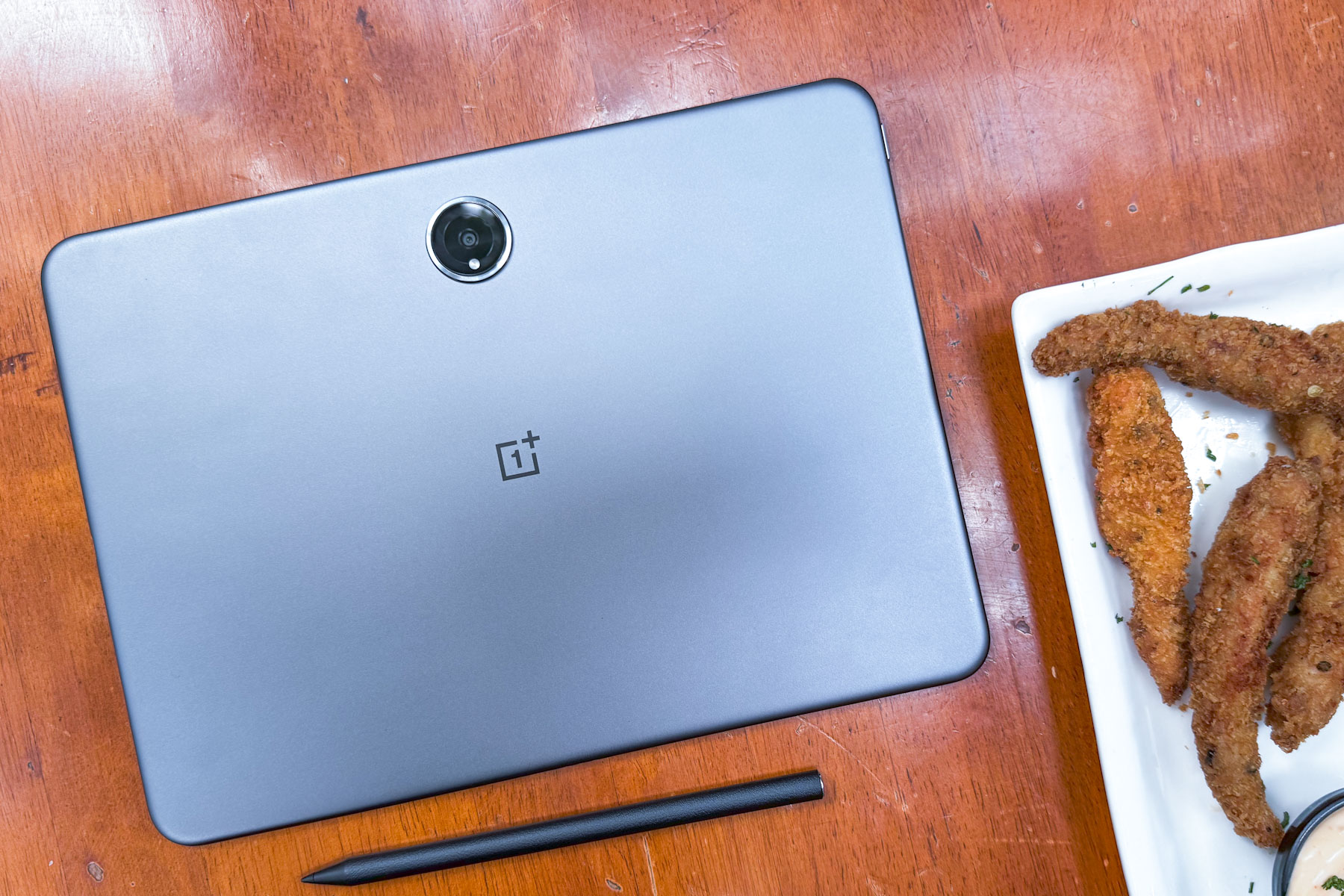
    Rear view of the OnePlus Pad 2 with stylus.
    Nadeem Sarwar / Digital Trends

    Currently, OnePlus offers the 2023 OnePlus Pad for $300 and the 2024 OnePlus Pad 2 for $550. The earlier model is equipped with the MediaTek Dimensity 9000 processor, while the newer version features the more advanced Snapdragon 8 Gen 3 chipset. Android Authority notes that if the latest tablet incorporates the Dimensity 8350, it could be priced lower than the existing options.

    In certain markets, OnePlus is selling a OnePlus Pad Go for about $300, which is powered by the MediaTek Helio G99—a lower-tier chipset compared to the Dimensity 8350. This implies that the new tablet might be referred to as the OnePlus Go 2. Should this model launch in the U.S., we might see a price point of approximately $400 or less. Considering its specifications, that would be quite impressive.

    Digital Chat Station anticipates that the latest OnePlus tablet will be launched shortly.

    Are you currently searching for a new tablet? Take a look at our top picks for the year.

  • a Tablet or a Laptop?

    When it comes to choosing between a tablet or a laptop, both devices offer unique advantages and drawbacks. Understanding these differences will help you make an informed decision based on your lifestyle, work requirements, and personal preferences.

    Understanding Tablets

    Tablets are sleek, lightweight devices that offer a touchscreen interface. They are primarily designed for casual use, such as browsing the internet, watching videos, and playing games.

    Features of Tablets

    • Portability: Most tablets are lightweight and easy to carry.
    • Touchscreen Interface: The interactive screen provides an intuitive user experience.
    • Long Battery Life: Tablets often come with extended battery performance.
    • App Ecosystem: A vast range of applications is available for various tasks, from productivity to entertainment.
    • Affordability: Generally, tablets are more budget-friendly compared to laptops.

    Best Uses for Tablets

    Tablets are perfect for:

    • Media Consumption: They excel in streaming videos, reading e-books, and browsing social media.
    • Light Productivity: Tasks such as note-taking, email, and document viewing can be efficiently managed.
    • Creative Activities: Many tablets support drawing and design apps, making them appealing to artists and designers.

    Exploring Laptops

    Laptops are traditional computing devices known for their versatility and power. They can handle a wide range of tasks and generally offer more robust software capabilities compared to tablets.

    Features of Laptops

    • Performance: Laptops typically come with more powerful processors and larger RAM, suitable for intensive applications.
    • Keyboard and Trackpad: A built-in physical keyboard makes typing long documents more comfortable.
    • Storage Options: Laptops often provide larger storage capacities, allowing for extensive file management.
    • Operating System: Most laptops run on full-fledged operating systems like Windows or macOS, offering a traditional computing experience.

    Best Uses for Laptops

    Laptops shine in several areas, including:

    • Professional Work: Ideal for tasks requiring productivity software like spreadsheets, databases, and programming.
    • Gaming: Many laptops are equipped with advanced graphics capabilities for an enhanced gaming experience.
    • Multitasking: Running multiple applications simultaneously is manageable with a laptop’s hardware capabilities.

    Key Considerations in Choosing Your Device

    Your choice between a tablet and a laptop ultimately depends on what you prioritize in a device. Below are some important factors to consider:

    Portability vs. Power

    • Tablet: Best for users on-the-go who prioritize light weight and easy mobility.
    • Laptop: Suitable for users needing more power and functionality for demanding tasks.

    User Experience

    • Tablet: Offers a casual experience with a focus on touch interaction.
    • Laptop: Provides a more traditional experience, especially beneficial for typing and productivity tasks.

    Task Requirements

    • Tablet: Great for media consumption, light browsing, and casual gaming.
    • Laptop: Essential for professional use, programming, and complex multitasking.

    Battery Life

    • Tablet: Often has a longer battery life, making it ideal for travel.
    • Laptop: Battery life varies widely, but powerful models may require more frequent charging.

    Cost Efficiency

    • Tablet: Generally more affordable, making it an attractive option for budget-conscious consumers.
    • Laptop: Prices can range significantly, but higher performance models can be costly.

    By assessing these factors, you can better determine which device aligns with your needs and lifestyle. Whether you opt for the convenience of a tablet or the robustness of a laptop, each device has its own set of features that cater to different user requirements.

  • What Is a Good Tablet for a 9 Year Old?

    What Is a Good Tablet for a 9 Year Old?

    When it comes to choosing the right tablet for a 9-year-old, parents face a variety of options. A suitable tablet should strike a balance between educational value and fun, ensuring that children can learn while also enjoying their screen time. Below are some important factors to consider, as well as suggestions for some of the best tablets available.

    Factors to Consider When Choosing a Tablet

    Selecting a tablet for a child involves more than just picking the latest model. Here are some key elements to evaluate:

    Durability

    • Build Quality: Children can be rough on devices. Look for tablets with reinforced designs or sturdy cases.
    • Water and Scratch Resistance: Tablets with good resistance to spills and scratches can last longer in a child’s hands.

    Parental Controls

    • Content Filtering: Tablets should have robust parental control settings to restrict inappropriate content.
    • Screen Time Management: The ability to set limits on usage time is essential for balancing play and responsibilities.

    Educational Features

    • Learning Apps: Ensure the tablet supports educational apps that promote reading, math skills, and creativity.
    • Subscription Services: Some tablets come with access to educational content or services that provide ongoing learning opportunities.

    Battery Life

    • Long-lasting Use: A tablet that can last through extended usage without frequent recharging is crucial for busy kids.

    Top Tablets for 9-Year-Olds

    Now that you know what to look for, here are some popular tablet options that cater specifically to children’s needs.

    Amazon Fire HD 10 Kids Edition

    • Durability: Comes with a kid-proof case that protects against drops and spills.
    • Parental Controls: Includes comprehensive controls allowing parents to manage content and screen time.
    • Content Library: Access to thousands of kid-friendly books, movies, games, and educational apps.

    Apple iPad (9th Generation)

    • Versatile Use: Supports a wide range of educational apps and games available on the App Store.
    • Accessories: Can be paired with a robust case and accessories, like the Apple Pencil for drawing and note-taking.
    • User-friendly Interface: The iOS platform is intuitive and easy for children to navigate.

    Samsung Galaxy Tab A Kids Edition

    • Kid-Friendly Features: Comes with a child-friendly interface and lots of pre-installed educational apps.
    • Parental Controls: Strong security settings to monitor activity and limit screen time.
    • Good Battery Life: Offers an impressive battery life suitable for extended use.

    Lenovo Tab M10 Plus

    • Family-Friendly Mode: The tablet includes a dedicated kid’s mode that provides filtered content.
    • Quality Display: Offers a great viewing experience, making it suitable for both learning and entertainment.
    • Affordable Price: A more budget-friendly option without sacrificing essential features.

    Additional Considerations

    Size and Weight

    • Portability: A lightweight tablet is easier for children to handle.
    • Screen Size: A screen size of around 8-10 inches is ideal for reading and watching videos comfortably.

    Connectivity

    • Wi-Fi and Cellular Options: Wi-Fi is essential for downloading apps and accessing online content. Some tablets also offer cellular connectivity for on-the-go access.
    • Bluetooth Compatibility: This can be useful for pairing with headphones or external keyboards for learning activities.

    Age Appropriateness

    • Content Age Ratings: Always consider the age appropriateness of games and applications available on the tablet.
    • Ease of Use: Introduce tablets that children can operate independently, promoting self-reliance and confidence in their abilities.

    By keeping these factors in mind, you can ensure that the tablet you choose for your 9-year-old will support their educational growth while still providing plenty of fun. With the right device, screen time can be a productive and enjoyable experience for both kids and their parents.

  • What is the very best tablet to buy?

    What is the very best tablet to buy?

    With a wide array of tablets available on the market, choosing the right one can be a daunting task. Whether you need a device for entertainment, work, or education, it’s essential to understand the features and capabilities that can meet your needs. Below, we’ll explore some of the top contenders and their standout features.

    Key Features to Consider

    Before diving into specific models, it’s crucial to consider what you will primarily use the tablet for. Here are some key features to keep in mind when evaluating tablets:

    Performance

    • Processor Speed: Look for devices with the latest processors for better performance.
    • RAM: More RAM allows for smoother multitasking.
    • Storage Capacity: Choose a model that supports your storage needs, whether it’s cloud-based or internal.

    Display Quality

    • Resolution: Higher resolution screens (like 4K) are better for media consumption.
    • Screen Size: Larger screens enhance your viewing experience, while smaller models are more portable.

    Battery Life

    • Check the manufacturer’s specifications for estimated battery life, especially if you plan to use the tablet on the go.

    Operating System

    • Consider whether you prefer iOS, Android, or Windows based on your existing ecosystem and apps utilized.

    Price Point

    • Set a budget before exploring options, as tablets can range from budget-friendly to premium models.

    Top Tablets to Consider

    Here’s a look at some of the best tablets available currently, each excelling in different categories.

    Apple iPad Pro (2022)

    Key Features

    • Display: Stunning Liquid Retina XDR display
    • Processor: M1 chip delivering high performance for demanding applications
    • Battery Life: Up to 10 hours
    • Storage Options: Up to 2TB of storage available
    • Operating System: iPadOS offering seamless integration with Apple products

    Ideal For

    • Professionals and creatives needing high performance for graphic design or media editing.

    Samsung Galaxy Tab S8+

    Key Features

    • Display: 12.4-inch Super AMOLED display with 2800 x 1752 resolution
    • Processor: Qualcomm Snapdragon 8 Gen 1 for speed and efficiency
    • Battery Life: Up to 14 hours
    • S Pen Included: Great for note-taking and drawing
    • Operating System: Android with Samsung’s One UI, allowing for extensive customization

    Ideal For

    • Users who want a premium Android tablet with productivity features and advanced media capabilities.

    Microsoft Surface Pro 9

    Key Features

    • Display: 13-inch PixelSense touchscreen with 2880 x 1920 resolution
    • Processor: Available with Intel Core i5 or i7
    • Versatility: Functions as both a tablet and a laptop with a detachable keyboard
    • Battery Life: Up to 15 hours
    • Operating System: Windows 11, ideal for those who prefer a traditional desktop environment

    Ideal For

    • Professionals who need a full-fledged Windows experience and value versatility in form factor.

    Amazon Fire HD 10 (2021)

    Key Features

    • Display: 10.1-inch 1080p Full HD display
    • Processor: Octa-core processor for reasonable performance
    • Battery Life: Up to 12 hours
    • Affordability: One of the most budget-friendly options available
    • Alexa Integration: Hands-free Alexa offers smart home control

    Ideal For

    • Families and casual users looking for an affordable tablet primarily for media consumption and reading.

    Additional Recommendations

    • Apple iPad Air (2022): A mid-range option with robust performance and an appealing design.
    • Samsung Galaxy Tab A7 Lite: Excellent for kids or as a secondary device, providing entertainment at an affordable price.

    Picking the Right Tablet for You

    Selecting the ideal tablet boils down to individual needs and preferences. Consider how each device aligns with your daily activities, whether it’s for productivity, entertainment, or creative tasks. Each of these models boasts distinct advantages that cater to various user scenarios, making it easier to find the perfect fit within your budget and lifestyle.

  • What tablet is as good as a computer?

    What tablet is as good as a computer?

    In recent years, tablets have emerged as powerful alternatives to traditional computers. Their portability, performance, and multifunctional capabilities are comparable to those of laptops and desktops. This article explores key contenders in the tablet market that can serve as efficient replacements for a conventional computer.

    Performance-Minded Tablets

    Apple iPad Pro

    The iPad Pro has garnered a reputation for its impressive performance. Powered by Apple’s M1 or M2 chips, this tablet offers:

    • High-Speed Processing: The M1 chip delivers fast performance, making multitasking seamless.
    • Superb Graphics: Ideal for graphic-intensive applications like video editing and gaming.
    • Extensive App Ecosystem: Access to powerful apps on the App Store, including productivity tools and creative software.

    Microsoft Surface Pro 9

    The Surface Pro 9 is designed for those who desire a full Windows experience in a tablet form. Key features include:

    • Windows OS: Offers compatibility with traditional Windows software, elevating productivity for professionals.
    • Detachable Keyboard: This feature transforms the tablet into a laptop whenever needed.
    • Robust Performance: Intel Core i5 or i7 processors ensure that it handles heavy workloads efficiently.

    Features That Enhance Usability

    Samsung Galaxy Tab S9 Ultra

    Samsung’s Galaxy Tab S9 Ultra stands out with its high-resolution display and extensive features:

    • Stunning Display: An AMOLED screen with high refresh rates provides vibrant colors and sharp details.
    • S Pen Support: Ideal for note-taking and creative tasks; the S Pen pairs seamlessly with the tablet.
    • DeX Mode: Turns the tablet into a desktop-like interface, facilitating easier multitasking.

    Lenovo Yoga Tab 13

    The Lenovo Yoga Tab 13 is a versatile device that offers unique benefits:

    • Integrated Stand: Allows for hands-free use, perfect for watching videos or video calls.
    • Long Battery Life: Offers all-day performance, up to 15 hours on a single charge.
    • Strong Audio Performance: Dolby Atmos support provides an immersive audio experience.

    Considerations When Choosing a Tablet

    Before selecting a tablet that can replace a computer, consider the following factors:

    Operating System Preference

    • iOS: If you’re already in the Apple ecosystem, the iPad Pro might be the best choice.
    • Windows: For users who need standard Windows applications, the Surface Pro 9 is a solid option.
    • Android: If you prefer Android, both the Galaxy Tab S9 Ultra and Lenovo Yoga Tab 13 are excellent choices.

    Storage and Connectivity

    • Storage Options: Consider whether you need a tablet with expandable storage or large built-in memory.
    • Ports and Connectivity: Look for USB-C ports, HDMI outputs, or other connections based on your needs.

    Use Case Scenarios

    Determine how you plan to use the tablet:

    • Business: Need for productivity apps, Word processing, and spreadsheets.
    • Entertainment: Streaming videos and playing games.
    • Creative Work: Graphic design or digital art may require a tablet with an excellent display and stylus support.

    Price Range and Value

    The cost of tablets varies significantly based on specifications:

    • Premium Tablets: iPad Pro and Surface Pro 9 can range from $1,000 and up, depending on configurations.
    • Mid-Range Options: Devices like the Galaxy Tab S9 Ultra may offer similar features at a lower price.
    • Budget-Friendly Choices: Lenovo Yoga Tab 13 provides good value for features without breaking the bank.

    By evaluating these options, potential buyers can find a tablet that meets their computing needs while offering the convenience of a portable device.