الوسم: streaming devices

  • Amazon Fire Sticks Make Sideloading Obsolete

    Amazon Fire Sticks Make Sideloading Obsolete

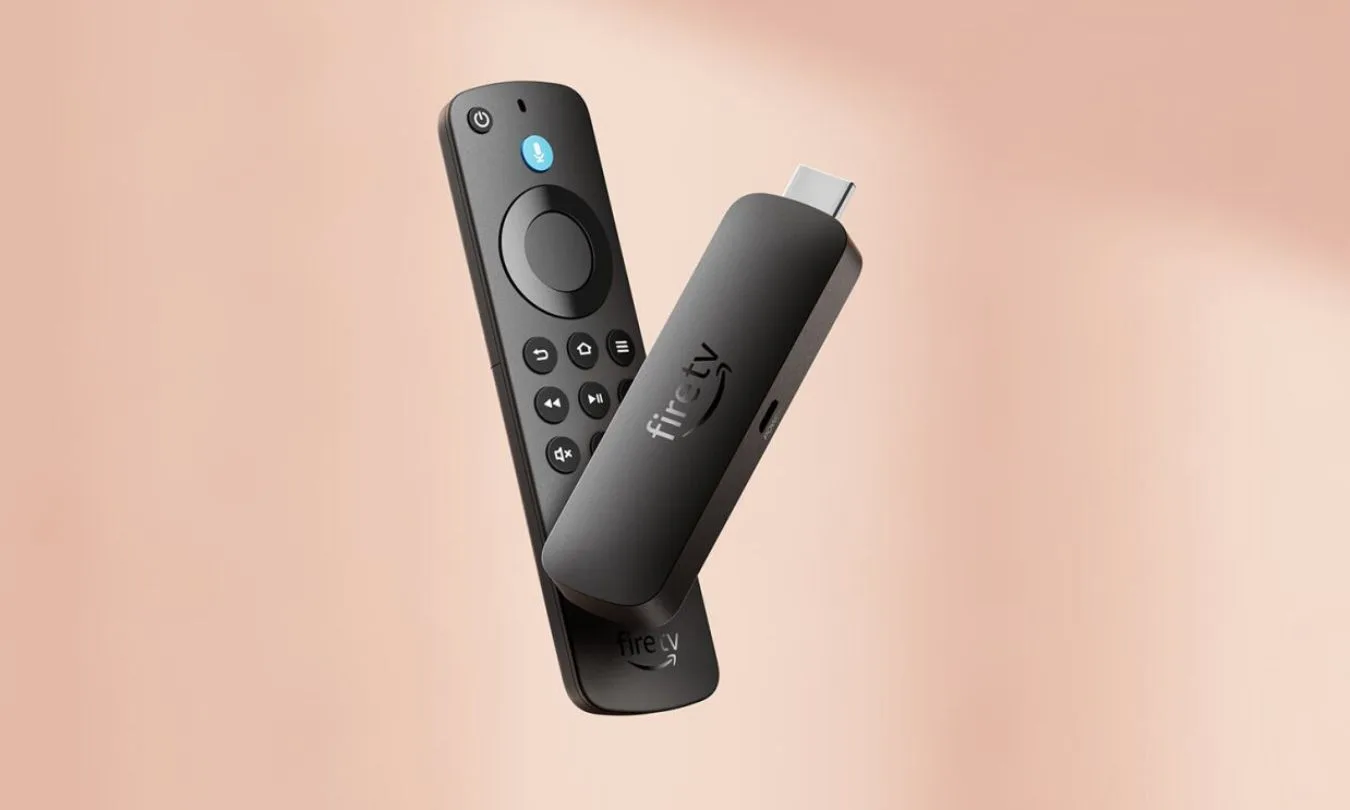
    Amazon’s latest Fire TV Sticks are beginning to remove one of the device’s most popular unofficial features: the ability to install apps from outside Amazon’s Appstore.

    This change coincides with the rollout of Vega OS, Amazon’s newer Linux-based Fire TV operating system. The Fire TV Stick 4K Select is the first model to run Vega OS, and Amazon’s developer website indicates future Fire TV sticks will utilize this platform. Previously, older Fire Sticks operated on Fire OS, an Android-based system that allowed users more freedom to sideload apps and customize their devices.

    However, Vega OS handles sideloading differently. While it still permits it through developer tools, the process now requires enabling Developer Mode, creating an Amazon developer account, and registering the device—making it more complex than the consumer-friendly methods used in the past.

    For consumers, this means a tradeoff: the new streaming devices might be simpler to operate but offer significantly less freedom to customize the experience.

    In a related interview, Amazon’s Fire TV chief linked the restriction on sideloaded apps to concerns about malware and malicious code. While he highlighted security and privacy as priorities, he didn’t cite any specific cases where sideloading led to harm.

    The security concern isn’t unfounded. Previously, Amazon removed several video apps after they were linked to malware or flagged by virus scanners. Additionally, an older Android botnet appeared on some Fire Sticks, providing Amazon with a broader security justification for these restrictions.

    Vega OS also limits customization by blocking the installation of sideloaded apps and preventing the use of custom launchers—two common avenues users relied on to modify their Fire TV devices.

    The broader change is reflected in the updated home screen, which has shifted towards more advertising and recommendations. Fewer workarounds mean less control over what appears immediately after powering on the device.

    App support is another notable difference. While UK Vega OS Fire Sticks support around 3,000 apps, Fire OS models offer access to approximately 40,000. This gap may not matter for many users who stick to major streaming services, but it becomes apparent when a preferred app or media standard isn’t available.

    Those considering whether to upgrade should think carefully. Vega OS Fire Sticks are suitable for basic streaming, with Amazon claiming the platform covers most popular content. Many users only install the primary streaming apps, so they may find Vega OS meets their needs.

    However, power users should evaluate the app catalog, storage capabilities, video features, and customization options before making a purchase. If sideloading is a key reason for buying a Fire Stick, Vega OS represents a significant change and shouldn’t be viewed as just a routine upgrade.

  • Check Your Gadgets: FBI Warns Millions Of Devices Infected

    Check Your Gadgets: FBI Warns Millions Of Devices Infected

    Last week, the FBI issued an alert regarding a significant cybercrime operation taking advantage of common internet-enabled devices. This botnet, referred to as BADBOX 2.0, has discreetly penetrated millions of devices, including TV streaming boxes, digital projectors, tablets, vehicle infotainment systems, and other smart home gadgets across the United States.

    Understanding BADBOX 2.0

    Once these devices are compromised, they do not merely operate poorly or crash; they covertly incorporate your home internet connection into a residential proxy network. As a result, cybercriminals can use your IP address to carry out illicit activities such as ad fraud and data scraping—all occurring without the owner’s awareness.

    “This is all completely unbeknownst to the poor users who bought these devices simply to watch Netflix or whatever,” commented Gavin Reid, chief information security officer at the cybersecurity firm Human Security, in an interview with Wired.

    Which devices are at risk?

    The FBI reports that BADBOX 2.0 has infected:

    • TV streaming boxes
    • Digital projectors
    • Aftermarket vehicle infotainment systems
    • Digital picture frames

    Many of these devices are produced in China and sold under obscure or generic brands. Security experts estimate that there are at least 1 million active infections worldwide, with the botnet likely involving several million devices overall. The most affected products come from the “TV98” and “X96” families of Android-based devices, both of which are currently available on Amazon. One device among these is marketed as “Amazon’s Choice.”

    How infections occur

    Infections can typically originate from two sources:

    1. Pre-installed malware: Some devices are already compromised before they reach consumers, having been tampered with prior to sale.
    2. Malicious app installations: Users may be encouraged to install applications from unofficial marketplaces during device setup, leading to malware infiltration.

    This represents a shift from the earlier BADBOX campaign, which primarily focused on firmware-level infections. The updated version is more agile, utilizing software tricks and deceptive apps to extend its reach.

    Identifying an infected device

    Here are some warning signs to look for:

    • The device requests you to disable Google Play Protect
    • It comes from an unknown or lesser-known brand
    • It claims to be “unlocked” or capable of streaming free content
    • It redirects you to download applications from unofficial stores
    • You detect unusual internet activity on your home network

    Securing your home network

    To enhance your safety, the FBI advises the following precautions:

    • Steer clear of unofficial app stores: Use only the Google Play Store or Apple’s App Store.
    • Avoid suspicious deals: Extremely cheap, unbranded devices are often too good to be true.
    • Monitor your home network: Watch for unusual internet traffic or unknown devices.
    • Keep devices updated: Regularly apply the latest firmware and security updates to your devices and router.

    If you believe a device on your network may be compromised, disconnect it immediately and consider reporting the issue to the FBI at www.ic3.gov.

    Be wary of bargain gadgets

    If a deal seems too good to be true, it likely is. Fyodor Yarochkin, a senior threat researcher at Trend Micro, summed it up well: “There is no free cheese unless the cheese is in a mousetrap.”