The Free Lanes update in Starfield has given new life to the resource known as Quantum Essence by expanding how it is used and how players can earn it. Previously, Quantum Essence was a rare resource that boosted your Starborn abilities. Now, it also plays a key role in advancing your game into New Game Plus.
Before finishing your current playthrough, it’s important to gather as much Quantum Essence as possible. Here’s everything you need to know about how to earn and spend this rare resource.
How To Get Quantum Essence
Quantum Essence is obtained by defeating Starborn enemies, both on the ground and in space. Every time you take down a Starborn, the Essence you earn is automatically added to your total. Building an Armory on your ship can increase the number of Starborn enemies that attack you in space, helping you farm more quantum Essence.
You can check how much Quantum Essence you have by opening the Powers section of your menu.
How To Use Quantum Essence
You can spend Quantum Essence in four main ways:
Creating the Quantum Entanglement Device: This device allows you to bring multiple items with you into New Game Plus.
Upgrading the Device’s Capacity: Use Quantum Essence to increase how many items the device can store.
Upgrading Your Starborn Powers: Spend Essence in the Power menu to boost your abilities.
Enhancing Power Regeneration in Combat: Add Quantum Essence to your Favorites and use it during fights to increase your Starborn Power regeneration.
How To Make a Quantum Entanglement Device
The Quantum Entanglement Device becomes available after completing the main story, collecting all Artifacts, and preparing to start New Game Plus. You will receive a quest called “Before You Go,” which prompts you to visit your room at The Lodge and read a datapad on your desk. This datapad explains that the device acts as a container that exists across all spacetime, keeping important items safe during the jump into the Unity. It also mentions that the device’s capacity can be expanded using Quantum Essence.
The datapad provides the recipe for the device, which requires:
10 Quantum Essence (earned by defeating Starborn)
1 Adaptive Frame (found as floor loot or purchased from vendors)
1 Isocentered Magnet (found or bought)
1 Tau Grade Rheostat (found or bought)
Once you have all the materials, you can craft the Quantum Entanglement Device to start using it for your New Game Plus adventures.
The latest Free Lanes update and the Terran Armada DLC for Starfield have added new features to explore, including incursions, a risky faction that threatens the systems, a new way to explore the galaxy, and X-Tech—an advanced crafting resource.
X-Tech was introduced with the Free Lanes update and is accessible to all players. However, most X-Tech is gathered during Terran Armada incursion events, mainly as loot from enemies or containers like science crates, ship captain’s quarters, and surfaces such as tables. It can also be retrieved from X-Tech extractors. You’ll find X-Tech in various enemy drops, especially from those involved in the Terran Armada missions. Participating in incursion events, available exclusively in the DLC, is one of the best ways to amass more X-Tech.
To purchase the Terran Armada DLC, you can find it for $9.99 on Steam, PlayStation, and Microsoft Stores.
X-Tech’s main use is upgrading your weapons, suits, helmets, and ships. It allows you to improve legendary effects on gear or add new ones. You can do this at workbenches or Ship Optimization Terminals. For weapons, X-Tech helps you increase rarity or add legendary mods, which can boost damage or effectiveness. Similarly, ship components like shields, engines, weapon systems, grav drives, and miscellaneous parts can be optimized with X-Tech to enhance performance.
Using X-Tech involves spending it along with Credits to roll for new effects. The process can get costly as you add more mods, so it’s advisable to save before spending. If the roll doesn’t give you what you want, you can reload the game and try again until you get the desired outcome.
Specific effects are strongest on different gear types, such as:
Chameleon for gear, which helps you blend into the environment while sneaking and not moving
O2 Filter reduces oxygen consumption by 25%
Hacker provides two additional auto attempts when hacking
Mirrored gives a 4% chance to reflect attacks
Hitman increases damage by 15% while aiming
Extended Magazine doubles magazine capacity for weapons
Instigating deals double damage to full-health targets
This system allows players to customize and improve their gear or ship components effectively using X-Tech and Credits, making your setup more tailored to your playstyle.
The Terran Armada DLC was released in April 2026 alongside the Free Lane update in Starfield. This new content adds a fresh faction to the Settled Systems, introduces a new companion, and features a new style of space combat.
To begin your adventures with Delta and participate in incursions using powerful weapons, you’ll need to buy the DLC and start the new quest by tuning into a special broadcast. If you’re having difficulty activating this content, you’re not alone. Here’s what you need to know about how to start the Terran Armada DLC.
How to Trigger the Terran Armada DLC Quest
The Terran Armada DLC costs $9.99 and is available for anyone who already owns Starfield. After purchasing, restart your game if needed, and ensure you’ve completed the first quest at the Lodge. This is necessary whether you’re playing for the first time or in New Game+.
Travel to either Akila City or New Atlantis and locate the SSNN Broadcasting Terminal. In Akila City, it’s to the left of The Rock, and in New Atlantis, it’s in the Commercial District near the coffee shop.
Stand at the SSNN Broadcasting Terminal until it broadcasts an announcement about a luxury liner called Opulence Of The Stars, which has been hijacked by the Terran Armada in the Nirvana System.
Once you hear the announcement, the quest will activate. Head to Nirvana I to join the search party. When you arrive, Agent Yemoja will contact you and brief you on the situation. Use Cruise Mode to reach Nirvana IV and search the area.
Explore each storm marked by blue quest markers until you find the missing starliner. When close, dock with the ship to start the first of the Terran Armada quests exclusive to this DLC.
As you play Starfield, you’ll often switch between planets during missions—whether it’s to complete objectives, find a spot to build an Outpost, or simply explore and earn XP.
In previous versions, your only option was to fast travel between locations, which saved time but didn’t include the experience of traveling through space itself. Now, with the new Cruise Mode, you can voyage through the stars aboard your ship, bypassing the usual fast travel. This mode allows you to encounter other travelers, help them when needed, and enjoy a more immersive experience.
What is Cruise Mode?
With the Free Lanes update, a new way to get around in space is available called Cruise Mode. To activate it, press L1 on PS, LB on Xbox, or T on PC while orbiting a planet.
During Cruise Mode, you can move around at a slower, relaxed pace and discover Free Lane Encounters. You’ll also be able to see nearby Points of Interest on planets and interact with them at your convenience.
You unlock Cruise Mode after completing the prologue, One Small Step. At that point, you gain access to your first ship, the Frontier, which allows you to travel freely between planets and locations.
How does Cruise Mode work?
While in Cruise Mode, you can control your speed and direction as usual, use Boost Mode for faster travel, and manually fly to your destination. If you’d prefer a more relaxed experience, you can activate Auto Pilot by looking toward your target and pressing R1 on PS, RB on Xbox, or Spacebar on PC.
Auto Pilot will keep your ship on course, preventing you from overshooting your destination. It also lets you walk around inside your ship, chat with your crew, or do some crafting while on the move.
What are Free Lane Encounters?
Getting close to other ships will let you hail them and start conversations. These interactions provide opportunities to trade goods, buy resources, or sell items right during your voyage. Conversations may also give you new lore, hints, or lead to additional activities that earn you experience points and items, such as rescuing a ship in distress due to an emergency.
Tip: Trading with ships in Cruise Mode is a good way to gather various resources quickly—most ships carry at least a few items in decent quantities, saving you from farming or setting up a dedicated Outpost.
You can also choose to engage in piracy by attacking ships after hailing them, which fits a more rebellious or criminal playstyle. But beware: attacking ships will alert nearby vessels, especially from factions like the Freestar Alliance, and could lead to large-scale conflicts if you’re not prepared.
We don’t know when The Elder Scrolls 6 will come out, what it will be named, or where it will take place. The only thing we can be sure of is that it is in development and will eventually be released.
Some fans aren’t letting the wait stop them from imagining what The Elder Scrolls 6 might look like. One dedicated Bethesda fan took images from Starfield and edited them to show what they believe the graphics in TES 6 could resemble.
A Reddit user named PotatoEatingHistory shared these edited images, suggesting they give us a look at how NPCs might appear in TES 6. These screenshots show NPCs in Starfield looking their best, likely better than what many console players experienced.
Some replies support this quality, saying the Creation Engine is good enough for Bethesda’s goals. However, others hope for even better graphics.
“I expect they will look much improved. It should be like the difference between Fallout 4 and Starfield,” mentioned user BilboniusBagginius.
Another user, kangaesugi, added, “They’ll need to create models for elves, khajiit, argonians, and orcs, so it seems reasonable to think they would also upgrade human character models, especially if they want a more stylized design than Starfield.”
On the other hand, some fans are disappointed with the NPC graphics in the Oblivion Remaster, which doesn’t inspire much confidence. While the visuals were new, the game is based on the original, making it a confusing remake/remaster mix that may not reflect what the next game will be like.
This shows just how eager fans are for new content. The latest update suggests we might see the game release in this decade, which is better than nothing. Let’s not forget the Fallout fans, though — they’ll have to wait for Fallout 5 until after TES 6 is out.
Starfield is filled with collectibles, but none are as unique and extensive as the snow globes you can find. The thrill of hunting them down is part of the experience. These globes serve as a physical reminder of your adventures to various landmarks scattered across the remnants of Earth and a few nearby locations.
When we began mapping out the locations of the snow globes, we were surprised to discover the sheer number Bethesda Game Studios included. They remind us of the Dragon Priest Masks from Skyrim, but instead of facing fierce adversaries, you simply admire remarkable real-world architecture. Here’s a guide to each one you’ll encounter.
Complete List of Snow Globe Locations in Starfield
Below, we’ve tracked each snow globe we’ve located, along with brief notes on how to obtain them. These tips should be enough to get you started, but we’ll also provide links to our detailed guides for more complex locations should you need extra help. It’s up to you, explorer!
To access landmarks crucial for finding most of the snow globes, you need to read a specific book. These books are scattered throughout the Settled Systems, and we’re enthusiastically seeking them out.
The Leaning Tower of Pisa Snow Globe
There’s no in-game hint to find the Leaning Tower of Pisa, so you’ll need to land precisely.
If you’re on PC, it’s much easier: you can use the console command icow 0018E4B4 0 0.
What about Xbox players? While it’s a bit challenging, it’s still possible. Make sure you have the London map marker, as this will serve as our starting point for the search.
You’ll want to head southeast from the London Landmark, specifically just northwest of the mostly vertical landform in that area.
What Do You Get For Collecting Snow Globes?
For the most part, it’s just about collecting for the joy of it. You can display these snow globes in your home, on your ship, or anywhere you choose. That’s the essence of it – to admire your collection and reflect on your journeys.
However, there’s a small reward. If you manage to collect at least 13 snow globes, you’ll receive the stylish Old Earth Space Suit. This reward, along with the Old Earth Helmet and Old Earth Pack, will be available to you upon finding your thirteenth globe.
Starfield is a sci-fi RPG that has been plagued by crashing issues on PC, Xbox. Here are some possible causes and solutions for this problem.
Table of Contents
Starfield is one of the most anticipated games of 2023. The game is set in a vast and immersive space exploration sandbox, where players can create their own character, customize their spaceship, and embark on various missions across the galaxy.
However, the game has also been facing some technical issues, especially crashing problems that prevent players from enjoying the game smoothly. In this article, we will try to explain why Starfield keeps crashing on PC, Xbox, and what you can do to fix it.
Outdated or Incorrect Drivers
One of the most common reasons why Starfield keeps crashing is outdated or incorrect drivers, especially for your graphics card. Drivers are software that allow your hardware to communicate with your operating system and applications.
If your drivers are not up to date or compatible with the game, you may experience performance issues, glitches, or crashes. To fix this problem, you need to update your drivers to the latest version available from your manufacturer’s website or through Windows Update.
Alternatively, you can use a driver updater tool that can automatically scan and update your drivers for you.
Corrupted or Missing Game Files
Another possible cause of Starfield crashing is corrupted or missing game files, which can happen due to various reasons such as incomplete installation, faulty download, virus infection, or disk errors. If your game files are damaged or missing, the game may not be able to load properly or run smoothly.
To fix this problem, you need to verify and repair your game files through the platform you purchased the game from. For example, if you bought the game from Steam, you can follow these steps:
Open the Steam client and go to your Library.
Right-click on Starfield and select Properties.
Go to the Local Files tab and click on Verify Integrity of Game Files.
Wait for the process to complete and then restart the game.
Incompatible Settings or Mods
Another possible culprit for Starfield crashing is incompatible settings or mods that you have applied to the game. Settings such as resolution, graphics quality, frame rate, and others can affect the performance and stability of the game depending on your hardware specifications and preferences.
Mods are user-created modifications that add new features, content, or changes to the game. While some mods can enhance your gaming experience, others can cause conflicts, errors, or crashes with the game or other mods.
To fix this problem, you need to adjust your settings or disable your mods according to your system requirements and compatibility. You can also try running the game in windowed mode or with lower settings to see if it improves the situation.
Hardware Issues
Another potential cause of Starfield crashing is hardware issues such as overheating, insufficient power supply, faulty memory, or hard drive errors. These issues can affect the performance and stability of your system and cause various problems such as freezing, lagging, blue screen of death (BSOD), or crashing.
To fix this problem, you need to check your hardware components and make sure they are working properly and not causing any errors. You can also try cleaning your system from dust, upgrading your hardware parts, or replacing any faulty ones.
Conclusion
Starfield is a great game that offers a lot of fun and excitement for sci-fi fans and RPG lovers. However, it also has some technical issues that can ruin your gaming experience and cause frustration. If you are one of the many players who are facing Starfield crashing problems on PC, Xbox, or PlayStation, we hope this article has helped you understand why it happens and how you can fix it.
Remember to always keep your drivers updated, verify your game files regularly, check your internet connection and server status frequently, adjust your settings and mods accordingly, and monitor your hardware condition constantly.
By following these tips, you should be able to enjoy Starfield without any crashes or interruptions. Happy gaming!
Starfield is a sci-fi RPG game that features over 1000 planets to explore. But are these planets based on real science or pure fiction?
Table of Contents
Starfield is one of the most anticipated games of 2023, developed by Bethesda Game Studios, the creators of Fallout and The Elder Scrolls series. The game is set in the 22nd century, where humanity has colonized the galaxy and formed various factions and alliances.
The player can create their own character and customize their spaceship, and explore over 1000 planets and moons in the game’s vast open world.
But how realistic are these planets? Are they based on real science or pure fiction? How did the developers create such a diverse and immersive galaxy? we will try to answer these questions and more, by looking at some of the major planets in Starfield and comparing them with real-world astronomy and physics.
Earth
Based on planet Earth in real.
earth in starfield
Earth is the home planet of humanity and the headquarters of the United Colonies, one of the main factions in Starfield. Earth is also the location of the Spaceport, a massive orbital station that serves as a hub for interstellar travel. Earth is obviously based on the real planet we live on, but it is not exactly the same as we know it.
The game takes place in a different timeline, where some historical events have changed or never happened. The game also features some futuristic technologies and structures, such as fusion reactors, space elevators, and arcologies.
Akila
Based on planet Proxima B in real.
akila in starfield
Akila is a desert planet in the Alpha Centauri system, and the home of the Freestar Collective, another major faction in Starfield. Akila is a harsh and unforgiving world, where water is scarce and sandstorms are frequent. The planet has a thin atmosphere and high gravity, making it difficult for humans to breathe and move. The Freestar Collective is a group of rebels and outcasts who value freedom and independence above all else. They live in makeshift settlements and scavenge for resources.
Akila is loosely based on Proxima b, a real exoplanet orbiting Proxima Centauri, the closest star to our sun. Proxima b is about 1.3 times the mass of Earth and orbits within the habitable zone of its star, meaning it could potentially have liquid water on its surface. However, Proxima b is also subject to intense stellar flares and radiation from its star, which could make it uninhabitable for life as we know it.
Gagarin
Based on planet Gliese 710 b in real.
Gagarin in starfield
Gagarin is an ice planet in the Sirius system, and the home of the Crimson Fleet, a mysterious and powerful faction in Starfield. Gagarin is a frozen wasteland, where temperatures can drop below -200°C. The planet has a thick atmosphere and low gravity, making it easy for humans to fly with jetpacks. The Crimson Fleet is a secretive organization that controls a massive fleet of spaceships and weapons. They are rumored to have access to alien technology and ancient secrets.
Gagarin is loosely based on Gliese 710 b, a real exoplanet orbiting Gliese 710, a star that is expected to pass near our solar system in about 1.3 million years. Gliese 710 b is about 2.8 times the mass of Earth and orbits far away from its star, making it extremely cold and dark. It is unlikely that Gliese 710 b has any life or atmosphere.
Jemison
Based on planet Epsilon Eridani B in real.
Jemison in starfield
Jemison is a jungle planet in the Epsilon Eridani system, and the home of the Xenofauna Preservation Society (XPS), a minor faction in Starfield. Jemison is a lush and vibrant world, where exotic plants and animals thrive. The planet has a moderate atmosphere and gravity, making it comfortable for humans to live. The XPS is a group of scientists and conservationists who study and protect the native wildlife of Jemison. They are opposed to any exploitation or destruction of the planet’s ecosystem.
Jemison is loosely based on Epsilon Eridani b, a real exoplanet orbiting Epsilon Eridani, a star that is similar to our sun but younger. Epsilon Eridani b is about 1.5 times the mass of Jupiter and orbits within the habitable zone of its star, meaning it could have moons with liquid water on its surfaces. However, Epsilon Eridani b is also subject to frequent asteroid impacts and dust storms from its star’s debris disk, which could make it unstable and hazardous.
Conclusion
These are just some of the many planets that you can visit in Starfield. Each planet has its own unique features, challenges, and opportunities, making the game a rich and diverse experience. The developers have done a remarkable job of creating a realistic and immersive galaxy, based on real science and astronomy, but also adding their own creative twists and surprises.
Whether you want to explore, fight, trade, or role-play, Starfield has something for everyone. Starfield was released on PC and Xbox Series X/S. Order your copy today and get ready for the adventure of a lifetime!
If you’ve explored the cosmos in Starfield and are now craving more interstellar adventures, you’re in luck!
Table of Contents
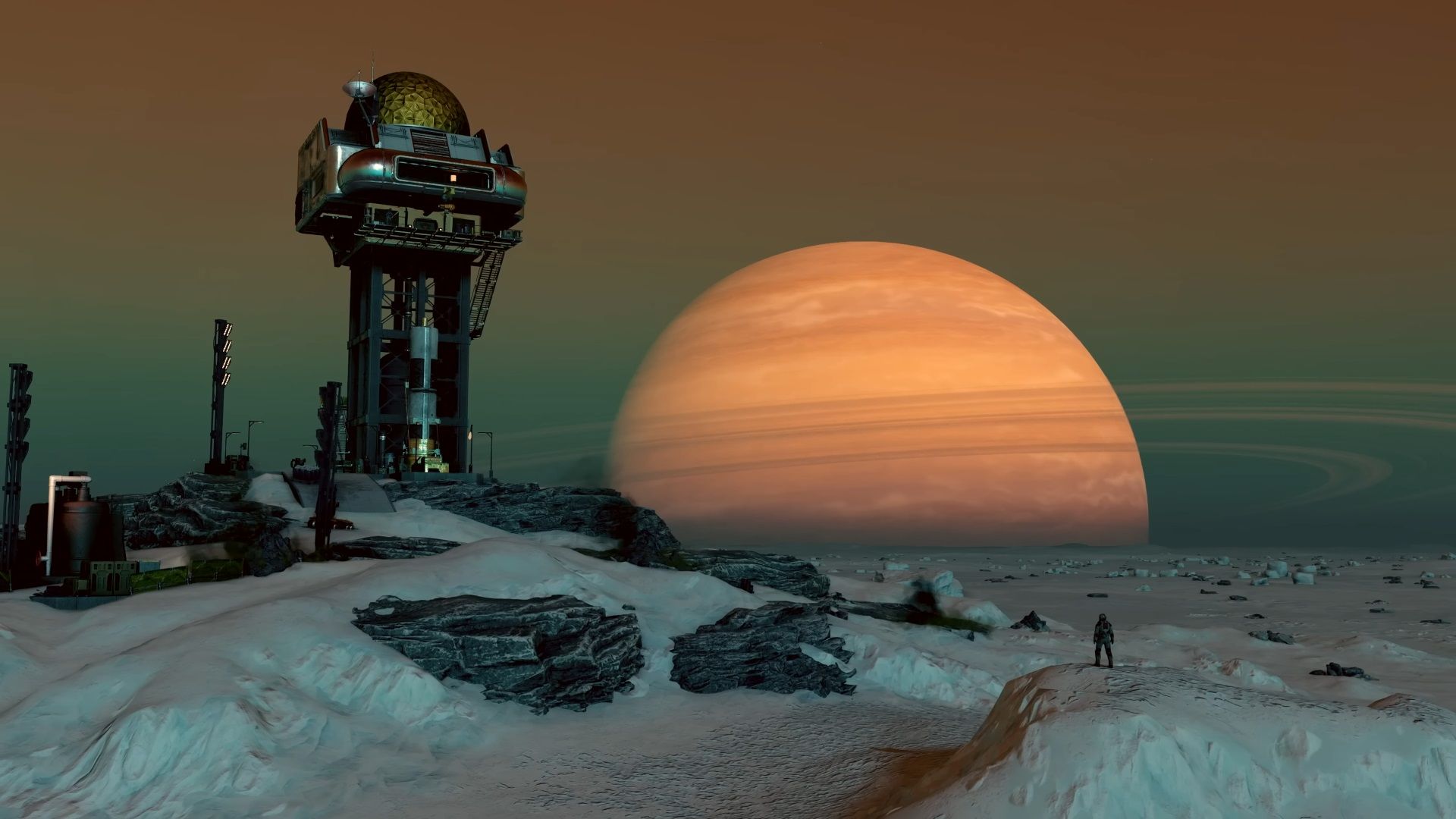
While Bethesda’s open-universe RPG has its own unique flavor, there are other games out there that capture the spirit of space exploration, storytelling, and immersive gameplay. Whether you’re a seasoned spacefarer or a rookie astronaut, these titles offer something special.
1. Assassin’s Creed Valhalla
Platform(s): PC, PS5, PS4, Xbox Series X, Xbox One
Why It’s Stellar: Set in 873 CE during the Viking Age, Assassin’s Creed Valhalla lets you lead a clan of Vikings as they settle new lands in Anglo-Saxon England. It’s a grand adventure filled with sprawling landscapes, smart storytelling, and endless opportunities to shape your own saga.
2. Cyberpunk 2077
Platform(s): PC, PS5, Xbox Series X
Why It’s Out of This World: Night City awaits! Dive into this neon-lit sandbox where you can run riot as a futuristic mercenary. Cyberpunk 2077 combines an expansive open world with an engaging narrative. Plus, it’s come a long way since its rocky launch in 2020.
3. Fallout 4
Platform(s): PC, PS5, PS4, Xbox Series X, Xbox One
Why It’s Post-Apocalyptic Fun: While Fallout 3 may be gathering dust, Fallout 4 still shines. Explore the wasteland, build settlements, and face mutated creatures. The blend of RPG elements and survival mechanics keeps you hooked.
4. The Outer Worlds
Platform(s): PC, Xbox Series X, Xbox One
Why It’s a Cosmic Delight: Obsidian Entertainment delivers a satirical space adventure where corporations rule the galaxy. Customize your character, make choices that matter, and explore quirky planets.
5. Outer Wilds
Platform(s): PC
Why It’s Mind-Bending: In Outer Wilds, you’re stuck in a time loop exploring a miniature solar system. Uncover ancient mysteries and unravel the secrets of the cosmos.
6. Mass Effect: Andromeda
Platform(s): PC, Xbox Series X, Xbox One
Why It’s Epic Sci-Fi: The Mass Effect series is iconic for its rich lore and memorable characters. Andromeda takes you to a new galaxy with alien species, romance options, and epic space battles.
7. No Man’s Sky
Platform(s): PC, PS5, PS4, Xbox Series X, Xbox One
Why It’s Infinite Exploration: No Man’s Sky offers procedurally generated planets to explore, build bases on, and even hop into your starship for interplanetary jaunts.
8. Kerbal Space Program
Platform(s): PC
Why It’s Quirky Science: Design rockets, launch missions, and learn orbital mechanics with adorable Kerbals. It’s educational fun wrapped in space exploration.
9. Elite Dangerous
Platform(s): PC
Why It’s the Ultimate Space Odyssey: Elite Dangerous is a vast, open-world space simulator that lets you pilot your own spaceship. Whether you’re trading goods, mining asteroids, or engaging in epic dogfights, the galaxy is your playground. The attention to detail in the celestial bodies and the sense of scale are awe-inspiring.
10. Star Citizen
Platform(s): PC
Why It’s Still in Development (But Worth Watching): Star Citizen has been in development for what feels like light-years, but its ambition is unmatched. Explore planets, engage in first-person combat, and live out your sci-fi fantasies. Keep an eye on this one—it might just become the ultimate starfaring experience.
So there you have it! These games offer a cosmic escape from reality, allowing you to traverse the universe without leaving your gaming chair. Whether you’re a stargazer or a space cowboy, these titles will keep your warp drive engaged and your imagination soaring.
Remember, the cosmos awaits—so grab your controller, set coordinates for adventure, and launch into the great unknown! ????
Are you looking for the ultimate Starfield Strategy Guide? Look no further! This comprehensive guide contains all the pro tips and tricks you need to become a master of the game.
Table of Contents
We’ll walk you through all the essential strategies for surviving in the vast world of Starfield, so you can complete missions, collect rewards, and compete against other players with ease. With our help, you’ll be able to maximize your score and win more games. Get ready to take your game to the next level with the Ultimate Starfield Strategy Guide!
What is Starfield and why should you play it?
Starfield is an exciting and immersive game that transports players into a vast and thrilling universe. Developed by Bethesda Game Studios, the creators of popular games like Skyrim and Fallout, Starfield offers a unique blend of exploration, strategy, and action. With its stunning visuals and intricate gameplay mechanics, it has quickly become a favorite among gamers of all skill levels.
So why should you play Starfield? Well, first and foremost, it’s an incredibly fun and addictive game. Whether you’re a casual gamer looking for a way to relax and unwind or a hardcore player seeking a new challenge, Starfield has something for everyone.
One of the standout features of Starfield is its comprehensive strategy guide. With this guide, you’ll have access to expert tips and tricks that will help you navigate the game’s complex world and maximize your gameplay experience. From mission strategies and character builds to crafting and resource acquisition, the Starfield Strategy Guide covers it all.
Not only will playing Starfield provide you with countless hours of entertainment, but it also offers a unique opportunity to immerse yourself in a rich and vibrant universe. Explore new planets, uncover hidden treasures, and interact with intriguing characters as you embark on your epic journey through the stars.
Whether you’re a seasoned gamer or new to the world of gaming, Starfield is a must-play title. So grab your controller or keyboard, strap in, and get ready to blast off into the adventure of a lifetime with the Ultimate Starfield Strategy Guide by your side.
Basic Gameplay Mechanics
Starfield is a complex and immersive game, but don’t worry! The Starfield Guide is here to help you navigate the basic gameplay mechanics and get you up to speed in no time.
In Starfield, you’ll take on the role of an explorer in a vast and thrilling universe. The game offers a variety of gameplay elements, including exploration, combat, and resource management. To begin your adventure, you’ll need to familiarize yourself with the controls and basic mechanics.
First and foremost, mastering movement is essential in Starfield. Whether you’re traversing alien landscapes or piloting a spaceship, getting comfortable with the controls will make your experience much more enjoyable. The Starfield Guide provides detailed instructions and tips to help you move efficiently and navigate the world with ease.
In addition to movement, combat is a major component of Starfield. From engaging in intense space battles to battling creatures on unexplored planets, knowing how to effectively use your weapons and abilities is crucial. The Starfield Guide offers strategies and tactics for maximizing your combat effectiveness and overcoming challenging enemies.
Resource management is another key aspect of gameplay in Starfield. You’ll need to gather resources, manage your inventory, and make strategic decisions to ensure your survival in the vast universe. The Starfield Guide provides tips on resource acquisition, inventory management, and efficient crafting and upgrading.
By familiarizing yourself with these basic gameplay mechanics, you’ll be well-equipped to embark on your journey through the stars. So grab your controller or keyboard and dive into the exciting world of Starfield with confidence, thanks to the valuable insights provided by the Starfield Guide.
Choosing Your Character Build
Choosing the right character build is an important decision in Starfield, as it can greatly impact your gameplay experience. Whether you prefer to engage in fierce combat or focus on stealth and cunning, your character build will determine your strengths, weaknesses, and abilities throughout the game.
When choosing your character build, it’s essential to consider your preferred playstyle. Do you enjoy being at the forefront of battles, dealing heavy damage with powerful weapons? If so, a warrior or soldier build may be the best choice for you. These builds typically have high strength and endurance, allowing you to withstand and dish out significant amounts of damage.
Alternatively, if you prefer a more subtle and strategic approach, a rogue or stealth build may be more suitable. These builds focus on agility, dexterity, and stealth, allowing you to navigate through the game unnoticed and execute precise attacks. You’ll have the advantage of surprise and the ability to quickly dispatch enemies without being detected.
For those who enjoy a balance between combat and spellcasting, a mage or spellcaster build is a fantastic option. These builds rely on intelligence, wisdom, and magical abilities to unleash devastating spells upon your enemies. You’ll have access to a wide range of powerful spells, allowing you to control the battlefield and manipulate the environment to your advantage.
The Importance of Exploration in Starfield
One of the most exciting aspects of Starfield is the emphasis on exploration. In this vast and thrilling universe, the possibilities are endless, and every corner holds a new adventure waiting to be discovered. As a casual gamer, you’ll find that the exploration aspect of Starfield is not only entertaining but also incredibly rewarding.
Exploration in Starfield allows you to uncover hidden treasures, discover new planets, and interact with intriguing characters. It’s through exploration that you’ll truly immerse yourself in the rich and vibrant universe that Bethesda Game Studios has created. The game world is meticulously crafted, with stunning visuals and intricate details that make every planet, spaceship, and alien encounter feel truly immersive.
Not only does exploration offer a sense of wonder and discovery, but it also provides valuable resources and rewards. As you explore different planets and complete missions, you’ll collect credits, acquire rare items, and uncover new technologies. These resources can be used to upgrade your weapons and equipment, customize your spaceship, and enhance your overall gameplay experience.
Exploration is not just about finding valuable resources; it’s about uncovering the rich lore and history of the Starfield universe. As you explore, you’ll come across ancient ruins, forgotten civilizations, and intriguing storylines that add depth and complexity to the game. The more you explore, the more you’ll unravel the secrets of the universe and become engrossed in the captivating narrative.
In addition to the rewards and storyline, exploration in Starfield also allows for personal growth and self-discovery. By venturing into uncharted territories and taking on new challenges, you’ll push yourself outside of your comfort zone and develop new skills. Whether it’s piloting a spaceship through treacherous asteroid fields or engaging in intense combat with hostile creatures, each exploration endeavor will test your abilities and help you grow as a player.
As a casual gamer, you may not have as much time to dedicate to gaming as hardcore players. However, the exploration aspect of Starfield can be enjoyed in bite-sized sessions. You can choose to embark on short exploratory missions or simply spend a few minutes wandering through the breathtaking landscapes of different planets. The game allows you to set your own pace and explore at your leisure, making it perfect for those with limited time.
Overall, the importance of exploration in Starfield cannot be overstated. It’s not just a side activity; it’s a fundamental part of the game experience.
Crafting, Modding, and Upgrades
Crafting, modding, and upgrades are essential aspects of Starfield that can greatly enhance your gameplay experience. In Starfield, you’ll have the opportunity to gather resources and create your own weapons, armor, and equipment through the crafting system. This allows you to customize your loadout to suit your playstyle and tackle challenges with confidence.
Crafting in Starfield is a straightforward and intuitive process. You’ll collect various materials, such as ores, plants, and salvaged components, through exploration and completing missions. These resources can then be used to create new items or upgrade existing ones. The Starfield Strategy Guide provides detailed instructions on the crafting system, including recipes and materials required for each item.
Modding is another exciting feature in Starfield that allows you to enhance your weapons, armor, and equipment. By applying modifications, you can increase damage output, improve accuracy, or add special effects to your gear. The Starfield Strategy Guide offers tips and recommendations for the best mods to use for different playstyles and situations.
Upgrades play a crucial role in Starfield, allowing you to improve the performance and capabilities of your equipment. From increasing weapon damage to enhancing armor durability, upgrades can give you a significant advantage in combat. The Starfield Strategy Guide provides insights on the most effective upgrades and the resources needed to implement them.
Mission Strategies and Walkthroughs
Ready to tackle the exciting missions in Starfield? This section of the Ultimate Starfield Strategy Guide will provide you with expert mission strategies and detailed walkthroughs to help you complete every mission with ease.
Missions in Starfield are diverse and challenging, ranging from simple exploration tasks to intense combat missions. The key to success is careful planning and execution. Before embarking on a mission, take the time to read through the objectives and familiarize yourself with the environment and potential obstacles you may encounter.
The Starfield Strategy Guide offers in-depth mission strategies that will guide you step-by-step through each mission. From choosing the right equipment and weapons to understanding enemy behavior and tactics, you’ll have all the information you need to complete missions efficiently and achieve optimal results.
The walkthroughs provided in the guide will ensure that you never feel lost or unsure of what to do next. Each mission is broken down into manageable sections, with clear instructions on where to go, what to do, and how to overcome any challenges you may face. With this guidance, you’ll be able to progress smoothly through the game and avoid unnecessary setbacks.
Tips for Managing Your Inventory
As a casual gamer, it’s important to make the most of your limited time in Starfield. One way to do that is by effectively managing your inventory. In this section of the Ultimate Starfield Strategy Guide, we’ll provide you with valuable tips for keeping your inventory organized and maximizing your resources.
First and foremost, it’s essential to regularly clean out your inventory. As you explore the vast universe of Starfield, you’ll come across countless items, weapons, and gear. It can be tempting to hoard everything you find, but that can quickly lead to a cluttered inventory and difficulty finding what you need. Take the time to regularly sell or discard items that you no longer need or that are low in value. This will free up valuable inventory space for more important items.
Another important tip is to prioritize items based on their usefulness. Not all items are created equal, and it’s important to determine which ones are worth keeping. As a casual gamer, you may not have the luxury of time to meticulously analyze every item. Instead, focus on items that directly contribute to your playstyle or that have high value, such as rare resources or valuable weapons. By prioritizing these items, you’ll ensure that your inventory is filled with useful and valuable items that will enhance your gameplay experience.
Additionally, consider utilizing storage containers or lockers to store items that you don’t need immediately. Many locations in Starfield offer storage options where you can safely store items for later use. This will help keep your inventory clutter-free and make it easier to find the items you need when you need them.
Lastly, take advantage of the crafting and upgrading systems in Starfield. Instead of carrying around multiple versions of the same item, consider dismantling them for resources or using them to upgrade your existing gear. This will not only free up inventory space but also allow you to continually improve your equipment and stay ahead of the game.
By following these tips for managing your inventory, you’ll be able to stay organized, maximize your resources, and make the most of your limited time in Starfield. With a streamlined inventory, you’ll have more time to focus on the thrilling gameplay and exploration that Starfield has to offer.
How to Earn Credits and Acquire Resources
In the vast universe of Starfield, earning credits and acquiring resources are essential for your survival and progression. Whether you’re a casual gamer looking to make the most of your limited time or a dedicated player aiming to optimize your gameplay experience, this section of the Ultimate Starfield Strategy Guide will provide you with valuable tips and strategies to help you earn credits and gather resources efficiently.
One of the most effective ways to earn credits in Starfield is by completing missions and side quests. These tasks will not only reward you with credits but also provide you with valuable resources and items. Be sure to prioritize missions that offer high credit rewards or rare resources to maximize your earnings.
Exploration is another key component of earning credits and acquiring resources. As you traverse the universe, keep an eye out for hidden treasure chests, resource nodes, and rare materials. These can be found on planets, in space stations, and even during combat encounters. Collecting and selling these resources can generate a steady stream of credits.
Additionally, trading and bartering can be lucrative in Starfield. Keep an eye out for opportunities to buy low and sell high. Pay attention to market trends and the demands of different factions to maximize your profits. You can also invest in a cargo ship to transport and sell valuable goods across different systems for even greater returns.
Resource acquisition is closely tied to exploration and completing missions. Make sure to thoroughly search every planet you visit, scanning for resources and mining opportunities. Completing mining mini-games can yield rare minerals and ores that can be sold for significant credits. You can also salvage valuable components from defeated enemies or wrecked spaceships to acquire resources.
Remember to upgrade your mining and scanning equipment to increase your chances of finding rare resources and discovering hidden deposits. Investing in advanced mining tools and scanners will pay off in the long run.
In Starfield, patience and strategic thinking are key to earning credits and acquiring resources. Keep these tips in mind, and you’ll be well on your way to becoming a wealthy and resourceful explorer in the vast universe of Starfield.
Troubleshooting Common Issues
As a casual gamer, you want your gaming experience to be as smooth as possible. However, we all know that technology can be unpredictable, and issues can arise. In this section, we’ll address some common issues you may encounter while playing Starfield and provide troubleshooting tips to help you overcome them.
One common issue that many gamers face is game crashes or freezes. If you experience this while playing Starfield, try closing any unnecessary background applications and make sure your computer meets the game’s minimum system requirements. It’s also a good idea to update your graphics drivers and ensure that you have the latest game patches installed. If the problem persists, you may want to consider lowering the game’s graphical settings or seeking technical support from Bethesda Game Studios.
Another common issue is connectivity problems. If you’re unable to connect to the game servers or experience lag during multiplayer gameplay, check your internet connection to make sure it’s stable. You can also try restarting your router or connecting your computer directly to your modem with an Ethernet cable for a more stable connection. If the issue continues, reach out to Bethesda’s technical support for further assistance.
Some players may encounter audio or visual glitches while playing Starfield. To address these issues, try verifying the game files in your chosen gaming platform’s settings. This will ensure that all game files are intact and not corrupted. If the problem persists, adjusting the in-game graphics and audio settings may help. Additionally, updating your graphics drivers and ensuring your computer’s audio drivers are up to date can also resolve these issues.
If you’re experiencing any other technical difficulties while playing Starfield, don’t hesitate to reach out to Bethesda’s technical support team. They will be able to provide you with more specific troubleshooting steps and assist you in resolving the issue.
Making the Most of Your Limited Time: Efficient Gaming Strategies for Busy People
For busy people with limited time to dedicate to gaming, it can often be a challenge to fully enjoy immersive games like Starfield. However, with the right strategies, you can still make the most of your gaming sessions and have a rewarding experience.
One of the most important strategies for maximizing your limited time is to set clear goals and prioritize your tasks. Before diving into the game, take a few moments to identify what you want to accomplish in your gaming session. Whether it’s completing a specific mission or exploring a new planet, having a clear objective will help you stay focused and make efficient use of your time.
Another effective strategy is to break your gaming sessions into shorter, more manageable chunks. Instead of trying to play for hours on end, set aside smaller blocks of time that fit into your schedule. Even just 30 minutes or an hour can be enough to make progress and enjoy the game without feeling overwhelmed.
Additionally, consider utilizing features like quick saves or checkpoints to easily pick up where you left off in the game. This way, you won’t have to spend precious time redoing sections you’ve already completed.
Finally, don’t be afraid to adjust the game’s difficulty settings to suit your needs. If you’re finding certain aspects of the game too challenging and time-consuming, lowering the difficulty level can help you progress more quickly and smoothly.
Starfield, the highly anticipated sci-fi role-playing game from Bethesda Game Studios, the creators of The Elder Scrolls and Fallout series, is set in an expansive and diverse galaxy where humanity has colonized new worlds beyond our solar system.
Table of Contents
But the question that lingers is whether we are truly alone in the vast expanse of space. Are there aliens in Starfield?
The answer is yes, there are aliens in Starfield.
However, these extraterrestrial beings differ significantly from the typical humanoid or animal-like creatures often encountered in other sci-fi games and movies. According to Bethesda, the aliens in Starfield possess an air of mystery and elusiveness, and their disposition toward humans is neither inherently friendly nor hostile.
The Enigmatic Vryx
One of the known alien races in the game is the Vryx, described as “a race of ancient, enigmatic beings that have been around for eons.” They are also referred to as “the most powerful force in the galaxy.” The Vryx have inscrutable agendas and origins, making communication with them a challenging endeavor. They maintain a veil of secrecy, rarely revealing themselves to other races.
The Nomadic Kha’ri
Another alien race, the Kha’ri, are described as “a nomadic race of traders and explorers that travel the galaxy in massive ships.” They are known as “the most diverse and colorful race in the galaxy.” The Kha’ri boast a rich culture and history and exhibit a friendly and inquisitive nature when interacting with other races. Their adaptability and resourcefulness enable them to thrive even in the harshest environments.
The Promise of Discovery
While the Vryx and Kha’ri are the revealed alien races in Starfield, it is entirely possible that more extraterrestrial beings exist in the game, yet remain undiscovered or undisclosed by Bethesda. Starfield promises extensive exploration and discovery, offering players the chance to encounter further alien civilizations as they traverse the galaxy. It’s essential to note that Starfield’s primary focus is not centered on aliens but rather on human characters’ stories and experiences as they navigate the challenges and opportunities of space life.
In conclusion, Starfield introduces players to a galaxy brimming with alien life, each race contributing to the richness of the game’s lore and storytelling. While these extraterrestrial entities may not be the central focus of the game, they undoubtedly add intrigue and depth to the expansive world of Starfield.
For those eager to delve deeper into the Starfield universe, you can visit the official website, watch the official gameplay trailer, or peruse interviews with Bethesda developers. Starfield is set to launch on November 11th, 2023, available on PC, Xbox Series X|S, and Xbox Game Pass.
Starfield, the highly anticipated role-playing game developed by Bethesda Game Studios, has been the talk of the gaming community ever since its announcement.
Table of Contents
With its stunning visuals and immersive gameplay, Starfield is set to be a game-changer in the industry. But the question on every Nintendo Switch owner’s mind is, will Starfield ever be released on the popular handheld console?
Is Starfield Available on Nintendo Switch?
The short answer is No.
Unfortunately, as of now, there is no official confirmation regarding the release of Starfield on Nintendo Switch. Bethesda has mainly focused on the game’s development for PC and the next-generation consoles, such as PlayStation 5 and Xbox Series X. However, Bethesda has not completely ruled out the possibility of a Nintendo Switch version in the future.
How to Play Starfield on Nintendo Switch Via Xbox Cloud Gaming
While the direct release of Starfield on Nintendo Switch remains uncertain, there is still a way for Nintendo Switch owners to experience the game. Xbox Cloud Gaming, formerly Project xCloud, allows players to stream Xbox games directly to their devices, including the Nintendo Switch.
To play Starfield on Nintendo Switch via Xbox Cloud Gaming, you will need an active Xbox Game Pass Ultimate subscription, a stable internet connection, and a compatible controller. Download the Xbox Game Pass app on your Nintendo Switch and sign in with your Xbox account. From there, you can browse the catalog of available games, including Starfield, and start playing instantly.
It’s important to note that Xbox Cloud Gaming requires a fast and stable internet connection to ensure smooth gameplay. Additionally, the availability of Xbox Cloud Gaming on Nintendo Switch may vary depending on your region. Make sure to check the official Xbox website for detailed instructions and updates.
Is Starfield Worth the Wait?
While the absence of an official Nintendo Switch release may disappoint some fans, it’s essential to remember that Starfield is being developed with the latest hardware capabilities in mind. The game aims to take full advantage of the advanced graphics and processing power offered by the next-generation consoles and PCs.
By focusing on these platforms, Bethesda can deliver a truly immersive and visually stunning experience. However, this also means that players without access to these platforms may miss out on the initial release of Starfield.
But fear not, as Bethesda has a history of releasing their games on multiple platforms, including the Nintendo Switch. Games like The Elder Scrolls V: Skyrim and DOOM have made their way to the popular handheld console, albeit with some compromises in terms of graphics and performance.
So, while it may require some patience, there is a possibility that Starfield could eventually find its way to the Nintendo Switch. Whether it’s a direct release or via Xbox Cloud Gaming, Nintendo Switch owners may still have the opportunity to explore the vast universe of Starfield.
Starfield, the highly anticipated creation from Bethesda Game Studios, renowned for their iconic franchises like Fallout and The Elder Scrolls, has finally touched down.
Table of Contents
This ambitious sci-fi RPG invites players to traverse the vastness of space, offering a massive open world with thousands of planets to explore.
However, there’s a significant twist: Starfield is not available on PlayStation consoles. In this article, we’ll delve into the reasons behind Starfield’s exclusivity to Xbox Series X|S and PC and provide insights into how PlayStation users can still embark on their space odyssey through Xbox Cloud Gaming.
Is Starfield Avaialble on PS4 and PS5?
The short answer is NO. It is an Xbox-exclusive game and will not be released on PlayStation whatsoever.
Why Starfield Is Exclusive to Xbox Series X/S and PC?
The exclusivity of Starfield to Xbox Series X|S and PC stems from Microsoft’s acquisition of Bethesda‘s parent company, ZeniMax Media, in 2021
This acquisition sealed the fate of all Bethesda-published games, making them exclusive to Xbox and PC platforms. Consequently, Starfield will not see a release on PS5, PS4, or any other platform outside of the Microsoft umbrella. This strategic move aligns with Microsoft’s efforts to bolster its gaming portfolio and compete with Sony’s lineup of PlayStation exclusives.
While Aaron Greenberg, Xbox marketing general manager, has hinted that Starfield’s exclusivity status is “for now,” suggesting a possibility of future releases on other platforms, no official confirmation or announcement regarding PlayStation availability exists. Therefore, PlayStation users should not anticipate Starfield on their consoles in the near future.
How To Play Starfield on PS4 or PS5?
Xbox Cloud Gaming emerges as the solution for PlayStation users eager to experience Starfield. This service enables game streaming directly from the cloud to your device, eliminating the need for downloads or installations.
Notably, Xbox Cloud Gaming is part of the Xbox Game Pass Ultimate subscription, granting access to a diverse library of over 100 games across console, PC, and mobile platforms. With Xbox Cloud Gaming, PlayStation users can venture into Starfield’s universe on their PS5 or PS4, provided they have a stable internet connection and an active Game Pass Ultimate subscription.
To embark on your Starfield journey via Xbox Cloud Gaming on your PS5 or PS4, you’ll need the following:
A PS5 or PS4 console with a reliable internet connection.
An active Xbox Game Pass Ultimate subscription.
A compatible controller.
A web browser on your console.
With these prerequisites in place, follow these steps:
Relish your Starfield adventure on your PlayStation console.
Pros and Cons of Playing Starfield via Xbox Cloud Gaming
Playing Starfield through Xbox Cloud Gaming brings both advantages and disadvantages worth considering:
Pros include:
Access to Starfield on your PlayStation console without the need to invest in an Xbox or PC.
Enjoying Starfield without the hassle of downloads or installations.
A Starfield experience on par with that of Xbox Series X|S and PC users.
Cons to be mindful of:
A stable and high-speed internet connection is imperative for smooth streaming.
An active Xbox Game Pass Ultimate subscription is required for access to Xbox Cloud Gaming.
Latency or lag may occur depending on network conditions.
In Conclusion
Starfield, a game that promises an unforgettable sci-fi RPG experience, has left PlayStation users with a dilemma: It’s an Xbox-exclusive title, available solely on Xbox Series X|S and PC. If you’re a PlayStation owner and eager to explore Starfield’s universe, you may need to acquire a compatible device or await a potential future release on other platforms.
Alternatively, you can access Starfield through Xbox Cloud Gaming, a feature included in the Xbox Game Pass Ultimate subscription. This allows you to stream Starfield directly to your console without the hassle of downloads or installations.
However, a strong internet connection and a compatible controller are essential for an enjoyable Starfield experience on your PlayStation console. So, prepare for your interstellar journey and dive into the depths of space with Starfield!
Starfield, one of the most highly anticipated games of 2023, has finally launched on September 6th, marking Bethesda Game Studios’ first new IP in 25 years.
Table of Contents
This sci-fi RPG promises players a vast and diverse galaxy to explore, character customization, and an epic adventure. Notably, Starfield is an Xbox-exclusive title, available exclusively on Xbox Series X|S and PC. However, this leads to a question for Xbox One users: Can they experience Starfield on their older consoles?
In this article, we’ll explore this query and provide valuable insights into the possibilities of playing Starfield on Xbox One.
Will Starfield be released on Xbox One?
In short, no, Starfield will not be officially released for Xbox One.
The game is meticulously crafted to harness the capabilities and features of next-generation hardware, specifically optimized for Xbox Series X|S and PC. Starfield’s expansive scope and ambition demand substantial processing power and memory to deliver a seamless and visually stunning gaming experience.
Consequently, Starfield won’t be compatible with the limited capabilities and performance of the Xbox One console.
Starfield Is Only Available On Xbox One Through Game Pass
While the official release of Starfield does not support Xbox One, there is a workaround for Xbox One users eager to dive into the game.
This solution lies in Xbox Cloud Gaming, a service that enables game streaming directly from the cloud to your device, eliminating the need for downloads or installations. Xbox Cloud Gaming is included in the Xbox Game Pass Ultimate subscription, which also grants access to a library of over 100 games across console, PC, and mobile platforms.
How to Play Starfield on Xbox One Using Xbox Cloud Gaming
To enjoy Starfield on your Xbox One via Xbox Cloud Gaming, you’ll require a few essentials:
An Xbox One console with a stable internet connection
An active Xbox Game Pass Ultimate subscription
A compatible controller
The Xbox app installed on your console
Once you’ve ensured these prerequisites, follow these steps:
Launch the Xbox app on your Xbox One.
Navigate to the Game Pass section.
Locate Starfield in the list of available games.
Select “Play with cloud gaming.”
Delight in your Starfield experience on your Xbox One.
Pros and Cons of Playing Starfield on Xbox One via Xbox Cloud Gaming
Playing Starfield on Xbox One through Xbox Cloud Gaming offers both advantages and disadvantages that you should consider before diving in.
Pros include:
Enjoying Starfield on your existing Xbox One console without the need to purchase a newer one.
Accessing Starfield without the hassle of downloads or installations.
Experiencing Starfield with the same quality and features as on Xbox Series X|S and PC.
Cons to bear in mind:
A stable and fast internet connection is essential for the smooth streaming of Starfield.
An Xbox Game Pass Ultimate subscription is required to access Xbox Cloud Gaming.
Latency or lag may occur based on your network conditions.
Starfield’s launch on September 6, 2023, is an exciting development for gamers. If you own an Xbox One console and are eager to join the Starfield adventure, you now have a workaround: You can experience Starfield on your Xbox One through Xbox Cloud Gaming, a feature included in the Xbox Game Pass Ultimate subscription.
This allows you to stream Starfield directly from the cloud to your console without the need for downloads or installations.
Keep in mind that a robust internet connection and a compatible controller are essential for an enjoyable Starfield experience on your Xbox One. Enjoy your journey into the depths of space with Starfield!




![Top 10 Best Starfield-Like Games in [year]](https://digitalphablet.com/wp-content/uploads/2023/10/games-like-starfield.jpeg)

