Tag: Sims

  • How to Level Archery Skill in The Sims 4: Completing and Solving Adventures

    How to Level Archery Skill in The Sims 4: Completing and Solving Adventures

    In The Sims 4: Adventure Awaits, players can now have their Sims try archery. This activity is open to children and older, featuring a five-level skill that can be developed. Kids often return from Camp Gibbi Gibbi with new archery abilities, and there are also neighborhood competitions tied to the Fitness Festival.

    Advancing in this skill unlocks decorative bonuses and pairs well with the new competitive trait. Here’s everything you need to know about learning archery quickly and making the most of it.

    What Is The Archery Skill?

    Archery is a new five-level skill available starting from childhood. To practice, you need either the Bullseye! Archery Target, costing $315, or find an archery target at Gibbi Gibbi.

    You can practice at several locations:

    • The small park near Fearful Fish Lounge in Crystal Valley, which has a target and hay bales.
    • Camp Gibbi Gibbi in Wanderwood Wilds, where targets are by the shore.
    • Plumbird Park in Wanderwood Wilds, with targets beside the playground.
    • Jellyfish Junction, hosting regularly scheduled Fitness Festivals and archery contests on the pier, where you can participate during these events.

    Additionally, reaching level 10 in the Park Worker career branch as a Park Ranger unlocks the Ranger’s Esteem Archery Target, which is free.

    How To Quickly Improve the Archery Skill

    Archery isn’t like other skills—it’s quick to learn, but over-practicing can cause injury. Starting out, injury can be as mild as an “Archer’s Elbow” moodlet (+1 discomfort). Persisting despite discomfort can lead to torn rotator cuffs (+3 discomfort), which stack and last for hours. If discomfort becomes too great, your Sim will refuse to continue.

    To avoid injuries, practice in short sessions across multiple days. Higher fitness levels, a good mood, and meeting your needs help reduce injury chances.

    Here’s what happens at each level:

    Level One

    • Your Sim can click on any archery target and select “Practice Archery,” which cycles through several rounds. Avoid practicing more than twice in a row to prevent injuries.
    • They can also “Clear Arrows,” removing arrows from the target.

    Level Two

    • Your Sim gains the ability to start archery competitions by selecting “Start Archery Competition” at an archery target, requiring a nearby Sim to compete against.
    • They can praise other Sims about archery through social interactions.

    Level Three

    • Sims can discuss archery techniques with others.
    • The advanced bow becomes available, accessible via selecting “Choose Bow > Advanced Bow.”
    • An archery glove will be unlocked in Create-A-Sim.

    Level Four

    • Bow fishing becomes available—your Sim can fish with arrows at any fishing spot.
    • Mentoring others in archery is possible by selecting the option at a target.
    • The top-tier “Expert Bow” becomes accessible, representing the most accurate and powerful bow.
    • An armguard accessory is unlocked, which appears with short-sleeved tops, and a matching glove is visible with any outfit.

    Level Five

    • Your Sim can ask others to shoot an apple off their head, dependent on their trust and bravery. Successful attempts can go wrong, including completely missing both the target and the apple, and may leave your Sim with a tense moodlet if they nearly miss.
    • The Sky Piercer wall decoration, a bow with three arrows, can be purchased from build/buy mode for display.

    Archery Competitions

    There are two types of contests: casual and organized.

    Casual Competitions can be started by any Sim at level two or higher by clicking on an archery target and choosing “Start a Competition With…” A pop-up will list eligible opponents. You compete one-on-one, taking turns shooting, and the outcome results in a moodlet—losing may make your Sim tense, winning boosts happiness and confidence.

    Organized Competitions occur during the week at the Fitness Festival on the pier in front of Fletcher’s Cottage. To participate, go up to the flashing targets and select “Compete In William Tell Memorial Archery Competition.” You can only enter once per day. After competing, you’ll see your score in notifications, and a top scores list will be shared when the festival ends. Winners get moodlets based on their performance and attitude towards winning or losing.

    Bow Fishing

    Bow fishing is a slower but enjoyable alternative to regular fishing. Your Sim shoots arrows at fish instead of using a fishing rod, and this action builds the regular fishing skill. To go bow fishing, click on any fishing spot or water with fish and select “Go Bow Fishing.” Factors that improve success include higher fishing skill, positive mood, fulfilled needs, high focus, and a better quality bow. While you can max out your fishing skill through bow fishing alone, it’s not recommended due to its slow pace—it’s mainly for fun.

    Mentoring

    Mentoring in archery works similarly to other skills. A Sim can mentor others with lower skill levels, potentially speeding up their progress and strengthening relationships. To find a mentee, visit the Fitness Festival or parks and approach players dropping their bows frequently. You can also select “Mentor in Archery” by clicking an archery target, which will show eligible Sims to mentor. Mentoring helps improve skills faster and fosters positive interactions.

  • All Skill Cheats in The Sims 4 for Completing and Solving

    All Skill Cheats in The Sims 4 for Completing and Solving

    Many skills are available in The Sims 4, and it’s hard to learn them all. If you want your Sim to be the best, aiming to master every skill is a good goal. Since the game has a limited lifespan, cheats can help your Sim level up quickly and achieve high skill levels fast.

    This guide covers all the cheat codes related to skills. You can use these to raise a Sim’s skill to a specific level or even max them out instantly.

    Updated on September 11, 2025, by Gabrielle Castania: Cheats are key to making gameplay smoother in The Sims 4. This updated version includes all the newest cheat codes and tips for raising multiple skills at the same time, so you can level up your skills quickly and easily.


    How To Enable And Use Skill Cheats

    To activate cheats, follow these steps based on your platform:

    Platform Buttons to Press
    PC Ctrl + Shift + C
    Mac Command + Shift + C
    Console (Xbox & PlayStation) All 4 shoulder buttons

    Pressing these buttons opens a white box where you need to type:

    “testingcheats true”

    You will see a message confirming that cheats are enabled. Once it appears, you’re ready to proceed with skill cheats.


    How To Use Skill Cheats

    The format for all skill cheats is the same. You just replace the skill and level accordingly. For example, to boost the Video Gaming skill to level 10, enter:

    stats.set_skill_level Major_VideoGaming 10

    This instantly increases your Sim’s gaming skill to maximum and grants all benefits associated with it.


    Cheats for Every Skill in The Sims 4

    Most skills have a cheat code to max their levels. Here’s a list of some of the key skills and their max-level cheats:

    Skill Cheat Code Effect
    Charisma stats.set_skill_level Major_Charisma 10 Improves social interactions and confidence
    Cooking stats.set_skill_level Major_HomestyleCooking 10 Affects recipe variety and quality
    Fishing stats.set_skill_level Major_Fishing 10 Increases rarity and catch rate of fish
    Fitness stats.set_skill_level Major_Fitness 10 Enhances weight management and athleticism
    Gardening stats.set_skill_level Major_Gardening 10 Boosts plant selection and interactions
    Guitar stats.set_skill_level Major_Guitar 10 Allows playing any guitar type
    Handiness stats.set_skill_level Major_Handiness 10 Enables fixing and building household objects
    Logic stats.set_skill_level Major_Logic 10 Helps solve puzzles and chess games
    Mischief stats.set_skill_level Major_Mischief 10 Causes mischief with other Sims
    Mixology stats.set_skill_level Major_Bartending 10 Improves drink mixing skills
    Painting stats.set_skill_level Major_Painting 10 Creates artwork for selling or decor
    Programming stats.set_skill_level Major_Programming 10 For coding and software development
    Rocket Science stats.set_skill_level Major_RocketScience 10 Builds rockets, explores space
    Video Gaming stats.set_skill_level Major_VideoGaming 10 Unlocks additional gaming options

    (Note: Some skills may have slightly different names or levels depending on expansions or updates.)


    Expansion Pack Skills Cheats

    Many expansion packs introduce new skills. Here are some examples:

    Expansion Skill Max Level Cheat Effect
    Outdoor Retreat Herbalism stats.set_skill_level Major_Herbalism 10 Identifies and uses plants
    Get to Work Baking stats.set_skill_level Major_Baking 10 Bakes desserts
    Spa Day Wellness stats.set_skill_level Major_Wellness 10 Focuses on self-care and holistic health
    City Living Singing stats.set_skill_level Major_Singing 10 Performs singing at karaoke and open mics
    Vampires Vampire Lore stats.set_skill_level Major_VampireLore 15 Knowledge of vampires and their culture
    Snowy Escape Rock Climbing stats.set_skill_level Major_RockClimbing 10 Climbing mountains

    (…and many others depending on the specific pack.)


    Minor and Miscellaneous Skills Cheats

    Some skills don’t belong to major categories and might have different levels. These can also be manipulated…

    For example:

    stats.set_skill_level Minor_Dancing 5 — raises dancing ability.


    Child & Toddler Skills Cheats

    Children and toddlers have their own skills, which can be maxed out with cheats. Using adult cheats on children or toddlers won’t work.

    Skill Age Max Level Cheat Effect
    Creativity Child stats.set_skill_level Skill_Child_Creativity 10 Boosts creative activities
    Mental Child stats.set_skill_level Skill_Child_Mental 10 Enhances mental skills
    Motor Child stats.set_skill_level Skill_Child_Motor 10 Improves coordination
    Social Child stats.set_skill_level Skill_Child_Social 10 Improves social interactions
    Communication Toddler stats.set_skill_level Skill_Toddler_Communication 5 Early communication skills
    Imagination Toddler stats.set_skill_level Skill_Toddler_Imagination 5 Stimulates creativity
    Movement Toddler stats.set_skill_level Skill_Toddler_Movement 5 Enhances physical movement
    Potty Toddler stats.set_skill_level Skill_Toddler_Potty 3 Potty training

    Can You Lower a Skill?

    Yes, you can decrease a Sim’s skill level using the same cheat:

    stats.set_skill_level [Skill] [Desired Level]

    For example, to bring the Video Gaming skill from 8 down to 4:

    stats.set_skill_level Major_VideoGaming 4


    Is it Possible to Level Up All Skills at Once?

    In the regular game, no; you must level up each skill one by one. But with MC Command Center (MCCC), you can set multiple skills simultaneously:

    1. Open MC Command Center.
    2. Navigate to ‘Cheats’ > ‘Sim Info’ > ‘Skill Cheats’.
    3. Select multiple skills to set their levels all at once.

    This makes it easy to quickly develop every skill without doing each cheat separately.


    Do Children and Toddlers Have Skills?

    Yes, young children and toddlers can learn skills too. Children can master skills like Imagination, Creativity, Motor, and Mental before becoming teens. These skills help unlock certain adult skills earlier, and some are passive while others require active work.

    Note: Using adult skill cheats on children or toddlers won’t have any effect. Cheats must target the appropriate age group.


    All of these cheats allow you to customize your gameplay experience, making your Sims more skilled or leveling them up instantly.

  • How To Bring a Sim Back to Life in The Sims 4 by Completing and Solving

    How To Bring a Sim Back to Life in The Sims 4 by Completing and Solving

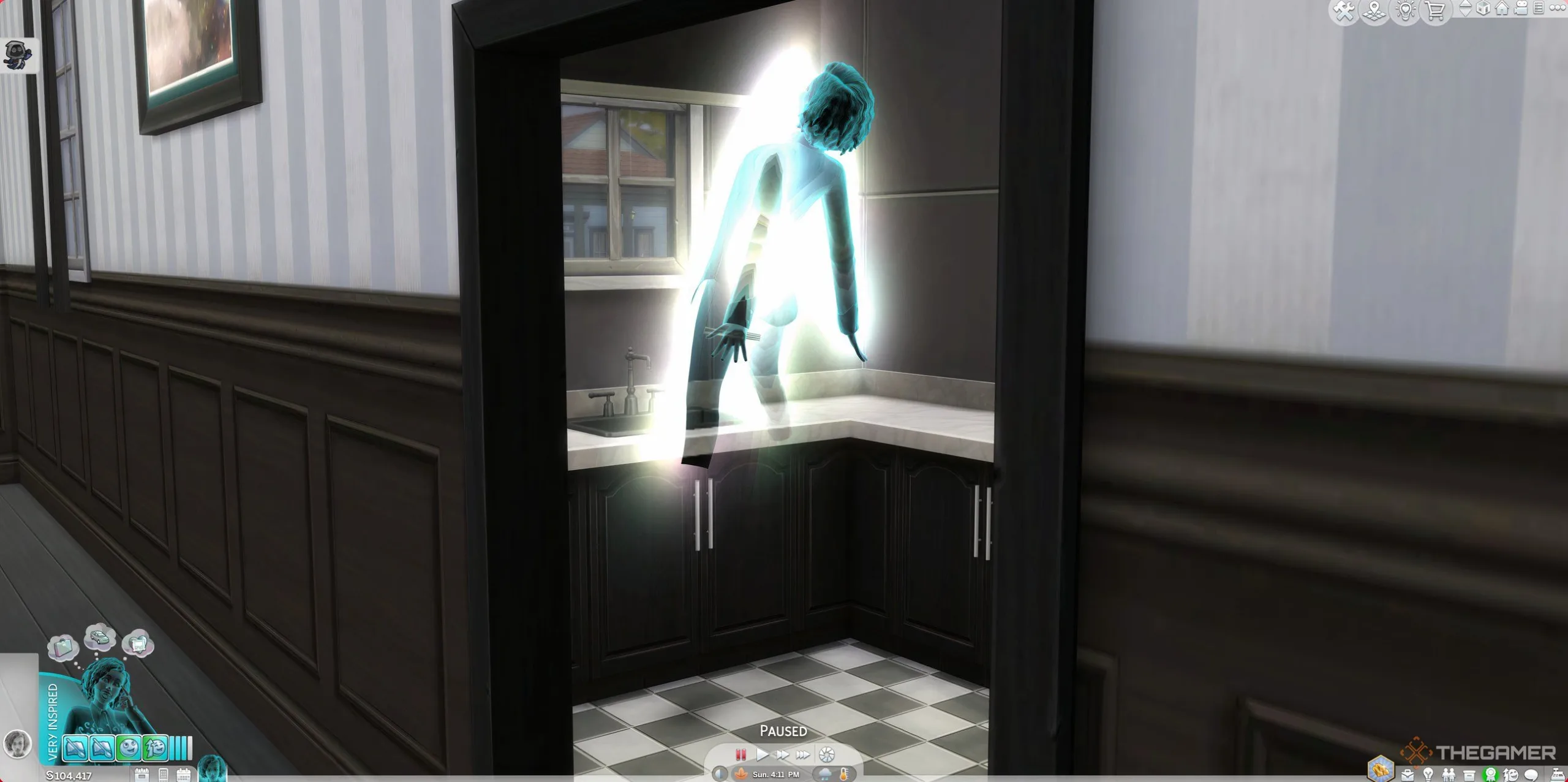
    Death is an inevitable part of life in The Sims 4. Sims can pass away peacefully from old age or due to more unusual causes like getting crushed by Murphy beds. When a Sim’s time ends, there isn’t much you can do to stop it.

    But is that true? If you want to cheat death and spend more time with your favorite Sim, there are ways to bring them back to life. Once you learn these methods, you can revive any ghostly Sim for a second chance.

    Updated on September 10, 2025, by Gabrielle Castania: With new expansion packs released since our last guide, we’ve added the latest methods for reviving Sims to help you explore all available options.

    All Ways To Bring A Sim Back To Life

    If you’re determined to bring a dead Sim back to life in The Sims 4, there are several options, especially as you add expansion packs. Most of these methods only work after the Sim has died, so if you’ve lost a beloved Sim, don’t give up hope just yet.

    Tip: These revival methods work best if the ghost is part of your household. If the ghost isn’t a household member, you can use cheats to temporarily add them so you can find their ghost more easily.


    How To Save A Sim Before Death

    Your best chance to save a Sim before they die is to plead with the Grim Reaper. When the Reaper comes to take the Sim, have another Sim interact with him and try to persuade him to spare the life. Success depends on:

    • The pleading Sim’s moodlets—better moods increase success chances.
    • The relationship between the pleading Sim and the Grim Reaper—those closer to him are more likely to succeed.

    If you’re not using the Life & Death expansion, your best option is to be near the dying Sim and chat with Grim before he leaves. If you have the expansion, you can find Grim in many other ways.

    If the plea succeeds, the dead Sim is reincarnated without being reaped, giving them a second chance at life. If it fails, the Sim is reaped as normal and marked as deceased.


    Use The Book Of Life

    If your Sim is a good writer, they can learn the Writing skill from the base game. Focus on completing the Bestselling Author aspiration to unlock the ability to write the Book of Life. Once you finish this, you can craft the book at any computer or laptop, then select it from your Sim’s inventory to Bind a Soul to the book. This can only be done with living Sims. If that bound soul dies, the Sim can be revived by reading the book.


    Eating Ambrosia

    A classic method for reviving a deceased Sim is to prepare and feed them Ambrosia—a dish unlocked at level ten of Cooking Skill, or once the Gourmet Cooking skill is maxed out. To make Ambrosia, you need:

    • One Angelfish (caught at level three of Fishing)
    • One Death Flower (found in Rare Seed Packs or grafted from Pomegranate and Orchid after level five Gardening)
    • A Potion of Youth (purchased from the Satisfaction Rewards Store)

    Stored ingredients on your lot mean your chef Sim can prepare Ambrosia once a Sim dies. When the ghost of the deceased eats it, they come back to life.


    Wish at the Wishing Well

    If you have the Wishing Well from the expansion packs, your ghost Sims can make a wish to come back to life. To do this:

    • Select a dollar amount to donate.
    • Make a Wish for Life.

    A higher donation increases the chances of success, especially if the well looks happy. The outcome can vary:

    Outcome Result
    Overwhelmingly Positive The Sim revives and can only die of old age for the next 24 hours.
    Positive The Sim revives with some Ambrosia ingredients in their inventory to prevent immediate death.
    Neutral The Sim revives with just one ingredient needed for Ambrosia.
    Negative The wish fails, and the money is lost.
    Overwhelmingly Negative The wish fails, and you must wait four hours to try again.

    Cast the Dedeathify Spell

    For spellcasters with the Realm of Magic installed, a spell called Dedeathify allows you to revive a dead Sim. Gain access by:

    • Improving your Magic skill.
    • Interacting with the Sages in the Magic Realm to learn new spells, including Dedeathify (which belongs to the Untamed Magic school).

    Once learned, cast Dedeathify on the ghost of the deceased Sim through the social menu. This spell returns them to life.


    Drink Vitality Nectar

    In the Horse Ranch expansion, your Sim can craft Vitality Nectar to bring ghosts back. To get the Nectar:

    • Become friends with Roberto Crinkletop, who sells recipes and will give you a bottle for free at high friendship levels.
    • Make the Nectar by combining a Death Flower and Spinach in the Nectar Maker.

    When a ghost Sim drinks Vitality Nectar, they are revived.


    Begin Anew Through Rebirth

    If a Sim has completed most of the Soul’s Journey in the Life & Death expansion, they can choose to be reborn as a new Sim. Reach level six of the Soul’s Journey, then decide to begin a new life with the skills and traits they accumulated. Ghosts eligible for rebirth can use mirrors to recall their previous life, regaining memories and skills.


    All these methods give you multiple ways to bring your favorite Sims back from the dead, helping you keep your household strong and lively.

  • Director Of The Last Of Us Took Idea From Sims Movie Script

    Director Of The Last Of Us Took Idea From Sims Movie Script

    Note: This article contains spoilers about The Last of Us season 2.

    Inspiration often strikes in the most surprising ways. Director Kate Herron found insight while working on The Last of Us, which she has now adapted for the live-action version of The Sims.

    Herron is not only directing but also co-writing the screenplay for The Sims. She shared how a specific element from the HBO series influenced her approach to the movie adaptation.

    In an interview with Variety, she expressed her gratitude to Craig Mazin and Neil Druckmann for the opportunity to helm an episode: “Working on The Last of Us was a bucket-list experience. I truly appreciate being part of it. I’ve taken a leaf from Craig’s book — how he captures the characters’ thoughts in the script is brilliant, and I’ve adopted that technique in all my writing now.”

    The live-action film adaptation of The Sims was announced in March 2024. Produced by Margot Robbie’s LuckyChap alongside Amazon MGM Studios and Electronic Arts, Herron is writing the script in collaboration with Briony Redman.

    In Herron’s episode of The Last of Us titled Day One, Ellie (Bella Ramsey) and Dina (Isabela Merced) explore Seattle. Their adventure takes a dark turn when they find WLF soldiers killed by Seraphites. As they try to escape, they encounter infected individuals.

    In a tense moment, Ellie gets bitten after saving Dina, leading to a confrontation where Ellie reveals her immunity. The episode also explores Dina’s pregnancy as the two share a tender moment while hiding in an abandoned theater.

    The gripping episode concludes with Ellie and Dina overlooking the city, strategizing their next move as they aim to infiltrate a hospital filled with WLF soldiers, potentially leading them closer to Abby.

    Catch The Last of Us season 2, episode 5 when it airs on May 11.

  • Is It Possible to Create Occult Sims in Original Sims?

    Is It Possible to Create Occult Sims in Original Sims?

    The original Sims game broke new ground in many ways, laying the foundation for a legendary series. However, returning to these earlier titles can feel a bit limiting, especially when compared to the more recent editions like Legacy.

    In the first game, players could create occult Sims, but they were not as fully developed as the variety we see in later iterations. Nevertheless, it’s possible to encounter ghosts and zombies if you know the right methods!

    All Occult States in the Original Sims


    How to Create Ghosts and Zombies

    Although it may sound grim, the only way to turn a Sim into a ghost in the original game is for them to die. When a Sim passes away and their tombstone or urn remains on the lot, there’s a chance they will return at night, typically appearing between midnight and dawn. Ghosts enjoy frightening living Sims and stirring up trouble, but at least they stick around.

    If the Grim Reaper arrives to take a Sim, there’s a small chance that they can plead with Grim to save the dying Sim. During this interaction, Grim might challenge them to a game of rock, paper, scissors. You don’t have control over your Sim’s choice, nor can you ensure Grim will accept the challenge, but if he does, the outcome could go one of two ways:

    • If you win, the Sim you pleaded for remains alive.
    • If Grim wins, the Sim you’re saving transforms into a zombie.

    Zombies can be played in the game, but note that they lose all their personality after resurrection. Their valuable skills stay intact, but any personality traits are erased, leaving them devoid of character. If you find the zombie experience lacking, you can visit Miss Lucille, the palm reader located in Old Town, who can assist you.


    Miss Lucille offering to revive a zombie in The Sims.

    For a fee of §200, she can bring the zombie back to life, but their personality points are permanently lost, meaning they will return without any traits.

    Magical Sims skilled in charms can use the Shed Your Skin charm. If cast at night, it turns a Sim into a ghost. However, if done during the day, or if the Sim is already a ghost, the lot could become infested with snakes, as a ghost can’t die twice in this game.

    Other Occult Sims Are Quite Limited

    While you may encounter various supernatural Sims in the original game, especially with the whimsical additions from Makin’ Magic, you can’t create any occult Sims besides ghosts and zombies. The Makin’ Magic expansion introduced many magical features, but true occult life states like witches didn’t arrive until The Sims 2.


    Vicki Vampire conversing with Mrs. Pleasant in Magic Town from The Sims Makin' Magic

    This allows any Sim, even children, to hone their magical skills without worrying about becoming non-human. However, for other iconic life states like vampires, werewolves, aliens, and more, they may appear in the game but cannot be created by players.

    With the help of the Beauty or Beast magical charm (or a junior version crafted by a young magic user), Sims can adopt “beastly” appearances for a limited time, displaying occult traits for a few in-game hours without altering their actual status or objectives. Additionally, the Concoctinator Chemistry Set can temporarily turn Sims into monsters, though players cannot control them in this form. They will revert to their usual selves after a few hours.

  • A Guide to Dating Sims in The Sims Game

    A Guide to Dating Sims in The Sims Game

    With the release of The Sims: Hot Date, players could take their Sims downtown for exciting new interactions and romantic encounters. This expansion redefined how relationships were formed and nurtured within the game, requiring a bit more effort from players.

    For those playing The Sims: Legacy Edition, many features from Hot Date are already integrated, such as relationship compatibility, a lifetime relationship meter, and, of course, the dating system. Navigating these elements can be quite tricky, especially compared to the more streamlined romance systems in later titles.

    Understanding Relationships

    Each Sim has two relationship indicators: a Daily Relationship bar and a Lifetime Relationship bar. Together, these bars determine the overall status of the relationship. In the Relationship panel, the smaller bar at the top represents the Daily Relationship while the larger bar below reflects the Lifetime Relationship.

    Keep in mind that each Sim can view their relationship differently; one Sim might feel differently compared to how the other Sim perceives the relationship.

    The Daily Relationship bar fluctuates frequently based on recent interactions, while the Lifetime Relationship builds more slowly over time. However, they remain interconnected—positive daily interactions can lead to a healthier lifetime bond.

    Interactions in the same location gradually build the Lifetime Relationship, especially between Sims who live together. Also, creating opportunities for dating can significantly strengthen connections.

    Building Romantic Relationships

    Establishing romantic connections can be quite tricky in The Sims. Start by developing a friendly foundation with your target Sim. From there, you’ll need to progress to flirtatious interactions, such as a Flirt or Check Out move. To initiate a romantic relationship, two Sims must have a minimum of 70 points in their Daily Relationship bar. Successful flirting can lead to a Crush, signified by a pink heart icon.

    Sims kissing in a hot tub

    To take it further, once a Sim has 70 points or more in their Lifetime Relationship bar, they can fall in love through further romantic interactions, such as a kiss, indicated by a red heart icon.

    Ways to Strengthen Relationships

    Hot Date introduced over 40 new social interactions, making relationship-building more interesting. However, you do need to unlock these interactions first.

    Start by ensuring your Sim greets their potential date through the Greet interaction. After their introduction, monitor their relationship via the Relationship panel during Live Mode. Frequent social interactions, like chatting or joking, are essential for building rapport.

    Building a solid Daily Relationship is crucial before pushing for romantic gestures. Establish a friendship first, then gradually introduce light flirting such as Backrub.

    Spending time around Sims passively enhances relationships. This becomes particularly useful when managing multiple relationships at once. If your Sim is trying to connect with someone they don’t live with, be prepared to invite them over or take them out, as visiting others’ homes isn’t allowed in this version of the game.

    Avoid repeating the same interaction too often, as doing so can annoy the other Sim and lead to rejection.

    Do Relationships Fade Over Time?

    Daily Relationships can change quickly. If two Sims don’t interact for a full day, they will begin to lose relationship points. The Lifetime Relationship can also decline but at a slower rate, illustrating the time investment needed to build lasting bonds. Even if Sims are in the same location yet ignore each other, the Daily Relationship will suffer while the Lifetime one may improve.

    To quickly enhance relationships, ensure that Sims interact daily.

    How to Invite Sims on Dates

    Sims inviting each other to Downtown

    If a Sim catches your interest, you can invite them downtown for a date. The downtown area was introduced in Hot Date, providing an ideal setting for Sims to enjoy various romantic activities, including dining out or shopping for gifts.

    When your Sim returns home, the game time will revert to when they left, making it easier to manage jobs and dating.

    To ask someone out, click on their icon and select “Invite Downtown.” If they agree, both Sims will gain relationship points, call a cab, and head off together. The option to invite will only appear after you’ve established a decent rapport, so take the time to get to know them a bit first. Sometimes, you may need to check the social menu several times for the option to show up.

    Going downtown alone costs 50 Simoleons, but it’s free if you’re on a date. However, switching locations during the date will still incur a charge.

    Sims engaging in a date interaction downtown

    Sims can also ask out others they meet in Downtown. Start by greeting them, building rapport, and then look for the “Let’s Date?” option under the “Ask” menu.

    If you’re inviting a roommate or family member, keep in mind you’ll only control the Sim who initiated the invite; the other one will act on their own.

    While you can take dates to Old Town or even Vacation Island, Downtown is particularly well-suited for romantic outings due to its design.

    Exploring Downtown

    The Downtown area features nine different locations, such as beaches, parks, and shopping malls. Each spot offers various activities like dining or shopping.

    It might be wise to have some extra Simoleons before heading Downtown, as even a simple ice cream can cost 20 Simoleons!

    The Landgraab Mall serves as an excellent starting point for dates, with options for casual dining or shopping for gifts.

    For those counting pennies, consider visiting SimCity Beach or Crumplebottom Memorial Park to enjoy nature together.

    Keep in mind that saving isn’t possible while Downtown. Your household will save before leaving and when you return home, the game automatically saves again.

    Shopping and Gifting

    Many activities in Downtown involve shopping, where Sims can buy flowers, jewelry, toys, and more. The main goal is to present gifts to improve relationships. Simply select an item from a display to purchase, whether it’s red roses, diamond rings, or even copies of The Sims itself.

    Sims downtown exchanging gifts

    Once you have your gifts, click on your date and select “Give Gift.” A list will appear, showcasing items your Sim can gift. If your date enjoys the present, it can significantly boost your relationship.

    Buying New Outfits

    While in Downtown, your Sim can also shop for new outfits for themselves or their date, opening up opportunities to change styles not available otherwise.

    If your Sim or their date is poorly dressed, purchasing a new outfit can help improve the situation. Alternatively, changing clothes in a tent is free.

    Sims trying on wedding dresses

    Your Sim can purchase various types of outfits, such as:

    • Formal Wear
    • Winter Clothes
    • Pajamas
    • Lingerie
    • Swimwear

    The cost of clothing depends on the category.

    Each clothing stall offers different types of outfits, so explore to see what suits your Sim’s style.

    Dining Out

    If you select a lot with a restaurant, such as Landgraab Mall or Solana Towne Center, your Sim and their date can enjoy a meal while indulging in conversation.

    Sims enjoying a meal and sharing a puppet show

    Find the restaurant’s podium to view the Order Food menu. Choose a meal and your Sim will be seated shortly. During the meal, both Sims will automatically chat and bond.

    While they dine, new interaction options become available:

    • Gossip
    • Cuddle
    • Admire
    • Play Footsie

    These interactions help build relationship points further during the meal.

    Sometimes, Sims might encounter a glitch while seated where they can’t interact with their date. If this happens, have the Sim you control call for a taxi to leave the area.

    Determining Compatibility Between Sims

    Sims discussing their interests

    Compatibility between Sims hinges on two main factors: astrology and shared interests.

    Astrology Influence

    The Sims harness astrology to assess compatibility. Each Sim has a star sign derived from their personality points, based on the 12 signs of Western astrology. For instance, one Sim could be a Gemini while another might be a Taurus.

    You can check a Sim’s star sign by navigating to the Personality panel during Live Mode. Hovering over their sign will provide an overview of its traits and detail which signs may be a better match.

    Whenever a Sim meets another, their star sign will be added to the Relationship tab, providing context for compatibility right from the start.

    Interests and Their Role

    Adult Sims exhibit varying interest levels across 15 different topics, with their interests randomly generated.

    Sims shopping together

    When Sims share common interests, they’re more likely to engage in meaningful conversations, leading to greater relationship points. To discover what another Sim is interested in, observe the icons that appear in their speech bubbles during conversation and check them against the Interests panel.

    If you wish to alter your Sim’s interests, consider buying magazines Downtown, as each typically covers different topics. Reading these can help shift their interests.

  • Mastering Body Skills in The Sims: A Complete Guide

    Mastering Body Skills in The Sims: A Complete Guide

    Staying fit in the world of The Sims comes with its advantages. Not only does it benefit your character’s health, but it can also lead to better job opportunities. Unfortunately, starting Sims don’t have any unique physical traits, so players need to focus on building their Body Skills.

    To enhance their Body Skill, Sims must put in some serious effort. Curious about how to level up? Follow this guide to optimize your Body Skill development.

    How to Increase Body Skill


    The Body Skill is crucial for various career paths, making fitness essential for securing high-paying jobs in the game.

    A Sim with strong Body Skills is also more likely to succeed in physical confrontations, which can be an added benefit. Here are some items that can help boost your Body Skills:

    • Benchpress – $700
    • Workout Machine – $2,099
    • Swimming in a Pool

    While exercising can improve fitness, it also affects other needs like Hunger, Energy, and Comfort, although it can increase fun.

    How to Locate Exercise Machines

    If you’re searching for exercise machines, here’s how to find them:

    • Enter Buy Mode by pressing F2 or clicking the furniture icon.
    • Select the Miscellaneous button (a triangle symbol made from three dots).
    • In the Miscellaneous menu, click the Others button (plus icon).
    • Purchase a Benchpress or Exercise Machine and put it on your lot.

    Creating a Pool

    If there’s no pool on your lot, it’s simple to build one:

    • Enter Build Mode by pressing F3 or selecting the house icon at the bottom left.
    • Click on the Water Tool (water drop icon) and choose the Pool Tool.
    • Click and drag the mouse to outline your desired pool area.
    • Add an In-and-Out Ladder to complete your pool.

    Regularly interact with the items listed above and your Sim will automatically enhance their Body Skill.

  • Mastering Travel in The Sims: A Complete Guide

    Mastering Travel in The Sims: A Complete Guide

    The Sims is filled with diverse locations just waiting for your Sims to explore. Areas like Downtown, Vacation Island, and Magic Town offer plenty of options for entertainment. However, travel in the earlier versions of the game involves a bit more effort compared to later iterations.

    This guide will assist you in navigating the best ways to travel in The Sims. While the game itself can be challenging, figuring out how to get around doesn’t require any advanced knowledge—unless you’re aiming for a space journey!

    How to Travel


    To get around in The Sims, you don’t need to step outside your home. Instead, use a telephone—you’ll typically find one on a table or mounted on the wall, since mobile phones weren’t common when the game was developed.

    Follow these steps to travel in The Sims:

    • In Live Mode, click on a telephone. If you don’t own one, switch to Buy Mode, and go to the Electronics section. Choose a phone and place it in your home.
    • After clicking the telephone, select the Call Cab option. You’ll see several locations to choose from.
    • Select your desired location, and a cab will arrive shortly to whisk you away.
    • When it’s time to return, use a telephone booth at your current location and choose Call Cab. Look for the option labeled Go Back to head home.

    Where to Go

    An illustration of The Sims universe.

    Curious about what each location in The Sims has to offer? Here’s a brief overview:

    Location

    Travel Cost

    Attractions

    Magic Town

    50 Simoleons

    A fun spot with entertainment venues like amusement parks, magic shops, pet stores, and shopping areas.

    Downtown

    50 Simoleons

    A shopping haven filled with restaurants, stores, pet shops, and leisure spots.

    Studio Town

    50 Simoleons

    A place where Sims can launch their celebrity careers or simply unwind at a spa or entertainment venue.

    Vacation Island

    500 Simoleons

    A perfect getaway for Sims looking to relax, featuring excellent lodging, dining, gardening shops, and more.

  • All Lot Types You Can Explore in The Sims 4

    All Lot Types You Can Explore in The Sims 4

    The Sims 4 allows you to create your ideal home or business, offering a range of lot types. In earlier versions of The Sims, you could create lots in a neighborhood, but in The Sims 4, there are predefined lots that you can modify and expand upon.

    While these lots are fixed in location, you still have many options to choose from. In this guide, we will explore every lot type available in The Sims 4, including those from the base game as well as those that come with specific expansion packs.


    First, it’s crucial to understand that lots fall into two primary categories: residential and community. Residential lots are where your Sims reside, while community lots serve as gathering places.

    Although community lots can include beds, they are not meant to be lived in by families. Think of community lots as spaces used for public activities.

    All Types of Residential Lots


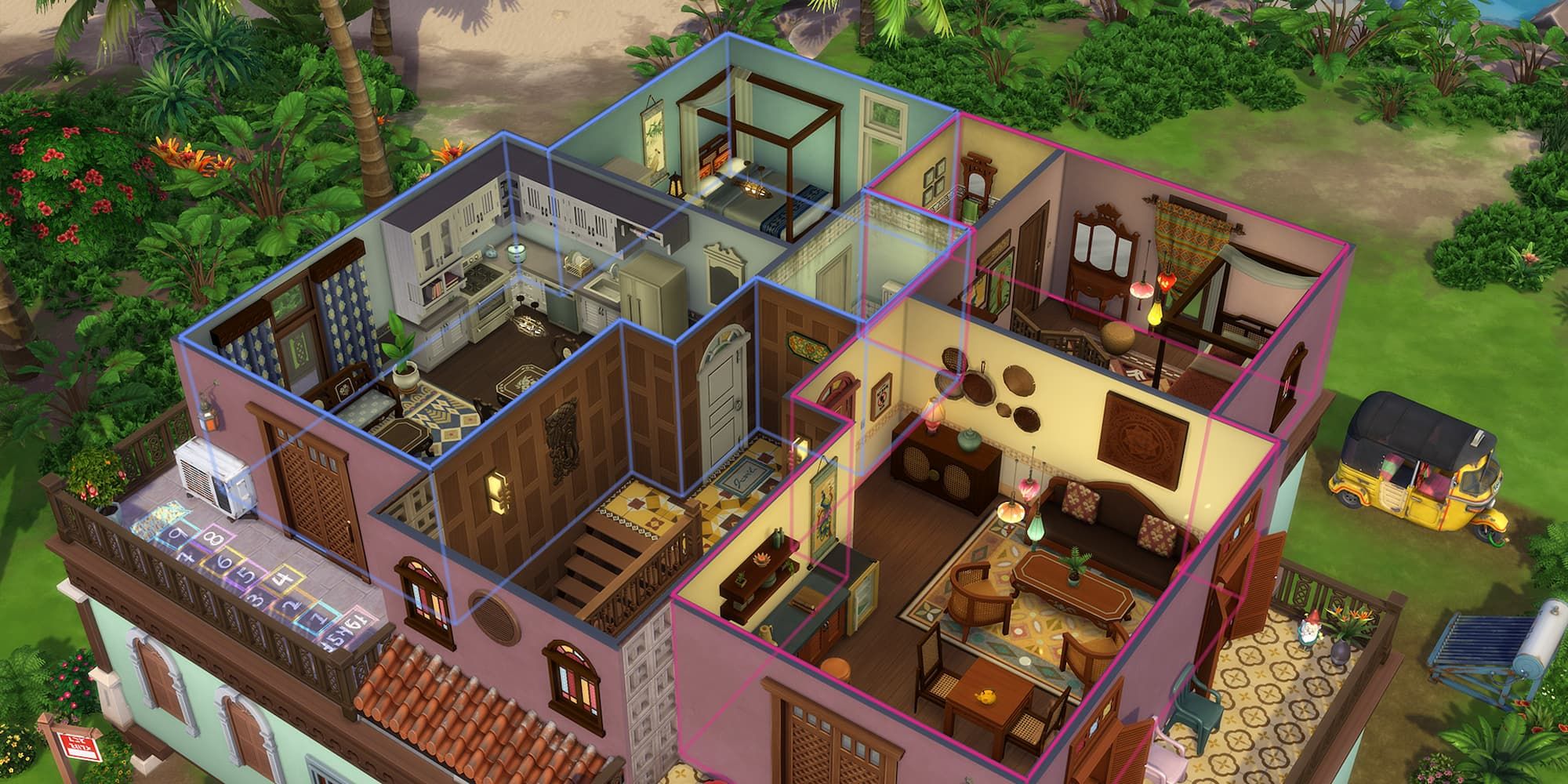
    An apartment complex in The Sims 4: For Rent expansion.

    In The Sims 4, the base game features only one type of residential lot: the standard ‘Residential’ lot. Therefore, this list primarily emphasizes expansion lots, along with their details and associated packs.

    Lot Type

    DLC

    Description

    Residential

    Base Game

    This is the standard lot for building homes.

    Apartment

    City Living
    Eco Lifestyle

    These are units in a multi-family building. You cannot create your own apartment complex; it’s limited to designated lots.

    Penthouse

    City Living
    Discover University
    Lovestruck

    A top-floor apartment that cannot be built from scratch; only on specific lots.

    University Housing

    Discover University

    A typical college dorm setup. Pre-made dorms are available in Britechester, with an option to create your own.

    Tiny Home

    Tiny Living Stuff

    These are very small houses, categorized as small, tiny, and micro, each with unique tile limits and benefits.

    Haunted House

    Paranormal Stuff

    These lots become spooky at night with potential ghost appearances and strange occurrences.

    Rental

    For Rent

    This functions like a customizable apartment complex, distinct from the previous type.


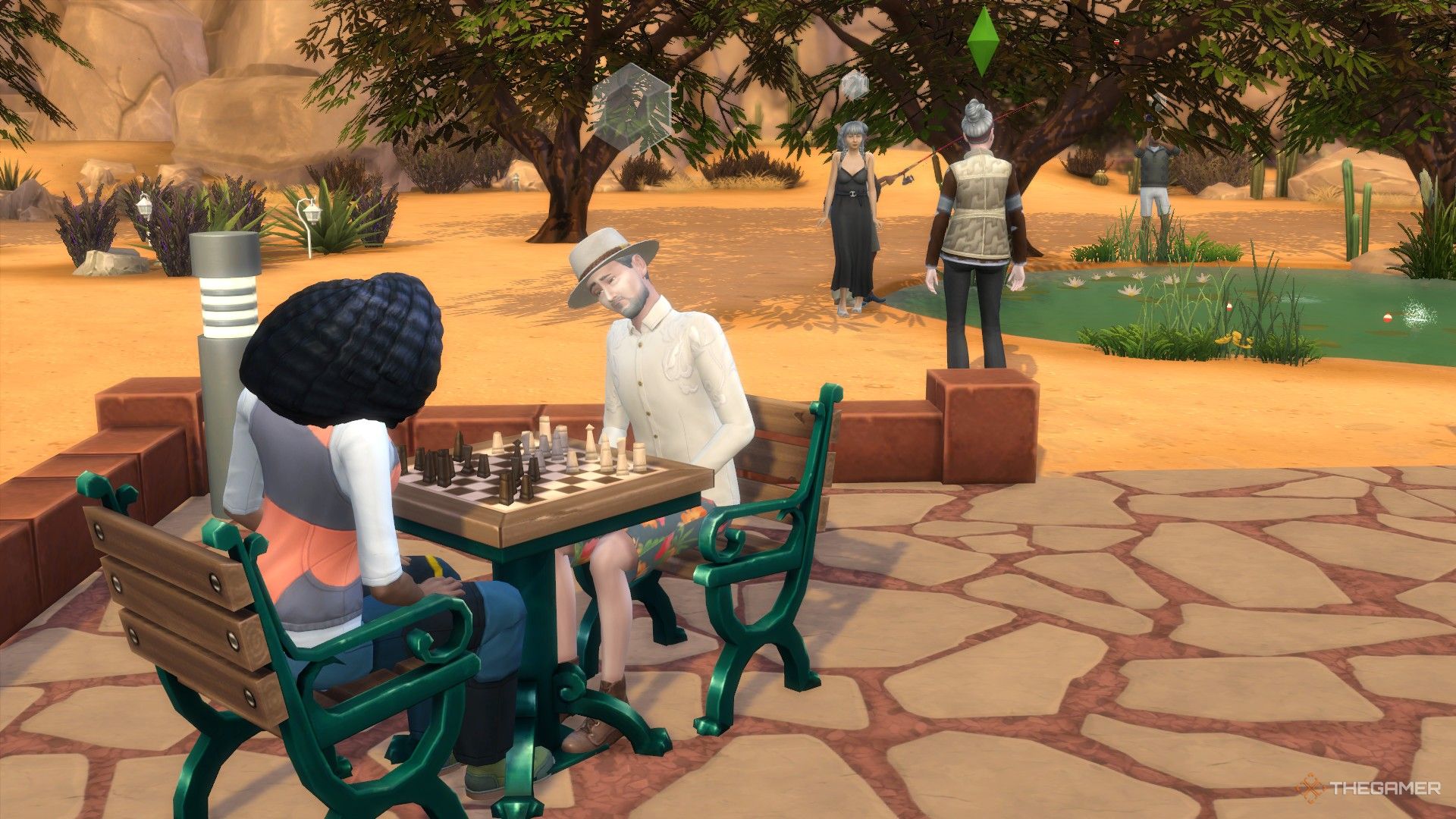
    Sims playing chess and fishing at the park in Oasis Springs.

    There are several community lots available in the base game of The Sims 4, so let’s start with those before we move on to the DLC lots.

    Lot Type

    Description

    Generic

    A blank canvas, allowing you to customize it as you wish.

    Bar

    A venue for socializing or dates, but requires a bar to function as one. Can also be converted into a bowling alley with the right items.

    Gym

    A fitness facility where Sims can work out, requiring workout equipment to qualify as a gym.

    Library

    A space for reading and computer use. Note: Sims cannot check out books; they can only read them on-site.

    Lounge

    Similar to bars but usually features more entertainers.

    Museum

    A lot showcasing art and sculptures. Museums can also accommodate artists painting on-site.

    Nightclub

    Similar to bars but designed for dancing and DJing.

    Pool

    A lot designed specifically around swimming pools.

    Park

    Outdoor areas for Sims to socialize, usually equipped with chess tables, children’s play areas, and restrooms.

    National Park

    Similar to regular parks but more focused on nature, requiring picnic facilities for full functionality.

    Vacation Rental

    A unique lot where Sims can stay temporarily, like an Airbnb, but not as a permanent residence.

    Wedding Venue

    Special locations intended for hosting weddings. You can add decorations like arches and indoor spaces.


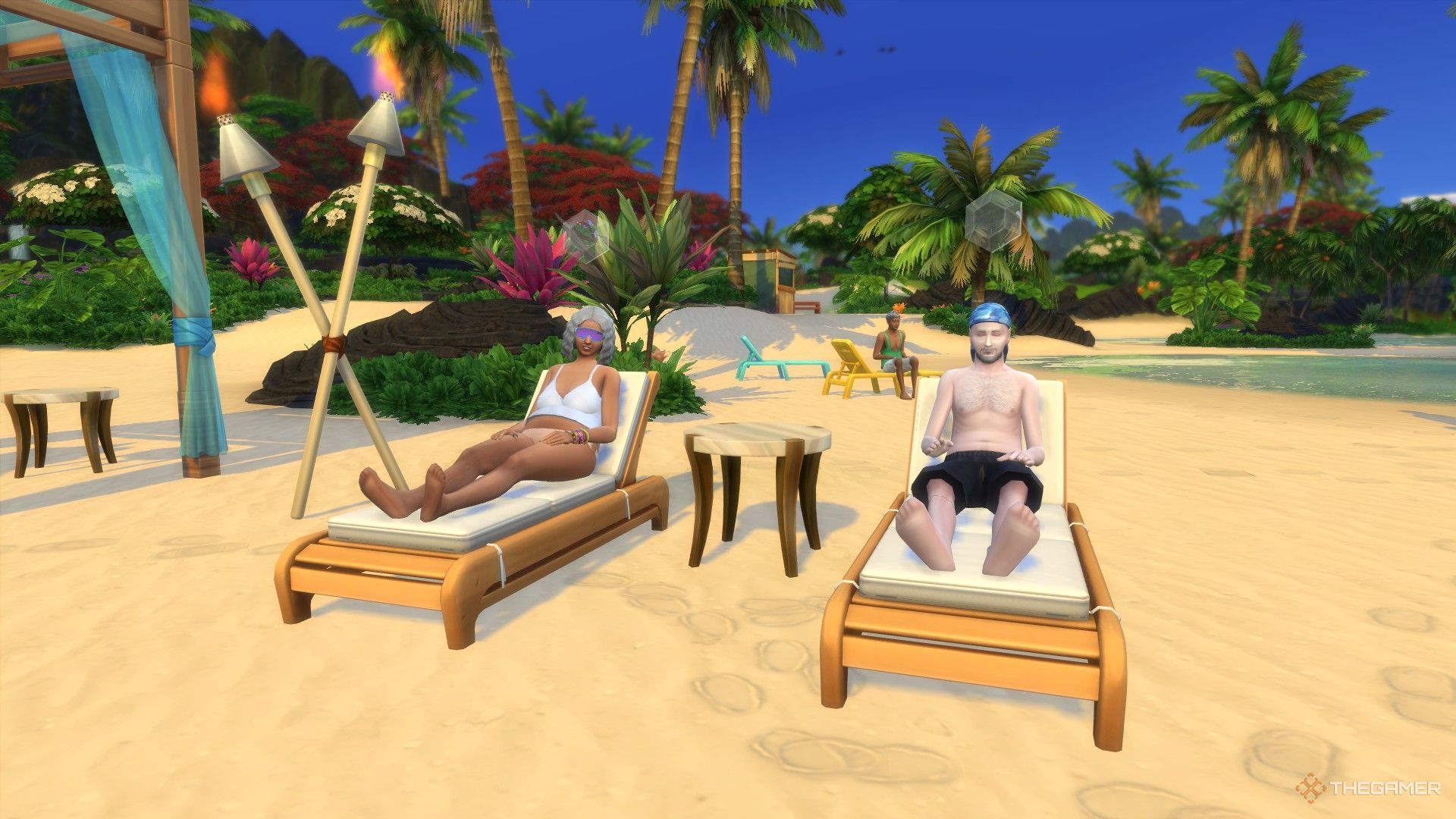
    Three elderly Sims relaxing on the beach in Sulani.

    Next, we’ll explore community lots that require downloadable content (DLC) to access. Additionally, some of these community lots are locked to specific locations, meaning you cannot create a copy of them; they are exclusive to the DLC, similar to City Living’s apartments for residential lots.

    Lot Type

    DLC

    Description

    Locked?

    Science Lab

    StrangerVille
    Get to Work

    A permanent lab lot designed for work or exploration.

    Yes

    Beach

    Island Living

    A space similar to a park, allowing Sims to interact with the water.

    No (only found in Sulani and Tartosa)

    Foxbury/UBrite Commons

    Discover University

    Common areas for the two universities with specific requirements for each.

    No

    Business

    Get To Work
    Dine Out
    Cats and Dogs
    For Rent

    A retail lot for running a business with several specific types.

    No

    Community Space

    Eco Lifestyle

    A versatile lot accommodating gardens, markets, and maker spaces.

    No

    First Order Cargo

    Journey to Batuu

    A residential area in Batuu.

    Yes

    Oga’s Cantina

    Journey to Batuu

    A cantina in the Black Spire Outpost, functioning as a bar/lounge.

    Yes

    Resistance Encampment

    Journey to Batuu

    A residential area in Batuu.

    Yes

    Onsen Bathhouse

    Snowy Escape

    A lot where Sims can shower and enjoy the hot spring.

    No

    Cafe

    Get Together

    A traditional cafe, separate from business type because Sims can’t own this lot.

    No

    Chalet Gardens

    Get Together

    Applicable only to the Von Haunt Estate, editable for events.

    Yes

    Island Bluff

    Get Together

    Designated to The Bluffs, suitable for parties at night.

    Yes

    Ancient Ruins

    Get Together

    Located in Windenburg, usable for parties with a small lot.

    Yes

    Arts Center

    City Living

    Similar to museums, but here Sims can create music.

    No

    Central Park

    City Living

    A park specifically designated for Myshuno Meadows.

    Yes

    Karaoke Bar

    City Living

    A bar featuring karaoke machines but cannot become a bowling alley.

    No

    Auditorium

    High School Years

    Only applies to the Auditorium in Rockridge Heights used by the high school.

    Yes

    High School

    High School Years

    Applies to Copperdale High School, editable when school is not in session.

    Yes

    Thrift and Bubble Tea Store

    High School Years

    A cafe with unique clothing and drinks, hosting events.

    No

    Recreation Center

    Growing Together

    A family-friendly space that includes various facilities for different activities.

    No

    Cemetery

    Life and Death

    A lot that features graves and urns, officially recognized in this pack.

    No

  • All Distinct Ghost Types and Their Impact in The Sims 4

    All Distinct Ghost Types and Their Impact in The Sims 4

    The Sims 4 has now included the ability to play as ghosts. When Sims die in the game, they can opt to continue existing as a ghostly figure. However, to unlock special ghost powers through a talent tree, players will need the Life & Death expansion pack.

    Even if you don’t have the expansion, ghost Sims in the base game still come with some unique, although limited, abilities tied to their specific deaths. Not all types of deaths grant these powers, but many do. Here’s a look at what your ghostly residents can do.

    ### Ghost Death Effects vs. Ghost Powers

    In The Sims 4, ghost powers can only be accessed through the Life & Death expansion and are available to any ghost that is playable. Players can unlock these abilities using a talent tree system. The more these ghostly powers are used, the more will be unlocked, similar to the progression systems for vampires and werewolves.

    Every ghost type has the same powers, leaving the choice to the player on whether to favor good or mischievous abilities. There are also some neutral skills to choose from.

    Ghost effects, however, differ based on how each ghost passed away. Even if you create a ghost in Create-A-Sim, you can select the cause of death to gain the specific effects of that ghost type. Each ghost type features its own unique animations, often reflecting the circumstances of their death, and may have quirky effects that are available regardless of which version of the game you are playing—provided you have the corresponding pack that unlocks the respective death.

    Here’s what to expect from the different ghost types in the base game.

    ### All Base Game Ghost Types and Their Effects

    The following ghost types can be accessed with the free base game. Below is a summary of their animations and unique effects:

    | Death Type | Unique Animation | Effects |
    |——————–|—————————————————|—————————————————|
    | Anger | Steam rises from their chest. | Prone to random anger fits; can make nearby Sims angry. |
    | Cowplant | None | Terrified of plants but tends to care for them; may cause plant decay when upset. |
    | Drowning | Appears wet with water dripping off them. | Leaves puddles behind; fearful of baths and swimming. |
    | Electrocution | Sparks occasionally jump from the Sim. | Can shock others and love using hand buzzers; randomly breaks electronics. |
    | Embarrassment | None | Frequently feels embarrassed, recalling their death. |
    | Fire | Smokes and flickering flames emerge intermittently.| May randomly start fires; can summon fire when angry. |
    | Hunger | None | Hunger meter declines at double the usual rate; likely to consume everything in the fridge. |
    | Laughter | None | Regularly playful; can induce playful feelings in nearby Sims. |
    | Meteorite | A hovering meteorite icon appears on the chest. | May spontaneously reenact their death. |
    | Overexertion/Aging | None | Tends to take frequent naps. |

    If you create a ghost Sim using the Create-A-Sim tool, you can pick any of these ghost types from the Cause of Death menu to acquire the appropriate effects.

    ### All DLC Ghost Types and Their Effects

    For players with DLC packs, a wider variety of death types is available. Each brings distinct animations and effects as detailed below:

    | Death Type | DLC | Unique Animation | Effects |
    |——————————–|——————-|—————————————————|—————————————————|
    | Consumed By Mother | Strangerville | Surrounded by pink spores. | Needs are frozen at the moment of death and can’t decay or be fulfilled; can remove vines while a ghost. |
    | Beetles / Beetle Juice | Eco Lifestyle | None | Never scared by haunted houses. |
    | Murphy Bed | Tiny Living | Z’s rise from their chest. | Terrified of all beds; can lecture others on bed-related dangers. |
    | Swarmed by Flies | Eco Lifestyle | Flies buzz around them. | Swats at the flies near them. |
    | Broken Heart | Lovestruck | A heart icon breaks and tears appear. | Tends to feel sad often; can make other Sims sad too. |
    | Falling From Heights | Snowy Escape | None | Occasionally chalks their hands. |
    | Freezing | Seasons | Condensation rises from them. | Frequently shivers and tries to warm themselves up. |
    | Killer Chicken | Cottage Living | A chicken icon hovers above their chest. | Loves to scare nearby chickens. |
    | Killer Rabbit | Cottage Living | A rabbit icon floats around their chest. | Scares any rabbits they come across. |
    | Lightning | Seasons | Random zaps of lightning appear. | Enjoys zapping Sims; may break things randomly. |
    | Mold | For Rent | Green mold spores surround the Sim. | Can summon various molds, spawn mushrooms, spoil food, or fertilize plants. |
    | Murder Of Crows | Life & Death | A crow icon hovers over them. | No specific effects. |
    | Overheating | Seasons | None | Fan themselves and wipes brow; can warm a chilled Sim. |
    | Poison | Jungle Adventure | A green cloud surrounds them. | Burps frequently; can make other Sims faint with their burps. |
    | Pufferfish | City Living | A pufferfish icon hovers in their chest. | No effects. |
    | Rabid Rodent Fever | My First Pet Stuff | Wears a giant ghostly rat outfit. | Constantly foams at the mouth and spreads fear of rodents. |
    | Spellcaster Overload | Realm of Magic | Strange sparkles surround them. | Retains spellcaster abilities. |
    | Steam | Spa Day | Steam rises from their body. | Tries to cool off by swimming or drinking; can sabotage saunas. |
    | Stink Capsule | High School Years | Green smog emanates from them. | Autonomously defuses pranks. |
    | Sunlight | Vampires | A sun icon appears over their chest. | Can start fires when angry; can be outside without dying, but it drains energy. |
    | Urban Myth | High School Years | Black fog surrounds the Sim. | Feels anxious around mirrors; often defuses pranks. |
    | Vending Machine | Snowy Escape | A can icon hovers above them. | Cannot retrieve anything from vending machines. |

    If you have the Romantic Garden Stuff pack, your Sim can make a wish for ‘youthful vigor.’ If the wish fails, they will become a randomly chosen ghost. Additionally, consuming Ghost Goo from the Get To Work Scientist career can also transform your Sim into a random ghost.

  • The Sims 4 Civil Designer Career Guide [year]

    The Sims 4 Civil Designer Career Guide [year]

    The Sims 4’s Eco Lifestyle expansion pack focuses on promoting green and eco-friendly neighborhoods. This expansion enables players to pursue a Civil Designer career within the game, with the aim of creating environmentally-friendly gadgets and constructing sustainable homes.

    We will help you achieve your dream of becoming a Civil Designer in Sims 4 by thoroughly exploring this career path.

    How to Become a Civil Designer in The Sims 4?

    Become a Civil Designer in The Sims 4

    To pursue a career as a civil designer, the player needs to complete the Eco Innovator Aspiration, which emphasizes creating a more sustainable and eco-friendly community. Similar to other career paths in The Sims 4, advancing as a Civil Designer involves completing specific tasks.

    1. Friendly Neighborhood Interactions

    A player can gain influence points through building friendships and maintaining positive relationships with others, potentially leading to promotion.

    2. Selling Water and Power to Utility Companies

    This requires the player to generate extra power and water, which can subsequently be sold. Boosting power production involves installing solar panels and turbines, while increasing water reserves requires a dew collector.

    3. Vote on Neighborhood Action Plans

    To cast a vote, the Sim must visit the community board in Evergreen Harbor. However, if the player resides in a different world, they can vote by selecting the action plan via the mailbox.

    4. Convince Others to Vote on the Plan

    By maintaining healthy and trusting relationships with fellow community members, the player can persuade them to back the neighborhood action plan they prefer.

    Best Traits and Skills for Civil Designers

    Traits and Skills for Civil Designers

    1. Green Fiend

    Green fiend Sims are highly motivated to create an eco-friendly environment because they thrive in green neighborhoods. In addition to their “GO GREEN” motto, these Sims receive a 4-hour inspiration boost while engaging in eco-friendly activities.

    Green Fiend also encompasses the Eco Master trait. Sims with the Eco Master trait inspire other players to adopt eco-conscious behaviors.

    2. Maker

    These enthusiasts thrive on creating. A civil designer needs a player to innovate, design, and construct eco-friendly furniture and gadgets, making this skill indispensable. Similarly, “Master Crafter” is another highly valuable trait.

    3. Outgoing

    Outgoing Sims are natural extroverts who thrive on making new friends. For a civil designer, socializing and meeting other Sims are important for success. Friendly interactions within the community help earn level-up points and persuade others to support various action plans.

    4. University Degree

    “Stay Composed and Study!” This mantra is perfect for The Sims 4 as well. Dive into Discovery University and enroll in courses that can set you on the path to a civil designer career. Key courses to consider include Physics and Communication. Earning a university degree opens the door to numerous bonuses, increased earnings, and career perks.

    Civil Designer Career Levels and Job Ranks

    The Civil Designer career in The Sims 4 begins with three initial levels. Players will conduct daily interviews with homeowners about utilities and have the opportunity to question adult Sims. To secure higher-level positions in this career, obtaining a degree is crucial, making it essential to understand the process of earning a degree in The Sims 4.

    Diligent effort significantly enhances a player’s logical skills and dexterity. This career offers two distinct paths: the Civic Planner Branch and the Green Technician Branch.

    LevelJobSalary
    1Junior Draftsperson§248 daily
    2Architectural Apprentice§378 daily
    3Construction Technician§57 daily

    Civic Planner Career Levels and Job Ranks

    To excel in this branch, the player must accumulate influence points. These points can be earned by making friends, engaging in positive neighbor interactions, hosting parties, and participating in votes on neighborhood action plans.

    To attain level 10, the player must optimize their logic skills, necessitating dedicated effort from the very beginning.

    LevelJobSalary
    4Utilities Assistant§612 daily
    5Urban Surveyor§684 daily
    6Policy Planner§896 daily
    7Civic Archivist§1160 daily
    8Neighborhood Improvement Officer§1512 daily
    9Municipal Engineer§2520 daily
    10City Master Planner§3150 daily

    Green Technician Career Levels and Job Ranks

    As a Green Technician, the player will craft an eco-friendly upgrade part each day using recycled materials. Proficiency in Logic and Fabrication skills is crucial for this role.

    When the players are promoted, they receive a Store No More Home Fabricator, allowing them to develop new fabrication skills and access incredible crafting recipes.

    LevelJobSalary
    4Installation Intern§585 daily
    5Design Guru§630 daily
    6Machine Modifier§760 daily
    7Eco-Tech Scientist§808 daily
    8Device Savant§1043 daily
    9Expert Fabricator§1194 daily
    10Master Inventor§1422 daily

    Civil Designer Cheats

    Here are some handy cheats for the Civil Designer Career:

    • Civil Designer Promotion Cheat: promote careers_Adult_CivilDesigner
    • Get 500 bits or 500 Pieces: Shift + Click on Sim, choose ‘Give Bucks’, and then select ‘Bits’ or ‘Pieces.’

    To use cheats, you need to activate the testingcheats console command. On Windows, press CTRL + SHIFT + C; on Mac, press COMMAND + SHIFT + C; and on consoles, press all trigger buttons simultaneously.

  • How To Do Homework in Sims 4 Quickly

    Confused about how to do homework in Sims 4 quickly and easily? In this guide, we will tell you how you can get it done as soon as possible.

    (more…)