Tag: Sims 4

  • How to Achieve the Critter Collector Aspiration in The Sims 4: Adventure Awaits

    How to Achieve the Critter Collector Aspiration in The Sims 4: Adventure Awaits

    The Friend of the Animal Enthusiast aspiration already exists in The Sims 4, but it doesn’t include the smallest, most fragile creatures—bugs. The Critter Hunter aspiration is ideal for Sims who enjoy collecting insects and learning about moths and butterflies.

    This aspiration is part of the Adventure Awaits expansion pack, which offers plenty of outdoor and nature-themed activities in Gibbi Point. From cozy festivals to kids’ camps, there’s lots to explore. Your Sim will become an expert in butterflies and moths and even learn how to flirt in a butterfly way! Here’s what you need to know about the Critter Hunter aspiration in The Sims 4.

    All About the Critter Hunter Aspiration

    The critter hunter path focuses on developing the Entomology skill and gaining the Collector bonus trait. Collectors tend to find rare items more easily, so your Sim will have an easier time discovering unique and beautiful critters quickly.

    When creating a Critter Hunter Sim, pick traits that support this goal. Traits like Hates The Outdoors or Difficulty Focusing could make things harder. The best traits for this aspiration are:

    • Loves The Outdoors: Your Sim is enthusiastic about nature and happiest outside.
    • Creative: They get inspired easily and enjoy crafting, which is helpful for paper crafts involving bugs.
    • Practice Makes Perfect: Skills improve faster for your Sim.
    • Genius: They stay focused and love learning.
    • Geek: Finding collectibles becomes easier, and they enjoy reading about critters.

    While customizing your Sim in CAS (Create-A-Sim), don’t forget to add preferences for things like archery, entomology, fishing, natural living, and papercrafting—handlers will need to enjoy all these activities to meet the aspiration’s requirements.

    How to Complete the Critter Hunter Aspiration

    There are four stages in this aspiration, each with its own requirements. Once finished, your Sim will be able to communicate with butterflies, moths, and fish, and even enjoy discussing critters with others. They will also learn the mystical mating ritual of butterflies and be able to use this knowledge romantically.

    Stage Requirements Guide
    Amateur Lepidopterist – Buy a Butterfly & Moth Habitat
    – Catch 5 Butterflies
    – Examine 3 Common Butterflies
    – Craft 3 Paper Butterflies
    – Purchase a habitat for 600 Simoleons
    – Find and catch butterflies around Gibbi Point
    – Put butterflies in the habitat and examine them
    – Get a papercrafting kit and make three paper butterflies from any butterflies you catch
    Critter Allure – Craft 3 Paper Mache Animals
    – Catch 4 Fish while Bowfishing
    – Fish with a friend
    – Name a Pet Fish
    – Use a papercrafting kit to craft three animals besides butterflies
    – Reach level four in Archery and fish at any fishing spot
    – Fish with someone or join their fishing trip
    – Buy a fishbowl, add a fish, and give it a name
    Aspirant Lepidopterist – Catch and examine a rare butterfly
    – Rehome a butterfly at a Gibbi Point topiary
    – View a butterfly in a habitat
    – Start raising a caterpillar
    – Find rare butterflies like Criptid Moth, Jelly Butterfly, Red Admiral, or Magical Origami Butterfly. The Jelly Butterfly is the easiest to spot.
    – Rehome butterflies at colorful flower topiaries
    – Take time to view butterflies in habitats
    – Purchase a Flutteranium Caterpillar Incubator to raise caterpillars until they turn into butterflies
    Refined Catch – Craft a Magical Origami Butterfly
    – Complete the Butterflies & Moths Collection
    – Research Mating Rituals of Butterflies
    – Reach level 5 in Entomology
    – Unlock the Magical Origami Butterfly after catching all butterflies and moths by reaching level 2 of papercrafting
    – Complete your collection and study butterfly mating rituals online
    – This stage is easier as you progress through the others

    Completing each stage allows your Sim to talk with butterflies, moths, and fish, share their enthusiasm with other Sims, and even learn the mystical mating rituals of butterflies, adding a magical touch to their interactions.

  • Creating Custom Venues and Schedules in The Sims 4: Adventure Awaits

    Creating Custom Venues and Schedules in The Sims 4: Adventure Awaits

    There are many great places to send your Sims for adventure in The Sims 4: Adventure Awaits. But if none of those locations suit your taste or if you want a unique place to explore, you can always build your own on any empty lot in Gibbi Point.

    In the Build/Buy menu, you’ll find a wide range of custom venue types to choose from when working on a vacant lot. The destination depends entirely on what kind of venue you want to create. You can set schedules for specific activities, redesign the space to match your vision, and start your adventure.

    ### Build Custom Venues on Empty Lots

    While many empty lots are marked as residential by default, you can change this by entering Build/Buy mode, clicking on the lot, and selecting “Custom Venue” from the Venue Info dropdown menu. You’ll see several presets based on which expansion packs you have installed, but the Custom Venue option gives you the freedom to build almost anything.

    The requirements for your venue will vary depending on the type you’re creating. Be sure to check the dropdown menu to ensure you have all the necessary items to meet the game’s rules for that venue type. You can make camps, competitions, retreats, living communities, and more.

    When building a custom venue, one key step is setting the schedule for the location. You can choose from predefined presets, such as seasonal sleepaway camps or specific competition days, to organize what happens there. These schedules are strictly followed, so plan carefully.

    ### Preset Schedule Options for Custom Venues

    | Schedule Name | Schedule Activities | Roles Needed |
    |—————————|——————————————————————————————————-|———————————————-|
    | Fitness Retreat | Sleep at midnight, workout at 7 AM, breakfast at 10 AM, free time at 1 PM, dinner at 6 PM, self-care at 9 PM | 6 retreat guests, 1 leader, 2 trainers |
    | Outdoor Kids Camp | Breakfast at 6 AM, physical skills at 9 AM, water activities at 1 PM, campfire at 5 PM, sleep at 10 PM | 8 campers, 2 counselors, 1 director |
    | Romantic Competition | Sleep at 1 AM, breakfast at 8 AM, outdoor fun at 11 AM, dinner at 5 PM, mingling at 8 PM | 8 singles, 2 hosts |
    | Cooking Competition | Breakfast at 7 AM, cooking at 10 AM, serve at 4 PM, self-care at 8 PM, sleep at 11 PM | 5 amateur chefs, 1 chef, 1 mean chef, 2 staff |
    | Cozy Bed and Breakfast | Breakfast at 7 AM, free time at 10 AM, dinner at 5 PM, free time again at 8 PM, sleep at 11 PM | 6 guests, 1 host, 2 staff |
    | Creativity Retreat | Breakfast at 7 AM, arts and music at 10 AM, dinner at 5 PM, arts and music again at 8 PM, sleep at 11 PM | 2 writers, 4 artists, 2 musicians, 2 staff |
    | Senior Living Community | Breakfast at 5 AM, workout at 8 AM, games at 11 AM, dinner at 4 PM, free time at 7 PM, sleep at 10 PM | 6 seniors, 3 visitors, 2 staff, 1 entertainer |
    | Sim Popularity Contest | Breakfast at 7 AM, free time at 10 AM, outdoor fun at 1 PM, dinner at 5 PM, free time at 8 PM, sleep at 11 PM | 3 sporty, 3 brainy, 3 friendly, 3 rebel, 3 popular |

    You can also modify these schedules to better suit your venue or create your own from scratch. The dropdown menu allows you to choose which roles will be involved at each time and what actions they’ll perform—whether socializing, working on classes, or engaging in activities. Make sure to select the right number of roles for each activity, and you can direct specific Sims to perform particular tasks to keep everything running smoothly.

    ### Customize Activities and Roles

    If you prefer full control, you can build a new schedule for your venue. This way, you decide which roles are involved and what they do during each time block—including social interactions, classes, or other activities. Keep in mind that matching the roles to the number of participants and assigning tasks accordingly will help ensure your custom venue functions effectively.

    ### Roles for Custom Venues

    | Role | Criteria | Activities |
    |————————|——————————————————————————————-|——————————————————–|
    | Amateur Chef | Teen or older; Traits: Foodie | Bake, Cook |
    | Artist | Teen or older; Skills: Painting, Papercrafts, Pottery (Level 2+) | Paint, Papercraft, Do Pottery, View Art |
    | Bartender | Teen or older; Skills: Mixology Level 2+ | Mix Bar Drinks, Tend Bar |
    | Brainy Sim | Young adult or older | Play Video Games, Arts & Music |
    | Camp Counselor | Teen or young adult; Traits: Experienced Camp Counselor | Care for Kids, Mentoring |
    | Camp Director | Young adult or older; Traits: Experienced Camp Director | Mentoring, Caring for Kids |
    | Camper | Child | Enjoy Outdoors, Be Friendly |
    | Chef | Young adult or older; Skills: Baking, Cooking, Gourmet Cooking (Level 2+); Celebrity Level 3-5 | Serve Meals, Mentoring, Eat, Be Friendly |
    | Comedian | Teen or older; Skill: Comedy Level 2+ | Do Comedy |
    | DJ | Young adult or older; Skill: DJ Level 2+ | DJ |
    | Entertainer | Teen or older | Dance, Do Comedy, Sing, Play Music |
    | Fisherman | Teen or older; Skill: Fishing Level 2+ | Fish |
    | Fitness Trainer | Young adult or older; Traits: Experienced Fitness Trainer; Skill: Fitness Level 2+ | Work Out, Mentor Fitness, Clean |
    | Friendly Sim | Young adult or older | Be Friendly |
    | Gamer | Teen or older | Play Table & Video Games |
    | Guest | Teen or older | Listen to Music, Be Friendly, Dance, Eat, Drink Bar Drinks |
    | Host | Young adult or older | Clean, Be Friendly, Garden, Cook, Drink Bar Drinks |
    | Mean Chef | Young adult or older; Skills: Seasoned Camp Director; Celebrity Level 3-5 | Serve Food, Mentoring, Eat, Be Mean |
    | Musician | Teen or older | N/A |
    | Outdoor Collector | Teen or older; Traits: Loves Outdoors | Collect Frogs & Butterflies |
    | Outdoor Enthusiast | Teen or older; Traits: Loves Outdoors | Water Activities, Outdoor Recreation |
    | Park Ranger | Teen or older | N/A |
    | Popular Sim | Young adult or older | N/A |
    | Rebel Sim | Young adult or older | Cause Mischief & Mayhem |
    | Retreat Guest | Teen or older; Traits: Experienced Fitness Retreat Guest | N/A |
    | Retreat Leader | Young adult or older; Traits: Experienced Retreat Leader | Mentoring, Clean, Fix Objects, Be Friendly |
    | Romantic Host | Young adult or older; Traits: Experienced Romantic Host | Be Friendly, Clean, Fix Objects |
    | Senior | Elder | N/A |
    | Singles | Young adult or older; Traits: Seasoned Romantic Single; Relationship: Single | Be Flirty |
    | Sporty Sim | Young adult or older | Play Sports, Work Out |
    | Staff | Teen or older | Keep Clean |
    | Teacher | Young adult or older | Care for Kids, Care for Infants & Toddlers |
    | Visitor | Teen or older | N/A |
    | Writer | Teen or older; Skills: Writing Level 2+ | Write |

    When creating your own schedule, start by setting the general theme or vibe of your venue—like a camp or competition. Then, build your schedule around that theme, making sure to include enough space and resources for activities you plan to include. For example, a food-focused venue needs plenty of kitchen space to support your chefs.

  • All Adventure Awaits: Cheats for Completing and Solving in The Sims 4

    All Adventure Awaits: Cheats for Completing and Solving in The Sims 4

    There is a lot to enjoy in the new outdoor exploration options introduced with the The Sims 4: Adventure Awaits expansion pack. Players can discover a variety of activities in the fresh world of Gibbi Point. If you want to speed things up, cheat codes can help.

    Using the cheat codes from the Adventure Awaits pack, you can change traits, boost your standing in the new Park Worker career, or enhance any of the four new skills added by the expansion.

    All Adventure Awaits Cheats

    Below are the cheats available in the expansion pack, including skill improvements, career modifications, and traits:

    • Career Cheats

      • careers.promote ParkWorker — Moves your Sim up one level in the Park Worker career.
      • careers.demote ParkWorker — Lowers your Sim’s career level in Park Worker. You can revert if you change your mind about your specialization.
    • Skill Cheats

      • Stats.Set_Skill_Level Skill_Archery X — Sets your proficiency in Archery. Replace X with a number from 1 to 5 to improve the skill.
      • Stats.Set_Skill_Level Diving X — Sets your Swimming skill, up to level 5.
      • Stats.Set_Skill_Level Entomology X — Sets your proficiency in Entomology, up to level 5.
      • Stats.Set_Skill_Level Major_Papercraft X — Sets your Papercraft skill, up to level 10.
    • Trait Cheats

      • Traits.equip_trait Trait_Competitive — Adds the Competitive trait to your active Sim.
      • Traits.remove_trait Trait_Competitive — Removes the Competitive trait from your active Sim if they have it.

    Important Note:

    Before entering any of these cheats, you need to enable cheat mode:

    1. Press Shift + Ctrl + C to bring up the cheat console.
    2. Type testingcheats true and press Enter.

    This step allows you to use the cheats listed above in the game.

  • Completing Smoothie Recipes and Their Solving Effects in The Sims 4

    Completing Smoothie Recipes and Their Solving Effects in The Sims 4

    There are ten different types of smoothies that your Sim can prepare using the blender in the “Adventure Awaits” expansion for The Sims 4. These smoothies offer various benefits, from boosting mood to serving as meal replacements, so gather the right ingredients and start blending.

    How to Make Smoothies

    While many mods add new electronic devices, the “Adventure Awaits” pack introduces a blender called the Smoothietron: A Blender Experience, which you can find in the Build/Buy mode under the Kitchen Appliances menu. You can prepare smoothies in two ways:

    • Use ingredients from your household fridge, such as fruits, vegetables, animal products, and jams—especially handy if you have the Cottage Living expansion and a garden.
    • Purchase smoothies directly from the blender, spending Simoleons if you don’t have the needed ingredients on hand.

    When your Sims drink their smoothies, they will experience various effects depending on the recipe they chose or ordered from the Smoothietron.

    All Smoothies and Their Effects in The Sims 4: Adventure Awaits

    Smoothie Name Ingredients Cost (§) Effect
    Energizing Apple Spinach Smoothie 10 Gives an energized moodlet.
    Eagle Eye Carrot Smoothie 1 Carrot, 1 other vegetable 10 Provides a focused moodlet that speeds up archery and handiness skills.
    The Purg Sequence 10 Immediately lowers the Bladder need, then grants the Steel Bladder moodlet to slow bladder decrease for hours.
    Vitamin Focus Smoothie 1 Fruit, 1 Vegetable 10 Boosts positive moodlet effects and makes skill gaining slightly easier.
    Berry Banana Blitz Smoothie 10 No specific effects listed.
    Athletic Boost Protein Smoothie 10 Enhances fitness skill gains and workout effectiveness.
    Slim Chocolate Shake 15 Slightly reduces the Sim’s size, acting as a workout substitute.
    Meal Replacement Peanut Butter Smoothie 1 Milk or Egg, 1 Fruit, 1 Vegetable 20 Satisfies the Hunger need equal to a quick fridge meal.
    Rainbow Calamity 1 Milk or Egg, 1 Fruit, 1 Vegetable 20 Grants the Rainbow Bliss moodlet, boosting positive mood effects overall.
    X-TREME Muscle! Protein Smoothie 25 Elevates energetic moodlets, leading to better workouts with less fatigue.

    Stock your fridge with fruits, vegetables, and other ingredients to make these smoothies or buy them ready-made for quick benefits in your gameplay.

  • Creating Custom Getaways in The Sims 4: Your Adventure Awaits

    Creating Custom Getaways in The Sims 4: Your Adventure Awaits

    The Sims 4: Adventure Awaits uses the existing calendar tools to introduce a new way to manage how Sims behave during vacations. The “Getaway” feature displays a schedule of activities, which Sims follow, allowing you to control when they eat, sleep, and participate in activities.

    You can also send any or all household members on a trip using custom getaways. The best part is that all work and school obligations are paused during the vacation. This makes planning a perfect holiday easy, and our guide helps you organize the ultimate getaway.


    How to Schedule a Getaway

    To plan a trip, click the phone icon at the bottom left of the screen, then select the green “Travel” button with a car symbol. From there, you have several options:

    • Plan a Fitness Retreat: Sends Sims to a ready-made fitness camp called Revive and Thrive.
    • Plan a Getaway: Choose from ready-made templates or create your own custom trip.
    • Plan a Romantic Competition: Compete in “Love Highland,” building romantic connections with other singles, or be sent home.
    • Plan an Outdoor Kids Camp: Send child Sims to camp alone or with a parent acting as counselor.

    The cost for each trip depends on the number of Sims and the lot value. Remember, all Sims are charged equally regardless of roles like counselor or staff.

    To book a getaway for a future day, open the calendar by clicking the icon next to the phone icon. Select the desired day and click “Add Getaway” on the menu. Only the custom getaway option appears here, but you can select pre-made ones by setting locations and schedules during setup. Once configured, confirm by clicking the checkmark to start the trip.


    The Plan A Getaway Interface

    When opening a predefined trip, you’ll often be taken directly to the schedule section, but it’s useful to review each tab’s details.

    Location: Select a site from your world using the list on the left. Use dropdown menus above the lot image to customize the duration (1 to 6 nights), recurrence (weekly or not), and start/end times. Note that start times are only adjustable via the calendar, not the phone.

    Roles: Default schedules assign roles like bartender, chef, or camper to Sims. You can modify roles by clicking on a Sim’s picture, then setting criteria such as age, skills, traits, or relationships. You can also add activities like cooking, cleaning, socializing, or crafting. You may create custom roles by clicking “Create Role,” giving it a name, criteria, activities, and uploading it to your library for reuse.

    Rules: Many rules are for elimination competitions but can also introduce positive or negative effects (buffs/debuffs) to add variety. Up to five of the 14 total rules can be selected, divided into:

    • Neutral or Positive Buffs: e.g., Activity Shuffle, Love Is In The Air, Grindset Mindset.
    • Chaotic or Negative Buffs: e.g., Hardcore Mode, House of Grudges.
    • Elimination Rules: Only one at a time, such as Lowest Skill Level or Lowest Progress. These determine how Sims are eliminated, either by overall skill, recent progress, or specific criteria like player choice or relationship status.

    Choosing Locations

    The location tab displays a list of lots. Use the dropdown menu to filter by lot type or switch worlds by clicking the world name at the top. Select a lot by clicking it for a detailed view with options to set duration and times. Remember, start times are only adjustable via the calendar.


    Setting Roles

    Click on a Sim’s picture within a role to customize their criteria and activities. You can specify requirements like age, skills, or traits and decide if the activity is mandatory. Example: “Staff” may only require being a teen or older and performing cleaning tasks, but you can add roles like “Chef” with specific skill and fame levels, or “Outdoor Enthusiast” engaging in water sports and outdoor adventures.

    To add a new role, click the plus icon next to “Create Role,” define the role’s parameters, and upload it to your library for future use.


    Defining Schedules

    A schedule lists activities with time slots—up to seven per day—each with a start time, main activity, and participating roles. The schedule helps keep Sims on track, prioritizing main activities and roles. You can create custom schedules or choose from pre-made ones that correspond to specific getaway types. Pre-made options include the “Fitness Retreat” or “Romantic Competition,” each with dedicated locations and preset schedules.

    The schedule tabs allow you to see the location details, set activities, and assign roles in each time period. Activities are added with the plus button, and roles are assigned by clicking “Add Role.”


    Setting Rules

    You can apply up to five rules from a total of 14, divided into buffs and elimination criteria. Buffs like “Renaissance Studio” or “Love Is In The Air” influence how Sims feel during the trip, while chaos rules like “Hardcore Mode” add difficulty. Elimination rules define how Sims are removed from the trip based on skills, relationships, or performance.

    Some rules measure specific skills like creativity, cooking, or fitness, with progress accumulating across related skills. Only one elimination rule can be active at a time, with options for favoritism-based, popularity-based, or romantic elimination.


    Starting the Getaway

    Once all settings are in place, press the checkmark icon on the rule tab to begin the trip. During the getaway, a schedule will appear at the top left—click it to hide if desired. When the trip ends, a prompt asks whether to continue or return home. You can cancel anytime by clicking the schedule icon at the top.

  • Maximizing Diving Skill in The Sims 4: Adventure Awaits and Solving Secrets

    Maximizing Diving Skill in The Sims 4: Adventure Awaits and Solving Secrets

    The Sims 4: Adventure Awaits introduces new skills and abilities, including a diving skill linked to two new diving boards. This is a five-level skill that lets your Sims become expert divers.

    The diving skill includes existing dives from the current diving platform and adds new options. It is now separate from the fitness skill, although fitness continues to grow gradually while diving. Here’s what you need to know about the diving skill.

    How is the diving skill different from the fitness skill?

    Currently, there’s a small diving platform in the game where Sims can perform four types of dives: swan dive, cannonball, backflip, and jump. Doing a dive increases the fitness skill slowly. Sims with low fitness have a higher chance of failing a dive and belly-flopping, which can give them a temporary unpleasant debuff.

    Adventure Awaits keeps that slow fitness progress but also allows Sims to develop their diving skills by diving off either the existing platform or the two new boards—one tall and one short. Both boards offer the same options, so you can pick whichever looks best for your pool.

    How to Maximize the Diving Skill

    The diving skill has only five levels and can be quickly improved by having your Sim practice diving. Just select “Practice Diving,” and your Sim will perform a series of random dives automatically, often doing several dives in a row.

    Tip: When starting out, watch for debuffs like embarrassment or discomfort from belly flops. But don’t worry—they become less frequent as the skill improves and dives become more successful.

    You can also choose specific dives to perform deliberately or even belly flop intentionally if you wish. Each skill level unlocks new dive options, detailed below.

    Level One

    You can practice diving or select from existing dives like backflip, swan dive, jump, cannonball, or belly flop.

    Image: A Sim performing a swan dive into a pool.

    Level Two

    Unlocks the Lounger Jump, where your Sim leaps high and poses as if leaning on a chair before rolling into a dive.

    Image: A Sim doing a lounger dive.

    Level Three

    This level introduces the Reverse Pike, where your Sim runs and jumps high enough to touch their toes above the board before diving.

    Image: A Sim executing a reverse pike dive.

    Level Four

    Unlocks the Front Pike Flip, where your Sim jumps high, curls into a ball, performs a somersault, and dives feet first into the pool.

    Image: A Sim performing a front pike flip.

    Level Five

    The final level enables the Front Twister Flip: your Sim jumps, twists in midair, and lands feet first with a straight body.

    Image: A Sim executing a front twist dive.

    Tip: Improving the diving skill is fastest using the new boards and the practice diving interaction. You cannot access this from the old platform. Once your Sim’s skill is maxed out, failures mainly occur if they’re already uncomfortable, and they can also share diving tips with others.

  • Where To Pan For Crystals In The Sims 4: Embark on Solving Adventures

    Where To Pan For Crystals In The Sims 4: Embark on Solving Adventures

    The Sims 4: Adventure Awaits features several details that are easy to overlook. One of these is the ability to pan for crystals. While it’s not a skill you can learn, it’s a fun activity that can help your Sim find sparkling treasures from the water.

    Here’s how crystal panning works, where to go, and what kind of rewards you can expect from exploring Gibbi Gibbi’s waters.

    Where to Go Crystal Panning in Gibbi Gibbi
    You need to visit Crystal Valley to try panning for crystals. The best spot is near the Fearful Fish Lounge, as the location you want is just down the road. When you arrive, face the lounge with the fountain and statue to your right and the river ahead. Turn around, follow the stone path past the statue, and pass two outdoor tables on your left.

    On the path, cross the bridge at the T-junction, then turn right after crossing the river. Follow the shoreline between the two patches of purple flowers. Keep walking along the shore, passing four patches of these flowers and different types of trees. Once you see tall pink flowers near a tree with dangling white blossoms, you’re in the right area. Keep moving toward the water in front of you; you’ll notice a Fishing Spot sign indicating the spot for panning.

    How to Find the Panning Spot
    Tilt your camera downward into the water, and on the left, near the cluster of purple and pink flowers and reeds, there is a large stone shelf in the water—this is where you should focus your activity.

    How to Pan for Crystals
    Click on the water to see the option ‘Pan for Crystals.’ If it doesn’t appear right away, try again closer to the shore and reeds. The window for this activity is very small, so patience is key. The time of day doesn’t seem to matter.

    Once your Sim starts, they’ll spend a few minutes doing a panning animation. Afterward, a notification will tell you what was found. Sometimes, nothing will come up, but more often than not, your Sim will discover a variety of items.

    What Can You Find?
    The rewards are similar to foraging in Brindleton Bay. You might find random objects such as rubber ducks or plumbing parts, along with crystals that can be added to their collection. The likelihood of finding crystals can be influenced by the luck mechanic from the Enchanted By Nature trait. However, there’s no specific skill involved in this activity, and other water-related skills like fishing or swimming do not impact the chance of success.

  • How to Complete Gnome Gifts and Solve Them in The Sims 4: Enchanted by Nature

    How to Complete Gnome Gifts and Solve Them in The Sims 4: Enchanted by Nature

    Gnomes have been a part of The Sims series since the very first game. In The Sims 4, they can appear throughout your home and offer either good fortune or cause chaos, depending on how you treat them during the holidays or when you encounter them in magical areas like Innisgreen.

    The best way to get gnomes to show up is by playing with the Seasons expansion, which adds Harvestfest. During this holiday, gnomes will appear and move around your lot all day long, teleporting from place to place. You can also find them in the overworld, especially in more mystical areas.

    When you interact with a gnome, you can choose to calm them by giving gifts. Some gnomes prefer certain items, and giving them what they like can result in them giving your Sim a gift in return. If you give the right gift, you’ll see a halo over their head, indicating they’ve been appeased. These gnomes can be stored in your inventory or sold for some extra money, and they’ll usually move around your lot throughout the day, making it fun to spot them all.

    You can also annoy the gnomes by giving them disliked gifts or kicking them, which will anger all nearby gnomes. Angry gnomes will break appliances and leave trash around your lot. Trying to apologize may help, but if that doesn’t work, you might get struck by lightning and end up with a Dazed moodlet.

    Here’s a list of what each gnome prefers to be appeased:

    – Bare Essentials Gnome: Toys
    – Bearly Gnome: Pie
    – Captain Gnome: Pie, Salad, or Toys
    – Don’t Fear the Reagnomper: Pie
    – The Ghast, Ghostly Gnome: Fruitcake
    – Gnome Matter What, I’m Still Your Baby: Coffee
    – Gnome Wolf: Pie, Salad, or Toys
    – Gnomebody Loves Mushrooms like a Gnome: Random items
    – Gnomedalf: Random items
    – Guardian of the Gnomelaxy: Future Cube
    – Happy Gnome Garden Pal: Coffee
    – Happy Gnomiversary!: Coffee
    – Herb the Posy Protector: Pie, Salad, or Toys
    – High-Rider Gnome: Random items
    – Mr. Floppy the Gnome: Salad
    – Onward the Adventurous Gnome: Random items
    – PlantGnome: Random items
    – Poolside Gnome: Pie
    – Right Side Up Gnome: Random items
    – Strictly Business Gnome: Coffee
    – Sweetest Little Gnome: Pie, Salad, or Toys
    – There’s No Place like Gnome: Coffee
    – Very Fairy Gnome: Random items

    Please note, some gnomes cannot be convinced to be happy, such as the gnome sculpture created at the woodworking bench, Chuck Wagobn from Trailboss Gnome, and gemstone-shaped gnomes from Crystal Creations—they’re unavailable for interaction.

  • Completing Ailment Solutions with Apothecary in Sims 4: Nature’s Magic

    Completing Ailment Solutions with Apothecary in Sims 4: Nature’s Magic

    The Sims 4: Enchanted By Nature brings a brand-new skill called Apothecary. This skill allows your Sims to treat temporary ailments that they might catch from other Sims or receive from playful fairies. Additionally, it lets you create potions that can alter your Sims’ moods, which can be beneficial for activities like skills development or social gatherings.

    This skill has ten levels and involves using various plants, herbs, and fruits, along with some special items to create your mixtures. Most of these items can be collected through foraging, while others can be bought. Here’s an overview of the items you can craft, the skill level needed for each, and their effects on your Sims.

    What You Need To Level The Apothecary Skill

    First off, you’ll require an apothecary table. It costs only $100 and works off the grid. There’s one available at The GROM Exhibit museum located in the Coast of Adhmor neighborhood, and another one can be found at Everdew, near the fairy hub.

    For your initial concoctions, you can purchase basic ingredients directly from the table. After that, foraging is the best way to acquire items, and it’s completely free.

    Foraging is random, but once you reach level two of the Apothecary skill, you can selectively forage for apothecary items, decreasing the chances of stumbling upon useless items. Still, chance plays a role, so if you end up with too many aura petals or acorns, you might want to also forage for specific plants.

    You can also level up the Apothecary skill by using a set of three books, or by selecting the Study Apothecary Cures option at the table. As with other skills, each book has a cost that increases with the level. Reading them helps you gain skill at a fair rate, though slightly slower than crafting. Meanwhile, studying at the table is a free action but builds skill at a slower pace than other methods.

    How To Get Emotion Potions

    You can obtain emotion potions in several ways:

    • Harvest a Wild Moody Shrub – Located in Everdew, just west of the lounge, near the pink tree. You can also buy a moody shrub seed at Clover’s Seeds and Supplies in Sprucederry Grove for $450.
    • Visit Moondrop Springs – Here, you can soak up emotions, bottle them, and even request the spring to change its emotional state once each day.
    • Craft an Emotion Stone – This requires you to have a level six in the Apothecary skill. Once in your inventory, you can choose Apothecary > Bottle Emotion from the social menu to bottle Sims’ emotions.

    You can bottle emotions like anger, boredom, confidence, embarrassment, flirtatiousness, focus, happiness, inspiration, playfulness, sadness, fear (scared), and tension.

    Apothecary Skill Levels

    Here’s a breakdown of each level in the Apothecary skill along with the crafting options and actions unlocked at each stage.

    Level One

    At this initial level, you’ll be able to utilize the Study Apothecary Cures interaction at any apothecary table and read Apothecary Vol 1: A Spoonful of Sugar, which costs $75. You can also buy basic ingredients at the table.

    The basic ingredients accessible from the apothecary table are: aura petal, basil, daisy, lemon, lump of moss, and sage.

    The first recipes available include:

    Item Ingredients Use
    Burning Passion Cure Aura Petal (2), Sage (2) Cures Burning Passion Ailment
    Simoleon Fever Cure Daisy (1), Lemon (2) Cures Simoleon Fever Ailment
    Creation Impulse Cure Daisy (3), Aura Petal (1) Cures Creation Impulse Ailment

    Level Two

    By reaching level two, you can now forage for apothecary ingredients using the option Forage for… > Forage for Apothecary Ingredients. You can also purchase the Apothecary Study Set decoration in build mode for $110 in the clutter category. At this level, the following options unlock:

    Item Ingredients Use
    Emotional Void Cure Basil (1), Aura Petal (2) Cures Emotional Void Ailment
    Greenie Meanie Cure Basil (3), Aura Petal (1) Cures Greenie Meanie Ailment
    Sonic Sinuses Cure Daisy (1), Sage (2) Cures Sonic Sinuses Ailment
    Luck Magnet Cure Lemon (2), Aura Petal (1) Cures Luck Magnet Ailment
    Gnome Lure Cure Daisy (1), Lemon (2) Cures Gnome Lure Ailment

    Level Three

    At this point, you gain access to the Enthuse About Crafting Elixirs social interaction and can start crafting emotion potions. You can create a specific positive emotion potion using any three positive potions, or a specific negative potion using any three negative ones. You can also create the following:

    Item Ingredients Use
    Enhanced Eyes Basil (1), Lemon (2), Acorn (1) Temporarily Improves Foraging Finds and Increases Chances Of Repairing Items Successfully
    Calming Draught Aura Petal (1), Lump Of Moss (2), Basil (1) Removes Most Sad Or Angry Moodlets; Cannot Remove Grief

    Level Four

    At this stage, you should replace Apothecary Vol 1 with Apothecary Vol 2: No, Don’t Drink That! for $150. New recipes unlocked include:

    Item Ingredients Use
    Noxious Gas Acorn (1), Lightning Root Leaf (1) Reduces Hygiene; Makes Sims Release Gas
    Hooked On Nature Acorn (1), Lump Of Moss (3) Temporarily Boosts Fishing Catches; Removes Negative Apothecary / Cowplant Moodlets

    Level Five

    At this level, you may have noticed some debuffs due to unpleasant odors. You’ll be less affected by these now. You can also purchase the Apothecarist’s Tabletop Organizer for $110 in the miscellaneous decorations section. Additional potions at this level include:

    Item Ingredients Use
    A Wee Drink Aura Petal (2), Lump Of Moss (1), Basil (1) Causes Bladder Failure
    Momentary Happiness Acorn (2), Lightning Root Leaf (1) Provides a Temporary Happy Moodlet; Slightly Fills Needs

    Level Six

    At this level, you can brag about your Apothecary expertise and let others know how skilled you are. The new recipes unlocked are:

    Item Ingredients Use
    Emotion Stone Lump Of Moss (1), Lightning Root Leaf (1), Sage (2) Remains in Inventory; Detects Emotions; Can Bottle Emotions; Provides Small Emotional Force; Breaks After Several Uses
    Balanced Mind Small Critter Bone (2), Any Positive Emotion Potion (3), Any Negative Emotion Potion (1) Slightly Restores Natural Balance

    Level Seven

    From this level onwards, you will only gain skill through reading Apothecary Vol 3: Making Your Friends Drink That, costing $250. Exchanging emotion potions is now possible at a 2:1 ratio rather than 3:1. The new recipes learned are:

    Item Ingredients Use
    Cowplant Horn Aura Petal (1), Cowplant Berry (1) Increases Bad Luck when carried; Effects Stack with Multiple Items
    Freezer Bunny Foot Lightning Root Leaf (1), Tulip (2) Increases Good Luck when carried; Effects Stack with Multiple Items
    Lucky Liquid Small Critter Bone (4), Scared Emotion Potion (1), Lemon (3) Temporarily Boosts Good Luck

    Level Eight

    This level is straightforward and unlocks just one recipe:

    Item Ingredients Use
    Need Stop Lightning Root Leaf (1), Any Positive Emotion Potion (3), Any Negative Emotion Potion (3) Stops Need Decay for 24 Hours; Occult Abilities Still Drain Needs; Can Only Be Used Once Per 24 Hours

    Level Nine

    At this stage, negative debuffs from odors will completely disappear. Additionally, you unlock two more recipes:

    Item Ingredients Use
    Fearless Acorn (2), Confident Emotion Potion (2), Small Critter Bone (3) Removes All Fears
    Supernatural Shield Happy Emotion Potion (3), Any Negative Emotion Potion (3) Protects from All Negative Occult Powers; Effect Consumed Upon Use

    Level Ten

    At the top level, you can now purchase advanced ingredients at the apothecary table. You can also convert any emotion potion into any other emotion potion at a 1:1 ratio.

    Advanced ingredients available at the apothecary table include acorn, lightning root leaf, and small critter bone.

    Item Ingredients Use
    Holistic Cure Angry Emotion Potion (2), Sad Emotion Potion (2), Lump Of Moss (4) Removes Most Negative Moodlets; Cures Any Ailments; Fully Restores Needs and Balance; Can Only Be Consumed Once Every 24 Hours
    Celestial Protection Small Critter Bone (2), Lightning Root Leaf (2), Any Emotion Potion (1) Prevents Sims from Catching Ailments; Consumed After Use
  • Launching a Hobby Meetup in The Sims 4: Businesses & Hobbies Guide

    Launching a Hobby Meetup in The Sims 4: Businesses & Hobbies Guide

    The Sims 4: Businesses & Hobbies enhances gameplay by incorporating various skills and activities from the series’ history, enriching the in-game experience and storytelling. Whether your goal is to start a business or explore your Sim’s hobbies, there are plenty of activities to keep your Sims engaged, even during longer lifespans.

    One engaging feature is hobby meetups, perfect for meeting other Sims, trying new activities, or revisiting old interests. No matter if your Sims enjoy pottery or stargazing in Nordhaven, there are many options to choose from.

    How to Attend Hobby Meetups

    Hobby meetups take place in Nordhaven, a vibrant new area in The Sims 4: Businesses & Hobbies. To join, you need to visit either Gammelvik or Iverstad neighborhoods at designated times on specific days, with meetups kicking off automatically as scheduled.

    Traveling to any location within these neighborhoods allows access to the meetups. Keep an eye out for public plazas where gatherings are held, usually found near wooden kiosks selling snacks and beverages.

    Tip: If you’re not in the area already and decide to visit Nordhaven for a meetup, consider stopping by one of the new small business venues in the vicinity. Not only can you attend the meetup, but this gives you an opportunity to explore the neighborhood too.

    Attending the Meetup

    Joining a hobby meetup doesn’t require any special qualifications; anyone can participate, regardless of their experience with the hobby. Meetups are organized around a sign that’s a permanent fixture in the neighborhood plazas, typically located close to the market kiosks. You can recognize these meetups by watching for groups of Sims with skill items, like pottery wheels or kilns. The sign will light up when a meeting is in progress, and you can hover over it to see details.

    To join a meetup, you can interact with any available items, socialize with other attendees, or use the sign directly.

    Tip: If you find it tricky to locate an ongoing meetup, look out for groups of Sims gathered together. Hover over them to see their names; if someone is part of a meetup, it will show “Meetup Attendee.”

    How to Walk to Hobby Meetups

    You can also use the sign to quickly reach the meetup. If it’s happening, select the sign and choose the “Check Current Meetup” option to see what’s going on. At the bottom of the pop-up, you’ll find the “Walk to Meetup” option. Select this, and your Sim will head to the right spot, ready to start engaging with the hobby or mingling with other attendees.

    Note: This method will only work if the meetup has already started.

    What are Hobby Meetups?

    Hobby meetups serve as a gathering for Sims in Nordhaven and beyond, focusing on improving their skills. With a total of seven different meetups available, each focusing on unique skills and activities, they are free to join and follow a set schedule.

    They’re similar to festivals but specifically aim to enhance skills, similar to events like the Spice Festival in San Myshuno or the Celebration of Life in Crow’s Crossing. Events vary daily, with different hobbies showcased on different days.

    Tip: Hobby meetups are a great opportunity to save on skill-related items. Some meetups even provide chances for your Sims to create items to sell, adding an extra layer of profitability.

    Available Hobby Meetups and Their Schedules

    Nordhaven offers a wide array of hobby meetups, including:

    Meetup Description Time Day
    Creative Co-Work Engage in woodworking and other crafts with fellow creatives. 8 AM – 1 PM Iverstad: Saturday
    Gammelvik: Sunday
    Galactic Gambits Star gazing and chess at this late-night event. 8 PM – 1 AM Iverstad: Wednesday
    Gammelvik: Monday
    Munch & Mingle Enjoy food and drinks with friends and neighbors. 11 AM – 4 PM Iverstad: Thursday
    Gammelvik: Wednesday
    Pottery & Pals Get hands-on with pottery using available wheels and kilns. 5 PM – 10 PM Iverstad: Tuesday
    Gammelvik: Thursday
    Spotlight Stars Perform at the biweekly open mic for singers and comedians. 6 PM – 11 PM Iverstad: Sunday
    Gammelvik: Friday
    Sweat & Socialize Start your day with fitness and socializing. 6 AM – 11 AM Iverstad: Thursday
    Gammelvik: Tuesday
    Writers & Readers Join a writer’s group or book club with fellow literary lovers. Iverstad: 12 PM – 5 PM
    Gammelvik: 2 PM – 7 PM
    Iverstad: Monday
    Gammelvik: Saturday

    Hobby meetups give your Sims a chance to thrive in a community atmosphere!

    Note: If you have additional downloadable content, some meetups may offer extra activities. For instance, Sims with the Nifty Knitting pack may see individuals knitting at a Creative Co-Work meetup.

    Using the Hobby Meetup Sign

    Both Iverstad and Gammelvik feature a hobby meetup sign. Selecting this sign provides a menu of interactions to check on upcoming activities, view all hobby meetups, and adjust your notification preferences.

    Tip: If a meetup is currently in progress, the sign will illuminate, allowing you to access the “Check Current Meetup” option, which reveals the ongoing session’s details. Hovering over the sign will also provide updates on the current meetup.

    Adjusting Meetup Notifications

    In Nordhaven, you must opt in or out of meetup notifications. To modify your notification settings, find the meetup sign, interact with it, and select "Meetup Notifications." From this submenu, you can enable or disable notifications for specific meetups or all at once.

    All notifications are disabled by default, so you’ll need to enable them individually or select all to receive reminders.

    Once enabled, notifications will appear on the notification wall at the top right corner of your screen when meetups are about to start, applicable to both neighborhoods. Make sure to be in the appropriate location to attend!

  • Tips for Thriving in Your Sims 4 Spa Business

    Tips for Thriving in Your Sims 4 Spa Business

    In The Sims 4: Spa Day, players can embrace relaxation through yoga, massages, manicures, and pedicures. With the release of The Sims 4: Businesses & Hobbies, players can now also purchase and manage their own spa. Are you excited to bring your dream beauty spa to life?

    Thanks to cross-pack integration, your Sims can oversee every detail of their spa, whether it’s at home or in a designated community space. Here’s a comprehensive guide to launching and managing a spa.

    Setting Up Your Sim’s Spa

    Your Sim can run a spa from home or a community lot. If you have enough Simoleons (or don’t mind using cheats), starting your spa on a community lot could be a better option, especially since Maxis has included prebuilt lots in the library.

    Don’t forget, you need to own both the Businesses & Hobbies and Spa Day game packs to operate a spa as a small business.

    Buying a Spa

    Start by entering ‘Manage Worlds’ and selecting the world where you want to open your spa. Next, access your library or the gallery, filtering for Maxis content or specifically for spa lot types.

    You have three pre-built spas to choose from:

    Name Price (Simoleons)
    Aham Ashram Yoga Studio 99,497
    Center of Center Massage 114,271
    Perfect Balance Spa 125,089

    If these spas are too pricey, think about buying a starter home and transforming it into a spa by adding the right items. Alternatively, you could dedicate a portion of your Sim’s home for the business.

    After choosing a spa, place it on an empty lot and confirm your selection. Return to Live Mode with the household you want to manage the spa and use a computer or phone to select the Buy Small Business Venue Lot option.

    If you’re using a computer, the option is in the Small Business menu. On the phone, look under the Business menu as indicated by the golden briefcase icon.

    An overview of some of the Maxis lots available in The Sims 4 library.

    Find and select the spa you just placed and make sure to buy it furnished. Be sure to check the box below the lot preview to automatically register the business, which will help you set the proper business settings later on.

    Running a Spa from Home

    Sims can also save money by operating a spa from home. To do this, simply follow the usual steps for starting a home business and purchase the necessary equipment, potentially hiring some staff as needed.

    A busy spa in The Sims 4 full of Sims getting massages in a business ran by Celeste and Christopher Michaelson.

    To register your home business, select your Sim’s phone and follow these steps:

    1. Select the business section.
    2. Click on ‘Register Small Business‘.
    3. Fill in details about your business, including activities and a name.

    This is an economical way to start a spa, but keep in mind you need 750 Simoleons to register your business. Additionally, ensure you have money set aside for any essentials, like massage tables or yoga mats.

    Selecting Activities for Your Spa

    After you’ve set up your business, it’s time to focus on the particulars, including:

    • Selecting your business activities.
    • Determining your target customer base.
    • Branding your business.

    If you purchased a community lot designated as a spa, many of these details will be handled for you. But if you didn’t, you can easily customize everything yourself.

    To get started, open the ‘Owned Businesses Panel’ while playing as the Sim who registered the business. Next, navigate to the ‘Manage Businesses‘ menu to get an overview of your establishment.

    An overview of the UI in the spa small business menu in The Sims 4: Businesses and Hobbies.

    A spa with automatic registration will include the spa preset, meaning it will be named ‘Spa’, feature a tranquil leafy logo, and have the ‘Do Spa Activities‘ business activity included. Spa activities cover:

    • Bathtubs
    • Massage chairs and tables
    • Meditation stools (including cushions)
    • Yoga mats
    • Saunas/Steam rooms

    If you’re customizing your business manually, Do Spa Activities is a crucial activity to include. You can add it by clicking on one of the plus icons in the business activities section or by selecting the Spa preset from the dropdown menu.

    Sims doing a yoga class at a spa, led by Don Lothario. Naoki Ito is there.

    Additionally, you might consider adding other activities based on your DLC, such as:

    • Drinking tea
    • Using hot tubs
    • Taking baths and showers
    • Practicing yoga
    • Meditating

    While it may sound misleading, the ‘Use Hot Tubs’ activity also applies to Sims using hot spring items. Make sure to provide showers and lockers to maintain hygiene.

    Some activities like ‘Do Yoga’ and ‘Meditate’ are already included under ‘Do Spa Activities’, so you don’t need to add them again. But if you’d like more control over specific spa activities, you can adjust accordingly.

    Hiring Staff for Your Spa

    Although a single Sim can manage a spa, it can be quite challenging, especially if you offer various services that require attention. For instance, massage tables and chairs need employees to function.

    Open the ‘Owned Businesses’ panel again and select ‘Manage Employee Tasks’. You’ll see the Sim who owns the business along with three empty slots available for hiring.

    The manage employees menu from The Sims 4 Businesses and Hobbies showing add employee task.

    Now that you have employees, you can assign them specific tasks. Click the plus icon and select ‘Do Massages’ to enable them to manage the massage tables or chairs.

    Be sure to have staff ready to handle any other activities offered in your spa. For example, if you’re including ‘Bathe and Shower’, ensure you have an employee with the Clean task to maintain hygiene in the plumbing.

    Rahmi Watson receiving a manicure from Celeste Michaelson in a spa in The Sims 4.

    Your employees will come for their shifts the next time you open your spa. The ‘Owned Businesses’ panel allows you to set their hourly wage and uniform style.

    Currently, there isn’t a task specifically for an employee to lead yoga classes. This may require your Sim’s involvement or hiring a yoga instructor through interaction with a mat.

    Tips for Operating a Successful Spa

    Don Lothario reading a book while being a yoga instructor in a spa.

    With your spa operational, focus on enhancing the experience to make your first few Simoleons. Hire skilled staff, invest in quality equipment, and strategize your business approach.

    Approaching Customers Directly

    A social menu in The Sims 4 showing offer hand massage and offer foot massage.

    When a customer arrives, select them as if you were about to introduce yourself. If you have the appropriate equipment, you can offer them a service directly.

    This approach can be beneficial, as customers may take time before spending Simoleons, but direct offers can expedite the process. It clearly indicates your potential earnings from the service.

    Even if they decline at that moment, it doesn’t necessarily mean they won’t spend later on.

    Choosing Staff with High Wellness Skills

    Don Lothario leading a yoga class in a spa with two other Sims on yoga mats.

    It’s advisable to hire the most skilled Sims possible. This can be tricky, as your Sim can only hire Sims they’ve met, and there aren’t any pre-made Sims with the Wellness skill.

    A good strategy is to visit a spa community lot that your Sim doesn’t own and engage with the staff. This way, you can recruit skilled employees for your own business without worrying about competition rules.

    Satisfied customers tend to give tips, making it worthwhile to invest in quality staff.

    Another method is to interact with spa equipment and hire staff. Initially, they’ll act as freelancers, offering their services to your clients. After introducing yourself, they can become potential employees.

    Decorating and Furnishing Your Spa

    Siobhan Fyres meditating on a stool in a spa surrounded by candles and decorations.

    Make an effort to furnish your spa with luxurious baths, massage tables, and yoga gear. A well-equipped spa will enhance customer satisfaction, providing more opportunities for them to spend their Simoleons.

    Consider adding corner jet baths for a luxurious touch. There’s one included in the base game and others that correspond with the Fitness Stuff and Get Famous packs.

    You might also want to introduce other products that aren’t directly spa-related to encourage spending. Customers will buy food from vendors, or you could establish a mini gift shop for luxurious items like face masks, crystals, and candles.

    Adding mood-enhancing features can significantly improve your business. Consider placing and lighting incense to influence customers’ feelings or using crystals around the spa for a similar effect.

    Ticket kiosks are another new feature from Businesses & Hobbies that can increase your revenue. You can find them in Buy Mode and set prices through the Manage Business menu.

    You can either charge a flat entry fee or charge by the hour for customers. This approach can generate additional income to offset expenses like staff wages.

    Charging for entry may lead customers to spend less on additional services since their entry fee covers some costs.

    Experiment with your pricing strategy to optimize your income.

  • Mastering Vampire Energy and Thirst in The Sims 4

    Mastering Vampire Energy and Thirst in The Sims 4

    Your Sim has recently become a vampire in The Sims 4, and this transformation brings about some significant changes, primarily that they no longer require standard food. If you’re navigating the world of vampire Sims for the first time, you’re in the right spot.

    This guide will help you understand how to manage the needs of your vampire Sim in The Sims 4. We’ll explore how their needs differ from those of regular Sims and how you can meet them. Keep in mind that you’ll need the Vampires game pack to create a vampire Sim.

    How Are Vampire Sims Different?

    While vampire Sims share some traits with regular humans, there are key differences. Most notably, vampires don’t need to use the bathroom, eliminating the need to worry about toilets in their homes.

    Additionally, their Energy and Hunger bars are replaced by Thirst and Vampire Energy. The Vampire Energy bar is located at the top of the screen and appears as a deep purple bar. This is a crucial aspect of managing your vampire Sim’s needs.

    Despite these changes, vampires still require Hygiene, Social, and Fun.

    What Drains Vampire Energy?

    Vampire Energy powers your Sim’s special abilities. While this energy drains slowly, using vampire powers, such as transforming into a bat or charming another Sim, consumes it rapidly. Another major factor that depletes Vampire Energy is exposure to sunlight. Vampires will begin to burn in the sun, losing energy, and prolonged exposure can lead to death.

    How Do Vampires Sleep?

    To restore Vampire Energy, a vampire Sim must sleep or meditate. However, instead of using beds, vampires sleep in coffins. You can find various coffin styles in Build/Buy mode. They serve the same purpose as beds; your vampire Sim can even Woohoo in them!

    If your Sim needs a quick energy boost, they can use the Dark Meditation ability. This allows them to meditate briefly, restoring some energy, although it’s not a comprehensive solution.

    How To Fulfill Vampire Thirst

    Vampires must consume Plasma to satiate their Thirst. They can obtain Plasma from three sources: Plasma Fruit, Plasma Packs, and regular human Sims. Let’s break down each option.

    Drinking From Plasma Packs

    Plasma Packs are artificial blood packs that your Sim can purchase from a computer after reaching level three in the Vampire Lore skill. They offer a way for vampires to avoid direct interaction with humans.

    Once your Sim achieves level four in Vampire Lore, they can create Plasma Packs from fish or frogs.

    Drinking From Plasma Fruit

    For those with a green thumb, Plasma Fruit is a great way to replenish Thirst. Vampires can consume the plasma directly from the fruit, but one fruit alone won’t be sufficient. Fortunately, they can eat multiple fruits in succession.

    You can find a Plasma Fruit tree in Forgotten Hollow, located on a slope near a dead tree. This tree is public, so you can easily harvest its fruits.

    At Vampire Lore level eight, your Sim can buy plasma fruit seeds to plant, perfect for those who don’t live in Forgotten Hollow or want to grow their own trees.

    Drinking From Normal Sims

    Your vampire Sim can also consume plasma from regular Sims. This can be done in a couple of ways. If your vampire maintains a good relationship with another Sim, they can politely ask for a drink.

    If there is no relationship, your Sim can compel the other Sim to provide plasma. They can drink a small or large amount of plasma, with larger quantities being an effective way to refill Thirst.

    What Happens If A Sim Is Too Thirsty?

    If a vampire Sim becomes too thirsty, their instincts can take over, making them harder to control. They may randomly attack Sims to drain their plasma. This behavior can be entertaining for a villainous vampire but may damage relationships.

    Low Thirst can trigger significant moodlets, with three notable effects:

    • Need to Feed
    • Parched
    • Irresistible Thirst

    Upon reaching the Irresistible Thirst stage, the vampire will start to attack.

  • Unveiling the Enigmatic Merchant’s Goods in Sims 4: Life & Death

    Unveiling the Enigmatic Merchant’s Goods in Sims 4: Life & Death

    If you’re a fan of all things eerie in the The Sims 4: Life & Death expansion, you should keep an eye out for Waylon Warez, often called the Mysterious Merchant. You can spot him at various festivals throughout the game’s world or find him at his designated location.

    When you encounter Waylon Warez, a plethora of items will be available for you to purchase. Whether you’re in need of moodlet essences or lost souls to fulfill your Reaper duties, the Mysterious Merchant has what you need.

    Where to Find Waylon Warez


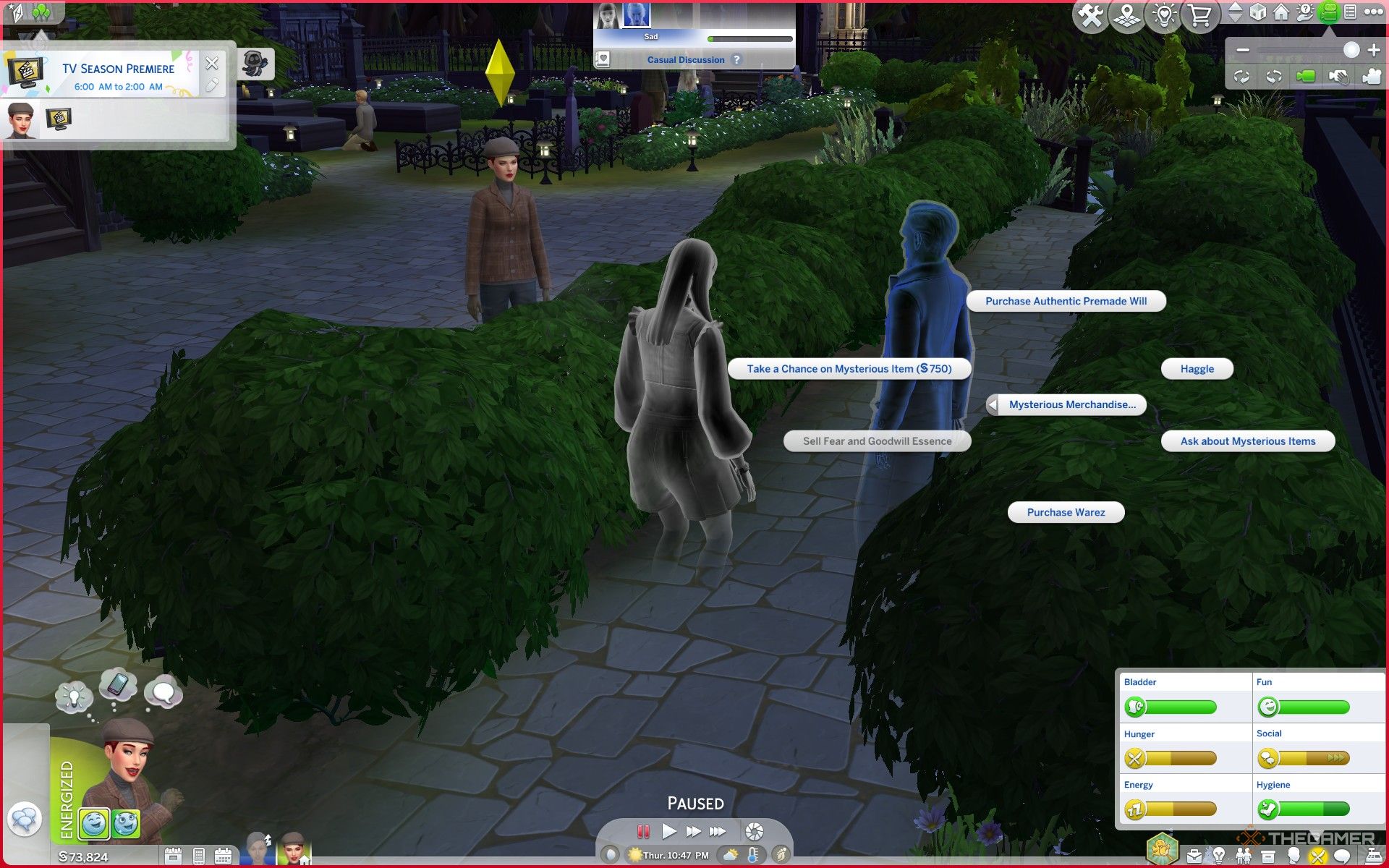
    While exploring the The Sims 4: Life & Death expansion, keep an eye out for Waylon Warez, a ghostly character. Upon meeting him, you can access a range of spooky items alongside various social interactions. To shop, simply choose the “Purchase Warez” option from the menu.

    You’ll often find Waylon Warez around Ravenwood, especially at festivals. He was introduced during the welcome wagon and can be found easily once you settle in. Just keep an eye out for him in the community!

    Your best bet for seeing Waylon is near the Specter household, right by the crypts of their private graveyard. He frequently visits the resting places of Olive’s late husbands, and you might also find him inside the crypt itself if you’re up for a little exploration.

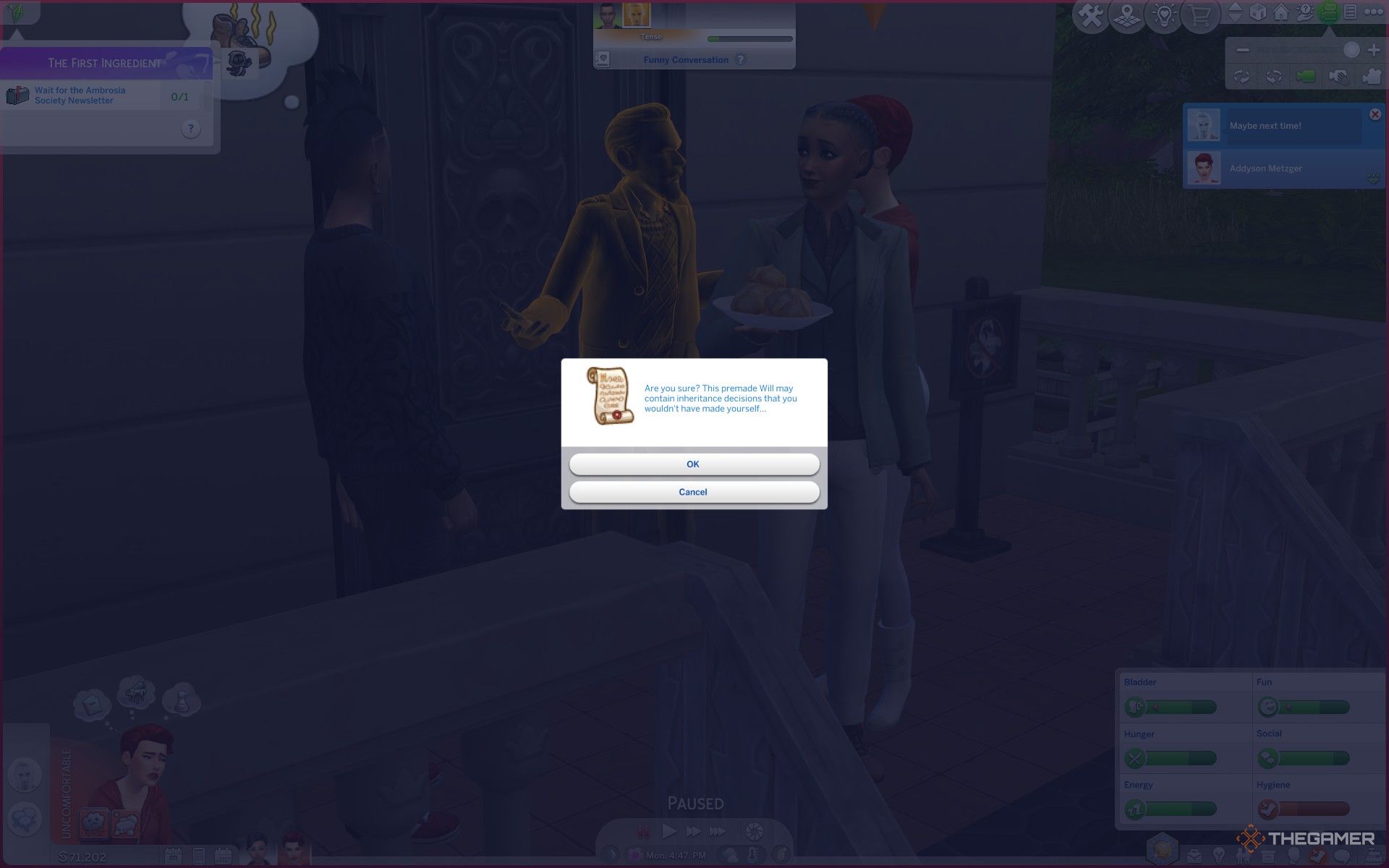
    Buying a premade will from the Mysterious Merchant in The Sims 4 Life and Death.

    Throughout the seasons, Ravenwood hosts several festivals, and you’ll get notifications about what’s happening. When you arrive at a festival, take a moment to look around—Waylon often makes an appearance.

    During your interactions with Waylon, you can purchase items like loose Souls, which are essential if you’re pursuing a career as the Grim Reaper and need souls to collect, or for crafting Soul Soup if you’re an experienced chef. He also sells the Grim Deluxe Ascendant Crow as a unique pet, moodlet essences that vary from day to day, and a variety of random items.

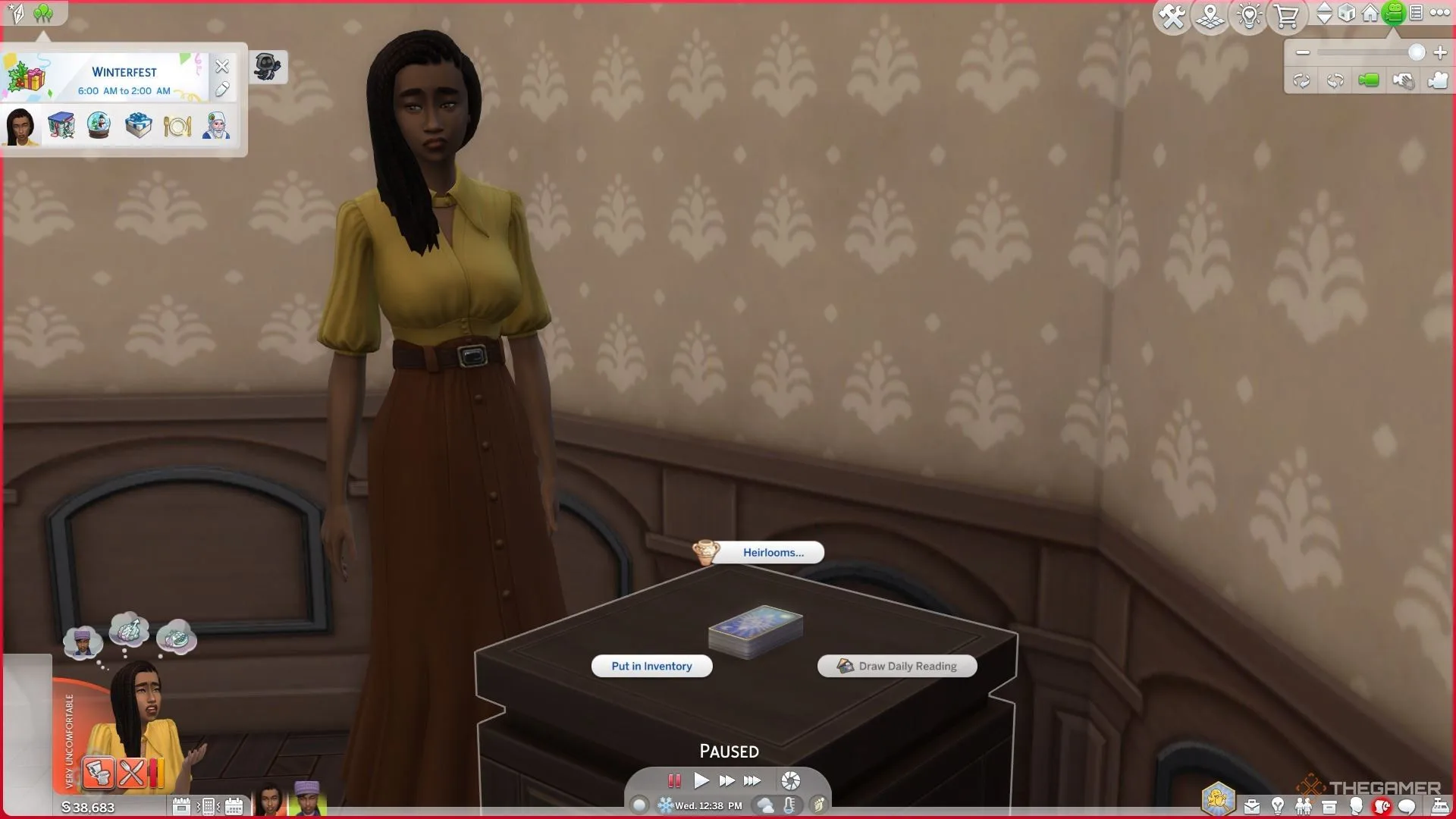
    You’ll discover two of the 26 tarot cards from the Lady Ravendancer Goth’s Tarot Deck collection, a new feature in this expansion. You can find The Chariot and The Hermit after starting your journey to piece together the deck by uncovering hints about the Order of Lenore.

    Feeling adventurous? Try your hand at haggling with Waylon before you shop—you might score a better deal!

    All possible shopping options from Waylon Warez the Mysterious Merchant ghost in Eternal Rest cemetery in The Sims 4 Life and Death.

    What Can You Buy From the Mysterious Merchant?

    Item

    Cost

    Use

    Essence of (Moodlet)

    §900

    Use it to gain the corresponding moodlet for a limited time.

    Grim Deluxe Ascendant Crow

    §1,000

    A pet crow with lower needs compared to crows bought from Build/Buy.

    Soul

    §200

    Available to help fulfill your Soul Quota in the Grim Reaper career.

    The Hermit

    Two of the 26 tarot cards in the deck collection.

    The Chariot

    Feeling lucky? You can also choose to purchase a random item from the Mysterious Merchant for §750. This will directly go into your Sim’s inventory and can include anything from unique creatures to various essences. It’s a bit of a gamble!

  • All Distinct Ghost Types and Their Impact in The Sims 4

    All Distinct Ghost Types and Their Impact in The Sims 4

    The Sims 4 has now included the ability to play as ghosts. When Sims die in the game, they can opt to continue existing as a ghostly figure. However, to unlock special ghost powers through a talent tree, players will need the Life & Death expansion pack.

    Even if you don’t have the expansion, ghost Sims in the base game still come with some unique, although limited, abilities tied to their specific deaths. Not all types of deaths grant these powers, but many do. Here’s a look at what your ghostly residents can do.

    ### Ghost Death Effects vs. Ghost Powers

    In The Sims 4, ghost powers can only be accessed through the Life & Death expansion and are available to any ghost that is playable. Players can unlock these abilities using a talent tree system. The more these ghostly powers are used, the more will be unlocked, similar to the progression systems for vampires and werewolves.

    Every ghost type has the same powers, leaving the choice to the player on whether to favor good or mischievous abilities. There are also some neutral skills to choose from.

    Ghost effects, however, differ based on how each ghost passed away. Even if you create a ghost in Create-A-Sim, you can select the cause of death to gain the specific effects of that ghost type. Each ghost type features its own unique animations, often reflecting the circumstances of their death, and may have quirky effects that are available regardless of which version of the game you are playing—provided you have the corresponding pack that unlocks the respective death.

    Here’s what to expect from the different ghost types in the base game.

    ### All Base Game Ghost Types and Their Effects

    The following ghost types can be accessed with the free base game. Below is a summary of their animations and unique effects:

    | Death Type | Unique Animation | Effects |
    |——————–|—————————————————|—————————————————|
    | Anger | Steam rises from their chest. | Prone to random anger fits; can make nearby Sims angry. |
    | Cowplant | None | Terrified of plants but tends to care for them; may cause plant decay when upset. |
    | Drowning | Appears wet with water dripping off them. | Leaves puddles behind; fearful of baths and swimming. |
    | Electrocution | Sparks occasionally jump from the Sim. | Can shock others and love using hand buzzers; randomly breaks electronics. |
    | Embarrassment | None | Frequently feels embarrassed, recalling their death. |
    | Fire | Smokes and flickering flames emerge intermittently.| May randomly start fires; can summon fire when angry. |
    | Hunger | None | Hunger meter declines at double the usual rate; likely to consume everything in the fridge. |
    | Laughter | None | Regularly playful; can induce playful feelings in nearby Sims. |
    | Meteorite | A hovering meteorite icon appears on the chest. | May spontaneously reenact their death. |
    | Overexertion/Aging | None | Tends to take frequent naps. |

    If you create a ghost Sim using the Create-A-Sim tool, you can pick any of these ghost types from the Cause of Death menu to acquire the appropriate effects.

    ### All DLC Ghost Types and Their Effects

    For players with DLC packs, a wider variety of death types is available. Each brings distinct animations and effects as detailed below:

    | Death Type | DLC | Unique Animation | Effects |
    |——————————–|——————-|—————————————————|—————————————————|
    | Consumed By Mother | Strangerville | Surrounded by pink spores. | Needs are frozen at the moment of death and can’t decay or be fulfilled; can remove vines while a ghost. |
    | Beetles / Beetle Juice | Eco Lifestyle | None | Never scared by haunted houses. |
    | Murphy Bed | Tiny Living | Z’s rise from their chest. | Terrified of all beds; can lecture others on bed-related dangers. |
    | Swarmed by Flies | Eco Lifestyle | Flies buzz around them. | Swats at the flies near them. |
    | Broken Heart | Lovestruck | A heart icon breaks and tears appear. | Tends to feel sad often; can make other Sims sad too. |
    | Falling From Heights | Snowy Escape | None | Occasionally chalks their hands. |
    | Freezing | Seasons | Condensation rises from them. | Frequently shivers and tries to warm themselves up. |
    | Killer Chicken | Cottage Living | A chicken icon hovers above their chest. | Loves to scare nearby chickens. |
    | Killer Rabbit | Cottage Living | A rabbit icon floats around their chest. | Scares any rabbits they come across. |
    | Lightning | Seasons | Random zaps of lightning appear. | Enjoys zapping Sims; may break things randomly. |
    | Mold | For Rent | Green mold spores surround the Sim. | Can summon various molds, spawn mushrooms, spoil food, or fertilize plants. |
    | Murder Of Crows | Life & Death | A crow icon hovers over them. | No specific effects. |
    | Overheating | Seasons | None | Fan themselves and wipes brow; can warm a chilled Sim. |
    | Poison | Jungle Adventure | A green cloud surrounds them. | Burps frequently; can make other Sims faint with their burps. |
    | Pufferfish | City Living | A pufferfish icon hovers in their chest. | No effects. |
    | Rabid Rodent Fever | My First Pet Stuff | Wears a giant ghostly rat outfit. | Constantly foams at the mouth and spreads fear of rodents. |
    | Spellcaster Overload | Realm of Magic | Strange sparkles surround them. | Retains spellcaster abilities. |
    | Steam | Spa Day | Steam rises from their body. | Tries to cool off by swimming or drinking; can sabotage saunas. |
    | Stink Capsule | High School Years | Green smog emanates from them. | Autonomously defuses pranks. |
    | Sunlight | Vampires | A sun icon appears over their chest. | Can start fires when angry; can be outside without dying, but it drains energy. |
    | Urban Myth | High School Years | Black fog surrounds the Sim. | Feels anxious around mirrors; often defuses pranks. |
    | Vending Machine | Snowy Escape | A can icon hovers above them. | Cannot retrieve anything from vending machines. |

    If you have the Romantic Garden Stuff pack, your Sim can make a wish for ‘youthful vigor.’ If the wish fails, they will become a randomly chosen ghost. Additionally, consuming Ghost Goo from the Get To Work Scientist career can also transform your Sim into a random ghost.

  • Ultimate Sims 4 Funeral Handbook: Navigating Life and Death

    Ultimate Sims 4 Funeral Handbook: Navigating Life and Death

    The Sims 4 has always been about the joys of life, but every life eventually comes to an end. With the focus on the afterlife in The Sims 4: Life & Death expansion pack, players now have more meaningful ways to say goodbye to their beloved Sims than ever before.

    This expansion introduces the option to organize formal funerals for deceased Sims, a plan that can be influenced long before they even pass away if they leave behind a will. You can gather family and friends at the cemetery to bid farewell by holding a funeral in The Sims 4.

    How to Hold a Funeral?


    When a Sim passes away in The Sims 4: Life & Death, the Sims left behind can organize a funeral to celebrate the life of the deceased. Regardless of how much time has passed since the death, any Sim can create a funeral event for any ghost with whom they share a relationship, as shown in the Relationships tab. Ghosts of loved ones appear after their passing, allowing you to plan a funeral whenever your Sims feel ready to say goodbye.

    Interestingly, you can hold multiple funerals for the same Sim.

    To start planning a funeral, you can go through your Sim’s phone in the Social tab or access the calendar below their portrait. The event planning screen will pop up, where you’ll select Funeral from the menu of options. Be sure to choose the departed Sim from the provided section and a hosting Sim, usually the one planning the event.

    In the event-planning screen, assemble a guest list of up to eight additional Sims, and consider hiring an entertainer if you wish. You can also hire Mourners to add more attendees, with up to four mourners for each funeral. Next, set a dress code and color from the Guest Attire menu at the bottom of the Plan an Event screen. While not mandatory, having a specific attire theme can enhance the occasion.

    How to Score Higher at a Funeral

    The next step in planning a funeral for a Sim in The Sims 4: Life & Death involves choosing funeral activities that will take place during the event. Although it may seem unusual to care about the “quality” of a funeral, you wouldn’t want to send your Sims off without making it memorable, right? Like other social gatherings in the game, funerals also have goals to achieve.


    Choosing funeral activities in The Sims 4 Life and Death.

    After selecting the activities for the funeral, you’ll receive goals related to these activities to complete, all of which contribute toward the funeral’s final score. Pick however you see fit to honor the deceased Sim, but make sure you choose at least three activities, although selecting more is encouraged for a richer experience.

    Funeral Events in The Sims 4: Life & Death

    The final aspects to finalize are where and when the funeral will take place. You have several options, such as holding it at the departed Sim’s home lot for a more intimate setting or opting for the Eternal Rest cemetery located in Crow’s Crossing in the Ravenwood world introduced in this expansion. The cemetery is equipped with various decor and has many vacant grave sites and crypts for interment of the deceased’s remains.


    A sim tending a grave with the ghost nearby in The Sims 4 Life and Death.

    At the Funeral

    Once everything is set, you will commence the funeral at the appointed date and time, which is marked in your calendar with a floral casket icon. A reminder will be sent an hour before it starts, urging you to go to the location for setup. Use the Build/Buy catalog to prepare for the funeral, crafting a somber atmosphere with various memorial items to honor the deceased during the event.

    At the funeral, you will need to complete goals related to Funeral Activities to earn points throughout the occasion. The objective is to lead at least seven Funeral Activities while the timer counts down. Make sure to mingle and pay tribute to the departed in the manner you have chosen since each action will contribute to the overall score. Remember, the ghost of the deceased will be observing!

    After the funeral concludes, the Sim who organized it will receive rewards based on the event’s score. They will also stay on the lot to collect the urn or tombstone. When you’re ready, you can inter the remains at a gravesite, whether in the cemetery or on your home lot, or you may choose to place them in one of Ravenwood’s various crypts.

  • Boost Your Ghost Abilities in The Sims 4: Mastering Life & Death

    Boost Your Ghost Abilities in The Sims 4: Mastering Life & Death

    The afterlife received a significant boost in The Sims 4 with the release of the Life and Death expansion. This update introduced numerous interactive features for players to explore after a Sim passes away. In previous updates, similar enhancements were made for other supernatural beings, including vampires, spellcasters, and werewolves. Notably, these supernatural Sims can retain their powers even after dying.

    Like other supernatural characters, Ghost Sims can choose from a variety of powers, allowing them to influence the lives of others. Depending on your choices, you can craft a Ghost Sim that is either benevolent or malevolent through the Sim Power Tree.

    Understanding the Ghost Mastery Tree

    Ghost Sims gain the ability to enhance their presence and interactions through Ghost Mastery perks. You can access the Ghost Mastery power tree in the Simology Panel, where you’ll click the book icon under the Ghost Mastery tab to explore your ghostly abilities.

    The Ghost Mastery power tree comprises five levels and six branches, ranging from evil powers to ones that promote positivity. The leftmost branches feature wicked abilities, while the rightmost branches contain powers intended to uplift other Sims. The two middle branches have neutral abilities that enhance the durability and energy of Ghost Sims.

    Tip: You can equip both evil and good abilities on the same Ghost Sim, so choose wisely according to your strategy.

    Ghost Sims who once belonged to other supernatural categories, such as werewolves, spellcasters, and vampires, can also keep their powers. This allows for an intriguing melding of Ghost Sim abilities and occult skills in The Sims 4: Life and Death.

    That said, just like other supernatural beings, you’ll start your Ghost Sim adventure at the base level. The Ghost Mastery power tree features five tiers:

    1. Level 1: Wispling
    2. Level 2: Ethereal Novice
    3. Level 3: Phantasmal Ascendant
    4. Level 4: Spectral Luminary
    5. Level 5: Transcendent Wraith

    As you progress through these tiers, your Sim will earn experience points. Once you reach the top level, you’ll unlock powerful abilities like Otherworldly Curse and Benevolent Blessing.

    What Powers Can You Unlock in Ghost Mastery?

    Ghost Sims can strategically enhance themselves through a dedicated power tree called Ghost Mastery. This operates similarly to the mastery trees for other characters, such as celebrities and vampires. Ghost Mastery abilities are divided into five tiers, each unlocking a range of powers.

    Each tier includes a mixture of evil, good, and neutral abilities to shape your Ghost Sim’s impact on the game. Here’s what you can expect from each tier:

    Wispling: Tier One Ghost Mastery Abilities

    Ghost Ability Ability Effects
    Ghostly Traverse (Neutral) Unlocks any door and allows teleportation.
    Transcendent WooHoo (Neutral) Transforms any living Sim into a ghost for an ethereal WooHoo.
    Solace Embrace (Good) Calms a targeted Sim by removing negative moods.
    Dispeller (Good) Allows for cleaning up trash, dishes, and puddles.
    Conjuror (Evil) Create a mess by spawning trash and spooky elements.
    Spooky Spectacle (Evil) Scares Sims with flickering lights and ghostly sounds.

    Ethereal Novice: Tier Two Ghost Mastery Abilities

    Ghost Ability Ability Effects
    Fear The Night (Neutral-Evil) Increases fearfulness at night to earn a Fear Essence bonus.
    Spectral Slumber (Neutral) Enables napping in various objects, though sleeping in unattractive places can cause restlessness.
    Euphoric Presence (Good) Emits a positive aura to uplift nearby living Sims.
    Maintenance Skills (Good) Instantly clean, repair, or upgrade objects.
    Dark Presence (Evil) Conveys negative emotions to nearby living Sims.
    Object Manipulation (Evil) Possesses objects to create chaos and fun.

    Phantasmal Ascendant: Tier Three Ghost Mastery Abilities

    Ghost Ability Ability Effects
    Suppress Living Needs (Neutral-Good) Alleviates hunger, bladder, and hygiene needs to improve relations with living Sims.
    Dream Weaver (Good) Ensures living Sims have good dreams and refreshes them with extra energy.
    Grim’s Ride-or-Die (Good) Forms a friendship with the Reaper to evade death.
    Dream Corruptor (Evil) Creates nightmares for living Sims to gain Fear Essence.
    Haunting Shriek (Evil) Lets out a scream to gain fun and instill fear in living Sims.

    Spectral Luminary: Tier Four Ghost Mastery Abilities

    Ghost Ability Ability Effects
    Powerful Endurance (Neutral) Enhances endurance and slows down stamina depletion.
    Quality Ensurer (Good) Improves quality of crafted items, plants, and food.
    Altruistic Caretaker (Good) Lengthens a Sim’s life or positively influences their needs.
    Devourer (Evil) Shortens a Sim’s lifespan or drains their needs through curses.
    Levitator (Evil) Levitates a Sim to create chaos and rob them of possessions.

    Transcendent Wraith: Tier Five Ghost Mastery Abilities

    Ghost Ability Ability Effects
    Benevolent Blessing (Good) Grants a Mark of Good tattoo; boosts good fortune for living Sims.
    Otherworldly Curse (Evil) Grants a Mark of Evil tattoo; curses living Sims for an enhanced Fear Essence.

    How to Enhance Your Ghost Powers

    To improve your Ghost Powers, you simply need to perform actions that grant experience in Ghost Mastery. Activities like possessing objects or scaring Sims will contribute to your mastery progress. For every milestone achieved, you’ll earn experience points that can be used to unlock new abilities in the Ghost Mastery tree.

    You can allocate points to various perks in the Ghost Mastery tree. Make sure to make wise choices, as you won’t be able to change them later.

    Utilizing your newly unlocked abilities also contributes to your experience. However, be careful, as each use will drain your stamina. It’s wise to acquire Grim’s Ride-or-Die ability to maintain your spectral form and keep your Ghost Sim active.

    Tip: Unlock the Endurance perk in the Ghost Mastery menu to slow down stamina loss.

    You can monitor your progress in Ghost Mastery through the Simology tab. To see a more detailed overview, click the book icon in the Ghost Mastery section, where you can also review all abilities and their impacts.

    How to Use Ghost Abilities

    Initially, your Ghost Sim won’t have many capabilities. As you advance, you’ll unlock various abilities under the Ghost Mastery tab.

    To use these ghostly abilities, click on a Sim or location to bring up the interaction pie menu. Here, you’ll see a section labeled Ghost Mastery that offers options for Chaos, Scare, Comfort, and Helpful Abilities, provided you have them unlocked. You can also activate natural ghost powers via actions marked with a ghost icon.

    Tip: Engaging in certain regular actions, like fighting, can also grant ghost experience.

    Keep in mind that using ghost abilities will diminish your Ghost Sim’s stamina. The stamina bar is displayed under the Simology tab, and if overused, your Sim may appear more translucent, prompting a need for rest.

    Once well-rested, your Ghost Sim will glow vibrantly like any other spectral figure. In this form, you’re free to scare, assist, possess objects, and carry out additional ghostly interactions.
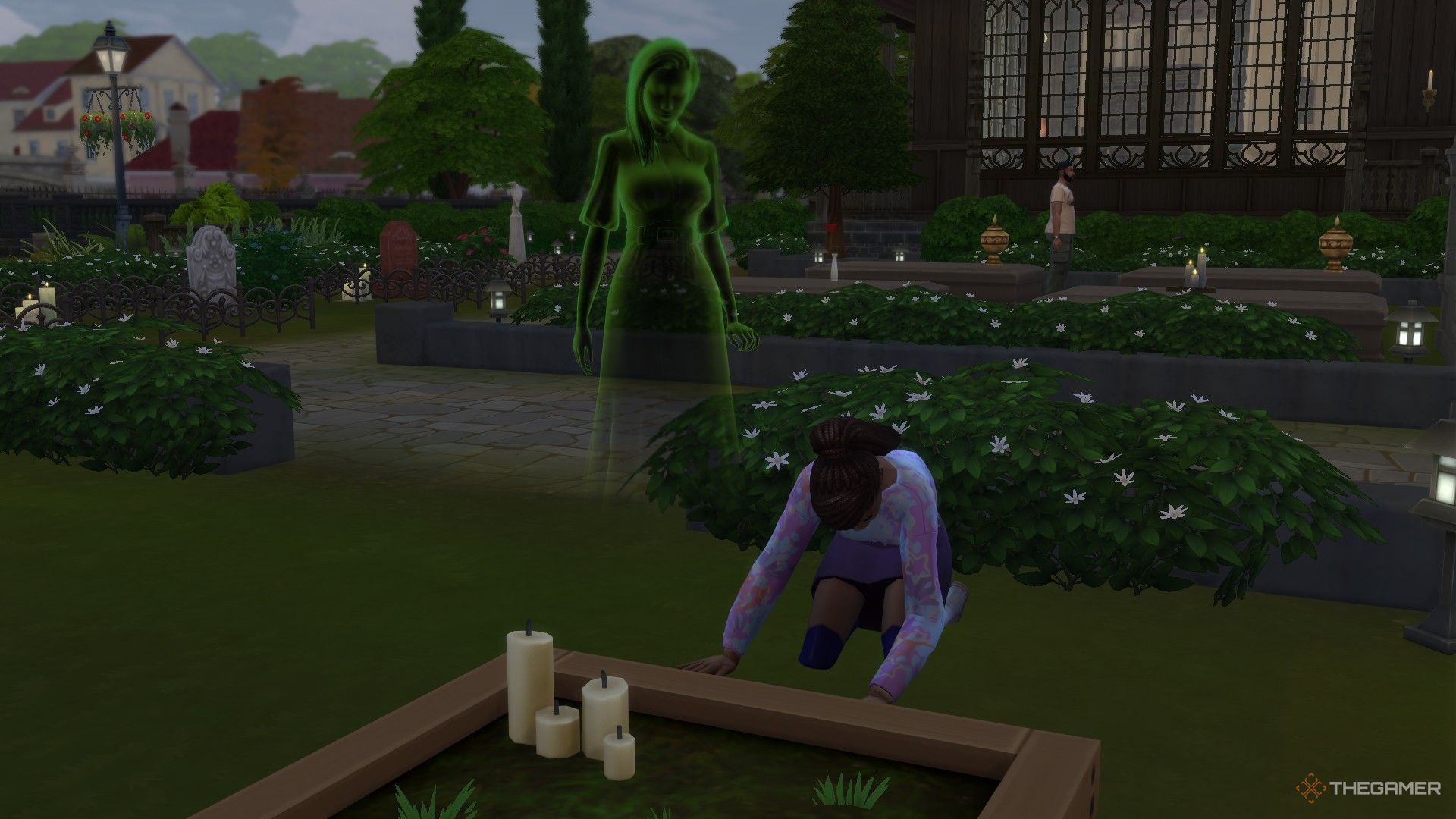
  • Creating Lasting Heirlooms in The Sims 4: A Guide to Legacy

    Creating Lasting Heirlooms in The Sims 4: A Guide to Legacy

    Every Sim will eventually face the end of their journey, and no expansion pack explores this theme like The Sims 4: Life & Death. This addition lets Sims prepare for when the Grim Reaper arrives, allowing them to set aside items they wish to pass down to loved ones.

    When you turn an item into an Heirloom in The Sims 4: Life & Death, you can determine what will happen to it after your Sim’s passing. This feature enables you to keep various items in the family for generations, regardless of how quirky some of them may be.

    How Do Heirlooms Work?

    In The Sims 4 with the Life & Death expansion, you’ll quickly find that most items in Buy Mode can be designated as Heirlooms. By clicking on an item, you’ll often have the option to mark it as an Heirloom. This means if your Sim cherishes an item, you can decide who will inherit it when your Sim is gone.

    In fact, the list of items that cannot become Heirlooms is quite short. When you look at an item’s details in Build/Buy mode, you’ll see which items are eligible to become Heirlooms once they’re placed. These can include a variety of items such as hobby-related objects (like skill-building tools), pieces from different collections (including things like tarot cards), crafted items, decorative objects, and more. Additionally, Sims who have advanced far in their Soul’s Journey may have more options for what they can leave behind as Heirlooms.

    Once you’ve designated an item as an Heirloom, everything stays pretty straightforward while your Sim is still alive. You can Claim Higher Value on these items, which means that if your heir chooses to sell the item after your Sim’s death, they could get a better price for it. You can also add a special engraving on an Heirloom through the Heirloom menu, ensuring that a message is preserved with that item for as long as it’s part of your game save.

    How To Pass On An Heirloom

    Your Sim retains possession of the Heirloom until their time to go comes. Upon their passing, Heirloom items will disappear from the lot or family inventory. They will then be sent in the mail to the designated recipient along with a copy of your Sim’s will. To claim the Heirlooms and any potential inheritance, the recipient will need to read the will aloud when it arrives.

    Once a Sim Receives an Heirloom

    After receiving an Heirloom, the new owner has several interactions available. They can Call Upon Sim to summon the original owner (assuming that Sim hasn’t been reborn in the game), as well as Think About Original Owner to reflect on the individual who passed the item to them. These actions can create various emotional responses that depend on the relationship between the two Sims.

    If money is tight, these Sims can also choose to Pawn Heirloom for cash, with the amount based on the value claimed when the Heirloom was designated.

    This unique interaction with Heirlooms enriches gameplay, allowing players to experience a deeper emotional connection to their Sims’ legacies.