Tag: projector

  • Anker Nebula X1 Projector Delivers Big Sound for Movie Nights

    Anker Nebula X1 Projector Delivers Big Sound for Movie Nights

    Anker’s projector brand, Nebula, has officially introduced the Nebula X1, a cutting-edge outdoor smart projector. This triple-laser projector features a remarkable motorized gimbal-mounted lens equipped with AI-assisted automatic image setup. It also boasts a pioneering liquid cooling system and an innovative audio solution: built-in speakers that can connect to optional wireless satellite speakers. Anker claims this arrangement will enhance your backyard movie nights with a more expansive and immersive sound experience.

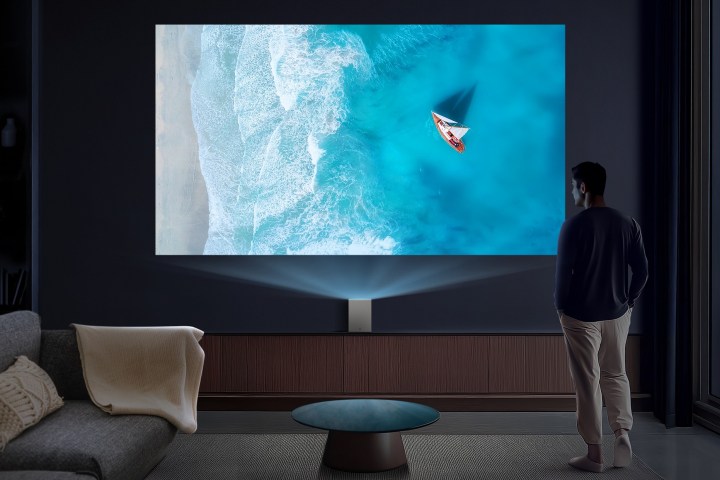
    Building on the success of the famed Cosmos series, the X1 enhances the outdoor projector experience with a 3,500 ANSI lumen laser light engine that projects a stunning 4K image on screens up to an impressive 300 inches. Its optical zoom capability allows for a 200-inch image to be displayed from distances ranging from 13 to 22 feet, making it perfect for both outdoor gatherings and home theaters—its specifications are competitive with many dedicated home theater projectors.

    The projector’s RGB laser image quality is powered by Nebula’s all-glass, 14-element lens—the first of its kind in a smart projector—and the NebulaMaster Image Processing Engine. This technology delivers vivid, lifelike images with color accuracy that covers 110% of the Rec.2020 color space, ensuring that your viewing experience, such as a summer screening of the Barbie Movie, will reflect the true shades intended by the filmmakers.

    By employing Dolby Vision HDR support, the X1 achieves enhanced contrast with bright highlights and deep shadows, featuring a native contrast ratio of 5000:1. To keep a low profile, Nebula has implemented an industry-first liquid cooling system, which improves heat dissipation by 15%, reduces the projector’s size by 30%, and lowers noise levels to a mere 26 decibels—ensuring that background noise remains minimal during your viewing experience.

    The X1 features an innovative micro-gimbal lens technology, allowing for a tilt of up to 25 degrees for optimal image alignment without the hassle of repositioning the projector. This flexible placement lets you set it on the floor, on a table, or mount it on a stand, thus eliminating the need to transport it around in search of the best projection angle.

    Anker has integrated advanced features into the X1, including the “Spatial Adaptation auto setup,” which allows for real-time autofocus, keystone correction, obstacle avoidance, screen fit adjustments, optical zoom, ambient light adaptation, and wall color adaptation—all operable with a single button on the remote control.

    During a demonstration, the projector was set on the ground, and after pressing just one button, the image automatically adjusted, resizing and correcting itself to perfectly fit the screen. Additionally, the memory feature allows the X1 to store multiple settings for different environments, making transitions between indoor and outdoor settings seamless.

    Sound quality is often an overlooked aspect of projectors, but Anker has taken strides to improve this with the X1. It comes with four side-firing speakers and two passive bass radiators, delivering a total of 40 watts of sound for your movie nights. Anker also offers optional compact, wireless satellite speakers, which can be purchased separately or bundled with the projector. Each of these satellite speakers features four drivers and delivers a combined output of 160 watts, working together with the X1 to create a truly immersive audio experience.

    With the wireless speakers, you can enjoy Dolby Audio quality, thanks to a dedicated mesh network, low latency of 25 milliseconds, and lossless audio capabilities. The speakers have an eight-hour battery life on a single charge, and you can also pair them with wireless microphones for karaoke fun.

    The Nebula X1 runs on the Google TV platform, providing access to numerous streaming services, including a built-in Netflix app. It features two HDMI ports, including one eARC, allowing connectivity with other devices.

    The Nebula X1 is priced at $2,999 and will be available starting May 21 on the Nebula website and Amazon. You can also purchase a “backyard accessory pack,” which includes the wireless satellite speakers, carrying case, and two wireless microphones for $999 or as a bundle with the projector for $3,298 in the U.S. until June 20th.

  • LG’s Funky New Projector Lamp Bluetooth Speaker Debuts Before CES 2025

    LG’s Funky New Projector Lamp Bluetooth Speaker Debuts Before CES 2025

    CES 2025
    Check out our comprehensive coverage of CES here.
    Updated just now

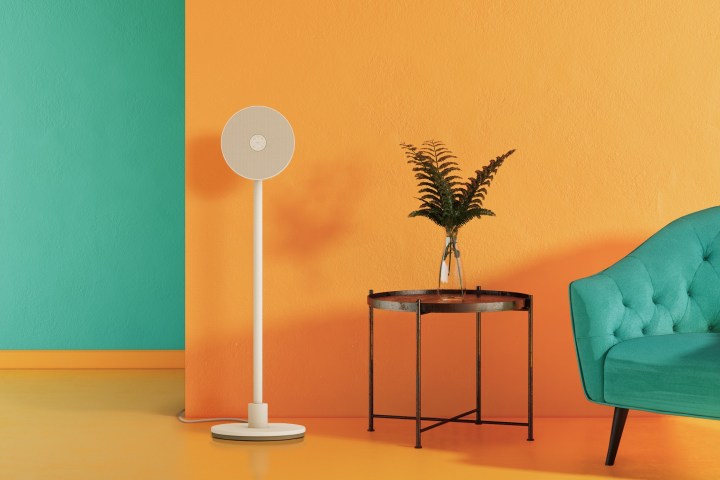
    In anticipation of CES 2025, LG has made a splash by introducing two innovative lifestyle projectors. The first is a uniquely designed HD projector that also functions as a stylish floor lamp and a Bluetooth speaker. The second is a new ultra-short throw 4K projector that LG labels as its smallest model to date.

    The 3-in-1 PF600U projector has been described as a “lifestyle companion for everyday spaces,” with the potential to transform various living areas through its multifunctionality.

    One of the significant challenges faced by customers with traditional projectors, particularly standard-throw ones that require considerable space, is their often bulky and unattractive appearance. The LG PF600U aims to address this issue by combining the projector with the aesthetics of a modern floor lamp, allowing for easy relocation when not in use. Additionally, it serves as a Bluetooth speaker for music playback during non-cinema hours.

    The LG PF600U projector-lamp-Bluetooth speaker.
    The LG PF600U is a stylish lamp… that also functions as a projector… and a Bluetooth speaker. LG

    According to LG, “Inspired by a floor lamp, the stand-pole design ensures intuitive usability and effortless integration into any space.” The PF600U comes equipped with impressive specifications, including Full HD (1,920 x 1,080) resolution and a brightness level of 300 ANSI lumens provided by its LED light source. Users can access streaming services via LG’s webOS or connect their own devices through the projector’s HDMI port.

    Weighing just over 16 pounds, the PF600U is lightweight and compact. it features a 110-degree tilting head for image adjustment and offers automatic screen adjustments to facilitate easy setup as you reposition it for optimal viewing.

    As an LED lamp, the PF600U provides nine color options and five brightness settings, along with stereo speakers enhanced with passive radiators, promising “rich and immersive sound.”

    LG CineBeam S ultra short throw projector.
    The LG CineBeam S is the company’s smallest UST projector to date. LG

    LG also unveiled the CineBeam S (model PU615U), its latest ultra-short throw projector. This compact unit (measuring 4.3 inches by 6.3 inches by 6.3 inches and weighing 5.5 pounds) is the smallest that LG has produced. Although its brightness of 500 ANSI lumens may seem modest compared to other ultra-short throw models, it is likely sufficient for projecting images between 40 inches to 100 inches from just a few inches away from a surface.

    Featuring 4K UHD (3,840 x 2,160) resolution and covering an impressive 154% of the DCI-P3 color spectrum, the CineBeam S operates on LG’s webOS system as well. It boasts additional features such as wall color adjustment and screen scaling/shifting to accommodate various room setups. While it doesn’t serve as a Bluetooth speaker, the CineBeam S is equipped with built-in stereo speakers that support Dolby Atmos sound for a fully immersive viewing experience.

    “Through the versatility of the PF600U and the compact design of the CineBeam S, LG is establishing a new benchmark for lifestyle projectors that meet a variety of user needs and preferences,” stated YS Lee, vice president and head of LG’s IT Business Unit. “Our goal is to offer projectors that harmonize with different lifestyles and seamlessly blend into diverse environments, enhancing the everyday experiences of modern users.”

    No information about pricing or availability for the PF600U or CineBeam S was provided in the press release, but stay tuned for updates during CES 2025.

  • Which type of projector is best for home theater?

    Which type of projector is best for home theater?

    When setting up a home theater, choosing the right projector is crucial to achieving an immersive viewing experience. With various types of projectors available, it can be challenging to determine which one best fits your needs. This article breaks down the popular types of projectors, highlighting their features and benefits to help you make an informed decision.

    Types of Projectors

    1. LCD Projectors

    LCD (Liquid Crystal Display) projectors are known for their vibrant colors and sharp images. They utilize three separate LCD panels for red, green, and blue light, creating a full-color image.

    Advantages:

    • Excellent color reproduction
    • Good brightness levels, making them suitable for rooms with ambient light
    • Generally lighter and more portable than other types
    • Lower cost compared to some high-end options

    Disadvantages:

    • The black levels can be less deep compared to DLP projectors
    • May experience grid-like patterns known as the "screen door effect" at close viewing distances

    2. DLP Projectors

    DLP (Digital Light Processing) projectors use a digital micromirror device (DMD) chip and a color wheel to produce images. They are known for their sharpness and high contrast ratios.

    Advantages:

    • Superior motion handling, ideal for fast-paced movies or sports
    • Better black levels and contrast compared to LCD projectors
    • Typically more compact and lightweight
    • Improved reliability and longevity

    Disadvantages:

    • Color accuracy may be less vibrant than LCD models
    • Some models can experience the "rainbow effect," where a brief flash of secondary colors appears during fast movement

    3. LCoS Projectors

    LCoS (Liquid Crystal on Silicon) projectors blend the best qualities of DLP and LCD technologies. They are often considered high-end options, providing exceptional image quality.

    Advantages:

    • Outstanding color accuracy and detail
    • Excellent black levels and contrast ratios
    • Ideal for critical viewing and high-definition content

    Disadvantages:

    • Generally more expensive than DLP and LCD projectors
    • Larger and heavier, making them less portable
    • Can be less bright than other types, making them better suited for dark rooms

    Factors to Consider

    Screen Size and Distance

    The size of your screen and the distance from the projector to the screen will significantly influence your choice.

    • Throw Ratio: Consider the throw ratio of the projector, which helps determine how far back it needs to be placed to project a specific image size. Short-throw and ultra-short-throw projectors can be placed closer to the screen.

    Resolution

    Resolution is crucial for achieving sharp visuals. Common resolutions include:

    • 1080p (Full HD): Ideal for a high-quality viewing experience, supporting most Blu-ray discs and streaming services.
    • 4K (Ultra HD): Offers four times the resolution of 1080p, perfect for those wanting the best detail and clarity.

    Brightness

    Brightness is measured in lumens. A projector with higher lumens is better suited for rooms with ambient light:

    • Light Rooms: 2500 lumens or more
    • Dark Rooms: 1500-2500 lumens is usually sufficient

    Budget

    Home theater projectors are available in a range of prices. Setting a budget will help narrow down your options:

    • Entry-Level: $500 – $1000
    • Mid-Range: $1000 – $3000
    • High-End: $3000 and up

    Connectivity

    Ensure the projector has the necessary ports for connecting various devices such as Blu-ray players, gaming consoles, and streaming devices. HDMI is a standard, but consider additional options like USB and wireless connectivity for added convenience.

    Final Considerations

    Choosing the best projector for your home theater ultimately depends on your specific needs and preferences. Consider factors such as your room size, the darkness of the environment, and the types of content you plan to watch. By evaluating these aspects along with the features of various projector types, you can create an immersive home theater experience tailored to your tastes.

  • Are Projector Screens Any Good?

    Are Projector Screens Any Good?

    When it comes to enhancing your viewing experience, projector screens often come up in discussions among movie buffs, gamers, and educators alike. But are they truly worth the investment? This article dives into the advantages and disadvantages of using projector screens compared to alternative options.

    The Benefits of Projector Screens

    Improved Image Quality

    • Surface Optimization: Projector screens are designed specifically to reflect light effectively, which can result in sharper images and better color accuracy.
    • Specialized Materials: Many screens use fabrics or coatings that enhance brightness and contrast, making them ideal for home theaters or presentations in well-lit rooms.

    Size Versatility

    • Variety of Sizes: Screens come in different sizes, allowing you to choose one that best fits your space and viewing preferences.
    • Adjustable Viewing Area: Some screens are motorized or manual pull-down types that can adjust to different aspect ratios, accommodating various content formats.

    Portability

    • Easy Setup: Many projector screens are lightweight and easy to set up, able to be transported to different locations if needed.
    • Flexible Usage: Ideal for outdoor movie nights or classroom presentations, these screens can be used practically anywhere, providing versatility in how you enjoy content.

    Limitations of Projector Screens

    Price Considerations

    • Cost: High-quality projector screens can range from moderately priced to quite expensive, depending on size and material. This might not fit everyone’s budget, especially if you’re considering other equipment like projectors.
    • Additional Accessories: You may also need to invest in other accessories like stands or remote controls, adding to the overall cost.

    Space Requirements

    • Installation Space: Depending on your setup, you might need a dedicated area to install the screen, which could be challenging for smaller rooms.
    • Wall Compatibility: Not all screens are compatible with all wall types, so if you’re planning to mount it permanently, be sure about your wall’s capabilities.

    Alternative Viewing Options

    Wall Projection

    • Using a Blank Wall: If you’re on a tight budget, a blank wall can serve as an alternative for projecting images. However, this might not provide the same level of detail and brightness that a professional screen can.
    • DIY Solutions: Some people opt for DIY projector screens made from materials like blackout cloth or white paint, although this requires a bit of experimentation to achieve optimal results.

    Ready-Made Solutions

    • Portable Screens: If you prefer a more casual viewing experience, collapsible or portable projector screens are available. They offer convenience but might sacrifice some image quality.

    Choosing the Right Projector Screen

    Factors to Consider

    • Material Type: Different materials serve various purposes. For example, matte screens are great for viewing in ambient light, while glossy screens might be better for dark rooms.
    • Screen Size: Choose a size based on your projector’s capabilities and the distance you will be sitting from the screen.
    • Aspect Ratio: Make sure the screen’s aspect ratio matches your projector to prevent image distortion.

    Installation Types

    • Fixed Frame Screens: These provide a taut surface for the best quality but require a permanent installation.
    • Pull-Down Screens: These offer flexibility, allowing you to store them when not in use, but may not provide a perfectly taut surface.
    • Ceiling-Mounted Options: Great for a seamless look, but installation can be more complicated.

    Projector screens undoubtedly offer numerous advantages for those looking to elevate their viewing experience. By weighing the benefits against the downsides and considering your unique needs and budget, you can make an informed choice about whether a projector screen is right for you.