The UAE has successfully prevented organized cyber attacks aimed at its digital infrastructure and critical sectors, according to the state news agency on Saturday. These assaults involved attempts to breach networks, distribute ransomware, and carry out coordinated phishing operations targeting key national platforms. Authorities also revealed that artificial intelligence tools had been utilized to create offensive cyber capabilities.
The Cybersecurity Council emphasized from the outset that safeguarding individuals, protecting personal data, and maintaining essential services are paramount. The country’s cybersecurity and cyber defense systems continue to operate effectively, ensuring high levels of protection and resilience.
Recent security incidents highlighted ongoing efforts by malicious actors to infiltrate networks and compromise sensitive systems. Citizens are encouraged to stay vigilant and report any suspicious cyber activities through official channels to help maintain the nation’s digital safety and ensure uninterrupted government and business operations.
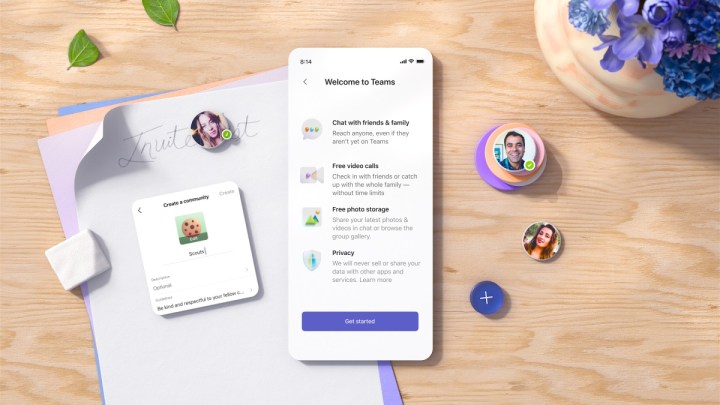
Microsoft has notified Microsoft 365 administrators that the newly introduced phishing alert functionality will be available to all users by the middle of February, as indicated by a report from Bleeping Computer. This feature will be activated by default and will notify users when phishing attempts are detected.
To receive these alerts, users must have external Teams access enabled, which allows members of your organization to communicate with individuals outside the organization. While the initial rollout began in mid-November, it hasn’t reached every user yet, but Microsoft aims to complete the distribution by mid-February. Users are encouraged to get familiar with the new high-risk Accept/Block interface.
When you receive a phishing alert, you will need to review the message and determine whether to accept it. If you choose to accept it, Microsoft will send a follow-up alert reminding you of the potential risks involved. Administrators can also review the audit log to track detected phishing attacks that utilize this method.
If you currently do not have access to the phishing alert feature and do not require communication with anyone outside your team, it is advisable to disable this feature through the Microsoft Teams Admin Center, followed by turning off External Access. However, if you need this functionality, administrators can add specific domains to a whitelist to minimize potential risks. It’s uncertain when the feature will be fully accessible to everyone, but it is anticipated to roll out soon. When that happens, it is likely that malicious actors, such as a group that previously inundated a user’s inbox with numerous emails before impersonating IT support, will find it more challenging to achieve their objectives.
Microsoft Teams has also implemented additional security measures, including the Safe Links feature designed to shield users from harmful links. It will be interesting to observe what other enhancements are introduced to Teams in the future.
A new year is here, but cybercriminals continue to use familiar tactics, now targeting iPhone users. Reports from Bleeping Computer indicate a surge in phishing attempts aimed at these users, luring them into disabling their device’s built-in security features and clicking on harmful links.
Many of these scams employ deceptive text messages that appear to be from fake delivery agents, masquerading as notifications from the U.S. Postal Service (USPS). Recently, two contributors from Digital Trends experienced such fraudulent messages in North America.
Reddit / Digital Trends
Similar strategies have been reported in various regions, including India, where scammers are posing as DHL or FedEx representatives.
Anyone curious about ‘kathlyn afaf’? They appear to be running a Royal Mail scam via iMessage. The associated email address has come to light… pic.twitter.com/jr5yPGaA3O
From insights shared on social platforms, it seems this tactic has been in play for at least the last couple of years. If you examine the messages more closely, you’ll notice a consistent theme:
“Please reply with Y, then exit the message and reopen it to activate the link, or copy the link into your Safari browser.”
Reddit / Digital Trends
This strategy recurs with minor variations in wording. The prompt to reply with a “Y” may seem innocuous, but it cleverly serves to disable iPhone’s phishing protection mechanisms.
Apple’s iMessage incorporates protective measures that automatically block links from unknown senders. Users can only access those links if they add the sender to their contacts or reply to their message.
Reddit / Digital Trends
By responding to these fraudulent messages as instructed, users inadvertently mark the scammer as a “known” contact, making the harmful link clickable. When clicked, it may lead to a website requesting sensitive information, such as credit card details.
Tips to Avoid Falling for the Scam
Reddit / Digital Trends
If you receive a message from a supposed delivery service, do not reply or click any links. Always verify the sender’s name or number. Look for spelling mistakes or personal numbers (including iCloud addresses)—these are telltale signs of deception.
Be mindful of the country code as well; if the message originates from a foreign number, steer clear. For any mail-related inquiries, always check the delivery status or contact customer service using information from the official website.
For any unknown messages, the iMessage app provides an option to report junk at the bottom, followed by a delete option. Keep in mind, once you reply, you will not be able to report it.
If the message hasn’t been opened, simply swipe left, tap the red trash can icon, and select Delete and Report Junk. For added security, consider blocking the sender as well.
The Cybersecurity and Infrastructure Security Agency (CISA) recently released a detailed advisory aiming to help users protect their devices from various cyber threats. We’ve summarized key takeaways for everyday smartphone users to promote safer digital practices this year.
The integration of technology into the financial services sector has completely transformed the industry, enhancing efficiency, accessibility, and user experience.
However, these advancements come with their own set of challenges. The drive towards digital transformation has created a complex landscape of cybersecurity threats that spans various industries, including finance.
As a result, fintech companies must adopt strong security measures to protect sensitive financial information and preserve consumer trust.
The Cyber Threat Landscape in Fintech
The online nature of fintech makes it a prime target for cybercriminals who are looking to make a profit or disrupt the financial system.
As such, implementing robust cybersecurity protocols is vital to defend against unauthorized access, data breaches, and various forms of malicious activity.
A recent report from Netskope Threat Labs highlights that phishing attacks rank among the most prevalent cybersecurity threats facing the banking sector. The primary motive behind these attacks is financial fraud.
The report examines three key types of threats: social engineering, the delivery of harmful content, and the security of data generated by artificial intelligence, as well as identifying the most prominent adversary groups.