الوسم: Nintendo Switch 2

  • Bonuses, Physical Edition, and More: Completing and Solving Extras

    Bonuses, Physical Edition, and More: Completing and Solving Extras

    With the new hardware capable of handling it, Final Fantasy 7 Remake is finally coming to the Nintendo Switch 2. The Final Fantasy series has been closely connected to Nintendo since its early days, especially those first six pixel-style games, so it feels right that the newer titles are arriving on its latest platform.

    Final Fantasy 7 Remake was one of the first major third-party games announced for the Switch 2, even before the console was released. Square Enix confirmed that the first part of its FF7 Remake trilogy will launch on January 22, 2026. This makes it a great way to start your gaming year. If you plan to play Final Fantasy 7 Remake on Switch 2, there are a few things to consider before pre-ordering.

    Choosing Which Edition of Final Fantasy 7 Remake to Pre-Order on Switch 2

    The first step is deciding which edition to buy. The standard edition is appealing because of its price. Since some big games cost up to $80, especially on Switch 2, the price of this port is a lot lower. Square Enix is pricing it at $40.

    If you’re willing to pay more and want extra content, there’s a Digital Deluxe Edition costing $60. This version is only available digitally and includes a digital artbook and a mini soundtrack—things the standard edition doesn’t offer.

    Edition What’s Included
    Standard Edition Base game, Episode Intermission, Final Fantasy 7 (early purchase bonus)
    Digital Deluxe Edition Everything in the standard, plus Digital Artbook, Mini Soundtrack

    The standard edition offers the game at a lower price, making it a great deal. The digital deluxe version, for an extra $20, provides digital extras like artbooks and soundtracks.

    Buy It Early and Get the Original Game for Free

    Pre-ordering directly through Nintendo doesn’t include a pre-order bonus, but there is a limited early purchase bonus. If you buy or pre-order the game before January 31, 2026, you’ll receive a free Switch version of the original Final Fantasy 7 game. This bonus is available after launch and doesn’t require pre-ordering specifically.

    The game also will be released physically on Switch 2, but the bonus can only be gotten from Nintendo. Interestingly, buying it through Amazon or other retailers might come with a different bonus—in this case, a booster pack for Magic: The Gathering Final Fantasy.

    Final Fantasy 7 Remake on Other Platforms and the Whole Trilogy

    Although most attention is on Nintendo, Final Fantasy 7 Remake isn’t exclusive to Switch 2. It will arrive on Xbox Series X|S on the same day as Switch 2, marking its shift away from a sole PlayStation partnership since its initial launch in 2020. After Rebirth, which is currently a PlayStation 5 exclusive, Square Enix has confirmed it will also release on Xbox Series X|S and Switch 2. The final part of the trilogy, still unnamed, is expected to be released simultaneously across all platforms, allowing everyone to finish the story together.

    FAQ

    Will Final Fantasy 7 Remake run well on Switch 2?
    Early reports suggest it runs smoothly, though some demanding third-party ports have had issues. Initial impressions are promising.

    Will it run at 60fps on Switch 2?
    No, Square Enix has confirmed that Final Fantasy 7 Remake will be capped at 30fps, whether docked or handheld.

    Do I need to play Remake before Rebirth?
    It’s strongly recommended to play Remake first, as Rebirth is a continuation of the same story and part of a three-part series.

  • Physical Edition, Platforms, and Release Dates for Completing and Solving

    Physical Edition, Platforms, and Release Dates for Completing and Solving

    Just when it seemed like Hollow Knight: Silksong would be the biggest indie game of 2025, Supergiant announced that Hades 2 will launch fully before the year ends. The release schedule for Hades 2 is a bit more complicated than Silksong’s, with platform exclusivity and a longer wait for its physical edition.

    Hades 2 has been playable in early access on PC for over a year. The official 1.0 version is set to launch on September 25, 2025. This date was shared during a Nintendo Direct, revealing that for a limited time, the game will only be available on Nintendo Switch. It might be confusing, but whether you want to jump in early or wait for the full release, here’s everything you need to know before pre-ordering Hades 2.

    You can pre-order Hades 2 now for Nintendo Switch and Switch 2, or start playing on PC right away. Despite being available early on Steam, the full version will officially launch on September 25. If you buy now, you’ll automatically get the full, finished game through an update on that day. For Switch players, the game will be available on both the original Switch and the upcoming Switch 2 console when it launches. While the Switch 2 version will feature improvements, like the ability to run at 120 frames per second when docked, the game will cost $29.99 on any platform.

    Pre-orders for the digital version are open now through various retailers. If you prefer physical copies, the Switch 2 physical edition will be available on November 20, 2025. Fans planning to buy physical copies afterward will be happy to hear there’s no collector’s edition or extra bonuses, but the physical release is noteworthy.

    Unlike most third-party Switch games, Hades 2’s physical edition isn’t just a game key card. The entire game will be on the cartridge, which is great for collectors who prefer physical copies. Although Nintendo’s smallest cartridge size is 64 GB and Hades 2’s Switch 2 version is under 10 GB, developers decided to include the whole game on the card—likely the reason it’s more expensive than the digital version.

    As for other platforms, Hades 2 will eventually come to PlayStation 5 and Xbox Series X|S, and possibly PS4 and Xbox One, but there’s no confirmed release date yet. The physical edition releasing in November might hint at an imminent arrival on other consoles, but since the only physical version available now is for the Switch 2, it’s unlikely it will be ported soon. Most experts expect the PlayStation and Xbox versions to arrive sometime around March 2026.

    Fans might wonder if Zagreus, the protagonist from the first game, will appear in Hades 2. He hasn’t been shown yet, but most fans believe he will be included at some point. The main villain in the sequel will be Chronos, the Titan of Time, who Melinoe will have to face in the game.

    Although Hades 2 might seem overwhelming at first, it’s friendly to new players. Remember, you can learn at your own pace, and more areas and items will become clear as you progress through the game.

  • Platforms, Prices, and Switch 2: Completing and Solving Upgrades

    Platforms, Prices, and Switch 2: Completing and Solving Upgrades

    More than eight years after Nintendo announced they would be releasing Metroid Prime 4, the game is finally on its way. Originally planned as a Nintendo Switch exclusive, Metroid Prime 4 has been in development so long that it will now be released on both the original Switch and the upcoming Nintendo Switch 2.

    Nintendo kept fans guessing during 2025, showing glimpses of the game during Switch 2 events but withholding an exact release date. There was even a false alarm when some believed it was available in the London Underground. It wasn’t until the September Direct that Nintendo officially announced Metroid Prime 4: Beyond will launch on December 4, 2025. You can find everything you need to pre-order the game now, so you’ll be ready when the eagerly awaited release finally arrives.

    Price and Performance Differences on Nintendo Switch and Switch 2

    Nintendo wouldn’t admit it openly, but it seems they wish Metroid Prime 4 could have been a Switch 2-only game. Since unveiling it during the original Switch’s launch year, changing plans to make it a Switch 2 exclusive wouldn’t have gone over well. As a result, the game will be available on both consoles, with some differences between the versions.

    If you’re planning to play on the original Switch, you’re in luck—this version will cost $10 less. The Switch version will be priced at $60, while the Switch 2 version will cost $70. The upgraded Switch 2 version will feature improved visuals and higher frame rates, and players will be able to choose between quality mode and performance mode. It will also support mouse controls, which aren’t possible on the original Switch.

    Pre-Ordering and Upgrade Options

    If you haven’t gotten a Switch 2 yet, or if you’re waiting to buy one later, you won’t need to purchase separate copies for each console. Nintendo offers a $10 upgrade path, allowing you to buy the game at the lower price on Switch and then upgrade to the Switch 2 version later. The eShop page for this upgrade is already live, so you can prepare in advance.

    For those who prefer physical copies, there’s also a physical version of Metroid Prime 4: Beyond available for purchase. Since Nintendo publishes the game, you don’t have to worry about key cards—everything is on the game cartridge. Links to pre-order options are available from various retailers.

    Where to Pre-Order

    You can pre-order Metroid Prime 4: Beyond on the Nintendo Switch or Switch 2 through multiple stores already offering the game. Keep an eye out for the physical edition if you prefer collecting physical media, and make sure to secure your copy before launch day.

    Metroid Prime 4: Beyond Amiibo

    Nintendo announced several amiibo figures during the September Direct, including ones for the upcoming game. The standout is Samus riding the space-age motorcycle shown in Prime 4’s trailer. This amiibo features Samus in her new red armor, along with other figures such as a traditional Samus in her orange and yellow armor, and Sylux, a villain from earlier in the series returning this December. The standard Samus and Sylux amiibos cost $29.99 each, while the motorcycle version is priced at $39.99.

    FAQ

    What is the best-selling Metroid game?
    Metroid Dread holds the record as the best-selling in the series, with over three million copies sold. Overall, the franchise’s sales are modest compared to other Nintendo titles.

    Who is the main villain in Metroid Prime 4: Beyond?
    The main antagonist appears to be Sylux, a character returning from Metroid Prime Hunters.

    Is Ridley in Metroid Dread?
    Ridley appears in many games, but he was not featured in Metroid Dread. It’s currently unconfirmed whether Ridley will be part of Metroid Prime 4.

  • Release Date, Price, and More: Completing and Solving Insights

    Release Date, Price, and More: Completing and Solving Insights

    Most of what Nintendo revealed during its big Switch 2 Direct in April caught us off guard, but one of the biggest surprises was announcing that Kirby Air Ride, a somewhat forgotten racing game from the GameCube era, would be getting a sequel. This new Kirby game will feature almost everyone from the squishy mascot’s universe.

    Masahiro Sakurai, the creator of Kirby and the main person behind Kirby Air Ride, led a special 45-minute presentation for the sequel. During this time, Nintendo also announced exactly when the game will arrive. Although they didn’t provide details about the price or pre-order options, those details will be available soon, and we’ve got everything you need to secure your copy for launch.


    Where to Pre-Order Kirby Air Ride and Release Date

    After the lengthy presentation—much of which involved Sakurai playing the game live—Nintendo ended the event by sharing the release date. Kirby Air Ride will launch on November 20, 2025, and it will be exclusive to the Nintendo Switch 2. There will not be a version available for the original Switch.

    Unlike other first-party titles like Mario Kart World, which can cost $80, Kirby Air Ride will be priced at $69.99, which is standard for many new Nintendo Switch 2 games so far. The other upcoming $80 Nintendo game has not been announced yet.

    Pre-orders are now live through Nintendo’s online store, so you can buy your copy right away to ensure you’re ready for the release on November 20. Details about pre-order bonuses haven’t been shared yet, but that might change soon.


    Physical Copies of Kirby Air Ride

    If you prefer collecting physical games, you might be worried because there’s no mention yet of a physical edition for Kirby Air Ride. Don’t worry, a physical version is definitely coming, and links to where you can buy it will be added here as soon as they are available.

    We do know how large the game is—its storage requirement is listed as 25GB on the store page. Although it doesn’t fill the entire 64GB cartridge, it likely won’t be a game that uses a game key card, despite some third-party titles doing so. Nintendo has generally kept its first-party games on full cartridges.


    FAQs

    Is Kirby Air Ride only for Nintendo Switch 2?
    Yes. The game will be exclusive to the Switch 2 and won’t be playable on the original Nintendo Switch.

    Is Kirby Air Ride a remake?
    No, it’s not a remake. It’s a sequel to the 2003 game Kirby Air Ride.

    Will Kirby Air Ride be available on Nintendo Switch Online?
    No, even though a new game in the Kirby series is coming to Switch 2, Nintendo has not added Kirby Air Ride to the Switch’s online library.

  • Completing the Process: Solving Image and Video Transfers to Your Smart Device from Nintendo Switch 2

    Completing the Process: Solving Image and Video Transfers to Your Smart Device from Nintendo Switch 2

    Have you captured a stunning sunrise or an intense boss battle in Breath of the Wild? With the Nintendo Switch 2, you can easily move your screenshots and videos to your phone, tablet, or any smart device, letting you carry your gaming moments with you.

    This feature makes it simple to share your gaming highlights, whether with friends in person or online, without needing to keep your console nearby. Just follow these straightforward steps to save all your cherished memories from any game to your mobile device.

    Before you start, make sure you have a Nintendo Account and the Nintendo Switch Online app installed on the device where you want to transfer your images and videos. You can download it for free on any iOS or Android device.

    How to Transfer Images and Videos

    Once your Nintendo Switch 2 and smart device are ready, follow these simple steps to transfer images and videos:

    1. Tap the Album icon on the Nintendo Switch 2 home screen.
    2. Select the image or video you want to transfer, or hit the Quick Actions icon on the top left.
    3. If you choose a single item, press A to access the Upload to Smart Device prompt.
    4. Pick the Nintendo Account you want to upload to, then hit Upload to start the transfer.
    5. With Quick Actions, choose the Nintendo Account you want to send the media to.
    6. You can select up to 20 items to upload at once. After making your selection, click the Upload button.
    7. The transfer should only take a few seconds, no matter which method you choose.

    Keep in mind that uploaded images and videos are stored in your Nintendo Account for only 30 days. You can download them to your device to keep them as long as you want.

    Set Up Automatic Uploads

    If you prefer not to go through the transferring steps manually, you can set your Nintendo Switch 2 to automatically upload every screenshot and video to your Nintendo Account.

    1. Select the Album icon in the Nintendo Switch 2 menu.
    2. Tap on Upload Settings at the bottom of the left-side menu.
    3. Choose the Nintendo Account where you’d like to upload all your screenshots and videos.
    4. Enable the Automatic Uploads feature by toggling it on.

    Remember, you can store a maximum of 100 items in your Nintendo Account at any one time.

    How to Transfer Images and Videos Using USB

    You can also transfer your screenshots and videos directly to your computer with these easy steps:

    1. Hit the gear icon on the Nintendo Switch 2 menu to enter System Settings.
    2. Click Data Management from the left-side menu.
    3. Scroll down and choose Manage Screenshots and Videos.
    4. Select Copy to PC over USB.
    5. Connect your Nintendo Switch 2 to your computer using a data-transfer USB cable.
    6. Select the screenshots and videos you wish to transfer.
    7. The transfer process should only take a few moments to complete.
  • Recalibrating Your Switch 2 Battery: Completing the Solution

    Recalibrating Your Switch 2 Battery: Completing the Solution

    The Nintendo Switch 2 offers several upgrades over the original version, including a larger display, enhanced performance, and added features like mouse support and GameChat. However, many users have noticed that the battery tends to drain more quickly than that of the original model.

    If you’re facing quicker battery drain, don’t stress. It’s quite possible that the issue lies with the battery indicator, not the battery itself. Fortunately, this is a relatively easy fix, which we’ll explain further below.

    Should You Recalibrate Your Battery?

    First, it’s crucial to grasp why recalibrating your battery is necessary. Generally, there’s nothing wrong with the battery itself; it’s most likely that the battery charge indicator is displaying an incorrect level.

    This issue is common with Lithium-ion batteries and usually resolves itself over time. Regular use of your Switch 2 can gradually recalibrate the battery, allowing it to display the correct charge level.

    Still, if you think the calibration is off, manually recalibrating your battery won’t hurt, so feel free to proceed.

    How To Recalibrate Your Switch 2 Battery

    Nintendo Switch 2 Promo Art

    If you wish to speed up the recalibration process rather than waiting for it to adjust on its own, you can manually recalibrate the battery by following these steps:

    1. Press and hold the power button, select Power Options, and then choose Power Off to completely turn off your Switch 2.
    2. Press and hold both the volume up and volume down buttons, then tap the power button to enter Recovery Mode.
    3. Simply booting the device into Recovery Mode should resolve the calibration issue. Press the power button once more to turn it off.
    4. Turn the device back on and check the battery indicator.

    If the battery indicator shows a change, your battery has been successfully recalibrated. If there’s no change, it’s likely that it was already calibrated correctly.

    If you continue to experience battery issues, it might be time to consider sending it in for repairs.

  • Maximizing Battery Performance for Your Nintendo Switch 2

    Maximizing Battery Performance for Your Nintendo Switch 2

    The Nintendo Switch 2 has arrived, claiming “1.2 times the battery life of the original Switch.” However, to make the most of this improvement, it’s essential to maintain good care of your battery over the long haul, especially while diving into your favorite games. While there are quick fixes to extend your battery life temporarily, Nintendo has rolled out a new feature aimed at enhancing long-term battery health.

    The Nintendo Switch 2 offers several helpful features, including brightness controls and airplane mode (ideal for avoiding unnecessary data usage), but it also allows you to stop charging once the battery hits 90%. This setting isn’t widely promoted by Nintendo, nor is it highlighted during the initial setup, but you can easily access it if you know where to navigate.

    For Enhanced Battery Life, Use This New Feature

    Stop Charging at 90% Automatically

    Fortunately, the Nintendo Switch 2 is designed with battery longevity in mind. In recent years, various electronics manufacturers have focused on extending battery life beyond normal wear and tear, often implementing a feature that limits charging to a maximum percentage below 100%. This approach helps preserve battery capacity over time. While some brands allow users to set their preferred charge limit, the Switch 2 currently only offers the option to stop charging at 90%.

    To activate this feature, head to the system settings (look for the gear icon in the bottom right corner of the Switch interface). Then navigate to “System” and scroll down past the “Date and Time” settings. Here, you’ll find the option to enable the battery percentage indicator (which can be handy for monitoring your battery life) and the “Stop Charging Around 90%” option. Simply toggle it on, and you’re set!

    Lower Your Screen Brightness

    A Timeless Hardware Tip

    When in doubt, reducing brightness is a simple way to conserve battery life. This is particularly beneficial when you’re just navigating menus or downloading updates—not during intensive gaming sessions. The Switch 2 retains the “auto-brightness” feature from the original console, should you choose that option as well.

    Accessing the screen brightness setting is straightforward. Just scroll to “Screen Brightness” near the top of the system settings menu (below airplane mode), and you’ll find it easily. Luckily, the Switch 2 features the same convenient brightness slider as its predecessor.

    Disable Joy-Con Vibration

    If You’re in Need of Extra Battery Life

    This is a rarely considered setting, but turning off the vibration feature for your Joy-Con controllers can help improve battery life. This is because your Switch 2 uses more power to simulate rumble effects, a feature that has been part of Nintendo hardware since the Nintendo 64.

    To turn vibration on or off, go to system settings and scroll down to “Controllers and Accessories.” From there, navigate beyond “Change Grip/Order” and disable controller vibration. There’s also a separate option for turning off alarm notifications in this section.

    Activate Airplane Mode When You Don’t Need Internet

    A Simple Solution When Offline

    This may seem a bit obscure, but taking every measure to conserve battery life while on the go is useful. Gaming devices can continuously search for updates, which drains power. Disabling these features, including Bluetooth, will extend your gaming time significantly.

    To find the airplane mode toggle, simply go to system settings and select “Airplane Mode.” It’s located at the top of the menu, right under “Support/Health & Safety.” This toggle conveniently switches off both Wi-Fi and Bluetooth. You can also hold the Home button on your Nintendo Switch 2 to manage these settings quickly, similar to a smartphone interface.

  • Nintendo Switch Games Completing Free Graphical/Feature Updates

    Nintendo Switch Games Completing Free Graphical/Feature Updates

    The Nintendo Switch 2 enhances the performance of original Nintendo Switch games, making them run smoother than ever. While this isn’t applicable to every title, many games benefit enough to recommend considering an upgrade to the Switch 2 at launch, even with a limited lineup of new games initially available.

    This guide will explain how to upgrade your Switch 1 games for the Switch 2 and outline the improvements for the major games that receive significant updates. Once you’re done reading, get ready to revisit those classic titles!

    How to Upgrade Switch 1 Games for Switch 2

    The enhancements for Switch 1 games fall into three main categories:

    • Minor performance improvements: These updates are subtle, and Nintendo hasn’t specifically highlighted them.
    • Significant improvements: These enhancements are noteworthy enough for Nintendo to mention directly.
    • Exclusive purchasable upgrades for Switch 2: Although limited in number, these upgrades offer the most substantial enhancements.

    Even without purchasing the upgrades, you’ll still benefit from at least the minor improvements just by playing those games on the Switch 2.

    Games with Minor Improvements

    For most Switch 1 games, you can play them on the Switch 2 with no additional downloads required. We’ve experienced more stable performance in recent titles, such as Xenoblade Chronicles X: Definitive Edition, where the hitches are missing and image quality has improved.

    This is a widespread enhancement, so if you’re playing a Switch 1 game on the Switch 2, there’s a good chance you’ll notice some improvement, even if it’s minor.

    Nintendo is also rolling out software updates for some of the titles with minor improvements. A good example is that Xenoblade Chronicles 3 has received an update for Switch 2.

    To check for updates, press the ‘+’ button while highlighting the game on your home screen and select ‘Software Update’. It’s always a good idea to do this for any Switch 1 game you load onto your Switch 2.

    Games with Major Improvements

    Additionally, there are 20 games (with more potentially on the way) that showcase more significant upgrades:

    • 51 Worldwide Games
    • ARMS
    • Big Brain Academy: Brain vs. Brain
    • Captain Toad: Treasure Tracker
    • Game Builder Garage
    • New Super Mario Bros. U Deluxe
    • Pokemon Scarlet & Violet
    • Super Mario 3D World + Bowser’s Fury
    • Super Mario Odyssey
    • The Legend of Zelda: Echoes of Wisdom
    • The Legend of Zelda: Link’s Awakening

    We’ve tested Super Mario Odyssey, and it automatically optimized itself when we installed it through the Virtual Card system, with no additional software update required. However, it’s always wise to double-check.

    Super Mario Odyssey has impressed us with enhanced image quality and HDR support, making it feel like a whole new experience. It even supports GameShare, allowing online play with a friend.

    Games with Purchasable Upgrades

    As of now, there are six games with upgrades available—only two of which are available at launch, while others will roll out later.

    • The Legend of Zelda: Breath of the Wild Switch 2 Edition: This version includes support for the new Zelda Notes app, improved frame rates, enhanced resolution, faster loading times, and HDR support.
    • The Legend of Zelda: Tears of the Kingdom Switch 2 Edition: Also includes all the enhancements listed above.
    • Super Mario Party Jamboree Switch 2 Edition: Adds the exclusive Jamboree TV mode and new gameplay features designed for mouse controls, microphones, and cameras. Set to release on July 24, 2025.
    • Kirby and the Forgotten Land Nintendo Switch 2 Edition: This version has a new story mode called Star-Crossed World, with improved frame rates and visuals. It’s scheduled for August 28, 2025.
    • Pokemon Legends: Z-A Nintendo Switch 2 Edition: This will offer better performance with higher frame rates and resolution when it launches on October 16, 2025.
    • Metroid Prime 4: Beyond Nintendo Switch 2 Edition: Features support for mouse controls, enhanced resolution, faster load times, and HDR. No release date has been announced yet.

    For details on how to upgrade to the Switch 2 Editions of these games, please refer to our dedicated guide on the subject.

  • Completing the Transfer of System Data from Switch 1 to Switch 2

    Completing the Transfer of System Data from Switch 1 to Switch 2

    If you’re planning to transition from your original Nintendo Switch to the new Nintendo Switch 2, you’ll want to take advantage of its System Transfer feature to smoothly move your games and data over. Here’s some useful information to get you started.

    The process is pretty straightforward, so you shouldn’t run into too many issues. That said, it’s good to be aware of potential challenges. We’ve gone through the steps, so here’s what you need to know to initiate a System Transfer to your Switch 2.

    Preparing Your Switch and Switch 2 for System Transfer

    Before you start, make sure both your Nintendo Switch and Nintendo Switch 2 are up to date with the latest firmware. You’ll also need to be logged into your Nintendo Account on both devices.

    Your new Switch 2 should be ready to go right out of the box, as it automatically installs updates the first time you connect to the internet. For your original Switch, check the System Settings menu for the option ‘System Transfer to Nintendo Switch 2.’ If you see it, you’re good to go; if not, you may need to perform a system update.

    Important: You need to choose the System Transfer option when setting up your Nintendo Switch 2 for the first time. If you miss this step, you can reset your Switch 2 to get the prompt again. Alternatively, you can convert your Switch games to Switch 2 ‘Virtual Cards’ when you re-download your games. Also, you can access cloud-saved data, but be aware that not all games support this feature, and you’ll need a Nintendo Switch Online subscription.

    Make sure both consoles are positioned close to each other, ideally side by side on a flat surface, for the best setup.

    Steps for the System Transfer

    The transfer process will typically take about ten minutes, but it might take longer if your internet connection isn’t stable or if many users are transferring their data at the same time, which is common right after a new console launch.

    Select the ‘System Transfer to Nintendo Switch 2’ option. You’ll see a notification that your save data for specific games will be fully transferred, meaning you won’t be able to access those save files on your original Switch afterward.

    And that’s it! The procedure is quite simple.

  • Completing Pokémon Legends: Z – Your Essential Pre-Order Guide

    Completing Pokémon Legends: Z – Your Essential Pre-Order Guide

    Pokemon Legends: Z-A: What to Expect

    Fans of Pokemon have really embraced Pokemon Legends: Arceus, so it’s no surprise that a sequel, Pokemon Legends: Z-A, is set to come out on October 16, 2025. This new installment will move away from the past Sinnoh region and instead take players to a futuristic version of Kalos, focusing on Lumiose City. Additionally, it will be the first major release for the Nintendo Switch 2, which has built up high expectations following the success of Arceus.

    Fortunately, for those who don’t yet have a Switch 2, Pokemon Legends: Z-A will also be available for the original Nintendo Switch. If you want to upgrade to the newer version after the game’s launch, there will be a paid option for that. Below, you’ll find all the details about the different versions, upgrade options, pre-order bonuses, and more.

    Where to Pre-Order Pokemon Legends: Z-A

    With over 150 million Nintendo Switch systems in homes, Nintendo and The Pokemon Company recognized the need to release Legends: Z-A on both the original Switch and the Switch 2. This strategy aims to replicate the commercial success of Scarlet & Violet and Legends: Arceus.

    However, there is a price difference: the Switch 2 version will be priced at $69.99, while the original Switch version will be $59.99.

    If you pre-order Pokemon Legends: Z-A from the Pokemon Center, you’ll receive a special bonus. Regardless of which version you choose, you’ll get a plush toy of one of the three starter Pokemon: Chikorita, Cyndaquil, or Totodile. Keep in mind, the specific plush toy you receive will be random, so hopefully, you’ll end up with your favorite!

    Upgrading to Pokemon Legends: Z-A on Switch 2

    Nintendo has made strides toward cross-generational compatibility with the Switch 2. This means that many games, including Pokemon Legends: Z-A, will offer upgrade paths. If you purchase the game for the original Switch, you can later upgrade to the Switch 2 version for an additional $10.

    You can even pre-order the upgrade directly from Nintendo right now—ahead of the game’s release! If you’re getting it for the original Switch but plan to switch to the new console later, securing your upgrade option now can save you some hassle.

    Frequently Asked Questions

    Is Pokemon Legends: Z-A a sequel?
    While Pokemon Legends: Z-A can be seen as a sequel to both Pokemon X & Y and Legends: Arceus, it does not continue any specific storyline from those games.

    What region does Pokemon Legends: Z-A take place in?
    The game is set in a futuristic Kalos region.

    Is Pokemon Legends: Z-A a remake of Pokemon X & Y?
    No, Legends: Z-A is not a remake; it simply takes place in the same region as X & Y.

    As you prepare for this exciting new adventure, keep an eye on the details surrounding Pokemon Legends: Z-A, and get ready for a thrilling experience!

  • Your Ultimate Guide to Jumpstart Your Switch 2 Experience

    Your Ultimate Guide to Jumpstart Your Switch 2 Experience

    If you’re one of the fortunate few to snag a Nintendo Switch 2, you probably can’t wait to dive into gaming on the new console. To ensure a seamless setup experience, we’ve created a guide that walks you through the process and outlines everything you’ll need. Additionally, I’ll share some tips based on challenges I’ve faced, as well as those encountered by my fellow writers.

    The setup should take just a few minutes, although your internet speed might affect this. Before getting started, be sure to gather a few necessary items to avoid interrupting the process. I’ll detail everything you should have ready for a smooth installation and offer some troubleshooting advice if you run into any problems.

    What You’ll Need To Set Up Your Switch 2

    Additional Items You’ll Need

    Apart from the items in your Switch 2 box, there are some additional essentials to have on hand. Make sure you know your Wi-Fi password or have access to it before starting. If you’re planning to use a micro SD card for additional storage, have that ready as well. A device capable of scanning QR codes—preferably one already logged into your Nintendo account—will facilitate the setup. If not, ensure you have your Nintendo login details handy.

    For those migrating data from an existing Switch, keep it charged and updated, and have at least one Switch charger available—most likely the one that comes with the Switch 2. Once you have all these items ready, you’re set to begin the setup process for your Switch 2.

    How To Set Up Your Switch 2

    To kick things off, remove your Switch 2 from its packaging and attach the Joy-Con 2 controllers. It should have some charge, but plug it into the A/C adapter to ensure it stays powered during setup, as some steps will require it to be connected to power. After powering on, follow the on-screen prompts to select your language and connect to Wi-Fi.

    How To Transfer Data From Your Switch

    For data transfers, have your old Switch nearby. If you’re using one, the setup will prompt you to insert your micro SD card at this stage. Once the Switch 2 prompts you, access the settings menu on your existing Switch, selecting the System option. Scroll down to find the option to transfer data to the Switch 2. You’ll need to log into your Nintendo account, either by scanning a QR code displayed on your Switch 2 or entering your login information on your device.

    Related

    Best Buy Is Offering An Exclusive Nintendo Collectible For People Waiting In Line For A Switch 2

    Retailer Best Buy is offering exclusive commemorative coins and character patches for customers buying the Nintendo Switch 2 at launch.

    During the data transfer, keep in mind that both systems will instruct you to plug them in. If you only have one charger, no worries—you can simply switch the cable between consoles as needed. The transfer won’t halt if one console gets unplugged, so as long as both systems have some battery life, you’re good to go. Nonetheless, keep both plugged in if possible to avoid interruptions.

    Exploring Switch 2’s Play Styles

    After transferring your data, the console will prompt you to try out various play styles, such as testing the kickstand, detaching the Joy-Cons, and connecting to your TV. However, if you’re not near a TV (I set mine up on my bed right after picking it up), you can skip this step and continue with the setup. If you are setting up the dock, remove the back panel to connect your A/C adapter and HDMI cable.

    Some players have expressed concerns about accessing the HDMI and A/C ports on the Switch 2 dock without damaging it. The back panel easily detaches if you pull from the groove at the top, not from the bottom near the “HDMI” label. After attaching your cables, ensure they run out through the slot at the bottom before reattaching the back panel to avoid pinching.

    Initially, my Switch 2 dock didn’t function properly; it wouldn’t either charge the console or connect to my TV. Plugging it directly into the wall instead of a surge protector did the trick. Many users reported similar connection issues, so check that your dock is receiving power; a small light on the bottom left of the dock will indicate this.

    Completing the Setup

    After setting up the dock or opting to skip that step, you’ll complete the setup menu and be prompted to press the home button to start gaming. If you transferred data from a previous Switch, your installed games will start downloading to your Switch 2. If you’d prefer not to install all of them at once, select a game and remove it to cancel the download.

    Related

    I Wasn’t Sold On Pokémon Legends: Z-A, But The Latest Switch 2 Reveal Convinced Me

    For Pokémon Legends Z-A, I am hopeful for a great title, and being able to own card versions on both the Switch and Switch 2 is a good start.

    If you only have the basic console, you’re done with the setup. However, if you purchased the Mario Kart World bundle and want to download your game, open the Nintendo Store. Logging in again will prompt you, so keep your QR code scanning device at hand. Don’t forget to check the “Remember Me” box to save your login for future visits.

    Once logged in, navigate to the “Enter Code” section and input the game code for Mario Kart World included with your console. If you’ve bought extra controllers, connect them by clicking the controller icon on the main menu. Once all steps are completed, you’re ready to start enjoying your Switch 2. Have fun!

  • Complete List of Nintendo Switch Games Solving Upgrade Packs for Switch 2

    Complete List of Nintendo Switch Games Solving Upgrade Packs for Switch 2

    Nintendo Switch 2 closely resembles its predecessor, which means that, with a few exceptions like Ring Fit Adventure and the largely unsuccessful Labo, most current games will run smoothly on the new system. You can easily load a digital game or pop in a physical cartridge and start playing within minutes.

    However, for certain titles like The Legend of Zelda: Breath of the Wild and a few others, you’ll need to take some additional steps—or spend a little extra money—to access all the enhanced features. Here’s how you can do just that.

    Which Games Have Nintendo Switch 2 Editions?

    Before diving into specifics, here’s a complete list of games scheduled to receive Nintendo Switch 2 editions, along with those that are currently available:

    Game Available When?
    The Legend of Zelda: Breath of the Wild Available now
    The Legend of Zelda: Tears of the Kingdom Available now
    Super Mario Party Jamboree + Jamboree TV Coming July 24
    Kirby and The Forgotten Land + Star-Crossed World Coming August 28
    Metroid Prime 4: Beyond Coming later this year

    Nintendo Switch 2 editions are designed to ensure that titles are compatible with both systems while clearly distinguishing between the two versions. On the Switch 2, you’ll enjoy better graphics, improved performance, and features like mouse controls that are not available on the older console.

    In the case of Zelda, you can access extra features via the Nintendo Switch App, such as new audio logs and a more interactive in-game map.

    How to Upgrade to Nintendo Switch 2 Editions

    Upgrading your existing games to Nintendo Switch 2 editions can be done in several ways.

    Pay the Upgrade Fee

    The easiest way is to pay an upgrade fee, which for Breath of the Wild and Tears of the Kingdom is $9.99. After purchasing the upgrade pack, it will automatically install over the original game on your console. Just launch it and you can start exploring Hyrule in stunning 60 frames per second at 4K resolution.

    Purchase Nintendo Switch Online + Expansion Pack Membership

    The alternative option requires a Nintendo Switch Online + Expansion Pack membership. This subscription will grant access to all current and future upgrade packs included in your monthly fee. However, you’ll need to download them through a different method.

    You can find the free download option through the Nintendo Switch Online button on your home screen or ensure you’re selecting the right choice in the store to avoid accidental charges. Upgrading your games becomes simple once you understand the process.

    What About Other Game Updates?

    Nintendo has also announced a number of free updates for existing Nintendo Switch titles, but none require additional purchases or any action from players. As long as the game is installed and you have an active internet connection, it will automatically update to the Switch 2 version.

  • Where to Preorder Zelda Switch 2 Amiibo: Links, Prices & Shops

    Where to Preorder Zelda Switch 2 Amiibo: Links, Prices & Shops

    Get Ready for the New Zelda Amiibo on Switch 2!

    Nintendo is set to release upgraded versions of The Legend of Zelda: Breath of the Wild and Tears of the Kingdom for the highly anticipated Switch 2. Along with these enhanced games comes a brand new range of Zelda amiibo. These amiibo are collectible figurines representing various characters from Nintendo titles, spanning icons like Mario, Pokémon, and Fire Emblem. Beyond being fun to collect, these figurines can unlock exciting in-game rewards such as unique quests and special items when tapped on the Switch’s right thumbstick.

    While amiibo functionality for the Switch 2 hasn’t been officially confirmed, documents filed with the FCC and new preorder options indicate that it will support the NFC reader required for amiibo interaction. Moreover, there’s a fresh set of four amiibo showcasing the Sages from Tears of the Kingdom. Let’s dive into each amiibo and guide you on how to secure your preorder before the Switch 2 launches on June 5, 2025.

    Preorder the Riju Amiibo

    The Sage of Lightning

    The Riju amiibo features the Sage of Lightning and the chief of the Gerudo tribe as seen in Tears of the Kingdom. This amiibo works with both Breath of the Wild and Tears of the Kingdom on the Switch and Switch 2. When you interact with the amiibo using your Joy-Cons, you’ll receive a variety of items in either game, including ingredients, weapons, arrows, and possibly Zonai Devices. Additionally, tapping Riju in Tears of the Kingdom might reward you with a special Paraglider fabric. You can click here to preorder!

    All amiibo in this lineup are generally priced around $29.99 at most retailers, following a recent price hike for Switch 2 accessories. However, Walmart has a slight edge, selling the amiibo for $29.89 each.

    Preorder the Sidon Amiibo

    The Sage of Water

    The Sidon amiibo for Breath of the Wild and Tears of the Kingdom features the Sage of Water confidently holding his iconic Lightscale Trident. First introduced in Breath of the Wild as the Zora prince, Sidon is the son of King Dorephan and the younger brother of Champion Mipha. He welcomed Link back into the world after a century of slumber and aided him in defeating the Divine Beast Vah Ruta. In Tears of the Kingdom, he assists Link once more, helping to clear a troublesome sludge from Zora’s Domain.

    You can preorder your Sidon amiibo here!

    Since his debut, Sidon has captured fans’ hearts with his striking design and charming personality. Similar to the other amiibo, this figure will also yield random items in both games and has the potential to drop a unique Paraglider fabric in Tears of the Kingdom.

    Preorder the Tulin Amiibo

    The Sage of Wind

    Next is the Tulin amiibo, showcasing the Sage of Wind from Tears of the Kingdom. Notably, Tulin’s role in this game significantly expands compared to his minor appearance in Breath of the Wild. He plays a more prominent part as he matures, becoming an integral character to the storyline. You can preorder your Tulin amiibo here!

    Like the others, Tulin will grant random items in both games for the Switch and Switch 2, including the possibility of a special Paraglider fabric in Tears of the Kingdom.

    Preorder the Yunobo Amiibo

    The Sage of Fire

    Last on our list is the Yunobo amiibo, depicting the Sage of Fire in a humorous pose. A member of the Goron tribe and a descendant of the original champion Daruk, Yunobo plays a crucial role in aiding Link throughout both Zelda games. In the first title, he helps defeat the Divine Beast Vah Rudania, and later becomes the Sage of Fire, supporting Link in freeing Goron City from the effects of consuming Gloom-infested rocks. You can preorder your Yunobo amiibo here!

    As of now, the Yunobo amiibo is marked as "coming soon" at Best Buy, GameStop, and Target, and is not listed on Walmart’s online store. It is expected to become available for preorder shortly. Like his fellow amiibo, he will generate random items, along with a potential special Paraglider fabric in Tears of the Kingdom.

    That’s the scoop on the new amiibo! Preorders are already live for Riju, Sidon, and Tulin, but you may need to hold off a little longer for Yunobo. Regardless, all of them are set to release alongside the impressive Switch 2 and its versions of The Legend of Zelda: Breath of the Wild and Tears of the Kingdom.

  • Assassin’s Creed Shadows Rated For Nintendo Switch 2

    Assassin’s Creed Shadows Rated For Nintendo Switch 2

    The Pan European Game Information (PEGI) website has recently assigned a rating to Assassin’s Creed Shadows for the Nintendo Switch 2. This is a strong hint that the title may launch on the console around its release date on June 5 or potentially shortly afterward. However, it’s important to remain skeptical, as there’s a chance that a mistake was made on the site, and Ubisoft may not have plans to bring the game to the new system.

    PEGI serves as the European equivalent of the ESRB, tasked with suggesting appropriate age ratings for video games. While the specific listing for Assassin’s Creed Shadows doesn’t specifically mention the Nintendo Switch 2, it does appear under the “Most Searched Games” section of the site.

    While confirmation is still pending, the likelihood of this being an authentic leak seems high. Given that titles like Cyberpunk 2077 have made their way to the Nintendo Switch, age ratings are generally not a major concern. Moreover, Ubisoft has already committed to bringing Star Wars Outlaws to the Switch 2, suggesting it would not be far-fetched for them to consider launching Shadows as well. Nonetheless, even if the game does debut on the Switch 2, it may not be available on day one; Star Wars Outlaws is scheduled for release on September 4th, so it’s plausible that Shadows could be launched later in the year.

    Ubisoft might choose to address the situation surrounding this rating, though it’s not particularly likely. It would certainly be exciting to see Assassin’s Creed Shadows land on the Nintendo Switch 2, following several other titles from the franchise that have appeared on the original Switch, such as the Ezio Collection and Assassin’s Creed III. The new Switch is certainly equipped to handle the game, albeit with some potential compromises on graphics quality.

  • Nintendo Switch 2 Preorders Start Next Week With Higher Accessory Prices

    Nintendo Switch 2 Preorders Start Next Week With Higher Accessory Prices

    If you’ve been waiting to secure your preorder for the Nintendo Switch 2, the good news is that you can now do so starting April 24. Despite earlier worries about tariffs, the pricing remains as originally planned. The Nintendo Switch 2 will be priced at $450 for the console alone, while the Mario Kart World bundle will cost $500. However, the prices for various accessories have been modified “due to shifts in market conditions.” Nintendo has indicated that “other price adjustments for Nintendo products may occur in the future.”

    In their announcement, Nintendo expressed, “We appreciate your understanding regarding the delay in retail pre-orders, and we hope this alleviates some of the uncertainty our customers might feel. We thank our customers for their patience, and we are just as excited for everyone to experience the Nintendo Switch 2 starting June 5, 2025.”

    Unfortunately, the prices for certain accessories, such as the Pro Controller and Joy-Cons, have increased. Nintendo has provided an example list of prices, but as we’ve observed in Europe, these may not be adhered to by retailers consistently.

    • Nintendo Switch 2 – $449.99
    • Nintendo Switch 2 + Mario Kart World Bundle – $499.99
    • Mario Kart World – $79.99
    • Donkey Kong Bananza – $69.99
    • Nintendo Switch 2 Pro Controller – $84.99
    • Joy-Con 2 Pair – $94.99
    • Joy-Con 2 Charging Grip – $39.99
    • Joy-Con 2 Strap – $13.99
    • Joy-Con 2 Wheel Set – $24.99
    • Nintendo Switch 2 Camera – $54.99
    • Nintendo Switch 2 Dock Set – $119.99
    • Nintendo Switch 2 Carrying Case & Screen Protector – $39.99
    • Nintendo Switch 2 All-In-One Carrying Case – $84.99
    • Nintendo Switch 2 AC Adapter – $34.99
    • Samsung microSD Express Card – 256GB for Nintendo Switch™ 2 – $59.99

    The majority of accessory prices have gone up by approximately $5, with the dock seeing a $10 increase. While these adjustments are relatively minor, there is a chance that further changes might be on the horizon.

    If you’re planning to preorder a unit, it’s wise to act quickly. Reports suggest that stock will be limited, and despite new measures to thwart scalpers, it’s highly likely that Nintendo Switch 2 preorders will vanish rapidly.

  • Completing the Puzzle: Price, Release Date, and More Insights

    Completing the Puzzle: Price, Release Date, and More Insights

    We’ve been anticipating a new Mario Kart since Nintendo gave us a sneak preview of the Switch 2 back in January. During the full Direct event for the console in April, the upcoming game was officially confirmed, complete with a title and a detailed showcase. The latest installment in this beloved franchise will be called Mario Kart World, and it is set to launch on the same day as the Switch 2—June 5, 2025.

    For those curious about how Mario Kart 8 Deluxe could evolve, the answer came during Nintendo’s first Direct for the Switch 2. Mario Kart World will introduce an open-world format, featuring a roster larger than any previous entry in the series. While you’ll have to wait until June to try it out, pre-orders are expected to open very soon. Below, you’ll find all the information you need to secure your copy, along with links to where you can pre-order Mario Kart World.

    Where To Pre-Order Mario Kart World

    There are two main options to grab Mario Kart World when the Switch 2 launches. The game will be available bundled with the Switch 2, so if you haven’t pre-ordered your console yet, you can find more details in our Switch 2 pre-order guide. If you’ve already locked in your console or prefer to buy the game separately, you’re in the right place.

    One piece of news that has stirred up some debate is the game’s price, confirmed at $80. While many titles in the industry have shifted to a $70 price point, Nintendo has moved ahead with a higher figure. If this price doesn’t deter you, below are the links for pre-ordering Mario Kart World.


    Mario Kart World
    Systems

    Release Date
    June 5, 2025
    ESRB Rating
    Everyone // Mild Fantasy Violence, Users Interact
    Developer
    Nintendo
    Publisher
    Nintendo
    Multiplayer
    Local and Online
    Players
    1-24

    Nintendo Switch Games Getting Upgraded for Switch 2

    Apart from first-party titles highlighted during the Switch 2 Direct, another major announcement involved the upgrades that some existing games from the original Switch will receive on the new console. Four games will get paid upgrades along with standalone editions for the Switch 2: Breath of the Wild, Tears of the Kingdom, Kirby and the Forgotten Land, and Super Mario Party Jamboree.

    For the Zelda games, the Switch 2 upgrades will be priced at $10 each for users who already own these titles on the Switch. Enhancements will include better visuals and faster load times, plus access to Zelda Notes in the Nintendo Today app. The upgrades for Kirby and Mario Party will likely cost a bit more, including similar enhancements and extra content.

    Frequently Asked Questions

    Why Is Mario Kart World Priced at $80?

    There isn’t a straightforward answer to why Mario Kart World is set at $80. Nintendo believes the game offers enough value to justify this price, and they hope players will agree once they experience it.

    Is Mario Kart World Exclusive to Switch 2?

    Yes, Mario Kart World is exclusive to the Switch 2. It won’t be available on the original Switch or any other gaming systems.

    What Will the Price of the Switch 2 Be?

    Nintendo has announced that the Switch 2 will retail for $449.99 in the US, or $499.99 for the bundle with Mario Kart World. However, prices may increase following delays in pre-order availability while Nintendo assesses the effects of new tariffs.

  • Completing the Puzzle: Price, Release Date, and Details

    Completing the Puzzle: Price, Release Date, and Details

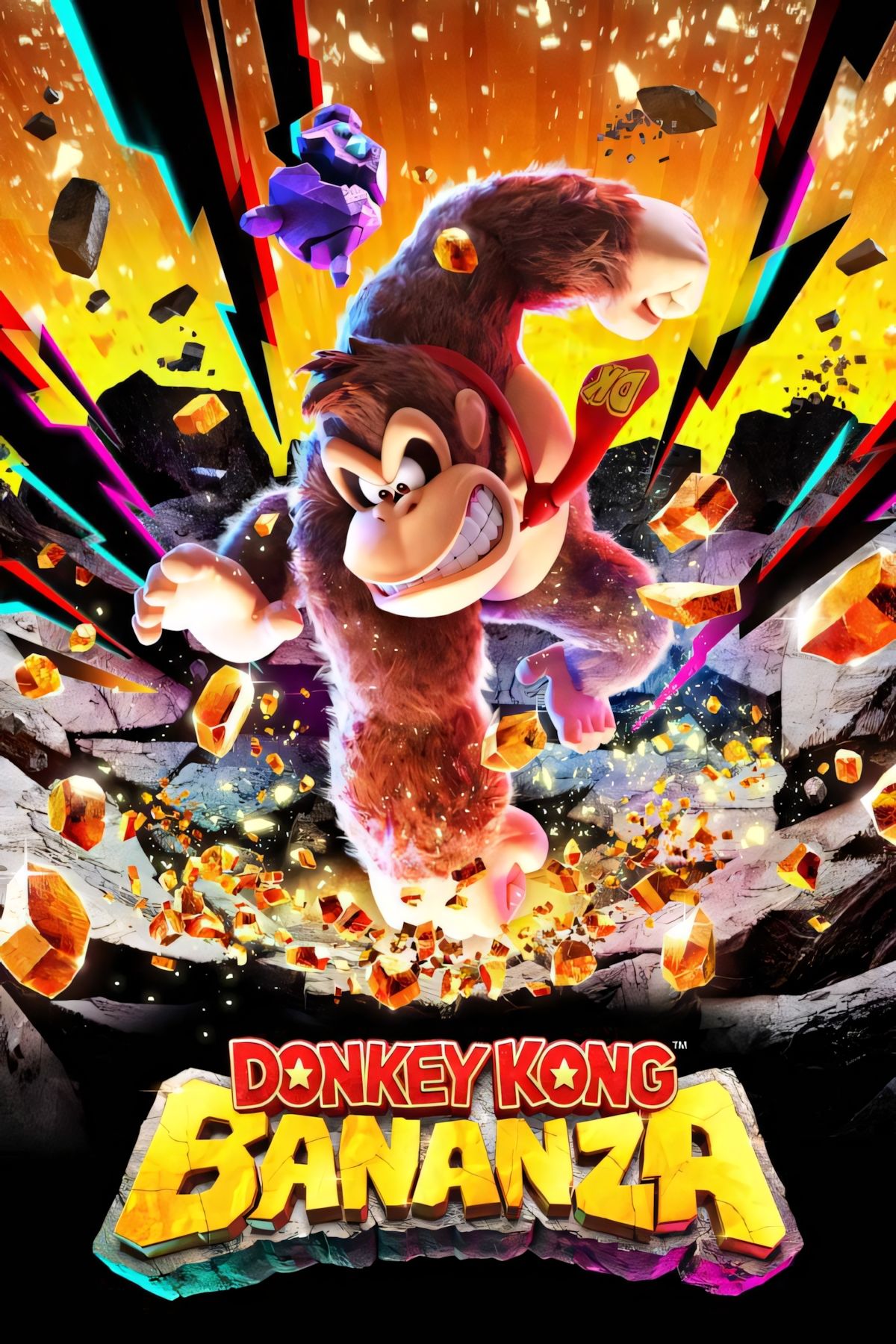
    Heading into the Nintendo Switch 2 Direct, while many were hoping for a glimpse of the next 3D Mario game, we were surprised to see a 3D Donkey Kong title take the spotlight instead. The visuals of *Donkey Kong Bananza* were so impressive that fans seemed content with this unexpected reveal, and the wait for its release won’t be long.

    *Donkey Kong Bananza* is set to launch exclusively on the Nintendo Switch 2 on July 17, 2025. If you’re among those eager to get a Switch 2 when it launches on June 5, you’ll have to hold out just a bit longer for this title. Nintendo tends to pace out its major first-party game releases during a new console’s launch, and *Bananza* is primed to be the big release for July this year. Pre-orders for the game will become available soon, and you can find all the details you need below.

    How to Pre-Order Donkey Kong Bananza

    One of the highlights from the recent Direct was the $80 price tag for *Mario Kart World*. Fortunately, *Bananza* will follow the more typical $70 price point for games in the industry these days. Early glimpses suggest that this upcoming Donkey Kong adventure will justify the price, but of course, that’s for you to decide.

    If you’re alright with the $70 cost, which is likely for most first-party Switch 2 releases moving forward, be sure to sign up for pre-orders. Although no pre-order bonuses for *Bananza* have been announced yet, this isn’t unusual for Nintendo. Typically, pre-order incentives are tied to specific retailers and are revealed as the release date approaches.

    Below, you’ll find a list of retailers where you can pre-order *Donkey Kong Bananza*, along with the price at each location. While pre-orders aren’t live just yet, the store pages are up and ready, so you can grab a copy as soon as it’s available.

    Donkey Kong Bananza
    Systems

    Release Date
    July 17, 2025
    Rating
    Everyone 10+ // Fantasy Violence
    Developer(s)
    Nintendo
    Publisher(s)
    Nintendo
    Number of Players
    Single-player

    Nintendo Switch Games with Switch 2 Editions

    During the Direct, in addition to *Bananza* and *Mario Kart World*, Nintendo also shared plans for some other popular Switch titles. Four games will be getting Switch 2 versions: *Breath of the Wild*, *Tears of the Kingdom*, *Kirby and the Forgotten Land*, and *Super Mario Party Jamboree*.

    These titles will either be priced at $70 or $80 for their new editions. However, if you already own any of these games on the original Switch, you can upgrade to the Switch 2 versions for a smaller fee. The upgrades for *Breath of the Wild* and *Tears of the Kingdom* will each cost $10, or if you have the Nintendo Switch Online Expansion Pack, they will be included at no extra charge. Expect the *Kirby* and *Mario Party* upgrades to cost a bit more due to added content.

    Frequently Asked Questions

    Will Pauline Appear in Donkey Kong Bananza?

    Yes, Nintendo has inadvertently confirmed that Pauline will be in *Bananza*. She is known as the mayor of New Donk City in *Super Mario Odyssey* and is the character you must rescue in the original *Donkey Kong*.

    Is Donkey Kong Bananza Exclusive to Switch 2?

    Yes, *Bananza* will only be available on the Switch 2. It won’t be playable on the original Switch or any other platform.

    Will Mario Appear in Donkey Kong Bananza?

    While Mario has not been featured in any promotional material for *Bananza*, this does not rule out his presence in the game.