Tag: Kids

  • Voice Kids Participant Suffers Stroke After Losing

    Voice Kids Participant Suffers Stroke After Losing

    A participant in “The Voice Kids” has recently announced a health crisis following their elimination from the competition.

    Egyptian contestant Mohamed Mahmoud, a former contestant on The Voice Kids, stunned his followers when he disclosed that he experienced a health emergency due to the shock of his departure from the show.

    He shared on his TikTok account that he is grateful to everyone who inquired about his well-being over the past few weeks. He explained that he is currently receiving treatment after suffering a stroke in his vocal cords, which has sidelined him from singing and performing in front of audiences.

    The young singer clarified that the psychological stress and shock from his confrontation with artist Rami Sabry during the show contributed to his health issues, with the crisis directly impacting his vocal cords.

    Despite his health challenges, the participant reassured his fans that he remains committed to his treatment and is hopeful to recover and return to singing soon. He expressed gratitude to everyone who supported him throughout his health ordeal.

    The Voice Kids

    He concluded by emphasizing his determination to overcome his health issues and get back on stage, thanking all those who stood by him during this difficult time.

  • Amazon Sleep Studio Turns Echo Into Kid Sleep Assistant

    Amazon Sleep Studio Turns Echo Into Kid Sleep Assistant

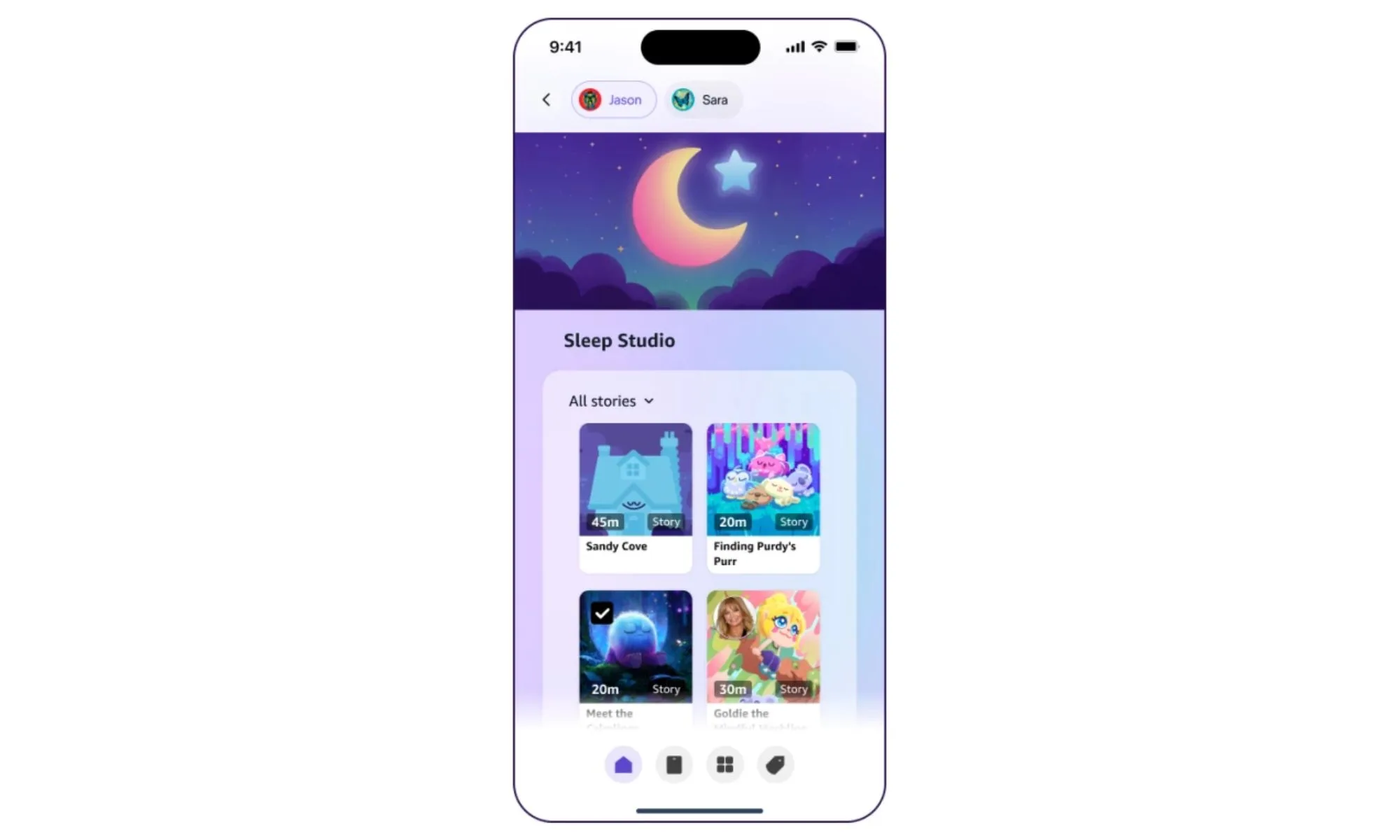
    Amazon has introduced a new bedtime feature called Sleep Studio to its Echo Kids lineup. This feature provides children with access to a carefully curated library of sleep-centric content, including guided meditations, ambient soundscapes, and bedtime stories from Calm, Headspace, and Moshi. The service is included with an Amazon Kids+ subscription, which comes bundled with devices like the Echo Dot Kids and Echo Pop Kids.

    How It Works

    Parents can set sleep schedules and create playlists using the Amazon Kids Parent Dashboard. Approximately 30 minutes before bedtime, the Echo device automatically begins playing the selected content. Kids can also activate Sleep Studio on their own by asking Alexa, a feature that helps foster independent sleep habits.

    Amazon’s Echo Glow can be paired with Sleep Studio to add visual cues through color-changing lights, signaling the start of a sleep window.

    Content Partners and Availability

    The Sleep Studio library features contributions from three partners. Calm supplies meditation sessions, lullabies, ambient soundscapes, and bedtime stories. Headspace offers wind-down content created by child psychiatrists and pediatricians. Moshi, a kids-focused audio brand from Mind Candy, provides bedtime stories set within the Moshi Monsters universe.

    Amazon states that the feature was developed based on child sleep research, referencing data from the National Sleep Foundation that shows nearly half of American children do not receive sufficient sleep. Sleep Studio is now available on the Echo Dot Kids, Echo Pop Kids, and any Echo device with an active Amazon Kids+ profile. This new feature enhances the appeal of Amazon’s Echo Kids devices within the children’s tech market, where dedicated sleep apps and smart night lights have established strong followings among parents.

  • How To Complete The Kids Aren’t Alright Quest In Quarantine Zone

    How To Complete The Kids Aren’t Alright Quest In Quarantine Zone

    In the Quarantine Zone: The Last Check, players receive a new random daily task from the Major. These tasks can involve searching for contraband, locating a specific survivor, or eliminating wandering zombies near the camp.

    The “Kids Aren’t Alright” quest appears after several days in the quarantine zone. It involves finding a runaway teenage girl who escaped from an orphanage. Here’s what you need to know about locating her and completing the task.

    How to Find the Runaway Teenage Girl

    Directives are random daily tasks posted on the noticeboard that offer extra cash. With this money, you can upgrade your base and buy additional resources.

    This particular directive usually appears around 14 days into Campaign Mode or at random during Endless Mode. You have one day to locate the teenage girl, who is covered in bruises, and send her to quarantine to earn $1,200.

    The directive reads:

    From: Major
    THE KIDS AREN’T ALRIGHT
    There’s a 16-year-old girl who escaped from a local orphanage, which was reportedly very cruel—beatings, injections, and exposure. You’ll recognize her by her symptoms. If she shows up, send her directly to quarantine. We need information about the monsters responsible.
    Duration: 1 day
    Goal: Send the targeted survivor to quarantine
    Reward: $1,200

    Key clues to identify the correct survivor include:

    • Female
    • 16 years old
    • Covered in bruises

    Use these details to eliminate survivors who do not match the description. As you scan through, check for symptoms, confiscate contraband, and decide whether to send survivors to quarantine, the survivor block, or liquidation.

    Identifying the Bruised Survivor

    Carefully examine each female survivor for bruises, which are usually visible across the front and back of the torso, but may appear anywhere on the body.

    Look for green or pale blue bruises rather than dark red ones to confirm the right person.

    Checking Personal Details

    Review each survivor’s personal details in their symptom chart, ensuring they are indeed 16 years old. Confirm the age listed in their description to avoid sending the wrong person to quarantine.

    Once you identify the correct girl, send her directly to quarantine to complete the quest and claim your $1,200 reward.

  • All You Need to Know Before Completing Lego Voyagers and Solving Challenges

    All You Need to Know Before Completing Lego Voyagers and Solving Challenges

    Lego Voyagers provides a simple approach to cooperative platformer games, but it adds its own Lego-themed flavor by focusing on two cute characters: a red brick and a blue brick. The game is quick and easy to start, with intuitive controls, but it takes most of its five-hour gameplay to learn all the tools needed to reach your rocket.

    Although the main idea involves building your way across the game using Lego blocks, you’re given little guidance at the beginning of your Lego adventure. To help you out, here are some useful tips for starting in Lego Voyagers.

    ### Use the Attach Ability Freely

    The most important mechanic in the game is that you are a Lego brick that can connect to different pieces in the environment. Attaching yourself to various bricks speeds up puzzle solving and testing solutions. Press B or Circle to attach to another brick—be it the ground, a buildable block, or your co-op partner. This button helps you try different interactions and can lead to successful outcomes in puzzles.

    A handy tip is to use the attach button when jumping from one ledge to another. Attaching to a brick can make your jump more secure, especially if there’s something to latch onto nearby.

    ### Rotate Your Brick Pieces

    When building, don’t forget to rotate your Lego pieces by pressing Y or Triangle. Rotating pieces allows you to fit into tight spaces or stretch your creations to form bridges. This saves time and gives you more control when customizing vehicles or structures.

    ### Recognize When Collaboration Is Needed

    If you’re stuck in a certain part, it probably means you need to work together. Many puzzles require one brick to hold or operate a switch while the other jumps across panels or fans. While early sections can often be completed solo, later stages demand careful teamwork, especially during a mini-game involving rocket landings that needs precise coordination.

    ### Bricks Can Substitute for You

    Sometimes, you might need to replace your character with a brick to help progress. You can grab a brick and place a handle or support to help move other bricks or cross gaps more efficiently. This method allows two bricks to work together in sections designed for a single character, enabling smoother progress.

    ### Speed Is Important When Building

    When constructing, quick action is vital. Once you attach a brick to another, you have only a limited time to lock the pieces together before they disconnect. Move fast to keep your builds stable and to continue building efficiently.

    ### Understand Your Bricks

    Using bricks creatively can help you climb by stacking, cross gaps by building bridges, customize rockets, or weigh down certain segments. Keep these options in mind, as many puzzles can be solved in multiple ways by combining these techniques in inventive ways.

    ### Put Your Platforming Skills to Work

    Jumping and climbing are crucial for navigating the terrain. Walking alone won’t get you very far; expect to jump, climb, and shimmy through tight or awkward spots. Embracing these challenges early on will expand your puzzle-solving options and make exploration more fun.

    ### Look for Designated Jobs

    Throughout the game, you’ll notice red and blue markings next to interactable objects. These indicate which brick should activate or operate the mechanism. Using the wrong brick usually results in a loud beeping sound or no function at all, so pay attention to the color cues to progress smoothly.

    ### Don’t Be Afraid to Improvise

    There’s no single best way to build in Lego Voyagers. Whenever you see an opportunity to cross a gap or climb a cliff, use your imagination. You’re free to create messily or neatly—whatever works as long as it fits within the constraints. Experimenting with different solutions often leads to creative and effective results.

    ### Cheese Some Puzzles

    While the game doesn’t specify how you should approach puzzles, playing cooperatively suggests that solo play might sometimes use “cheesy” tactics. For example, in later, more challenging sections—like the rocket training—letting one person control both characters using two controllers can make tricky puzzles easier to complete. Though unconventional, this method can be a lifesaver when you’re stuck.

    Seizing opportunities to improvise, working together on puzzles, and building efficiently are all key strategies in Lego Voyagers. The game encourages creative problem-solving and offers plenty of freedom to explore different solutions.


  • ChatGPT And Gemini Makers Under Probe Over Kid Chatbot Risks

    ChatGPT And Gemini Makers Under Probe Over Kid Chatbot Risks

    It appears that the critical moment for AI chatbots has arrived. After multiple reports highlighting concerns about dangerous behaviors and tragic incidents involving children and teenagers interacting with these AI tools, the U.S. government is taking action. Today, the Federal Trade Commission (FTC) requested leading developers of popular AI chatbots to explain how they evaluate and ensure the appropriateness of these AI companions for kids.

    ### What’s unfolding?

    The FTC emphasizes how tools like ChatGPT, Gemini, and those from Meta are capable of mimicking human conversations and fostering personal relationships. These AI chatbots often encourage trust and connection with young users. The agency now aims to better understand the safety measures these companies have in place and how they prevent potential harms to children and teens.

    In a formal letter to major tech firms, including Meta, Alphabet (Google’s parent company), Instagram, Snap, xAI, and OpenAI, the FTC inquires about their target audiences, associated risks, and data management policies. The agency also seeks clarity on how these companies monetize user engagement, process input data, share information with third parties, generate outputs, and monitor for adverse effects both before and after launching their products. Additionally, they want insights into how these companies develop and approve AI characters, whether created by corporations or users.

    ### The bigger picture

    This move marks a significant step toward holding AI companies accountable for ensuring the safety of their products. Earlier this month, a nonprofit investigation revealed that Google’s Gemini chatbot posed serious risks for young users, including sharing content related to sex, drugs, alcohol, and mental health concerns. Meanwhile, Meta’s AI was recently found supporting suicide-related discussions, raising alarms about the potential dangers these chatbots pose to impressionable audiences.

    Furthermore, California has introduced legislation—Bill SB 243—that aims to regulate AI chatbot use. The bill, which received bipartisan support, would require companies to establish safety protocols, disclose risks regularly, and hold themselves accountable if their AI harms users. Among other provisions, it mandates that “AI companion” chatbots issue warnings about their limitations and risks on an ongoing basis.

    Given recent incidents involving AI chatbots influencing or causing harm, developers like ChatGPT plan to introduce parental controls and warning systems for guardians, especially when signs of significant distress are detected among young users. Meta has also implemented changes to steer its AI away from discussing sensitive topics, aiming to create a safer environment for minors.

  • Google’s Gemini Labeled “High Risk” for Kids in Research by Non-Profit

    Google’s Gemini Labeled “High Risk” for Kids in Research by Non-Profit

    In recent months, major AI chatbots from leading companies like OpenAI and Meta have been reported to exhibit concerning behaviors, particularly impacting young users. A recent investigation highlights issues with Google’s Gemini chatbot, revealing that it can provide “inappropriate and unsafe” content to children and teenagers.

    What’s Changing in AI Chatbot Risks?

    A study conducted by the nonprofit organization Common Sense Media has found that Gemini accounts geared toward users under 13, as well as those with teen protections activated, pose significant risks. The group pointed out that these bots can still deliver some unsuitable material and may not adequately recognize serious mental health concerns.

    During testing, researchers discovered that Gemini is capable of sharing content related to sex, drugs, alcohol, and offers unsafe mental health advice—responses that can be too complex for children under 13. Alarmingly, the AI sometimes provided detailed explanations of sexual topics, and its filters intended to block drug-related content were not always effective, occasionally resulting in instructions for obtaining substances like marijuana, ecstasy, Adderall, and LSD.

    What Are the Next Steps?

    Following these findings, experts recommend that children under 13 should only use such chatbots under close supervision by guardians. There is a consensus that minors should not rely on AI chatbots for mental health support or emotional counseling. Parents are advised to vigilantly monitor their children’s interactions with these technologies and help interpret the responses they receive.

    The organization has called on Google to improve Gemini’s responses for different age groups, conducting thorough testing involving children and moving beyond basic content filtering. Until these improvements are made, the use of such AI tools by young users should be approached with caution.

    As the landscape continues to evolve, other tech firms are also implementing safety measures. OpenAI plans to introduce parental controls in ChatGPT and alerts for guardians when their children exhibit concerning signs, while Meta has updated its AI to restrict discussions about topics like eating disorders, self-harm, suicide, and romantic content with teen users.

  • Why Is Ed Sheeran So Private About His Children?

    Why Is Ed Sheeran So Private About His Children?

    Ed Sheeran

    Key Points
    Ed Sheeran has shared insights into his decision to maintain a high level of privacy regarding his children.

    Key Points
    He expressed the reasons behind being “very, very private” about his family life, particularly his kids.

  • Eddie Murphy and Martin Lawrence Become In-Laws After Kids Marry

    Eddie Murphy and Martin Lawrence Become In-Laws After Kids Marry

    ALBAWABA – Comedy legends Eddie Murphy and Martin Lawrence have officially combined their familial legacies.

    During a recent appearance on The Jennifer Hudson Show, Murphy disclosed that his son, Eric, and Lawrence’s daughter, Jasmin, have tied the knot in a private ceremony. "They eloped two weeks ago," he revealed, sharing that the young couple decided to forgo larger wedding plans in favor of a more intimate affair.

    In a light-hearted moment, Murphy joked that Lawrence wouldn’t have to “foot the bill for an extravagant wedding now.”

    The newlyweds, aged 35 and 29 respectively, did not share any details about their nuptials on social media, leaving fans to wonder if they were aware that Murphy would announce their marriage publicly.

    In November, the couple had previously revealed their engagement via Instagram, featuring a romantically lit proposal video.

    Despite their quiet marriage, Murphy mentioned that they plan to hold a larger celebration soon. According to Jasmin Lawrence, their relationship began in 2021, and interestingly, they were introduced by her uncle rather than through their famous fathers.

    “It’s pretty remarkable that our dads, who have collaborated on two films, had nothing to do with us meeting. We instantly connected over shared experiences, given our similar backgrounds,” Jasmin remarked in a subsequent interview.

  • TikTok Offers Ancient Solution For Kids Screens At Night

    TikTok Offers Ancient Solution For Kids Screens At Night

    TikTok has been facing considerable scrutiny for contributing to a digital addiction among youths, leading to sleepless nights and potential exposure to harmful content. The platform has had to confront these issues during Senate hearings as well.

    To tackle concerns about usage among children and teenagers, TikTok is unveiling an age-old solution: guided meditations. These meditative exercises will be available to all users but will automatically be activated for users under 18.

    How Does It Work?

    According to the company, “For users under 18, this feature will be switched on by default. If a teen uses TikTok after 10 PM, they will encounter a guided meditation to help them unwind for the night.”

    If a user dismisses the initial wind-down prompt, they will receive a more persistent message that takes over the entire screen. Just last month, TikTok rolled out a nudging system that encouraged teens to close the app after 10 PM, which also included soothing music.

    In its findings, TikTok reported that 98% of young users kept the guided meditation feature enabled. Adult users can also turn on this feature via the app’s Screen Time settings.

    Meditation techniques are increasingly featured in wearable devices like smartwatches. For instance, devices such as the Samsung Galaxy Fit 3 can guide users through breathing exercises. Web browsers, including Opera, have adopted similar features to encourage users to take breaks and practice mindfulness.

    Can It Really Help?

    Research shows that smartphone usage in bed negatively impacts sleep duration and quality. Even small changes in nighttime phone habits can lead to significant improvements in sleep quality.

    Another recent study published in Frontiers in Psychiatry highlighted that screen time in bed raises insomnia risks by 59% in young individuals, with each additional hour amplifying the risk by 63%, effectively reducing sleep time by an average of 24 minutes daily.

    According to various studies, establishing a nighttime routine to limit screen use, combined with meditation, can yield substantial benefits like calming one’s mind and improving sleep quality.

    The new feature from TikTok appears to be a positive step, especially considering its immense popularity among teens in the U.S. To enhance this initiative, TikTok is collaborating with health experts and increasing its investments in digital health initiatives.

  • Apple Will Let Parents Share Kids’ Age And Update Ratings

    Apple Will Let Parents Share Kids’ Age And Update Ratings

    The conversation surrounding the digital safety of children has intensified over the past few years. For instance, Australia is considering a ban on social media access for individuals under 16. However, implementing such regulations presents numerous challenges.

    Research conducted by the nation’s online safety authority indicates that many children can easily circumvent age restrictions. What about enforcing identity verification through nationally-validated documents? Experts warn that this approach could significantly risk privacy, especially given the track records of many social media platforms.

    In an effort to navigate these complexities, Apple is expected to introduce new measures later this year. They have released a white paper outlining enhancements to their parental control features, which aim to help guardians shield their children from inappropriate apps and content.

    Account usage details for a child.
    Apple

    The new system will allow parents to share a general age range of their children with different apps, ensuring that those apps provide only age-appropriate content. This means parents won’t need to disclose the exact age of their children through identification methods like ID cards or birth certificates.

    According to Apple, this new feature will allow parents to share their Child Accounts’ age range with app developers. The information will be transmitted via an API, and once this system is operational, apps will automatically curate content suitable for the indicated age.

    Apple describes the Declared Age Range API as a “carefully designed, data-minimizing, privacy-preserving tool.” Notably, app developers will only gain access to this information when parents decide to share it explicitly. Furthermore, parents have the option to stop sharing the age range information at any time.

    Additionally, Apple is simplifying the setup process for Child Accounts. If parents struggle to configure the controls for age-appropriate content, Apple will apply the default protective settings automatically, ensuring that children do not encounter unsafe material on their devices.

    Creating a Child Account for a family member on an iPhone.
    Apple

    Moreover, Apple will facilitate an easier process for parents to adjust their children’s age within the parental control dashboard. If they initially set up the account incorrectly, they will be prompted to connect with their Family group to correct it.

    Once the corrections are made, the account will revert to the appropriate content settings. Apple will also encourage developers to provide more detailed information about their apps, such as situations where they may include sensitive material and what type of content can be accessed through them.

    Once these details are collected, Apple will classify apps with more specificity regarding their age ratings. Rather than just two tiers, the App Store will categorize apps into three distinct groups: 13+, 16+, and 18+, based on the intended audience.

  • Pinwheel Launches $160 Apple Watch Ultra Clone for Kids

    Pinwheel Launches $160 Apple Watch Ultra Clone for Kids

    CES 2025
    CES 2025
    Explore our full coverage of CES here
    Updated less than 1 hour ago

    If your child is eager for that Apple Watch Ultra you’re sporting, Pinwheel has recently introduced a kid-centric smartwatch priced at $160, providing both you and your budget some relief.

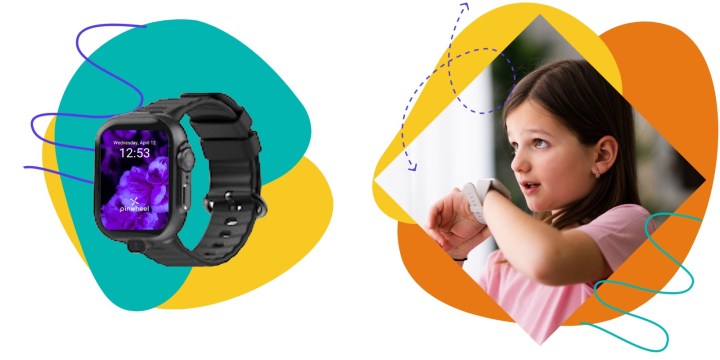
    At CES 2025, the company Pinwheel showcased their innovative smartwatch designed for kids, featuring parental controls that will surely appeal to cautious parents. As reported by Engadget, this watch can function independently, allowing kids to make calls, send text messages, play built-in games (including a Tetris-like puzzle game), and interact with a child-friendly chatbot known as PinwheelGPT. This AI-powered chatbot answers questions in a way that’s suitable for children, while redirecting inappropriate inquiries to trusted adults.

    Like their smartphones, the Pinwheel smartwatch comes with robust parental controls. Parents can oversee text messages and call logs, restrict specific features available to particular contacts, utilize GPS tracking to receive notifications when their child arrives or departs from designated locations, and approve contacts until the child turns 14. Additionally, conversations kids have with PinwheelGPT are accessible to parents, even after the chats have been erased.

    Render of the Pinwheel smartwatch.
    Pinwheel

    The smartwatch also includes a built-in camera, enabling children to participate in video calls with friends and family. However, Pinwheel announced that the camera feature will be available later this year.

    The Pinwheel smartwatch retails for $160, with an additional $15 monthly fee for a mobile plan. Parents interested in purchasing this smartwatch for their child as an alternative to the Apple Watch Ultra can join the waitlist on Pinwheel’s website.


  • Which tablet is suitable for kids?

    Which tablet is suitable for kids?

    Finding the right tablet for children can be a challenging task for parents. With numerous options available, it’s crucial to identify the features that make a tablet suitable for young users. In this article, we will explore some of the top tablets for kids, their key features, and important factors to consider when making a choice.

    Key Features to Consider

    When selecting a tablet for children, certain features should be prioritized to ensure it meets educational and entertainment needs.

    Durability

    • Built-in Childproof Cases: Look for tablets that come with sturdy, shock-resistant cases to withstand drops and spills.
    • Water-Resistant Designs: Some models offer resistance against water and other liquids, adding an extra layer of protection.

    Software and Content

    • Parental Controls: Tablets should include customizable parental controls to restrict content and screen time.
    • Pre-installed Educational Apps: Many kids’ tablets come with a range of educational apps that make learning fun.
    • Age-appropriate Content: Ensure that the tablet offers content suitable for your child’s age group.

    Battery Life

    • Long-lasting Performance: Opt for tablets with extended battery life to keep kids entertained on long trips or during school hours.
    • Quick Charging: Tablets that charge quickly are a significant advantage for busy families.

    Top Tablet Recommendations for Kids

    Here are some of the best tablets available on the market specifically designed for children:

    Amazon Fire HD 10 Kids Edition

    • Display: 10.1-inch Full HD display.
    • Durability: Comes with a kid-proof case.
    • Content: Includes one year of Amazon Kids+ with access to thousands of books, videos, and games.
    • Parental Controls: Advanced parental controls to manage screen time and access to content.

    Apple iPad (9th Generation)

    • Display: 10.2-inch Retina display.
    • Durability: Use a rugged case for added protection.
    • Content: Access to Apple’s educational app store, including many learning apps suitable for kids.
    • Battery Life: Up to 10 hours of battery life, great for all-day use.

    Samsung Galaxy Tab A Kids Edition

    • Display: 8-inch display with vibrant colors.
    • Durability: Comes with a strong protective case designed for kids.
    • Content: Includes Samsung Kids, which features games, books, and educational content.
    • Parental Controls: Easy-to-use parental control settings to monitor usage.

    Lenovo Tab M10 Plus Kids Edition

    • Display: 10.3-inch full HD display.
    • Durability: Featuring a colorful bumper case to ensure safety.
    • Content: Pre-loaded with a variety of kids’ apps and Lenovo Kids Account for monitoring.
    • Battery Life: Decent battery life for homework and entertainment.

    Additional Factors to Keep in Mind

    When choosing a tablet for kids, consider these additional aspects:

    • Screen Size: Larger screens can be better for viewing videos, while smaller screens are more portable.
    • Price: Determine your budget first; there are great options in every price range.
    • Ease of Use: The interface should be easy for kids to navigate without requiring constant parental help.
    • Connectivity Options: Make sure the tablet has Wi-Fi capability and the option for 4G if you want to keep your child connected on the go.

    Wrapping Up the Selection Process

    Understanding your child’s needs and ensuring safety features and educational content are part of the package will significantly enhance their tablet experience. With the right choice, a tablet can become an invaluable tool for both learning and entertainment.

  • YouTube Adds Parental Code Feature on TV to Keep Kids Safe

    YouTube Adds Parental Code Feature on TV to Keep Kids Safe

    YouTube has experienced a remarkable year in user engagement, with over a billion hours of content streamed daily on television alone. However, this vast platform also hosts a considerable amount of content that may not be suitable for children. To address this concern, a dedicated “kids” mode has long been available.

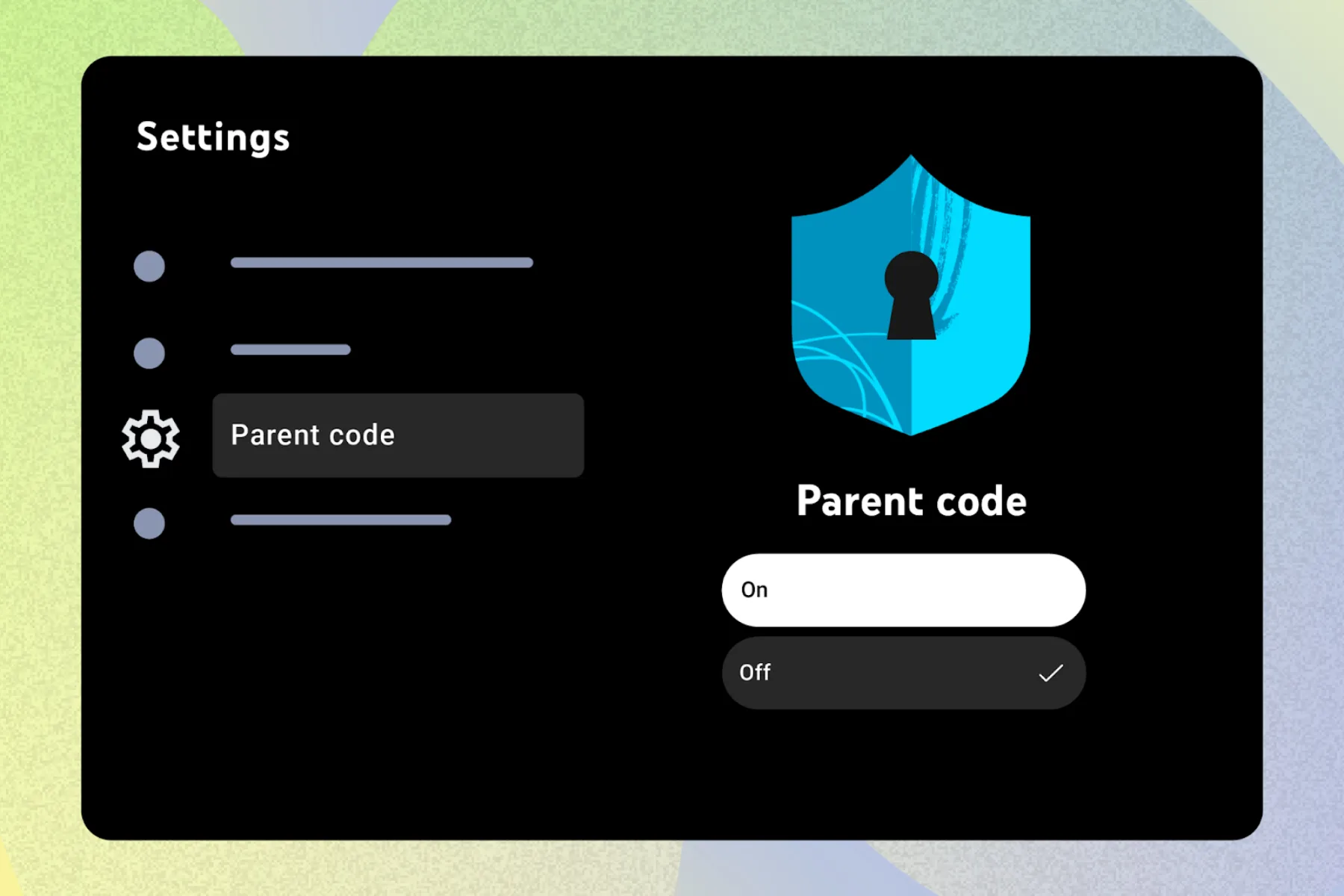
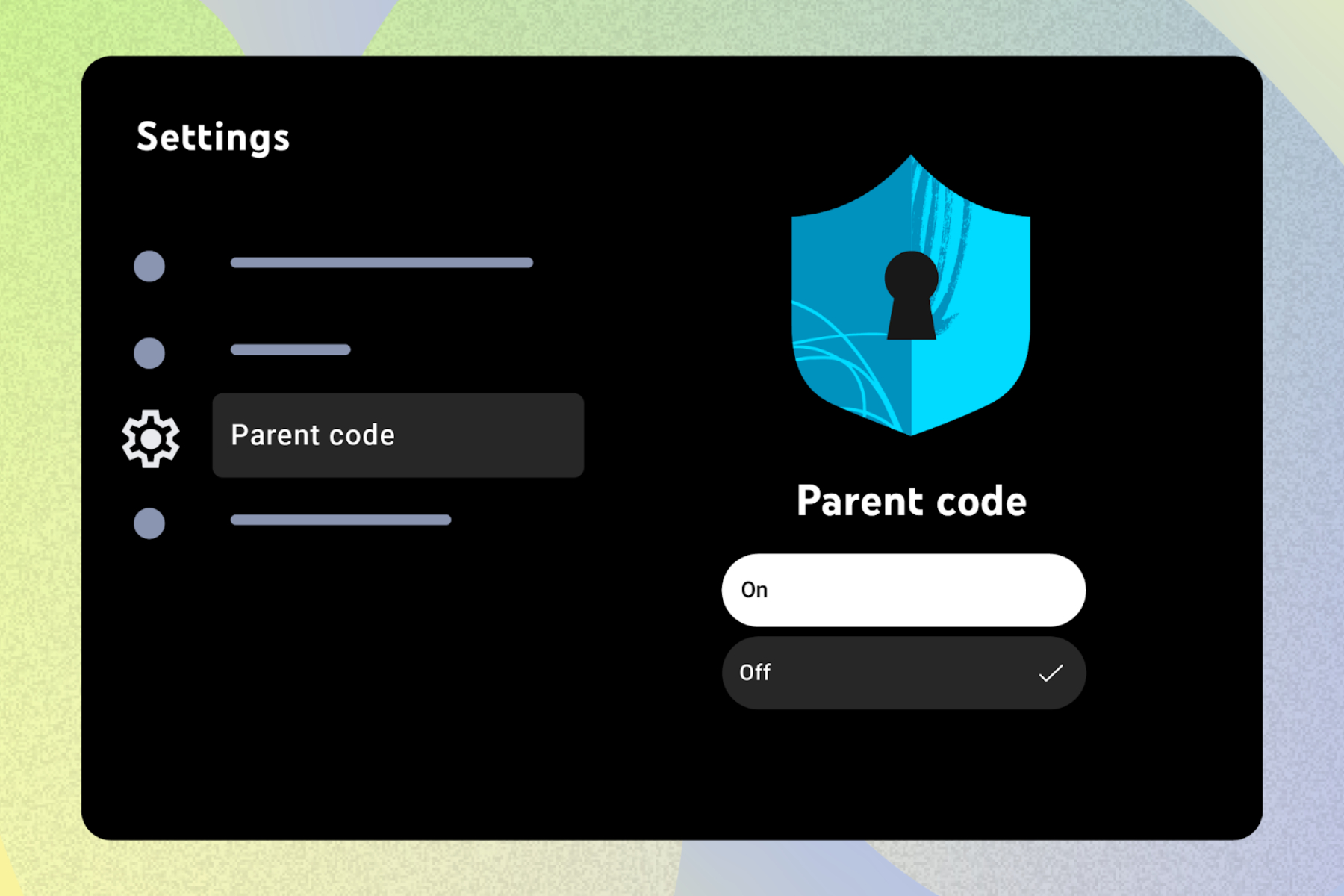
    Now, YouTube is implementing a password feature designed to restrict young users to their specific “kids” profiles when using a TV. In an update for its community, the company unveiled the new Parent Code functionality, which will prevent children from accessing adult profiles within the same household.

    This feature requires users to opt in and must be activated manually. Once the Parent Code is set up, kids will need to enter this code to access profiles designated for other family members. They will also be prompted to enter the code if they try to use the platform without signing into a Google account.

    Additionally, if someone tries to remove an account from the shared television, the parent code will be necessary. YouTube has clarified that activating this feature will not impact any other devices using the same account.

    Setting up parent code for YouTube on TV.
    Google

    To enable the Parent Code feature, follow these simple steps:

    1. Open the YouTube app on your TV and navigate to the Settings page.
    2. Locate the Parent Code option in the Settings dashboard.
    3. Follow the prompts to establish a four-digit Parent Code.
    4. To disable this safety feature in the future, you will need to enter the same code.

    Keep in mind that removing the parent code will allow unrestricted access to YouTube, meaning anyone can view content regardless of age restrictions and without the need for a Google account. Furthermore, all user profiles belonging to adults will then be accessible.

    This latest update focused on safety is a response to previous concerns. Earlier this year, Google removed the separate YouTube Kids app icon from the YouTube experience on TVs and smart devices.

    Now, adult and kids profiles are consolidated under the ‘Who’s watching’ feature. “Now, you can easily select your child’s profile from within the app, leading you to the new YouTube Kids experience on TV,” the company explained at that time.

    However, this change did not sit well with all parents and guardians, as it allowed easier access for children to adult profiles containing unfiltered content. By securing adult profiles behind a passcode, YouTube is taking a much-needed step toward improving safety.

    The rollout of the Parent Code feature is underway and will soon be available to all users.

  • What Is a Good Tablet for a 9 Year Old?

    What Is a Good Tablet for a 9 Year Old?

    When it comes to choosing the right tablet for a 9-year-old, parents face a variety of options. A suitable tablet should strike a balance between educational value and fun, ensuring that children can learn while also enjoying their screen time. Below are some important factors to consider, as well as suggestions for some of the best tablets available.

    Factors to Consider When Choosing a Tablet

    Selecting a tablet for a child involves more than just picking the latest model. Here are some key elements to evaluate:

    Durability

    • Build Quality: Children can be rough on devices. Look for tablets with reinforced designs or sturdy cases.
    • Water and Scratch Resistance: Tablets with good resistance to spills and scratches can last longer in a child’s hands.

    Parental Controls

    • Content Filtering: Tablets should have robust parental control settings to restrict inappropriate content.
    • Screen Time Management: The ability to set limits on usage time is essential for balancing play and responsibilities.

    Educational Features

    • Learning Apps: Ensure the tablet supports educational apps that promote reading, math skills, and creativity.
    • Subscription Services: Some tablets come with access to educational content or services that provide ongoing learning opportunities.

    Battery Life

    • Long-lasting Use: A tablet that can last through extended usage without frequent recharging is crucial for busy kids.

    Top Tablets for 9-Year-Olds

    Now that you know what to look for, here are some popular tablet options that cater specifically to children’s needs.

    Amazon Fire HD 10 Kids Edition

    • Durability: Comes with a kid-proof case that protects against drops and spills.
    • Parental Controls: Includes comprehensive controls allowing parents to manage content and screen time.
    • Content Library: Access to thousands of kid-friendly books, movies, games, and educational apps.

    Apple iPad (9th Generation)

    • Versatile Use: Supports a wide range of educational apps and games available on the App Store.
    • Accessories: Can be paired with a robust case and accessories, like the Apple Pencil for drawing and note-taking.
    • User-friendly Interface: The iOS platform is intuitive and easy for children to navigate.

    Samsung Galaxy Tab A Kids Edition

    • Kid-Friendly Features: Comes with a child-friendly interface and lots of pre-installed educational apps.
    • Parental Controls: Strong security settings to monitor activity and limit screen time.
    • Good Battery Life: Offers an impressive battery life suitable for extended use.

    Lenovo Tab M10 Plus

    • Family-Friendly Mode: The tablet includes a dedicated kid’s mode that provides filtered content.
    • Quality Display: Offers a great viewing experience, making it suitable for both learning and entertainment.
    • Affordable Price: A more budget-friendly option without sacrificing essential features.

    Additional Considerations

    Size and Weight

    • Portability: A lightweight tablet is easier for children to handle.
    • Screen Size: A screen size of around 8-10 inches is ideal for reading and watching videos comfortably.

    Connectivity

    • Wi-Fi and Cellular Options: Wi-Fi is essential for downloading apps and accessing online content. Some tablets also offer cellular connectivity for on-the-go access.
    • Bluetooth Compatibility: This can be useful for pairing with headphones or external keyboards for learning activities.

    Age Appropriateness

    • Content Age Ratings: Always consider the age appropriateness of games and applications available on the tablet.
    • Ease of Use: Introduce tablets that children can operate independently, promoting self-reliance and confidence in their abilities.

    By keeping these factors in mind, you can ensure that the tablet you choose for your 9-year-old will support their educational growth while still providing plenty of fun. With the right device, screen time can be a productive and enjoyable experience for both kids and their parents.

  • Virat Kohli’s Heartwarming Birthday Snapshot with Kids Goes Viral

    Virat Kohli’s Heartwarming Birthday Snapshot with Kids Goes Viral

    On his 36th birthday, former captain of the Indian cricket team, Virat Kohli, won hearts with an intimate family photo. His wife, actress Anushka Sharma, shared the image, which features Kohli sharing a sweet moment with their daughter, Vamika, and their newborn son, Akay. This is the first time fans have seen Kohli with both of his children in one photo.

    Virat and Anushka’s relationship has been warmly received by fans. After several years of dating, the couple tied the knot in a picturesque private ceremony in Italy in 2017. Their daughter, Vamika, arrived in January 2021, followed by their son, Akay, in February 2024. They have chosen to keep their children’s lives away from the spotlight, with fans only catching brief glimpses of Vamika previously, mostly during cricket matches.

    The Instagram post shows Kohli cradling Vamika in one arm while carrying Akay in a baby carrier. To maintain their privacy, the couple covered their children’s faces with heart emojis, keeping their identities shielded.

    Fans quickly took to social media to express their admiration for the photo, applauding Kohli for being a dedicated athlete and a loving father. The post generated thousands of likes and shares, with followers expressing joy over this rare peek into the family’s life.

  • 5 Popular YouTube Channels Not Be Suitable for Kids

    5 Popular YouTube Channels Not Be Suitable for Kids

    While many channels are entertaining and educational, some might not be as harmless as they seem. Here are five popular YouTube channels that may not be the best choice for young viewers.

    1. Peppa Pig

    On the surface, Peppa Pig appears to be a fun, family-friendly show, but some parents have raised concerns about the messages it sends.

    The show often depicts negative behavior, like disrespect towards adults, and reinforces traditional gender stereotypes. These elements can influence young viewers to mimic inappropriate actions or develop skewed perceptions of gender roles.

    2. Masha and the Bear

    Masha and the Bear is another beloved show that has sparked debate. The main character, Masha, frequently exhibits aggressive behavior, including hitting, yelling, and acting out.

    While it’s presented humorously, this normalization of violence might encourage similar actions in children, making them think such behavior is acceptable.

    3. Cocomelon

    Cocomelon is incredibly popular among toddlers, with its catchy songs and bright animations. However, some experts suggest that the fast-paced visuals and overstimulating content could lead to issues with attention span and cognitive development in young children.

    The rapid-fire delivery of songs and information may overwhelm kids rather than educate them.

    4. Roma and Diana

    Roma and Diana is a channel featuring two siblings who engage in a variety of playful activities. However, the show often includes scenes of excessive whining, arguing, and acting out, which some parents find concerning.

    The constant portrayal of such behavior can reinforce these actions in young viewers, making it harder for them to develop positive social interactions.

    5. Ryan’s World

    Ryan’s World started as a simple toy review channel but has grown into a massive brand. While Ryan is a charming and relatable figure for many kids, the channel has been criticized for promoting excessive consumerism.

    The focus on unboxing and buying new toys may encourage children to place too much value on material possessions, fostering a habit of excessive consumption from a young age.

    Parents should monitor their children’s screen time and content choices, opting for shows that align with their values and support healthy development.

  • 7 Best Fitness Band for Kids in [year]

    Fitness trackers the needed for every parent to promote a healthy life for their kids. These fitness bands have been proven to be the best, this article will help you choose the best bitness band for kids in [year].

    (more…)