الوسم: Hulu

  • How To Download Shows and Movies From Hulu for Offline Viewing

    How To Download Shows and Movies From Hulu for Offline Viewing

    There are numerous reasons to consider subscribing to Hulu. Perhaps you’re tired of the rising prices on Netflix, or maybe you’re a fan of shows like Only Murders in the Building, Alien Earth, or The Bear. You might also appreciate Hulu’s live TV options. One of Hulu’s standout features is the ability to download shows and movies directly to your devices, a feature available on their premium plans.

    With the holiday season approaching and travel plans on the horizon, you’ll want to ensure your phone or tablet is loaded with entertainment to avoid buffering issues. You might also find yourself on long daily commutes, making downloaded content especially convenient. Currently, though, Hulu doesn’t support downloads on computers, smart TVs, or gaming consoles.

    Once you’ve downloaded content through Hulu, you can watch it offline whenever you want—ideal for areas with unreliable Wi-Fi. To get everything set up smoothly, here’s a comprehensive step-by-step guide.


    Difficulty Level and Time Commitment

    • Difficulty: Easy
    • Time Needed: About 5 minutes

    What You’ll Need

    • A compatible device (mobile or tablet)
    • An active Hulu subscription supporting downloads

    Changing Your Hulu Plan for Offline Downloads

    If your current plan doesn’t support downloads, you’ll need to switch to a higher-tier plan. Offline viewing is only available on these plans:

    • Hulu (No Ads) — $18.99/month
    • Disney Bundle: Hulu (No Ads) + Disney+ + ESPN+ — $29.99/month
    • Hulu (No Ads) + Live TV + Disney+ + ESPN+ — $89.99/month

    To change your plan:

    1. Log into Hulu through a web browser (not via the app or smart TV).
    2. Click or tap the Account icon in the upper-right corner and select Account from the menu.
    3. Enter your password if prompted.
    4. In your Subscription section, choose Manage plan and toggle the switch for the plan that supports downloads.
    5. You can also customize add-ons here—adding or removing options as needed—then confirm your changes.

    Note: Switching from a download-enabled plan to a lower-tier plan will delete any downloaded content you’ve stored, so be sure to manage your downloads accordingly.


    Ensuring Compatibility with Your Device

    Currently, downloads are only available on mobile devices from Amazon, Android, or Apple. You cannot download content directly to your computer, smart TV, or gaming console. The list of compatible devices includes:

    • Amazon Fire Tablets (Fire 7 9th gen+, Fire HD 8 8th gen+, Fire HD 10 9th gen+, Fire Max 11 13th gen+)
    • Android Devices (most models running Android 7.1 or higher with at least 800×480 pixels)
    • Apple Devices (iPads and iPhones running iOS 16.4 or newer)

    Timing and Limitations

    Downloading content is akin to renting digital media. You can store files for a specific period:

    • You’re limited to a maximum of 25 downloads across five devices (not per profile).
    • You have 30 days to start watching a downloaded title.
    • Once you begin playback, you have 48 hours to finish watching before the download expires.
    • If you don’t watch within that period, you’ll need to re-download the content.

    Locating and Downloading Content

    Finding and saving content for offline viewing is straightforward:

    1. Tap the Search icon at the bottom.
    2. Use the search feature to browse for your favorite shows or movies.
    3. Select the Downloadable option to filter content that can be saved offline.
    4. For TV episodes, tap the Download arrow icon next to each episode. For movies, tap the Download button beneath the Watch movie option.

    This allows you to quickly pick and store content to enjoy later without an internet connection.


    Managing Downloaded Content

    After watching offline, you can delete downloaded titles:

    1. Tap the Downloads tab in the bottom navigation.
    2. Find the media you want to remove and tap the Checkmark icon.
    3. Select Delete download from the pop-up menu to free up space.

    Adjusting Download Quality

    By default, Hulu downloads content in Standard quality, offering faster downloads and less storage usage. To change:

    1. Open Downloads from the bottom menu.
    2. Tap the gear icon in the corner.
    3. Select Video quality.
    4. Choose between Standard and High quality. Keep in mind that higher quality takes longer to download and uses more storage space.

    Renewing Expired Downloads

    If a download expires—either because you didn’t finish watching within 48 hours or the content has been removed—you can renew it:

    1. Go to the Downloads section.
    2. Tap the Expired icon next to the content.
    3. If available, select Renew download to restore access.

    Downloading with Cellular Data

    If you want to download content over your mobile network, enable Cellular Downloading in settings:

    • On iOS: Go to Downloads > Settings and toggle Cellular Downloading on or off.
    • On Android: Navigate to Account > Settings > Downloads, then toggle Cellular Downloading.

    Be aware that downloading over cellular networks may consume your data plan, so use this feature judiciously.


    Armed with this knowledge, you’re now ready to maximize your Hulu experience and enjoy your favorite content offline wherever you are.

  • Hulu To Join Disney+ App Fully In 2026

    Hulu To Join Disney+ App Fully In 2026

    Hulu’s standalone app will soon be a thing of the past. Starting next year, Hulu will be fully integrated into Disney+, offering users a streamlined streaming experience through a single platform.

    This transition was revealed during Disney’s recent earnings call on Wednesday morning.

    Today, Disney announced a significant step in unifying its streaming services. CEO Bob Iger and CFO Hugh Johnston shared that by merging Hulu into Disney+, they aim to create a comprehensive entertainment package. This new platform will combine top-tier brands and popular franchises, providing a mix of general entertainment, family-friendly programming, news, and leading live sports content—all accessible through one app.

    Hulu will completely shift under the Disney+ banner sometime in 2026. Until then, viewers will still be able to purchase standalone subscriptions for Hulu or Disney+. After the merger, customers will carry the option to subscribe to either service separately if they choose.

    The integration process has been underway for several years. Notably, in June 2025, Disney acquired NBCUniversal’s one-third stake in Hulu for about $9 billion, making Disney the full owner of Hulu.

    Since spring 2024, Disney has been gradually incorporating Hulu content into Disney+. This strategy has included offering bundle plans that include both Disney+ and Hulu, making it easier for subscribers to access a broad range of programming.

    Additionally, starting this fall, Hulu will replace the Star section on Disney+ internationally. Iger described Hulu as now being a “global general entertainment brand,” emphasizing its expanded reach.

    Looking ahead, Disney plans to introduce improvements within the Disney+ app, including new features and a more personalized homepage, all culminating in the launch of the unified Disney+ and Hulu platform next year. Company executives believe that combining the two services will enhance the user experience, support growth in profitability, and reduce subscriber churn.

    The company also announced that ESPN’s standalone streaming service will debut on August 21, priced at $29.99 per month, marking another significant move in its direct-to-consumer offerings.

  • Buffy Reboot Casts Ryan Kiera Armstrong As New Slayer

    Buffy Reboot Casts Ryan Kiera Armstrong As New Slayer

    The reboot of Buffy the Vampire Slayer has officially cast Ryan Kiera Armstrong in the leading role. She will be joined by Sarah Michelle Gellar, who not only reprises her iconic role as Buffy Summers but also serves as an executive producer.

    Gellar took to Instagram to share a heartfelt video in which she revealed the big news to Armstrong.

    “How do you feel about helping me save the world?” Gellar asked. “Do you want to be my chosen one?” Overwhelmed with emotion, Armstrong expressed her gratitude, shedding tears of joy and thanking Gellar for placing her trust in her for this pivotal role.

    “From the moment I saw Ryan’s audition, I knew she was the one I wanted beside me,” Gellar mentioned in her post. “Her emotional intelligence and talent at such a young age are genuinely extraordinary. Plus, her smile can brighten even the darkest of rooms.”

    Armstrong is recognized for her roles as Fern in Star Wars: Skeleton Crew and Charlie McGee in the remake of Firestarter. She will also feature in a guest role in Owen Wilson’s upcoming Apple TV+ golf comedy, Stick, and will star alongside Ethan Hawke in the new FX series, The Lowdown, created by Reservation Dogs‘ Sterlin Harjo.

    This new Buffy reboot received a pilot order from Hulu in February. Nora and Lilla Zuckerman, known for their work on Poker Face, will write, showrun, and serve as executive producers for the project.

    “We are thrilled to have discovered this generation’s slayer in Ryan Kiera Armstrong. She left us in awe—there’s no doubt she is the chosen one,” the Zuckermans stated.

    Oscar-winning director Chloé Zhao will also be involved in the pilot as an executive producer and director. While specific plot details remain under wraps, it is expected that Armstrong’s character will be a high school student navigating her new destiny. The reboot is a collaboration between 20th Television and Searchlight TV.

    Buffy the Vampire Slayer originally aired for seven seasons from 1997 to 2003. Fans can stream the entire series on Hulu or Disney+.


  • Animated Predator: Killer Of Killers Trailer And Hulu Release Date

    Animated Predator: Killer Of Killers Trailer And Hulu Release Date

    The enigmatic new installment in the Predator saga is no longer under wraps. 20th Century Studios has officially unveiled the inaugural trailer and Hulu premiere date for Predator: Killer of Killers, an exciting animated feature that expands the Predator universe.

    This anthology film showcases the Predator facing off against three of history’s most formidable warriors. According to the synopsis, these brave fighters include “a Viking raider leading her young son on a bloody mission for vengeance; a ninja in feudal Japan who rebels against his Samurai brother in a violent struggle for power; and a WWII pilot who ascends into battle to confront a mysterious threat to the Allies.”

    While these seasoned warriors are undoubtedly lethal, they’ve never encountered a foe quite like this one—the “ultimate killer of killers.”

    A bloody knife leans against a helmet.
    20th Century Studios

    Directed by Dan Trachtenberg, with Josh Wassung from The Third Floor assisting, Predator: Killer of Killers features a screenplay written by Micho Robert Rutare, based on a story developed with Trachtenberg.

    Trachtenberg has established himself as a key player in the Predator series. He previously directed the 2022 film Prey, which is set in the 1700s on the Great Plains. The thriller centers on Naru (Amber Midthunder), a young Comanche warrior who finds herself fighting against both French colonizers and a deadly Predator. Released directly on Hulu, Prey was a massive hit, earning multiple Emmy nominations, including Outstanding Television Movie.

    Predator: Killer of Killers is the film that has been hinted at by Trachtenberg and the studio for some time. It marks the first of two upcoming Predator films set to release in 2025. Later in the year, Elle Fanning will star in Predator: Badlands, a live-action project directed by Trachtenberg, which is scheduled to hit theaters on November 7, 2025.

    Predator: Killer of Killers will start streaming on Hulu on June 6, 2025.

  • A Complete Unknown Streaming Release Date Announced For Hulu

    A Complete Unknown Streaming Release Date Announced For Hulu

    A Complete Unknown is set to arrive on streaming platforms soon. This Oscar-nominated biopic about Bob Dylan will be available on Hulu beginning March 27.

    Timothée Chalamet takes on the role of Bob Dylan, portraying the young singer-songwriter who makes his way to New York City in 1961. As he immerses himself in the vibrant music scene of Greenwich Village, Dylan swiftly ascends to fame within the folk music genre. With his newfound popularity, he begins to resist the societal expectations pushing him to conform. This journey leads to his iconic performance using electric instruments at the Newport Folk Festival in 1965, a moment that would alter the music landscape forever.

    A Complete Unknown features a talented cast, including Edward Norton as Pete Seeger, Elle Fanning as Sylvie Russo, Monica Barbaro as Joan Baez, Boyd Holbrook as Johnny Cash, and Scoot McNairy as Woody Guthrie.

    Directed by James Mangold, A Complete Unknown is based on a screenplay crafted by Mangold and Jay Cocks, drawing inspiration from Elijah Wald’s 2015 book, Dylan Goes Electric! Newport, Seeger, Dylan, and the Night That Split the Sixties.

    Having debuted on Christmas Day 2024, A Complete Unknown exceeded box office expectations, raking in $23.2 million during the five-day holiday weekend. With worldwide earnings totaling $132 million against an estimated budget of $50 million to $70 million, the film has proven to be a commercial success.

    Timothée Chalamet plays the guitar and gazes thoughtfully.
    Searchlight Pictures

    The reviews for A Complete Unknown have been largely favorable, with critics highlighting the standout performances and the musical sequences. In a 3.5-star review for Digital Trends, Alex Welch remarked that “Director James Mangold’s A Complete Unknown is an engaging, if somewhat surface-level, portrayal of Bob Dylan’s story.”

    The film is a strong contender in this year’s Oscars, having received eight nominations, including Best Picture, Best Actor for Chalamet, Best Supporting Actor for Norton, Best Supporting Actress for Barbaro, and Best Director. Chalamet has also garnered a SAG Award for Outstanding Performance by a Male Actor in a Leading Role.

    If you’re interested in watching, you can sign up for Hulu today.

  • Sterling K. Brown Accused Of Murdering President In Hulu’s Paradise

    Sterling K. Brown Accused Of Murdering President In Hulu’s Paradise

    Sterling K. Brown sitting in a chair with a sling.
    Hulu

    The upcoming thriller series, Paradise, on Hulu, puts Sterling K. Brown in a precarious situation as he grapples with a challenging accusation: “Did you kill him?” The series comes from Dan Fogelman, known for his work on poignant dramas.

    Brown stars as Xavier Collins, a security officer for President Cal Bradford, portrayed by James Marsden. Things take a dark turn when Xavier discovers the president deceased in his room after having seen him the previous night. This shocking find points all suspicion toward him, leading to a grueling interrogation.

    The trailer dives into Xavier’s backstory, revealing moments where he interacts with President Bradford about classified matters. Tension builds as clips flash between Xavier’s field duties and his responsibilities to his family. The tension peaks as he’s seen connected to a lie detector during the questioning. In a suspenseful moment, Sarah Shahi’s character prompts him to consider whether he might feel relief about the president’s death, hinting at a possible ulterior motive when she covertly shows him the message to “Say yes.”

    Paradise | First Official Trailer | Hulu

    According to Hulu, Paradise unfolds in a tranquil, affluent community home to some of society’s elite. However, this peaceful backdrop shatters when a chilling murder ignites a high-stakes investigation. The cast also includes Julianne Nicholson, Nicole Brydon Bloom, Aliyah Mastin, and Percy Daggs IV.

    This project marks a reunion between Brown and Fogelman, who collaborated previously on the acclaimed NBC drama This Is Us, where Brown’s portrayal of Randall Pearson earned him an Emmy for Outstanding Lead Actor in a Drama Series in 2017. Both will serve as executive producers, alongside John Requa, Glenn Ficarra, John Hoberg, Jess Rosenthal, and Steve Beers.

    Prepare for Paradise, set to debut on Hulu on January 28, 2025.

  • How to Turn Off Subtitles on Netflix on Almost Any Device: Step-by-Step Guide

    How to Turn Off Subtitles on Netflix on Almost Any Device: Step-by-Step Guide

    Derek Malcolm / Digital Trends

    Subtitles provide a straightforward solution for understanding the dialogue in films and shows, especially in different languages or when the sound is too low to catch the subtleties of the conversations. However, after finishing a viewing, you might find yourself searching for the options to disable subtitles on Netflix. The steps can vary based on the device you’re using, but Netflix makes it relatively straightforward. Below is a guide on how to turn off subtitles across some of the more popular devices.

    Difficulty

    Easy


    Estimated Time

    5 minutes

    Requirements

    • Netflix account

    • Internet access

    Disabling subtitles on Android for Netflix.
    Phil Nickinson / Digital Trends

    How to Disable Netflix Subtitles on Android

    Step 1: While watching your content, tap the screen.

    Step 2: Tap the Dialogue icon that appears in the bottom right, labeled Audio & Subtitles.

    Step 3: Choose the off option under Subtitles.

    How to Disable Netflix Subtitles on iPhone and iPad

    Step 1: Tap on your screen while the movie or show is playing.

    Step 2: Select the Dialogue icon in the bottom right, which shows Audio & Subtitles.

    Step 3: Choose the Off option under Subtitles.

    Step 4: Tap the X icon to continue watching.

    Google TV streamer and remote.
    Phil Nickinson / Digital Trends

    How to Disable Netflix Subtitles on Chromecast and Google TV

    These steps apply to both older Chromecast models and newer Google TV devices.

    Step 1: Tap the screen while your content is playing, or press the down button on your Google TV remote.

    Step 2: Once the Dialogue icon shows up, click on it. For Google TV, select Audio & Subtitles.

    Step 3: Select the Off option under Subtitles.

    Step 4: Hit OK or the X icon to resume playback.

    Netflix on Roku TV home screen.
    Derek Malcolm / Digital Trends

    How to Disable Netflix Subtitles on Roku

    Step 1: After selecting your content, click on Audio & Subtitles on the description page.

    Step 2: Choose the Off setting for subtitles.

    Step 3: Press the back button to exit the description page.

    Step 4: Click Play to start your show or film.

    Subtitles menu on Apple TV for Netflix.
    Derek Malcolm / Digital Trends

    How to Disable Netflix Subtitles on Apple TV

    Step 1: Swipe down on your remote while the content is playing. (For Apple TV models 2 and 3, hold down the Center button.)

    Step 2: Choose the Off option under Subtitles when your audio and subtitle options appear.

    Netflix displayed on a PC, Hulu on an iPad.
    Jen Karner / Digital Trends

    How to Disable Netflix Subtitles on Mac or PC

    Step 1: Launch Netflix and select the content you want to watch.

    Step 2: As the movie or show plays, move your mouse to reveal the options.

    Step 3: Click on the Dialogue icon that appears in the bottom right corner.

    Step 4: Opt for the Off option under Subtitles from the options that come up.

    How to Disable Netflix Subtitles on a Blu-ray Player

    Due to the vast variety of Blu-ray players available, the following steps may not work on every model.

    Step 1: While a video plays, press the Down button on your remote.

    Step 2: Highlight the Dialogue icon and select it.

    Step 3: Various audio and subtitle options will appear. Under Subtitles, select the Off option.

    How to Disable Netflix Subtitles on Most Consoles

    These steps should work across most gaming consoles. If subtitles continue to display after this, you might need to adjust the accessibility settings for closed captioning directly on your console.

    Step 1: Bring up the in-player menu during playback.

    Step 2: Navigate to the Dialogue menu.

    Step 3: Toggle the Subtitles option off, which might be nested under an Audio and Subtitles submenu.

    If you’re looking to turn off subtitles on other streaming platforms, check out our guides for Disney+ and Max for more assistance.

  • How To Troubleshoot and Fix the Most Common Hulu Problems

    How To Troubleshoot and Fix the Most Common Hulu Problems


    Phil Nickinson / Digital Trends

    Hulu stands out as one of the premier streaming services available today, accessible on a vast array of devices, including smartphones, tablets, computers, gaming consoles, and various streaming devices. Its extensive collection of films and television series, featuring acclaimed originals like The Handmaid’s Tale and Only Murders in the Building, provides entertainment for all tastes. However, even a leading streaming service like Hulu can encounter issues from time to time.

    Users may experience performance setbacks that hinder their viewing pleasure. These might include troublesome audio interruptions, such as moments when sound drops out or becomes garbled, in addition to frustrating delays and buffering that can interrupt your show. The notorious “spinning wheel of death” may even appear while the app struggles to keep up.

    Difficulty

    Easy


    Duration

    5 minutes

    Requirements

    • Hulu account

    • Reliable internet connection

    Fortunately, many of these issues can be easily fixed with a few straightforward solutions. By restarting your device, verifying your internet connection, or clearing the app’s cache, you can usually resume streaming your favorite content without delay.

    Keep Your App Updated

    First and foremost, ensure that you have the most recent version of the Hulu app installed on your streaming devices, whether you’re using a standard Hulu package or one of its live TV options.

    While updating may not resolve every technical glitch you encounter, developers typically release updates that address new features, optimization, and security enhancements. Upgrading to the latest version could potentially fix existing Hulu issues.

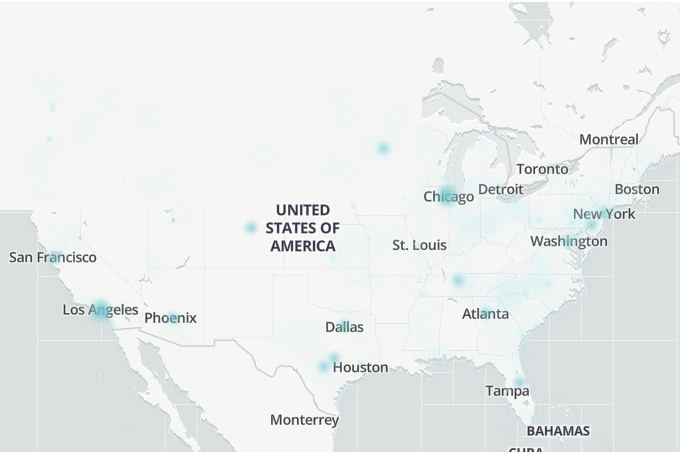
    Downdetector.com outage map revealing areas with Hulu issues.

    Down Detector

    Check for Service Outages

    It’s not uncommon for the Hulu service to experience outages, impacting some users or the entire platform. Before attempting any troubleshooting steps, confirm whether the issue lies with Hulu’s servers. A useful website for checking service status is DownDetector.com.

    This site provides a live outage map and displays user reports. Additionally, searching for #huludown or #hulu on X (formerly Twitter) may help you quickly identify any widespread problems.

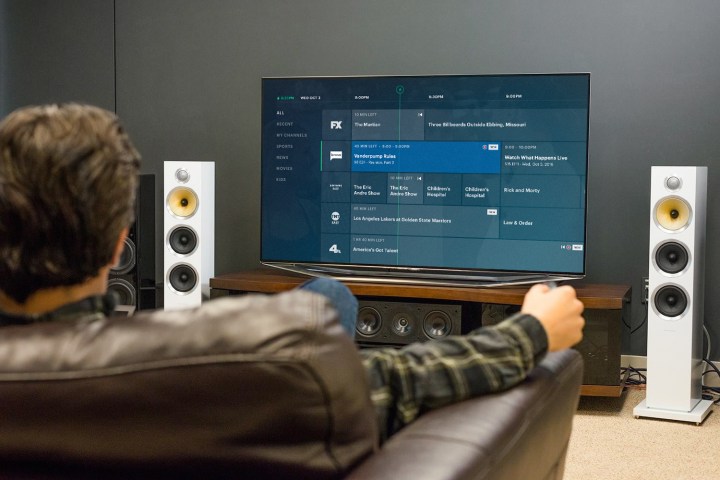
    A person relaxing on a couch watching Hulu.

    Hulu

    Simple Solutions for Hulu Issues

    If you’ve established that the issue isn’t related to Hulu’s service, several home remedies may help. Try these steps to troubleshoot, and if one doesn’t work, move down the list until you find a solution.

    Step 1: Close the Hulu app completely on your device and then open it again.

    Step 2: Restart your device.

    Step 3: Reset your router. If you’re unsure how, follow our straightforward guide to resetting a router.

    Step 4: Make sure you have the latest version of the Hulu app by checking your device’s app store for any available updates.

    Step 5: Delete and reinstall the Hulu app.

    Step 6: Remove your device or console from your Hulu account and then re-add it.

    Step 7: If you’re using a VPN, ensure it’s turned off for U.S. customers.

    Hulu's section within Disney+.

    Phil Nickinson / Digital Trends

    A Deeper Troubleshooting Method

    If Hulu still isn’t functional, your internet speed may be insufficient for streaming. Perform a speed test to check if your connection is fast enough for Hulu’s requirements. According to Hulu’s guidelines, you should aim for a minimum of 3.0 Mbps for regular viewing, 8.0 Mbps for live streams, and 16 Mbps for 4K content. If you need assistance checking your speed, Hulu provides a guide on conducting speed tests on various devices, including computers, smart TVs, mobile devices, and game consoles.

    Other devices connected to your Wi-Fi could be slowing down your connection, which could affect your Hulu experience. If you’re relying on Wi-Fi, consider connecting your device directly to the router using an Ethernet cable, or enhance your network with a Wi-Fi extender to minimize dead zones.

    If issues persist, you might want to look up the specific Hulu error code you’re encountering or visit the Hulu Community for insights and solutions from other users facing similar challenges.

    The Platin Audio Monaco 5.1 Tuned by THX WiSA wireless speaker package.

    Simon Cohen / Digital Trends

    Dealing with Audio Issues

    When enjoying Hulu content, you might run into audio problems, ranging from complete silence to distorted sounds or out-of-sync dialogue. Here are a few strategies to address these audio glitches.

    Step 1: Pause your current film or show and try watching a different title. Sometimes switching content can help reset the Hulu app. Alternatively, you may fully exit the app and relaunch it.

    Step 2: Verify the audio settings on your TV or streaming device. Much of Hulu’s content is only available in stereo sound. If your equipment is trying to output surround sound, it may cause odd audio issues.

    Adjust your device’s settings to PCM, stereo, or another non-surround option to see if that resolves the sound problem.

    Step 3: The way you connect your streaming device to your TV via HDMI can also affect audio performance. HDMI ARC inputs can sometimes complicate audio delivery, leading to sync issues.

    If your streaming device has a separate audio output (like a digital optical or similar), consider using one HDMI cable for video and a separate audio cable for sound to simplify the connection.

    Also, ensure that your HDMI cables are connected appropriately, as some may have directional arrows indicating input and output. Having them reversed could lead to audio problems.

    Closed Captioning Problems

    Hulu offers closed captioning for the majority of its titles, but this feature can also run into issues.

    Step 1: If captions are unresponsive, remember that not all titles on Hulu support this feature. If you discover a title lacking captions, you can submit a request to Hulu at DS.hulucaptionsfeedback@disney.com.

    Step 2: If your captions are displayed in the incorrect language, check the settings on your TV or streaming device to ensure you’ve selected the right language.

    If settings are correct, try closing and reopening the Hulu app, enabling captions once again. Often, this simple reset can resolve captioning issues.

  • A Thousand Blows Teaser Unveils New Series From Peaky Blinders Creator

    A Thousand Blows Teaser Unveils New Series From Peaky Blinders Creator

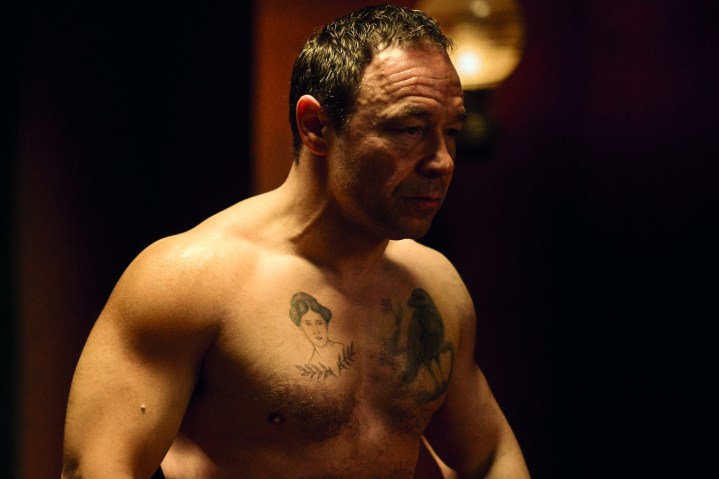
    Stephen Graham walks shirtless in A Thousand Blows.
    Hulu

    In the inaugural teaser for A Thousand Blows, Sugar Goodson, portrayed by Stephen Graham, asserts, “No one gets to take from me and live. No one.” This intense crime drama is the latest creation from Steven Knight, known for his work on Peaky Blinders. Similar to his acclaimed series, A Thousand Blows promises to deeply examine England’s past while immersing audiences in a gripping criminal underbelly rife with tension, treachery, and brutality.

    Set in the East End of London during the 1880s and inspired by various true stories, the narrative centers on two Jamaican friends, Hezekiah (Malachi Kirby) and Alec (Francis Lovehall), who desperately navigate the perilous world of East London’s crime scene. Their journey leads them to cross paths with Mary Carr (Erin Doherty), a formidable leader of an all-female gang, and they soon find themselves in conflict with Sugar Goodson, whose ruthless nature is matched only by his talent as an underground boxer.

    Alongside Graham, Kirby, Lovehall, and Doherty, the ensemble cast features Ziggy Heath, Jason Tobin, James Nelson-Joyce, Tom Davis, and Ella Lily Hyland. The series debuted at this year’s London Film Festival, showcasing its first two episodes to eager fans. The teaser trailer is available for viewing below.

    A Thousand Blows | Teaser Trailer | Hulu

    Steven Knight is currently one of Hollywood’s most prolific writers and directors. His lineup for 2024 includes noteworthy projects such as the FX espionage thriller The Veil, featuring Elisabeth Moss, and Maria, a new film starring Angelina Jolie and directed by Pablo Larraín. However, 2025 looks exceptionally promising, with A Thousand Blows set to premiere and Netflix releasing Knight’s long-anticipated film, The Immortal Man. This project, which began filming in late September, reintroduces Cillian Murphy as Tommy Shelby from Peaky Blinders. Other cast members include Graham, Rebecca Ferguson, Barry Keoghan, and Tim Roth, with Knight behind the screenplay.

    The anticipation for The Immortal Man is palpable, and A Thousand Blows is poised to become another hit for Knight. If the teaser is any indication, viewers can expect a captivating experience akin to Peaky Blinders, making it one of the most highly awaited TV releases of the coming year.

    A Thousand Blows is slated to debut on Hulu in 2025.