الوسم: how to use

  • How to Use WhatsApp Web: A Complete Guide

    How to Use WhatsApp Web: A Complete Guide

    WhatsApp, owned by Meta, is widely recognized as a phone-centric messaging platform, but its web version has become increasingly practical. If you spend most of your workday at a desk, typing on a full keyboard is far easier than tapping away on your phone. This is where WhatsApp Web comes into play.

    With WhatsApp Web, you can access your chats directly from a laptop or desktop browser, providing a wider view of conversations and a more comfortable environment for typing, sharing files, and managing group chats. It’s especially useful when your phone is charging across the room, tucked away in a bag, or when you prefer not to switch devices repeatedly.

    The browser version of WhatsApp has also seen feature enhancements. It now supports video messages, time-limited voice messages, message editing, and more. While earlier versions required your phone to stay connected to the internet for the web version to work, multi-device support allows WhatsApp Web to function even if your phone goes offline temporarily. However, initial setup still requires your phone.

    One important thing to note is that WhatsApp accounts are linked to phone numbers rather than usernames or passwords. Therefore, you can’t simply sign in to WhatsApp Web like a typical website. Instead, you’ll need to link your browser to your account through the WhatsApp app on your iPhone or Android device, usually by scanning a QR code or entering your phone number.

    The setup process is quick, and once you’re connected, the web interface resembles the mobile app closely. You can send messages, share media, browse past chats, and adjust privacy settings without having to learn a new layout. Here’s how to get started.

    How to Log in to WhatsApp Web from an iPhone

    Getting started with WhatsApp Web on an iPhone is straightforward. Visit the WhatsApp Web page in any browser like Safari or Chrome and scan the QR code displayed on your computer screen using the WhatsApp app on your iPhone. Once linked, WhatsApp Web will stay active until you log out from either device.

    1. On your PC, open your preferred browser and go to https://web.whatsapp.com.
    2. Launch WhatsApp on your iPhone.
    3. Tap Settings in the bottom right, then select Linked Devices.
    4. Tap Link a Device and authenticate if prompted via Face ID or Touch ID. The camera will activate.
    5. Hold your iPhone up to scan the QR code on your computer screen. The web page should refresh and log you into WhatsApp Web.

    How to Log in to WhatsApp Web from an Android Phone

    The process with Android devices is similarly simple:

    1. Open WhatsApp on your Android phone.
    2. Tap the three dots in the upper right corner of the chat list and select Linked Devices.
    3. Tap Link a Device, authenticating if needed. The camera will turn on.
    4. Scan the QR code on your computer screen.
    5. Once scanned, the webpage refreshes and logs you into your WhatsApp account.

    Logging in without a QR Code Using Your Phone Number

    Aside from scanning QR codes, you can also log into WhatsApp Web by manually entering your phone number. Here’s how:

    1. On the WhatsApp Web login page, choose Log in with phone number.
    2. Enter your phone number and press Next.
    3. You’ll receive an eight-digit code on WhatsApp that you’ll need to input on the web page.
    4. Alternatively, on your phone, go to Settings > Linked Devices, select Link a Device, and choose Link with Phone Number.
    5. Enter the eight-digit code when prompted, and the web session will be activated.

    Protecting Your WhatsApp Web Session

    After logging in, WhatsApp Web remains connected until you explicitly log out. To maintain privacy, you can enable an app lock feature:

    • Open WhatsApp Web and go to Settings (gear icon).
    • Select Privacy, then App Lock.
    • Enable the feature and set a password.
    • You can choose how long before the session automatically locks, or manually lock it anytime from the menu.

    Remember, this password only applies to your current browser session; it doesn’t sync across devices and must be re-established if you sign out and log back in later.

    Features of WhatsApp Web

    Once connected, WhatsApp Web provides an experience similar to the mobile app:

    • View and select chats from the list on the left.
    • Access your message history and send new messages by typing in the chat window.
    • Attach media files, documents, or voice recordings using the attachment icon.
    • Use menu options to start new chats, create groups, update your profile, or adjust notification settings.
    • View contact statuses and updates posted by your contacts.

    Using WhatsApp Web allows for seamless communication, making it easier to stay connected while working on your computer. It combines the convenience of the mobile app with the comfort and efficiency of a desktop environment.

  • What Are Affinity Tickets and How to Use Them in Pokémon Champions Completing

    What Are Affinity Tickets and How to Use Them in Pokémon Champions Completing

    “Pokemon Champions” offers various ticket types to use within the game. These include Quick Coupons, Teammate Tickets, and many other currencies. The main focus in Champions is Pokémon battles, so building a strong team is essential.

    Each day, you can recruit up to ten Pokémon through the recruit menu, using Victory Points (VP). However, the Pokémon you get are completely random, which can make it tough if you’re aiming for specific species. Fortunately, there are methods to increase your chances of obtaining the Pokémon you want.

    How to get Affinity Tickets

    Affinity Tickets are linked to specific elements in Pokémon Champions. There are 18 different types of these tickets, one for each elemental type. To earn them, you must complete achievements in the game. For every element, if you use that type of move 50 times in battles, you’ll earn two Affinity Tickets of that type.

    For example, if you use Normal-type moves 50 times, you’ll receive two Normal-type Affinity Tickets. After reaching this goal, you unlock more progress, which awards five tickets once you use that move type 250 times.

    Affinity Tickets are awarded in the Achievements section. To find them, go to the Achievements submenu, then look for the Normal-type Move Fiend or other Move Fiend options. Using the associated move type 50 times will earn you the tickets.

    What are Affinity Tickets used for?

    Affinity Tickets help increase the likelihood of encountering Pokémon of a specific element in your lineup. For instance, using a Fairy-type Affinity Ticket makes Fairy Pokémon more common in your next lineup. To use a ticket, go to the Recruit section, and when setting up a new lineup, select “Use a Ticket” by pressing X. Choosing this option adjusts your lineup to feature more of that element, boosting your chances of finding particular Pokémon—especially useful when shiny hunting or searching for rare species.

    How to claim and use Affinity Tickets

    You can claim Affinity Tickets in the Achievements area. Scroll through your Trainer Achievements to find the “Move Fiend” sections for each move type. Doing the required actions, such as using a specific move type 50 times, will earn you the tickets. Once you have tickets, activate them during the recruit process to influence the types of Pokémon appearing in your lineup, increasing your chances of finding specific Pokémon or shiny variants by emphasizing their element.

  • Using Cage Controls in the Replaced Termite Lair: Completing and Solving

    Using Cage Controls in the Replaced Termite Lair: Completing and Solving

    During your exploration of the Termite Lair in the third chapter of Replaced, you encounter one of the Termite’s slaves locked in a cell. As you walk by, they call out to you. When you approach and talk to them, they describe their situation and ask for your help in freeing them.

    Helping these slaves isn’t just a kind act; it’s also necessary for progressing further into the lair. However, setting them free isn’t straightforward because there’s a complex puzzle to solve first. Here’s how to do it.

    ### What to Do After Speaking with the Locked Slave Leader

    Right after you speak with the Slave Leader, you’ll need to face and defeat Termite Kate, a faster and more agile enemy than those you’ve fought before. The key to winning is simply to counter her attacks a few times. Doing this creates an opening for you to strike, quickly defeating her.

    After the fight, climb up to the right and then jump to the left. Keep climbing to reach the area above. The path is pretty clear—just remember to use the pickaxe to hang onto the cracked sections of the rock to proceed further.

    Soon, you’ll come to a locked door. Use the yellow planks beside it to get over the obstacle. Once past, climb through the vent and drop down to the area below.

    ### Where to Place the Cart Covered in Green Lights

    After dropping into the new area, you’ll encounter some enemies. Once you clear them out, the real puzzle begins. Head to the left to find a cart covered with green lights. You need this cart to power up a console located in an elevated container on the right.

    In the room, you will see various devices with lights; the ones on the left have green lights, and those on the right have red lights. Position the cart directly between these two groups. This acts as a conductor, turning the red lights green and activating the console.

    ### How to Open the Slave Cages

    Once the console in the container is powered up, you can use it to unlock the slave cages. But this part is tricky because you must enter the correct sequence of symbols to unlock each cage. The clues are on a pillar next to the console, with symbols and the words “CADB” inscribed, along with a reminder: “Hope you morons remember the alphabet.”

    Each letter in “CADB” corresponds to one of the words in the sequence—Chains, Eye, Knife, and Cross. To figure out the correct order, use the alphabet and the position of the symbols on the pillar: ‘C’ is the third letter of the alphabet, so it refers to the third symbol (Chains). Since ‘C’ is the first letter in “CADB,” it is the first in the sequence.

    Applying this logic, the sequence to unlock all cages is:

    1. Chains (C)
    2. Knife (A)
    3. Eye (D)
    4. Cross (B)

    Enter this sequence into the console. Once the cages open, you can return through the now-unlocked door on the left side of the area to continue your journey.

  • How to Obtain and Use Birthday Cake in Clair Obscur: Expedition 33

    How to Obtain and Use Birthday Cake in Clair Obscur: Expedition 33

    The Drafts section in Clair Obscur: Expedition 33’s Verso is a colorful and odd spot, full of sweets and strange details. One notable feature is a talking gingerbread door that only opens if you present it with a birthday cake. While it doesn’t explicitly say that, the door’s message is cryptic. After asking for a special ingredient, Verso hints that it wants cake. To open the door and discover what’s behind it, you need to gather a birthday cake.

    How to Get the Birthday Cake

    There isn’t a complete cake left around the area. Instead, there are three individual pieces that can combine to form one.

    First Piece of Cake Location

    You can find the first piece near the Gestral Baths, at the top of the area. Look for giant red Esquies around the region to confirm you’re in the right place.

    Second Piece of Cake Location

    To find the second piece, go to the pool with seesaws, then speak to the Gestrals nearby. Say, “I’m in,” to them. This triggers the next step.

    Third Piece of Cake Location

    For the final piece, locate the carousel on the opposite side of the entrance. Head down the hill until you see a large grey archway—this is the passage to the carousel. When you reach it, look to the right of the carousel to find a small Gestral with Esquie’s head sticking out of its shoulder. A character called the Very Very Cool Gestral will give you a piece of cake after you talk to it.

    Getting the Cake

    Once you’ve gathered all three pieces, the cake will assemble automatically in your inventory. You don’t have to do anything explicit to combine them. With the cake in hand, return to the gingerbread door and offer it the cake. Doing so unlocks the door, which is located one level below the Gestral Baths in a forested area.

    Opening the Gingerbread Door

    Interact with the door to give it the cake. When you do this, it opens to reveal a new space. This area contains enemies and a secret boss, making it an exciting find and a fun challenge.

  • How to Use Divinecraft in Where Winds Meet for Completing and Solving

    How to Use Divinecraft in Where Winds Meet for Completing and Solving

    The systems in Where Winds Meet are really complex and numerous. Not only does the game introduce more mechanics than you can easily understand at once, but new features keep adding even as you get familiar with the existing ones.

    One of these systems is Divinecraft. You might recognize the name because you get a glimpse of it early in the game, but that’s just a preview. The full system has more depth and options. Here’s everything you need to know to get the most out of the complete Divinecraft system.

    What Is Divinecraft?

    Divinecraft is a system that allows you to add temporary effects to your weapons. Early in the game, you unlock only a small part of it, which is accessible through a section called ‘Divinecraft’ in your quick-slots.

    There are three types of Divinecraft items:

    • Fire — Causes burning effects and extra health damage.
    • Water — Induces stagnation, deals extra health damage, increases resilience damage, and can sometimes bypass shields.
    • Poison — Inflicts poisoning, additional health damage, and extra Qi damage; it can also break through Qi Lock more quickly.

    While Fire deals less overall effects, it nearly doubles the damage to health. These items boost your weapon’s damage and effects during combat and can be used repeatedly without limits, unlike healing items.

    The full Divinecraft system is found in the Gear section of the Develop menu, where you can select one element to focus on. Doing so boosts its effects and can add extra benefits. Here are the current upgrades:

    • Fire — If you make consecutive attacks, they trigger an explosion. The effect’s duration also increases by 10 seconds.
    • Water — Boosts your interruption resistance to give you more hyper armor, and extends the duration by 10 seconds.
    • Poison — Causes executions to deal damage twice, and increases their effect duration by 10 seconds.

    Note: These effects only activate for the Divinecraft type you select in the Gear menu.

    When Do You Unlock Divinecraft?

    You gain access to basic elemental Divinecraft items fairly early. The first is Fire, followed by Water, then Poison. These items are replenished naturally through environmental sources like fires, certain flowers, and mushrooms — you don’t craft them; you find them as they are.

    The full upgrade system becomes available once you reach level 56. Before that, you need to reach Solo Mode level 7. After reaching that milestone and breaking through, you’ll be introduced to the full Divinecraft system the next time you open the Gear menu.

    How To Upgrade Divinecraft

    The system allows you to enhance each element, making their effects stronger and more useful. Upgrades require special materials that don’t appear until you unlock the system itself. Each element has its own upgrade material:

    • Fire — Fire Grease
    • Water — Water Wax
    • Poison — Toxic Essence

    These materials come in levels from 1 to 3, with higher levels providing more experience points (EXP). Instead of using a set number of items, you gain EXP to level up Divinecraft. For example, reaching level 2 on an element requires 10,000 EXP.

    • Level 1 materials provide 500 EXP.
    • Level 3 materials give 2,000 EXP.

    You can mix and match these materials over time; as long as their total EXP adds up to the required amount, your Divinecraft will level up. You collect upgrade materials from the same sources as the base items: Fire Grease from fire sources like braziers, Water Wax from flowers like peonies, and Toxic Essence from mushrooms. The drop of these materials is random, so it takes a bit of patience.

    Additional effects for each Divinecraft type need to be unlocked separately. You do this by offering the required materials, not EXP. These upgrades are tied to level thresholds, requiring your Divinecraft to reach levels 3 and 5 before unlocking each new effect in its upgrade tree.

  • All Dragon Key Locations in Where Winds Meet & How to Use Them in Completing & Solving

    All Dragon Key Locations in Where Winds Meet & How to Use Them in Completing & Solving

    In “Where Winds Meet,” Dragon Keys are rare and unique items that unlock a special gameplay option. Only a handful exist, and you’ll need to find them all to access every Weapon Martial Art available in the game. Finding these keys can be challenging without guidance, but this detailed location guide will help you quickly locate all the Dragon Keys and show you where to use them.

    What Are Dragon Keys?

    Dragon Keys are items that allow players to participate in stealth infiltration missions called Skill Theft. Through these missions, you can learn exclusive Weapon Martial Arts from certain Sects, even if you’re not a member. These stealth missions require sneaking into Sect hideouts, reaching a master, and watching them perform the Martial Art to learn it. To start each mission, you need to use a Dragon Key at a special stone pillar outside the secret entrance of each base. If you’re not part of the Sects, you’ll need all five keys to acquire each Martial Art.

    All Dragon Key Locations in Where Winds Meet

    There are five known locations to obtain Dragon Keys in the game: one as a reward for a breakthrough, one as a quest reward, and three for clearing specific outposts.

    Breakthrough Reward

    The easiest Dragon Key to get is by achieving Breakthrough to Solo Mode Level 2: Emerging. This becomes available once your Solo Mode character reaches Level 15. If you’re below Level 15, continue exploring, completing side quests, and participating in limited-time events like Pardon Parade to gain extra experience and speed up this process.

    Skill Effort: Unearned Lesson Quest Location

    The second Dragon Key is obtained by completing the Skill Theft: Unearned Lesson side quest. To start it, find and speak with NPC Qiu Yuehai, located southeast of Moonveil Peak Boundary Stone on Moonveil Mountain in the Qinghe region. This short quest involves observing Master Gu Le from behind cover to learn the Mystic Skill Veil of Stillness. It takes only about 2-3 minutes and is a good way to practice skills and learn Martial Arts techniques.

    Outpost Dragon Keys

    Three outposts contain rewards of Dragon Keys upon their first completion: Bloomveil Monastery, Gourmand’s Grove, and Tiger Fort.

    • Bloomveil Monastery: Located northeast of Qinghe, southeast of the Wayfarer in the northern part of the region. To earn its Dragon Key, defeat 12 rogue monks inside.

    • Gourmand’s Grove: Northeast of Qinghe and southeast of the Wayfarer. Clear out Buddha Fort agents to unlock the Dragon Key.

    • Tiger Fort: Positioned in the southern Qinghe, southwest of Moonveil Mountain. Defeat 12 members of the Greenwood Brotherhood bandits there.

    Before deciding to clear these outposts, you can check their rewards by selecting them on your map and reviewing their details.

    How to Use Dragon Keys & Hidden Martial Arts Locations

    Once equipped with Dragon Keys, you can open secret entrances to Sect bases and carry out Skill Theft missions for different Martial Arts, including Heavenquaker Spear, Infernal Twinblades, Inkwell Fan, Panacea Fan, and Strategic Sword. These entrances are marked by basin-shaped stone pillars outside every base.

    Some prominent sanctums where you can use Dragon Keys include:

    • Southwest Qinghe: Enter the Midnight Mercy Sanctum southwest of Verdant Wilds to learn Infernal Twinblades.
    • North Qinghe: Find and gain access to the Inkwell Fan Sanctum northwest of Floral Expanse Beyond.
    • East Qinghe: Discreetly located east of Bamboo Abode, where you can learn Panacea Fan.
    • South of Circular Lake: The Strategic Sword Sanctum lies southwest of the Palace of Annais and northeast of Circling Lake.
    • Southwest Qinghe: The Heavenquaker Spear Sanctum is positioned southwest of Verdant Wilds.

    Note that joining a Sect grants you their Martial Arts directly, so use Dragon Keys only if you prefer to unlock Martial Arts without joining the faction. Remember, infiltration missions will instantly fail if you get caught, so stealth is key. It’s recommended to complete the “Echoes Of Old Battles” side story first to gain the Touch of Death Mystic Art, an instant stealth kill that makes infiltration much easier.

  • How to Use Seeds of Mastery for Completing and Solving in Pokémon Legends: Z-A

    How to Use Seeds of Mastery for Completing and Solving in Pokémon Legends: Z-A

    Plus Moves are special moves that Pokémon master and can deal extra damage when used with the Mega Ring. These moves are especially helpful when facing tough opponents like Rogue Mega Pokémon or Alpha Pokémon, so make sure to use them whenever you can.

    Plus Moves unlock after you finish Main Mission 9, called “Chase That Mysterious Pokémon!” when AZ gives you the Mega Ring. After that, your Pokémon will naturally learn Plus Moves as they level up.

    When your Pokémon knows a Plus Move, you’ll see a Plus icon next to it. During battles, if your Pokémon isn’t Mega Evolved, you need to press the “+” button before choosing a move to activate the Plus Move’s effect. Keep in mind, you need at least one bar of Mega Ring energy to use this feature. If your Pokémon is Mega Evolved, all of its moves will automatically be Plus Moves.

    To teach your Pokémon new Plus Moves, you need to reach Main Mission 19, called “Reaching Rank D.” After defeating Josée in this mission at the Justice Dojo located just north of Saison Canalside, you’ll be able to use Seeds of Mastery to assign new Plus Moves to your Pokémon.

    You can obtain Seeds of Mastery by defeating Alpha Pokémon scattered around Lumiose City. These Alpha Pokémon have specific spawn locations, and you can fight them multiple times. This makes farming Seeds of Mastery relatively easy if you have a strong team.

  • Completing Your Strategy with Eito on Day 007 in Last Defense Academy

    Completing Your Strategy with Eito on Day 007 in Last Defense Academy

    On Day 007 in The Hundred Line: Last Defense Academy, you face your first Commander in battle. You’ll be accompanied by the same trusted teammates, but when things don’t appear to be in your favor, Eito comes to the rescue!

    As an invasion unfolds at your school, you’re initially pinned down by the Commander. This marks the first time you gain a new ally. Survive the first two waves alone, then discover how Eito Aotsuki’s hemoanima powers can turn the tide.

    Strategies for Defeating the First Commander

    Waves One and Two

    With Hiruko taking charge, your familiar team of Takumi, Hiruko, Darumi, and Takemaru is back in action. The initial part of the battle is straightforward: eliminate all enemies in the first few waves while shielding the Barrier Generator at all costs.

    Utilize multi-target attacks effectively to eliminate as many foes as possible in a single strike. Make strategic use of your team’s passive skills as you traverse the battlefield, defending the academy.

    As this battle is a step up from your previous encounters, you might witness your first Enemy Transformation. An enemy may gain power if they defeat a teammate before you can retaliate.

    Hiruko discussing the invaders during the Day 007 defensive battle in The Hundred Line Last Defense Academy.

    To gain the upper hand, make good use of your Special Attacks and upgraded hemoanima abilities when your Voltage exceeds 100%. You can stockpile Voltage up to 300%, so use it wisely for powerful attacks that can stun your teammate while clearing the first two waves of foes.

    After dealing with all the invaders on the field, any fallen teammates are revived and any surviving allies have their health restored before entering the next wave. Though you’ll face tougher enemies in the second wave, dispatch them quickly to prepare for the final stage of the battle.

    Wave Three: Eito Joins the Fight

    As the situation becomes dire for your four teammates trapped by the Commander, Eito arrives in uniform, prepared to unleash his hemoanima powers, signaling that he will be a regular participant in the battles ahead.

    Takumi discussing the ongoing battle during Day 007 in The Hundred Line Last Defense Academy.

    Eito is a formidable melee combatant when you first unlock him. He can use the Judge move to inflict damage to three squares in front of him. Plus, his passive skill, Special Fortunetelling, gives him a chance to gain an extra point in attack or defense after taking a turn. If he doesn’t receive a buff, he will simply become Fatigued after using a significant amount of Action Points.

    The objective during this phase is to defeat the enemy Commander to complete the wave. You don’t need to eliminate other invaders, but defeating stronger enemies can grant you additional Attack Points for each kill, which can help maintain your momentum.

    Consider assigning roles early in this battle. Designate some teammates to defend the Barrier Generator while others push forward to attack the Commander. Utilize Takumi and Darumi to handle the smaller invaders approaching the generator, while Takumi, Hiruko, and Eito can engage the Commander directly, as they currently possess the strongest offensive capabilities.

    Understanding Finishing Blows against Commanders in The Hundred Line Last Defense Academy.

    Keep an eye on your Voltage and be ready to employ Special Attacks for maximum damage. Just remember, using these can stun your teammate during your subsequent turn. Once the Commander is defeated, the battle concludes, regardless of the number of lesser foes still standing.

    Following the Commander’s defeat, a short scene will explain the Final Blow, where one of your teammates delivers the finishing strike after defeating a Commander. Initially, you’ll be required to select Hiruko for this role, but in future encounters, you’ll need to decide who will claim the Commander’s power by landing that final hit, wrapping up the battle and collecting any Battle Points earned in the process.

  • Completing Pro-Bending in Avatar Legends: A Solving Guide

    Completing Pro-Bending in Avatar Legends: A Solving Guide

    Pro-bending, a sport introduced in "The Legend of Korra," is an exciting addition to the "Avatar Legends" campaign. It involves two teams, each consisting of three benders—one waterbender, one earthbender, and one firebender—competing on a large platform above a pool of water. The objective is clear: stay on the platform and eliminate the opposing team.

    If you’re running a campaign in Republic City, the "Welcome to Republic City" campaign setting book offers great guidance for hosting thrilling pro-bending matches. You might be curious about how pro-bending functions within a tabletop role-playing game. Here’s a breakdown of what you need to know.

    The Basics of Pro-Bending

    Pro-bending matches take place on a hexagonal platform divided into sections. Each section is further split into three zones, creating strategic areas for movement. The goal is to push the rival team backwards, claiming their territory while ensuring your team avoids falling into the water.

    Though primarily played in Republic City, the sport can be adapted for other settings, despite being created during the Korra era.

    Winning a Pro-Bending Match

    To secure a victory in pro-bending, teams engage in three one-minute rounds. The team that wins the most rounds emerges as the victor.

    Success in a round requires players to push their opponents into an advancing zone. If neither team has claimed ground, the team with the most players still on the platform takes the round. If all players from one team are knocked off, that team loses the match outright.

    Players who are knocked off may re-enter in the next round, ensuring they aren’t left out for long.

    Understanding the Benders

    In pro-bending, each team consists of one waterbender, one earthbender, and one firebender, while airbending is not permitted, though there’s potential for its inclusion in future variations. Earth and waterbenders utilize resources available on the platform, while firebenders must generate their own flames. Certain bending techniques, including bloodbending, are prohibited, ensuring the competition remains fair.

    Gameplay System for Pro-Bending

    The rules for pro-bending incorporate specific moves that influence the match’s dynamics:

    1. Arena Moves: Allow players not in the match to impact the game’s outcome, either before or during the match.
    2. Highlight Moves: Represent impactful actions during the match that can help change the tide of competition.
    3. Faceoff Moves: Used in the event of a tie, where players roll with their marked fatigue to determine the winner.

    Each type of move carries its unique advantages and potential drawbacks, shaping the overall strategy of the match.

    Long-Term Use of Pro-Bending

    As a game master, you can enhance your campaign by employing pro-bending in various ways. Here are a few suggestions:

    • Tournaments: Organize a season-long tournament, completed in either round-robin or elimination format.
    • Rank and Renown: Winning matches can elevate players’ ranks and reputations throughout Republic City, granting them benefits as they become known figures.
    • Campaign Hooks: Use pro-bending as a catalyst for larger narratives. For example, an NPC could help the players only if they outperform a rival in the arena.

    By incorporating these elements, pro-bending can become a significant and memorable part of your "Avatar Legends" campaign. Whether you choose to run quick matches or develop a long storyline around the sport, there’s plenty of room for creativity and excitement.

  • Completing Power-Ups in Party Club: A Solving Guide

    Completing Power-Ups in Party Club: A Solving Guide

    Party Club is a challenging multiplayer game where players experience the ups and downs of managing a venue as a four-legged creature. Get ready to juggle tasks like bartending, hosting, repairing equipment, cleaning, and sometimes even handling rowdy customers. The days are so fleeting that you might blink and miss them.

    As a small tarsier, being a jack of all trades in such a hurried environment can be overwhelming. But don’t worry—you can boost your chances of surviving the day relatively unscathed by taking advantage of the game’s Power Up system.

    What Are Power-Ups?


    Power Ups are special abilities that enhance your skills while managing your venue. There are four options available, each tied to a different responsibility you’ll frequently handle at the club. For instance, one Power Up boosts your cleaning efficiency, while another increases your strength.

    Which Power-Ups Are Available?

    While managing your bar, you can utilize the following Power Ups:

    Name

    Ability

    Rollerblades

    Allows your character to move significantly faster, leaving a glowing trail.

    Spray Bottle

    Helps you clean up messes more quickly.

    Mechanic

    Speeds up repairs made with a hammer.

    Boxing Glove

    Allows you to hit unruly customers (or your teammates) much harder.

    With four Power-Ups available and room for four players in a club, consider assigning different Power Ups to each player for maximum efficiency.

    Which Power Up Should I Use?


    A red panda cleaning a litterbox in Party Club using the spray cleaning bottle power up.

    You can only use one Power-Up at a time, so it might feel challenging to decide which one is best. However, they don’t run out or disappear once you have them, and you can switch between them as needed, so don’t stress too much. Each Power Up has its advantages, and none come with disadvantages, so whatever you have on hand, be sure to utilize them effectively.

    You can change Power Ups during setup, so you’re not stuck with one for the entire game. Some Power-Ups may be more beneficial in certain areas or for specific tasks. For example, the Boxing Glove is much more advantageous in the bustling Metropolis area compared to the quieter Old Village.


    An overview of the Metropolis realm in Party Club, showing the animals available.

    The Rollerblades are the most versatile Power Up. They allow you to navigate your venue quickly, while the other Power Ups focus on speeding up specific tasks. Quick cleaning is great, but if getting to the mess takes too long, it doesn’t really help.

    Time is critical in Party Club, so being able to travel across the room quickly is beneficial, whether you’re seating guests or preparing drinks. Plus, seeing pangolins and quokkas skating around is truly charming.

    How To Use Power-Ups


    A red panda in Party Club looking at power ups in the treasure chest during setup.

    To activate your Power-Ups in-game, you need to equip them during setup. Once equipped, they will automatically activate when performing related tasks. For instance, the Mechanic Power Up will trigger when you are fixing a drinks machine.

    How To Unlock Power-Ups

    Power-Ups can be unlocked in two ways:

    1. By selecting a starter kit at the beginning of each level.
    2. By purchasing them from the store at the end of each day.

    The very last items shown at the bottom of the starter kits are Power-Ups, represented by their unique icons. Every starter kit includes some, so you’ll begin with at least one Power Up in your treasure chest no matter which one you choose.


    The starter kit menu in Party Club showing the power ups available.

    If you’re looking for additional Power-Ups, you can purchase items at the end of each day, right before starting the next day’s prep. Power-Ups can be found on the third page of the shop.

    After your first day, there’s no cap on how many Power-Ups you can buy in one go, provided you have sufficient coins. However, you can only equip one Power Up at a time, so avoid purchasing too many unless you plan on frequently switching.


    The power ups page of the store in Party Club showing the rollerblades and spray bottle

    Make sure to remember which Power Up(s) you received in your starter kit to avoid getting duplicates.

    How Much Do Power-Ups Cost?

    Power Ups typically cost 200 coins. You earn coins by serving customers and, later on, by defeating particular characters like the Rich Pig. Like other items, Power-Ups may be featured at discounted rates, so look out for bargains.


    Party Club power up store overview sale item

    They are often available at a discount for 180 coins, making them more budget-friendly, especially if you’re playing with fewer players or getting accustomed to the game. It’s a smart idea to grab them when they’re on sale, rather than hurrying to get them at full price.

    Remember that you can’t carry over coins from one level to the next—spend freely while managing each venue, or those coins will go to waste.

    How To Equip Power-Ups

    You can equip Power-Ups by navigating to the treasure chest during setup and scrolling to the final page dedicated to Power-Ups. This page features a carousel menu displaying all of your available Power-Ups.

    Scroll through the options and select the one you’d like to use. This will apply the Power-Up to your character. If any of your teammates want a Power-Up, they’ll need to follow these steps as well.

    If you decide you want to stop using a Power-Up, you can unequip it using a similar method. Just find the option in the Power-Ups menu labeled Unequip with a red stop sign. Select it to revert your character back to their standard abilities.

  • Unlocking the Treasure Map in Roblox: A Guide to Fisch

    Unlocking the Treasure Map in Roblox: A Guide to Fisch

    In Fisch, you can enjoy the thrill of fishing while also living out your pirate fantasies by searching for treasures. However, this adventure requires a Treasure Map. Hunting for treasure is optional, but it’s a fun way to get acquainted with the game’s mechanics and explore the environment, and the treasures you find can be rewarding.

    That said, locating and using Treasure Maps isn’t the easiest task. If you’re new to the game or hearing about Treasure Maps for the first time, keep reading for some helpful guidance!

    How to Get a Treasure Map

    Unlike some other rare items in Fisch, you cannot simply buy a Treasure Map. Instead, your best bet is to fish one out of the water. That’s the only way to obtain a Treasure Map.

    Your odds of catching this item are fairly low, but you can improve your chances by using a Sunken Rod. This rod boosts your chances by 25% after you’ve successfully caught fish ten times.

    You can find a Treasure Map anywhere in the game, regardless of the location, season, weather, or time of day.

    How to Use a Treasure Map

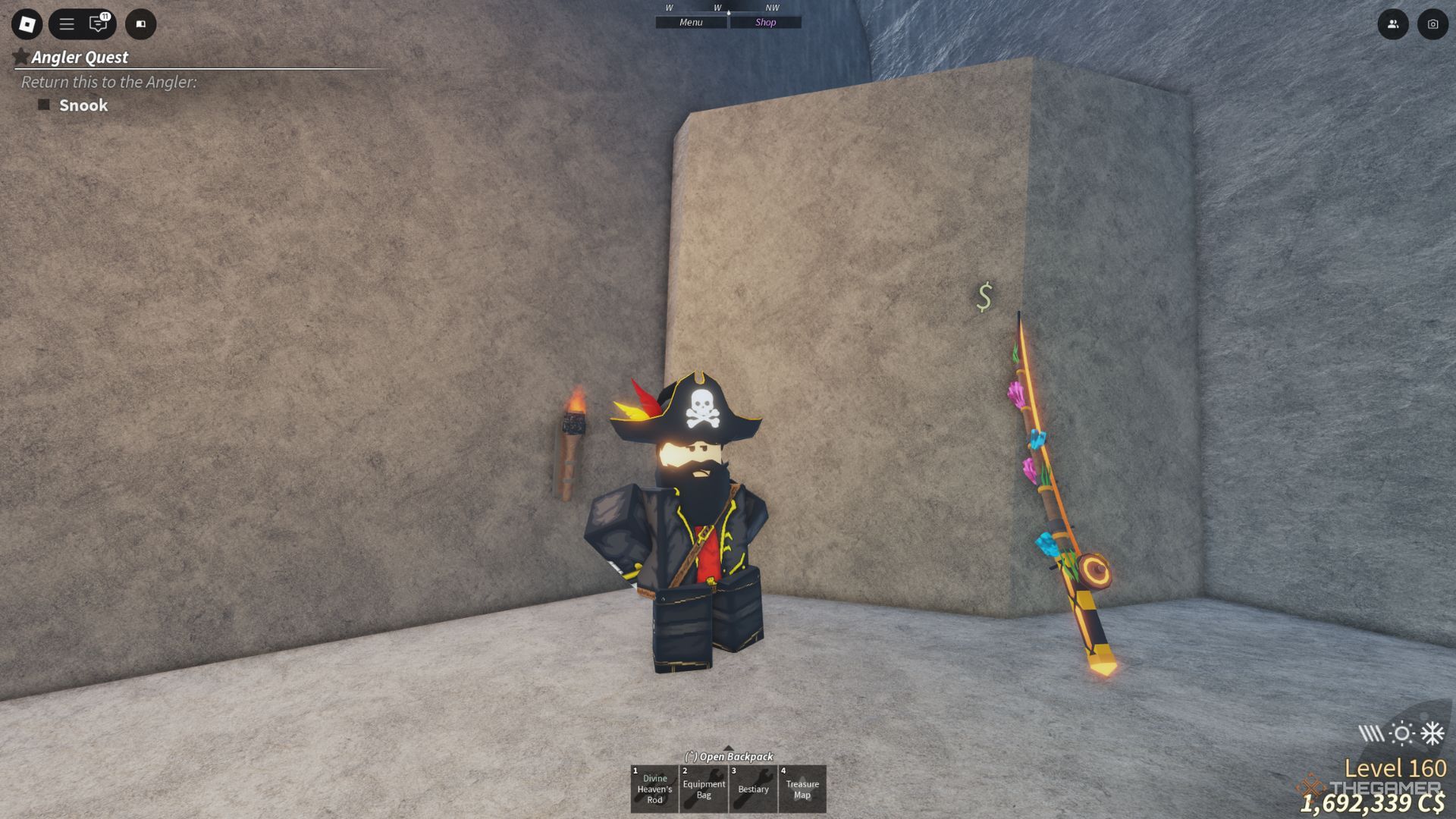
    Jack Marrow NPC near the rod in Fisch.

    Before you can embark on your treasure-hunting journey, you must first have your Treasure Map fixed. This can’t be done by yourself; instead, you need to visit Jack Marrow, an NPC. The old pirate will repair the map for just 250 Coins.

    To find Jack Marrow, head to Forsaken Shores at coordinates (-2425, 135, 1555). Look for a skull-shaped rock and climb through one of its eye sockets. In the corner of the cave, you’ll spot Jack. Provide him with the Treasure Map from your inventory along with the required currency to have it fixed.

    Once you have a repaired Treasure Map, it’s time to begin your quest! To locate the treasure chest, navigate to the coordinates shown on the map using your GPS. Move to that point, and you should come across the chest, which you can open for a prize.

    Treasure chests can be found both on land and underwater, so make sure you have the right diving gear before heading out.

    When you locate and open the chest, you might uncover one of the following treasures:

    • Ancient Thread
    • Aurora Totem
    • Compass
    • Enchant Relic
    • Experience Points
    • Gold Coin
    • Lunar Thread
    • Magic Thread
    • Meteor Stone
    • Meteor Totem
    • Quality Bait Crate
    • Random Sunken Fish
    • Sunken Rod
    • Tempest Totem
    • Truffle Worm
    • Weird Algae
    • Whaley
    • “Fillionaire” Ticket
  • Mastering Marvel Rivals: A Guide to All Currencies

    Mastering Marvel Rivals: A Guide to All Currencies

    In Marvel Rivals, unlocking new heroes isn’t necessary, but there are various collectibles that might catch your attention. The game features numerous skins, emotes, and special animations that enhance your experience.

    To start amassing these collectibles, you’ll need to familiarize yourself with the different currencies in the game. With multiple currencies available, it can be a little overwhelming to determine which ones unlock specific items. However, they all play a role in helping you stand out on the battlefield. Let’s explore what you need to know.

    How to Obtain and Use Currencies in Marvel Rivals


    In Marvel Rivals, there are three primary currencies, with one acting as a bridge between the others. You can earn some coins through playing, but most often, you’re expected to purchase them with real money.

    Lattice


    The Marvel Rivals main menu showing Lattice currency.

    Lattice serves as the premium currency within Marvel Rivals and can be exchanged at a one-to-one ratio for other currencies. However, it cannot be directly used to purchase items; you must convert it to another currency first.

    You can only obtain Lattice by spending real money in the game’s store, with prices varying depending on your region.

    Additionally, Lattice can be rewarded through the Luxury BattlePass, but that also requires a monetary investment.

    Units


    Exchanging Lattice for Units in Marvel Rivals.

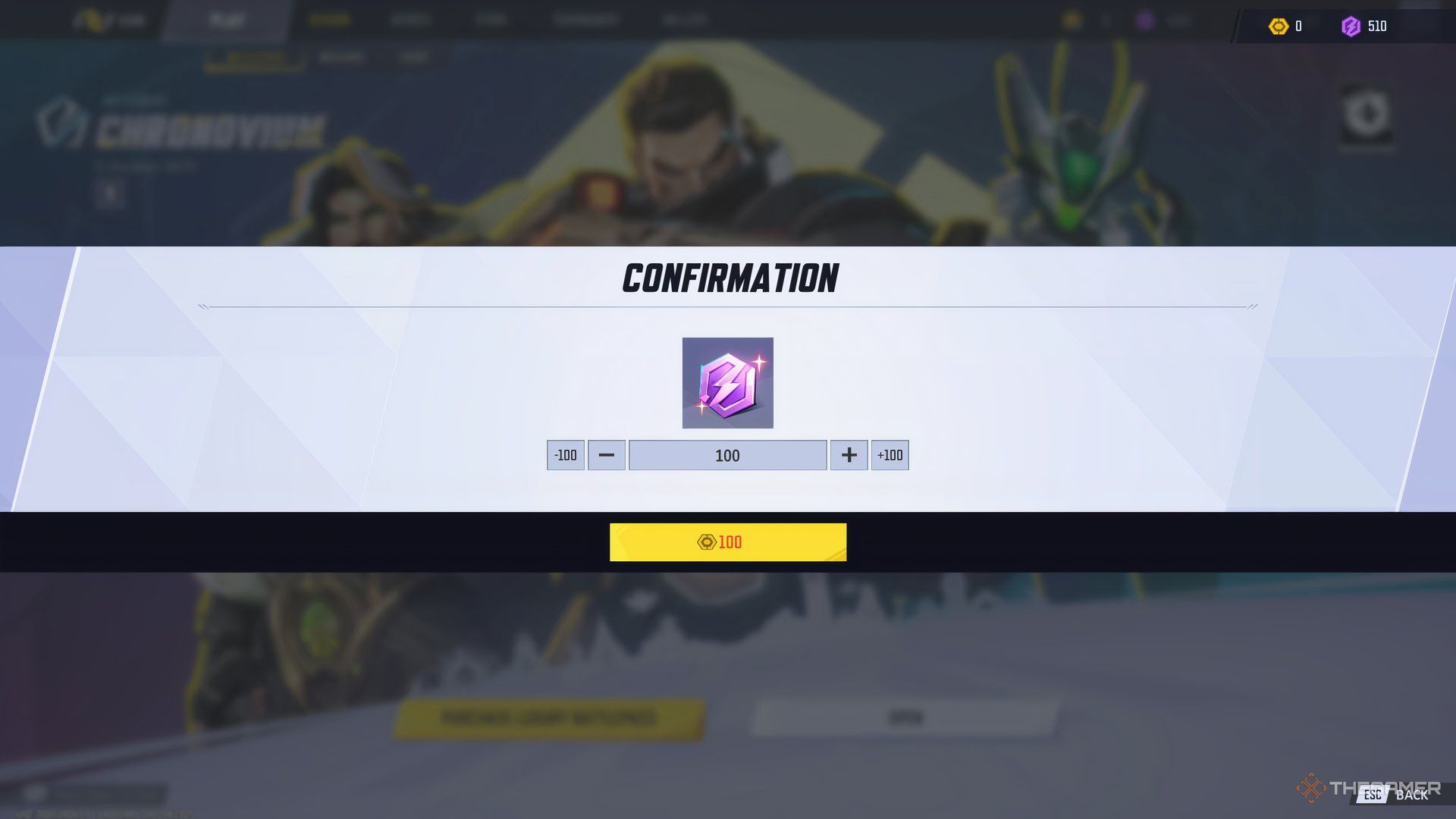
    Units are the blue coins you use for purchasing skins, bundles, and various other items in the Store. They can primarily be earned by converting Lattice into Units, but you won’t often find them given as rewards. To make the conversion, click the Units icon and choose how many you want to convert.

    Special events, like Entangled Moments, may grant you some Units for completing tougher missions. While it’s not enough for a bundle, it helps you start saving.

    You can also earn Units for free by completing Achievements within the Heroic Journey category. These require specific interactions with characters, such as defeating foes using certain skills or interacting with other characters in the game.

    Chrono Tokens


    Exchanging Lattice for Chrono Tokens in Marvel Rivals.

    Chrono Tokens are the main currency earned through gameplay. You use these tokens to purchase items from the seasonal BattlePass, which you earn by completing the mission objectives during matches. These objectives typically involve simple tasks you’ll accomplish naturally while playing.

    To obtain all items in the BattlePass, you’ll need to invest in the Luxury BattlePass, which costs 490 Lattice.

    BattlePass missions reset daily, and there are also additional Challenge and Seasonal missions that grant more coins and are generally more complex. Achievements can also reward you with Chrono Tokens, though typically less than what missions offer.

    You can acquire Tokens through events, surveys, and other promotions (like Twitch Drops), ensuring that you have plenty of opportunities to earn them without spending. Additionally, you have the option to convert Lattice into Chrono Tokens by selecting the corresponding icon in the Season tab, but you might find that spending Lattice on Units is a better strategy since they are harder to come by.

  • Mastering the Articuno ex Deck in Pokémon Pocket

    Mastering the Articuno ex Deck in Pokémon Pocket

    Quick Links

    The deck-building and battling experience in Pokemon Pocket has attracted a lot of attention in the Pokémon Trading Card Game (TCG). While the full Pokémon TCG can be quite complex and nuanced, creating a deck in Pokémon Pocket is significantly simpler, making it a great choice for beginners learning the game.

    One of the standout decks you’ll encounter is the Articuno ex deck. However, relying on this deck requires a combination of luck and flipping coins. The character Misty plays a crucial role here, as her synergy with Articuno ex allows for the potential of early-game wins if luck is on your side.

    What Cards Do You Need For An Articuno ex Deck?

    Articuno is the core of this deck and the only Pokémon you’ll include while assembling your cards.

    Although some may see this as a very risky approach, rest assured that you will always start the game with at least one basic Pokémon in your hand.

    Since Articuno is your sole Pokémon, you won’t need other tanks or support Pokémon. Misty is the key Supporter card that can help you achieve swift victories.

    Articuno ex Deck List

    Card Name Description
    Articuno ex Quantity: 2
    Misty Quantity: 2
    Hand Scope Quantity: 2
    Red Card Quantity: 2
    Potion Quantity: 2
    X Speed Quantity: 2
    Poke Ball Quantity: 2
    Giovanni Quantity: 2
    Professor’s Research Quantity: 2
    Sabrina Quantity: 2

    To acquire these cards, start by purchasing them using shop tickets, which will help you obtain:

    • Professor’s Research
    • X Speed
    • Potion
    • Hand Scope
    • Red Card
    • Poke Ball

    You can obtain Articuno ex and Giovanni by opening packs from the Genetic Apex Mewtwo collection. Sabrina can be found in Genetic Apex Charizard packs, while Misty is available in Genetic Apex Pikachu packs.

    How Do You Play An Articuno ex Deck?

    Playing an Articuno ex deck is all about striking fast and overwhelming your opponent before they can establish their strategy.

    Even though the goal is to achieve victories in one turn, you don’t have to secure a win on the very first turn. It’s essential to load Articuno with enough energy before it gets knocked out.

    Typically, you will want to play Articuno ex right away. The ideal scenario has you also drawing a Misty at the start.

    If you draw Misty, play her immediately and hope for favorable coin flips. Your aim is to power-up Articuno with three Water-type energy to execute Blizzard, its damaging attack.

    Blizzard inflicts 80 damage, which can easily knock out most basic Pokémon and even many evolved ones, especially with support from Giovanni.

    Should you not draw a Misty, stay calm. Simply play Articuno and use your drawn cards strategically.

    Focus on preventing your opponent from dealing significant damage. You can also switch them out using Sabrina or Red Card if they’re holding cards that could threaten your chances.

    This deck relies a lot on luck, so be prepared for inconsistency in your gameplay. Your primary mission is to secure a timely draw of Misty and quickly add energy to Articuno. If that doesn’t work out, you’ll need to be adaptive and find ways to disrupt your opponent’s strategy until you can recover.