الوسم: how it works

  • How Endless Mode in Coffee Talk Tokyo is Solving Challenges

    How Endless Mode in Coffee Talk Tokyo is Solving Challenges

    Coffee Talk Tokyo is more like a visual novel than a typical coffee shop simulation game. During the main storyline, you won’t spend much time making drinks. Instead, you’ll mostly observe interesting conversations between the diverse characters who visit your shop.

    If you enjoy making drinks, there’s an Endless Mode available from the main menu. In this mode, there are no storylines or character interactions—just making drinks for an unlimited number of customers. Here’s how it works:

    When you start Endless Mode, you’ll be asked whether you want to select Free Brew or Challenge Mode.

    Free Brew Mode is a sandbox where you can craft any drinks you want. There’s no timer or customer orders, and all ingredients are unlocked from the start. This mode is perfect for experimenting with different ingredient combinations and discovering new drinks. You can also switch characters sitting at the counter by pressing the icon next to your in-game phone.

    Challenge Mode is more demanding. You’ll receive specific orders, and there’s a timer ticking down from 1 minute and 30 seconds. The goal is to prepare the correct drinks before time runs out. Each correct order adds extra seconds back onto the clock. To know which drinks to make, later in the game, you’ll need to use the Brewdog app on your in-game phone, as the customers will only tell you the drink name.

    In Challenge Mode, you’ll see on the screen whether you’ve made the right drink. When a customer’s face appears on the screen against a green background, it means you got the order right. If they look shocked and the background turns red, you missed it. You can keep track of your correct orders by the number of smiles in the top right corner.

    The drinks you need to make are random. At first, customers will tell you the ingredients they want, and you can add them directly. Later, they will only provide the drink’s name, requiring you to reference the Brewdog app to figure out the recipe.

    The main aim of Challenge Mode is to get as many correct orders as possible before the timer runs out. There’s no way to truly win or lose; it’s just about improving your score. Achievements are available for reaching milestones, such as getting 10, 25, or 50 drinks right in a session.

  • How Does the Stamp Rally Work in Pokémon Pokopia for Completing and Solving?

    How Does the Stamp Rally Work in Pokémon Pokopia for Completing and Solving?

    When you explore your small post-apocalyptic world in Pokémon Pokopia every day, you’ll see that a stamp from the PC appears each day, showing a different Pokémon. You can fill out a Stamp Rally card, earning up to five stamps in a week.

    If you’re curious about what these stamps are for, what rewards they give, and how to get more stamps or improve your rewards, here’s what you need to know about the Stamp Rally.

    How Does the Stamp Rally Work?

    Every day, when you use a PC, you earn a stamp on your Stamp Rally card. Over the course of a week, you can collect up to five stamps. Then, every Friday, you can turn in your completed card at the Pokémon Center and get Life Coins. After turning in your card, your stamps reset, and you start a new one.

    You don’t need to have the Pokémon Center rebuilt to access the PC—any time you can use the PC, you can earn a stamp.

    You can wait to turn in your card until Thursday if you don’t log in on Friday, so there’s no rush. Rewards can be redeemed until the following Thursday, giving you some flexibility.

    The number of Life Coins you receive depends on the stamps collected. Rarer stamps are worth more. The outer circle behind the Pokémon on each stamp hints at its rarity.

    Most common are the plain circle stamps for basic first-evolution Pokémon. More rare are evolved Pokémon with pointed patterns, followed by legendary Pokémon with rounded stamps. The rarest of all are Mew and its unique stamp pattern, which earns the most Life Coins.

    How to Get More Stamps

    If your Stamp Rally card is full and you get a new stamp, you can select it to replace an old one of your choice. If you log in daily from Friday to Thursday, you have two chances each day to earn or replace stamps by visiting your PC.

    You can also visit PCs in other players’ worlds; these often give different stamps than your own. Doing this repeatedly, especially in multiple worlds, allows you to fill your card faster.

    Strategically replacing common stamps with better ones helps you earn more Life Coins when you cash in your card. This way, you maximize your rewards by collecting higher-value stamps whenever possible.

  • How Does Co-op Mode Work in Where Winds Meet: Completing and Solving

    How Does Co-op Mode Work in Where Winds Meet: Completing and Solving

    Traveling alone across the land in Where Winds Meet can be challenging, but it doesn’t have to be for long. You can meet new friends on your journey and invite them to join you, which benefits everyone. Getting started takes just a few moments, and soon you’ll be ready to explore together.

    We’ll guide you through everything you need to know about making friends, matching up with others, and working together to complete quests and tasks. Once you start playing in co-op mode, it’s hard to go back to playing solo for long stretches. Here’s how you can invite your friends to join you in Where Winds Meet.

    ### How Does Multiplayer Work in Where Winds Meet?

    There are various ways to join multiplayer modes. The easiest is to hop into the online map, although some quests and features may be limited in this mode. Alternatively, you can invite players to your world on the solo map, allowing you to play together in a traditional cooperative way.

    ### How To Add Friends

    You can add friends through the social menu, either by searching for their username or user ID number. In the social menu, select the friends tab and then choose the option to add a new friend. You can search for people you know, or you can send friend requests to players you meet on the multiplayer online map.

    ### How To Switch Between Solo and Multiplayer

    At the top of your screen, you’ll see an icon that shows either a lone warrior or a group. Clicking this icon allows you to switch between the solo and online maps. In the solo map, other player characters won’t appear unless you invite them, but the multiplayer online map is full of players like you.

    Switching modes is as simple as toggling the icon. Keep in mind that changing maps will teleport you to the nearest safe spot you’ve unlocked. If you want to fast travel, make sure to unlock nearby boundary stones first.

    Some features, such as wild horses and certain quests, are not available in online mode but can be resumed in solo or co-op play.

    ### How To Use Co-Op Matchmaking

    In the same menu where you switch to the online map, you’ll find the option to start co-op through solo matchmaking. Here, you can create a room for up to five players, and you will travel together across the solo map as a team.

    As your co-op team advances, you’ll earn adventure slips that can be traded for new items in the shop.

    ### How To Assist Other Players

    If other players are stuck on a boss or puzzle, they can send a help request via an assistance signpost. This allows you to connect with them and work together to complete objectives. Accepting help doesn’t happen automatically—you’ll need to wait for their approval before proceeding. Use the matchmaking menu to team up and overcome tough obstacles.

    ### Does Where Winds Meet Have Voice Chat?

    Yes. You can talk with other players using voice chat, especially when visiting guild bases. Open the chat menu, then navigate to the Windtail Lounge. There, you can join voice chat rooms to communicate with others. You can leave these menus anytime, and microphone settings can be adjusted in the options menu.

  • How Does Hacking Work in Upload Labs: Completing and Solving Roles

    How Does Hacking Work in Upload Labs: Completing and Solving Roles

    Once you have the basics of Upload Labs down, the next step is to learn more advanced features, starting with hacking. Like many of the late-game options, hacking takes some time to get started, but once you do, it produces valuable resources that give you big advantages.

    If you’re confused about how hacking and breaching work in Upload Labs or what your goals are, this guide explains it all clearly.

    Hacking and Breaching

    After unlocking hacking from the research screen, you can place the Hack Interface node. This is the starting point for all your hacking activities. The node’s level determines how much Hack Power it generates, which can be used in attack nodes to cause damage. These attacks are then directed at targets to break into them.

    Hack Power can be divided among multiple attacks and targets. You decide whether to hit several targets at once for smaller amounts or focus everything on one. When you unlock Hack Skills, you can also modify attacks by routing damage through Skill nodes before reaching the target.

    Your initial attack is called Launch Payload, which does damage based on how much Hack Power it gets. Later, you can unlock Infect, which causes more damage over time if left attacking longer. Both can be upgraded and customized with Skills.

    Breaching Targets

    At first, you can only hack one target: Anonymous. As you progress and unlock more research, you’ll be able to hack into corporations, governments, and banks. These different targets work similarly, but they offer different rewards.

    When you send attack damage to a target, a timer at the bottom of its node starts counting down. Usually, it’s five seconds, but you can buy the Sneak Attack upgrade to increase it. To successfully breach a target, you need to deal enough damage before the timer hits zero.

    If the target has any Firewall remaining, your attack damage will first remove it. After the Firewall is gone, damage fills a breach meter. The hack is successful when this meter is full; the node flashes green, and the rewards are either stored or sent to the output node if available. If the timer ends first, the node flashes red, and you get no rewards for that attempt. There are no penalties, just no gains.

    Threat Level

    The Threat Level of a target shows how tough it is to hack. It affects the Firewall and breach meter strength. All targets start at Threat Level 1. You unlock higher levels by successfully breaching the level below at least once. Once unlocked, you can freely raise or lower the Threat Level up to the highest one you’ve unlocked.

    It’s generally better to hack targets with higher Threat Levels because they give better rewards. So aim to handle the highest Threat Level you’re comfortable with.

    Breach Targets and Rewards

    | Target | Breach Reward | Sent To | Used For |
    |————–|———————|——————————|——————————————————————————————————–|
    | Anonymous | Hack Experience | Hack Terminal | Increases Hack Terminal level and earns points for hacking upgrades. |
    | Corporation | Corporate Data | Collector/Auto Collector | Spent on upgrades that lower costs and increase earnings. |
    | Government | Government Intel | Collector/Auto Collector | Used to buy upgrades that boost research. |
    | Bank | Tokens | Automatically collected | Unique to each bank; spawns randomly, with only one chance to breach when they appear. |

    Trojans

    As you advance, you’ll gain the ability to produce Trojans at your Hack Terminal. These are generated automatically based on the Terminal’s level and do not require Hack Power—they’re a separate resource. Trojans can be sent to an Inject Trojan node, where they get added to files placed in that node. This process doesn’t change the file size or value.

    Placing a Trojan into a file that has been scanned for viruses will remove its Scanned status. When you sell a file with an attached Trojan, it produces a new resource called Infected Computers. These can be sent to a Drain Node, which connects to a Network, Processor, or GPU to boost its performance. The more Infected Computers connected, the higher the performance boost you’ll receive.

  • How To Enable Whisper Mode on Alexa and Understand How It Works

    How To Enable Whisper Mode on Alexa and Understand How It Works

    Here is the rewritten, humanized, and plagiarism-free version of your content in American English:

    —

    When it comes to voice assistants, Alexa stands out as one of the top options. From checking the weather forecast to adjusting your smart thermostat, this versatile device constantly finds ways to assist. However, the default setting’s loud and distinctive voice can be a problem when used at night or around sleeping children. While it’s great for most tasks during the day, its volume may disrupt anyone trying to rest.

    Fortunately, there are ways to manage Alexa’s volume without losing its helpfulness. One feature designed specifically for quiet hours is Whisper Mode. When activated, it prompts Alexa to whisper back its responses, allowing you to continue issuing commands quietly without disturbing the peace.

    Engaging Whisper Mode is straightforward, and it can be activated in a couple of simple ways. The easiest method is just to say, “Alexa, turn on Whisper Mode.” Once you do, Alexa confirms that the feature is enabled.

    Alternatively, you can enable Whisper Mode through the Alexa app. Here’s how:

    1. Open the Alexa app on your device.
    2. Tap the “More” tab.
    3. Select “Settings” from the menu.
    4. Scroll down and tap “Voice Responses” under the Alexa Preferences section.
    5. Toggle the switch next to “Whisper Mode” to turn it on.

    So, how does Whisper Mode actually work? For it to function properly, Alexa needs to detect whether you’re whispering, understand your whispering voice input, and reply in kind. But whispering is quite different from regular speech, as it involves less vibration of the vocal cords and produces lower energy in some frequency ranges, making recognition more challenging.

    To overcome this, Alexa utilizes advanced neural networks designed for speech recognition, specifically Long Short-Term Memory (LSTM) models, which help it distinguish whispered speech from normal voices. The device also monitors silence to better identify when you’re quietly speaking. Engineers have fine-tuned Alexa’s algorithms by analyzing confidence levels in recognizing whispers, greatly improving its ability to understand ultra-soft input.

    In practice, some devices perform better than others at picking up whispers. For example, traditional Echo Dots tend to do a good job of recognizing whisper commands, though results can vary depending on the device and environment.

    When Alexa detects a whisper, it responds in a whisper too—provided she understands you well enough. But keep in mind, whispering works best when you’re relatively close to the device, especially in noisy settings. If Alexa doesn’t catch your whisper, she will let you know by whispering back, “Sorry, I didn’t get that.”

    What’s worth noting is that Alexa’s whisper doesn’t sound robotic or creepy; her humanlike voice makes the interaction feel natural and unobtrusive.

    —

    Let me know if you’d like further revisions or additional content!

  • Completing the Reanimator Artificer Subclass in DND: A Guide to Solving

    Completing the Reanimator Artificer Subclass in DND: A Guide to Solving

    The Reanimator artificer subclass in Dungeons & Dragons is inspired by horror themes, making it ideal for characters with dark and eerie concepts. By choosing this subclass, you embody a figure reminiscent of Dr. Frankenstein, pushing the boundaries of nature through necromantic practices.

    This subclass not only embraces a chilling theme but also offers unique gameplay opportunities, making it suitable for various types of adventures in Dungeons & Dragons. Here’s how to create your very own reanimator artificer for your gaming table.

    Reanimator Artificer Overview

    Gnome Artificer Vi via Wizards of the Coast

    The Reanimator artificer specializes in bringing back the dead and utilizing necromancy. In some ways, they act as a support class.

    Here’s an overview of the key abilities for the Reanimator artificer, sorted by level.

    Note that the Reanimator artificer is part of Unearthed Arcana, so be sure to check with your Dungeon Master before choosing this subclass.

    Best Ability Scores For A Reanimator Artificer

    A spellcaster casts Witchbolt on a zombie in Dungeons & Dragons.
    Witchbolt by Helge C. Balzer

    When creating your artificer, Intelligence should be your primary ability score. Here’s a recommended breakdown:

    Ability Score Details
    Intelligence

    Your spell attack modifier and spell save DC depend on Intelligence, so make it your highest stat.

    Dexterity

    Since artificers benefit from tools like Tinker’s and Thieves’ Tools, it’s a good idea to make Dexterity your second-highest stat.

    Constitution

    Place a decent score in Constitution to increase your hit points, as artificers are not particularly fragile.

    Wisdom

    A medium-level Wisdom score can be beneficial for resisting magical effects that could remove you from combat.

    Charisma

    If your character concept calls for it, a decent Charisma score can help, but it’s not essential. You can place a lower score here.

    Strength

    As fighting skills are not crucial for artificers, you can afford to assign your lowest score to Strength.

    Best Species For A Reanimator Artificer

    An artificer with a metallic creation in DND.
    Artificer via Wizards of the Coast

    With ability score improvements tied to backgrounds, there’s a fair amount of flexibility when selecting a species for your artificer.

    Species Details
    Gnome

    Gnomes receive bonuses on Intelligence, Wisdom, and Charisma saving throws. They also have innate spellcasting, making them a natural fit for artificers.

    Aasimar

    Aasimar’s healing abilities complement the Reanimator’s role, and you can enhance your character concept by adding the Necrotic Shroud ability.

    Halfling

    Halflings are also strong candidates due to their Lucky trait and stealth skills, which are beneficial in various situations.

    Consult your DM about using lineages from Van Richten’s Guide to Ravenloft instead of traditional species, as they can add depth to your character in this subclass.

    Best Backgrounds For A Reanimator Artificer

    A player investigates a haunted manor in DND.
    Haunted Manor via Wizards of the Coast

    Similar to species, there is also flexibility with backgrounds for reanimator artificers, but some backgrounds may be more advantageous than others.

    Background Details
    Criminal

    The criminal background is particularly suited to this subclass because of its ability score bonuses in Dexterity, Constitution, and Intelligence, all important for artificers.

    Sage

    The sage background is also beneficial due to its bonuses in Intelligence and Constitution as well as providing additional spells that enhance your abilities early on.

  • Boosting Affinity in Monster Hunter Now: A Complete Guide

    Boosting Affinity in Monster Hunter Now: A Complete Guide

    In Monster Hunter Now, you can enjoy the thrill of monster hunting wherever you are. Take down gigantic monsters, carve their parts, and use these materials to craft more powerful weapons, all from your phone.

    While the combat mechanics may not be as comprehensive as those found in the traditional Monster Hunter series, Monster Hunter Now offers plenty of stats, skills, weapon options, and monster behaviors to keep you engaged. In the following sections, we’ll explore Affinity, its role, and how you can boost it.

    What Does Affinity Do?


    Afinity represents your chance to land a critical hit with an attack. Increasing your Affinity means your strikes are more likely to cause critical damage, which is 25% more effective than regular hits.

    You’ll know you’ve achieved a critical hit by the bright red streak that flashes when your weapon connects with the monster.

    However, some weapons might have negative Affinity. In this case, the negative Affinity percentage refers to the chance that your hit will deal less damage, resulting in a 25% reduction to damage.

    How To Increase Affinity


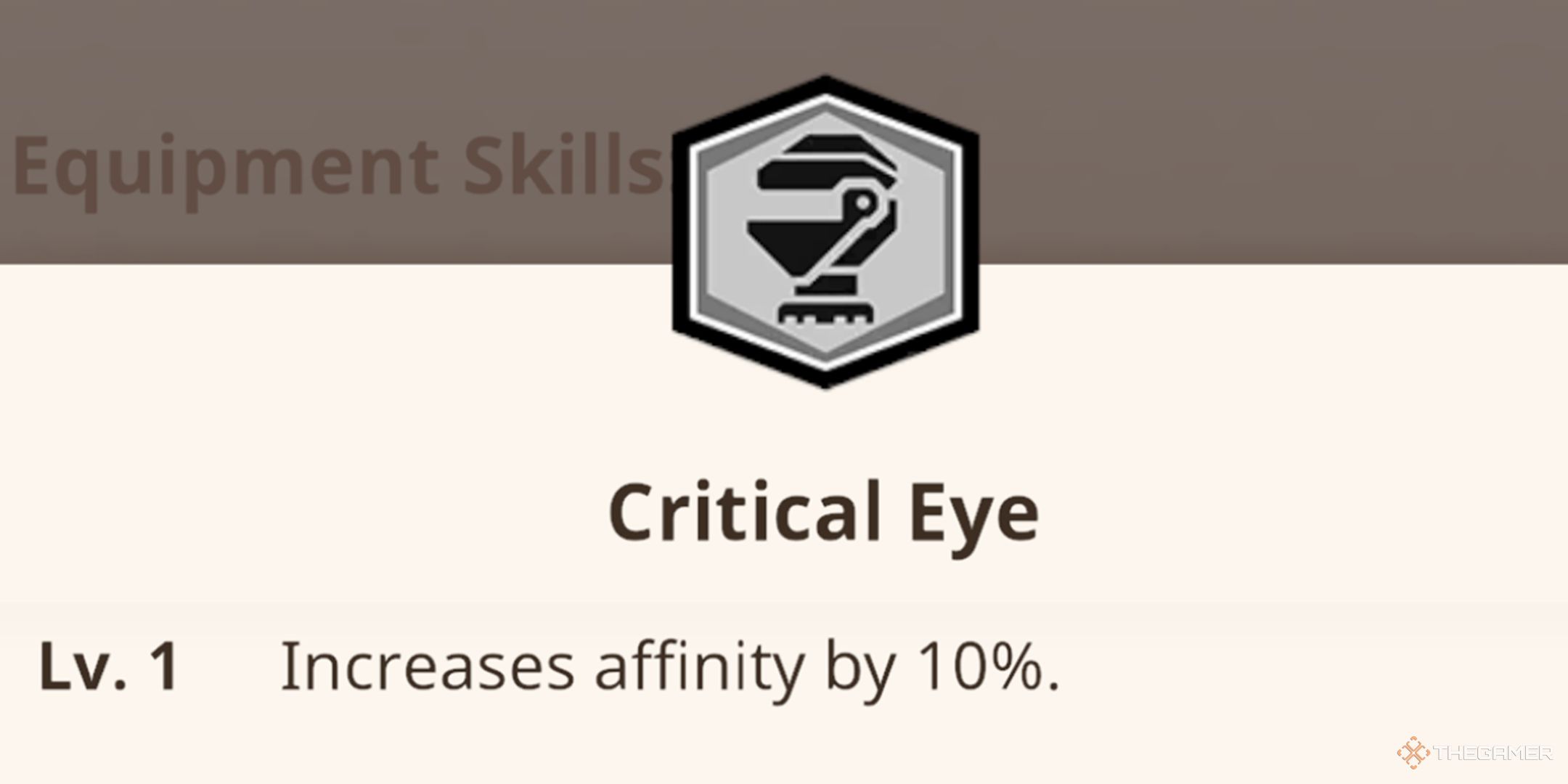
    The level one stat for the Critical Eye skill that increases affinity.

    Each weapon comes with a base Affinity stat, but you can also boost your overall Affinity through specific skills. The Critical Eye skill enhances your total Affinity, while Weakness Exploit increases your Affinity when attacking vulnerable points of a monster.

    Critical Eye and Weakness Exploit can work together effectively, but keep in mind that Affinity can’t exceed 100%. Once you reach this cap, every attack will be a critical hit.

    Here’s a summary of how Critical Eye and Weakness Exploit enhance your Affinity:

    Critical Eye

    Level Effect
    1 Increases Affinity by 10%
    2 Increases Affinity by 15%
    3 Increases Affinity by 20%
    4 Increases Affinity by 30%
    5 Increases Affinity by 40%

    Weakness Exploit

    Level Effect
    1 Increases Affinity by 20% when attacking a monster’s weak spot
    2 Increases Affinity by 25% when attacking a monster’s weak spot
    3 Increases Affinity by 30% when attacking a monster’s weak spot
    4 Increases Affinity by 40% when attacking a monster’s weak spot
    5 Increases Affinity by 50% when attacking a monster’s weak spot

    Several equipment pieces grant these skills, including the Kulu-Ya-ku set, the Pink Rathian set, and the Odogaron set for Critical Eye. For Weakness Exploit, look for pieces from the Rathalos and Coral Pukei-Pukei sets.

  • Targeting with ChatGPT Ads: How It Works

    In the rapidly evolving landscape of digital marketing, ChatGPT ads have emerged as a powerful tool for reaching specific audiences effectively. By leveraging the strengths of artificial intelligence, businesses are now able to engage customers in a more personalized manner. This article delves into the mechanics of targeting with ChatGPT ads and how these strategies can optimize marketing campaigns.

    Understanding ChatGPT Ads

    ChatGPT ads utilize AI-driven conversational technologies to create engaging and dynamic advertisements. Unlike traditional advertisements that offer static messages, ChatGPT ads can interact with potential customers in real time, tailoring responses based on user queries.

    Key Features of ChatGPT Ads

    • Interactivity: Engage users through real-time conversation.
    • Personalization: Tailor messages based on user behavior and preferences.
    • Scalability: Handle multiple interactions simultaneously, allowing businesses to reach a larger audience.

    How Targeting Works

    The power of ChatGPT ads lies in their targeting capabilities. Companies can fine-tune their advertising efforts to reach ideal customers through various strategies.

    Demographic Targeting

    Demographic targeting allows businesses to focus on specific groups based on characteristics such as:

    • Age: Tailor ads for different age brackets.
    • Gender: Create gender-specific messaging for enhanced relevance.
    • Location: Target users depending on geographic regions.

    Behavioral Targeting

    Behavioral targeting leverages data on user interactions to create custom advertising experiences. This approach includes:

    • Past Purchases: Suggest products based on previous buying behavior.
    • Search History: Use browsing history to recommend relevant services.
    • Engagement Metrics: Analyze how users interact with existing ads to improve future targeting.

    Interest-Based Targeting

    This method involves focusing on users’ interests to enhance engagement. Strategies include:

    • Content Preferences: Serve ads based on the type of content users consume.
    • Social Media Activity: Leverage users’ online activities to predict interests.
    • Community Involvement: Consider affiliations with groups or causes that align with the brand.

    Crafting Effective ChatGPT Ads

    Creating effective ChatGPT ads requires a mix of creativity and data analysis. The message should resonate with the target audience while also prompting interaction.

    Tips for Crafting Engaging Ads

    • Clear Objectives: Define what you want to achieve—brand awareness, lead generation, or sales conversion.
    • Conversational Tone: Adopt a friendly, approachable tone that encourages dialogue.
    • Call-to-Action (CTA): Include compelling CTAs that motivate users to take action.
    • Testing and Optimization: Continuously test different messages and targeting options to refine your approach.

    Example Scenarios

    Here are a few scenarios showcasing how targeting can work effectively:

    • E-commerce: A fashion brand can deploy ChatGPT ads to recommend outfits based on user preferences and trending styles.
    • Travel: A travel agency could engage users by suggesting tailored vacation packages based on previously searched destinations.
    • Tech Products: A tech company can address user inquiries about specific products, providing instant feedback and recommendations.

    Measuring Success

    To ensure the effectiveness of ChatGPT ads, metrics must be in place to evaluate their performance. Key performance indicators (KPIs) to track include:

    • Engagement Rate: Analyze how often users interact with the ads.
    • Conversion Rate: Measure the percentage of users taking desired actions after engaging with the ads.
    • Customer Feedback: Gather insights from user interactions to refine targeting and messaging.

    By incorporating these methods and metrics, companies can maximize the impact of their ChatGPT advertising campaigns, engaging their audience in innovative ways while achieving their business goals.

  • How do burner phones work?

    How do burner phones work?

    Burner phones have gained popularity for their anonymity and convenience in various situations. Whether used for privacy reasons or temporary communication, understanding the mechanics behind these devices helps users grasp their advantages and limitations.

    What is a Burner Phone?

    A burner phone is a prepaid mobile device often used for short-term communication. Unlike regular phones tied to a specific carrier or contract, burner phones allow users to purchase and use them without long-term commitments or personal information requirements.

    Characteristics of Burner Phones

    • Prepaid Usage: Users buy them with prepaid minutes or data plans, making them ideal for temporary use.
    • No Contracts: There’s no need for a long-term contract, so users can dispose of or stop using the phone any time.
    • Limited Features: They typically offer basic features compared to smartphones, focusing on calls and text messages.
    • Anonymity: Users can maintain a level of privacy, as burner phones often don’t require extensive personal information for activation.

    How Burner Phones Operate

    Burner phones function similarly to standard mobile devices, but several key factors distinguish them.

    Activation Process

    1. Purchase: Users can buy burner phones at retail stores or online, often without providing any personal identification.
    2. SIM Card Installation: After purchasing, the user inserts a prepaid SIM card that connects to a mobile network.
    3. Top-Up Options: Users must add credit to the SIM card, usually available through various retailers or online platforms.

    Communication Mechanism

    • Voice Calls and Texts: Users can make calls and send texts just like regular phones, relying on the cellular networks of service providers.
    • Limited Internet Access: Some burner phones offer limited data services, but many models focus primarily on voice and text functionalities.

    Reasons to Use Burner Phones

    The use of burner phones varies based on individual needs. Here are some common scenarios:

    Privacy Protection

    • Avoiding Tracking: Individuals concerned about surveillance or tracking may opt for burner phones to keep their communication private.
    • Anonymous Communication: Burner phones allow users to engage in conversations without revealing their identity.

    Temporary Solutions

    • Travel Needs: Travelers often use burner phones to avoid international roaming charges while staying connected.
    • Short-Term Projects: Professionals may use these phones for specific campaigns or contracts, separating work and personal life.

    Safety and Security

    • Protection from Harassment: Individuals in sensitive situations might use a burner phone to evade persistent contacts or harassment.
    • Emergency Situations: Having a backup phone can be helpful during emergencies when a primary device may fail or be lost.

    Limitations of Burner Phones

    While burner phones offer distinct advantages, they also come with certain drawbacks.

    Limited Functionality

    • Basic Features: Users may find that burner phones lack the advanced capabilities of modern smartphones.
    • No App Support: Most burner phones do not support popular applications or services, limiting their usability.

    Short Lifespan

    • Credit Expiration: Prepaid minutes or data can expire quickly, rendering the phone useless if not actively topped up.
    • Physical Durability: Many burner phones are designed for temporary use, often lacking the durability of flagship models.

    Legal Considerations

    Using a burner phone can raise legal questions, especially regarding compliance with laws:

    Lawful Usage

    • Legitimate Reasons: Communication for legal activities is permissible, while using them for illicit purposes can lead to serious consequences.
    • Potential Monitoring: Law enforcement may monitor burner phone activity, especially in crimes or investigations.

    Best Practices

    • Avoid Illegal Activities: Use burner phones responsibly to avoid legal repercussions.
    • Dispose of Correctly: Properly dispose of burned devices to prevent recovery of sensitive information.

    In understanding how burner phones work, users can navigate their benefits and restrictions effectively, making informed choices for their communication needs.