الوسم: Google Photos

  • Google Photos’ Highly Anticipated Feature Faces Delay

    Google Photos’ Highly Anticipated Feature Faces Delay

    Google has discreetly paused the release of one of its most anticipated AI features for Google Photos. This experimental tool, which has been gradually introduced since last year, is now on hold as the company decides to spend more time refining it.

    A Brief Pause Aiming for Enhanced Outcomes

    Ask Photos was highlighted as a standout AI feature announced for the Google Photos app last year. In a dedicated blog post, Google explained that this feature would utilize a unique version of Gemini specifically designed for photo management.

    The aim was to make it easier for Google Photos users to search for and locate their images. However, since its rollout to Android devices last fall, the feature has experienced a troubling decline in performance and utility.

    This downturn has reportedly prompted Google to quietly halt the rollout, with product manager Jamie Aspinall sharing updates on X. In a response to user feedback, Aspinall acknowledged that “Ask Photos isn’t where it needs to be” and stated that the team is taking a step back to enhance speed, quality, and user experience. He anticipates that it will be back online in a couple of weeks.

    Another Gemini Setback

    Gavin Phillips/MakeUseOf

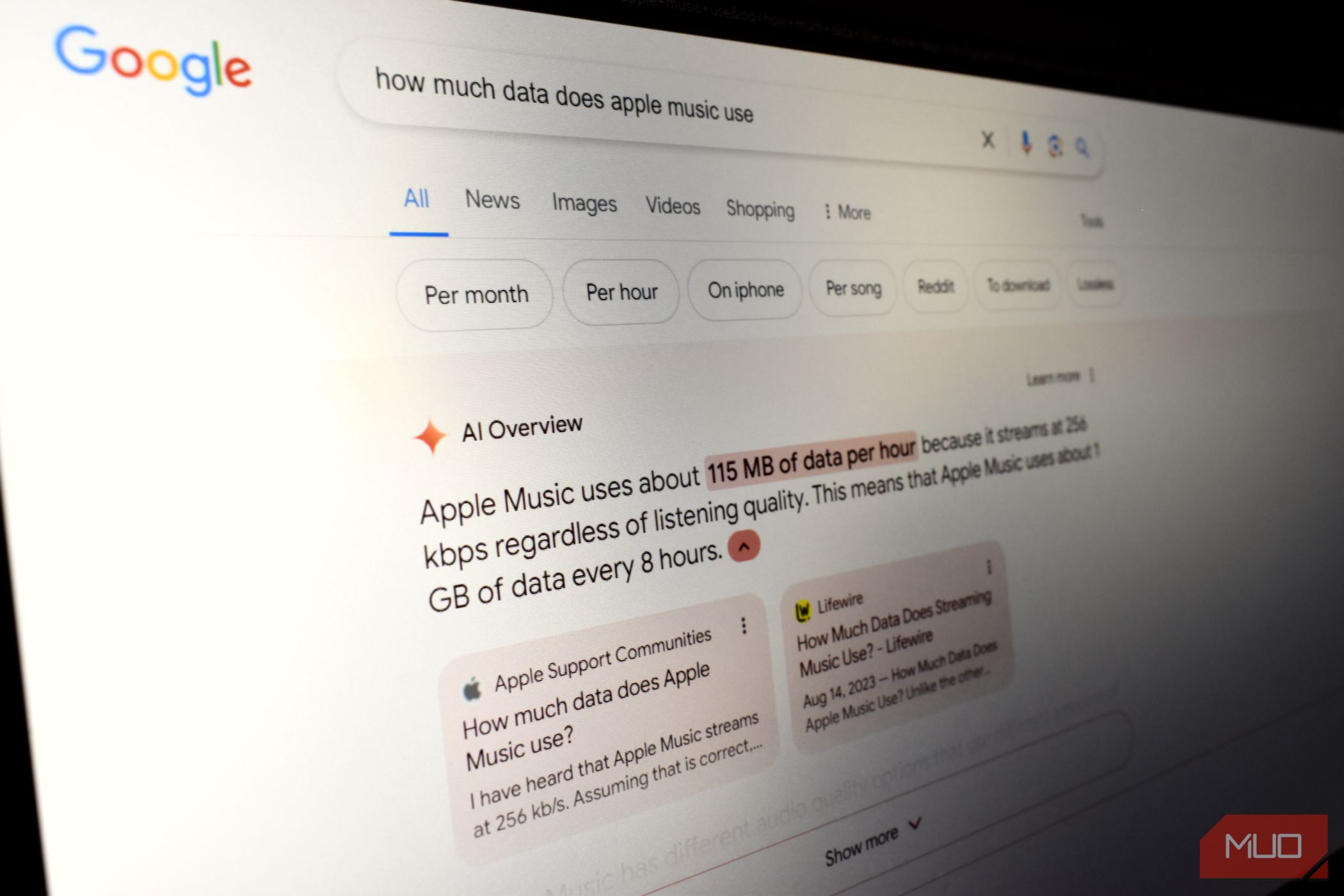
    This isn’t the first time Gemini has required a bit more development time. Last year, shortly after launching AI Overviews in Google Search, Google had to retract its rollout to adjust the feature, which had been delivering some questionable results. Even now, several months on, the AI’s responses continue to vary widely in quality based on the questions asked.

    What stands out about this recent pause is that Google hasn’t made a formal announcement regarding it. The company seems to be keeping things under wraps, which is understandable given the criticism it has faced concerning Gemini’s performance.

    Additionally, since Ask Photos hasn’t reached a large audience yet—according to Aspinall, the number of users is still quite small—this pause serves as an opportune moment for quieter refinement.

    For those who have received the update in Google Photos, they will likely notice improvements once the feature is back in action, making Ask Photos more responsive and effective.

    Until then, anyone eager to access this new feature in Google Photos will need to be patient.

  • Google Photos To Add Hidden Watermark To AI-Edited Images

    Google Photos To Add Hidden Watermark To AI-Edited Images

    Google’s investment in artificial intelligence is well-known and becomes apparent as soon as you open any of its applications. One of the earliest beneficiaries of this AI focus has been the Google Photos app. Now, the company is introducing a new level of transparency.

    Do you remember the Magic Editor, which allows you to utilize AI-assisted editing within Google Photos? Moving forward, images enhanced by the Reimagine tool found in Magic Editor will include an invisible watermark.

    The Reimagine feature enables you to edit photos using everyday language. Just select the elements you wish to modify and describe your desired changes in a single sentence. You can alter backgrounds, eliminate unwanted objects, and introduce new elements seamlessly.

    Reimagine tool in Magic Editor on mobile.
    Google

    Although you won’t physically observe the watermark, it operates at the pixel level within the AI-edited images. Google utilizes a digital watermarking tool named SynthID to identify photos that have undergone AI enhancements.

    While SynthID is designed to mark images accurately, it may not always succeed, especially with subtle modifications. According to Google, “In some instances, edits made with Reimagine may be too minor for SynthID to detect, like changing the color of a small flower in a photograph.”

    Developed by Google DeepMind, SynthID serves as a digital watermarking solution for AI-generated visual content. While it remains invisible to human eyes, it can still be detected by machines and online platforms, including Google Search.

    AI disclosure on images.
    Google

    Even when the watermark is applied, the quality of the image remains intact. Modifications like cropping, changing color profiles, adding filters, or compressing images will not eliminate the SynthID signature.

    SynthID has not only been integrated into images produced by Google’s Imagen model but is also a core component of video content generated by the Veo video generation model.

    The role of AI effects on an image’s editing can be verified through the “About this image” feature. Users can explore this section for online images via Chrome or through Google Image Search.

    AI watermark for images.
    Google

    This feature reveals information such as the date the image was first indexed by Google Search and its initial appearance online, along with details about its AI origins.

    The “About this image” section can also be accessed through the Circle to Search feature on mobile devices and via Google Lens in the smartphone app for both Android and iOS. Copyright protection for these images may vary based on the level of AI involvement.

    Google’s method of transparency differs from emerging standards like C2PA, which use cryptographic techniques to modify image metadata. Notably, Google is a participating member of the Coalition for Content Provenance and Authenticity (C2PA), alongside companies such as Amazon, Meta, OpenAI, and Microsoft.

  • Easier To View Pictures In Your Google Photos Albums

    Easier To View Pictures In Your Google Photos Albums

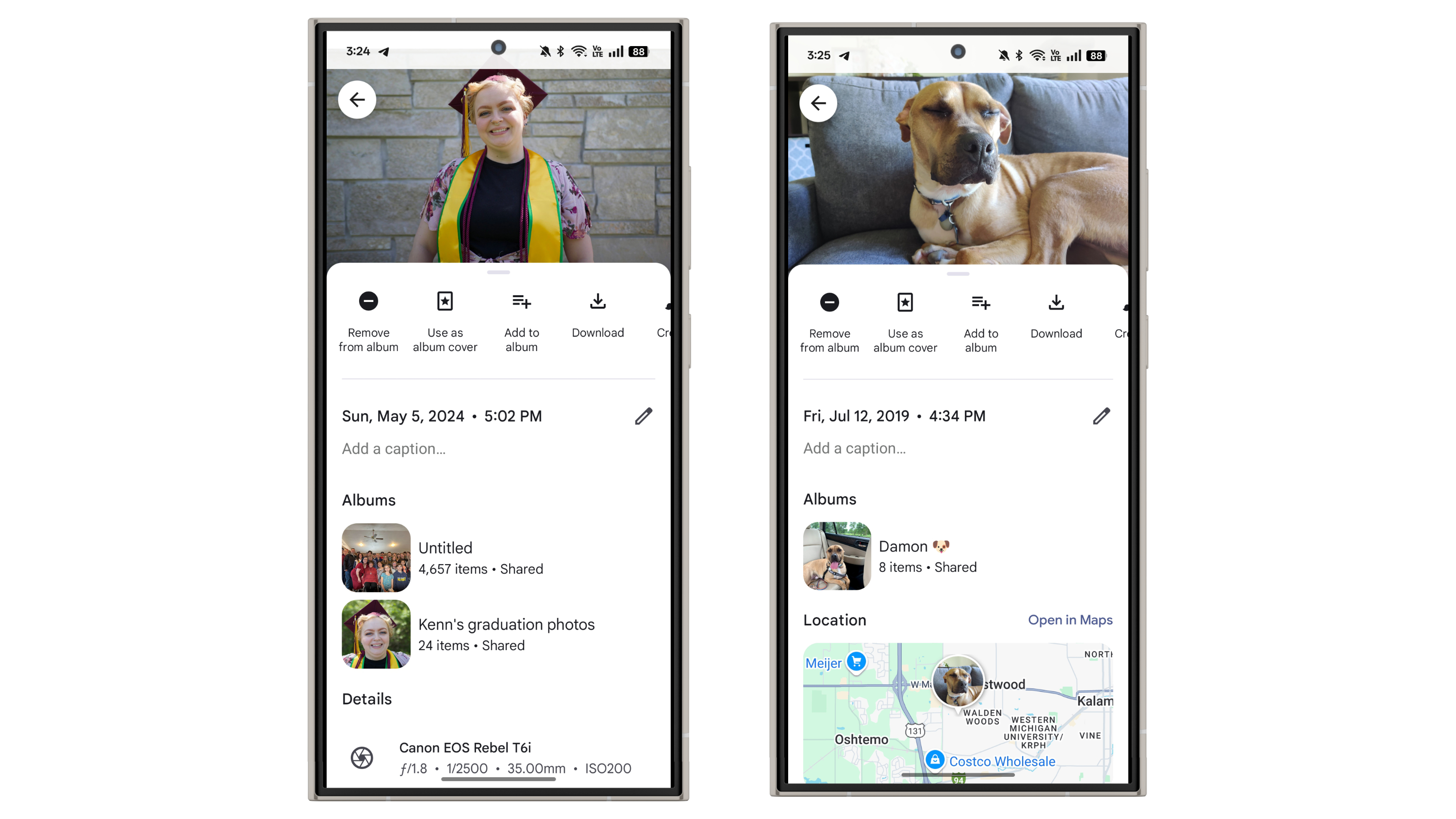
    Google Photos is one of those applications that frequently introduces new features. While the updates may not always revolutionize the experience, they are certainly welcome. The latest enhancement to Google Photos includes a brand-new “Albums” section that appears when you access a photo or video.

    To see this new feature while viewing a photo or video, simply swipe up to reveal the details. Just above the “Location” section, you’ll find the new “Albums” area, which shows the album to which the file belongs. It will display the album’s name along with the total number of items it contains. You can also tap on the album to navigate directly to it.

    This update was first noticed by 9to5Google, and I can confirm that it’s active for me as well. Currently, it seems to be exclusive to the Android app and isn’t yet available on iOS.

    New Albums section in file details in Google Photos.
    Joe Maring / Digital Trends

    Though this is a relatively minor addition, it’s a feature I genuinely appreciate. I often struggle with organizing and maintaining my albums in Google Photos—partly due to forgetting which photos I’ve already included. Having a clear indication of whether a photo or video is part of an album is a great enhancement, and it might just motivate me to improve my album organization skills.

    If it feels like we’ve discussed Google Photos frequently this month, that’s because it has been a busy time for the app. Earlier this month, Google introduced a 2024 year-in-review feature, similar to Spotify Wrapped. The app also recently added a Quick Edit feature, allowing for easy edits right before sharing images.

  • Google Photos Gets Exciting New Feature For Faster Edits

    Google Photos Gets Exciting New Feature For Faster Edits

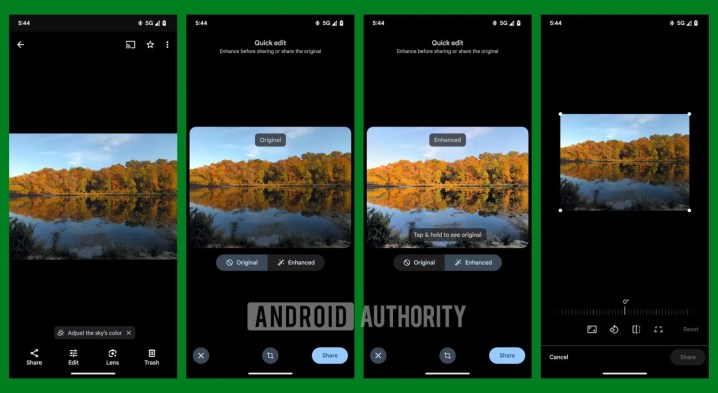
    Google Photos for Android is rolling out a new feature designed to streamline photo editing just before sharing. This addition was initially highlighted by a tipster from Android Authority who reported it first.

    The “Quick Edit” functionality enables users to enhance or crop photos quickly before sharing them. It includes an “Enhance” button, operating similarly to the existing enhancement feature found in the app’s regular editing suite. Additionally, there’s a crop button that mirrors the one typically used in the standard photo editor. If multiple photos are selected prior to tapping the share option, users will see the usual share menu rather than the new Quick Edit interface.

    Google Photos has offered simple, single-click enhancement tools for some time now, with at least four distinct options available. The Enhance tool automatically examines your image and adjusts its brightness, contrast, and color. Users may also see Suggested Edits, which provide tailored suggestions like cropping or rotating, all of which can be applied effortlessly with one click.

    Screenshots of Google Photos Quick Edit
    Android Authority

    Users can also apply various filters instantly to alter the mood and style of their images. Basic editing options such as Crop and Rotate are easily accessible with a single click and offer presets for common aspect ratios.

    The source mentioned that the new Quick Edit feature is functioning on a Pixel 6 Pro running version 7.10.0 of Google Photos. Interestingly, on my Pixel 9 Pro XL with version 7.11.0, the feature hasn’t appeared, indicating it might be rolling out gradually across Android devices.

    Google Photos is available on a variety of platforms. Besides Android, the app can also be accessed through the App Store for iPhone and iPad, in addition to being available online.

  • Google Photos 2024 Year In Review Is Here How To Find It

    Google Photos 2024 Year In Review Is Here How To Find It

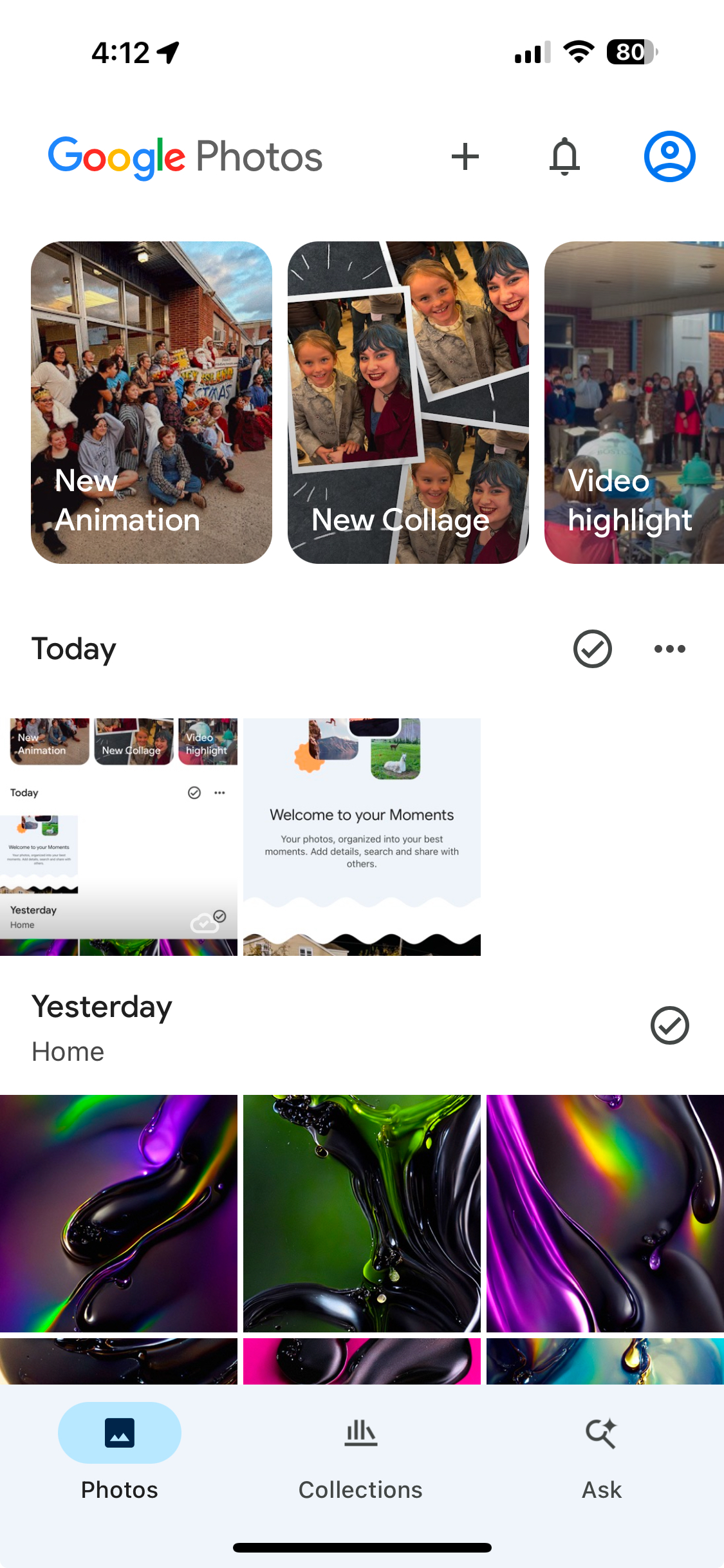
    What were your standout photos from this past year? Instead of sifting through a full year’s worth of pictures, Google Photos has introduced a new feature to simplify the process. This year-end review highlights your most special moments and can be found at the top of the app’s main page, accessible via the featured memories carousel on both iOS and Android versions of Google Photos.

    According to Google, the year-in-review tool offers a customized overview of your year as depicted through your photos. The feature includes various categories that spotlight different highlights: “Longest streak” shows your maximum consecutive days of photography, while “Year in smiles” tallies the number of smiles you’ve captured and identifies who you smile with most often. “Your top faces” focuses on the individuals who feature the most in your images.

    Additionally, “Year in color” showcases the predominant colors from your photos, crafting a unique color palette for the year. Lastly, “Your 2024 vibes” analyzes your photos to identify your top three “personas.”

    You have the option to save and share these year-end recaps and insights, which will subsequently be pinned to the photos grid under December when the new year begins.

    Every memory reel is accompanied by a automatically generated soundtrack, adding a special touch to your captured moments.

    Screenshots showing Google Photos' 2024 Year in Review feature.
    Bryan M. Wolfe / Digital Trends

    To utilize this year-end feature, you must have Face Groups enabled in the app and have taken a certain minimum number of photos throughout the year (the exact threshold is not stated).

    This functionality is available on smartphones, tablets, iPads, and the Google Photos website as well.

    Spotify was one of the first tech companies to offer a year-in-review tool with its popular Spotify Wrapped, with many others, like Apple Music and YouTube Music, soon following suit. Similarly, platforms like Reddit Recap, Goodreads Year in Books, and Letterboxd Year in Review have emerged.

    Since its launch in 2015, Google Photos has continually evolved. Recently, it was revealed that the app would retire its “Memories” tab in favor of a new feature called “Moments.” This new addition aims to help users rediscover cherished memories by curating photos and videos from their library into an engaging and visually appealing format.

    I’m truly impressed by Google Photos’ year-in-review feature. It allows me to revisit the wonderful moments I experienced over the past year, like the incredible cruise I took during the summer and my daughter’s delightful spring musical at school. Each featured photo looks fantastic on my iPhone 16 Pro Max. Great job, Google!

  • Google Photos App Is Getting A New Look Here’s What’s New

    Google Photos App Is Getting A New Look Here’s What’s New

    Google is making a noteworthy adjustment to its widely used Google Photos application. As initially reported by 9to5Google, the “Memories” tab will no longer be part of the app. This feature, which functions like a digital scrapbook, employed artificial intelligence to curate an AI-driven feed of memories.

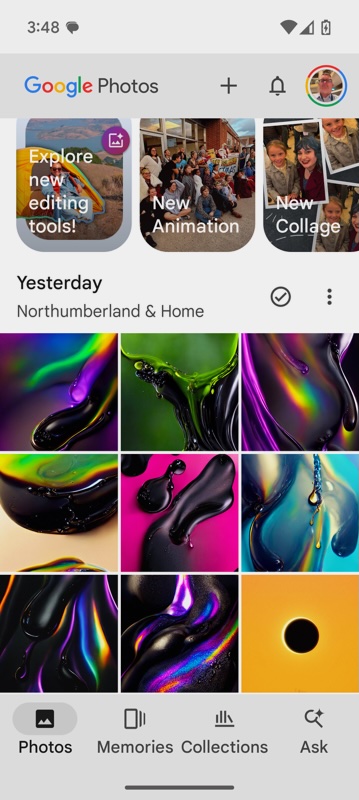
    The Memories tab, which has been located in the bottom navigation bar, is set to be replaced by a new feature called Moments, which will be found within the Collections section of the app. Here, users can access various categories such as People & Pets, Albums, Documents, and Places.

    With this update, the bottom bar of Google Photos will now host just three tabs: Photos, Collections, and Search (or Ask if you’re using Google Gemini). Following the expected rollout of the update to both iOS and Android devices, the Memories branding will be consolidated to the carousel displayed at the top of the main image grid within the app.

    According to 9to5Google, this new design enhances navigation within Google Photos, giving it a more streamlined appearance. A similar simplification took place with the Google Maps app earlier this year, which also features just three tabs in its lower navigation bar.

    Despite the name change, the functionalities remain unchanged, whether referred to as Memories or Moments. This feature continues to serve as a digital scrapbook that displays organized collections of your images and videos from previous occasions. Google’s AI efficiently sorts and highlights these moments, making it easier to revisit treasured experiences, such as special events or trips.

    Users can customize their Moments by adding or removing items, editing titles, and selecting new featured images. Sharing these nostalgic compilations with family and friends is straightforward, with full control to hide specific Moments, eliminate photos, or deactivate the feature completely.

    Additionally, Moments often showcase automatically created content like collages and animations, adding a creative flair to the experience of looking back.

    The latest Google Photos update for devices like the iPhone 16 includes this change, and an anticipated update for Android, especially for models such as the Google Pixel 9, is expected to be available on Google Play soon.

  • Google Photos Introduces AI-Powered Video Editing Features

    Google Photos Introduces AI-Powered Video Editing Features

    Google has unveiled new features for its video editor in the Google Photos app, designed to make video editing easier for users on both Android and iOS platforms.

    This update brings a range of improvements, including advanced AI tools and a more straightforward way to access existing editing capabilities.

    A significant enhancement is the revamped user interface, which showcases video editing tools more prominently, enabling users to swiftly locate and implement edits.

    One notable addition is an upgraded trim feature that provides finer control over video cuts. The auto-enhance tool allows users to adjust color settings and stabilize their footage effortlessly with a single tap, while the speed control feature enables adjustments to playback speed for both faster and slower visuals.

    Alongside these improvements, Google Photos is also introducing AI-driven video presets that aim to simplify the editing process.

    These presets can automatically handle tasks such as trimming videos, adjusting lighting, managing speed, and adding effects like dynamic motion tracking, zooming in on primary subjects, or creating slow-motion clips.

    With these new capabilities, users can achieve high-quality, professional-looking videos with very little effort.

    The update is now being rolled out to Android users, with iOS updates expected to follow shortly.

  • Google Photos Alternatives [year] – Best Free Alternatives (Android / iOS)

    Google Photos Alternatives [year]: Since Google has announced that Google Photos will be ditching the unlimited storage feature, people have been searching for alternatives to unlimited photo storage.

    (المزيد…)
  • Google Photos Unlimited Storage Feature to be Discontinued in 2021

    Google offered Google Photos Unlimited Storage free backup at high quality for five years and it will be charging for storage of more than 15 gigs on the account used.

    (المزيد…)
  • Google Photos now lets you search for text in your photos

    Previously, we were able to quickly search for text in your photos for specific events, people, pets, locations, etc. through Google Photos’ AI technology.

    (المزيد…)