الوسم: Google Messages

  • Google Messages Adds Real Unsend Feature With ‘Delete For Everyone’

    Google Messages Adds Real Unsend Feature With ‘Delete For Everyone’

    Over the years, Google Messages has developed features that make it a worthy alternative to Apple Messages. The latest addition, which allows users to fully unsend messages, is now being rolled out to a wide range of Android users, alleviating the discomfort of mistakenly sent texts.

    After showcasing the “Delete for Everyone” feature in its Messages app, Google is now extending it beyond the beta testing phase. This new functionality enables senders to remove a message for all participants in both one-on-one and group chats, replacing earlier versions that left deleted messages visible to others.

    The “Delete for Everyone” feature was first noticed by a Reddit user named seeareeff (via 9to5Google), but they did not specify which version of Google Messages is required to activate it. Despite updating to the latest version, we were unable to enable it, hinting that the rollout might be controlled server-side.

    It’s important to note that this feature is available only for messages sent over RCS, a more modern internet-based messaging standard that Google is trying to promote as a replacement for traditional SMS, especially in the face of Apple’s resistance. Therefore, everyone in the conversation must have RCS enabled to take advantage of this functionality, which is also necessary for features like message reactions and typing indicators. Updating Google Messages is essential; otherwise, deleted messages might still be visible to some users.

    In addition to chats with other Google Messages users, the cross-platform nature of RCS suggests it should also function smoothly with Apple Messages. Apple has recently embraced RCS alongside its own iMessage protocol for its messaging app. However, it’s necessary for other participants to update their iPhones or iPads to iOS 18 for compatibility. Setting up RCS in Google Messages may require additional configuration by some users, and not all telecom carriers may support the feature.

    With Google Messages solidifying its place as the primary messaging application for Android, further moves toward standardization from Google can be expected.
  • See More Text Coming Soon In Google Messages

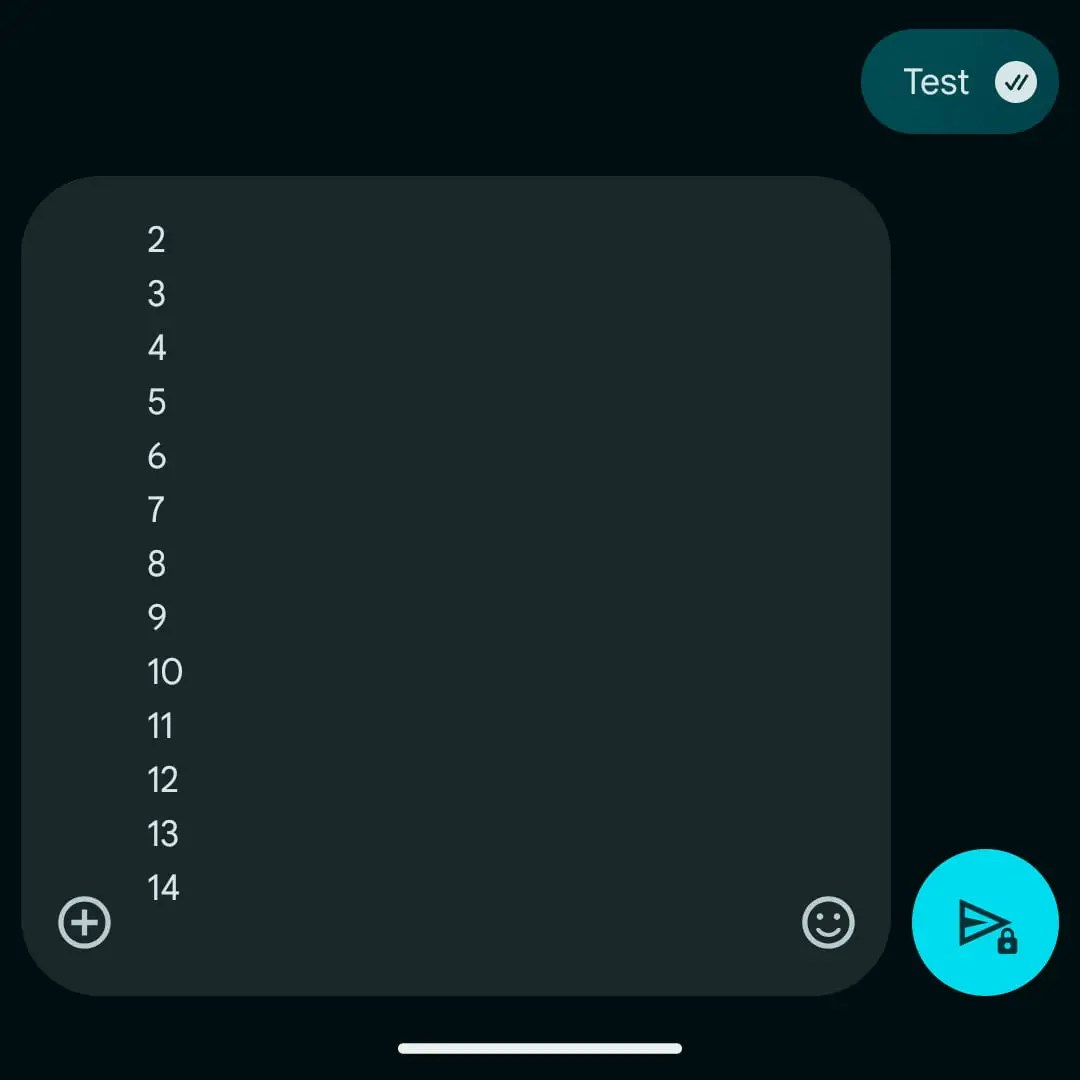
    If you’ve ever found yourself frustrated by the small size of the text box in Google Messages, there’s some positive news: it’s about to get a whole lot better! Last month, Google introduced a redesign of its compose area—the section where you write your messages—but many users were disappointed that it could only show four lines of text at any one time. This limitation became especially troublesome when trying to share lengthy URLs that took up nearly the entire field.

    Fortunately, the situation is improving. The latest update in the Google Messages beta allows the text box to expand to a maximum of 14 lines, eliminating the need to scroll until you reach that limit. While this feature is not yet available in the stable version, it is expected to be rolled out soon.

    An example of the improved Google Messages text field.
    Image used with permission from the copyright holder

    While this update may seem minor, it significantly enhances the user experience—a welcome change amid several recent improvements to Google Messages. Other enhancements include the ability to watch YouTube videos directly from the chat and better message backup options. Google has also indicated improvements in RCS support are on the way, though the timeline for this rollout remains unclear.

    As this feature is still in beta testing, the exact date for its release in the stable version of Google Messages is uncertain, but you can expect it to appear in the coming weeks. In the meantime, keep an eye out for additional enhancements. The recent Material You update introduced increased padding around the text box and a slightly larger send button, which, while not groundbreaking, contribute to a more pleasant overall experience.

    Google has been consistently enhancing Google Messages, particularly following the discontinuation of its competitors’ messaging apps like those from Samsung and Verizon. If these updates continue at this pace, Google Messages could very well become the top choice for messaging.

  • Images And Videos Not Loading In Google Messages? Fix Coming Soon

    Images And Videos Not Loading In Google Messages? Fix Coming Soon

    Google Messages is a crucial app on any Android device, so it’s frustrating when it doesn’t function properly. Recently, numerous users have voiced complaints about various performance issues and delays. Google has addressed these concerns, and the news is promising: a fix is being rolled out now.

    Many users have reported a string of problems with Google Messages lately, particularly related to viewing photos and videos within the app. Frustrations with RCS features have arisen as attachments sometimes fail to load, leading to a slew of complaints. Users have noticed that the app may slow down or even crash completely; in cases where it remains operational, photos and videos often struggle to function. Some media may not load at all, others appear unclear, and many are unresponsive.

    Monika Y, a community manager at Google, shared an update regarding the situation [here](https://support.google.com/messages/thread/330404133?hl=en). While the specifics are limited, it’s clear that Google is actively addressing the issue.

    Google Messages app displayed on a Pixel 8 Pro, featuring an RCS chat message thread.
    Joe Maring / Digital Trends

    In her statement, Monika emphasized the team’s ongoing efforts: “We have been actively working on this, and we’ve rolled out updates aimed at improving media receiving performance significantly. We hope you will notice a positive change.” She also acknowledged the complexity of the issues and encouraged users to continue sharing their experiences.

    Furthermore, Monika mentioned that Google is still waiting for feedback on whether users are still encountering these problems despite the recent updates.

    As reported by [The Verge](https://www.theverge.com/news/628006/google-messages-media-issues-update-fix), it appears that the resolution is rooted on Google’s side, with no waiting Android updates linked to the fix. Therefore, if you’ve been frustrated by Google Messages’ media performance lately, it may be worth trying again, as improvements may now be in effect.

  • Google Messages May Allow Unsend For RCS Chats

    Google Messages May Allow Unsend For RCS Chats

    Google Messages, the standard messaging application for Android devices, may soon introduce enhancements allowing users to unsend messages similar to functionalities found in various third-party messaging apps. This unsend feature is currently under evaluation and will be supported for conversations using the RCS protocol, which offers an upgraded messaging experience over traditional SMS with better multimedia, emoji, and reactions.

    At present, deleting a message only removes it from your device and has no effect on other participants in the conversation. However, Google is exploring a “delete for everyone” feature that will enable users to remove messages from the chats of all participants, akin to what is available on instant messaging platforms like WhatsApp and Telegram. Sources such as 9to5Google have identified signs of this feature in development, hinting at a potential rollout to a broader audience, though the specific launch date remains unclear.

    When a message is deleted, it will be replaced by a notification indicating its deletion. Similar to other messaging apps, there may be a time limit on the ability to delete messages, likely confined to a few minutes after sending them.

    This capability aligns with the guidelines set forth by the GSM Association. The RCS Universal Profile version 2.7 mandates that all compatible devices and applications must include features to edit, delete, and recall messages.

    Potential Compatibility with Apple’s Messages App

    Google Messages app on a Pixel 8 Pro, displaying an RCS Chat message thread.
    Joe Maring / Digital Trends

    While Google has been integral in enhancing texting through its various RCS-enabled applications for years, Apple has recently entered the fray after much hesitation. With the introduction of iOS 18, iPhones and cellular-enabled iPads now offer optional RCS chat support within their Messages app. This integration works in tandem with Apple’s iMessage system and provides similar functionality for messaging Android users. It’s worth noting that iMessage possesses an “Undo send” capability, but this feature is still lacking in the RCS context.

    Since RCS operates only when enabled for all participants in a conversation, Android users might not be able to leverage this new functionality without a corresponding implementation from Apple. Additionally, users with outdated versions of Google Messages may still see deleted messages until Google prompts everyone to update the application.

    As previously mentioned, this feature is still undergoing tests, and its official launch date has yet to be confirmed. Alongside this update, Google has been enhancing the app by allowing the sending of high-quality images, enhancing cloud backup and restore options, and even exploring end-to-end encryption for interactions with other RCS-compliant applications, including Samsung Messages.

  • Send Higher-Quality Photos in RCS Google Messages Chats Here’s How

    Send Higher-Quality Photos in RCS Google Messages Chats Here’s How

    Google Messages stands out as one of the leading messaging applications globally. Its immense popularity has prompted companies like Samsung and Verizon to replace their proprietary messaging services with this platform. Over 1 billion people use Google Messages each month, with RCS being a key aspect of its functionality. Recently, we have been anticipating the rollout of a feature that enhances photo quality during sharing, a functionality that emerged earlier this month.

    Google Messages has officially started the gradual release of the “original quality” photo-sharing feature, as reported by Android Authority. Currently accessible in the beta version, this development indicates that it will soon be available to all users.

    Activating this feature is straightforward:

    • Tap the Media Quality button located in the upper right corner of your screen (represented by the HD/HD+ icon).
    • You will see two selections: Optimized for chat and Original quality. Choose Original quality.
    • Pick your image and hit Send.
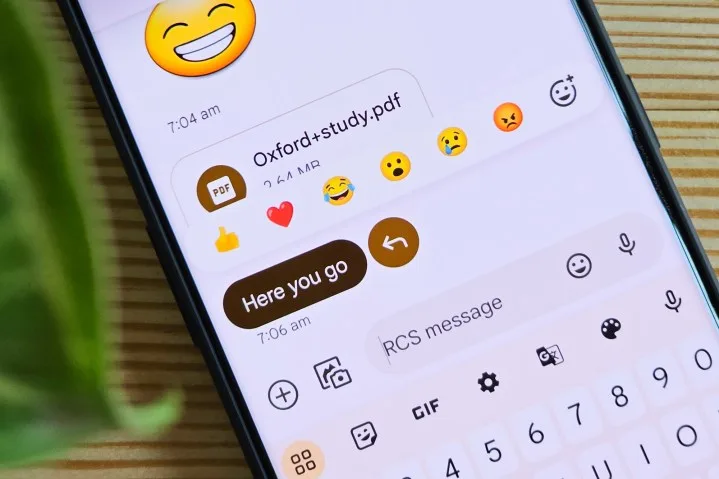
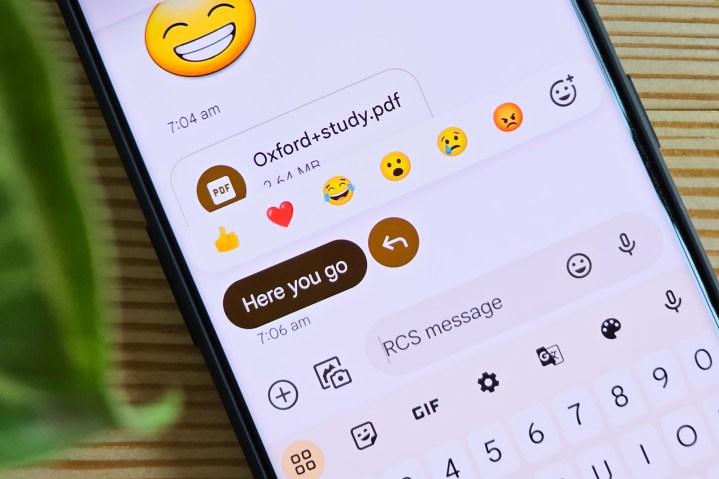
    Emoji reactions on Google Messages running on OnePlus 11.
    Tushar Mehta / Digital Trends

    Selecting the optimized option will deliver the image at a lower resolution, which consumes less data, while opting for the original quality allows for an unrestricted transfer of your image.

    That’s all there is to it! Now, you can share that breathtaking sunset photo with friends, showcasing its vibrant orange and purple hues. Keep in mind that sending it in original quality may take longer due to the lack of compression and will use a greater amount of data. This feature is also set to remain the default for all chats once activated, with no current option for specific chat customization.

    This feature is being gradually introduced in the beta version 20241118_03_RC00 of Google Messages. Depending on the number of issues that may arise during this rollout, it is expected to be available to the wider audience in the upcoming weeks.


  • Google Messages Simplifies Text Backup And Restore Process

    Google Messages Simplifies Text Backup And Restore Process

    On Android devices, backing up and restoring Google Messages is performed via Google One found in the Settings app. Unfortunately, this function isn’t currently available directly from the Google Messages application, although that might change soon.

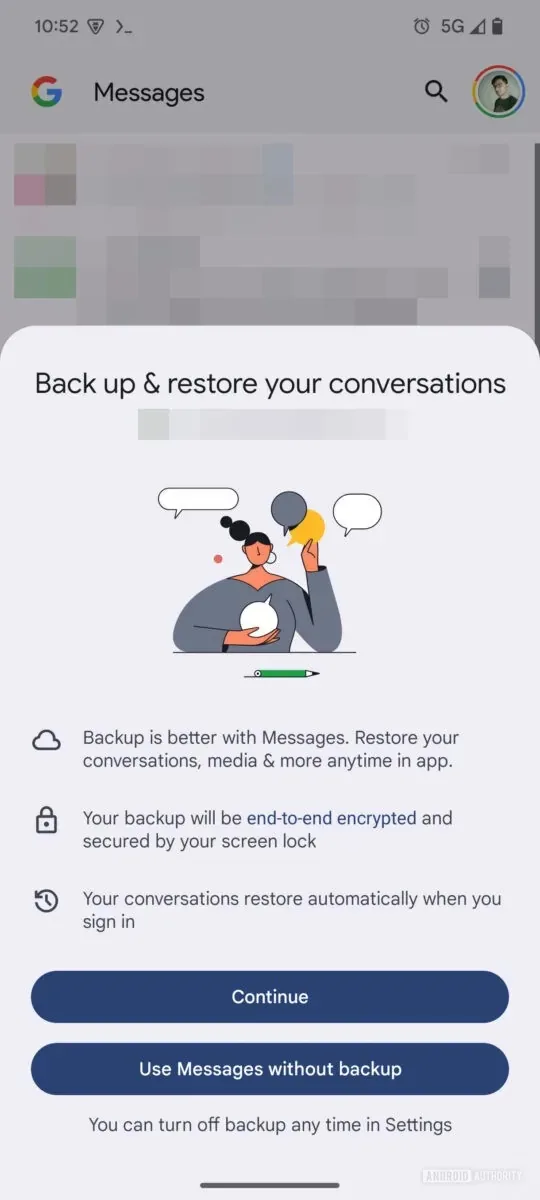
    As reported by 9to5Google, a beta version of the Google Messages app (version 20241118_02_RC00) contains hints of a new backup and restore feature integrated directly into the app. Meanwhile, Android Authority has provided images of this feature, offering a first look at its functionality.

    The screens for the new “Backup & Restore” section in Google Messages provide significant details, including:

    • “Backup is better with Messages. Restore your conversations, media & more anytime in the app.”
    • “Your backup will be end-to-end encrypted and protected by your screen lock.”
    • “Your conversations will automatically restore when you sign in.”

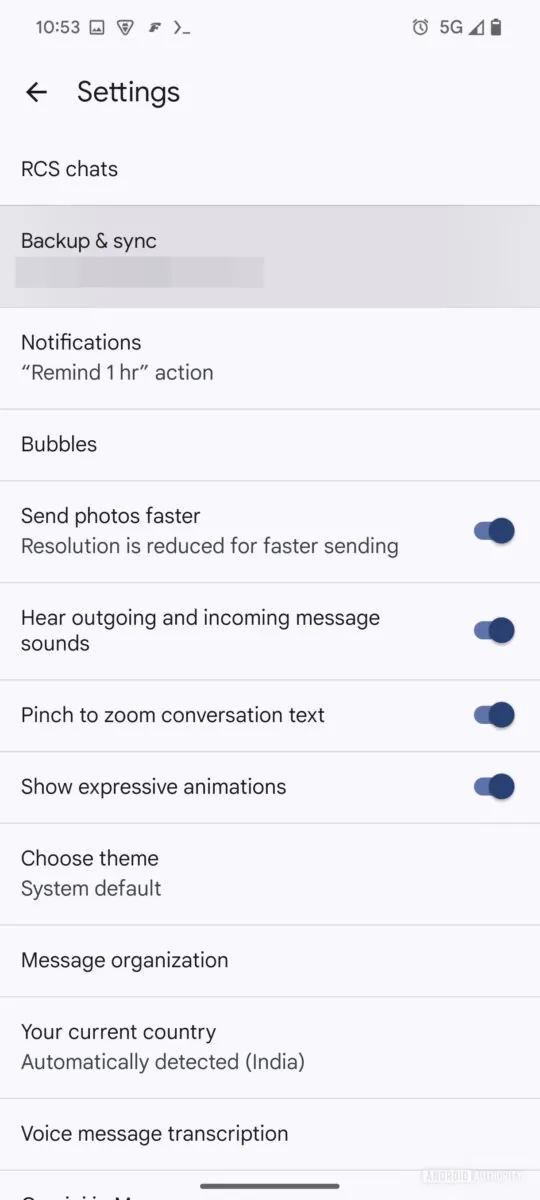
    Additionally, the screenshots suggest that Google Messages will prompt users to enable the backup feature. If you opt not to activate it at that moment, you can still find the option later in the app’s settings under “Backup & Sync.”

    Other details indicate that users will be able to back up and restore “conversations, media, and more” with the assurance of end-to-end encryption. It’s important to note, however, that the device’s screen lock must be enabled for encryption to function. Moreover, your messages will be restored automatically when you log into Messages, eliminating the need for manual restoration and enhancing convenience.

    Finally, this new backup and restore capability is set to introduce additional flexibility that many users have been missing. For instance, there’s an option to sync only photos and videos over Wi-Fi. As explained by Android Authority: “This is a useful feature in line with other messaging platforms, enabling you to preserve your mobile data cap by syncing your text history over mobile data instead.”

    The enhancements in Google Messages are expected to boost both user confidence and flexibility regarding the backup process. Presently, the Google One backup method has its limitations. However, specifics on the timing for a public release of this update remain unclear, and we anticipate more details soon.

    Google Messages is continuously evolving; earlier this month, features were added to facilitate sending images via RCS, and in October, improved scam protection was introduced.