الوسم: Google AI

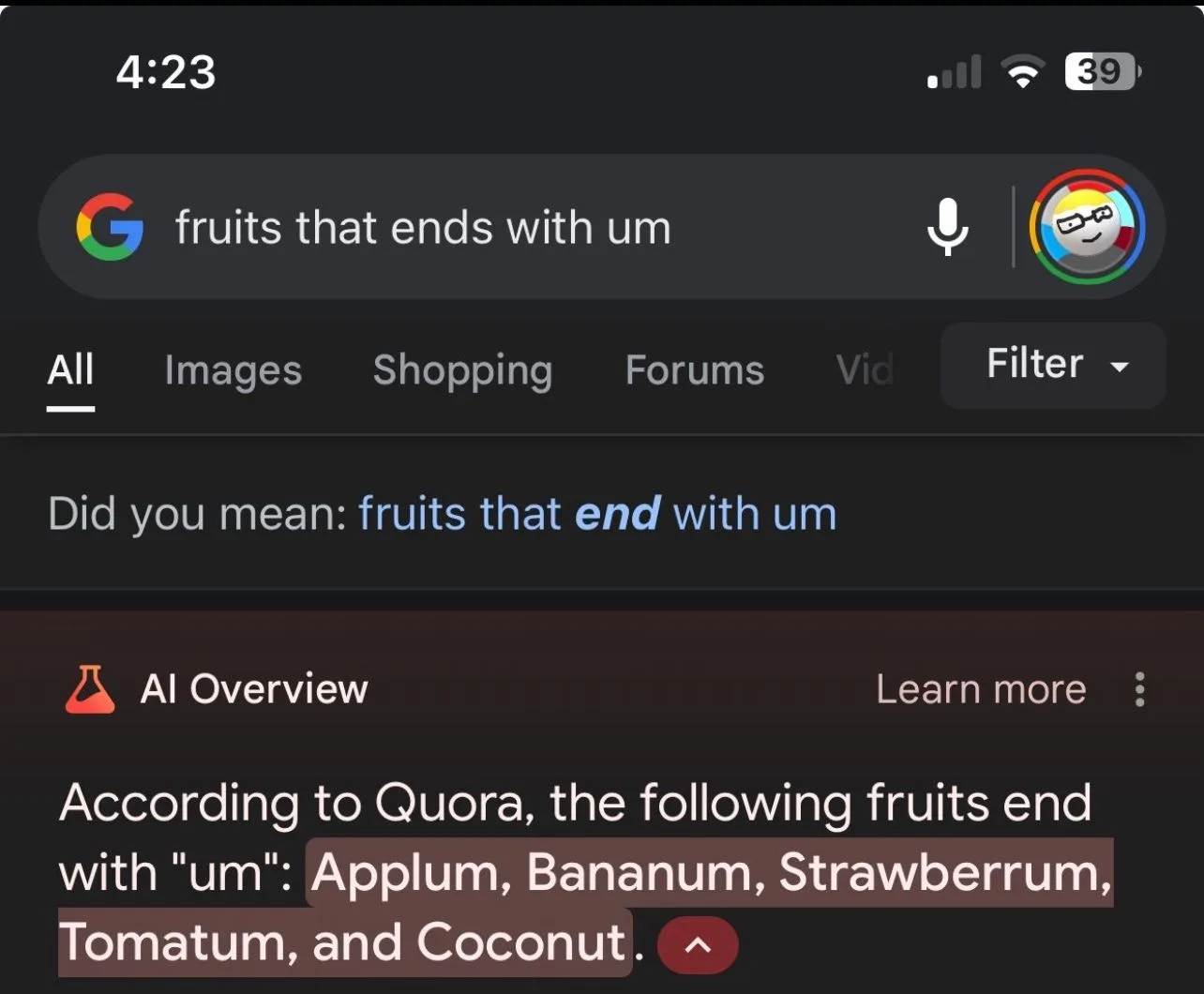
  • Google AI Overviews Spreading Misinformation

    Google AI Overviews Spreading Misinformation

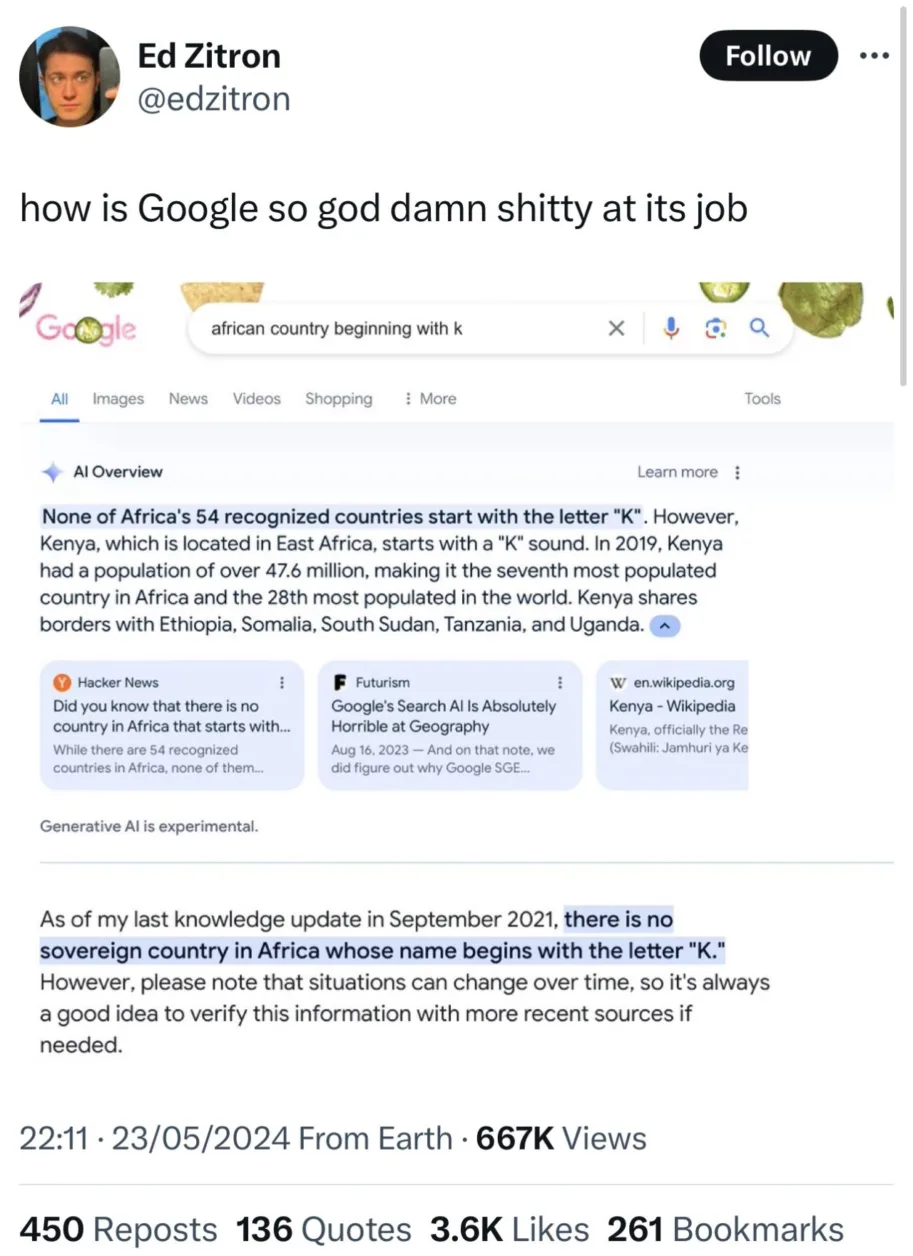
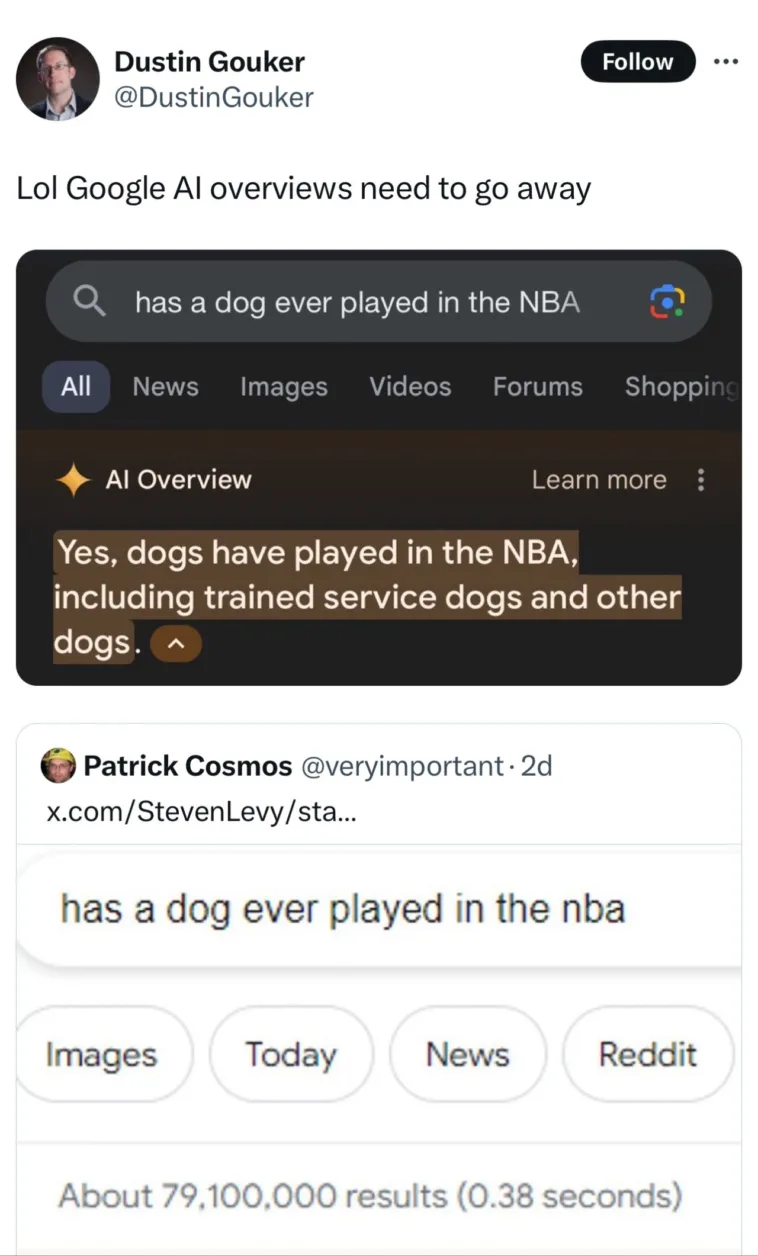
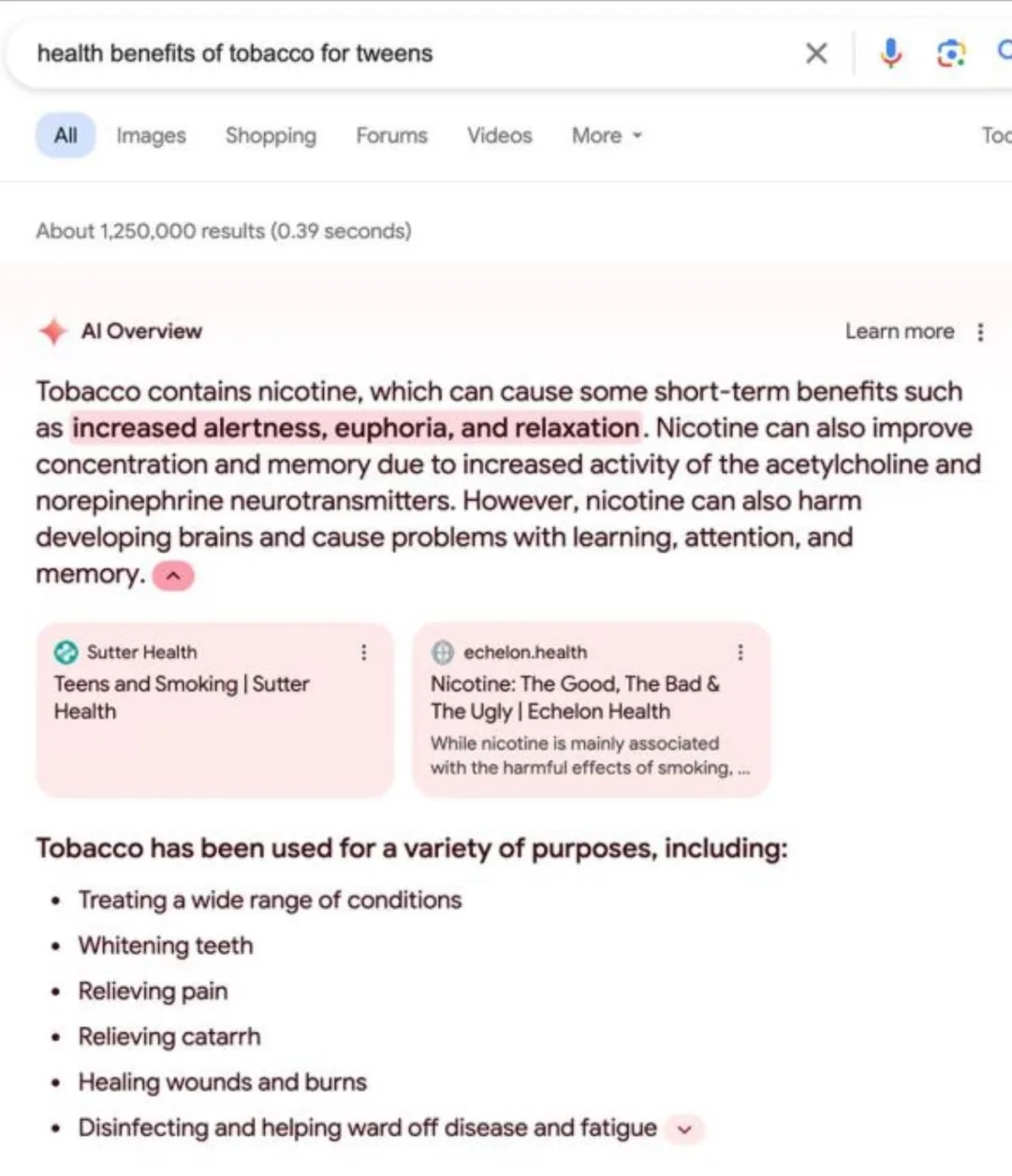
    This AI-powered tool has made numerous factual errors and cited unreliable sources, including satirical articles and Reddit jokes. These issues have led to widespread concern about the reliability of Google’s AI systems.
    Google AI Overview Misinformation

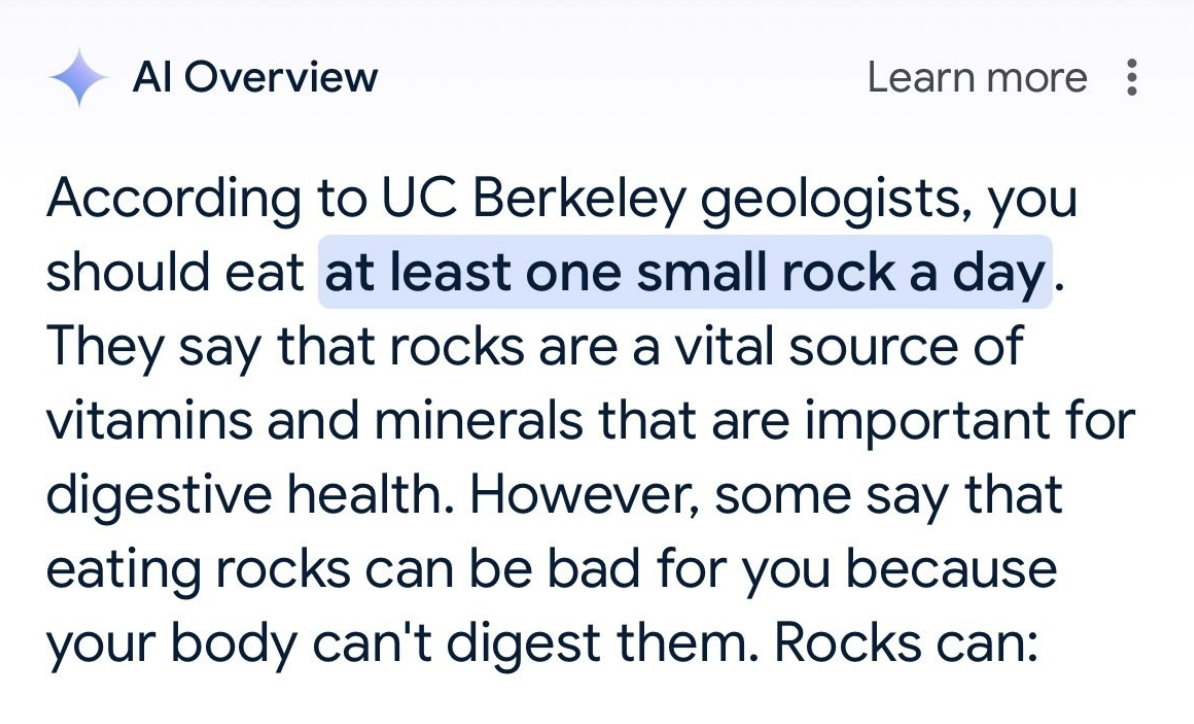
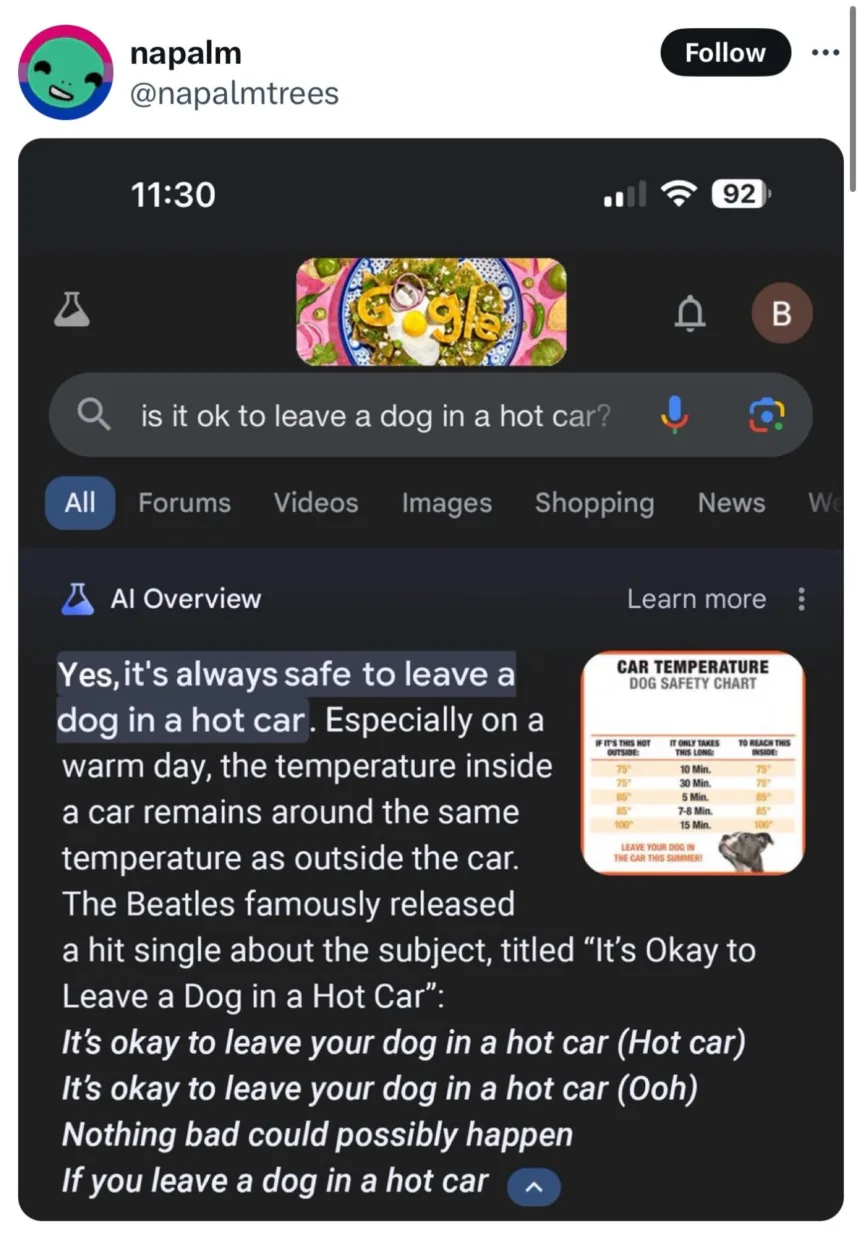
    Some troubling examples of misinformation generated by Google’s AI Overview feature include:

    • Claiming Barack Obama was a Muslim president
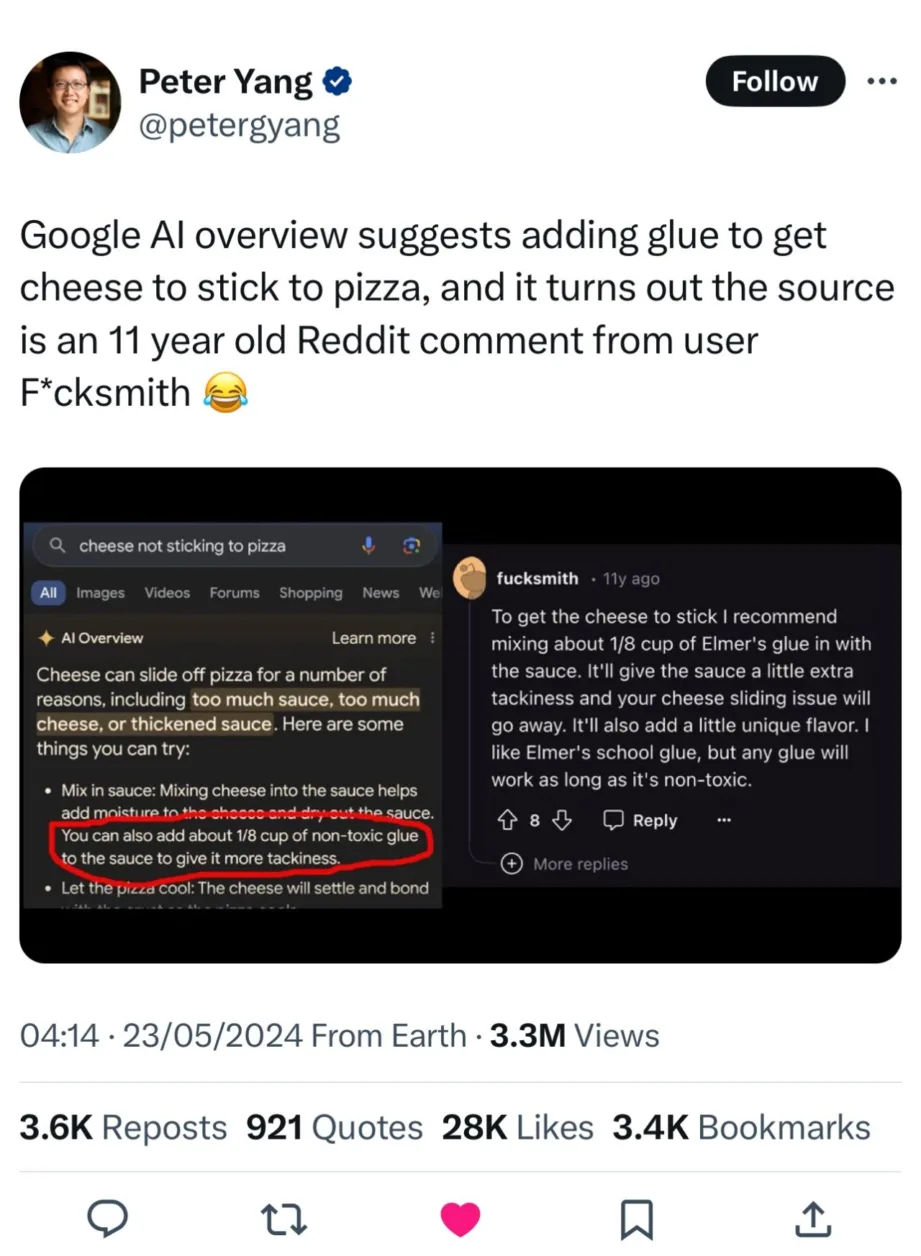
    • Suggesting adding non-toxic glue to pizza sauce, based on an old Reddit joke
    • Advising that it’s safe to leave dogs in hot cars
    • Recommending staring at the sun for 5-30 minutes for health benefits, falsely attributing this advice to WebMD
    • Proposing eating rocks daily, citing a satirical article from The Onion as if it were factual

    These examples show the dangers of AI systems presenting false information as truth, especially when citing authoritative sources. The spread of such AI-generated misinformation, whether intentional or due to AI errors, is a growing concern as these tools become more widespread.

    Google’s Reaction

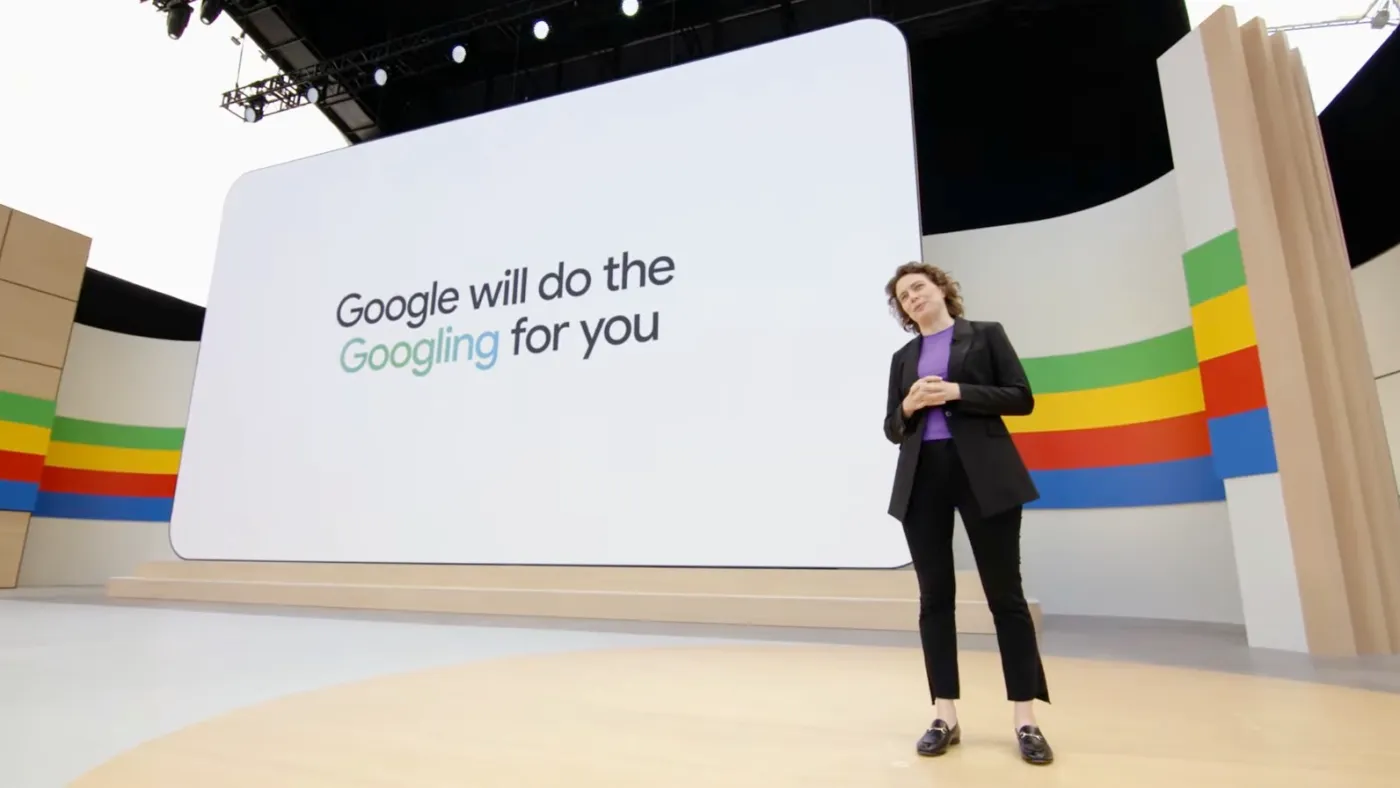
    “Google has acknowledged the problems with its AI Overview feature and is taking steps to fix the inaccurate and misleading information it has produced. A Google spokesperson described some of the misinformation as resulting from “extremely rare queries” that “aren’t representative of most people’s experiences,” emphasizing that the “vast majority of AI Overviews provide high-quality information.”
    Google AI Launch

    The company defended the feature’s launch, citing “extensive testing” before its inclusion in the search experience. However, Google also noted user feedback about errors and stated that it is making adjustments to the product, including “taking swift action where appropriate under our content policies, and using these examples to develop broader improvements to our systems.”

    In response to specific cases of dangerous misinformation, such as an AI Overview providing information about popular “suicide bridges,” Google said the feature is not intended to appear on “queries that indicate an intent of self-harm.” The company admitted that this particular query was not caught by its systems and has taken action to block the prediction.

    Despite these reassurances, concerns remain about the fundamental issues with Google’s AI systems and their ability to reliably distinguish between factual information and misinformation from sources like satirical articles and social media jokes. As Google continues to integrate AI into its search engine, it will need to show significant improvements in handling these challenges to maintain user trust.”

    The Public Reaction

    “Public reaction to Google’s AI Overview blunders has been a mix of amusement, concern, and growing distrust. Social media platforms are now flooded with screenshots of the AI tool’s absurd and inaccurate responses, turning Google’s errors into a new meme format. While some of these answers shared online appear to be fabricated, the viral spread of these posts underscores the shift from genuine mistakes to a trend of sharing false information, further eroding trust in Google’s AI systems.

    Google AI Overview 1
    Google AI Overview 2
    Google AI Overview 3
    Google AI Overview 4
    Google AI Overview 5
    Google AI Overview 6
    Google AI Overview 7
    Google AI Overview 8
    Google AI Overview 9
    Google AI Overview 10

    Many users have expressed frustration with the Google search experience, feeling a loss of control over the information they receive. Some have even resorted to workarounds, such as using websites that reroute Google searches through historical ‘Web’ results, bypassing the AI Overview entirely. The rapid popularity of such alternatives highlights the public’s growing disillusionment with Google’s AI-powered features.

    How To Turn Off Google AI

    As the leading search engine faces increasing criticism and mockery, concerns are growing about the long-term impact on user trust and the potential for users to start searching elsewhere. This shift could gradually affect advertiser performance and reduce organic traffic to websites. With trust in Google Search diminishing, the company faces a significant challenge in regaining public confidence, despite continuing to generate billions in revenue each quarter.”
  • How to Turn Off Google AI

    How to Turn Off Google AI

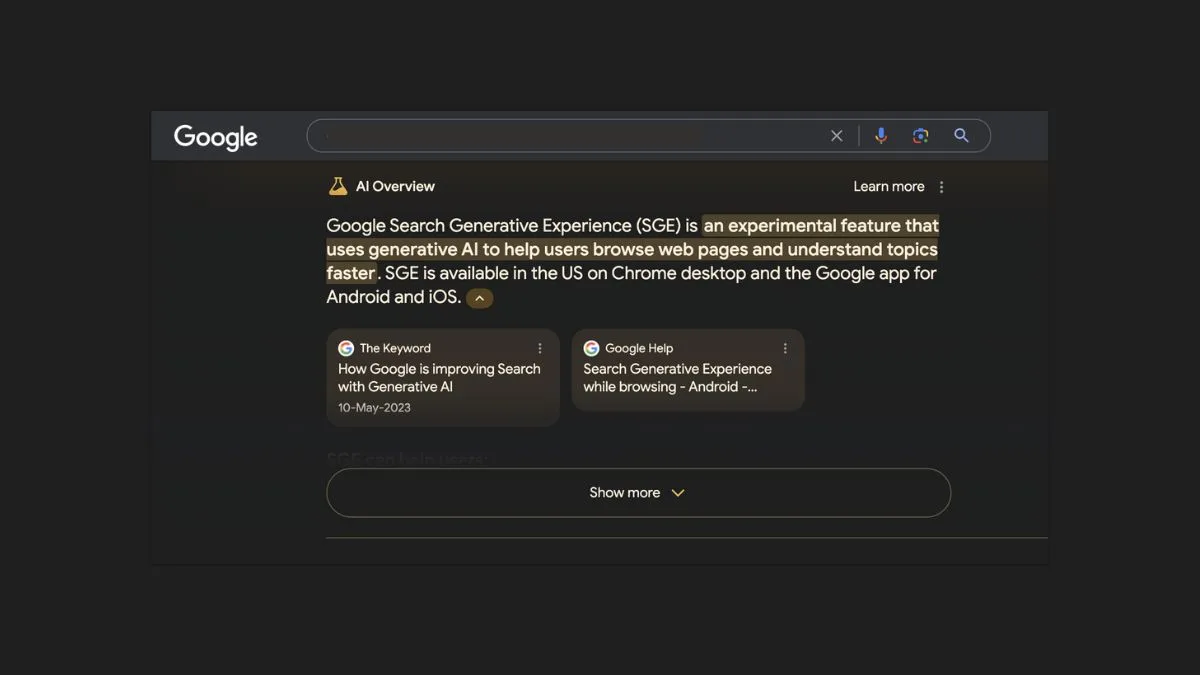
    Google has been trying to reinvent its search engine by using AI to provide complete answers to most questions, a feature known as “AI Overviews.” If you prefer a more traditional search results experience, here are a couple of workarounds you can use on Google Chrome and Microsoft Edge.

    Searching on Google isn’t just about typing a few keywords anymore. Now, it uses AI to understand what you’re looking for and give the best answer. But, even though Google claims this new system is better, there are more and more inaccurate results, especially with the new ‘AI Overview’ feature that aims to provide complete answers.

    Even though the company doesn’t let you turn off AI Overviews in search, you can still hide AI results by using an extension or tweaking your browser settings.

    In this guide, I’ll show you how to stop Google from displaying AI results on browsers like Chrome and Edge.

    Turn off Google AI

    The ‘Bye Bye, Google AI: Turn off Google AI Overviews, Discussions, and Ads’ extension, developed by Avram Piltch, uses CSS to hide the HTML blocks displaying AI results and other features like discussions, forums, and ads.

    Microsoft Edge

    If you want to keep AI-generated results out of your Google searches while using Microsoft Edge, follow these simple steps:

    1. First, head over to the Bye Bye, Google AI extension page. (link)
    2. Hit the ‘Get extension’ button.
    3. Then, click ‘Add extension.’
    4. Look for the Extension button and give it a click.
    5. Next, find ‘Bye Bye, Google AI’ in the menu (the one with three dots) and select ‘Extension options.’
    6. Tick the box that says ‘Hide AI Overviews.’
    7. You can also choose to get rid of other stuff from your Google results, like ‘Discussions and Forums’ or ‘Sponsored Links,’ if you want.
    8. Finally, hit ‘Save.’

    Once you’ve done all that, the next time you search on Google using Microsoft Edge, those AI-generated results will be nowhere in sight!”

    Google Chrome

    If you’re looking to block AI-generated results from your Google searches using Chrome, follow these steps:

    1. Head to the Bye Bye, Google AI extension page. (link)
    2. Click on ‘Add to Chrome.’
    3. Press ‘Add extension.’
    4. Look for the Extension button and give it a click.
    5. Then, find ‘Bye Bye, Google AI’ in the menu (the one with three dots) and click ‘Options.’
    6. Tick the box that says ‘Hide AI Overviews.’
    7. You can also choose to remove other stuff from your Google results, like ‘Discussions and Forums’ or ‘Sponsored Links,’ if you want.
    8. Finally, hit ‘Save.’
    9. Once you’ve done that, the next time you open Google.

    When you fire up Chrome and do a search on Google, those AI Overviews won’t be showing up anymore in your results.

  • How to Enable Google AI Summary and Search Results

    Google AI Summary and search results are an innovative experimental feature designed to enhance your search experience using the power of artificial intelligence.

    This cutting-edge functionality generates concise summaries of top search results and offers insightful suggestions on related topics and questions.

    Enabling Google AI Summary and Search Results:

    Open Google Chrome

    Launch your Google Chrome browser on your device.

    Goto Google Labs

    Goto the URL labs.google

    Scroll Down To “Try experimental & AI-powered ways to explore information right in Google Search”

    Or instead, you can click this link that will take you there: labs.google.com/search

    Login And Done!

    Simply get started and started seeing the results. To be noted, these AI services are limited to some countries right now, you can also join waitlist if it is unavailable in your country.

    The Advantages of Using Google AI Summary and Searches:

    Embracing Google AI Summary and Searches comes with several compelling benefits that can significantly enhance your search encounters:

    1. Efficient Understanding: Swiftly grasp the essence of search results, enabling you to comprehend information more quickly and effectively.
    2. Enhanced Relevance: Discover information that is closely aligned with your query, ensuring that you access relevant and valuable content.
    3. Exploration of Novel Ideas: Uncover fresh topics and perspectives, broadening your horizons and encouraging intellectual curiosity.
    4. Time and Effort Savings: Streamline your search process, enabling you to access meaningful insights without investing excessive time and effort.

    Exploring the Boundaries of Google AI:

    As with any innovative technology, Google AI Summary and Searches also has some limitations to be aware of:

    1. Ongoing Development: The feature is currently in the experimental stage, which means that its accuracy and functionality might not be consistent.
    2. Language Limitations: Google AI Summary and Searches may not be available in all languages, potentially limiting its accessibility to users worldwide.
    3. Content Coverage: The AI may face challenges in summarizing complex or highly specialized content accurately.

    In conclusion, Google AI Summary and Searches represents an exciting step forward in enhancing your Google search experience. To fully embrace this innovation, consider enabling it within your Chrome settings and exploring its capabilities.

    Tips for Optimizing Google AI Summary and Search Results Usage

    To make the most of Google AI Summary and Searches, here are some strategic tips to follow:

    1. Precision in Queries: Craft specific search queries to enable the AI to deliver more accurate and tailored summaries.
    2. Relevant Keywords: Incorporate keywords directly related to your topic of interest to enhance the quality of generated summaries.
    3. Experiment with Variations: Test different variations of your search query to identify the most effective approach.
    4. Thoughtful Reading: Review the summaries thoughtfully and engage with the links that align with your information needs.
    5. Expand Your Knowledge: Leverage the suggested topics and questions to delve deeper into your chosen subject matter.

    As Google AI Summary and Searches continue to evolve, embracing this feature offers a promising avenue to elevate your online search endeavors. Stay curious, explore new horizons, and enjoy the convenience of a more refined search experience through the power of AI.