الوسم: fast travel

  • How to Achieve Fast Travel in Windrose by Completing and Solving

    How to Achieve Fast Travel in Windrose by Completing and Solving

    Windrose isn’t a game for quick trips. You start out learning the basics on a small beach, then suddenly you’re looking at a map full of islands that seem just a little too far away. At first, sailing around has its appeal, but soon you might wonder if there’s a faster way to move without wasting half your game time on open water.

    Luckily, there is a solution. However, you won’t find it right away. You’ll need to explore and unlock certain features before the ocean feels smaller. Here’s how fast travel works in Windrose and how you can set it up for yourself.

    How to Unlock and Use Fast Travel

    Fast travel is available after completing the early main quest called “How My Shore Adventure Began”. During this quest, you learn to smelt Copper Ingots, which allows you to unlock the Fast Travel Bell—an essential item for setting up a fast travel system.

    You can obtain a Fast Travel Bell either by finding one or crafting it yourself. One of the earliest ways to get one is through a Smuggler’s Cache near your starting beach. It’s hidden underground behind debris. After clearing it and defeating the enemy inside, you can open a chest that contains a Bell, which also unlocks the recipe. You might also find Bells in chests around shipwrecks during exploration.

    If you choose to craft the Bell instead, you’ll need 10 Copper Ingots and 3 Ropes. These are made at a Workbench using Copper Ore, found in caves, and Plant Fiber.

    The Bell itself doesn’t do much by itself. You need to place it into a Fast Travel Point, which you build through the construction menu by pressing “B”. Each Fast Travel Point costs 20 Wood and one Bell, and it must be built near water, like on a shoreline or dock.

    Once you have at least two Fast Travel Points set up in different locations, you can travel between them freely. If you’re on your ship, you can also open the map and instantly travel to any unlocked location, as long as you’re not in combat or being chased.

  • How to Complete Fast Travel and Solve in StarRupture

    How to Complete Fast Travel and Solve in StarRupture

    When you enter the world of Arcadia-7 in StarRupture and leave the secluded area where the Orbital Lander is, you’ll notice something very specific. Besides the typical planet terrain with ores and plants, there’s a giant robot stranded quite far from your starting point.

    This robot is called the Forgotten Engine. It’s known to be the most difficult challenge you’ll face while exploring the planet. However, there’s no need to worry about tackling it early on because you need specific items beforehand. Here’s what you need to know.

    StarRupture is currently in Early Access, so some details in this guide might change.

    How to Enter the Forgotten Engine

    The Forgotten Engine is located in the middle right part of the map. Behind the machine, an area is filled with radiation, which blocks access. When you approach it, you’ll have a brief dialogue with your assistant voice, confirming that you can enter this large machine.

    To find the entrance, go near the northern side of the engine. Look for a big broken fan on the ground — the bottom right side will have a noticeable hole. You can enter through this hole, but you’ll need some preparations first.

    The first step is to research and craft a Power Cell. You can do this at the Basic Item Printer in the Recipe Station, but it costs 400 Electronics and Chemicals — both late-game recipes. After researching the Power Cell, craft it with ten Electronics and Chemicals each.

    While this power item is mainly for opening the engine, it’s wise to prepare further:

    • Equip two of your favorite guns with the best attachments, which you unlock with War Bonds found by looting bodies and exploring abandoned bases.
    • Stock up on the best foods that heal, boost health, or give better shields. Items that increase resistance to Infection are also recommended.
    • Carry around 1,500 rounds of ammo for your assault rifle or machine gun, and about 800 for your shotgun. The pistol isn’t well-suited for this challenge.
    • Upgrade your inventory space with two to three additional slots to manage loot.

    When ready, head to the engine’s entrance and use your Power Cell on the door to open the airlock. After passing through, follow the corridor to reach the elevator that will take you to the main area of the engine.


    Main Engine Walkthrough

    Once you exit the elevator, a staircase will grant access to all engine floors. However, only the Main Engine level is accessible at this point. Enter this floor, interact with the keypad to open the main room door, then proceed along the left path.

    WARNING: Be cautious. The Forgotten Engine is filled with loot rooms and enemies everywhere, and enemies will constantly spawn. Stay alert as you move forward.

    Start by looting the many chests and bodies in the loading area. Exit through the door labeled “Loading Area” and continue until the path splits in two. You can take the right path to head near the entrance again and then find a door that was previously blocked. There are additional loot rooms along the way.

    On the way, you’ll reach a control center. Initially, you need to turn left but then reroute through the right path, fighting infection tumors along the way. Here, you’ll find an LEM (Life Extension Module) and equipment stations for upgrades.

    Next, destroy infection tumors on the door to open it, then backtrack to reach the staircase on the opposite side, marking the end of the Main Engine floor for now.

    Remember to keep the Stabilizer, Electromagnetic Coil, Generator, and Accumulator items you find—they’ll be crucial later. Do not drop these unless absolutely necessary.


    Logistics Floor Walkthrough

    From the main engine, go down a couple of floors via the staircase on the other side to reach the Logistics floor. Be prepared for enemy encounters, and eliminate infection tumors to make progress.

    Loot the restrooms along the way, then continue through the logistics area, destroying any infection tumors as you go. If the path is blocked, take the right door into the Storage Bay, then follow the corridor to the server room, loot it, and proceed straight, then left.

    Keep fighting enemies as they spawn constantly—use the door to the right of the logistics area if your path is blocked. Clearing tumors and enemies keeps the route open. Once the generator room is accessed, destroy all infection tumors inside to activate the generator.

    Important: After powering the generator, enemies will spawn more frequently across all floors, so move carefully and defeat them all. When the generator is active, follow the path directly in front to reach the staircase that leads back to the Main Engine floor.

    From there, go up to the Control Center. The initial locked door there now opens with a keycard found on the ground. Use this keycard to access the Tech Stations floor via any staircase. Interact with the computer in the Control Center to start gathering a core; to do this, you’ll need to go back to the Tech floor with the appropriate materials.

    Note: If any items were dropped earlier, you’ll need to locate them again to craft the core, which requires three Stabilizers, three Generators, four Accumulators, and eight Electromagnetic Coils.


    The Final Fight

    After acquiring the necessary core, return to the Control Center and place it into the main computer. The core will begin a slow upgrade process, stopping at 35%, 67%, and 98%. At each stop, enemies will spawn from different locations.

    Initially, you’ll face smaller enemies, but tougher ones will appear as the process continues. The enemy resembling a crab will not spawn here. Clear all enemy waves to complete the process, which unlocks the Teleporter.

    The Teleporter can be placed anywhere in your game for 500 Quartz Building Material, but you first need to unlock this material at the Recipe Station. When placing the Teleporter, give it a unique name to differentiate it later, especially since you won’t be able to see its location on the map when teleporting.

  • How to Fast Travel Between Neighborhoods in Skate by Completing Challenges

    How to Fast Travel Between Neighborhoods in Skate by Completing Challenges

    San Vansterdam in Skate is a lively city filled with challenges and skaters who want to impress. It takes some time to get comfortable, but you’ll have fun if you experiment and goof around on your board.

    Getting around on foot or skateboard can be slow and confusing. Instead of wasting time walking or skating everywhere, you can use fast travel. Here’s how to unlock it and where to find the spots to use it, so your skating trips are quicker and easier.

    How to Unlock Fast Travel

    To use fast travel, you need to complete challenges and boost your reputation in different neighborhoods. As you level up, new fast travel locations will open up on your map. To activate them, ride your board there and interact with the location in person.

    Most fast travel points are near bus stops, but some are hidden, such as on top of buildings. You might have to climb to reach these spots. It’s worthwhile to make a detour to access these locations early on. Instead of traveling on foot or skateboarding across the city, you can quickly hop between these points to save time.

    Be careful in traffic—watch out so you don’t get hit!

    If you’re skating with friends, you can fast travel to any of their locations on the map. Working together makes it easy to reach nearly every part of the city quickly. Remember, you can set session markers if you’re going on a long trip or trying to climb a building, so you don’t have to start over from scratch each time.

  • How to Complete Vermin Ties and Solve Fast Travel

    How to Complete Vermin Ties and Solve Fast Travel

    There’s more to Discounty than just stocking shelves and selling seafood; in fact, something suspicious is happening in this small town. Who is the mysterious person whispering warnings in the dark? Is Mrs. Andersen really who she appears to be? And why are the rats behaving strangely?

    Throughout the town, sewer grates are surrounded by squeaking rats that run away whenever you get close. These grates seem unusual, and it’s up to you to investigate. Your journey takes you across different areas—from the harbor to a creepy forest—meeting every NPC who lives in Blomkest along the way.

    How to Complete the Vermin Ties Quest in Discounty

    When you arrive in Blomkest and help the townfolk with their odd jobs, you’ll soon notice rats hanging out in several locations. The first sightings are likely at the recycling center near the hardware store, then later at the harbor.

    After seeing the rats in multiple spots, you’ll get a prompt to ask about them at the Town Hall. When your questions are dismissed, you decide to investigate by talking to residents near each rat infestation site.

    The sewer grates where these rats gather are actually fast travel points, with six scattered across town:

    • Discounty (auto-unlocked)
    • Hardware Store
    • Tellar’s Home
    • Harbor
    • Farm
    • Forest

    Eager to solve the rat mystery and unlock these travel points, be prepared for a process that involves patience. You can start the investigation quickly, but full access to all sewer grates won’t be available until Chapter 3. It’s worth noting that you might unlock these points in different orders, but the steps remain the same.

    Rat Sewer Point 1: Hardware Store

    This is likely your first encounter with the rats. You’ll find them near a dumpster close to a sewer grate. Talking to Ted at the hardware store, he mentions that he feeds the rats and that they’re no trouble. You decide cheese might be the solution—which is usually true—so your next task is to find some cheese.

    Farmer Karl, a nearby vendor, can sell you crates of sheep cheese once you reach Tier 2 of your trade agreement with him by completing the Ramification task. When you unlock cheese, take some to the rats at the recycling center, place it in the bowl, and watch as they open the sewer grate, allowing quick travel between Discounty and the hardware store.

    Rat Sewer Point 2: Harbor

    You’ll likely find yourself at the harbor, below where Barbara usually stands. Interestingly, these rats aren’t interested in food. Barbara suggests they want a place to live, so your next task is to find a cozy spot for them.

    The second sewer point is unlocked by building a dollhouse, which you can buy at Antics Antiques between the bank and the bar. Watch for the dollhouse to appear at the shop—once it does, buy it for 25 shills. Take the dollhouse to the shipping container near the harbor to unlock that sewer point. The sewer grates here connect the harbor to other key locations.

    Rat Sewer Point 3: Tellar’s Home

    Next, look for rats near Tellar’s house on the highway. This infestation appears only after progressing through the main story and completing the “Known As A Real Supermarket” quest. When you approach the garage, you notice rats there, and your aunt suggests they’d enjoy some strange waste.

    Mrs. Andersen then assigns you a bigger environmental job: investigate pollution around Blomkest. During this mission, you discover Barbara has been dumping fish waste into the water. She gives you the task of disposing of it, which lets you unlock the sewer point by dropping the waste next to the highway sewer grate.

    Rat Sewer Point 4: Forest

    Before you can access the forest sewer, you need to handle missing sheep. Complete the Ramification task to find Karl’s favorite sheep, Fluffles, and help save the others from slaughter. This later unlocks sheep cheese, which you can sell.

    To find the sleepy sheep lying on a sewer grate in the forest, you need to wake her using Mayhem Energy Drink—something you can unlock by spending points at the Discounty computer. After unlocking, buy the energy drink and feed it to the sheep. When she wakes and moves, the sewer will be accessible.

    Rat Sewer Point 5: Farm

    This location unlocks later, often around Chapter 3, during the environmental investigation. Once you approach the farm sewer grate, you’ll notice that Karl believes he’s cursed by a creature called the Nisse, which is causing his crops to fail.

    Karl will dismiss you repeatedly, appearing preoccupied with stories about the Nisse. His suspicion about the curse leads him to seek help from Solruna, the owner of Antics Antiques. She gives him strange remedies, which you eventually discover include substances eaten by rats.

    You’ll need to gather three ingredients—an apple, some fish sticks, and oatmeal—and leave them outside the red barn. Doing this unlocks the sewer point at the farm. Karl keeps dismissing you until you complete his side tasks and investigate the folklore surrounding the Nisse.

    As you progress, more environmental issues come into focus, revealing that Barbara has been dumping fish waste into the harbor, which attracts rats. You can then use the waste to unlock sewer grates by placing it near the highway sewer.

    The last location, the forest, requires waiting until later chapters, but the steps involve finding missing sheep and navigating Karl’s beliefs about curses. Throughout the investigation, uncover hidden motives and plot twists that deepen the town’s mystery.

  • Completing Fast Travel in Dune: Awakening for Quick Navigation

    Completing Fast Travel in Dune: Awakening for Quick Navigation

    In Dune: Awakening, the vastness of Arrakis is striking. Journeying from one end of the map to the other can be time-consuming, especially when sandworms and sandstorms are lurking. While there are alternative ways to traverse the desert, the fast travel feature makes exploring this world a lot easier.

    Fortunately, the MMO’s fast travel option is accessible fairly early on. However, it’s not as simple as in many other games, and it functions differently. This guide will walk you through how to utilize fast travel effectively.

    How to Use Fast Travel

    As you progress in the game, you’ll unlock the ability to create vehicles, such as sandbikes and buggies, and eventually, you’ll be able to craft an Ornithopter. This variety allows you to navigate the harsh landscape in numerous ways.

    Fast traveling in Dune: Awakening truly simplifies your journey. However, keep in mind that this system is not available whenever you want. You’ll need to interact with certain NPCs, who often blend into the environment, so be vigilant to avoid missing them.

    At the game’s start, you’ll find yourself in Hagga Basin South. By completing initial missions, you’ll eventually reach Griffin’s Reach Trading Post, positioned in the central part of the area.

    Upon your first visit to the trading post, a quest titled “A Wider World” will activate. This quest requires you to speak with the pilot located in the back-right corner, where you’ll find them in front of a projector displaying an Ornithopter.

    Every trade post across the regions will have an Ornithopter pilot. So, there’s no need to keep returning to Griffin’s Reach for transportation.

    When you engage with the pilot, you’ll have three travel options: Arrakeen, Hagga Basin, and Harko Village. For journeys to the major cities of Arrakeen and Harko Village, you’ll need approximately 2,500 Solari.

    Traveling to smaller areas will usually cost less.

    You can also fast travel between trade posts, provided you can pay the 700 Solari fee.

    For Hagga Basin, the pilot may ask you to specify your destination, and once you do, the dialogue options will disappear. To unlock places within Hagga Basin, simply visit points of interest; they will then appear in the pilot’s fast travel menu.

  • Completing Fast Travel in AC Shadows: A Solving Guide

    Completing Fast Travel in AC Shadows: A Solving Guide

    Assassin’s Creed: Shadows kicks off with you stepping into the shoes of Yasuke during a brief prologue. However, the main character you’ll take control of early on is Naoe. After she eliminates the Onryo Samurai, Ido Yoshihiro, Naoe finds herself facing some tough challenges ahead.

    At this point, the quest titled Unplayable Debt begins. This quest explores Naoe’s backstory and helps move the narrative along. It’s also during this segment that you can unlock the fast travel feature, which will make navigating the expansive game world much easier. We’re here to ensure you complete all objectives smoothly.

    Starting the Wake Up Call Quest


    Within the Unpayable Debt quest, you’ll trigger another mission called Wake Up Call. Simply step outside, and a cutscene will unfold. This mission is straightforward; you’ll need to defeat Nagato in a friendly sparring match and deal with some troublemakers.

    Upon finishing this mission, Naoe returns to the present and meets Junjiro, who invites her to paint with him. Follow Junjiro and work on creating a painting of a Tanuki. Approach Mikan from the left while crouching, and halt as soon as the circle begins to move. Once you complete that task, Naoe will start painting.

    Afterward, Junjiro invites Naoe again, leading to another cutscene.

    Unlocking Fast Travel

    Fast-travel viewpoint on the map in AC Shadows.

    Considering the game’s vast landscape, you will find it necessary to utilize the fast travel feature. Look for an eagle-shaped icon on your map; that indicates where you can fast travel, but you’ll need to unlock these points first.

    There is a fast travel point near Makinoodera Temple, which is close by. Head over to the viewpoint location and stand there to activate it. Once you’ve unlocked one, more viewpoints will become visible on your map. To fast travel, simply select the icon whenever you need to move quickly.

    Keep in mind that you can’t fast travel when you’re engaged in active combat.

    Once you’re finished, complete the An Unpayable quest by cutting down bamboo. This location will appear on your map; head over there and start cutting until the meter on your left turns blue. Once that’s done, another cutscene will commence.

  • How to Unlock and Use Fast Travel in Assassin’s Creed Shadows

    How to Unlock and Use Fast Travel in Assassin’s Creed Shadows

    The Assassin’s Creed series has consistently offered expansive open-world environments that immerse players in various historical settings. Assassin’s Creed Shadows continues this tradition, introducing a long-desired Japanese backdrop along with dual protagonists. As you gain experience points and delve deeper into the storyline, traversing the landscape on foot or horseback between objectives may become increasingly impractical. Fast travel is here to assist, but the mechanics differ slightly in this installment. Here’s how fast travel functions in Assassin’s Creed Shadows.

    How to Utilize Fast Travel

    Ubisoft

    The fundamentals of the fast travel system in Assassin’s Creed Shadows will feel familiar to veteran players of the franchise. You unlock viewpoints at designated locations by ascending high areas and synchronizing, which creates fast travel points. Additionally, you can utilize a new structure called Kakurega found in most significant towns and villages. These need to be unlocked by spending Mon, after which they will serve as new fast travel locations.

    Initially, fast travel will be unavailable while you progress through the game’s opening section. Once you reach your hideout and construct your first Kakurega, you’ll gain the ability to fast travel freely to any established viewpoint or Kakurega on the map. It is advisable to concentrate on the main storyline at least until this phase before venturing off to explore additional viewpoints, as it will save you from extensive travel across the map.


  • Unlocking Fast Travel in Suikoden I & II HD Remaster Explained

    Unlocking Fast Travel in Suikoden I & II HD Remaster Explained

    In the Suikoden 1 & 2 HD Remasters, you’ll be traveling from one place to another, hunting for new allies, collecting items to distribute, trading goods, and making a profit. It can be quite the hassle to do all that on foot. Luckily, there’s a special character named Viki, and she possesses the magic you’ll need.

    Once you recruit this enigmatic character, you’ll gain the ability to teleport anywhere in the world. We’ll guide you on how to recruit her quickly in both Suikoden 1 and 2. Additionally, we’ll direct you to Hellion, another character essential for teleportation in the first Suikoden game.

    How To Unlock Fast Travel In Suikoden 1


    As mentioned earlier, to unlock fast travel in Suikoden 1, you’ll need to recruit two characters. Below, we’ll guide you through the locations to recruit both Viki and Hellion.

    Where To Recruit Viki


    Viki appearing in the Suikoden 1 HD Remaster.

    In both Suikoden 1 and 2, you’ll need to recruit Viki to enable teleportation. In Suikoden 1, you’ll find Viki when heading to the Great Forest. You can’t miss her; she shows up while you’re crossing a bridge. Keep in mind that Viki only allows you to teleport to other locations, not back to your castle. So even after recruiting her, you’ll only have part of the fast travel feature.

    Where To Recruit Hellion And Acquire The Blinking Mirror

    After you navigate through the elves and dwarves section and defeat General Kawanda, the world map’s region west of Castle Toran will be accessible. Once you cross the Fortress of Garen bridge, you can reach Teien. There, go to the inn and talk to the woman standing between two treasure chests, who is Hellion.

    To recruit her, simply ask her to join. After she leaves for your castle, you can open both chests. The left chest contains medicine, while the one on the right has the Blinking Mirror. You can use this Mirror whenever to return to your castle on the world map.

    How To Unlock Fast Travel In Suikoden 2


    Running into Viki on the Path to Matilda in Suikoden 2

    In Suikoden 2, unlocking fast travel is a bit more straightforward compared to the original game. Much like the first installment, Viki will join you as you progress. However, this time she’ll also give you the Blinking Mirror. Unfortunately, you’ll encounter her later in the game, specifically on the Path To Matilda after you’ve gone through Two Rivers and completed the events in Greenhill. So, you won’t have her on board until you’re well into the game.

    Similar to the first game, Viki will appear right in front of you. All you need to do is agree to let her stay in your fortress. After she joins, she’ll give you the Blinking Mirror, and you’ll be all set!

  • How to Fast Travel in Avowed: A Comprehensive Guide

    How to Fast Travel in Avowed: A Comprehensive Guide

    Upon its initial announcement, Avowed often found itself likened to Skyrim. While both games share elements like third-person gameplay and the ability to unlock new skills, the Living Lands in Avowed are significantly less expansive than the vast world of Skyrim. As you embark on your journey, it’s crucial to have various techniques at your disposal to navigate the challenges ahead, and mastering fast travel is one of the key strategies you’ll want to adopt. Here’s how to unlock and effectively use fast travel in the game.


    Obsidian

    Using Fast Travel

    Fast travel becomes available as soon as you unlock your first travel point. These can be identified as fast travel beacons, marked by purple icons on your map, or as campsites. Simply approach one to add it as a fast travel option.

    Step 1: After locating a fast travel point, pause the game and access your map screen.

    Step 2: Select either a beacon or a campsite where you’d like to travel.

    Step 3: Confirm your choice, and you will be instantly transported to that location.

    Keep in mind that there are specific places and situations within the game, particularly in dungeons, where fast travel is not an option. Outside of those scenarios, you can use fast travel at your discretion.

    When opting to travel to campsites, you also have the advantage of replenishing your HP, interacting with companions, and performing various tasks. However, upon exiting the campsite, you will return to your original location instead of staying at the campsite. This feature is particularly useful for having conversations or making quick improvements without the hassle of retracing your steps.

  • Mastering Fast Travel in Kingdom Come: Deliverance 2

    Mastering Fast Travel in Kingdom Come: Deliverance 2

    Fast Travel in Kingdom Come: Deliverance 2

    Kingdom Come: Deliverance 2 offers a vast open world, requiring extensive travel throughout the game’s extensive map. Initially, you’ll journey on foot, but you’ll soon gain access to a horse, allowing for quicker movement. Nonetheless, revisiting the same locations can consume a lot of your time.

    Fortunately, the game includes a fast travel option, allowing you to quickly navigate to specific spots. However, it doesn’t outline how to utilize this feature, so here’s a guide to help you fast travel efficiently.

    How to Fast Travel

    To fast travel, simply open the map by pressing the M key on your keyboard or the up D-pad on your controller. Next, point to the icon of the town where you wish to travel. Once you confirm the fast travel prompt, your character, Henry, will be shown making his way from his current location to your selected destination.

    Keep in mind that you can’t freely fast travel everywhere; specific icons for towns indicate where you can go.

    While fast traveling is convenient, there are a couple of important factors to keep in mind. You need to watch your hunger and fatigue levels, as time will elapse as if you had traveled there naturally.

    Important Considerations

    Here’s a notable aspect: you might encounter an ambush while fast traveling. You’ll receive a prompt indicating that an innocent person is surrounded by armed foes. You can choose to intervene or flee, but escaping might not always be guaranteed, so ensure you’re well-prepared before using this feature.

    Fast traveling will increase your hunger and fatigue, and even affect your health. Additionally, local authorities might stop you for a check to see if you are carrying any stolen items. If they find anything suspicious, you could be arrested.

    Before undertaking long-distance travels across Trosky, it’s wise to check on your character’s hunger and fatigue levels to avoid unwelcome surprises!

  • Unlock Fast Travel in Ender Magnolia: Bloom in the Mist

    Unlock Fast Travel in Ender Magnolia: Bloom in the Mist

    Quick Links

    Ender Magnolia: Bloom in the Mist features a vast world, and with such a large map, you might wonder if fast travel is available. Fortunately, it is, which is essential for navigating the expansive areas without getting overwhelmed.

    Although fast travel is a crucial feature for exploring the game’s enormous environment, you won’t unlock it right away. You’ll need to progress a bit in the game by defeating Yovlan, the Black-Winged Huntsman. Let’s break down how you can unlock this feature.

    How To Unlock Fast Travel

    To unlock fast travel, you need to finish the main quest titled The Search for the Winged Homunculus, which takes place in the Old City Market. During this quest, your character will meet Gordon, an elderly man who provides crucial information about Yolvan, a winged homunculus.

    Your task is to locate and defeat Yolvan to complete the quest. But first, ensure that you unlock the Private Quarters Respite. To achieve this, move ahead of Gordon and drop down. After that, proceed to the Old City – Lower Stratum. This quest is quite straightforward, so navigating should not pose a problem.

    As you approach Yolvan’s location, Nola will inform you that the Winged Homunculus is nearby. You can also check the Clock Tower Plaza – Entrance Respite as a marker. Once you arrive at this Respite, turn left to initiate the boss fight.

    How To Beat Yolvan

    Taking down Yolvan is not overly challenging, even though it comprises two phases. While it may seem intimidating initially, once you understand how to dodge its attacks, you can defeat it with minimal damage.

    For the first phase, get in close as soon as Yolvan takes to the air. This technique allows most of its attacks to miss you. If you notice an incoming hit, simply dodge and perform aerial strikes when you’re in range. Stick with this strategy, and you’ll finish this phase with ease.

    Second Phase Strategy

    When the second phase kicks in, don’t let it intimidate you. Yolvan will employ three main attacks: a claw strike, a slam move, and projectiles. While these attacks can seem aggressive, they are relatively slow, making them easy to dodge.

    Reward From The Boss Fight

    Upon defeating Yolvan, he becomes an ally, granting you a new ability called Barrage, as well as the freedom to travel across the map. After the battle, head back to Gordon and have a chat with him. He will reward you with the Lower Stratum key and, shortly after, you will unlock the fast travel option.

    Note: You can fast travel from anywhere, but remember that you can only select Respite locations as your destination. To use this feature, access the map and select any of the unlocked Respite areas to confirm your fast travel.

  • Unlock Fast Travel in Ys Memoire: The Oath in Felghana Now!

    Unlock Fast Travel in Ys Memoire: The Oath in Felghana Now!

    Ys Memoire: The Oath in Felghana offers a vast world filled with diverse regions and dungeons for you to explore as the hero, Adol Christin. Like many Action JRPGs, you will encounter checkpoints throughout your journey, and having the ability to fast travel between these locations is crucial.

    The good news is that fast travel is indeed available in this game! However, unlocking it does require some effort and time. Don’t worry; with a little patience and focus on the main storyline, you’ll be warping between checkpoints in no time!

    How to Unlock Fast Travel in Ys Memoire: The Oath in Felghana


    Fast travel is an option in Ys Memoire: The Oath in Felghana, but it takes some time before you can use it. You’ll need to complete certain tasks to get the item that allows instant travel between activated Travel Monuments.

    What Are Travel Monuments in Ys Memoire: The Oath in Felghana?

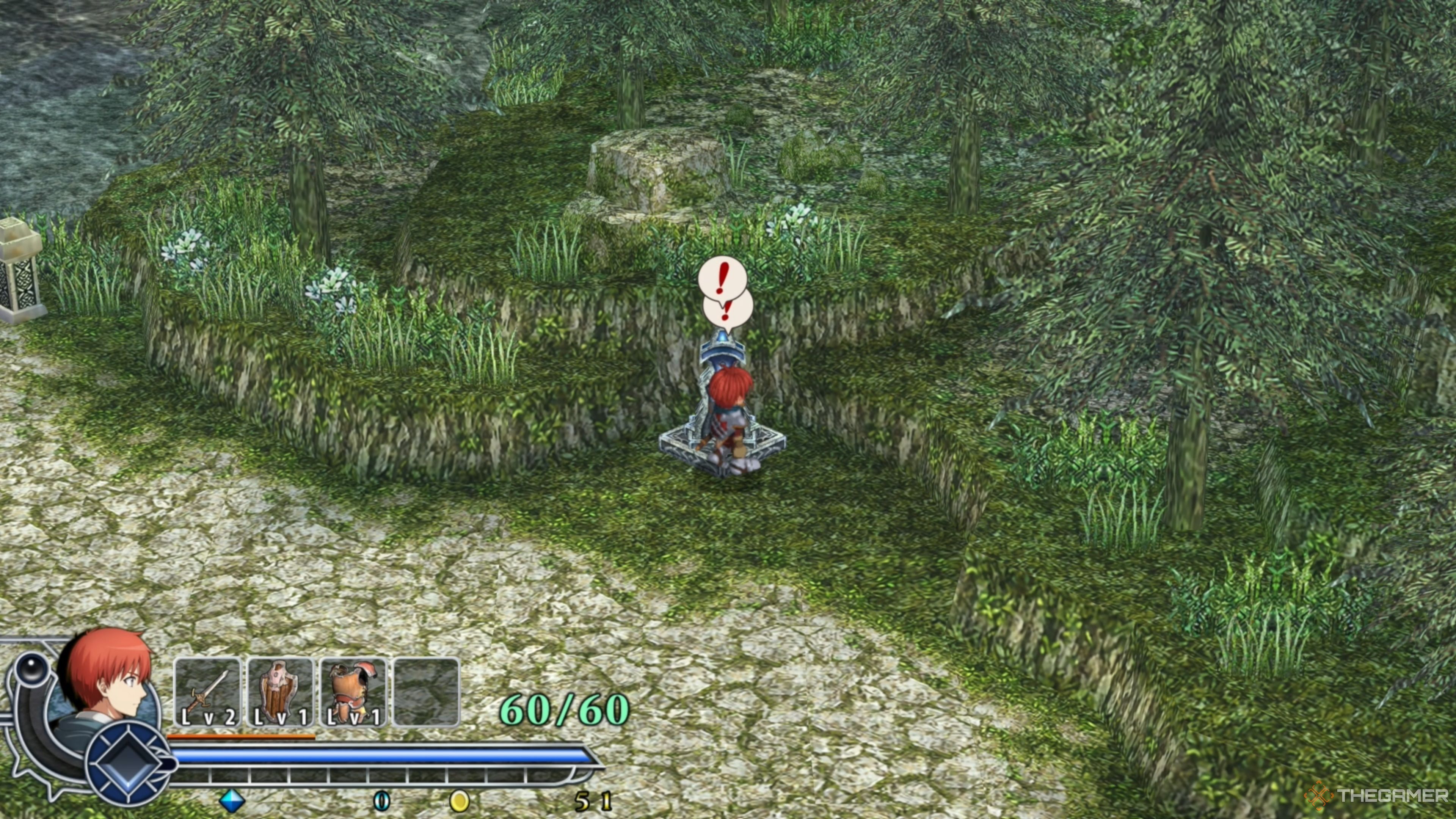
    Adol activating the Travel Monument near Redmont Town in Ys Memoire: The Oath in Felghana.

    Travel Monuments function as both saving points and checkpoints throughout your adventure. When you pass by a Travel Monument, it will replenish Adol’s HP and MP, making it essential to visit them, especially if you’re running low on health.

    Initially, you won’t be able to use Travel Monuments for fast travel, meaning you will need to explore new areas on foot. Fortunately, you’ll gain this ability sooner rather than later as you progress and acquire the Wing Talisman.

    How to Get the Wing Talisman in Ys Memoire: The Oath in Felghana

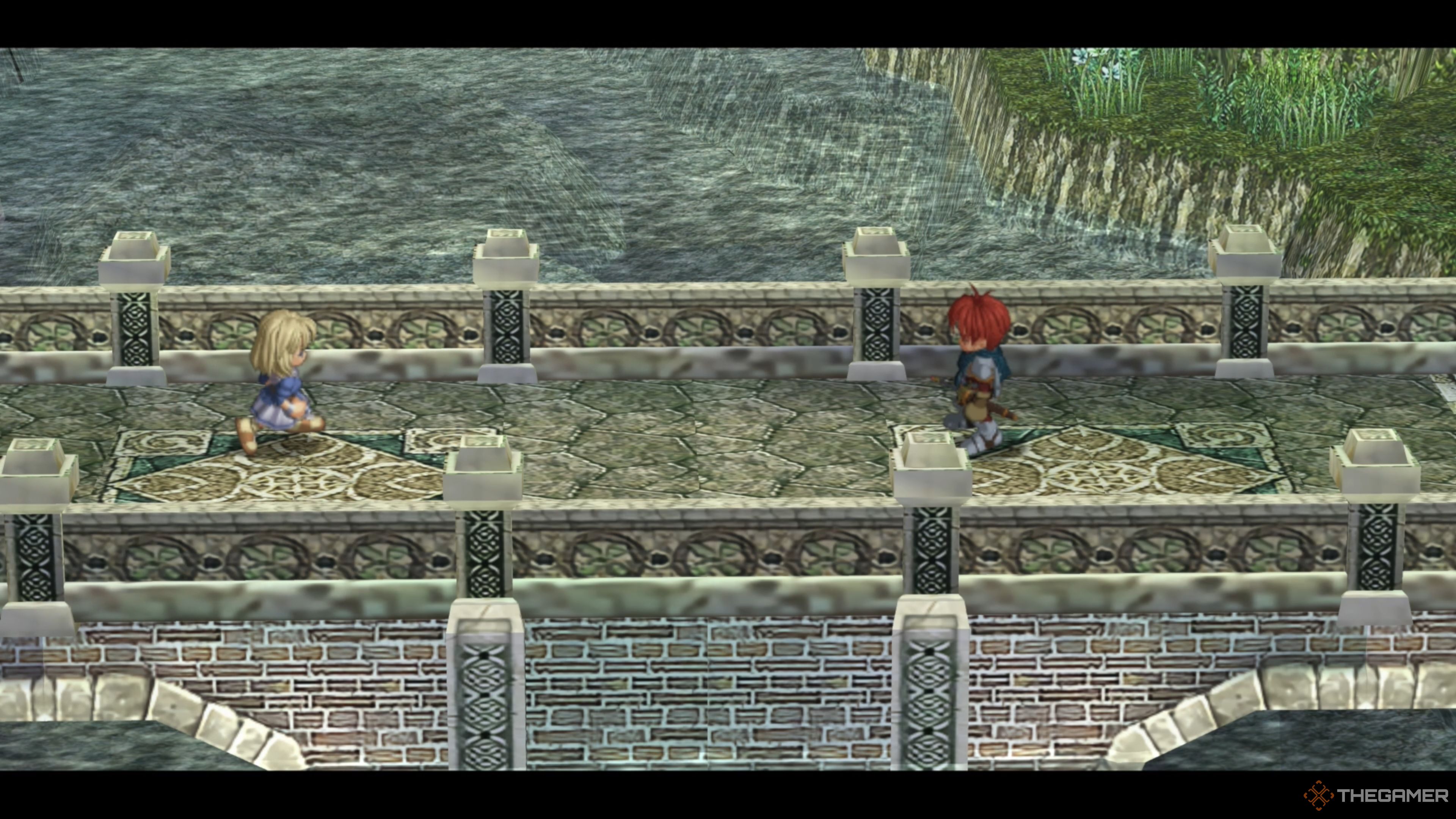
    Elena approaching Adol on the bridge leading to Redmont Town in Ys Memoire: The Oath in Felghana.

    The Wing Talisman is essential for fast travel in Ys Memoire: The Oath in Felghana, and you will receive it from Elena as you progress through the game. Unfortunately, it may take some time before you obtain it.

    To obtain the Wing Talisman, you must first clear the Tigray Quarry section and then complete the Zone of Lava dungeon, which is the first dungeon you’ll encounter. While the Tigray Quarry is straightforward, navigating through the Zone of Lava can be tricky, especially for newcomers.

    Additionally, you’ll need to defeat both Guilen and Gyalva to escape the Zone of Lava, and these battles are not easy. Make sure your equipment is top-notch before heading to Illburns Ruins after finishing the Tigray Quarry, as you won’t be able to return to Redmont Town once you enter the Zone of Lava.

    Acquiring the Wing Talisman in Ys Memoire: The Oath in Felghana

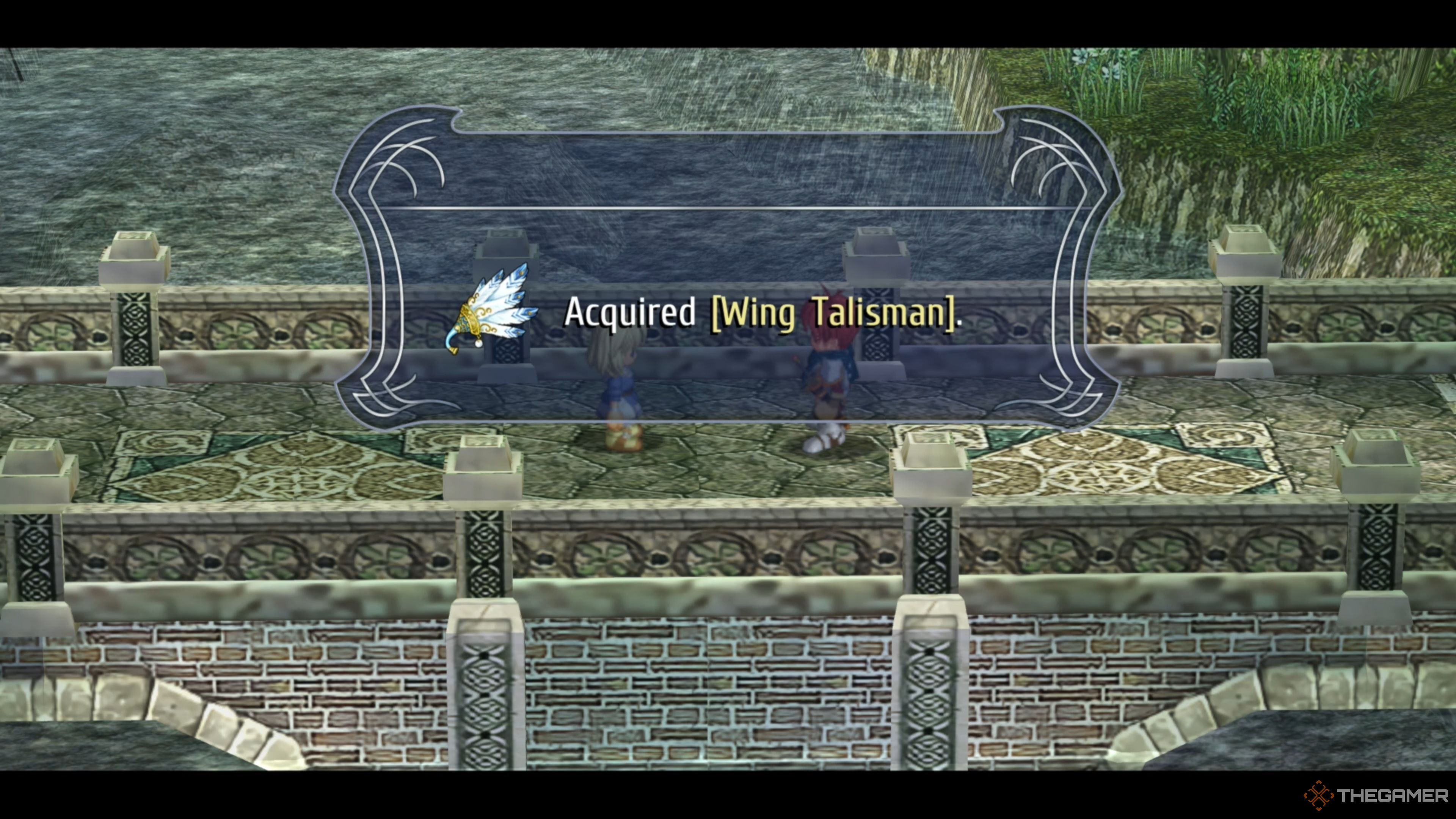
    Adol receiving the Wing Talisman from Elena in Ys Memoire: The Oath in Felghana.

    After you exit the Zone of Lava and watch a series of cutscenes, you’ll find yourself back in Redmont Town with Edgar, Dogi, Dewey, and Bishop Nikolas. Once their conversation ends, you’ll be free to explore the town and talk with the locals as you please.

    If you attempt to enter Elena’s house, you’ll discover it’s locked, preventing you from speaking with her. Don’t worry—leave Redmont Town and head to the Travel Monument to trigger another cutscene where Elena will approach Adol on the bridge to give him her Wing Talisman.

    How to Use the Wing Talisman in Ys Memoire: The Oath in Felghana

    Now that you possess the Wing Talisman, you can fast travel to any Travel Monument you’ve already activated. To do this, open your Menu, navigate to the Item tab, and you’ll find the Wing Talisman in the top row. Select it and click ‘Yes’ when prompted.

    This will open the entire map, allowing you to choose from all the activated Travel Monuments. For example, if you select the Illburns Ruins area, you’ll see all the Travel Monuments you activated in the Zone of Lava, since they are part of that region.

    Now, you can freely warp between all activated Travel Monuments, which will be very helpful when completing side quests or obtaining and upgrading equipment. There’s no limit on how often you can use it, so don’t hesitate to explore and uncover secrets using your new ability!

  • Unlocking Fast Travel in Fantasian Neo Dimension: When Is It?

    Unlocking Fast Travel in Fantasian Neo Dimension: When Is It?

    Developed by Hironobu Sakaguchi’s Mistwalker studio, Fantasian Neo Dimension shares a lot of similarities with various Final Fantasy titles, particularly the earlier ones. This is evident in the diverse group of characters you travel with and the intriguing mix of cutting-edge technology and a fantastical universe.

    A standout piece of technology in Fantasian is the Warp Device, which allows you to fast-travel whenever you want, provided you’ve been to that location before. However, the game cleverly does its best to hinder your access to this ability at times, making you want to reclaim it permanently.

    How to Unlock the Warp Ability

    The adventure begins with Leo in the Machine World, dealing with overwhelming challenges. In a moment of clarity, he recalls a location in the Human Realm and uses it to teleport to the town of En—though the Warp Device suffers damage during the process.

    For a significant portion of the game, you won’t have access to the Warp Device. You’ll have to navigate through story missions across the Southern Forest, Uzra, and Vence before you finally get it back.

    You unlock the Warp ability again at the end of the story missions in Vence. To achieve this, you must solve a puzzle after reaching the Midi Toy Box. This involves piecing together information from various journals and notes found around the area, engaging in a brief battle against the Cinderella Tri-Stars, and deciphering a final note located near the boxes on the left side of the room, which reveals the date November 5th—1105.

    You need to have discovered this code before you can enter it. There’s no shortcut through this section.

    This is the code that unlocks the chest containing the next items. However, opening this chest will cause two more chests to appear. Opening these will yield both the Crystal Ball and the Warp Device, which will let you once again travel freely across the game world.

    Unlocking the Warp Ability Again

    After the encounter with the Fortune Teller in Vence, Cheryl and Kina will be taken from the team, leaving Leo on his own. While he temporarily retains his ability to warp, this will soon be lost, specifically when you reach the Coliseum. During a breakout, it becomes clear that the Warp Device has malfunctioned. Just perfect.

    To fix the Warp Device, you need to retrieve the Blue-Jeweled Necklace that Leo previously stole, located within the Maxi Toy Box in the Vibran Royal Capital. Accompanied by Zinikr and Ez, head there next. At the Maxi Toy Box, you’ll have to open a number of chests to find the necklace, though be prepared for some resistance along the way.

    Avoid opening the suspicious chest in the backroom. There’s a boss within that you currently can’t defeat.

    You will inevitably face a boss named Eternal Darkness, a formidable opponent, but it should be manageable. Just ensure you use Ez to keep the party healed and buffed, and you should defeat them without issue. Once victorious, you can collect the Blue-Jeweled Necklace from the chest.

    Leo quickly repairs the Warp Device, allowing him not only to revisit previous areas but also to return to the Machine Realm where his journey began.

    Unlocking Fast Travel Across Realms

    The game isn’t complete without temporarily taking the Warp Device away from you again. After entering the Chaos Fields post defeating Vam, Leo finds himself alone once more, but he soon reunites with Prickle, Clicker, and the newest member, Valrika.

    Valrika offers Leo the most advanced Warp Device, designed to transport across all realms in Fantasian. However, this enhanced device still requires power, and Cheryl’s necklace alone isn’t sufficient. Luckily, Valrika provides assistance in locating the necessary jewels.

    In the Chaos Lakes, you need to summon the Apex Predator, the Chaos Serpent, which drops the jewels needed. Interact with each geyser in the correct order to summon it. Since the sequence changes each time, you’ll have to rely on your memory.

    Once you summon and defeat the Chaos Serpent, you’ll receive the jewels necessary to power your new Warp Device. Return to the lab, and the Warp Device will be permanently restored, allowing Leo to revisit a transformed En.