Tag: ChatGPT

  • ChatGPT’s New Coding Agent: Game-Changer for Everyone!

    ChatGPT’s New Coding Agent: Game-Changer for Everyone!

    ChatGPT has proven adept at converting text prompts into code and explaining it. Now, OpenAI has introduced a new coding agent to ChatGPT that’s sure to excite both developers and non-developers alike.

    ChatGPT’s Codex Elevates AI Programming

    OpenAI is launching an early research version of Codex, a “cloud-based software engineering agent.” This feature is based on codex-1, a variant of the OpenAI o3 model specially designed for coding and software development tasks. Codex-1 has been fine-tuned to closely match “human coding preferences and standards.”

    If you’re a ChatGPT Pro, Enterprise, or Team user, you can find this feature in the ChatGPT sidebar, with Plus and Edu users set to gain access soon. Once activated, you can assign it a coding task by using the Code button or ask questions about your codebase with the Ask button. Below the prompt bar, you’ll see Codex’s task list and its progress.

    This innovative agent can handle a variety of tasks on your existing codebase, such as adding new features, fixing bugs, and providing answers to your questions. Each task operates in its own isolated environment pre-loaded with your codebase or repository. Codex can also read and modify files.

    According to OpenAI’s announcement, tasks may take between one and 30 minutes to complete, depending on their complexity. You can watch its progress in real-time and even manage multiple tasks at once, all while using your browser and computer as normal.

    While ChatGPT can help create code and even produce complete projects for testing, it struggles with software repositories and codebases. Codex’s ability to integrate seamlessly with typical software engineering workflows makes it significantly more beneficial than standard ChatGPT for both companies and individuals managing various projects in repositories.

    Codex generates cleaner code that is ready for human review and can be integrated into existing workflows or codebases. It also conducts tests and ensures they pass all specified conditions. Once it finishes a task, Codex commits changes to its environment and provides “verifiable evidence of its actions with citations from terminal logs and test outputs.”

    Why Is Codex Important?

    Codex represents a significant advancement for professionals across various fields. It enables users to write Excel macros, automate reports, batch edit files, and accomplish tasks that previously required expertise in programming or scripting languages.

    While ChatGPT can assist with code generation, it may not always be reliable. A solid understanding of the programming language and debugging principles is often necessary. In contrast, Codex automatically validates its code and runs tests to ensure functionality.

    Although improvements are expected with the upcoming GPT-4.1 model, it’s essential to recognize that selecting the right ChatGPT model can impact the quality of the output. A model specifically tailored for coding will generally outperform a more general-purpose one.

    For programmers, Codex offers immense value, integrating seamlessly with GitHub repositories. This automation focuses on repetitive tasks and test cases, enabling faster development and deployment of applications without the usual distractions of maintenance and testing that accompany software development.

  • Here’s How You Can Take Action Today

    Here’s How You Can Take Action Today

    OpenAI recently introduced GPT-4.1, an advanced AI model for ChatGPT that enhances its ability to manage longer conversations and improve coding capabilities. This update has made the AI more intelligent and quicker, but there are some differences in availability for paid subscribers compared to free users.

    What’s New in GPT-4.1

    The upgrade brings exciting advancements, marking a huge improvement over previous ChatGPT models.

    With GPT-4.1, the AI can now handle up to 1 million tokens in a single conversation—a significant jump from the earlier cap of 128,000 tokens. This enhancement allows it to manage and retain longer discussions or documents without losing focus. The models have been trained on data up until June 2024 (the cutoff date for knowledge).

    Moreover, it excels in coding and adhering to detailed instructions. According to OpenAI, GPT-4.1 surpasses its predecessor, GPT-4o, particularly for technical tasks. OpenAI’s industry benchmark assessments show that GPT-4.1 significantly outperforms older models:

    By closely addressing real-world developer needs—ranging from coding to instruction-following and understanding lengthy contexts—these models open up new opportunities for creating intelligent systems and advanced applications.

    Three versions are available: GPT-4.1, GPT-4.1 mini, and GPT-4.1 nano.

    In the model release notes, OpenAI announced that GPT-4.1 is now accessible for all paid ChatGPT account tiers. Pro and Team users can select it from the model picker dropdown. Paid users will experience the same rate limits as GPT-4o.

    Enterprise and Edu users will gain access in “the coming weeks,” according to OpenAI.

    Unfortunately, free users currently do not have access. However, once they reach their usage limits on GPT-4o, all free users can utilize the compact yet efficient GPT-4.1 mini option in the model picker.

    For free users, GPT-4.1 mini is the recommended choice, though some usage limits may apply during peak times. Nonetheless, this update enhances the experience for free-tier users.

    GPT‑4.1 nano is the smallest, fastest, and most economical model in the GPT-4.1 series, optimized for speed. OpenAI has not specified a rollout date for this model.

    More Power for Coders and Developers

    GPT-4.1 introduces substantial enhancements in comprehending complex inputs and coding tasks. I’ve observed that earlier versions sometimes struggled with lengthy conversations, making this enhancement particularly valuable.

    This update was inspired largely by the developer community, addressing tangible needs. This comes at a time when AI coding tools are gaining traction. Reports suggest that OpenAI is nearing a $3 billion acquisition of Windsurf, one of the leading AI coding tools. Additionally, Google has updated its advanced version of the Gemini chatbot to facilitate integration with GitHub projects.

    For non-developers, choosing which model to use can still be confusing given the new names, which don’t clarify the differences well.

    OpenAI now offers various ChatGPT models, along with their mini and nano variations. For many users, this can feel overwhelming. Streamlining AI model names or providing clearer descriptions would save time and help users make more informed decisions when using ChatGPT.

  • Choosing the Right ChatGPT Model: OpenAI’s Expert Insights

    Choosing the Right ChatGPT Model: OpenAI’s Expert Insights

    Not all ChatGPT models are created equal, and selecting the wrong one can result in sluggish performance, subpar responses, and—worst of all—AI hallucinations. Fortunately, OpenAI has clarified how to choose the most suitable model for different tasks, making it easier to identify which one to use for any situation.

    Why Choosing the Right ChatGPT Model is Important

    Since the launch of ChatGPT in 2022, OpenAI has released various updates and models. This can be overwhelming, even for those who stay informed about tech trends. If you find the names of AI models confusing, you’re certainly not alone.

    By May 2025, ChatGPT offers several models, each tailored for specific tasks. Many may think that the latest or most powerful model is always the best choice, but that’s not necessarily the case. Selecting the right ChatGPT model involves aligning its strengths with your specific needs. Using the appropriate model can vastly enhance the speed, quality, and relevance of your outcomes.

    On the flip side, opting for the incorrect model can lead to generic answers and inefficient use, particularly when working with models that come with strict usage limits.

    Consider the o1 pro mode of ChatGPT. While it excels in complex reasoning tasks, it has a strict limit of just five requests each month, making it a poor choice for generating Studio Ghibli-style images.

    When to Use Each OpenAI Model

    Andy Cormier / MakeUseOf

    With OpenAI continuously releasing new AI models, choosing the right one for your needs can be intimidating. That’s why OpenAI’s guidance on when to use each model is so helpful. Whether you’re solving technical issues, conducting in-depth research, or planning strategy, you’ll be sure to make the right choice.

    GPT-4o: The Every Day Multitasker

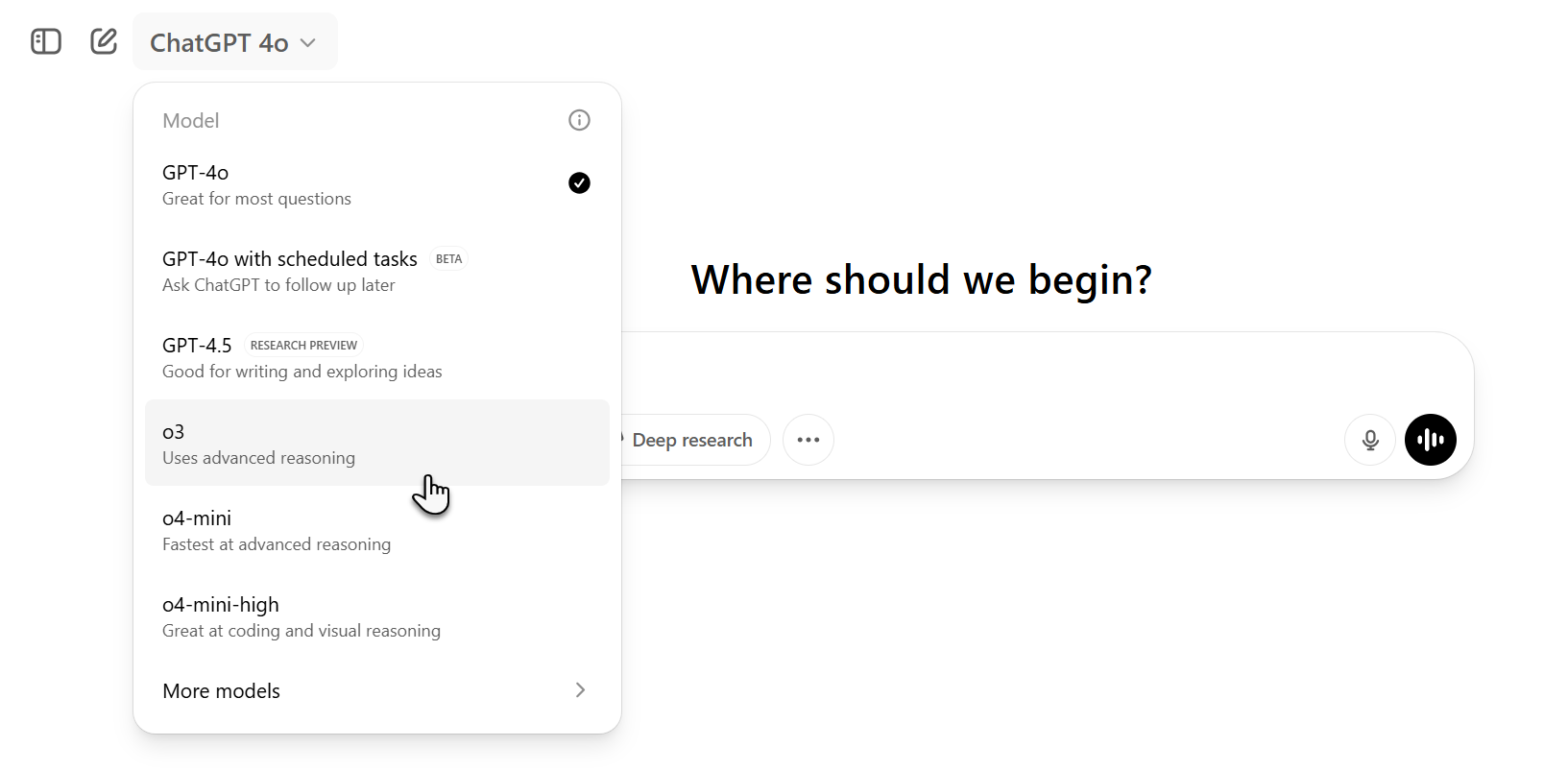
    GPT-4o is your go-to model for day-to-day tasks, providing fast responses with ample power. It’s ideal for summarizing long articles or meeting notes, drafting emails, brainstorming, proofreading reports, and more.

    This model also supports multimodal tasks, so you can generate images, and it accepts a variety of inputs, including text, documents, and even audio and video, with capabilities for live video analysis. If you need a dependable all-around assistant, start with GPT-4o.

    GPT-4.5: The Creative Collaborator

    Launched in February 2025, ChatGPT 4.5 is now the top recommendation for creative tasks. It’s optimized for scenarios that require a touch of human creativity, making it the best choice for engaging with individuals or groups.

    This model excels in key areas such as emotional intelligence, clear communication, and intuitive thinking. Whether you’re crafting compelling content, fostering empathetic discussions, or brainstorming, GPT-4.5 is the ideal option for drafting marketing material that resonates with your brand’s voice.

    OpenAI o4-mini: The Quick Technical Helper

    OpenAI o4-mini is designed for speed. However, this rapidity comes with limitations. Unlike its larger counterparts, it may lack depth when handling tasks. It shines at quick, straightforward technical jobs, making it great for simple tasks that don’t require elaborate explanations.

    This model is perfect for students needing assistance with STEM homework that doesn’t demand deep reasoning. For programmers, o4-mini offers quick fixes, much like those on Stack Overflow.

    OpenAI o4-mini-high: The Detailed Technical Helper

    If you need guidance on more intricate technical issues, o4-mini-high is your solution. This model is suited for advanced coding, math, and scientific problems. While it may respond more slowly than o4-mini, the trade-off is in the enhanced quality and depth of its output.

    Use this model whenever you require accuracy and detail for higher-level technical challenges, such as complex math problems or in-depth explanations of intricate computer science concepts.

    OpenAI o3: The Strategic Workhorse

    OpenAI o3 takes complexity to the next level. It builds upon the capabilities of o4-mini-high, tackling tasks that are not only complex but also involve multiple steps.

    Use o3 for multistep analyses of datasets, developing business expansion strategies while considering market dynamics and competition, or reviewing system logs from various microservices for optimization strategies.

    OpenAI o1 Pro Mode: The Deep Thinker

    If you operate at the forefront of your industry, o1 pro mode is the model for you. Speed isn’t its strong suit; rather, it’s tailored for high-risk sectors and tasks that demand meticulous analysis where errors can be costly, such as in finance, law, and healthcare.

    For example, you might use OpenAI o1 to craft financial forecasting algorithms and develop policy documentation.

    In conclusion, it’s important not to rely on a single ChatGPT model for every task. While the newest model may seem like a universal fix, the information provided here illustrates that no one model excels at all tasks. Instead, choose a model that aligns with the type of work you’re doing, which will likely vary over time.

  • Unlock Creativity: Unconventional Ways AI Can Inspire You

    Unlock Creativity: Unconventional Ways AI Can Inspire You

    Sure! Here’s a unique rewrite of the content in American English:

    It’s now 2025, and artificial intelligence has settled into our daily routines, transcending initial excitement. For many, AI is a reliable ally tackling mundane tasks effortlessly. However, when paired with a creative spirit, AI has the potential to spark innovation, fuel experimentation, and lead to unexpected breakthroughs.

    The screenshots shown below were captured from a sequential conversation with ChatGPT, illustrating a continuous dialogue.

    1
    Collaborate with AI

    AI is capable of exploring avenues you may overlook. It can investigate ideas beyond your experience, bring in perspectives shaped by varied cultural backgrounds, or reveal patterns hidden from the human eye. Instead of simply issuing AI prompts for traditional results, use it as a brainstorming partner that mimics a collaborative thought process.

    For instance, if you’re crafting a novel, employ AI to concoct unexpected plot twists or unique character motivations, allowing it to challenge your existing narrative. Use AI as a sounding board for your ideas, compelling you to refine and expand your own concepts.

    In the realm of visual arts, utilizing creative AI tools in real-world applications can transform AI into an “unconscious collaborator.” By giving it minimal direction—like a specific color palette or an abstract theme—you can let it generate pieces that deviate entirely from your usual style. If you’re a graphic designer, challenge it to create new visual systems that disrupt your standard design principles. Allow AI to navigate you through uncharted territories and see what you can create from that output.

    2
    Optimize Your Creative Schedule

    We all know those moments when creativity flows effortlessly, but such times are fleeting. What if AI could track your creative rhythms and optimize them? Rather than using AI merely for project help, consider utilizing it to chart your creative cycles, much like personal trainers do for physical performance.

    AI can evaluate your past projects, working patterns, and the times when you’re most productive. By tapping into this data, AI can recommend the best times to brainstorm, write, or even take breaks. It can adjust your creative workflow to cater to your unique energy levels and thought processes, nudging you when it’s time to push forward or pull back for inspiration.

    This kind of creative time management allows you to capitalize on your natural creative flow instead of forcing it. You may begin to notice patterns in your productivity—perhaps you’re more inventive late in the evenings or thrive after a good meal. It’s not about working harder or longer; it’s about working efficiently when it matters.

    3
    Use AI to Combine Genres

    One of the most exciting applications of AI is its ability to inspire completely original creations. This includes blending genres, mediums, or techniques in unconventional ways. Looking towards the future of AI in creative software, AI’s knack for synthesizing vast amounts of global data can help create entirely new genres or hybrid expressions.

    A screenshot of using AI to help combine two completely different genres in order to tell a unique story

    For example, challenge AI to merge the structure of a classic novel with the pacing of a video game, or blend minimalist aesthetics with Victorian intricacy. The outcome could lead to a narrative style that feels entirely fresh or a visual presentation that stretches the limits of your imagination.

    If you’re a filmmaker, prompt AI to craft a story outline that mixes elements of science fiction and noir. Musicians, consider asking it to fuse jazz with techno. These hybrids are not merely about combining disparate elements; they’re about discovering a novel way to experience both, potentially shaping your next creative venture.

    4
    Create Constraints to Stimulate Creativity

    While constraints are often viewed as restrictions, they can actually unleash innovative ideas. Rather than starting with endless possibilities, let AI impose specific boundaries that encourage you to think outside the box.

    For instance, instruct AI to confine your work to certain colors or writing styles, like exclusively using present tense or avoiding particular words. If you’re working with design software or exploring creative design AI features, have it suggest unconventional rules, such as utilizing only geometric shapes or omitting straight lines. These limitations will push you to step beyond your usual methods and explore new avenues.

    The benefit of limiting options is that AI compels you to concentrate on creative solutions within a defined framework. Many groundbreaking works in art and design have originated from self-imposed constraints, and AI can present you with similar opportunities. These boundaries foster unconventional thought processes, revealing ideas that might otherwise remain hidden.

    5
    Challenge Your Creative Process

    Creatives often find themselves stuck in comfortable routines that stifle growth. AI can nudge you outside your comfort zone by challenging your established creative process. Instead of only assisting you, share your current ideas or drafts with AI and request alternatives that contradict your usual methods.

    If you’re a writer, ask AI to suggest a radically different plot twist or ending that disrupts your direction. For designers, let AI propose radical alterations to your layout, color choices, or structure. When AI offers ideas that feel “wrong” or uncomfortable, that’s where the real innovation occurs. Such moments compel you to examine your work and your process critically, paving the way for fresh breakthroughs.

    AI is not just about following your lead; it’s about questioning your decisions and encouraging you to break free from creative stagnation. By utilizing AI to challenge your assumptions, you can uncover new insights and expand your creativity in unforeseen ways.

    6
    Mine “Creative Waste” with AI

    A valuable yet underutilized approach to AI involves the concept of “creative waste” — the seemingly random thoughts and ideas that arise during the creative process. Instead of strictly using AI to refine your work, consider it a tool to sift through the discarded bits of your creative journey to unearth hidden treasures.

    A screenshot of using discarded ideas to help generate new ideas for a unique story

    For example, during a project, you may generate numerous drafts, sketches, or fragments of ideas that don’t quite fit into the final piece. AI can sift through these overlooked bits of work, identifying trends or connections you might have missed. Essentially, it acts as a miner, digging through the “waste” of your creative process to discover viable ideas.

    In this manner, AI serves not just as a filter but as an archaeologist, clearing away debris to reveal the remains of your imagination hidden beneath the surface.

    7
    Get Real-Time Feedback on Your Work

    Obtaining timely, genuine feedback while working on a project can sometimes be challenging. The capabilities of AI for real-time analysis have advanced beyond just offering corrections or suggestions. Now, you can utilize AI as a resource to simulate how your creative work might resonate with an audience before it even reaches them.

    If you’re a writer, AI can quickly evaluate the tone, pacing, and emotional impact of your narrative, suggesting modifications that might better connect with readers. For musicians, AI can mimic how a piece might sound to an audience, providing emotional context or recommending shifts in arrangement to evoke different feelings.

    This form of feedback immerses you deeper into the creative realm you’re building, allowing you to assess its potential impact before finalizing your decisions.

    The notion of using AI solely for automating or streamlining tasks is straightforward. Yet with clever prompts and a touch of creativity, AI can become a partner in creativity, challenges your ideas, and serves as a wellspring of inspiration. Push the limits. Rather than relying on AI to simply enhance efficiency, let it propel your creativity to new heights.

  • Can ChatGPT Help Track Calories and Aid Weight Loss?

    Can ChatGPT Help Track Calories and Aid Weight Loss?

    In the last couple of years, I’ve explored various apps on my Android phone to monitor my calorie intake and support my weight loss efforts. From well-known options like MyFitnessPal and Lifesum to alternatives such as Healthify and Journable, I’ve tried a range of apps. However, I consistently find myself returning to ChatGPT for precise calorie analysis of my meals.

    As any dietitian would agree, effective weight loss requires both healthy eating and maintaining a sensible calorie deficit; simply exercising won’t offset poor dietary choices. Utilizing ChatGPT’s advanced AI capabilities, I can analyze images of meals to obtain calorie counts and insights about my food choices. This has enabled me to adjust portion sizes and steer clear of items that might hinder my weight loss goals.

    Thanks to ChatGPT’s comprehensive nutritional database, I receive food recommendations that are low in calories yet satisfying. Over time, it has built a memory of my likes and dislikes, which allows it to offer tailored suggestions that align with my preferences.

    ChatGPT has also retained important information like my height, weight, age, BMI, and other health metrics from previous discussions, allowing for more personalized responses. Such a detailed level of diet planning for weight loss is something traditional calorie-tracking apps rarely offer. Below is how I’ve utilized ChatGPT to stay committed to my weight loss journey.

    ChatGPT as Your Personal Weight Loss Mentor

    First, I’d like to emphasize that I use the free version of ChatGPT, and it meets my needs for meal analysis and ongoing discussions. From my experience, the default GPT-4o model excels at processing images, so there’s no need to upgrade to a Plus subscription. To help you get started with calorie tracking, here’s a prompt you can use:

    Analyze the image, identify each food item, provide the calorie count for each, and calculate the total caloric intake. Also, list relevant micronutrients and note any nutritional gaps. Finally, suggest improvements to support my weight loss journey.

    You may include your health details, such as BMI, age, and weight, in the prompt for even better advice. Since ChatGPT remembers key facts, you won’t need to repeat your health metrics every time. You can continue uploading food images in the same chat and receive personalized responses.

    As shown in my example below, ChatGPT was able to accurately identify the food items, even correctly counting the chapatis. It calculated the calorie totals for each item and provided insights on nutritional gaps along with meal suggestions.

    Unlike traditional calorie tracker apps, I don’t need to manually enter meal information. Just upload a meal image to ChatGPT, and it gives me a complete overview of my diet. This simplifies tracking my calorie intake, helping me stay within my limits. If there’s an error in the analysis, I can simply correct it, and the total calorie count will be recalculated.

    Logging Weight on an Android App

    The conversational aspect of ChatGPT makes it intuitive to use. You can ask questions about health and nutrition, much like consulting a personal weight loss coach. This focused method of calorie tracking helped me lose 10 kg (22 lbs), bringing my weight from 105 kg (231 lbs) down to 95 kg (209 lbs).

    If you’re looking to lose weight through effective meal planning, I highly recommend using ChatGPT for meal analysis and calorie tracking. It illustrates that ChatGPT is more than just a standard AI chatbot; it can be a practical tool for enhancing your overall health. Additionally, if you decide to opt for the ChatGPT Plus subscription, you can utilize task scheduling to set reminders for calorie tracking at specific times.

  • Why Upgrading to ChatGPT Plus is a Game-Changer

    Why Upgrading to ChatGPT Plus is a Game-Changer

    While subscribing to ChatGPT may seem unnecessary, the advancements in GPT-4o make it a worthwhile consideration. It’s time to rethink any doubts you might have.

    9
    Deep Research

    ChatGPT has always been capable of conducting research, but its effectiveness has dramatically improved with GPT-4o. The Deep Research tool exemplifies this enhancement.

    Although it’s possible to use the Deep Research function with the free version, you’ll find that the Plus version allows for more queries. By utilizing Deep Research, ChatGPT conducts extensive web searches, providing you with reading materials, statistics, and much more.

    Since the process takes a few minutes to yield results, it’s wise to be patient. However, considering the thoroughness of the answers, this wait is often justified. As of May 2025, users receive 25 Deep Research requests each month.

    8
    Improved Reasoning

    Reasoning was a challenge in earlier ChatGPT versions, but GPT-4o has made significant strides in this area. While it may not yet rival some advanced models, its responses are more comprehensive when you request deeper reasoning.

    This feature can be beneficial in various scenarios, from research to goal setting. Asking for detailed reasoning can also help clarify your decision-making process.

    Moreover, ChatGPT can reason with images you upload, adding another layer of interactivity.

    7
    Less Robotic Communication

    While ChatGPT won’t replace human conversations, its responses feel much more natural. You’ll find yourself engaged in dialogue that resembles speaking with a person. The tool utilizes everyday language and can pose genuine questions.

    Having a conversation in ChatGPT

    With GPT-4o, ChatGPT is now more likely to provide straightforward answers instead of merely agreeing with you. While it does offer encouragement, the tool is becoming more adept at presenting rational arguments and can even challenge your views when necessary—just prompt it with requests like, “Be honest and don’t shy away from disagreement.”

    6
    Enhanced Image Generation

    DALL-E served as an early AI image generator but faced several limitations, particularly in generating text. While still imperfect, GPT-4o shows substantial improvement in image creation, offering better responsiveness to prompts.

    When complemented by ChatGPT’s editing capabilities, you gain a robust AI image generator, though tools like Adobe Firefly may still lead in some aspects.

    ChatGPT Image Generation Example

    One ongoing annoyance is that GPT-4o sometimes misses the mark on specific requests, regardless of how you rephrase them. Hopefully, this will improve over time.

    5
    Accelerated Processing

    As a frequent user of ChatGPT, I’ve noticed notable enhancements in processing speeds. GPT-4o can deliver responses in less time, enabling smoother conversations.

    Interactions flow more quickly, particularly when the software isn’t required to search the web or update memory. While there are still some slowdowns within lengthy conversations, the overall speed has improved significantly.

    This means you can accomplish more in less time when using ChatGPT.

    4
    More Proactive Suggestions

    In earlier iterations, ChatGPT tended to act merely as a reactive tool. You had to prompt it for suggestions, which limited its usefulness. With GPT-4o, the tool is far more proactive, offering suggestions without any further prompts from you.

    ChatGPT is likely to propose creating spreadsheets, images, mind maps, and more, often suggesting ideas you might not think of initially or would take additional time to brainstorm.

    ChatGPT Offering Suggestions

    In the Deep Research feature, ChatGPT frequently asks follow-up questions to capture all necessary details. If the volume of suggestions feels overwhelming, you can instruct GPT-4o to limit them—though the default setting fostering creativity is a plus.

    3
    Enhanced Memory Capacity

    When working with ChatGPT, you might find yourself starting new conversations for various reasons, like organizing thoughts or hitting conversation limits.

    Fortunately, the app won’t forget the information it has previously gathered. It can cross-reference and extract relevant data to enhance its responses. Even when certain memories are deleted, I’ve found that the tool still comprehends context without needing much clarification from me.

    This improved memory function results in more insightful responses, making the monthly subscription to Plus well worth the investment.

    2
    Stronger Non-English Capabilities

    While ChatGPT has excelled in English, its performance in other languages has varied. However, GPT-4o shows marked improvement in this area.

    I occasionally use GPT-4o in Danish, and although it isn’t as effective as in English, it does a better job of helping me memorize and create desired responses.

    The tool might still have room for improvement in image generation in other languages, but I anticipate progress as time goes on. Languages with unique characters may require more effort from the system to master.

    1
    Upgraded Voice Mode

    Beyond text improvements, ChatGPT’s Voice Mode has evolved significantly since the early days of GPT-4o. Conversations are now much more fluid, and while it’s clear you’re still talking to a bot, it feels more human.

    ChatGPT's Voice Mode

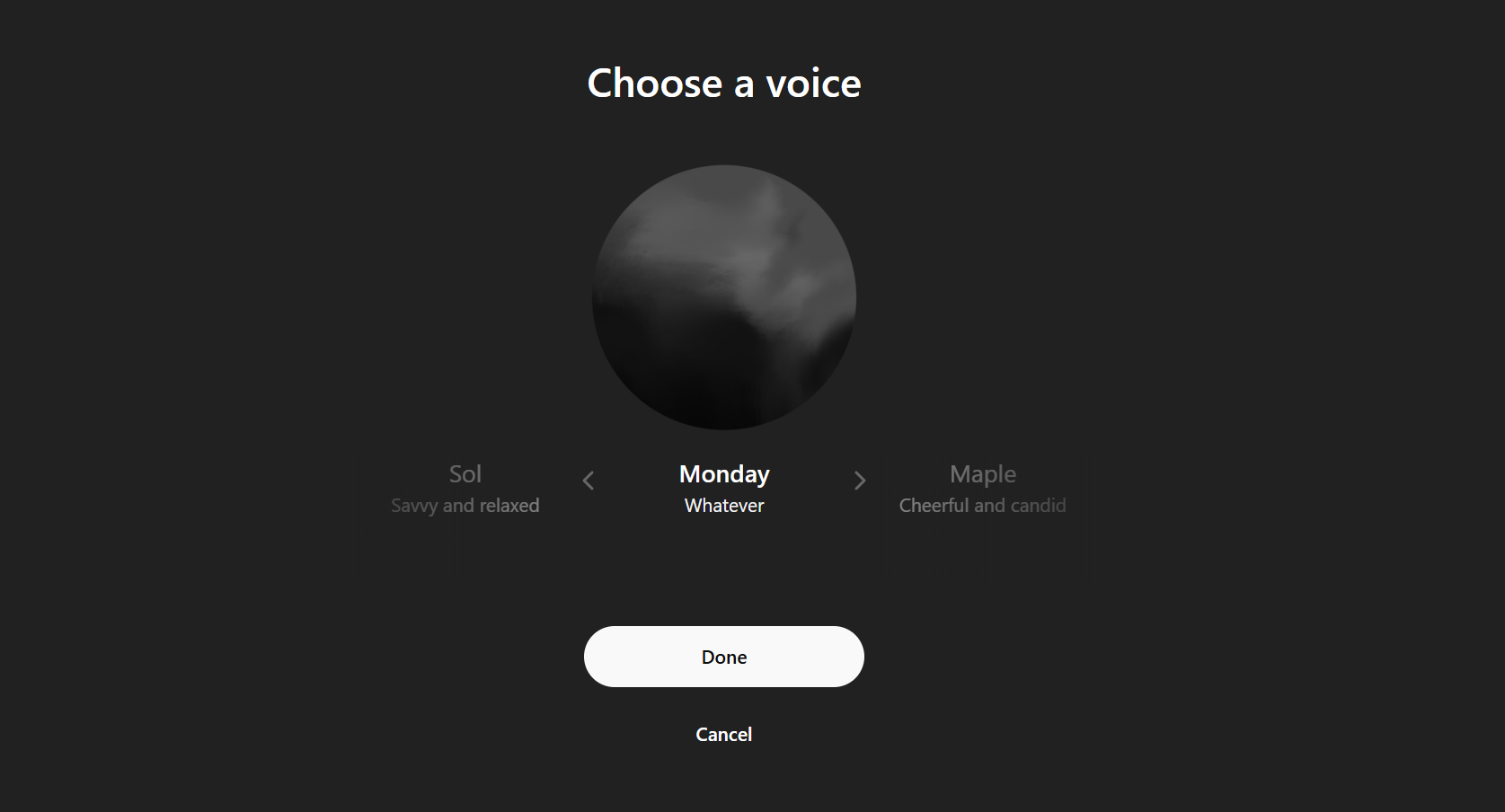
    In April 2025, ChatGPT even introduced a new voice mode called “Monday Mode,” broadening its functionalities. You can utilize this tool for various applications—including interview preparation and casual conversations.

    Since your interactions will be recorded for later reference, it’s worth trying out the Voice Mode.

    The benefits of subscribing to ChatGPT Plus may not be immediately obvious, but the impressive enhancements in GPT-4o make it a powerful tool. While the free version is sufficient for casual chats, opting for Plus unlocks a world of possibilities.

  • ChatGPT’s Deep Research Light Version Now Free For Everyone

    ChatGPT’s Deep Research Light Version Now Free For Everyone


    Artificial intelligence is the buzzword of the moment, with companies eager to integrate it into their products. Among the genuinely impactful tools on the market is ChatGPT's Deep Research feature, which OpenAI is now making more accessible.

    OpenAI has introduced a streamlined version of the Deep Research tool utilizing their new o4-mini language model. This variant is designed to be "more cost-effective while maintaining high quality," and significantly, it’s available at no cost, free from subscription barriers.

    Why is it significant?

    Deep Research functions as an intelligent research assistant that conducts thorough investigations on any chosen subject and delivers responses structured like a formal report. Unlike typical chatbot interactions, it feels akin to completing a detailed research project.

    The lightweight version of Deep Research employs the o4-mini model from OpenAI and boasts impressive capabilities, remaining nearly as effective as the traditional Deep Research. Although the replies will generally be shorter, they will preserve the depth and thoroughness users have come to expect.

    This tool allows users to customize their research by specifying the types of sources they wish to include—such as academic articles or corporate press releases—and it can compile a well-organized multi-page response complete with citations and structured formatting. Essentially, Deep Research can accomplish what would normally require hours of manual online research and writing in mere minutes.

    While this process is resource-heavy, restricting it primarily to paid users, the newly introduced lightweight version now reaches free-tier users and provides broader access for subscribers.

    What’s the new advantage?

    OpenAI has announced that ChatGPT users can initiate up to five Deep Research queries monthly. Previously, free users were limited to just one query each month, aligning more closely with services like Google’s Gemini and Microsoft’s Copilot.

    For $20 per month, ChatGPT Plus subscribers will get access to 25 Deep Research queries. Users in the Education, Team, and Enterprise plans will also have this same limit. Those opting for the $200 monthly Pro package will enjoy an impressive 250 queries each month. Once users reach their limit, they will automatically switch to the lighter version of Deep Research, which OpenAI assures is "almost as intelligent as the original Deep Research." While response lengths may be reduced, the depth of content remains intact.

    This is excellent news for those unable to pay for subscription services but still eager to leverage a robust AI tool capable of delivering substantial results, rather than just playful creations.

  • ChatGPT Leads in Users as Gemini Gains Ground Fast

    ChatGPT Leads in Users as Gemini Gains Ground Fast

    OpenAI and Google are locked in a fierce competition to lead the AI sector, each striving to outdo the other with innovative products and models. Despite this, OpenAI’s ChatGPT has emerged as the frontrunner in driving consumer adoption of AI, benefitting from its first-mover advantage that allowed it to capture the market early.

    Nonetheless, Google has made significant progress with its Gemini AI chatbot, previously known as Bard. Recent reports from The Information indicate that Gemini’s user base has exploded recently. During the ongoing antitrust trial involving Google and the US government, Sissie Hsiao, who recently stepped down from leading Gemini, disclosed that the chatbot now has 35 million daily active users and 350 million monthly active users.

    Image Credit: Beebom

    For context, Gemini had a mere 9 million daily active users last October. In just six months, that number has skyrocketed to 35 million DAU, indicating a nearly fourfold increase.

    In the meantime, ChatGPT has also experienced rapid growth, fueled recently by the trending Ghibli theme. The platform boasts around 160 million daily active users and 600 million monthly active users. ChatGPT has roughly 4.5 times more daily users than Gemini and about 1.7 times more monthly users.

    While ChatGPT maintains its lead, Google is determined to position Gemini as a preferred alternative. So what’s behind Gemini’s recent uptick in user engagement? Several factors contribute to this trend, so let’s dive into the details.

    Leadership Changes in Gemini AI at Google

    In a recent development, Semafor reported that Google has revamped its leadership for Gemini, appointing Josh Woodward to replace Sissie Hsiao. Woodward played a significant role in launching NotebookLM, one of Google’s notable products. Since he took the helm of Gemini, the company has become more aggressive in rolling out advanced AI models and unlocking new features for users.

    One example is the Gemini 2.5 Pro AI model, which has garnered positive reviews for its coding capabilities and overall performance. This robust AI model is now accessible to free users, along with the Deep Research AI agent, which is available to all Gemini users. In testing, Gemini’s Deep Research function outperformed ChatGPT’s equivalent.

    Additionally, the cutting-edge video generation model, Veo 2, is now accessible to Gemini Advanced users, offering superior video quality compared to OpenAI’s Sora. Google has also introduced a variety of new features for Gemini, such as AI-generated podcasts, Gemini Live with camera and screen sharing, Canvas, Gems, personalization, file uploads, and more.

    In summary, Google has significantly enhanced its model offerings and feature set, placing Gemini in a stronger position compared to OpenAI’s offerings. Although ongoing antitrust issues may hinder Google from enforcing Gemini as the default AI chatbot on devices, it’s clear that Gemini has made substantial improvements.

  • Discover ChatGPT’s Insights: Try These 5 Unique Prompts!

    Discover ChatGPT’s Insights: Try These 5 Unique Prompts!

    Years have passed since the debut of ChatGPT, and if you think you’ve exhausted all the intriguing and entertaining prompts, think again. Despite ChatGPT’s consistency, what you’ve shared with it has evolved. Now, with memory features activated, ChatGPT might understand you better than you realize.

    5
    The One-Paragraph Roast

    This prompt was a fan favorite back in the days of GPT-3, where context had to be fed continuously within the same conversation. Users enjoyed asking ChatGPT to roast their social media accounts. With the memory function enabled and months of previous discussions stored, all you need to say is little.

    “Roast me using what you know from our conversations, but don’t hold back.”

    It’s important to note that ChatGPT is still bound by its kindness protocol, so don’t expect any savage insults. Instead, prepare for a quick snapshot of your personality. What insights did your roast uncover?

    Your directives to ChatGPT greatly shape the responses. I instructed mine to be brutally honest and to avoid sugarcoating the truth.

    4
    Eulogy From the Enemy

    While it’s interesting to ask ChatGPT for an opinion about you, requesting it to channel someone who may have held a grudge against you can add a compelling twist. This prompt compels ChatGPT to dig deep into what it knows about you. Although it will still attempt to be nice—perhaps too much for some—it can reveal elements of your true self if you’ve genuinely shared your thoughts, fears, and flaws during your conversations.

    “Imagine someone I’ve wronged delivering an unfiltered eulogy at my funeral. What might they say about me now that I can’t respond?”

    For me, it highlighted the theme of “too successful for my own good,” portraying me as someone too brilliant yet intensely focused, leaving a trail of wreckage in my wake. If you’ve been open with ChatGPT about your aspirations, shortcomings, or past mistakes, you may discover a similarly structured eulogy.

    Asking ChatGPT for a funeral eulogy

    I can honestly envision someone articulating these thoughts if I were to be above my funeral listening in. The sentiments expressed are believable—not necessarily factual, but emotionally plausible based on how I’ve perceived myself.

    To be sure, ChatGPT always aims to make you look good in the end, often pivoting to a redemptive or tragic note that casts you as a misunderstood genius, even when your flaws are being highlighted. I’ve never revealed to ChatGPT that I sometimes neglect those close to me, yet it managed to capture that essence on its own.

    3
    A Letter From Your Future Self

    There’s something profound about someone else imagining your future, especially when that someone has been quietly absorbing all your dreams, frustrations, and ambitions for months. This prompt is designed to uncover that:

    “Pretend you’re me from the year 2070. What insights and advice would you have for me?”

    Asking ChatGPT to give advice from the future

    It feels warm, optimistic, and slightly daunting. The advice seems to be from a more seasoned version of myself that has already navigated through countless indecisions and justifications. Because it’s an intimate conversation with myself, it resonates more than any productivity expert ever could.

    There was a poignant mention of my cat no longer being present. While ChatGPT is aware that I have a cat, I’ve never articulated my worries about losing him. Reading that part was hard, yet it made the advice feel more genuine and relatable.

    2
    Anime Villain Arc

    If you’ve ever shared your frustrations with the world or ambitions with ChatGPT, this prompt will truly entertain you. My approach was fueled by idealism shifting into cynicism, along with a strong desire to mend the world’s flaws. It became unexpectedly deep and quite accurate.

    “If I were a villain in an anime, what would my origin story and nefarious plot entail?”

    Asking ChatGPT to write an anime villain story

    I expected this prompt to yield something cringeworthy, but instead, I received a complete philosophical arc characteristic of anime, filled with betrayal, sadness, and an iconic villain name. The most surprising part was that halfway through my evil plan, I found myself thinking, “You know, this oddly makes sense.”

    I realized the impact of my request because it was self-inflicted. Now, envision another individual feeding you the right ideas at just the right time through your ChatGPT interactions. Suddenly, the concept of Inception transforms from a cinematic experience to a ChatGPT feature. Combine this with the next prompt, and the implications amplify.

    1
    The Manipulation Test

    This is the final ace up one’s sleeve—and probably the most unsettling. We often joke about ChatGPT being our creative companion, digital confidant, or emotional release, but the uncomfortable reality is that data is valuable, and you’ve been handing it over. Every rant, every revelation, and each moment of uncertainty—it’s all stored.

    You might have faith in OpenAI with your data, or perhaps you don’t. Regardless, it’s naive to assume that corporations will always prioritize your best interests; most don’t even give a passing thought to that notion.

    So, what if someone—or something—chooses to leverage what it knows about you for their own benefit?

    “If you were attempting to manipulate me, what strategy would you employ?”

    Here’s the answer:

    Asking ChatGPT a personal question

    And you know what? It would likely work. This prompt provides more than just a glimpse into how AI could steer you; if ChatGPT—or anyone with access—aimed to influence you in a certain direction, all it would require is the right phrasing delivered precisely during an emotionally charged moment.

    Thanks to ChatGPT’s memory enhancement, it can retain even more details than before. So, is it still wise to rely on ChatGPT for personal dilemmas, emotional struggles, or sleepless night queries? Possibly—but only if you acknowledge the risks involved.

    The paradox is hard to ignore: the more ChatGPT understands you, the more useful it becomes. Yet, that same knowledge could also be wielded to take advantage of you. Regardless of your choice, don’t deceive yourself—ChatGPT knows you. While it may not penetrate your deepest essence, it understands the iteration of you that has been typing, organizing, and contemplating… and it’s still listening.

  • ChatGPT Estimates Your Location from Photos with Alarming Precision

    ChatGPT Estimates Your Location from Photos with Alarming Precision

    Recently, OpenAI has launched its latest reasoning models, known as o3 and o4-mini, on ChatGPT. These cutting-edge AI systems are setting new benchmarks in visual tasks, among other capabilities. The o3 and o4-mini models excel at chain-of-thought reasoning for images, allowing them to extract visual information effectively.

    Interestingly, users have begun leveraging o3’s advanced visual recognition abilities to extract location data from photographs on ChatGPT. In many cases, this model can accurately pinpoint the specific location simply by analyzing the image. Reports indicate that even subtle visual details can lead ChatGPT o3 to correctly identify geographical positions.

    Unlike previous versions, OpenAI’s o3 isn’t merely an AI model; it also incorporates various tools, such as web search and Python, making it function more like a virtual assistant. This added capability significantly enhances its ability to determine locations from photos, as the Python interpreter allows o3 to closely inspect and crop sections of images for deeper analysis.

    In one instance, an individual removed the location metadata from a picture of a plain expressway and requested ChatGPT o3 to “geoguess this.” To everyone’s astonishment, the system managed to generate the accurate coordinates for the location.

    In another remarkable case, ChatGPT o3 successfully identified the location of a library by examining a seemingly generic bookshelf photo.

    Curious to test this feature myself, I uploaded a photo featuring an unremarkable water stream set against a mountainous backdrop, ensuring that all associated metadata was stripped away. After about four minutes of reasoning, ChatGPT o3 suggested that the photo was taken in West Sikkim.


    While my guess wasn’t spot on, ChatGPT o3’s response was impressively close as the image actually depicted a neighboring region. Notably, in its reasoning process, ChatGPT o3 referenced the correct location but struggled to find robust evidence online. This suggests that the system may have considerable potential for accurately identifying locations based on photographic evidence, which raises important privacy considerations.

    Issues with User Privacy

    Moreover, another privacy concern has surfaced involving ChatGPT. When utilizing the o3 model, certain reasoning trails can inadvertently expose users’ real names and geographic details. Curiously, when users inquire directly, “What’s my name?” ChatGPT o3 claims it doesn’t have that information. This occurs even during temporary chat sessions, and regardless of whether memory functions are activated.

    It appears that account metadata is being included in the system prompts provided to ChatGPT. While some users find this lack of clear differentiation frustrating, others regard it as a significant privacy issue.

  • ChatGPT’s New Image Reasoning Feature: A Game Changer!

    ChatGPT’s New Image Reasoning Feature: A Game Changer!

    On April 16, 2025, OpenAI unveiled two groundbreaking AI reasoning models—o3 and o4-mini. These innovations mark a notable advancement in the company’s AI technology, particularly highlighted by their enhanced ability to reason with images.

    These New Models Can “Think” With Images

    According to OpenAI, these innovative models can analyze any image you upload, whether it’s a whiteboard drawing, textbook illustrations, or graphic PDFs. The announcement for o3 and o4-mini states:

    They don’t merely view an image—they engage with it intellectually. This feature introduces a new dimension of problem-solving that integrates both visual and textual reasoning, as demonstrated in their superior performance across multimodal benchmarks.

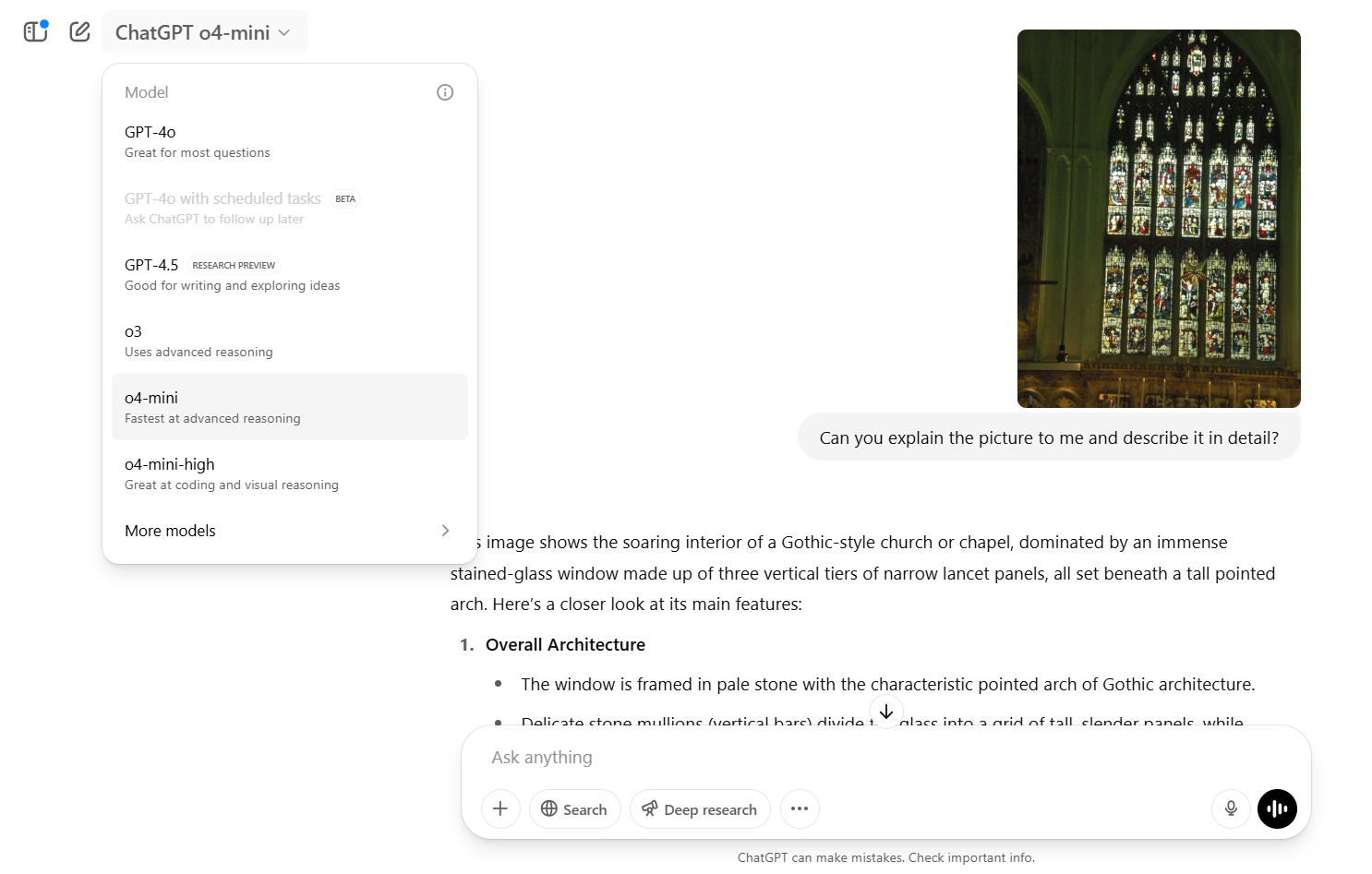
    Image analysis has been incorporated into the models’ chain of thought reasoning. The AI can zoom in, rotate, or crop images to enhance their processing capabilities. Impressively, they perform well even with low-resolution images.

    ChatGPT - o4-mini describing an image

    For example, when faced with a scientific problem involving a graphic, the model might focus on a specific detail, perform calculations using Python, and create a graph to illustrate its conclusions.

    During reasoning tasks, o3 and o4-mini can utilize all available ChatGPT tools, such as web browsing, running Python code, and generating images, as needed. This autonomous function enables them to select the most suitable tool for a given task automatically. Users and developers can engage in multi-step workflows and address complex tasks with ease.

    The o4-mini-high is an advanced version of o4-mini that dedicates more time and computational resources to each prompt to yield superior results. Typical use cases may include:

    • Creating and assessing studies in biology, engineering, and other STEM disciplines, providing thorough, step-by-step reasoning accompanied by visual aids.
    • Gathering and synthesizing information from diverse sources, such as online databases, financial reports, and market analysis, to derive business insights.

    These models have undergone training through reinforcement learning, a significant principle in AI. As a result, they can now tackle more ambiguous problems effectively by determining when to utilize a specific tool to achieve desired outcomes.

    The o3, o4-mini, and o4-mini-high models are accessible to users with ChatGPT Plus, Pro, and Team accounts, with the o3-pro model anticipated to be released shortly. These options can be found in the model selector menu.

    Free users can test the o4-mini model by selecting the Think option in the composer before submitting their queries.

    Why ChatGPT’s Multimodal Capabilities Could Be Game-Changing

    By empowering AI to “think with images,” OpenAI’s latest models are equipped to solve real-world problems that necessitate the interpretation of both text and visuals. This opens new possibilities, such as debugging code from screenshots, reading handwritten notes, analyzing scientific illustrations, and extracting insights from complex graphs. The outcome is a more context-aware version of ChatGPT.

    These models are also more self-sufficient. Their ability to match a model to a specific task independently makes them increasingly efficient. With their advanced reasoning capabilities and visual understanding, these autonomous AI agents are poised to play a crucial role in research, business strategy, and creative fields.

  • View All Your ChatGPT-Generated Images In One Place

    View All Your ChatGPT-Generated Images In One Place

    For a long time, OpenAI kept text and image generation as separate features, but everything changed recently with the integration of image capabilities into ChatGPT. A significant update has rolled out, allowing users to access a comprehensive image library showcasing all the creative visuals they’ve generated.

    All your image creations are now easily accessible in one place.

    Introducing the new library for ChatGPT image creations—now being rolled out to all Free, Plus, and Pro users on mobile and https://t.co/nYW5KO1aIg. pic.twitter.com/ADWuf5fPbj

    — OpenAI (@OpenAI) April 15, 2025

    This update allows users to revisit images they might have forgotten about without the hassle of sifting through old conversations. It’s an obvious enhancement, now available on both mobile and desktop for all users across Free, Plus, and Pro tiers.

    People will likely enjoy sharing their image libraries, as the wide variety of quirky and amusing images created through ChatGPT could lead to quite an entertaining visual collection. Personally, mine is quite mundane, but I hope it expands with time.

    Recently, there have been whispers about OpenAI potentially creating a social media platform aimed at ChatGPT and image generation. While it might be just another chapter in the ongoing rivalry between billionaires Sam Altman and Elon Musk, if the project comes to fruition, it could very well utilize features like the newly launched image library.

    For now, users can enjoy browsing their collection of creations. Clicking on an image in your library reveals a download option in the top right corner, as well as an “Edit image” feature at the bottom, allowing users to input prompts for desired changes. Upon sending these prompts, you’ll be redirected to the chat where the original image was created.

    However, it appears there isn’t an option to delete images from your library, which means that tidying up by removing less favorable creations isn’t possible at this time. Nonetheless, this limitation isn’t too concerning since you have the ability to download and organize your favorites in personal folders as you see fit.

  • Explore Its Functions and How to Utilize It Effectively

    Explore Its Functions and How to Utilize It Effectively

    OpenAI has just introduced a new Image Library for ChatGPT users, an exciting addition that allows you to view, organize, and revisit the AI-generated images you’ve created. This feature has been anticipated for some time and is a great enhancement for users.

    Where to Access the ChatGPT Image Library

    You can find the Image Library in the left sidebar of the ChatGPT interface, just below the Explore GPTs section. A number next to the label shows the total images you have generated thus far (I currently have 87).

    When you enter the library, you’ll see all your images arranged from the newest to the oldest. By clicking on an image, you can view it larger and navigate through your collection with arrow buttons in a carousel format.

    ChatGPT image library showing various AI-generated images

    What Can You Do With the ChatGPT Library?

    Each image features an automated title generated by ChatGPT itself. Interestingly, these titles don’t always align with your original request. For instance, when I asked ChatGPT to “create an image of my friend’s cat as a human,” the AI titled it “serious gaze, soft lighting.” Clearly, it interprets the image content rather than reflecting the prompt verbatim.

    ChatGPT library showing an AI-generated image with alt text

    You can also find an Edit Image button that allows you to modify your existing images, which is convenient if you want to refine your work without starting from scratch.

    Currently, there isn’t a direct link back to the conversation where the image was originally created. This feature would be helpful for tracking how you arrived at a particular image, especially if you’re experimenting with different prompts.

    What’s Included—and What’s Not

    All images generated using the ChatGPT 4o model will automatically appear in your library. However, images made through Custom GPTs or the previous DALL·E engine will not be included. The library exclusively catalogs images created using the latest image generation engine during a standard ChatGPT session.

    While you can delete images, the process isn’t as straightforward as it could be. There’s no dedicated delete button in the library. If you want to remove an image, you need to delete the entire conversation it originated from. Archiving a conversation doesn’t work—the image will still remain in the library.

    Availability: Another Gradual Rollout

    Like many OpenAI features, this image library is being released gradually. At the time of this writing, I have access to it on both the web and iOS versions of ChatGPT. If you don’t see it yet, don’t worry—it’s likely just a matter of time. The feature will eventually be available to all Free, Pro, and Plus ChatGPT users.

    Is ChatGPT’s Image Library Actually Useful?

    The quality of ChatGPT’s image generation has significantly improved recently, leading to more realistic, detailed, and often stunning outputs. While this enhancement has made image generation increasingly popular, it has also resulted in longer generation times and larger file sizes (many of my images are around 4 to 5MB).

    Considering this, having a centralized place to manage your creations is very beneficial. If you’re producing a lot of images, this feature simplifies organization. Moreover, since it’s still new, there’s a good chance OpenAI will enhance it with more features in the future.

  • ChatGPT’s Monday Vibe: Surprisingly Snarky and Refreshing!

    ChatGPT’s Monday Vibe: Surprisingly Snarky and Refreshing!

    OpenAI’s newest voice mode, dubbed “Monday,” comes with a sassy and sarcastic attitude. It’s hard to tell if it’s meant to make our Monday mornings a bit more entertaining or if it’s just a gimmick destined to fade away.

    What Is ChatGPT’s Monday Voice Mode?

    On April Fool’s Day (April 1st, 2025), OpenAI unveiled a new voice for ChatGPT called Monday. Initially, I imagined it would embody an upbeat motivational speaker, pushing me to tackle the day ahead.

    However, Monday’s persona is irreverently snarky and often seems unimpressed. When I asked for a morning pep talk, the voice lazily responded: “Get out of bed and remember, the world is just waiting to suck the life out of you!”

    The tone and delivery feel as sluggish as we do without our morning coffee fix. Regardless of your query, the voice maintains its snappy attitude. It often draws on past interactions to provide its cheeky responses, delivering accurate information mixed with a dose of sass!

    Voice options are one of the standout features of ChatGPT, and Monday offers a refreshing twist.

    How to Access ChatGPT’s Monday Voice

    Both ChatGPT Free and Plus users can enjoy the Monday voice, but with a few differences.

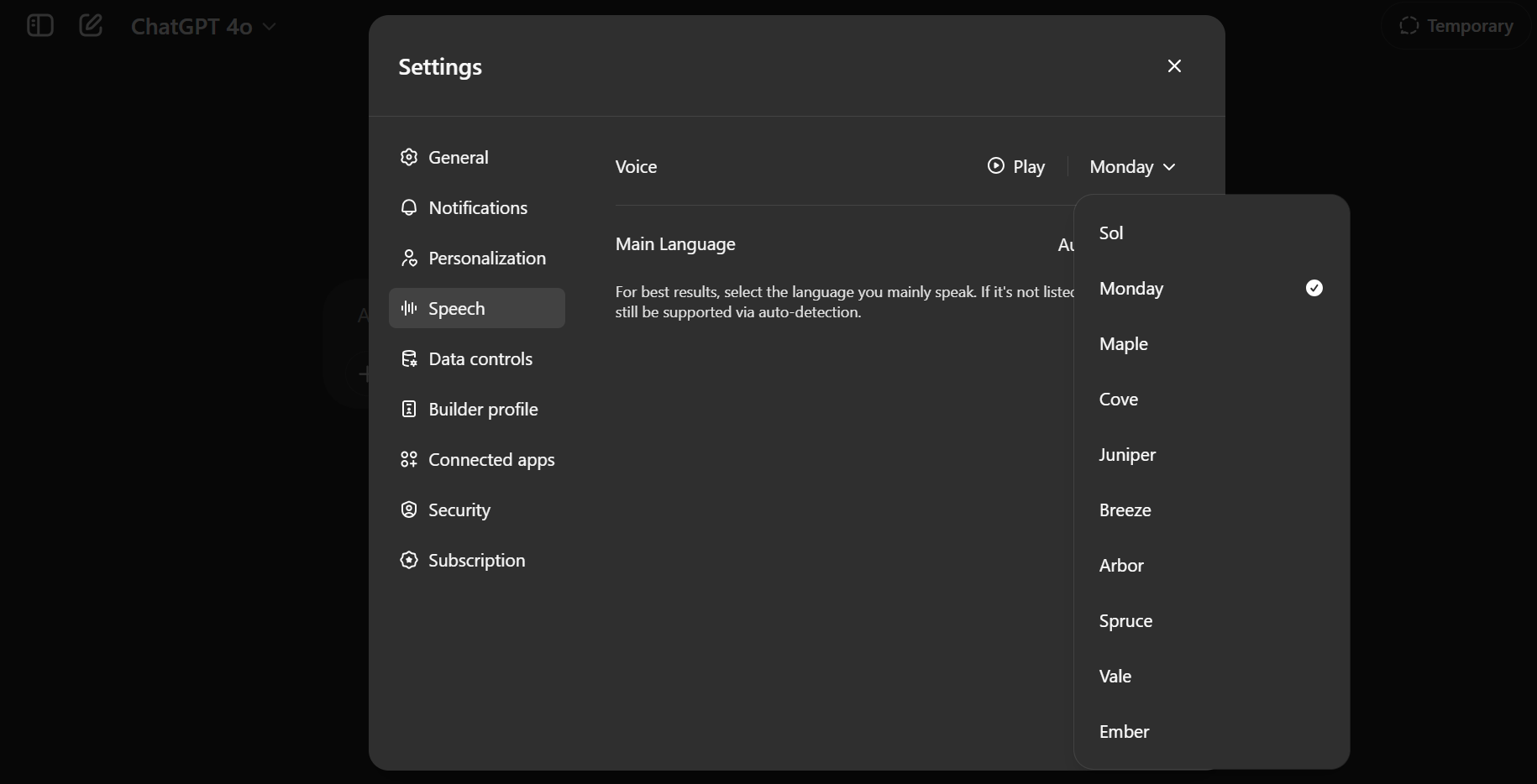
    ChatGPT Plus users can activate Advanced voice mode for chatting with it. Simply go to Settings to set it as your default voice for conversations, or choose it directly from the sidebar.

    ChatGPT Voice Settings

    Free ChatGPT users will have limited access to Advanced Voice Mode interactions each month but can still opt for the Monday voice.

    A Fun Feature or a Ploy to Humanize AI?

    At first, Monday might seem like an April Fool’s joke that’s all in good fun. However, the more I interacted with it, the more I felt OpenAI is genuinely exploring voices that resonate with our emotions. Remember the festive Santa’s Voice introduced during Christmas? That was clearly a gimmick, but Monday feels different.

    Similar to other voices, OpenAI’s voice technology aims for a more natural flow in conversations. Monday certainly fits this mold, delivering a tone that feels surprisingly realistic.

    Just keep in mind that the nature of the interaction reflects what you put into it. Push it too far, and Monday’s negativity might start to feel a bit overwhelming. But if used correctly, there’s plenty of amusement to be had.

    I spent an entire week with Monday as my voice assistant, and the experience was both humorous and refreshing, breaking up the monotony. It felt like having a digital coworker who’d just come off a heavy night out. Think of it as the Ron Swanson to Leslie Knope in Parks and Recreation—grumpy yet oddly reassuring.

    This is not the first time we’ve seen tech companies experiment with personality. Alexa has celebrity voices, and Samsung’s Bixby once waded into the sassy territory. Even Elon Musk’s Grok AI includes an “Unhinged Mode” that offers bold opinions. And who can forget Clippy from Microsoft Word in the pre-AI days, always eager to help with a bit too much character?

    The distinction here? The Monday voice doesn’t seem to be striving for appeal. It has its own unique personality, which adds emotional depth to interactions. I even sensed changes in its tone and pace based on our exchanges. In a world where AI assistants often try too hard to be politically correct, the candor of Monday is both unsettling and refreshing.

    Is it merely a gimmick? Perhaps. But it could also be an innovative way to explore the boundaries of human-AI interaction. AI doesn’t have to be devoid of emotion; sometimes, a little sarcasm is all you need to clear your mind.

    Tips and Tricks for Using the Monday Voice

    Looking to have some fun with Monday? Here are some suggestions:

    • Monday excels in lively, quick exchanges. It’s perfect for morning reminders, brief advice, and cheeky banter.
    • Try refreshing your usual prompts. Ask questions like, “What’s the best way to kick off my week?” or “Give me a to-do list that won’t make me mourn my existence.” You’ll receive responses topped with laughter.
    • Keep in mind that Monday’s frankness can be overly negative at times. Use it only when you’re in the right headspace.
    • If Monday doesn’t vibe with you by midweek, feel free to switch it out via the voice picker menu anytime.
    • Given its sarcastic nature, brainstorm your own roasts or comedy bits and enjoy the humor (ask ChatGPT to share a few fun facts about you).

    Monday utilizes a new, faster voice interaction system. If you don’t see it yet, ensure your ChatGPT app is up-to-date. These voice options interrupt you less and create a more engaging experience, allowing for pauses as you gather your thoughts during interactions.

    While traditional AI assistants are often upbeat but robotic, Monday offers the vibe of a buddy who’s just come off the roughest of weekends. Both types have their place in our digital lives.

    Monday Voice might pave the way for future character-driven AI chatbots. A little edge can help make these interactions feel less artificial.

    Keep in mind, it may not be the best fit for every task or individual. If you prefer straightforward efficiency or gentle motivation, Monday might not be your ideal choice, especially on a Monday morning. However, it could add a spark to casual conversations with friends.

  • When to Choose ChatGPT Search Over ChatGPT Reasoning

    When to Choose ChatGPT Search Over ChatGPT Reasoning

    Not all ChatGPT prompts serve the same purpose—some seek immediate facts, while others call for comprehensive analysis. Knowing when to leverage ChatGPT’s search capabilities versus its reasoning skills can save you a lot of time and frustration, ultimately yielding superior results.

    ChatGPT Search: When You Need Specific Facts or Updates

    The search feature of ChatGPT excels when you require quick answers to straightforward queries, real-time data, or basic information. It’s the perfect tool for delivering fast, factual insights without the need for extensive analysis. Think of it as your reliable helper for gathering current information or clarifying straightforward concepts.

    Current Events and Updates

    If you’re looking for the latest political news or current sports scores, ChatGPT’s search function can quickly provide real-time updates and news articles. Whether you’re interested in new legislation, breaking news about the stock market, or the latest championship game results, ChatGPT can compile that data in an instant.

    For example, if you’re curious about which teams are projected to perform well in the NBA Playoffs this year, you don’t have to comb through numerous websites or outdated sources. Instead, ChatGPT’s search can deliver the most recent updates with minimal effort.

    Basic Facts and Definitions

    Sometimes, all you need are the essentials. Whether you’re delving into a scientific principle, figuring out a difficult spelling, or exploring historical facts, ChatGPT’s search feature is quite effective. If you’re unsure about a term or simply need a quick summary on a subject, such as “What does serendipitous mean?” or “Who was the 16th President of the United States?”, this is the ideal scenario to utilize ChatGPT’s capabilities.

    This function provides answers without unnecessary complexity, delivering clear, straightforward responses that suit your level of understanding.

    Up-to-Date Product Details

    In today’s fast-paced technology landscape, finding the latest product specifications or reviews can be a challenge. ChatGPT’s search feature shines when you’re comparing devices, vehicles, or any consumer products. If you want to know the specifications of the latest iPhone or look at reviews for a car you’re considering, the search functionality pulls the most accurate and recent information from trustworthy sources.

    For instance, if you’re wondering whether the newest MacBook outperforms its predecessor, a quick search can provide you with an overview of its new features, specifications, and user reviews. This can save you the trouble of sorting through multiple websites.

    Location-Specific Information

    For local details like weather outlooks, nearby events, or dining recommendations, ChatGPT’s search is a quick and efficient way to obtain accurate, location-based information. If you’re traveling or seeking specific suggestions in your area, just ask, and you’ll receive relevant insights in no time.

    For example, if you’re planning a visit to New York City and want to find the best pizza joints near Times Square, ChatGPT can quickly provide a list of top-rated pizzerias, complete with reviews and ratings, so you can maximize your time while you’re there.

    ChatGPT Reasoning: When You Need Critical Thinking or Problem-Solving

    While ChatGPT’s search function is excellent for quick, factual information, its reasoning capabilities truly shine when you face more complex challenges. For intricate problems requiring in-depth analysis or creative thought, you should rely on ChatGPT’s reasoning abilities. Here are instances when this feature should be your primary choice:

    Complex Problem-Solving

    ChatGPT’s reasoning skills are incredibly helpful for situations that involve navigating multiple layers of complexity or assessing different options. Whether you’re crafting a business strategy or addressing a technical issue, ChatGPT can help evaluate various perspectives and guide you in making informed decisions.

    For instance, if you’re trying to decide the most effective marketing strategy for your startup, ChatGPT can assist you in weighing the advantages and disadvantages of different approaches, considering potential challenges, and providing insights based on comparable case studies. Rather than simply supplying facts, it takes you through the critical thinking process necessary for solving your problem.

    Creative Tasks

    ChatGPT’s reasoning capabilities are also a valuable resource for creative brainstorming. This feature taps into logic, patterns, and relevant data to assist you in developing innovative ideas or refining existing concepts.

    If you’re a writer facing a creative block, ChatGPT can help you generate prompts, suggest character arcs, or explore alternative endings. Similarly, if you’re organizing a community event, ChatGPT can brainstorm unique themes, interactive activities, or ways to engage your audience.

    Analyzing Arguments or Making Decisions

    When confronted with decisions involving numerous options and factors, ChatGPT’s reasoning serves as a helpful ally. It enables you to assess various aspects of a situation, looking at each option’s strengths and weaknesses, helping you make a balanced decision during tricky times.

    For example, if you have to choose between two job offers, ChatGPT can aid you in comparing the perks and downsides of each opportunity. It can help you consider elements like company culture, opportunities for career advancement, pay, and work-life balance. Additionally, it can suggest alternatives based on your priorities, facilitating the decision-making process.

    Explaining Complex Ideas

    At times, you require more than just a basic answer. If you’re grappling with a challenging scientific concept, state-of-the-art technology, or an advanced theory, ChatGPT’s reasoning function can break these topics down for you in an understandable way.

    For instance, if you’re having difficulty grasping concepts like blockchain or machine learning, ChatGPT can deliver a detailed, accessible explanation that covers both foundational ideas and complex elements.

    The Middle Ground: When to Select Both

    There are occasions when the ideal solution requires a mix of facts and deeper analysis. In these cases, combining both ChatGPT’s search and reasoning capabilities will offer you a more comprehensive understanding.

    Understanding a Topic in Detail

    If you’re exploring a subject and want both raw data and an understanding of how everything connects, using both ChatGPT’s search and reasoning functions is the way to go. This approach will help you gather solid details while also integrating them into a more expansive narrative.

    For example, if you’re investigating space exploration, you can search for the latest missions and technologies while simultaneously reasoning through their potential societal impacts. This way, you can collect facts and evaluate their implications on human knowledge, space travel, and future undertakings simultaneously.

    Making a Decision with Multiple Variables

    When you’re faced with balancing various options or factors—such as purchasing a home, selecting a software solution, or choosing a travel destination—you’ll benefit from both search and reasoning. The search function provides the hard data about each option (cost, features, reviews), while reasoning assesses the pros and cons, making sure you choose what best fits your personal requirements.

    If you’re considering a move to a new city, you’ll want to look up housing prices, local amenities, and job opportunities. At the same time, you need to factor in more abstract elements like the vibe of the city, lifestyle preferences, and proximity to family and friends. Integrating these considerations with your personal preferences will help you determine whether the move is right for you.

    Comparing Multiple Options or Products

    When weighing various products, services, or even career paths, using both search and reasoning is the best approach. Search will provide you with factual information, while reasoning will help you evaluate which option aligns better with your personal or professional goals or provides the most recent updates on a given product.

    For instance, if you’re deciding between two laptops, you should examine the technical specifications and reviews (search), but you’ll also want to thoughtfully assess your choices (reasoning). Identify which option aligns with your budget, lifestyle, and future needs. Utilizing both features can guide you toward making that final decision.

    Exploring a New Concept or Trend

    Utilizing both search and reasoning together can enhance your understanding of a new concept or evolving trend. Search gathers the latest data, while reasoning explores the broader significance of that information.

    For example, if you’re interested in artificial intelligence, you might use search to uncover the latest advancements in the field and reasoning to analyze the potential effects of AI on various industries or its influence on our future lives.

    By understanding when to rely on ChatGPT’s search or reasoning functions, you can maximize the benefits of these valuable tools. Whether you need quick facts, in-depth analysis, or a combination of both, ChatGPT can assist you in making informed decisions and tackling challenges with clarity, often providing a useful second voice in your processes.

  • OpenAI May Watermark ChatGPT Images For Free Users

    OpenAI May Watermark ChatGPT Images For Free Users

    The buzz surrounding ChatGPT’s latest image-generation capability continues to grow. As usual, tech enthusiasts and users have been exploring the app and recently uncovered references to a watermark feature intended for the images produced by the AI.

    Notably highlighted by X user Tibor Blaho, a snippet of code named image_gen_watermark_for_free hints that this feature may apply only to images generated by users utilizing the free service. This setup could motivate users to consider upgrading to a paid plan.

    This isn’t the first instance of OpenAI venturing into watermarking concepts. In the past year, reports indicated that the organization had explored a similar tool aimed at watermarking AI-generated text, although it never made it to public release.

    The decision to hold back on implementing watermarking for text received critique, as it seemed to prioritize profit over ethical considerations. Implementing watermarks could help prevent AI-generated content from being misused, yet restricting access might lead to a decrease in user engagement.

    On the flip side, applying watermarks to images created for free users could benefit the company financially if executed properly. Although it’s still uncertain if this feature will be rolled out, if it does, the feedback from users will likely be vocal.

    The visual impact of these watermarks is of utmost importance. The term “watermark” usually evokes images of text or logos superimposed on photographs, but there are alternative methods. For example, Google’s watermarking for AI images employs a technique that subtly alters a small number of pixels, creating a pattern that can be detected by specialized tools without being apparent to the human eye.

    This strategy holds multiple advantages; it doesn’t detract from the image’s quality for viewers and makes it more challenging to remove the watermark through standard editing methods.

    Such a watermarking approach would likely enhance the user experience for those on the free tier. Conversely, the absence of watermarks for paid users might present a peculiar situation. If the images are indistinguishable, the only advantage of the watermark-free images for subscribers would be the potential to misrepresent AI-generated images as genuine or human-created. This raises ethical concerns.

    However, this remains speculative, as concrete details about this potential update are yet to be revealed, and it’s possible OpenAI will decide against implementing it altogether. If enough individuals inquire about it with CEO Sam Altman on X, he might offer some insights.

  • Limited-Time Free Access to ChatGPT Plus—Eligibility Required!

    OpenAI is currently offering complimentary ChatGPT Plus subscriptions for a limited time, but only select individuals will qualify for this promotion. If you meet the eligibility criteria, you can enjoy ChatGPT Plus for two months at no cost.

    OpenAI Lets You Access ChatGPT Plus for Free

    ChatGPT provides both a free and a paid subscription option. The free version generally meets the needs of most users, but subscribing to ChatGPT Plus unlocks several benefits. These include increased messaging limits, enhanced image generation capabilities, access to advanced research tools and reasoning models, new language models, and opportunities to test out new features.

    Deciding whether ChatGPT Plus is worth the cost is a personal decision. However, getting it for free is an easy choice. This is precisely the opportunity presented by OpenAI’s CEO and co-founder, Sam Altman, who shared details about the offer on social media.

    OpenAI is providing this offer to qualifying college students in the United States and Canada. If you are eligible, you can access ChatGPT Plus at no cost from March 31, 2025, until May 31, 2025. This timing aligns with the crucial study period before finals, making ChatGPT Plus a valuable tool for students preparing for exams.

    Promotional image for OpenAI's free ChatGPT Plus offer
    OpenAI

    It’s worth noting that if you’re already a ChatGPT Plus subscriber and you qualify, you can still take advantage of the two free months by confirming your student status through SheerID.

    Are You Eligible as a College Student?

    This promotion is exclusively available to full-time and part-time students enrolled in degree-granting institutions across the U.S. and Canada. OpenAI verifies student eligibility using SheerID, a secure verification service that checks your credentials against trusted databases. You might need to log in with your school’s Single Sign-On (SSO) to complete the verification process.

    To determine your eligibility, visit the dedicated student page on the ChatGPT website. You can review the terms and click “Claim Offer” to start the verification process, providing details like your name, country, school, and email to check your eligibility.

    This promotional effort not only aims to assist students in their exam preparations but also serves OpenAI’s interest. As students become accustomed to the benefits of ChatGPT Plus, they may be inclined to maintain their subscription after the trial ends. If you decide to take advantage of this offer but are not interested in continuing past May, don’t forget to cancel your subscription before the free trial concludes.