الوسم: Apple Pay

  • How to Detect and Report Apple Pay Fraud Scams

    How to Detect and Report Apple Pay Fraud Scams

    If you receive a text message or email claiming there’s a payment issue or reporting an unrecognized bill, it’s very likely a scam. These messages often look official, but they are designed to trick you into giving out personal information or money.

    Here’s what such a scam message might say:
    “Apple Approval Notice: We noticed your Apple iCloud was recently used at ‘APPLE STORE – VA’ for $143.95, paid via Apple Pay Pre Authorization. Suspicious login requests and Apple Pay activation attempts detected. Your account has been placed on hold. If this isn’t you, contact an Apple Representative immediately. Failure to do so may result in automatic charges that cannot be reversed. Call +1-800-555-0100 now to cancel.”

    This is fake—a scam designed to scare you into acting without thinking.

    How can you tell if a message is a scam?
    Check for simple signs like poor spelling, grammar mistakes, odd punctuation, or unusual phrases. For instance, messages from official companies like Apple don’t usually contain such mistakes or informal language. If the message says “That looks suspicious to us” or similar phrases, be cautious.

    Also, remember how payment fraud detection works. When a payment is flagged, your bank or card provider typically blocks the transaction. They won’t send you an email saying you need to call immediately. Instead, they contact you directly through official channels. There’s no automatic “hold” followed by a timed release of your money.

    Additionally, “Apple Pay Pre Authorization” isn’t a real term. Apple Pay transactions require approval through your bank or card provider, not directly from Apple. If a message claims to be from Apple about such a pre-authorization, it’s false.

    Other common scams to watch out for:

    • Romance or dating scams, often called “pig butchering” scams.
    • Fake virus alerts claiming your device is infected.
    • Scare tactics about arrests and bail emergencies involving your family members.
    • Fake bills or charges showing up unexpectedly.
    • Impostor calls or texts asking for two-factor authentication codes.
    • Fake devices or counterfeit products for sale online.

    Want to see more examples of scams?
    Check out communities like Reddit’s r/scams, which are full of real scam messages that can help you recognize the signs and stay safe: https://reddit.com/r/scams

    What should you do if you get suspicious messages?
    First, don’t reply or click on any links. Apple and most reputable companies will never call or text you unexpectedly unless you’ve contacted them first. If you’re uncertain, use official support channels to verify. For Apple issues, visit https://support.apple.com/en-us/106932. For questions about your bank or credit card, use the phone number printed on your card rather than any number provided in a message.

    If you believe you’ve received a scam message, how to report it?
    Take a clear screenshot of the message. Then, send it to Apple at reportphishing@apple.com. This helps them track and stop scams that target users.

    Remember: Always be cautious and skeptical of unexpected messages asking for personal or financial information. When in doubt, contact your bank or the company directly through official channels. Protecting your personal information is your best defense against scams.

  • How to Use Apple Pay on PS5: A Complete Guide

    How to Use Apple Pay on PS5: A Complete Guide

    If you want to quickly access the top PS5 games, purchasing them directly from the PlayStation Network (PSN) is your best bet. This digital platform offers a wide selection of games, ranging from multiplayer to indie titles. Keep in mind that while some games are free, most will require payment. Apple Pay has simplified the purchasing process; you can now use it directly on your console, expanding beyond its previous availability only on the website or app. Here’s how to make it work.

    How to Buy PS5 Games with Apple Pay

    To purchase games or add-ons on your PlayStation 5 using Apple Pay, all you need is a PS5 and an Apple Pay account. Please note that this feature is not available on the PS4.

    Step 1: Browse the PSN for the content you’d like to buy.

    Step 2: Add the desired item to your cart.

    Step 3: Proceed to the checkout page and choose Apple Pay as your payment method.

    Step 4: Click on Confirm Purchase.

    Step 5: Your PS5 will generate a QR code for you to scan with your iOS device.

    Step 6: After scanning the code, complete your purchase on your iOS device.

    Using Apple Pay on the PS5 allows for a seamless payment experience, particularly if you prefer not to save your credit card details on your console for security reasons.

  • Apple Pay Gets A Big Alternative On The iPhone Now

    Apple Pay Gets A Big Alternative On The iPhone Now

    The General Data Protection Regulation (GDPR) has compelled numerous companies to modify their operations to align with these regulations. Although the GDPR primarily focuses on Europe, consumers globally have benefited from its ripple effects. A notable result is Apple’s decision to allow third-party access to its NFC technology, which has led to the introduction of the first alternative to Apple Pay on the iPhone.

    Vipps, a company based in Norway, is the pioneer of a tap-to-pay system on the iPhone, in addition to Apple’s own service. Currently, this solution is available only for Norwegian banks, but it is expected to expand to include other payment providers throughout Europe in the future.

    This shift comes amid Apple’s ongoing legal challenges in various countries, including allegations of anti-competitive practices in India, echoing similar lawsuits in the European Union. Yet, it is evident that this evolution has been in progress for quite some time, and the opening of payment solutions to third-party developers is not confined to Europe alone.

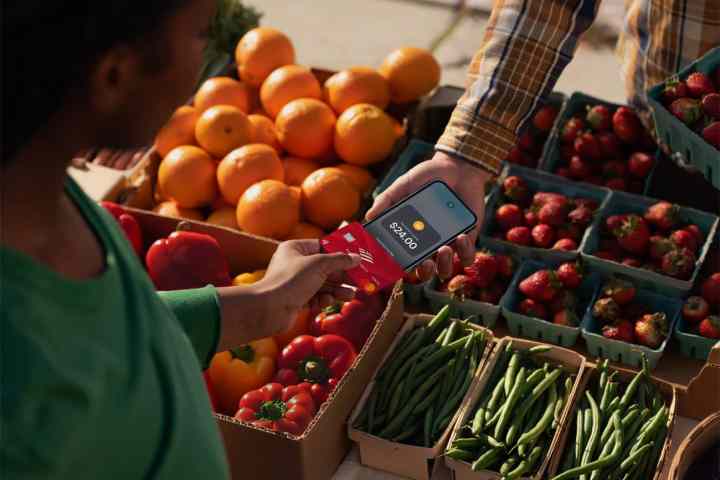
    A person using a contactless payment card with an iPhone.
    Apple

    Those testing the iOS 18.2 beta can already designate a default contactless payment application, a feature that is likely to persist when the full version of iOS 18.2 launches. While Apple Pay remains an extremely efficient app, having more choices is always better for users.


    Please enable Javascript to view this content

    Vipps has expressed plans to expand its services to Denmark, Finland, and Sweden next year. This launch marks just the beginning, and it wouldn’t be surprising to witness numerous alternatives appearing in the coming months, particularly if backed by banks or other financial entities.

  • Does Starbucks Take Apple Pay?

    The short answer is yes, you can use your iPhone to pay at Starbucks via Apple Pay. The chain confirmed in January that it would support mobile payments using third-party services like Samsung’s contactless payment system, as well as Google Wallet and Android Pay.

    (المزيد…)
  • Apple Pay Now Supports Bitcoin Payments

    If you like the idea of cryptocurrency, instead of cash you want to spend it, spend some of your own. You may be interested to learn that Apple will now be supporting bitcoin. BitPay is a digital wallet that can also be used with Apple Pay and the Apple wallet app.

    (المزيد…)