الوسم: Animal Crossing Pocket Camp

  • Importing Your Unique Custom Designs Made Easy

    Importing Your Unique Custom Designs Made Easy

    Animal Crossing: Pocket Camp Complete has officially launched, taking the place of the original Animal Crossing: Pocket Camp. While the gameplay remains similar, there are some key distinctions between the two versions. Notably, Pocket Camp Complete comes with a one-time purchase fee, in contrast to the original, which was free to download. Furthermore, the original Pocket Camp featured online gameplay, whereas Pocket Camp Complete offers a different experience without these online functions.

    On the bright side, Pocket Camp Complete has introduced a host of exciting new features, including a fan-favorite addition from New Horizons: custom designs. This allows players to create and implement unique designs within the game, adding a personal touch.

    How to Import Custom Designs

    Custom designs in Animal Crossing: Pocket Camp Complete give players a wonderful chance to showcase their creativity and individuality. Importing custom designs is straightforward, although players cannot create their own within the game; they can only import existing designs. To do this, launch Animal Crossing: Pocket Camp Complete and tap the icon that resembles four squares inside a circle located in the bottom right corner. From there, select Custom Designs from the menu options.

    In the Custom Designs section, players can search for and download custom designs by using a Creator ID or a Design ID. A Creator ID will display all designs from a particular creator, while a Design ID will show only a specific design.

    Don’t fret if you’re not a professional artist; utilizing the Custom Designs feature is accessible for everyone. You can find a variety of custom designs on platforms like Pinterest and Tumblr and easily import them into Pocket Camp Complete.

    Once you’ve found a design that catches your eye, select it to be prompted to log into your Nintendo account for the import process. You can enter the respective code to download the design. If you choose to explore a Creator ID, you can browse through all the designs by that specific creator, or you can look at individual designs and save them as desired.

    How to Equip Custom Designs

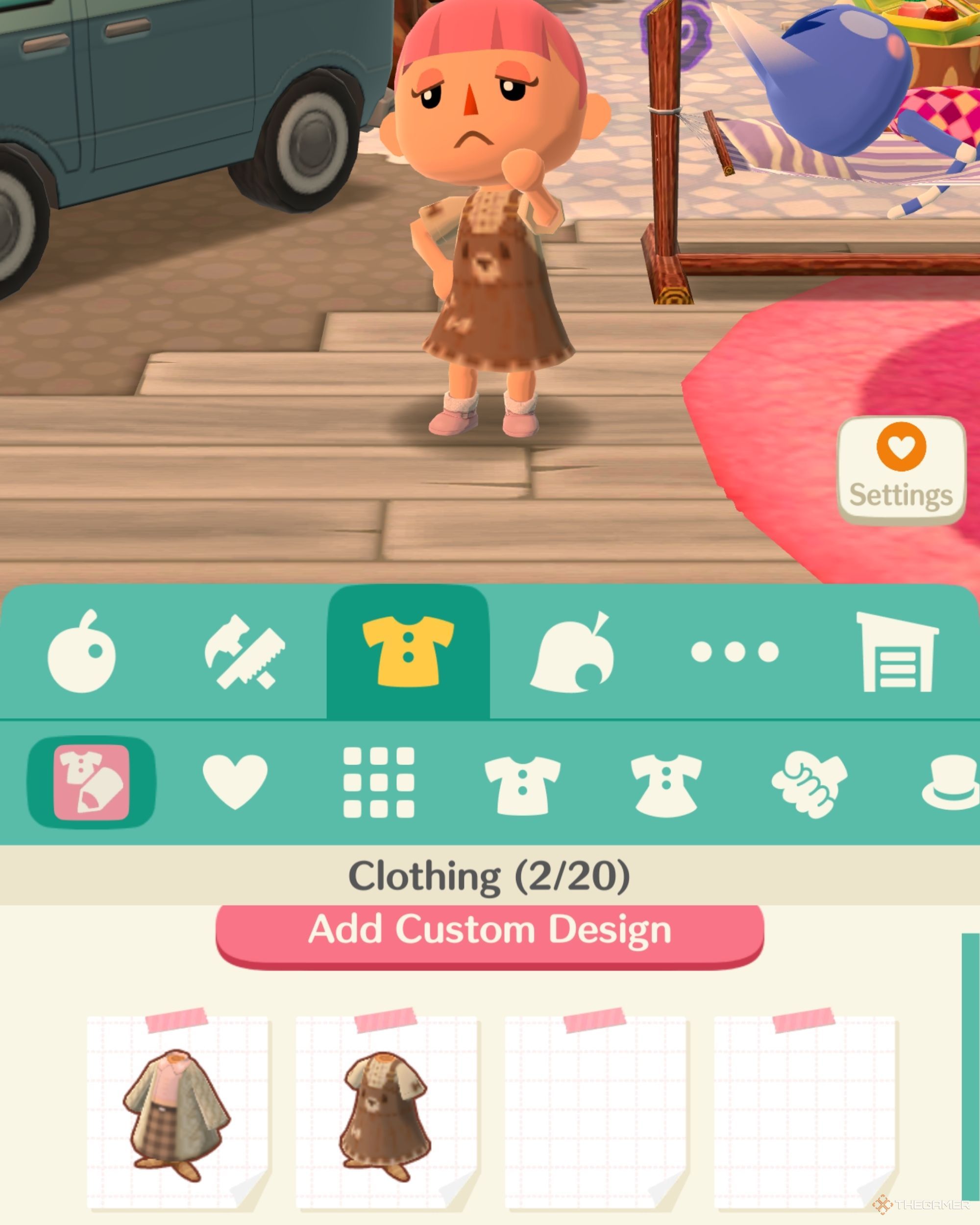
    After saving your custom design, the next step is to equip it. Navigate to your inventory, click on the clothing section, and select the Custom Designs icon, which looks like a shirt and a pencil against a pink background. From there, pick the design you want to wear.

    You can store a maximum of 20 custom clothing designs and 20 custom furniture designs. If you reach your limit, you can remove previously imported designs by selecting “Details” beneath each item.

    Applying custom designs to furniture follows a similar process. Head over to the furniture tab in your inventory and click the Custom Designs icon to select which design you would like to use. Although only a limited number of furniture items can be customized in Animal Crossing: Pocket Camp Complete, starting with ground tiles and stepping stones can help enhance your campsite’s appearance.


    With these new features and methods, Animal Crossing: Pocket Camp Complete empowers players to express their creativity like never before, making for a uniquely personalized gaming experience. Enjoy customizing your virtual world!

  • Daily Tasks in Animal Crossing: Pocket Camp You Can’t Miss!

    Daily Tasks in Animal Crossing: Pocket Camp You Can’t Miss!

    Many players of Animal Crossing: Pocket Camp Complete enjoy establishing daily routines. This latest version is attracting both new and returning players eager to dive in. A key aspect to consider is how you plan to organize your activities. When is the optimal time to fulfill animal requests, gather fruit, and begin crafting decorative items for your avatar, cabin, or campsite?

    While Pocket Camp Complete offers much of the same gameplay as its predecessor, a significant change is Nintendo’s approach to in-game purchases. Players receive Leaf Tokens more frequently compared to the previous Leaf Tickets, making it easier to manage inventory when you complete animal requests. By establishing a steady routine, you can minimize inventory issues.

    Begin With Events

    Don’t Miss Out on Event Items

    Upon logging into Pocket Camp Complete, take a moment to see what’s new. If you last logged out at your campsite, you’ll find yourself near your camper, conveniently close to the garden. Many players tend to avoid gardening unless it’s for a specific challenge or item they need. Therefore, it’s best to take care of gardening quickly so you don’t miss out on event items that would otherwise cost you a Complete Ticket.

    When participating in gardening events, expect to harvest flowers and collect the bugs that appear on them. The goal is to gather as many bugs as possible for seasonal rewards. Each event features two limited-time flowers that can be converted to Bells after the event ends. These flowers attract unique bugs of varying rarities. To maximize your chances of completing tasks during these events, consider using one section of your gardening lots for each flower type.

    Don’t forget that your Camp Caretaker will help you during events by collecting valuable items that contribute to your goals.

    Villager Requests & Managing Inventory

    Don’t Waste Time Clearing Space Later

    In the early days of playing, I often found my inventory packed in Pocket Camp. While there’s little reason to hold onto excess non-clothing or decorative items, the game’s appeal lies in collecting fruit, fishing, and catching bugs. This means you often accumulate enough resources to satisfy animal requests, which in return gives you essences and crafting materials. To prevent materials from clogging up your mailbox or converting into Bells, start by crafting items you want—this can help clear space for rewards before fulfilling requests.

    Here’s a quick overview of rewards based on animal friendship levels:

    Animal Friendship Level Common Request Reward Uncommon Request Reward
    Level 1–9 2 Primary + 1 Random Craft Material 3–4 Primary + 1 Random Craft Material
    Level 10–14 5 Primary + 1 Random Craft Material 6–7 Primary + 1 Random Craft Material
    Level 15–100 8 Primary + 1 Random Craft Material 9–10 Primary + 1 Random Craft Material

    Animals will provide players with their designated primary craft materials and a random craft material. While there’s no straightforward formula for determining an animal’s primary material—it’s not tied to personality or theme—resources like a comprehensive spreadsheet from Reddit user PurpleRain1028 can help. Consider swapping out villagers based on the primary material they provide.

    Collecting Resources

    Replace the Items You Gave to Your Animals

    Animals will request various items like fruit, fish, and bugs, so the best time to gather these is immediately after completing their requests. In Pocket Camp Complete, players can no longer obtain fruit from Market Boxes; now, you have to shake trees to collect them. To acquire non-native fruits (like grapes, lemons, or lychee) that don’t grow at your campsite, you must receive them as gifts from friends via the Whistle Pass. Occasionally, a "perfect" fruit will appear on trees, which will yield greater rewards from animals.

    Here’s a breakdown of where to find different resources:

    Item Type Location
    Coconut Sunburst Island, Saltwater Shores
    Non-Native Fruits Whistle Pass
    Other Fruits and Native Fruits Breezy Hollow, Lost Lure Creek
    Bugs (excluding Gardening Event Bugs) Sunburst Island
    Fish Lost Lure Creek, Saltwater Shores

    Things You Shouldn’t Miss

    What Else Should You Do in ACPC?

    While building relationships with your animal NPCs is the core of Animal Crossing, don’t overlook other game aspects. Customizing your camper or listening to K.K. Slider may not yield item rewards, but there are numerous additional ways to gather rewards:

    • Open gifts on the map
    • Check your mailbox
    • Interact with your camp caretaker
    • Visit the Marketplace
    • Buy fortune cookies from Timmy and Tommy
    • Open any fortune cookies in your inventory
    • Sell unwanted items or send them on Gulliver’s Ship
    • Collect rewards from Gulliver’s Ship
    • Attempt Happy Homeroom challenges
    • Explore Blathers’ maps
    • Mine at Shovelstrike Quarry
    • Complete daily goals
    • Tackle stretch goals
    • Participate in event goals

    After wrapping up your activities, be sure to check on any pending crafts, and if none are waiting, you can skip the waiting period to save Leaf Tokens. Since the animals in recreational zones refresh every three hours and plants grow in three to four hours without aid, feel free to return throughout the day to complete various tasks. Tailoring your routine in Animal Crossing: Pocket Camp Complete to fit your gaming style can significantly enhance your experience.

  • Importing Custom Designs in Animal Crossing: Pocket Camp Made Easy

    Importing Custom Designs in Animal Crossing: Pocket Camp Made Easy

    Want your Animal Crossing: Pocket Camp to have that Pinterest-worthy vibe? You can easily import custom designs from New Horizons, and you don’t need a degree in fashion to do it.

    From outfits that say, “I’m too adorable for this campsite” to floor designs that will make your neighbors jealous, we’re here to help. This guide will show you how to snag those New Horizons designs and transform your camp into the fanciest spot around. Ready to give your character and campsite the upgrade they need? Let’s dive in.

    How to Import Custom Designs

    To start, tap the icon at the bottom right corner of your screen, just above the bottom menu. This icon looks like a square made up of four smaller squares. Tapping it will bring up a menu with various options. Look for and select the ‘Custom Designs’ icon.

    You’ll be taken to a screen where you can explore and download custom designs from various creators in New Horizons. You can search for designs in two main ways: by entering a Creator ID or a Design ID. The Creator ID shows you all designs from one specific creator, while the Design ID will take you straight to a particular design.

    Remember, Creator IDs start with ‘MA-‘ and Design IDs start with ‘MO-.’

    If you’re not sure where to find custom designs, a quick online search will help. I find Pinterest to be an excellent source for browsing various designs shared by other New Horizons players.


    Check out our stylish TheGamer shirt! Use code MO-KYTS-TDT4-944G to get it.

    After you’ve picked out a design, you’ll need to log in with your Nintendo account. Once logged in, you can enter either the Creator or Design ID. If you enter the correct code, the design will show up, and you can save it.

    You can only save custom designs for clothing, umbrellas, uchiwa fans, handheld flags, face-cutout standees, and path or flooring designs.

    How to Wear Custom Designs


    5-13

    To see your saved custom designs, open your inventory and go to the clothing tab. You’ll find a ‘Custom Designs’ icon at the top. Clicking this icon will show you all the custom designs you’ve saved, up to twenty.

  • Ultimate Guide to Finding Sparkle Stones in Pocket Camp

    Ultimate Guide to Finding Sparkle Stones in Pocket Camp

    Sparkle Stones are one of the various resources in Animal Crossing: Pocket Camp Complete. Most players tend to overlook them since they are not utilized as frequently as bells or leaf tokens in AC: Pocket Camp. Nevertheless, having Sparkle Stones is still quite beneficial.

    You may find yourself with Sparkle Stones in your inventory but be uncertain regarding their purpose. Given their rarity, if you ignore certain aspects of the game, you might run out of them before you know it. So, what are the best ways to gather Sparkle Stones in Pocket Camp, and what can you use them for?

    Uses for Sparkle Stones in ACPC

    Crafting and Special Shop Purchases

    Sparkle Stones can be used to craft various items, but you might find yourself with an abundance of leaf tokens that can compensate for any missing materials during crafting. It’s important to note that Sparkle Stones are among the hardest materials to replace. These stones are typically used for crafting high-level items, which are generally more extravagant, such as unique request furniture. Additionally, you can use Sparkle Stones to purchase exclusive stickers from the sticker shop to embellish your planner.

    Since the transition to Complete, there have been notable changes in how currencies and materials are priced; everything costs less, and players earn more rewards overall. This includes Sparkle Stones, where you likely won’t spend more than 20 at once. However, they still remain one of the game’s rarest currencies, only slightly more common than Pocket Camp Complete‘s Complete Ticket.

    Simple Ways to Obtain Sparkle Stones

    Leveling Up Animals: Your Best Bet for Sparkle Stones

    You earn Sparkle Stones by reaching friendship levels 7, 9, and 20 with an animal, and then again every five levels up to level 100. There are numerous ways to increase friendship levels in Pocket Camp Complete, but using gold snacks to feed animals has proven to be the most effective method. A great strategy for leveling up multiple animals quickly is to complete Blather’s maps and use calling cards to invite new villagers to your camp. Additionally, Sparkle Stones can also be rewards for completing certain stretch goals.

    Stretch Goal

    Reward

    Craft An Amenity and Accept It

    10 Sparkle Stones

    Expand Your Camper

    20 Sparkle Stones

    Add a Level to Your Camper

    20 Sparkle Stones

    Occasionally, completing requests for animals will reward you with Sparkle Stones, and on certain occasions, you might even receive a Sparkle Stone Map. These maps, which are of gold rarity, cannot be obtained from Gulliver’s islands like many other maps in the game, although Sparkle Stones can be acquired there. Sparkle Stones often fly under the radar in Animal Crossing: Pocket Camp Complete, so it’s smart to keep a stock of them for future use.

  • Ultimate Guide to Animal Crossing: Pocket Camp

    Ultimate Guide to Animal Crossing: Pocket Camp

    Animal Crossing: Pocket Camp Complete represents a significant upgrade from its previous version, introducing new in-game currencies, including Complete Tokens. Although it now requires a one-time purchase to download, the removal of membership fees and micro-transactions means you’re getting much more value for your investment. With features like two fresh currencies—one of which is particularly beneficial for veteran players—Pocket Camp Complete enhances the gaming experience.

    One of the new currencies is leaf tokens, which replace the former leaf tickets. The other is the special "complete ticket," which allows you to grab any seasonal item or fortune cookie from both past and current collections, offering a wide range of choices. But how can players earn these valuable complete tickets in Pocket Camp?

    Gulliver’s Ship: The Easiest Way to Amass Complete Tickets

    The simplest approach to acquiring complete tickets involves sending out Gulliver’s ship and selecting islands that might reward you with them. You can identify which items are available on specific islands by clicking the icons located in the top right corner of your screen. The image rotations will show you what’s up for grabs, but remember that you can only collect each individual reward once per island. While the image rotations display items already earned, the souvenir lists will mark off those you can no longer win.

    To dispatch Gulliver’s ship, you’ll need to gather a substantial number of resources. The islands that yield complete tickets generally also include various animal maps, and you’ll have to contribute items worth about 140 points. The value assigned to each item will depend on its rarity and selling price, with some items offering a significantly higher point value on certain islands. These islands demand more cargo than others, often requiring fewer, less valuable items to meet the point criteria.

    Collecting wood, steel, and cotton, which can be used to fill the ship, is relatively straightforward. Many players will likely find themselves with excess clothing and furniture items from fortune cookies and other rewards, which typically carry significant point values. However, if you wish to speed up your expeditions or claim multiple rewards from a single trip, you may need to spend quite a few leaf tokens. You’re allowed one free prize from each journey; after that, you can either use leaf tokens or send the ship out again.

    After redeeming a souvenir, the cost of claiming another will gradually decrease; starting at 12, it drops by at least two each time. Fortunately, Pocket Camp Complete is far more generous with leaf tokens compared to the earlier game, as players often find themselves with over 200 tokens available, while previously they struggled to accumulate just 30.

    Progressing Through Events Rewards Complete Tickets

    Another primary method to earn complete tickets is by participating in events. The specific tasks you’ll need to complete will vary depending on the event, but you can find the details at the recital, typically located at the top of the screen. While this method may not be the fastest way to earn tickets—since you can usually collect only a few per event—it can be appealing to players looking for a challenge or a sense of accomplishment from genuinely earning their tickets.

    The Complete Item Catalog and Complete Cookie Catalog can be found in two separate locations. Those who watched the announcement trailer on Nintendo Mobile’s YouTube channel might have mistakenly thought both would be in the same place, as it referred only to a "Complete Catalog." The Complete Item Catalog is available in the crafting menu, while you can find the Complete Cookie Catalog in the Fortune Cookie shop. Given their function to obtain any seasonal item, acquiring complete tickets is surprisingly straightforward in Animal Crossing: Pocket Camp Complete.

  • Your Ultimate Guide to Collecting Wood in Animal Crossing: Pocket Camp

    Your Ultimate Guide to Collecting Wood in Animal Crossing: Pocket Camp

    Animal Crossing: Pocket Camp Complete shares many features with its predecessors and other entries in the Animal Crossing series. A key aspect is the gathering of resources, which players then use to craft furniture and clothing. In Pocket Camp Complete, resources are crucial for building and enhancing tent amenities, thereby improving the campsite and luring in new animal characters. Wood serves as a primary material for constructing these amenities and furniture pieces.

    In other Animal Crossing installments, like New Horizons, wood can be easily collected from trees. However, in Pocket Camp, finding wood is a bit more complicated. Even though the game has plenty of trees, ironically, they do not yield wood. As a result, acquiring wood demands a different approach compared to other titles in the franchise, although there are still effective methods for gathering this essential resource.

    Where to Collect Wood

    Complete Requests and Raise Friendship Levels

    If you’re looking to gather wood in Pocket Camp Complete, your best strategy is to become friends with specific animals. By increasing their friendship levels to three, you’ll start receiving rewards such as Bells and valuable crafting materials. Various animals will provide wood as a reward, so you’ll likely find one that fits well with your campsite. If needed, you can always replace them to maximize your wood collection.

    Related

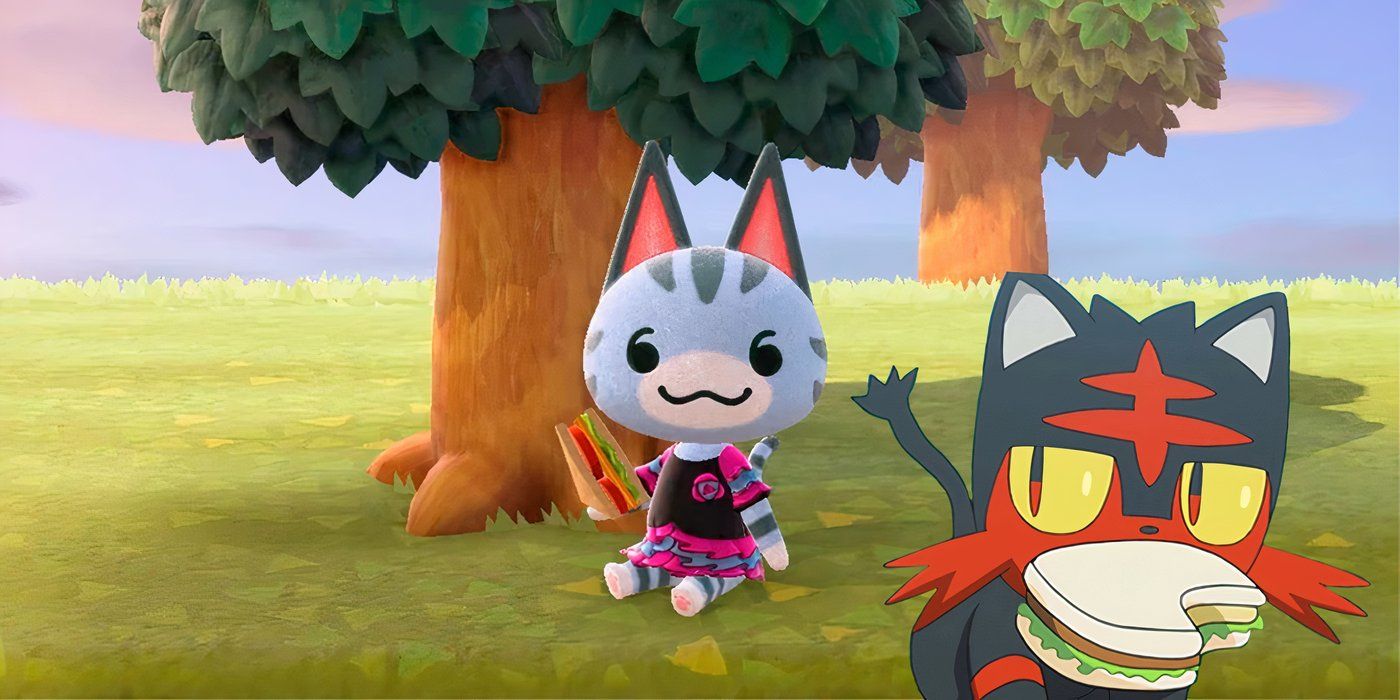
    “This Is The Crossover I Need”: Animal Crossing Fan Designs Perfect Cat Villagers Inspired By Pokémon

    An Animal Crossing: New Horizons fan amazed the community with their Pokémon-inspired cat villager redesigns.

    Animals that can reward you with wood in Pocket Camp Complete include alligators, cats, chickens, frogs, hamsters, rabbits, and squirrels. My preference is for cats, and I always have them in my campsite, ensuring a steady supply of wood. To strengthen your bond with these creatures and boost your chances of getting wood, be sure to engage with them when they call for you and fulfill their requests.

    Pay attention to notices when villagers want to talk to you. Make it a habit to interact with them as requested.

    When visiting animals, expect three tasks that they will ask you to complete, usually involving specific items. Delivering these items increases their friendship level, and they will reward you with various goodies. Another effective way to build friendship is by sending gifts to the animals, which often leads to receiving rewards in return.

    In addition to enhancing friendships with certain animals, you can also complete Stretch Goals to gather wood. While Stretch and Timed Goals are one-time opportunities, they provide a good chance to kickstart your wood collection. For new players, collecting five seashells will complete a Stretch Goal that nets you 30 wood.

    While trading items with friends was possible in the original Pocket Camp, multiplayer features have been removed in the Complete version. However, there are still numerous new features to explore in Pocket Camp Complete, even though they might not guarantee wood. Additionally, wood can occasionally be found through the Shovelstrike Quarry.

    Uses of Wood & How to Utilize It

    Construct Tent Amenities and Furniture with Wood

    Unlike other materials like cotton in Pocket Camp Complete, wood cannot be used for crafting clothing items. That said, wood is essential for building tent amenities and furniture, which significantly enhance your campsite and help attract more animals. Although it can be collected from particular animal species, it’s still a crucial resource to gather because you’ll need a substantial amount for various constructions and upgrades.

    Even if you feel you have enough wood and contemplate selling some, keep in mind that wood only fetches 10 Bells per piece, which makes it a poor trade-off. It’s wise to accumulate as much wood as possible. Notable tent amenities requiring wood include the Street Set, Rock Stage, Tree Swing, Merry-Go-Round, and Tree House. Each item can need anywhere from 30 to 50 pieces of wood for the foundation, and upgrades demand additional wood.

    Cotton is another crucial and rare resource needed for crafting amenities and furniture, so make sure to stockpile that as well!

    Furniture in Pocket Camp Complete also frequently requires wood for crafting. Everything from fences to chairs, benches, sofas, beds, and potted plants needs wood. The amount of wood required varies by item; for example, a simple picket fence calls for six pieces, while a white lattice fence can demand up to 120. Furniture not only attracts new animals but also elevates their mood and creates a distinctive campsite.

    Although you cannot use wood for crafting clothing items, you can still create numerous garments using other materials. Additionally, custom designs are easily importable.

    To utilize wood for crafting amenities and furniture in Animal Crossing: Pocket Camp Complete, select the Craft option located at the bottom left of your screen. Browse through your options and pick the item you wish to create. Most items will also require Bells and other resources. With a variety of furniture and tent amenities to choose from, wood is undoubtedly one of the most valuable resources. Therefore, it’s advisable to hoard wood instead of selling or discarding it.

  • Ultimate Guide to Collecting Cotton in Animal Crossing: Pocket Camp

    Ultimate Guide to Collecting Cotton in Animal Crossing: Pocket Camp

    Gathering Resources in Animal Crossing: Pocket Camp Complete

    Like previous Animal Crossing games and various simulation titles, Animal Crossing: Pocket Camp Complete allows players to collect essential resources. These resources can be used for crafting items, given as gifts to villagers, or sold for Bells.

    One particularly sought-after resource in Pocket Camp Complete is cotton. Unlike other materials, cotton isn’t readily available and is considered a rare crafting item used for creating furniture, clothing, and tent amenities. Fortunately, there are reliable methods to acquire cotton.

    Where to Find Cotton

    Build Friendships and Complete Tasks

    Cotton is a crucial item in the game, but it isn’t one of the newly introduced features. The best strategy for acquiring cotton in Animal Crossing: Pocket Camp Complete is to focus on increasing your friendship levels with specific villagers, especially goats, hippos, lions, mice, penguins, and pigs. To boost your friendship, prioritize completing requests from these characters.

    Common villagers that drop cotton include Kidd the Goat, Rex the Lion, Maggie the Hippo, Tex the Penguin, Bree the Mouse, and Agnes the Pig. However, they are not the only villagers who can gift you cotton.

    If your campsite lacks these villagers, you can swap them out. Simply tap the animal icon in the top left corner to start the replacement process.

    Gaining friendships and increasing their levels requires some time, so don’t expect to amass cotton immediately. Besides boosting your friendships, there are additional ways to gather this uncommon material. One effective method is to complete Stretch Goals, such as catching a certain number of fish or reaching specific game levels. Successfully achieving these Stretch Goals can net you 30 cotton each, but remember that each goal can only be completed once, making it less efficient for bulk cotton collection. Additionally, some login bonuses and limited-time goals may also provide cotton rewards.

    While trading cotton among friends was possible in previous iterations of Animal Crossing: Pocket Camp, Pocket Camp Complete has removed the multiplayer feature required for trading. Therefore, acquiring cotton from friends is no longer an option.

    The final way to procure cotton is through the Shovelstrike Quarry. While the Quarry doesn’t guarantee cotton as a reward, when it does, you can expect to receive a decent amount. Be sure to check the quarry every day to see if cotton is among the rewards.

    Cotton’s Uses in the Game

    Enhancing Your Campsite with Cotton

    Cotton is a recognizable resource characterized by its distinct white bundles tied with brown twine. It’s essential for building tent amenities, which play a significant role in Animal Crossing: Pocket Camp Complete. These amenities come in various themes and tiers.

    Different animal types prefer specific tent themes, which aids in enhancing friendships with them. Having tent amenities can also elevate your maximum friendship level, increasing it from seven to 70. To upgrade your tent amenities, a substantial amount of cotton is necessary. For example, the Cool, Cute, Natural, Sporty, and Rustic Tents require 30 units of cotton for each tier upgrade. The Picnic Set similarly calls for 30 cotton per upgrade, and that’s just for tent amenities.

    Cotton is also vital for crafting a variety of furniture and clothing items. Whether you’re looking to create beds, rugs, sofas, or even clothing like the Alpinist Dress and Hat or the Black Leather Jacket, cotton is a fundamental component in many of these recipes.

    The cotton requirements for these items range from six to upwards of 75 units. If you enjoy collecting outfits or dressing characters, you’ll need a good stockpile of cotton. For those with an eye for fashion, you can upload custom designs and create your outfits.

    Given the value and rarity of cotton, it’s generally not advisable to sell it, as it only fetches 10 Bells per unit. Instead, it’s best to keep your cotton stash for crafting essential items that enhance your campsite. By furnishing and decorating your space, you can attract a wider variety of animals, thus elevating both the level of your campsite and the diversity of animal visitors.

    Using cotton to craft various tent amenities and furniture allows you to create a campsite that reflects your personal style. Build and design your area with items you love to showcase your unique personality.

    Crafting in Animal Crossing: Pocket Camp Complete is straightforward. Select the Craft option at the bottom of your screen, then choose the items requiring cotton to start customizing your campsite.

  • Importing Custom Designs in Animal Crossing: Pocket Camp Made Easy

    Importing Custom Designs in Animal Crossing: Pocket Camp Made Easy

    Animal Crossing: Pocket Camp Complete introduces a feature not available in the earlier free-to-play version. Launched in December—just a week after the free app closed down—it now stands as a one-time purchase game. However, this new iteration lacks some features from its predecessor, such as the regular updates and social functionalities that players enjoyed.

    On the bright side, the new version also brings exciting new features, including the ability to create custom designs for the first time. This means players can now import custom designs from Animal Crossing: New Horizons into their Pocket Camp game, allowing for greater self-expression right from the start.

    How to Import Custom Designs from New Horizons into Pocket Camp

    To successfully import custom designs into Animal Crossing: Pocket Camp Complete, players need to follow a straightforward process as soon as they launch the game. Here’s what you need:

    1. Obtain a Creator or Item Code: You must know the MA code for a creator or the MO code for a specific design.
    2. Create a Nintendo Account: Either a free or paid account will suffice.

    Steps to Import Custom Designs

    When you’re all set, follow these instructions:

    1. Tap the white circle with four squares located at the bottom right of the screen, just above the journal.
    2. Select "Custom Designs."
    3. Choose whether to search "By Creator ID" or "By Design ID." Keep in mind that creator codes begin with MA, while design codes start with MO.
    4. You’ll be prompted to sign into your Nintendo account online—it’s necessary each time you start the game.
    5. Enter the relevant code.

    If you input a design code, the design will display, giving you the option to save it. If you input a creator ID, you can explore their entire collection and save any designs that catch your eye. Note that once you reach the maximum limit for saved designs, you may have to delete some to make space for new ones.

    How to Delete Custom Designs

    Players can store up to 20 custom clothing designs and 20 non-clothing designs at any given time. If your collection is full, you can manage it directly through the inventory.

    To remove a downloaded custom design, navigate to the inventory screen and select the custom design option within the clothing section. Choose the design you wish to delete and tap on "Details." Here, you’ll find the option to remove the design. Remember, you will need to delete some designs to free up space for any new ones.

    How to Find Custom Designs to Import Into AC: Pocket Camp Complete

    Many creator communities are available to help you discover new designs.

    Nintendo has posted a selection of designs on the official Animal Crossing: Pocket Camp Complete website, featuring 10 designs that include various dresses, shirts, hats, umbrellas, and hand fans. While these designs are simple, they serve as a cute way to get started and ensure your character has more than just the basic polka-dot shirt.

    Here are a few more places to find amazing designs:

    • Reddit communities such as r/animalcrossingdesign, where fan creations are frequently shared.
    • YouTube channels like dianaulait, which compile a variety of designs for viewers.
    • Social media platforms and Pinterest also feature countless designs for additional inspiration.

    One of my favorite creators is Nalikaylee (creator code MA-1900-8638-3339) for cozy outfits and crescentblue.acnh (creator code MA-9480-6894-4976) for stylish Genshin Impact recreations. Not every design can be imported, but there are still plenty to choose from, so don’t hesitate to scroll through!

    With thousands of community-made designs available, finding the perfect shirt, path, or item to customize is easy. The ability to import custom designs into Animal Crossing: Pocket Camp Complete is truly a game-changer, giving players the chance to express their individuality right from the beginning.