الوسم: alerts

  • Blink Cameras Now Use AI Alerts to Show What’s Happening

    Blink Cameras Now Use AI Alerts to Show What’s Happening

    Blink, the smart home device maker owned by Amazon, is adopting features similar to those offered by Google and Ring to introduce a new AI-powered alert system. This system provides users with more detailed and descriptive notifications for events captured by Blink security cameras. Like Ring’s AI Video Descriptions and Google’s Gemini-driven summaries, Blink’s new feature leverages artificial intelligence to analyze footage and generate natural-language summaries of detected events.

    Currently available in an early beta version for Blink users in the United States with a basic or plus subscription, this feature aims to improve alert usefulness. Rather than receiving a generic alert such as “motion detected in the backyard,” users will get a more detailed description focusing on the main subject of the alert and their actions, according to Blink.

    These concise summaries will help users quickly determine if an alert needs their immediate attention or can be safely ignored without opening the app. While more informative than standard alerts, Blink’s Video Descriptions still trail behind offerings from Ring and Google. PCWorld points out that Blink’s summaries are not searchable like Ring’s, and users cannot perform natural language searches for specific events. Additionally, unlike Google’s Gemini, which provides daily activity summaries, Blink’s descriptions are limited to individual incident reports.

    Despite these limitations, the feature is a valuable upgrade for those using Blink’s ecosystem of video doorbells and security cameras. It reduces the hassle of opening multiple alerts and simplifies monitoring. Blink may enhance its capabilities further by the time this feature leaves beta.

    Owners of Blink security cameras can access the Video Descriptions by updating the app to the latest version and navigating to Settings > Notifications > Blink Video Descriptions. The feature requires the app language to be set to English and is not compatible with Blink XT, XT2, or Indoor (1st Gen) cameras, as noted in Blink’s support documentation.

  • Android 16 May Bring Its Own Take on iPhone’s Dynamic Island Alerts

    Android 16 May Bring Its Own Take on iPhone’s Dynamic Island Alerts

    In recent weeks, intriguing updates regarding the next significant version of Android have surfaced. Currently under development with the internal codename “Baklava,” Android 16 is set to introduce an exciting new feature called Priority modes for notifications.

    If that sounds somewhat familiar, it’s because Apple has already rolled out various focus modes to achieve a similar effect, enhancing them with AI-driven priority notifications in iOS 18. It appears that Google aims to follow suit, potentially borrowing a successful trick from the iPhone experience.

    According to an article from Android Authority, Android 16 may also feature capabilities akin to Dynamic Island notifications. On iPhones, the pill-shaped Face ID cutout at the top serves as a versatile canvas for showing dynamic alerts from various applications.

    Rich notification renders on Android 15.
    Mishaal Rahman / Android Authority

    This user-friendly, unobtrusive method of displaying application alerts allows users to keep tabs on activities without the need to switch between different apps. Some Android manufacturers, like Honor, have already implemented similar features inspired by Apple’s design, although support has varied across different applications.

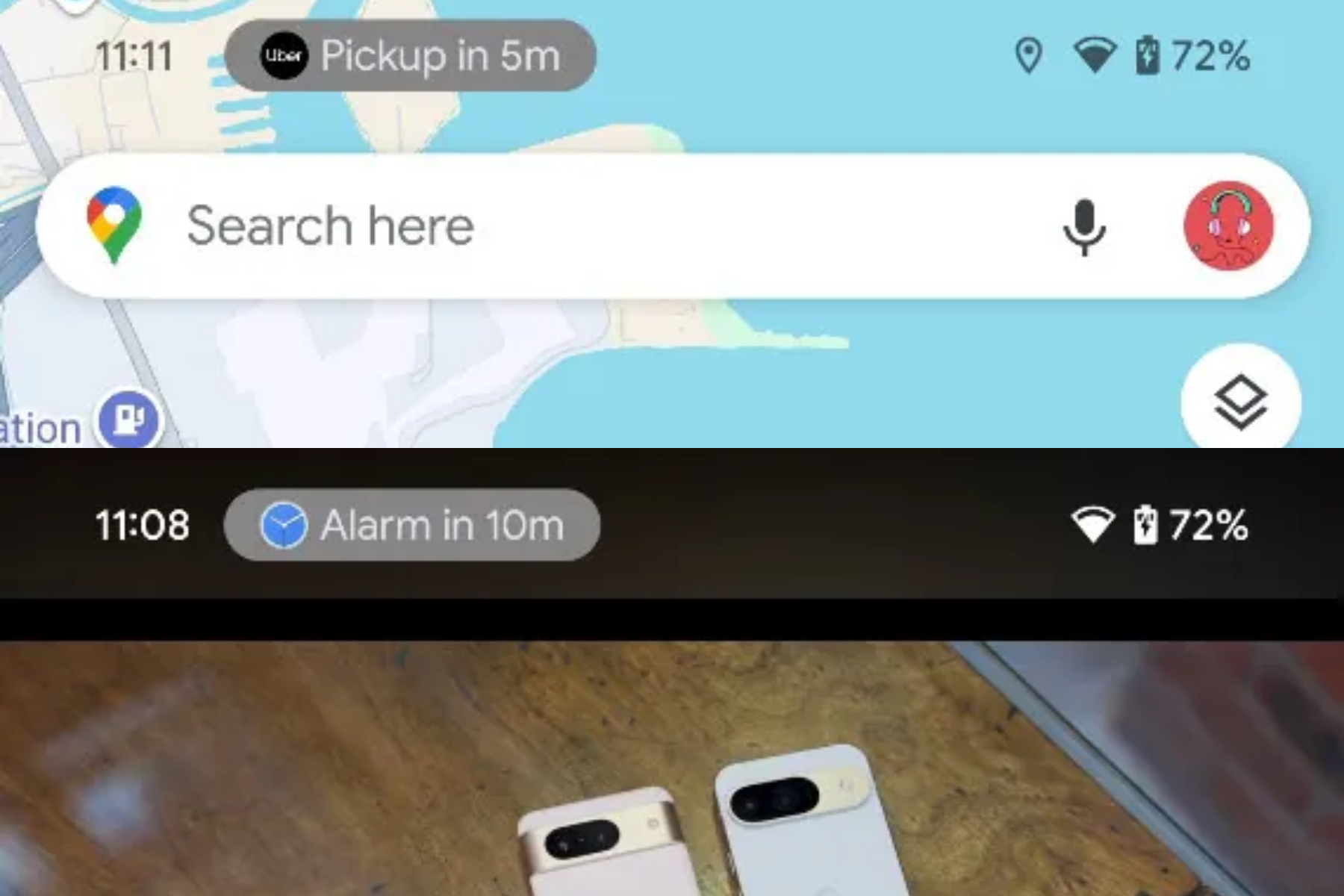
    Android 16 could standardize this experience with a feature known as Rich Ongoing Notifications, which first appeared in the latest QPR build of Android 15. This feature aims to allow apps to utilize more vertical space in the status bar rather than simply displaying icons. According to reports, “The API will enable apps to create customizable chips with their own text and background colors in the status bar.”

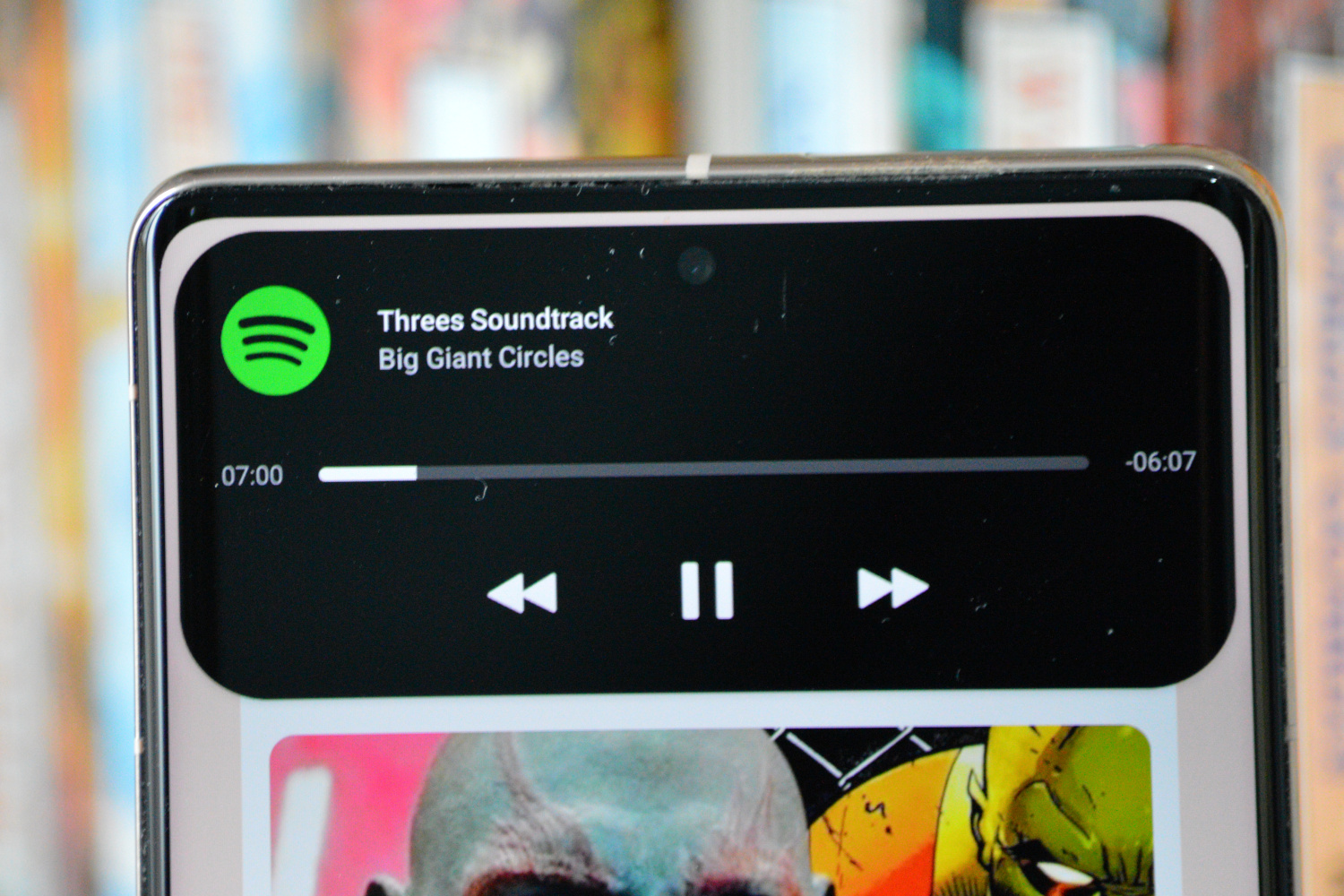
    The expanded DynamicSpot Dynamic Island at the top of the Pixel 7 Pro.
    An example of Dynamic Island-style alerts on Android. Mark Jansen / Digital Trends

    It’s unclear if these app chips will be responsive, but given how Dynamic Island notifications function, it would be logical to expect Rich Ongoing Notifications to provide similar capabilities. Tapping on these notifications should ideally bring up a dialog for more information or even transition users to a full-screen view.

    Google has already implemented a comparable status bar alert system for screen recording in Android 15, which serves various purposes such as music playback notifications, ride-sharing alerts, and navigation tips.

    The actual implementation of Rich Ongoing Notifications will depend significantly on developer interest, distinguishing it from Dynamic Island notifications, which utilize the area surrounding the front camera cutout.

    Instead, Google’s feature in Android 16 focuses on optimizing the status bar area at the top of the screen. However, it’s essential to remember that this is still early in the development process, and significant design and functional changes may occur before Android 16 officially launches.