Originally unveiled in October, Adobe’s Content Authenticity app has now entered its public beta phase, allowing users to try it out at no cost. This innovative app enables creators to embed “Content Credentials” into their digital creations—secure and invisible metadata that reveals details about the original creator. Unlike traditional watermarks, this information remains intact even when screenshots are captured.
Users can incorporate a variety of details into their Content Credentials, including their verified name through LinkedIn and links to their social media profiles. There’s also an experimental feature that invites creators to indicate their preferences for generative AI training. This initiative seeks to proactively address impending AI regulations and ensure that creators have a say in how their work is utilized as training data.
After verifying your name and linking social media accounts, it’s possible to batch upload up to 50 images to assign credentials. Currently, this functionality is available for JPG and PNG formats, regardless of whether the images were created using Adobe software. Plans for support of additional media types, including videos and audio, are in the works.
If you want to view the Content Credentials associated with an image, you can use Adobe’s extension for Chrome or upload your file through the web app. Adobe has also announced that LinkedIn will display these credentials, allowing users to click on images to access the creator’s information. This verification system is expected to extend to other Adobe applications in the future, simplifying the process of digitally signing all creative works made using Adobe tools.
If you have artwork or photos you wish to authenticate, you can visit the web app now to create your profile and begin attaching credentials. The app is currently in beta and free to use, although pricing for the final version has yet to be announced.
Building on the success of its Firefly Image model, Adobe has unveiled a beta version of its new Firefly Video model, along with two subscription options that provide access to its video and audio generation capabilities. The recently announced Generate Video aims to “equip creative professionals with tools to create video clips from text prompts or images, manipulate camera angles for capturing shots, produce high-quality images from 3D sketches, craft atmospheric components, and develop customized motion design elements.”
The initial output quality of the model will be 1080p, with plans to introduce a 4K version for higher-end production work in the future. Similar to its image generator, Firefly Video is trained exclusively on Adobe’s own stock, licensed, and public domain content, ensuring that its outputs can be utilized in commercial projects without the risk of copyright issues. Additionally, unlike some of its competitors, the model has a very low likelihood of generating any unlawful or offensive content.
Firefly Video will be available through Adobe Premiere Pro (as the Generative Extend tool) and a new web application at Firefly.Adobe.com. Users will have the ability to produce video clips using both written prompts and reference images, as well as to add ambient effects and personalized motion design elements. The model also allows users to lock the first and last frames of a clip, which helps maintain visual consistency, color integrity, and character details throughout the video.
A new Scene to Image functionality will enable creators to “seamlessly produce production-ready assets” using a 3D sketching tool that transforms concept art into high-resolution images and structural references that can be utilized in generated video clips. Furthermore, Firefly Video has the capacity to generate audio that can translate spoken dialogue into any of 20 different languages.
To support Firefly Video, Adobe is rolling out two subscription plans that give users comprehensive access to the new model. The $10 per month Firefly Standard plan offers 2,000 video/audio credits each month, allowing for up to 20 five-second video generations at 1080p. The $30 per month Firefly Pro plan provides 7,000 video/audio credits, enough for up to 70 five-second clips at the same resolution. Additionally, Adobe has indicated that it is developing a “Firefly Premium” plan tailored for professionals seeking to produce high quantities of video and audio; details on pricing and availability have not yet been released.
Adobe initially previewed the Firefly Video model in April of last year, offering a glimpse of its features by September. It enters a competitive market featuring both paid and free models, including offerings from Kling AI, Meta’s Movie Gen, and OpenAI’s Sora.
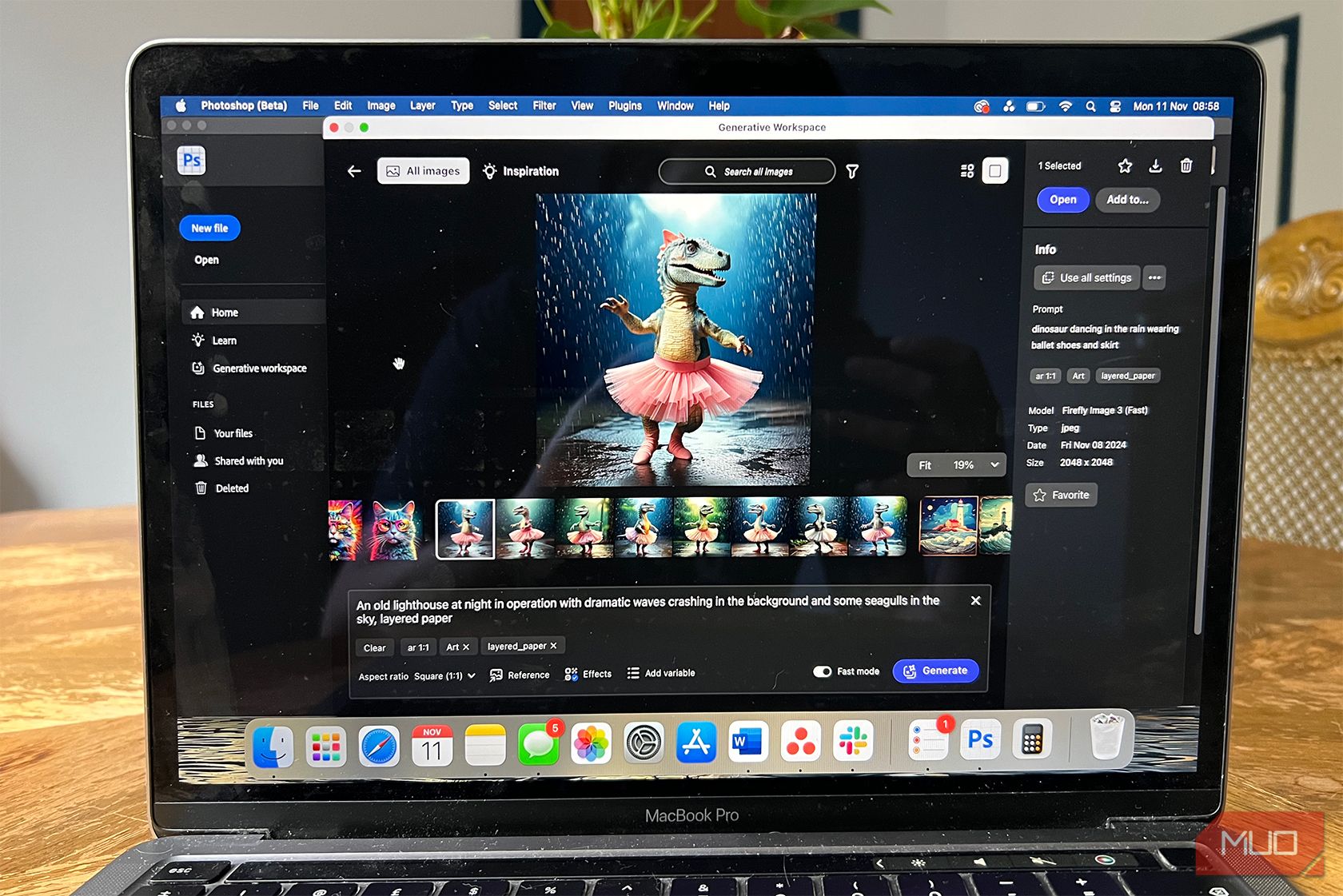
Users of Photoshop (Beta) can now dive into the new Generative Workspace, an innovative feature that promises to be a key component of Creative Cloud. Any Creative Cloud subscriber can access Adobe’s beta applications, which are essentially early versions of its software, via the Creative Cloud hub.
The Generative Workspace is one of the most exciting AI features unveiled at Adobe Max 2024, and it will serve as the central hub for your AI-generated images and files. Here’s why I believe it could become Adobe’s most indispensable asset.
1 Organizing with Generative AI
Adobe has always excelled in file management solutions. It not only offers cloud storage through Creative Cloud but also provides effective organizational tools through programs like Bridge and Frame.io.
The forthcoming Generative Workspace in Photoshop will function as a management system for your AI-created images. While it’s currently unclear if this feature will roll out across other Adobe applications, there’s a strong expectation that it will. This means you could easily access generated images from various Adobe tools all through the Generative Workspace.
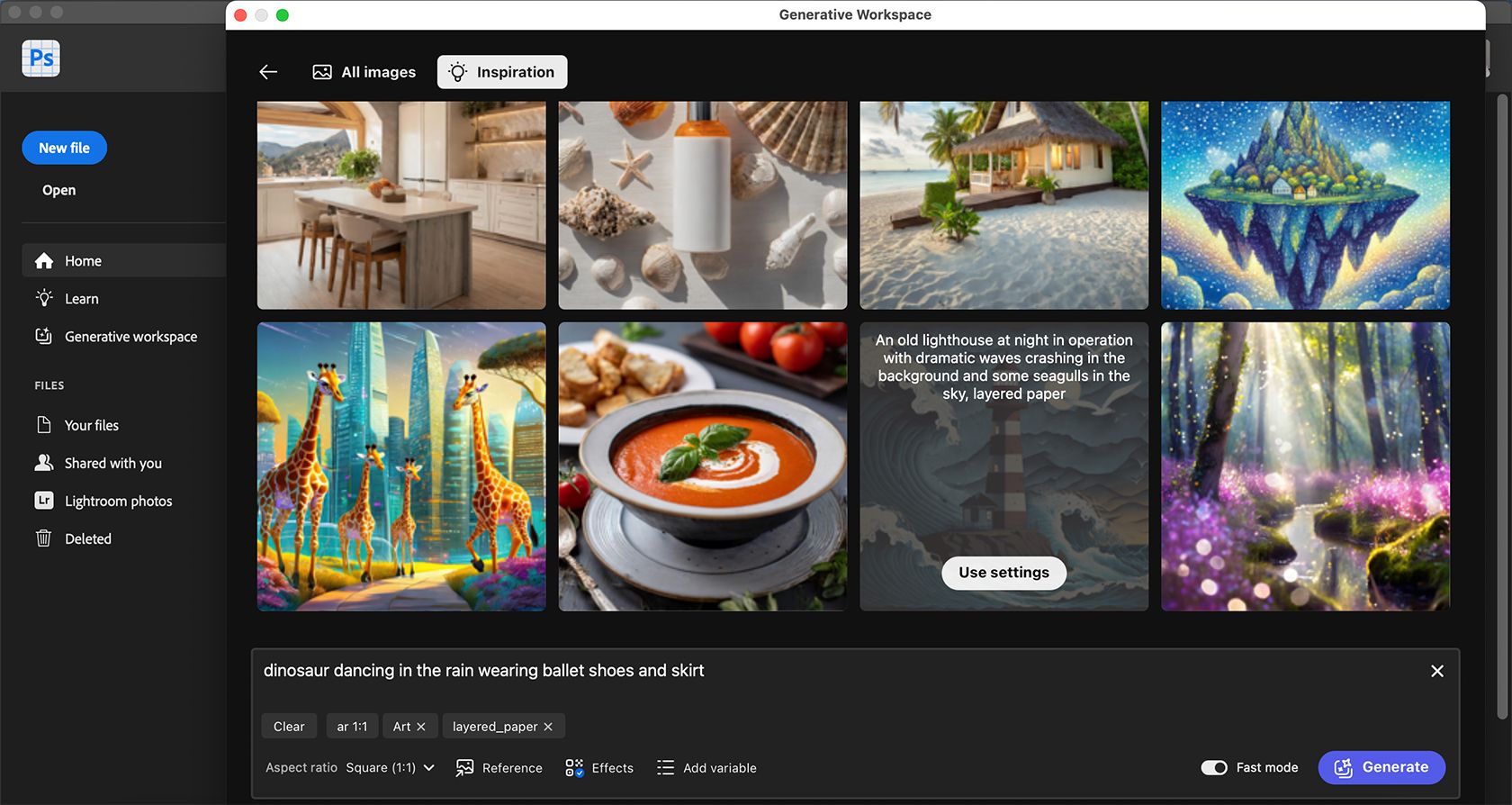
Beyond just storing your generated images, the Generative Workspace will also keep track of the text prompts and settings you used to create them. This feature will be invaluable for replicating past styles or outcomes, eliminating the need to separately save your prompts elsewhere.
2 A Repository of Your Prior Creations
Ruby Helyer / MakeUseOf
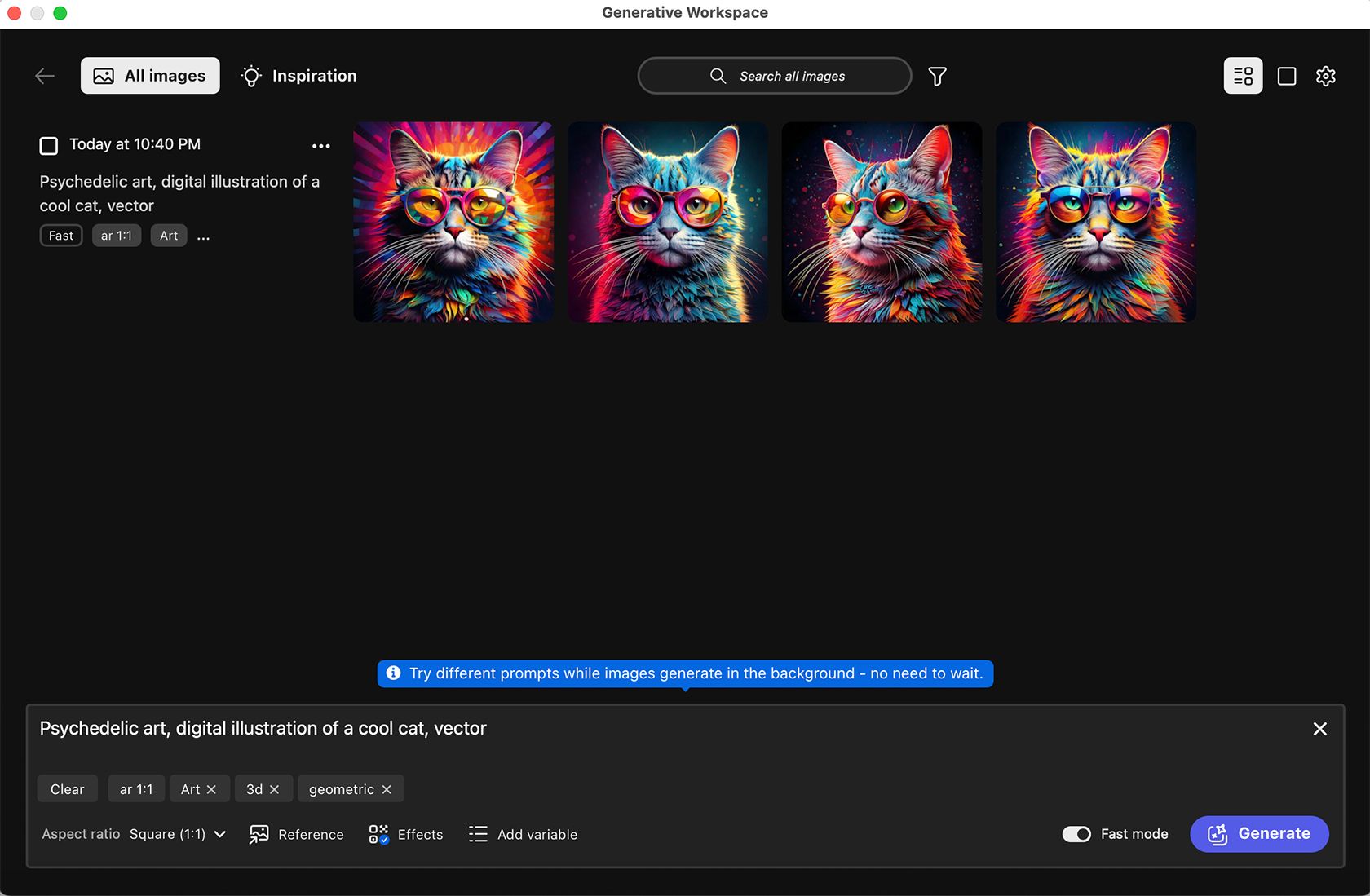
It’s easy to misplace generated images from previous projects, especially when you finalize one variation and move forward, often leaving other versions behind. Even if you didn’t choose the additional variations for immediate use, they might be beneficial for future projects.
The Generative Workspace keeps a record of all your AI-generated creations, so you can revisit them whenever necessary. Everything is stored in a central location, eliminating the need to dig through past projects to find what you need.
3 Cross-Platform Access Potential
Though the Generative Workspace has currently been launched in Photoshop Beta, there’s a strong anticipation that it will soon be integrated into all of Creative Cloud.
Consider all the Adobe applications that enable image generation: Photoshop, Illustrator, Lightroom, Adobe Express, and Acrobat, not to mention mobile and web apps. Adobe is also beginning to implement AI-driven video generation for Premiere Pro and Firefly, which is already in beta at the time of writing.
Having access to all your AI-generated content from Adobe applications in one consolidated area will dramatically improve your efficiency and productivity. Although Adobe has not officially announced this feature, it seems like a likely development.
Adobe frequently announces new tools and functionalities, sometimes rolling them out in unexpected ways.
4 Exceptional Generated Results
As with all of Adobe’s AI-generated visuals, the quality is unparalleled. The Generative Workspace is currently powered by Adobe Firefly 3 during its beta phase, but by the time it becomes publicly available, Adobe may be on to Firefly 4 or an even newer version.
Flying the flag for Adobe Firefly 3, I’ve been consistently amazed by how high-quality the visuals are. Unlike many other AI tools, it rarely gives that “AI look” that can be off-putting. I’ve even replicated images captured on my smartphone using Firefly 3, and the results have been nothing short of impressive.
5 Diverse Prompt Options and Batch Creation
Adobe has historically provided multiple image variations in its generative AI tools. The Generative Workspace currently offers four variations per prompt and can generate up to 20 variations in total, which is fantastic for bulk image production.
To enhance efficiency and maintain a high level of productivity, Generative Workspace allows you to create multiple AI images simultaneously while others are still being generated. You’ll only need to wait for the current generation to finish.
It is also a superb space for refining your prompts. With many customizable options in Adobe’s Generative Workspace, you can easily adjust small details like prompt length, filters, textures, styles, and much more to align with your vision.
If you frequently leverage generative AI in Adobe tools, being able to customize your generated images will prove invaluable.
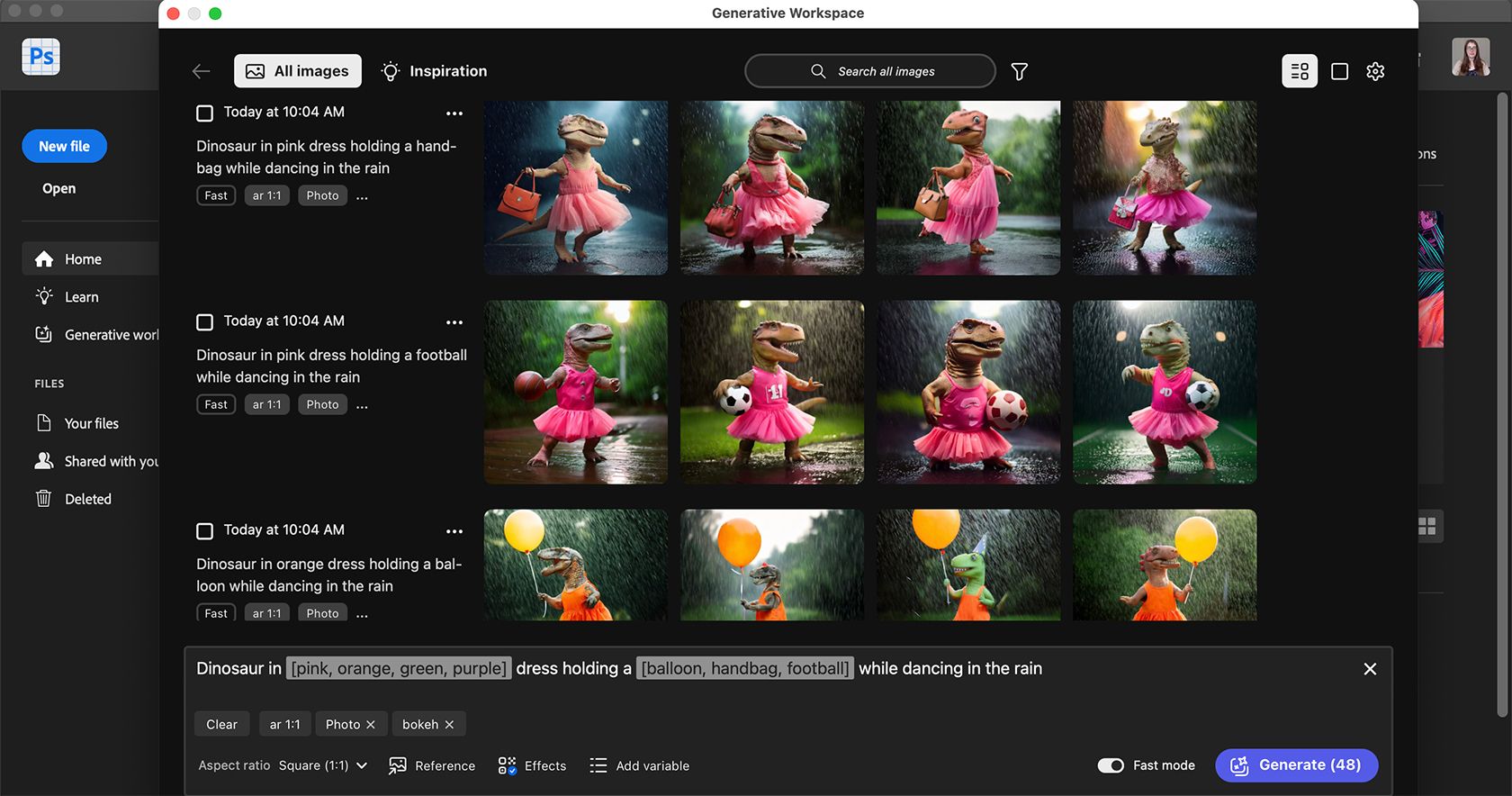
You can easily modify and add variables for each prompt by placing adjectives in square brackets within your prompt. For example:
“Dinosaur in [pink, orange, green, purple] dress holding a [balloon, handbag, football] while dancing in the rain.”
Utilizing these variations in your prompt can quickly yield dozens of diverse images. You have the flexibility to adjust nearly any aspect of the image—from specific components to art styles or textures.
While there’s no definite timeline for when the Generative Workspace will be publicly available in Adobe Photoshop or other Adobe apps, you can explore it now in Photoshop Beta. The early trials are promising and already delivering remarkable outcomes. If you frequently create AI imagery, this tool is poised to become your go-to feature in Adobe.
Adobe and Figma have decided to scrap their proposed merger, which was set to be a significant move in the tech industry. This decision follows regulatory hurdles from the European Commission and the UK Competition and Markets Authority, foreseeing challenges in obtaining necessary approvals for the $20 billion deal.
The merger, initially revealed in September 2022, aimed for Adobe’s acquisition of Figma through a mix of cash and stock considerations. However, concerns raised by regulators in the UK and EU about potential market dominance and stifled competition in the design software space led to the termination of the agreement.
Both companies expressed disappointment but acknowledged that the termination was the most viable option, given the unlikely path to secure regulatory approval. As part of the fallout, Adobe is set to pay Figma a reverse termination fee of $1 billion in cash.
The fallout from this failed acquisition arrives at a challenging juncture for Adobe, which is already navigating tightened client spending, impacting its revenue projections. With the termination, Adobe faces a reevaluation of its strategic initiatives and financial forecasts.
Contrarily, Figma, though disappointed with the outcome, remains committed to serving its user base and exploring alternative partnerships. The company expressed pride in its team’s resilience during the uncertain period of the pending acquisition.
The decision to end the merger sparks discussions about the landscape of tech mergers and regulatory scrutiny, raising questions about the future direction of such strategic alliances in the industry.
For both Adobe and Figma, the termination marks a pivotal moment, prompting them to refocus their efforts independently while acknowledging the challenges that lie ahead in the ever-evolving tech landscape.
Investors were concerned about Adobe’s $20 billion acquisition of cloud-based designer platform Figma, causing the company’s market value to drop by more than $30 billion.
With the cash-and-stock deal, Adobe gets control of a company whose web-based collaboration platform for designs and brainstorming is popular with tech companies like Zoom Video Communications, Airbnb Inc, and Coinbase.
The Adobe CEO said there are “tremendous opportunities” in combining Figma’s business with Adobe’s offerings, such as document reader Acrobat and online whiteboard Figjam.
Figma’s venture capital backers, including Index Ventures, Greylock Partners, and Kleiner Perkins, won big with the $20 billion exit.
Figma users can access Adobe’s illustration, photography, and video tools.
“Figma in return can offer its deep expertise in building in the browser, Once the deal closes, the investment should deliver more than 100 times return.”
said Josh Coyne, partner at Kleiner Perkins, who first invested in Figma in 2018.
The stock of Adobe fell 17% on Thursday because investors weren’t impressed. In private fundraising round a little more than a year ago, Adobe valued the company at $10 billion. Many of them said they understood the rationale but that Adobe overpaid.
Aptus Capital Advisors owns 1.5% of Adobe. David Wagner, portfolio manager, and equity analyst said Figma’s ARR was $400 million, a tiny fraction of Adobe’s $14 billion, so Adobe wouldn’t be paying 11% of Adobe’s market value for 2.8% more ARR when Figma has $400 million ARR.
Wagner said he was disappointed with the price paid for Figma.
In three years, Adobe expects the deal to be accretive to earnings. By 2025, Figma’s addressable market will be $16.5 billion across design, whiteboarding, and collaboration.
Over the years, Adobe has bought a lot of businesses to defend its market share against its competitors, making it one of the most acquisitive companies in Silicon Valley.
Additionally, it bought other companies over the past 24 months to focus on collaboration tools, such as Frame.io, ContentCal, and Workfront.
Subject to regulatory approvals, the deal should close in 2023.
Dylan Field will continue to lead Figma, based in San Francisco. If the deal is scrapped, either company will have to pay $1 billion in termination fees.
Refinitiv data show Adobe’s fourth-quarter revenue forecast was $4.52 billion, down from the $4.58 billion analysts expected.
As a result of a stronger dollar and higher costs, the company’s third-quarter profit fell nearly 6%.
The high cost of Adobe Photoshop makes it one of the most popular graphics programs. Photoshop’s web-based version is being trialed in Canada for free to expand Adobe’s userbase.
Adobe Flash had finally died on December 31st, 2020. Adobe will continue to support the flash content no more than January 12th, 2020, on the major browsers.
Adobe is now letting you live stream Adobe Photoshop and Adobe Illustrator on your Apple iPad and Apple iPad Pro. Here is how you can stream it online directly from the iPad.
In 2018 Fall, Adobe publically said that “Adobe Photoshop” will be soon coming to iPad in 2019 as most of the users are still waiting for Photoshop to finally release on iPad as the Adobe Illustrator for iPad is currently in beta testing.
To provide the best experiences, we use technologies like cookies to store and/or access device information. Consenting to these technologies will allow us to process data such as browsing behavior or unique IDs on this site. Not consenting or withdrawing consent, may adversely affect certain features and functions.
Functional
Always active
The technical storage or access is strictly necessary for the legitimate purpose of enabling the use of a specific service explicitly requested by the subscriber or user, or for the sole purpose of carrying out the transmission of a communication over an electronic communications network.
Preferences
The technical storage or access is necessary for the legitimate purpose of storing preferences that are not requested by the subscriber or user.
Statistics
The technical storage or access that is used exclusively for statistical purposes.The technical storage or access that is used exclusively for anonymous statistical purposes. Without a subpoena, voluntary compliance on the part of your Internet Service Provider, or additional records from a third party, information stored or retrieved for this purpose alone cannot usually be used to identify you.
Marketing
The technical storage or access is required to create user profiles to send advertising, or to track the user on a website or across several websites for similar marketing purposes.